Student Management System for Schools in Bangladesh: What It Should Do
In this article 15 sections
- 1.What a Student Management System Actually Covers
- 2.The Life of One Student Record, From Form to Final Exam
- 3.Student IDs, Rolls and ID Cards
- 4.Moving Old Records Out of Registers and Excel
- 5.Attendance That Reaches the Guardian the Same Day
- 6.Fees Linked to Each Student, Not to a Separate Ledger
- 7.Results and Academic History in the Same Record
- 8.Roles and Logins in a Student Management System
- 9.Student Management Software or Spreadsheets: A Fair Comparison
- 10.Where the Data Lives and How It Is Protected
- 11.What a Student Management System Costs in Bangladesh
- 12.Common Mistakes When Schools Choose a Student Management System
- 13.How to Test a Demo Before You Decide
- 14.How Nexteio Can Help With Your Student Management System
- 15.Frequently asked questions
A student management system is the part of school software that keeps everything about each child in one place: who they are, which class and section they sit in, whether they came today, what fees are due and how they did in the last exam. For a school in Bangladesh that still keeps the admission register, attendance books and fee ledgers in separate cupboards, it replaces a lot of searching with one screen.
The questions reach the office every day. A guardian wants to know last month's dues. The head teacher needs the number of absent students in Class Eight before the assembly ends. A class teacher needs last term's marks for a boy who moved from section B to section A.
Each of these takes a few minutes with paper, and a few seconds with a good system. Across a year and several hundred students, that difference is the real reason schools switch.
This guide follows one student record from the admission form to the final result, explains what each step should do, what it costs to run, and which mistakes to avoid. It is written for head teachers, managing committee members and office staff, and it also shows honestly where our own School Management Software fits and where it does not.
What a Student Management System Actually Covers
Vendors use the phrase loosely, so start with a clear definition. A student management system keeps the student record and everything that depends on it. Around that record sit attendance, fees, marks, results, ID cards and contact with guardians.
It is not the same as a school website, although many products include one. The website is the public face of the school, with notices, admission circulars and the teacher list. Our guide to educational website design covers that side, and a school that only needs public pages for now can start with a simple WordPress school website. It is also not a learning platform that delivers lessons and quizzes online, which our article on learning management systems for schools explains.
Larger packages call themselves school ERP or school management software and add payroll, routines and other office modules. The student part is still the core. If it is weak, every other module inherits the problem, because each one points back to a student ID. For the wider set of modules a school may want, see our school management software feature guide.
At minimum, good student management software should hold these items for every child:
- Profile: name in Bangla and English, date of birth, photo, guardian names, mobile numbers and address.
- Placement: class, section, shift, group and roll for the current year.
- A permanent student ID that stays the same even when the roll changes.
Then come the records that build up over the year:
- Attendance history by day and by month.
- Fee records: bills, payments, discounts and dues for that student.
- Academic records: marks, results and certificates from every exam.
- Logins for the guardian and, where the school wants it, the student.
If a product cannot show all of this for one child on one page, or a few linked pages, it is a set of separate tools rather than a system. That distinction matters more than the length of any feature list. It is also why most serious school systems are built as web applications, the kind of work our Laravel website and web app service covers, rather than as a few extra pages on a brochure site.
The Life of One Student Record, From Form to Final Exam
The easiest way to judge a system is to follow one child through it. Picture a girl whose guardian applies for a Class Six seat in December. Her record should be created once, at the start, and then grow as the year goes on. Nobody should type her name again in another register.
Here is what gets added at each stage, and by whom:
| Stage | What is recorded | Who enters it |
|---|---|---|
| Application | Form details, photo, birth registration copy, previous school | The guardian, online or on a paper form |
| Admission | Class, section, roll, student ID, ID card | Office staff after approval |
| Every school day | Present or absent | The class teacher |
| Every month | Bill, payment, discount, due | The accountant or the guardian online |
| Every exam | Marks, grade points, merit position | Subject teachers, checked by the office |
| Year end | Final result, certificates, next class | Office and head teacher |
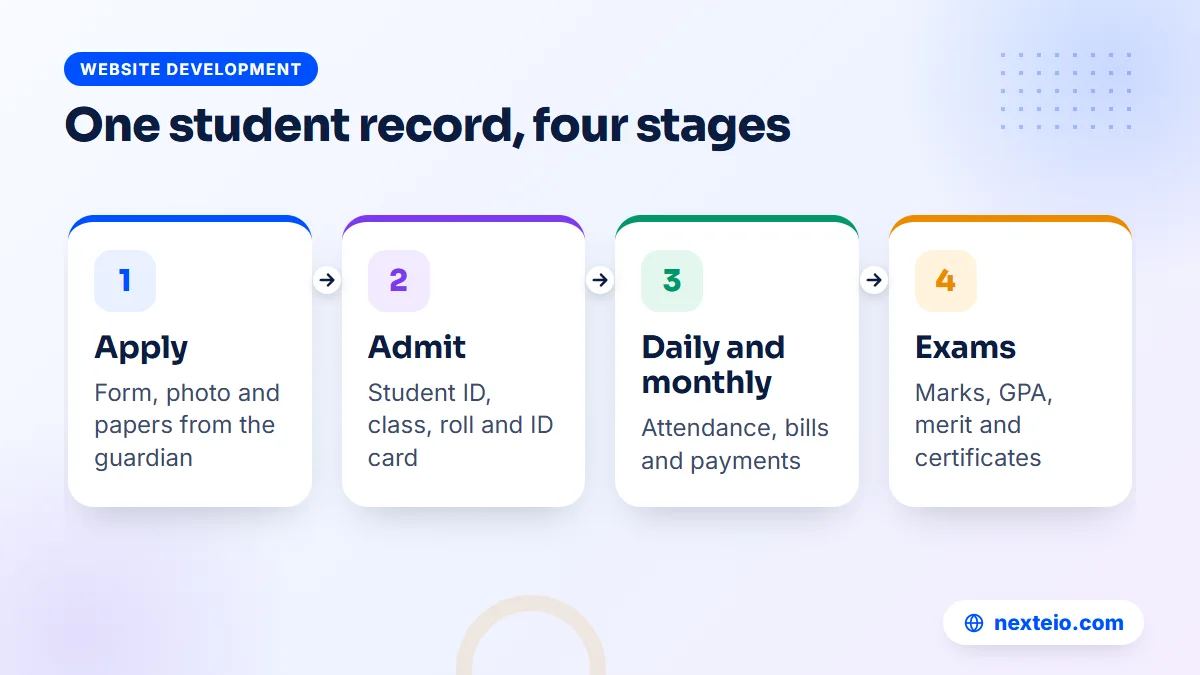
Every hand-off in that chain is a place where paper loses information. The admission form sits in one file, the roll list in another, the fee book with the accountant. When a guardian disputes a due amount, someone has to match three registers by hand.
In a working system, the hand-offs disappear. The office approves the application, and the same data becomes the student profile. The teacher marks attendance against that profile, the accountant bills it, and exam marks attach to it. The record at the end of the year is complete without anyone copying it.
Our School Management Software follows this exact path. An approved online application is turned into a student with one "Admit" action, which also creates the student ID, the ID card and, if the school wants, logins for the guardian and the student. You can try that step yourself in the live demo.
The first stage also shapes everything after it. A school that announces admission on its Facebook page and runs Facebook ads for the admission season should point guardians straight to the online form, so every application starts as a clean digital record instead of a photo of a paper form sent over a messaging app.
Student IDs, Rolls and ID Cards
Schools in Bangladesh think in rolls. Roll numbers usually change every year, often by merit after the annual exam, and they repeat across classes and sections. That makes the roll a poor key for a database. If the system tracks students by roll, last year's Roll 5 and this year's Roll 5 become a source of confusion.
A good student management system gives every child a separate student ID at admission and never changes it. Rolls, sections and classes then become details on the record, which can change each year without breaking the history behind them.
A sensible ID format
Keep the ID short, numeric and free of meaning that can change. A common pattern is the admission year followed by a serial, so a student admitted in 2026 might be 26 followed by a four-digit number. Avoid putting the class or section inside the ID, because both will be wrong next year.
Our software generates the student ID automatically at admission, so nobody has to keep a separate counter in a notebook. Staff get their own automatic IDs as well.
ID cards that can be checked
Printed ID cards are useful for gate checks, exams and trips, but a card made on any computer is easy to copy. A QR code that opens a verification page on the school's own website solves this. Anyone with a phone camera can scan it and see whether the card belongs to a real, current student.
The system prints cards with a QR code for verification, front and back, nine to an A4 page. That layout matters more than it sounds. It lets the office print a whole section on a normal printer and cut the cards locally, instead of sending the job to a shop and waiting.
Moving Old Records Out of Registers and Excel
Most schools already have student data, just not in one place. Some of it sits in Excel files on the office computer, some in the admission register, some on the accountant's phone. Moving it into a new system is the step that decides whether the first month goes smoothly. Any student database management system is only as good as the data you put into it on day one.
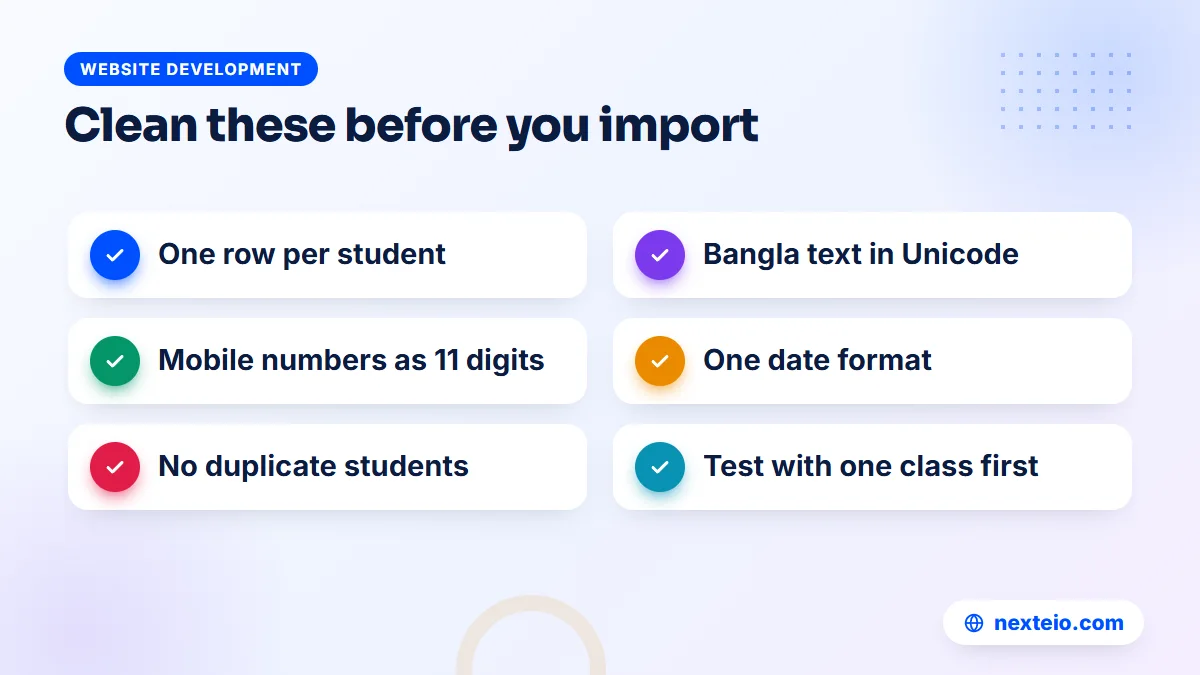
Our software imports and exports students through CSV files, which any spreadsheet program can produce. The import itself takes minutes. Preparing the file properly is the real work, and it is worth doing carefully:
- One row per student, one column per field. No merged cells, no blank rows between sections and no totals at the bottom.
- Convert Bangla text to Unicode. Many school offices still type Bangla in older ANSI fonts such as SutonnyMJ. That text turns into broken characters on any website, so convert it to Unicode before import.
- Write mobile numbers as 11 digits starting with 01, with no spaces, dashes or +88 prefix. SMS alerts depend on this column more than any other.
Then check the content itself before the first upload:
- Use one date format for every date of birth, and check for obvious errors such as a Class Three child born in 1990.
- Remove duplicates. The same child often appears twice when a section list and an admission list are joined.
- Import one class first. Check names, photos and guardian numbers on screen, fix the file, and only then import the rest.
Keep the original files after the import. If a guardian later disputes a detail, the office can compare the new record with the old source. A CSV export from the new system also gives you a simple extra copy of student data that you control.
Attendance That Reaches the Guardian the Same Day
Attendance is where a system pays for itself fastest. On paper, an absence is noticed by the class teacher and perhaps reported at the end of the month. By then, a pattern of missed days has already done its damage.
In a student management system, the class teacher marks attendance on a phone or a desktop at the start of the day. The moment it is saved, guardians of absent students get an SMS. A parent who believed the child left for school learns otherwise within hours, not weeks.
Our School Management Software works this way. Teachers take daily student attendance, guardians of absent students get an SMS the same day, and the office sees daily and monthly views. Parents and students who log in see an attendance calendar for the month, which settles most "but he was present that day" conversations quickly.
Running SMS without surprises
SMS is sent through an SMS company the school chooses. The software has ready settings for BulkSMSBD, Alpha SMS, Greenweb and ElitBuzz, plus a custom option for any other provider with an API. The school buys SMS credit from that provider, and the rate is set by the provider, not by the software.
Two practical points save money. First, messages in Bangla use Unicode, and a Unicode SMS fits fewer characters per part than an English one, so a long Bangla message may count as two or three SMS. Keep the absence text short. Second, the message templates are editable and there is a test SMS button, so check the wording on your own phone before the first school day.
One limit is worth knowing. The current version records student attendance, not teacher or staff attendance. If staff attendance is a must for your school, raise it early, because it is not part of the present release.
Fees Linked to Each Student, Not to a Separate Ledger
Fee collection is often the most sensitive part of school administration. Money is involved, guardians argue about dues, and cash passes through more than one hand. A system helps most when every taka is tied to a student record and to the person who collected it.
The setup has three layers. Fee heads name the charges, such as tuition, session or exam fees. A class-wise fee structure says how much each class pays for each head. Discounts, such as a scholarship or a sibling discount, sit on the individual student so the bill is right from the start.
Our software then creates monthly bills automatically on the first of each month. The office collects full or partial payments, prints receipts and sees a collection report by date, method and collector. That last column matters: when the office closes, the head teacher can see exactly who took which payment. A due list shows who owes what, and due-reminder SMS and payment SMS with a receipt link go out automatically.
Online payment options
Many guardians prefer to pay from a phone. The software supports three routes:
- bKash Payment Gateway, which needs a merchant account in the school's name.
- SSLCommerz, which takes cards, bKash, Nagad, Rocket and bank payments through one gateway. Gateway charges and paperwork are set by SSLCommerz itself.
- Send Money: the guardian sends the amount to the school's bKash or Nagad number, enters the TrxID, and the office approves it after checking.
The Send Money route needs no merchant account, which suits small schools, but it puts checking work on the office. Our payment gateway guide explains the trade-offs of each method in more detail.
Be clear about the scope, too. This is fee collection, not full accounting. The current version does not include a general income and expense module, so salaries are handled in payroll and other school spending still needs your existing accounts process.
Results and Academic History in the Same Record
Results are the moment guardians pay most attention, and the moment office staff work the latest hours. A system cannot set questions or mark scripts, but it can remove the tabulation work that follows.
Teachers enter written, MCQ and practical marks on a fast entry screen. The system then calculates grades on the Bangladesh GPA scale, the same scale schools already use:
| Letter grade | Marks (%) | Grade point |
|---|---|---|
| A+ | 80 to 100 | 5.00 |
| A | 70 to 79 | 4.00 |
| A- | 60 to 69 | 3.50 |
| B | 50 to 59 | 3.00 |
| C | 40 to 49 | 2.00 |
| D | 33 to 39 | 1.00 |
| F | Below 33 | 0.00 |
The rules around the scale are where hand calculation goes wrong. A fail in a compulsory subject makes the GPA 0.00, and an optional fourth subject adds bonus points only above 2.00. Our School Management Software applies both rules, works out the merit position and produces the tabulation sheet and individual mark sheets.
Guardians can search results on the school website by roll or student ID, and the GPA can be sent by SMS. On result day, many guardians simply type the school's name and "result" into Google, so a site set up properly for search, the kind of work our SEO service covers, saves the office a lot of phone calls. Merit and pass certificates are made directly from the results, in 16 designs, with a QR code for verification and a PDF download.
Because results attach to the permanent student ID, a child's academic history builds up year after year. When a teacher wants to see how a student did in Class Seven, the answer is one click away, not in a box in the store room.
Related guides for schools comparing systems: campus management system software for colleges, how web application development works and when an organization needs its own software.
Roles and Logins in a Student Management System
A school system holds sensitive data about children: dates of birth, photos, home addresses and guardian phone numbers. Not everyone who logs in should see all of it. The accountant needs dues, not marks. A teacher needs her own classes, not salary sheets.
Good student management system software solves this with roles. Each role sees only its own menus and pages, and a well-built system also blocks hidden pages when someone types the address directly. That second check is often missing in cheap systems, where hiding a menu item is the only protection.
Our software comes with these built-in roles:
- Super Admin and Admin, for full control of settings and users.
- Principal, for the head teacher's overview.
- Accountant, for fees and collections.
- Receptionist, for front-desk and admission work.
- Teacher, for attendance, marks and the teacher's own routine.
- Parent and Student, for their own records only.
Permissions can be edited and new roles added, so a school with a separate exam controller or an assistant accountant can create those roles. One parent login covers several children, which helps families with siblings in different classes. Teachers and staff log in with their mobile number.
Two more protections matter. An activity log records who did what, which settles most disputes about changed marks or deleted payments. Sensitive keys are stored encrypted. Two-step login is not part of the current version, so strong passwords and removing accounts of staff who leave matter even more. If you want to understand how permission checks work in a Laravel application in general, the Laravel authorization documentation explains the idea clearly.
Student Management Software or Spreadsheets: A Fair Comparison
Spreadsheets are not wrong. A small coaching center with forty students and one person in the office can run well on a careful Excel file. The trouble starts when more people need the same data at the same time.
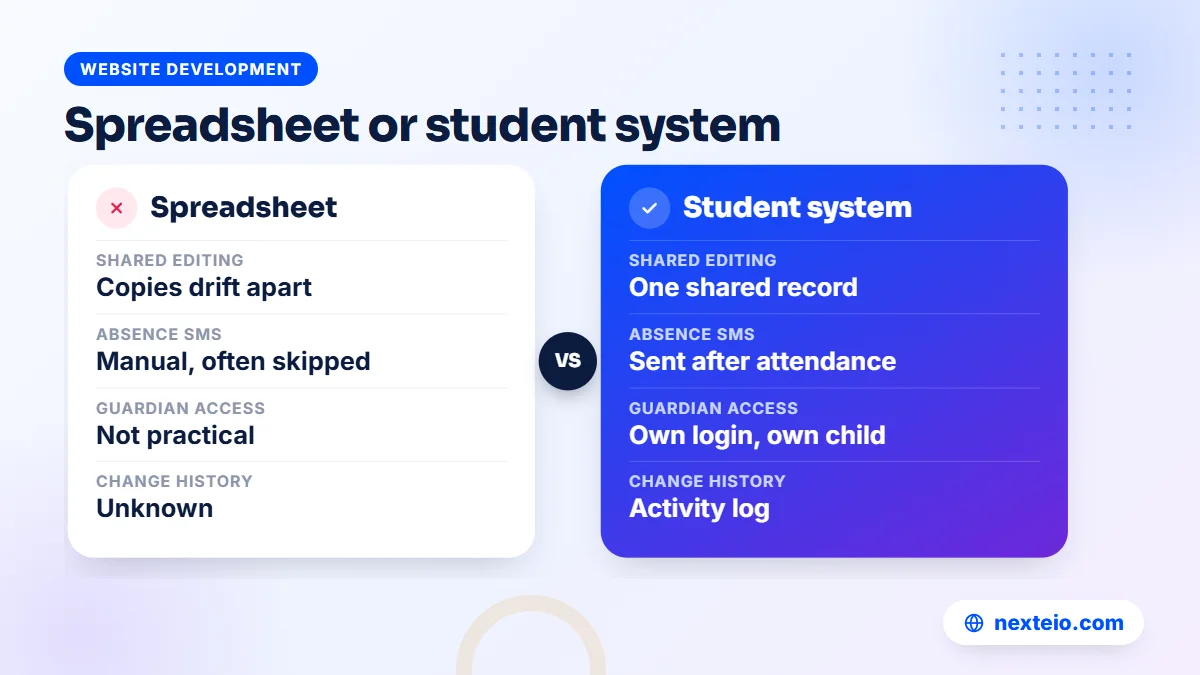
Here is how the two compare in a typical school:
| Need | Spreadsheet | Student management software |
|---|---|---|
| Several staff editing at once | Copies drift apart | One shared record |
| Guardian access | Not practical | Own login, own child only |
| Absence SMS | Manual, often skipped | Automatic after attendance |
| Fee receipts | Hand-written or typed | Printed, numbered, logged |
| GPA and merit | Formulas that break | Calculated by fixed rules |
| Who changed what | Unknown | Activity log |
A spreadsheet also lives on one computer. When that computer fails, or the person who built the formulas leaves, the school often loses months of work. A web-based system lives on a server with backups, and staff can reach it from any device with a browser.
The honest middle ground is this: if fewer than two people touch the data and you send no SMS, a spreadsheet may be enough for now. Once the office, teachers and guardians all need the same information, the spreadsheet becomes the bottleneck.
Where the Data Lives and How It Is Protected
Before you trust any system with student data, ask a simple question: whose server is it on? Many cloud products keep every school's data on the vendor's own server. That can work, but the school then depends on the vendor for access, exports and backups.
Our School Management Software takes the other approach. Each school gets its own copy, installed on its own domain and hosting, with its own name, logo and colors. Nexteio has no access to the school's data. The domain and hosting accounts should be in the school's name, with the login details kept by at least two senior people.
Backups run every night, covering both the database and uploaded files. A copy is kept on the server and another goes to the school's own Google Drive, so a server problem does not take the only copy with it. The office can also make a manual backup and download it at any time.
The system runs on normal cPanel hosting that supports Composer and one cron job. It is built with Laravel 12, a widely used PHP framework, and works in Bangla and English with a one-click switch. For schools that want something built around a process no ready product covers, our Laravel web application service handles custom development as well.
What a Student Management System Costs in Bangladesh
Price is usually the first question and the hardest to answer in one line, because the software is only part of the cost. Budget for the running costs as well, or the system will stop working in its second year.
For custom school or campus management software, typical market prices in Bangladesh are quoted after a requirements review. When a range is needed, projects usually fall somewhere between BDT 150,000 and 1,200,000 or more, depending on modules, number of users and integrations. Ready products cost less to start because the core work is already done.
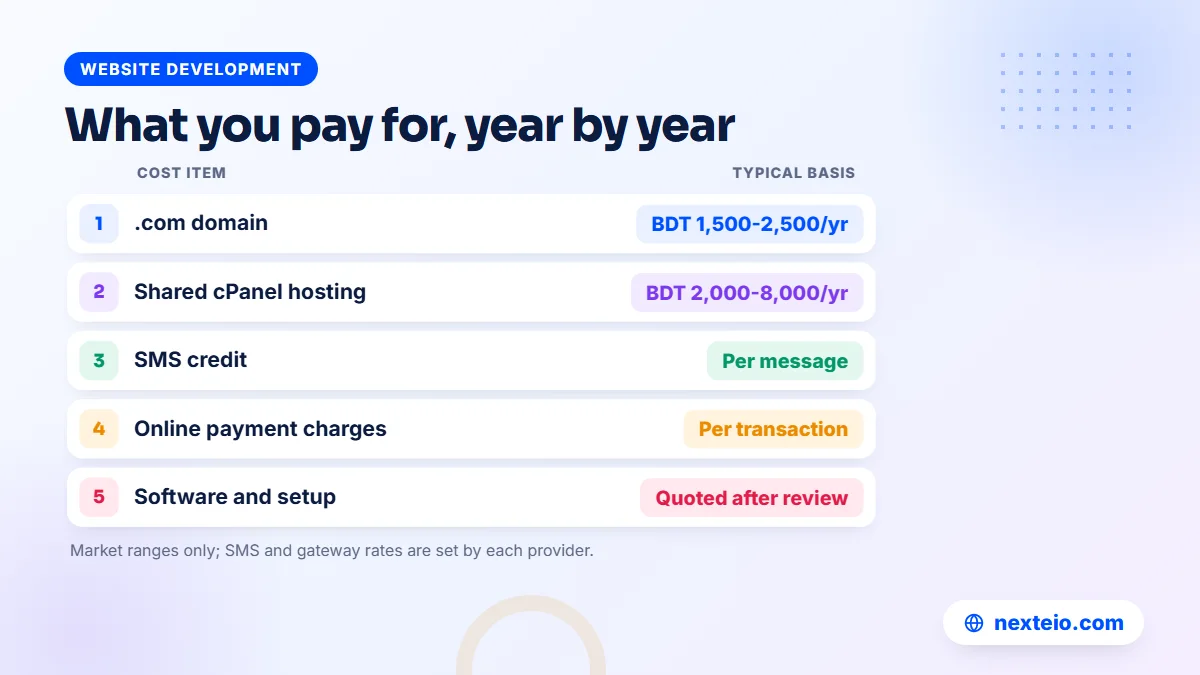
The other costs look like this:
| Cost item | Typical range or basis | Who sets it |
|---|---|---|
| .com domain | About BDT 1,500 to 2,500 a year | Domain registrar |
| Shared cPanel hosting | About BDT 2,000 to 8,000 a year | Hosting company |
| SMS credit | Per message, by usage | SMS provider |
| Online payment charges | Per transaction | bKash or SSLCommerz |
| Software and setup | Quoted after a requirements review | The software provider |
Hosting deserves a second look. A school with a few hundred students and daily attendance runs comfortably on a decent shared plan. A large school with several thousand students, heavy result days and many guardians logging in at once may need a stronger plan. Ask the person setting up the system to size the hosting plan for your peak day, not your average one.
There is no published price for our software. It comes in three packages based on modules. Basic covers the website, admission, students, academic setup, attendance, notices, SMS and teacher and parent logins. Standard adds routine, exams, results, certificates, fees, online payment, student login and teachers. Premium includes everything. For a quote that matches your school, send us your requirements and we will review them.
In many schools, the purchase also needs managing committee approval. A one-page summary of the package, the yearly running costs and who owns the domain and hosting makes that meeting much shorter.
Common Mistakes When Schools Choose a Student Management System
Most disappointments with school software come from a few predictable mistakes. Each one is easy to avoid if you know to look for it.
- Buying the longest feature list. A system with forty modules you never open is harder to use than one with ten that fit your office.
- Ignoring Bangla. Check that names, notices and SMS work properly in Bangla, not just on the demo's English pages.
- Not testing on a phone. Teachers will mark attendance on their own phones. If the screen is awkward at 7:45 in the morning, they will stop using it.
The next mistakes usually show up only after the contract is signed:
- Leaving data with the vendor. Ask how you get a full export if you leave, and where backups go.
- Assuming features exist. Ask directly about each feature you need, and get the answer in writing.
- Skipping data cleaning. Bad guardian numbers mean SMS reaches nobody, and the system gets blamed.
- Forgetting the public website. Guardians judge the school by its notice and result pages. If you want a fully original look rather than a built-in site, plan it as a custom website design project.
On assumed features, here is a straight list for our own product.
The current version does not include homework or assignments, a general accounts module, library, transport, inventory or hostel. It has no separate reports module beyond the built-in lists for attendance, collections, dues and tabulation. Bulk or custom SMS to groups, teacher attendance, class promotion, transfer certificates, testimonials, admit cards, push notifications and a mobile app are also not part of it. It works in the phone browser instead of an app.
If one of those is essential for your school, say so before you decide. Sometimes a missing module can be handled by an existing process for a year. Sometimes it is a reason to discuss a custom build through our Laravel development team instead.
How to Test a Demo Before You Decide
A sales presentation shows a system at its best. A hands-on demo shows how it feels on an ordinary Tuesday. Set aside an hour, sit with the person who runs your office, and work through the tasks your school does every week:
- Log in as office staff and admit a new student from an application.
- Print that student's ID card and scan the QR code with a phone.
- Log in as a teacher on your phone and take attendance for one class.
- Log in as the accountant, collect a partial payment and print the receipt.
- Enter marks for one subject and look at the mark sheet and merit position.
- Log in as a parent and check attendance, dues and results for the child.
The School Management Software demo lets you do all of this. One-click logins are ready for Super Admin, Accountant, Head Teacher, Teacher, Parent and Student, and it holds around 113 sample students and 20 teachers. Settings such as users, license, SMS and payment gateways are locked, and the data resets every three hours, so you can experiment freely.
Write down every question that comes up during the test. The School Management Software project page shows what the system includes and how it looks, and your list of questions becomes the agenda for a call with us.
One more check is worth doing on paper. Ask whoever runs the system to explain how a new school year starts: who moves students up, how new fee structures are set and when last year's dues are carried over. A vendor who answers clearly understands school routines.
How Nexteio Can Help With Your Student Management System
We built our School Management Software for schools in Bangladesh, from Play to Class Ten, including EIIN and MPO schools. You can see the full feature set on our portfolio page and try every role in the live demo before speaking to anyone.
When a school decides to go ahead, we set the system up on the school's own domain and hosting, with its name, logo and colors, and connect the license key to that domain. We import your existing student data from your files, so the office starts with real records instead of an empty screen. The data stays on your server, and nightly backups go to your own Google Drive.
The "Developed and supported by Nexteio" credit appears by default, and a paid white-label option can hide it. If your school needs something the product does not cover, our custom Laravel web application work can build it as a separate project. You can learn more about Nexteio, browse our wider portfolio, or send a project request with your student numbers and the modules you need. For a quick question, use our contact page.
Keep reading: how to hire a Laravel developer, domain and hosting explained, or browse all our website development guides.
Frequently asked questions
What is the difference between a student management system and school management software?
A student management system focuses on the student record and what depends on it: profile, attendance, fees, marks and results. School management software usually adds wider office work such as routines, staff records and payroll. In practice, most school packages include a student module at their core, so check how strong that part is before anything else.
Can teachers use the system from their own phones?
They should be able to. A web-based system that works in the phone browser lets teachers take attendance and enter marks without installing anything. Our School Management Software has no separate app, but its dashboard is designed to work on phones as well as desktops.
How long does it take to move a school onto a new system?
The technical setup is usually quick. The time goes into collecting and cleaning existing student data, agreeing on fee heads and discounts, and checking guardian mobile numbers. Starting at the beginning of a session or a term makes the switch easier than changing in the middle of an exam period.
Do guardians need to pay anything to use the parent login?
That depends on the school and the vendor, but in most setups the school pays for the system and guardians use their login without a separate charge. Guardians who pay fees online may see a gateway charge, depending on the method and the gateway's own terms.
Is student data safe on a web-based system?
It can be, if the basics are right: role-based access, blocked hidden pages, an activity log, regular backups stored in more than one place and strong passwords. Ask any vendor where the data is hosted, who can reach it, and how you would get a full copy if you stopped using the system.
Can we keep using our existing Excel files after switching?
You can keep them as an archive, and it is wise to. Daily work should move to the new system so there is one source of truth. Most systems, including ours, can export student lists as CSV files whenever you need a spreadsheet for a meeting or a report.
Does a small school really need a student management system?
A very small school with one office person and no SMS needs can manage with careful spreadsheets for a while. Once several teachers, an accountant and guardians need the same information, a shared system saves time every day and reduces mistakes in fees and results.