Learning Management Systems for Schools: Features, Costs and Setup
In this article 16 sections
- 1.What Learning Management Systems for Schools Actually Do
- 2.LMS, School Management System and School Website: Three Different Jobs
- 3.Who Uses the System and What Each Person Needs
- 4.Core Features of Learning Management Systems for Schools
- 5.Coaching Centers and Madrasas Have Different Needs
- 6.Ready-Made Platform or a Custom Build
- 7.Building Learning Management Software for Schools in Laravel
- 8.Designing for Bangladesh: Phones, Data, Power and Language
- 9.Video Lessons Without Breaking the Budget
- 10.Security, Privacy and Student Data
- 11.What Learning Management Systems for Schools Cost in Bangladesh
- 12.Rolling Out an Online Learning Management System
- 13.Measuring Whether the LMS Is Working
- 14.Mistakes Schools Make With Online Learning Management Software
- 15.How Nexteio Can Help With Your School LMS
- 16.Frequently asked questions
Learning management systems for schools give teachers one place to share lessons, set homework, run quizzes and track how each student is doing. They also let guardians see that progress without a trip to the school. In Bangladesh, many schools first tried online teaching through Facebook groups, messaging apps and video calls. That kept classes running, but it scattered material across dozens of chats, and nobody could say which student had submitted what.
A proper system fixes that. Lessons sit under the right class and subject. Assignments have due dates and marks. A guardian can open a phone and see that a child missed two math tasks this month, long before the term result arrives.
The same idea works for coaching centers that sell batches and recorded courses, for madrasas that track memorization, and for colleges that want blended teaching. The details change a lot between them, and that is where most buying mistakes happen.
This guide covers what an LMS should do, how it differs from a school website and a school management system, the choice between a ready-made platform and a custom build, realistic costs in BDT, and how to roll it out so teachers actually use it.
What Learning Management Systems for Schools Actually Do
At its simplest, an LMS is the online version of the classroom routine. A teacher prepares material, students work on it, the teacher checks it, and someone keeps a record. The system holds all four steps in one place, organized by class, section and subject, so the record builds up on its own instead of living in a register or on a teacher's phone.
In practice, learning management systems for schools handle five jobs:
- Delivering content: lesson notes, PDFs, slides, recorded videos and links, placed in the right order for each class.
- Collecting work: assignments that students submit as typed text, photos of handwritten pages or files, each with a clear deadline.
- Testing: quizzes and class tests, many of which the system can mark automatically.
- Recording progress: a gradebook that shows marks, missing work and trends for every student.
- Communicating: class announcements, comments on submitted work and messages to guardians.
What an LMS does not do is just as useful to know. It does not replace the teacher, and it does not make a weak lesson strong.
A school that uploads a textbook chapter as a PDF and calls it online learning will see students stop logging in within weeks. The system organizes good teaching. It shows its value when teachers use it every day for small things, not once a term for a big announcement.
For a school with 600 students, the daily picture is ordinary. The class 7 science teacher posts a short video and a worksheet in the morning. Students submit photos of their answers by evening. The teacher marks them the next day, and the marks flow into the term record without anyone typing them again.
LMS, School Management System and School Website: Three Different Jobs
Schools often ask for "software" without separating these three, and vendors sometimes sell one while describing another. Each answers a different question for a different audience. Mixing them up leads to a system that does a little of everything and none of it well.
| System | Main question it answers | Main users | Typical features |
|---|---|---|---|
| School website | What is this school, and how do I contact or join it? | The public, prospective parents, inspectors | Notices, admission details, results, gallery, contact page |
| School management system | Who is enrolled, what do they owe, and are they present? | Office staff, accounts, administration | Admissions, fees, attendance, ID cards, payroll, result processing |
| Learning management system | What are students learning, and how are they doing? | Teachers, students, guardians | Lessons, assignments, quizzes, gradebook, class messages |
The three can share data. Ideally a student is enrolled once in the management system, and that record creates the LMS account automatically, with the right class and subjects attached. Marks from LMS class tests can feed the official report card, and public notices from the website can appear inside the LMS for logged-in students.
If your school does not yet have a solid public website, that usually comes first, because it is what parents and inspectors see. A custom school website can be planned with a student login area from day one, so the LMS joins it later without a redesign. If the website already exists, the LMS can run on a subdomain such as learn.yourschool.edu.bd and link back to it.
Who Uses the System and What Each Person Needs
An LMS has several kinds of users, and each one sees a different screen. Designing for only one of them, usually the administrator who signs the contract, is the most common reason a system fails in daily use.
- Teachers need to post a lesson or assignment in under two minutes, copy last year's material into this year's class, and mark work on a phone between periods.
- Students need to see today's tasks first, upload work from a basic Android phone, and know at a glance what is overdue.
- Guardians need a simple view of marks, missing work and teacher comments, ideally in Bangla, without learning a complicated app.
- Class teachers and heads of department need to see which classes are falling behind and which subjects have gone quiet.
- Principals and owners need short reports: participation by class, average marks by subject, and alerts when something drops.
- Office staff need to enroll students, move them between sections and reset passwords without calling the developer.
Each of these groups judges the system by a different test.
Spend time with each group before choosing or building anything. Sit with two teachers and watch how they prepare a class test today. Ask a guardian what they would check on a phone at ten at night. Those small observations decide whether the system gets used.
Guardian access deserves special thought in Bangladesh. In many families the phone belongs to a parent, and the student borrows it. Sometimes one phone serves two or three children in different classes. A good system lets one guardian login switch between children, and lets students log in on a shared device without seeing each other's work.
Core Features of Learning Management Systems for Schools
Feature lists from vendors run to hundreds of items. Most schools use a small core every day and a few extras now and then. Get the core right before paying for anything else.
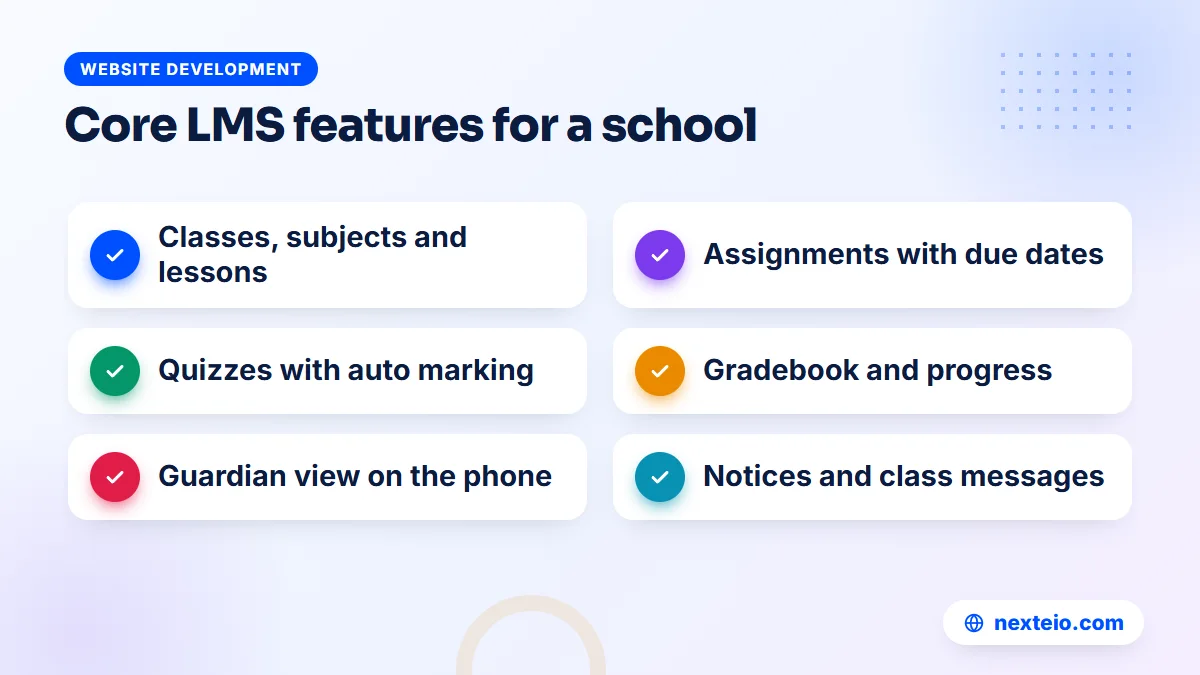
Classes, subjects and lessons
Content should be organized the way the school already thinks: class, section, subject and chapter. A teacher should be able to schedule a lesson to appear on a set date, attach a video or PDF, and reuse it next year. For schools following the national curriculum, matching chapter names to the textbook helps students find things quickly.
Assignments and submissions
Students submit typed answers, files or photos of handwritten work. The teacher sees who submitted, who is late and who has not started, then marks and comments on the same screen. Photo submission matters more than it sounds, because many students in Bangladesh still write answers on paper and few have a laptop at home.
Quizzes and class tests
Multiple-choice, true or false and short-answer questions can be marked automatically, which saves teachers hours each week. A question bank lets teachers build tests from questions they have already written, shuffle the order and set a time limit. For exams with an MCQ section, such as the SSC and HSC, regular short practice quizzes are where an LMS earns its place.
Gradebook and progress reports
Every mark should land in one gradebook per class, with weightings the school sets, for example class tests counting toward the term result. Teachers should be able to export it, and guardians should see the parts that concern their child. A simple trend showing whether a student is improving tells a parent more than a single number.
Live classes, notices and messages
Most schools run live classes through Google Meet or Zoom, and the LMS simply stores the class link and the recording. Announcements go to a whole class or a single section. Messages should stay inside the system and remain visible to the school, which protects both teachers and students better than private chats on personal numbers.
Nice-to-have features include attendance for online sessions, certificates for completed courses, badges for younger students and a discussion board. Add them once the core is in daily use, not before.
Coaching Centers and Madrasas Have Different Needs
A coaching center is a business as much as a school. It runs batches that start every few months, sells courses to students it may never meet in person, and needs fees paid before access is given. Its LMS therefore needs features a regular school rarely asks for:
- Batches with start and end dates, where access closes automatically when the batch ends.
- Paid courses, with payment through bKash, Nagad or cards before the student can open lessons.
- Recorded lecture series that students watch in order, with their progress saved.
- Model tests with merit ranking, which admission and job-exam students expect.
- Limits on how many devices can use one account, so one paid login is not shared across a whole group.
Because a coaching center sells online, its LMS also needs a public side: course pages, a clear syllabus and a simple enrollment page.
Many centers promote new batches through Facebook ads that send people straight to an enrollment page, so that page has to load fast and explain the course on a small screen. Course pages that answer what students search for, such as "medical admission coaching online", can also bring steady enrollments through an SEO service instead of paid ads alone.
Madrasas often need something different again. Hifz sections track memorization by para and surah, with the teacher noting each student's new lesson, revision and mistakes every day. Kitab sections follow their own syllabus, with Arabic texts that need correct right-to-left display. A ready-made LMS designed for general schools rarely handles this well, which makes it one of the clearest cases for a custom-built web application.
Colleges and universities sit at the other end. They need course registration, credit hours, several teachers per course and links to the exam office. If that is your situation, plan the LMS as one part of a larger campus system rather than a standalone tool.
Ready-Made Platform or a Custom Build
There are four broad routes. Each suits a different kind of institution, and the right answer depends more on how you work than on budget alone.
Free tools such as Google Classroom
Google Classroom is the most common starting point. It is part of Google Workspace for Education, whose Education Fundamentals edition is free for qualifying institutions, and teachers can post work, collect submissions and return marks with little training. The Google Classroom help center covers setup in detail. Its limits show when you need guardian dashboards in Bangla, paid batches, fee checks or reports that match your own result format.
Open-source platforms
Moodle is the best-known open-source LMS. It is free to download, very flexible and used by universities in many countries. It needs a server, a PHP and database setup, and someone who understands its settings, plugins and updates. Many schools find it powerful but heavy for teachers who only want to post homework, and deep changes need Moodle-specific skills. For a small coaching business with a few courses, a WordPress website with a well-supported course plugin can be a lighter option.
Subscription platforms
Several companies sell school software as a monthly or yearly subscription, usually priced per student. Setup is quick, and the vendor handles hosting and updates. Before signing, check who owns the data, whether you can export it in a usable format, and what happens to the price as your student numbers grow.
A custom-built LMS
A custom system is built around your classes, roles, fee rules and report formats. It costs more upfront and takes a few months, but it contains only what you need, and it can connect directly to your website, your management software and local payment gateways. Our comparison of WordPress and custom-built websites explains the same trade-off for public sites, and most of its reasoning applies here too.
| Route | Upfront cost | Fit with your process | Usually suits |
|---|---|---|---|
| Google Classroom | Free edition for qualifying schools | You adapt to the tool | Schools starting out with simple homework |
| Moodle, self-hosted | No license fee, but server and setup costs | Flexible with expert setup | Colleges with their own IT staff |
| Subscription platform | Monthly or per-student fee | Partly, within vendor options | Schools that want a quick start |
| Custom Laravel build | Highest of the four | Built around how you work | Coaching centers, madrasas, multi-branch groups |
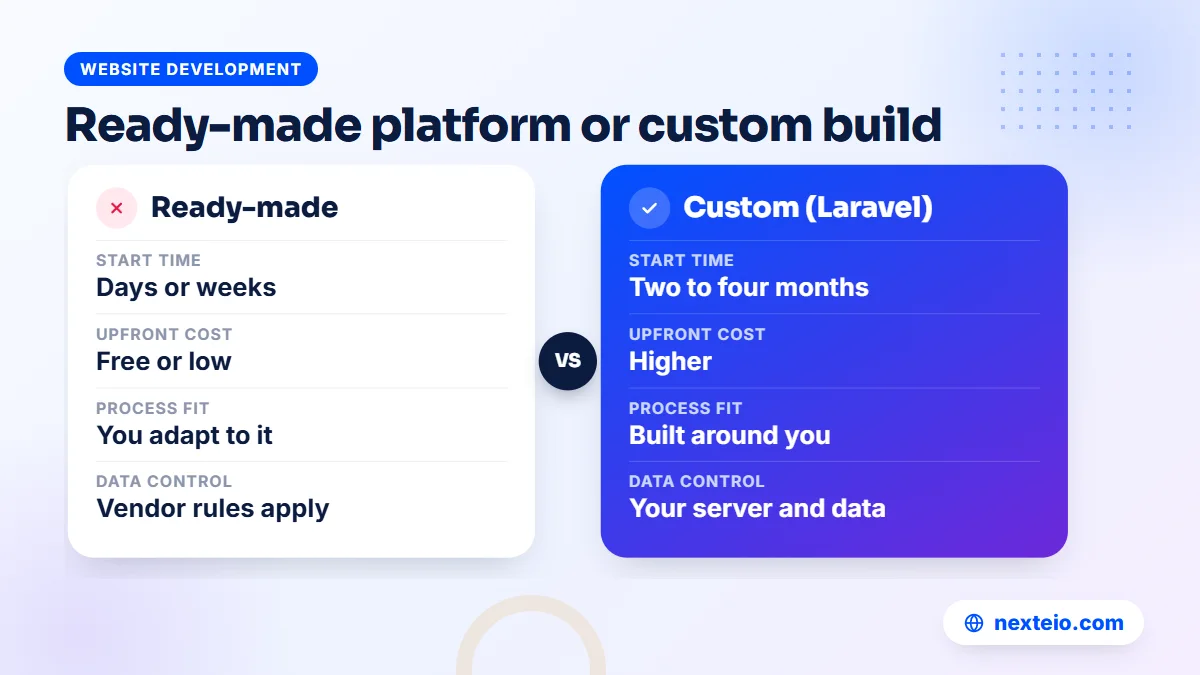
A practical path for many schools is to use Google Classroom for a term, learn what teachers and guardians actually use, and then commission a custom system with a much clearer brief. That term of real use is worth more than any requirements meeting.
Building Learning Management Software for Schools in Laravel
When ready-made options do not fit, a custom web application is the next step. Laravel is a popular PHP framework for this kind of system because it handles logins, user roles, file uploads, queues and scheduled tasks out of the box, and the Laravel documentation is public and well maintained. That matters to you as the owner: another competent developer can pick up a well-written Laravel project later.
A custom build of learning management software for schools usually includes:
- Role-based access for admins, teachers, students and guardians, each with their own dashboard.
- A class, section and subject structure that matches the school, including branches or shifts.
- Lesson, assignment, quiz and gradebook modules.
- Guardian accounts linked to one or more children.
- SMS or email alerts for new tasks, missed deadlines and published marks.
- Payment integration for coaching centers and paid courses.
- Reports that follow the school's own result sheet format.
- An admin panel where office staff manage users without technical help.
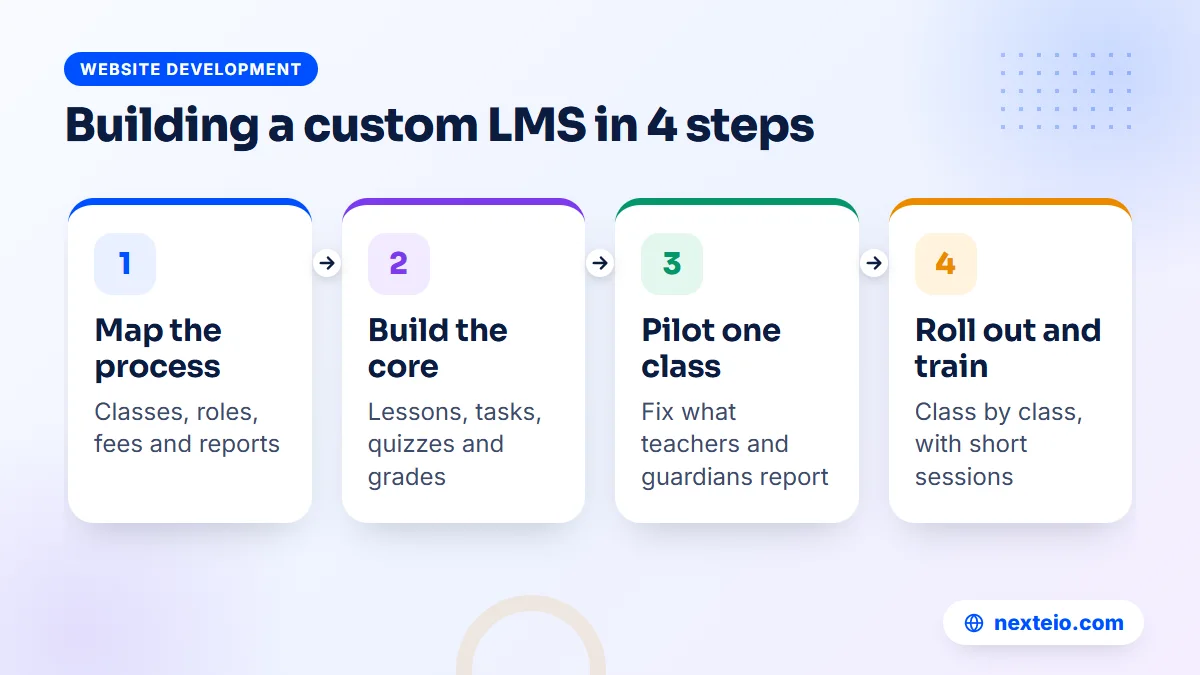
The build follows a clear order. A short discovery phase maps your classes, roles and reports on paper. The core modules are then built and tested with real data. A pilot with one or two classes follows, and only after fixing what teachers report does the system reach the whole school. Our Laravel web application service uses this order for portals and dashboards of every kind.
Ask any developer how they will handle growth. An LMS that runs well for 200 students can slow down badly at 3,000 if file storage, database indexes and video delivery were not planned. Our guide to hiring the right Laravel developer lists the technical questions worth asking before you sign.
Designing for Bangladesh: Phones, Data, Power and Language
An LMS that works perfectly on the developer's office Wi-Fi can fail on a student's phone in a district town. Most students use budget Android phones, prepaid mobile data and sometimes a weak signal. Plan for that from the first screen:
- Light pages: the task list should load quickly on a slow connection, with nothing heavy loading by default.
- Small uploads: photos of handwritten work should be resized on the phone before upload, so a 5 MB photo becomes a few hundred KB.
- Video choices: let students pick a lower quality, and offer lesson notes as text for those who cannot stream.
- Forgiving deadlines: allow a short grace period, because load-shedding or a dead phone battery should not cost a student marks.
- Bangla and English: menus and guardian screens in Bangla, with English available for English-medium schools and older students.
- Simple logins: a student ID and password, or a phone number with a one-time code, rather than a personal email address that many students do not have.
Small choices like these decide whether students in weak-signal areas can keep up.
Hosting matters as well. The system should run on a proper data-center server, not a computer in the school office, so a power cut or a broken office internet line does not stop learning. Page speed affects more than comfort, and our article on website speed explains why slow pages lose people before they read anything.
Accessibility belongs in the same plan. Clear contrast, readable font sizes and screens that still work when a phone enlarges the text help every student, including those with weak eyesight. The WCAG guidelines from the W3C are the public reference a developer should follow.
Video Lessons Without Breaking the Budget
Video is where many school LMS projects run into cost and data problems. An hour of HD video can take up hundreds of megabytes, and hundreds of students streaming it from your own server will slow the site and push up hosting bills. Plan the video side separately from the rest of the system. There are three common approaches:
- Unlisted YouTube videos embedded in lessons. They are free, adjust quality on slow connections and are familiar to students. The downside is that anyone with the link can share it, which matters for paid coaching content.
- A paid video hosting service with domain restrictions. Videos play only inside your LMS, with adaptive streaming. It costs a monthly fee based on storage and views.
- Self-hosted video on separate storage. The most control, but it needs careful setup for compression and streaming.
For most schools, the first option is enough. Coaching centers that sell courses usually need the second, because shared links eat directly into their income.
Recording quality depends more on habits than on equipment. A teacher speaking clearly near a phone microphone, with the board well lit, beats an expensive camera in a noisy room. Keep lessons to ten or fifteen minutes per topic, and cut out long pauses and mistakes. If your teachers record a lot, a video editing service can turn raw classroom footage into clean lessons with captions. Our guide to video editing for businesses in Bangladesh explains what a good edit includes.
Related guides for institutions planning their online presence:
- How to build a professional website that gets results
- A buyer's checklist for choosing a web design company
- Technical SEO basics every website owner should know
Security, Privacy and Student Data
An LMS holds names, classes, marks, guardian phone numbers and sometimes photos of children. That data deserves the same care as a bank's customer list. A leak embarrasses the school, and a hacked teacher account posting abusive content to a class of twelve-year-olds is far worse.
The basics a developer should cover:
- Strong password rules, limits on login attempts and two-step login for admin and teacher accounts.
- Strict roles, so a student can never see another student's marks and a teacher sees only their own classes.
- Encrypted connections (HTTPS) on every page, not only the login screen.
- Regular backups stored away from the main server, with a tested restore.
- Activity logs that show who changed a mark and when.
- Updates to the framework and its packages on a regular schedule.
The OWASP Top Ten lists the most common web application weaknesses, such as broken access control and injection. Any developer building one of these learning management systems for schools should be able to explain how the system guards against each.
Write a short data policy too. Decide who can see what, how long records are kept after a student leaves, and whether student faces may appear in class recordings. Share it with guardians at admission. It answers questions before they become complaints.
What Learning Management Systems for Schools Cost in Bangladesh
Prices vary widely, and a quote without a written scope means little. The ranges below are rough market figures for custom systems in Bangladesh, meant to help you set a budget rather than fixed prices. Your figure depends on the number of user roles, integrations, video handling and how many reports need custom formats.
| Scope | Rough market range | What usually drives the price |
|---|---|---|
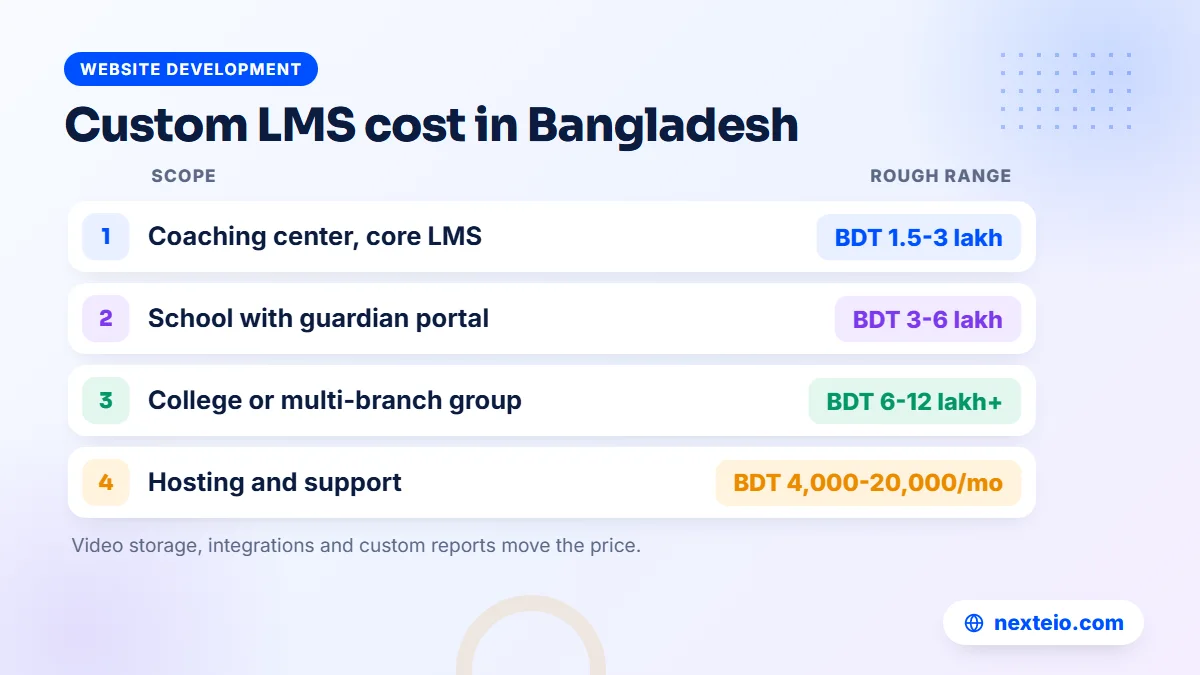
| Coaching center with core LMS features | BDT 1.5 to 3 lakh | Batches, paid courses, model tests, bKash or Nagad payment |
| School with a guardian portal | BDT 3 to 6 lakh | Classes and sections, gradebook, guardian accounts, SMS alerts, Bangla screens |
| College or multi-branch group | BDT 6 to 12 lakh or more | Several branches, course registration, links to management and exam systems |
| Hosting and ongoing support | BDT 4,000 to 20,000 a month | Server size, video storage, backups and support hours |
Ready-made tools change the picture. Google Classroom's free edition has no license fee, though you still pay in staff time and training. Subscription platforms often charge per student per year, which looks small at first and adds up at 2,000 students over five years. Compare the total cost over three years, not the first invoice.
Timelines follow scope. A focused coaching LMS can often go live in six to ten weeks. A school system with guardian accounts and custom reports usually takes three to four months, including the pilot. Multi-branch and college projects take longer, mostly because approvals and data cleanup take time inside the institution.
Budget for the hidden parts as well: moving existing student data into the system, training sessions for teachers, and someone at the school who owns the system day to day. If you want a realistic figure for your own institution, send us a short brief through our project form with your student numbers and the features you need.
Rolling Out an Online Learning Management System
The technology is the easy part. Getting forty teachers to change their habits is harder, and it decides whether the money was well spent. A careful rollout of an online learning management system usually follows these steps:
- Name one owner at the school, often an ICT teacher or vice principal, who makes decisions and collects feedback.
- Start with a pilot of two or three classes and their most willing teachers for four to six weeks.
- Run short, hands-on training: thirty minutes, on the teachers' own phones, covering only the three tasks they will do daily.
- Write a one-page guide in Bangla for guardians, with screenshots, and send it home with students.
- Fix the problems the pilot reveals before adding more classes.
- Roll out class by class, not the whole school on one day.
- Agree on simple expectations, such as every subject posting at least one task per week.
Expect some resistance, and treat it as information.
When a teacher says the system is slow, check whether it really is slow on their phone. When guardians do not log in, ask whether the SMS reached them and whether the login steps made sense. Most rollout problems are small and fixable once someone listens.
Approval chains can slow everything down. Get the principal, the managing committee or governing body, and the accounts office to agree on scope and budget at the start, in writing. Changing direction halfway through a build because a committee member saw a different product costs more than any single feature.
Measuring Whether the LMS Is Working
Six months after launch, you should be able to answer a simple question: is learning better organized than before? A few numbers, checked monthly, tell most of the story.
- Teacher activity: how many teachers posted at least one lesson or task each week.
- Submission rate: the share of assigned work that students actually submitted, by class.
- Guardian logins: how many guardians opened the system at least once in the month.
- Marking time: how long submitted work waits before a teacher marks it.
- Support requests: what people ask for help with, which shows where the design confuses them.
Look for patterns rather than single numbers. If class 9 submissions drop every year in the month before the test exam, that is worth knowing. If one teacher's classes always submit more, ask what that teacher does differently and share it with the staff. In a custom Laravel system, these numbers can sit on the principal's dashboard instead of in a spreadsheet someone has to build.
Do not judge an LMS by exam results in its first year. Results depend on many things. Judge it by whether teachers save time, students know what is due, and guardians feel informed. Those changes come first, and better results tend to follow once the habits stick.
Mistakes Schools Make With Online Learning Management Software
Most failed projects fail for ordinary reasons, not technical ones. These are the patterns to watch for:
- Buying from a feature list instead of watching teachers try the system for an hour.
- Choosing a platform that needs a personal email address for every student.
- Uploading whole textbooks as PDFs and calling them courses.
- Letting the developer or vendor hold the domain, server and data in their own name.
- Skipping the guardian view, then wondering why parents still call the office.
- Launching for every class at once in the middle of a term.
- Forgetting maintenance, so the system slowly falls behind on updates and security.
The ownership point deserves extra attention. Whatever online learning management software you choose, the school should own the domain, the hosting account and a full export of its data. If you ever change providers, you need to be able to move every student record and every mark without asking anyone's permission.
How Nexteio Can Help With Your School LMS
We build learning management systems as custom web applications through our Laravel development service, for schools, coaching centers, madrasas and colleges in Bangladesh. We start by mapping your classes, user roles, fee rules and report formats, then build the modules you actually need: lessons, assignments, quizzes, a gradebook, guardian accounts, alerts and payments.
We plan for the realities covered in this guide: phones on mobile data, Bangla screens for guardians, photo submissions, and video that does not overload your server. We also recommend that the domain, hosting and data stay in your institution's name. If you need a public website as well, we can build it through our website design service with the student login planned in, or connect the LMS to the site you already have.
You can see the kind of work we do in our portfolio, read more about Nexteio, or tell us about your institution on the project form. For a quick question, the contact page is the fastest route.
Keep reading: how to write website content people actually read, how to build a landing page that converts, or browse all our website development guides.
Frequently asked questions
What is the difference between an LMS and a school management system?
A school management system runs the office side: admissions, fees, attendance, staff records and result processing. An LMS runs the teaching side: lessons, assignments, quizzes and progress tracking. Many institutions use both, ideally connected so a student enrolled in one appears automatically in the other.
Can we just use Google Classroom instead of a custom LMS?
For many schools, yes, at least at the start. Google Classroom handles posting work, collecting submissions and returning marks well. Schools usually outgrow it when they need Bangla guardian dashboards, paid batches, fee checks before access, or reports in their own result format.
Do students need a computer to use a school LMS?
No. A well-designed LMS works on a basic Android phone with mobile data. Students can read lessons, take quizzes and upload photos of handwritten answers from the phone. The developer should test every main screen on a low-cost phone and a slow connection before launch.
How long does it take to build a custom LMS?
A focused system for a coaching center can often launch in six to ten weeks. A school LMS with guardian accounts, alerts and custom reports usually needs three to four months including a pilot. Larger multi-branch or college projects take longer, mainly because of data preparation and approvals.
Can an LMS take course fees through bKash or Nagad?
Yes, a custom LMS can connect to local payment gateways so students pay before a batch or course opens. The institution needs a merchant account with the payment provider, and the system should record each payment against the student and send a confirmation.
Are learning management systems for schools expensive to run after launch?
Running costs are mainly hosting, backups, video storage and support. For most schools these come to a modest monthly amount, but heavy video use on your own server can raise the bill quickly. Embedding unlisted videos or using a video host keeps server costs under control.
Can guardians see their child's progress in an LMS?
They can if the system includes guardian accounts. A guardian logs in and sees marks, missing assignments and teacher comments, and one login can cover several children. Screens in Bangla and SMS alerts for missed work make guardians far more likely to use it.
What happens to our data if we change LMS providers later?
That depends on what you agreed at the start. Make sure the institution owns the domain and hosting, and that the system can export students, classes and marks in a standard format. With a custom build, also ask for the source code so another developer can continue the work.