Web Application Development: What It Is and How It Works
In this article 14 sections
- 1.What Web Application Development Means in Practice
- 2.Website or Web Application: Which One Do You Need
- 3.How a Web Application Works Behind the Screen
- 4.Common Web Apps Built for Organizations in Bangladesh
- 5.The Web Application Development Process, Step by Step
- 6.Choosing the Technology Stack
- 7.Designing for Phones, Slow Data and Bangla Users
- 8.Security, Roles and Data Protection
- 9.Hosting, Uptime and Backups for a Live System
- 10.What Web Application Development Costs and How Long It Takes
- 11.Mistakes That Sink Web App Projects
- 12.How to Measure Whether the Web App Is Working
- 13.How Nexteio Can Help With Web Application Development
- 14.Frequently asked questions
Web application development is the work of building software that people use through a web browser. They log in, enter data, follow a process and get a result. A website mostly tells visitors about you, while a web application does a job for them: booking an appointment, tracking an order, paying a fee or approving a leave request.
Many organizations in Bangladesh already run on web applications without calling them that. A coaching center that collects fees through an online form and shows each student's dues is using one. So is a garment factory where merchandisers update order status from their phones, or a clinic where the front desk sees the day's appointments on a shared screen.
The difference matters when you plan a project. A web application needs a database, user accounts, permissions, business rules, testing and ongoing care. It costs more than a brochure site and takes longer to build, but it can replace hours of manual work every week.
This guide explains how a web application works behind the screen, how a typical project runs from the first meeting to launch, which technology choices make sense, what affects cost and timelines here, and how to tell whether the finished system is doing its job.
What Web Application Development Means in Practice
At its simplest, web app development means writing software that runs on a server and shows its screens in a browser. The user does not install anything. They open a link, sign in and work. Updates happen on the server, so every user gets the new version the next time they load the page.
Three things set a web application apart from an ordinary website:
- Users and roles: people log in, and what they can see or change depends on who they are. A teacher enters marks, a guardian views them and the principal approves them.
- Stored data that changes: records are created, edited and searched every day, such as orders, patients, students, invoices or stock items.
- Business rules: the software follows your process. A purchase above a set amount goes to the director, a fee becomes late after the due date, and an appointment slot closes when it is full.
Some buyers search for "website application development" or "website application development services" when they mean exactly this: a site that does more than display pages. The label matters less than the scope. If your idea involves logins, records and a workflow, plan it as an application from the start, even if it also has public pages.
Plenty of projects sit in between. A company website with a job application form and a small admin panel for HR is mostly a website with one application feature. A full recruitment portal, where candidates track their status, managers score interviews and HR sends offer letters, is a web application with a few public pages attached.
Website or Web Application: Which One Do You Need
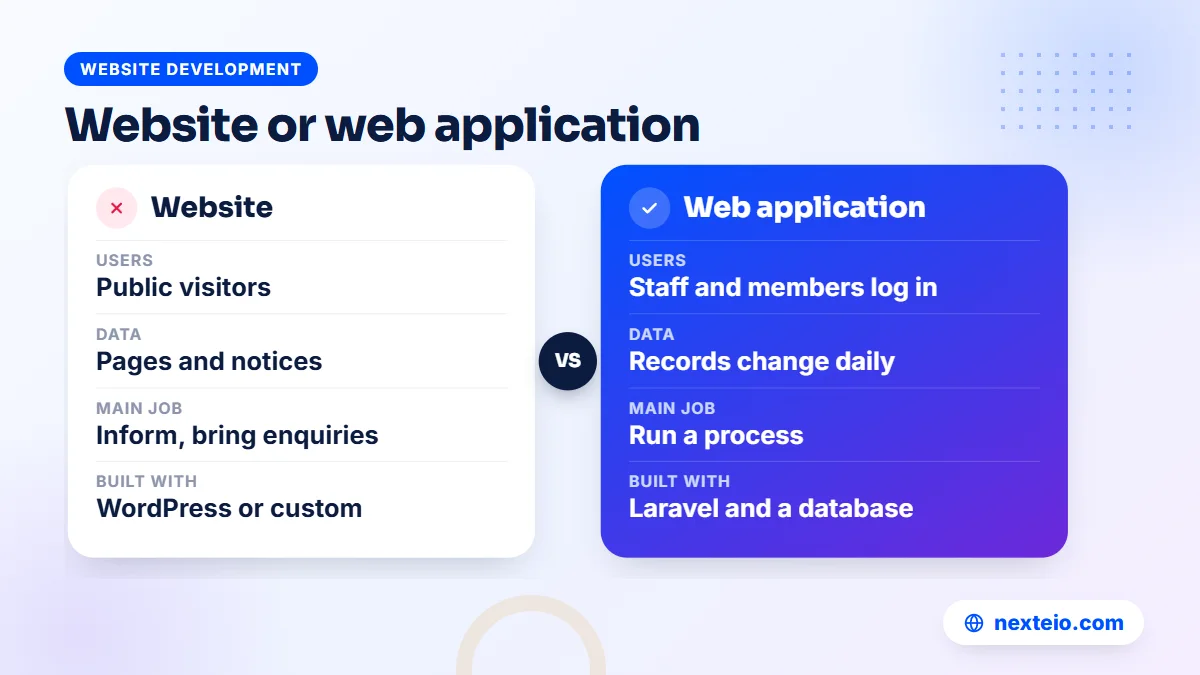
Before you ask anyone for a quote, decide which side of the line your project sits on. Getting this wrong is expensive in both directions. Some organizations pay for a custom application when a well-built website would do, and others try to stretch a theme-based site into a system it was never designed to be.
| Question | Usually a website | Usually a web application |
|---|---|---|
| Who uses it? | Public visitors | Staff, customers or members who log in |
| What changes? | Pages, news and notices | Records, statuses and transactions every day |
| Main goal | Inform people and bring enquiries | Complete a task or run a process |
| Typical tools | WordPress or a custom design | Laravel or another framework with a database |
| After launch | Content updates and maintenance | New features, support, monitoring and backups |
If most answers fall in the middle column, start with a WordPress website or a custom-designed company website, and add one or two features later if the need grows. If most fall in the right column, you are looking at web application development, where a framework-based web application is usually the better fit, and planning should begin with your process, not with page designs.
Our comparison of WordPress and custom websites goes deeper into where a content system stops and custom code starts. A useful rule of thumb: if your team describes the project in verbs such as "approve", "assign", "track" and "calculate", it is an application. If they describe it in nouns such as "about page", "gallery" and "services", it is a website.
How a Web Application Works Behind the Screen
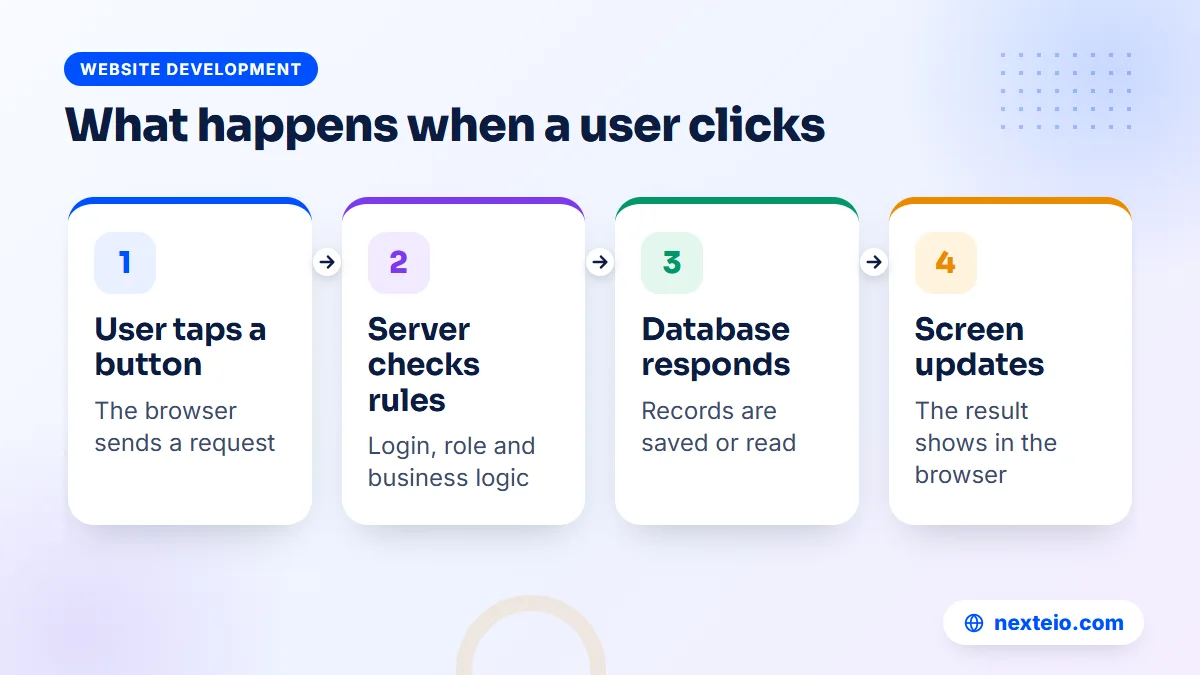
You do not need to write code to manage a web app project, but a basic picture of the moving parts helps you ask better questions and read quotes properly. Every web application has four layers that work together each time someone clicks a button.
The front end: what users see
The front end is the set of screens in the browser: forms, tables, buttons, dashboards and menus. It is built with HTML, CSS and JavaScript. Good front-end work makes a screen easy to use on a small phone, keeps forms short and shows clear messages when something goes wrong.
The back end: where the rules live
The back end runs on the server. It checks who the user is, applies your business rules, talks to the database and sends back the result. When a guardian clicks "Pay fee", the back end finds the student, calculates the amount, creates a payment request and records the outcome. In Laravel projects, this layer is written in PHP.
The database: the system's memory
The database stores every record in organized tables: users, students, orders, invoices and stock movements. A well-designed database is what keeps reports fast and accurate years later. A badly designed one is the most common reason an older system becomes slow and hard to change.
The server and the network
The server is the computer, usually in a data center or on a cloud platform, that runs the back end and the database. Browsers and servers talk using HTTP, and the MDN overview of HTTP is a clear introduction to how requests and responses work. For a live system, every connection should use HTTPS so that passwords and personal data travel encrypted.
Put together, a single action follows a short path. The user taps a button, the browser sends a request, the back end checks permissions and applies the rules, the database saves or returns data, and the server sends back a new screen or an update. On a well-built system, all of that feels instant to the user.
Common Web Apps Built for Organizations in Bangladesh
The same building blocks power very different systems. These are the kinds of projects that come up most often for companies and institutions here, with the main features each one usually needs.
- Booking and appointment systems: for clinics, diagnostic centers and consultants. Patients pick a doctor and a slot, receive an SMS confirmation, and the front desk sees the day's list. Cancellations free the slot automatically.
- Fee and admission portals: for schools, madrasas, colleges and coaching centers. Online application forms, document upload, merit lists, fee invoices and payment status for each student.
Factories, distributors, offices and NGOs use the same building blocks for very different jobs:
- Order and production tracking: for garments and factories. Each buyer order moves through sampling, approval, cutting, sewing, finishing and shipment, with dates and responsible people visible to management.
- Dealer and distributor portals: for manufacturers and importers. Dealers place orders, see their credit limit and outstanding balance, and download invoices without calling the head office.
- Internal workflow tools: leave requests, purchase requisitions, vehicle bookings and asset registers that replace paper files and long email chains.
- Member and donor systems: for NGOs, associations and clubs. Member records, renewal reminders, donation receipts and project reports for funders.
Each of these could, in theory, be handled by a ready-made product.
In practice, organizations choose web application development services when their process has local details that packaged software handles badly: Bangla names and addresses, bKash or Nagad payments, approval steps that match their own hierarchy, or reports in the exact format a board or a buyer expects. That is the point where a Laravel web app built around your own process starts to make sense.
Online shops are a special case. Stores have well-tested platforms and patterns of their own, so most businesses start with e-commerce website development rather than a fully custom application. They add custom modules for wholesale pricing, dealer accounts or warehouse links only when they truly need them.
The Web Application Development Process, Step by Step
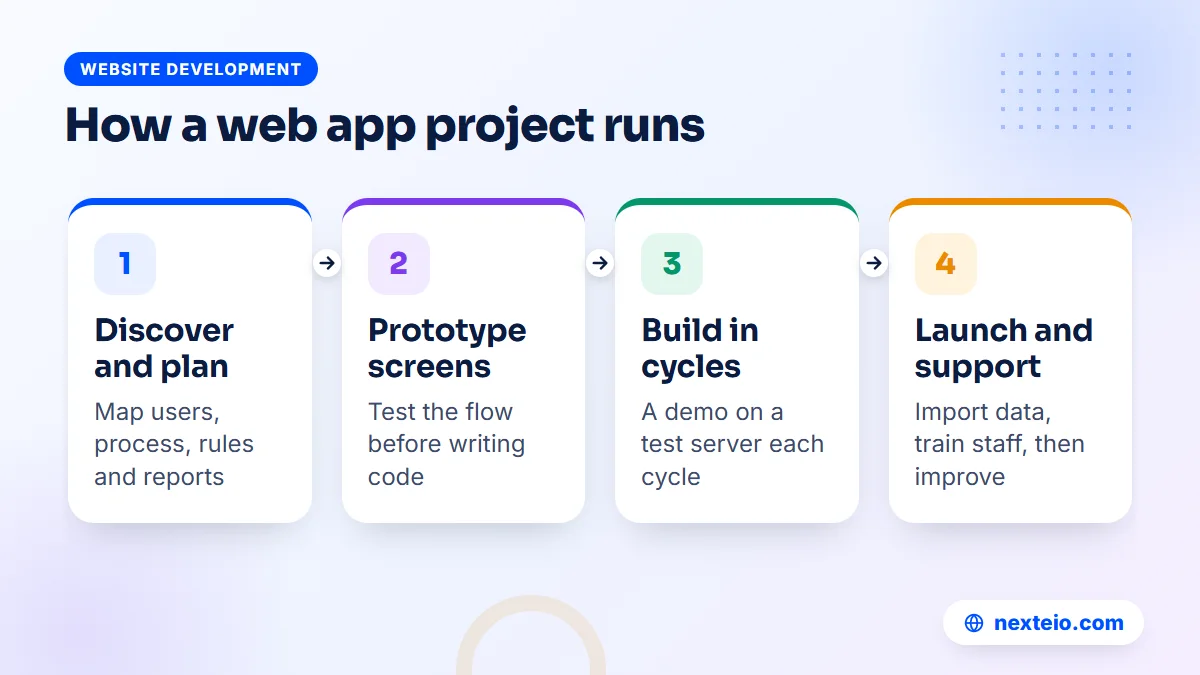
A good project follows a clear sequence in two phases. The names vary from one team to another, but the work is broadly the same. Skipping the early steps is the most common reason projects run over time and budget. The planning phase comes first:
- Discovery: the developer meets the people who will use the system, not just the person paying for it. They map the current process, collect sample forms and reports, and note what goes wrong today.
- Requirements document: a written list of users, roles, features, rules and reports, with priorities. This becomes the basis for the quote and the contract.
- Wireframes or a clickable prototype: simple screen layouts that let your team test the flow before any real code is written. Changes at this stage are cheap.
- Database and architecture design: how data is structured, how modules connect and which outside services, such as SMS, payments or email, are needed.
Only then does the building phase start:
- Development in cycles: features are built in short cycles, often one to three weeks each, with a demo on a test server at the end of each cycle.
- Testing: the developer tests every feature, then your staff test it with realistic data. Bugs are logged, fixed and checked again.
- Data migration and training: existing records are imported from spreadsheets or the old system, and each user group learns how to do its daily tasks.
- Launch and support: the system goes live, sometimes with a short period where the old and new methods run side by side, followed by a support period for fixes.
Notice that writing code is only one step out of eight. Most of the risk sits in the first three, where misunderstandings are either caught or missed. A developer who wants to start coding after one short meeting is skipping the part that protects your budget.
Who should be involved from your side
Name one project owner who can make decisions, plus one or two people who do the actual work every day. In many organizations, approvals pass through several levels: a department head, the accounts office, then the managing director or the principal. Agree early on who signs off the requirements and who signs off testing, so the project does not stall for weeks waiting for a signature.
It also helps to decide how feedback will be collected. One shared document or one weekly meeting works far better than comments arriving separately from six people by phone, email and messaging apps. Conflicting feedback is a hidden cost in many projects, because the developer builds one version and then rebuilds it.
Related guides for planning a build:
- How to hire the right Laravel developer in Bangladesh
- A buyer's checklist for choosing a web design company
- How to build a professional business website that gets results
Choosing the Technology Stack
The technology stack is the set of languages, frameworks and tools used to build and run the application. Buyers do not need to choose every piece, but they should understand the main choices. These choices affect cost, hiring and how easy the system will be to maintain five years from now.
For most business systems, a mature and widely used framework is the sensible choice. Laravel is a PHP framework that gives developers ready-built parts for logins, permissions, database access, email, queues and scheduled jobs. That means less custom plumbing and more time spent on your actual process. PHP developers are also easy to find in the local market, which matters when you need someone to maintain the system later.
| Layer | Common choice | Why it matters |
|---|---|---|
| Back-end framework | Laravel (PHP) | Built-in login, roles, queues and testing tools |
| Database | MySQL or PostgreSQL | Reliable, well understood and easy to back up |
| Front end | Blade with Livewire, or Vue or React | Simple server-rendered screens or app-like interfaces |
| Server | Linux VPS or cloud server | Control over performance, security and scaling |
| Outside services | SMS gateway, bKash, Nagad, email | Notifications and payments people already use |
Two practical points are worth checking in any proposal. First, the PHP version: each release receives security fixes only for a limited time, and the official PHP supported versions page shows which ones are still covered. A new project should start on a currently supported release. Second, avoid unusual tools that only one person on the developer's team knows. A system nobody else can maintain becomes a risk the day that person leaves.
For simpler internal tools, WordPress with a few custom plugins is sometimes enough. The test is the amount of custom logic. If most features are content and forms, WordPress works well. If most features are rules, calculations and role-based screens, a framework is cleaner and easier to extend, which is why our custom Laravel development work covers portals and dashboards rather than brochure sites.
Designing for Phones, Slow Data and Bangla Users
Many web apps are designed on large office monitors and then used mostly on phones. A sales officer checks stock from a dealer's shop, a teacher marks attendance in a classroom, and a guardian checks dues on a mobile data pack that is running low. The design has to work in those moments.
Practical rules for web app development in this setting:
- Design the most frequent tasks for a phone screen first, then expand the layout for desktop.
- Keep forms short. Split long forms into steps and save progress between them.
- Load only the data each screen needs, and paginate long lists.
- Compress images and avoid heavy animation on data screens.
- Support Bangla text in names, addresses and notices, and test search with Bangla input.
- Show error messages in plain language, not technical codes.
Google's guidance on Core Web Vitals describes how loading speed, responsiveness and visual stability are measured. Those metrics are mostly discussed for public pages, but the same ideas apply inside an application. A dashboard that takes many seconds to open on 4G will not be used, however many features it has.
Public parts of an application, such as course lists, doctor profiles or product catalogs, also need to be found on Google. They should have proper page titles, clean URLs and fast loading. Our article on technical SEO basics covers the essentials, and our SEO service can handle that side if search traffic matters to you.
Some applications also benefit from working as a progressive web app, which can be added to a phone's home screen and can keep certain screens available on a weak signal. That can help field staff outside the main towns. It adds work, so treat it as a feature to discuss rather than a default.
Security, Roles and Data Protection
A web application holds data that matters: personal details, payments, grades, medical notes, prices and supplier records. Security is not a feature added at the end. It shapes how logins, permissions and data storage are designed from the first week.
The OWASP Top Ten lists the most common categories of web application security risk, such as broken access control, injection and security misconfiguration. Any team offering a web application development service should be able to explain how their code handles each of them. At a minimum, expect the following:
- Passwords stored only as secure hashes, never as plain text.
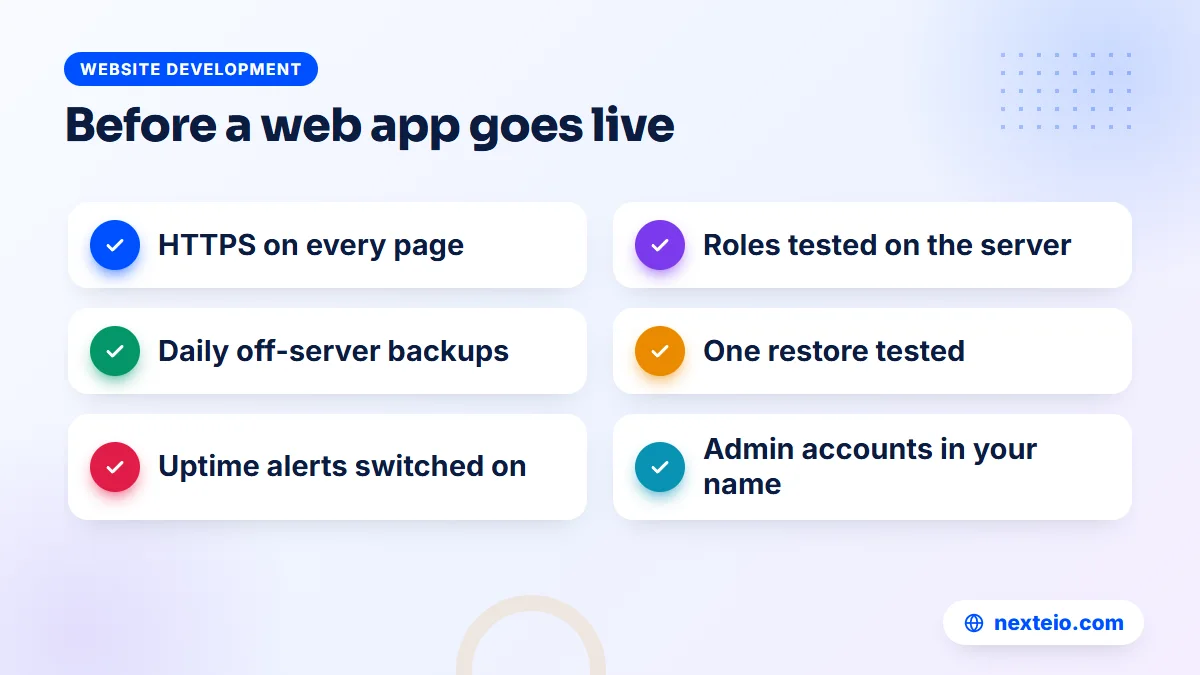
- Role-based access checked on the server for every action, not just hidden buttons.
- HTTPS on every page, with a certificate that renews automatically.
- Two-step login for administrators and anyone who can approve payments.
- An activity log that records who changed what and when.
- Regular updates to the framework and its packages after launch.
Access control deserves special attention, because it is where business systems most often fail. A guardian should never see another student's results by changing a number in the address bar. A branch manager should see only their own branch. Ask the developer to show you how these rules are tested, not just tell you they exist.
Also think about who inside your organization holds the master access. The server, the domain, the code repository and the main administrator account should belong to the organization, with the developer given separate access to do the work. If the relationship ends, you keep the keys.
Hosting, Uptime and Backups for a Live System
Where an application runs affects its speed, reliability and safety. Basic shared hosting usually costs around BDT 2,000 to 8,000 a year in Bangladesh and is built for ordinary websites. It is often too limited for an application with many users, scheduled jobs, queues and a growing database. Most production web apps run on a virtual private server or a cloud server, where the cost depends on the memory, processing power and storage you need.
A few hosting points are specific to working here. Do not run a live system on a computer inside your office, because load-shedding and a single internet line will take it offline. Choose a data center with good connectivity to local mobile networks, and test speed from a phone on mobile data rather than from office broadband.
Backups should be automatic, run at least daily for a busy system and be stored away from the main server. Just as important, someone should test a restore every few months. A backup nobody has tried to restore is a hope, not a plan.
Uptime monitoring completes the picture. An outside service checks the application every few minutes and alerts the team when it stops responding. For systems people depend on at fixed times, such as admissions during result season or a factory's daily production entry, that early warning makes a real difference.
What Web Application Development Costs and How Long It Takes
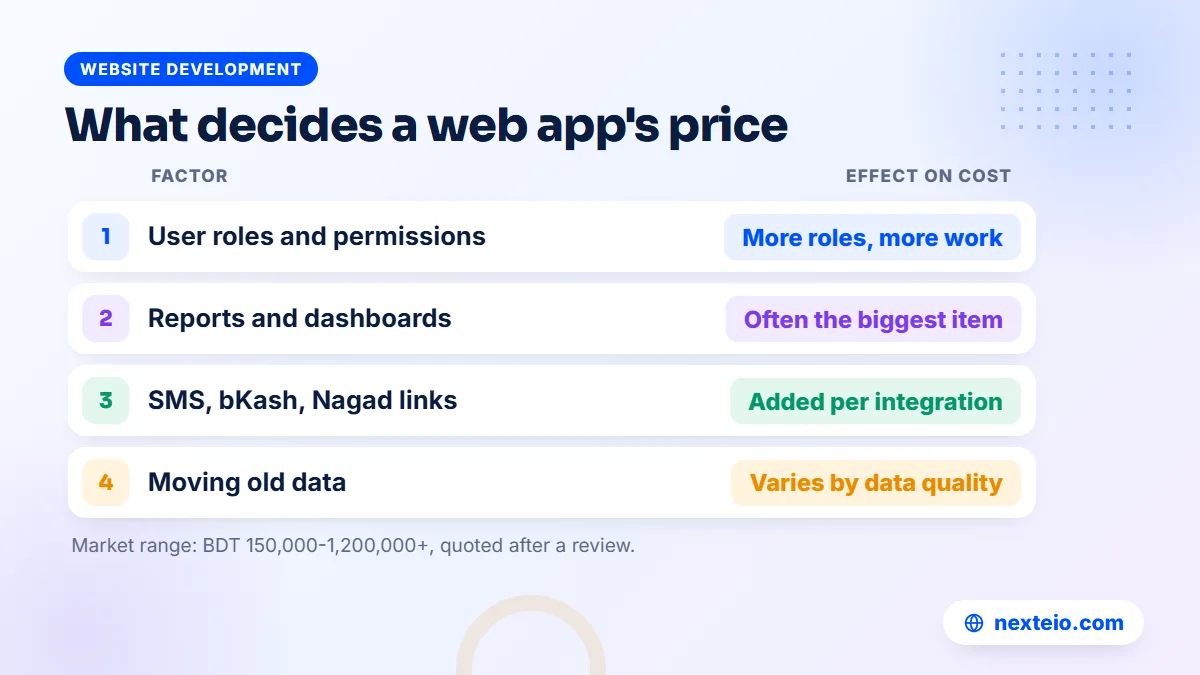
No honest developer can give a firm price for an application from a two-line description. The cost depends on the number of user roles, screens, business rules, reports and outside integrations, and on how much existing data needs to be moved. That is why serious projects are quoted after a requirements review.
As a rough guide, typical market ranges in Bangladesh for custom software, portals and management systems run from about BDT 150,000 to BDT 1,200,000 or more, depending on modules and users. A small internal tool with two roles and a handful of reports sits near the bottom. A multi-branch system with payments, SMS, dashboards and many reports sits near the top or above it.
| Project size | Example | What drives the work | Rough timeline |
|---|---|---|---|
| Small | Leave and requisition tool for one office | Two or three roles, simple approvals, a few reports | About 4 to 8 weeks |
| Medium | Clinic booking system with SMS and reports | Public booking page, staff screens, SMS link, daily reports | About 2 to 4 months |
| Large | Multi-branch dealer or production system | Many roles, payments, integrations, data migration | 4 months or more, built in phases |
These timelines assume quick feedback from your side. Slow approvals often add more time than development itself, so build your own review dates into the plan.
Running costs come on top of the build. Plan for server hosting, a domain (a .com usually costs about BDT 1,500 to 2,500 a year), SMS credits, payment gateway fees and ongoing maintenance. In our maintenance plans, applications usually sit at the advanced level, roughly BDT 12,000 to 30,000 or more a month, because the work needs developer time rather than routine plugin updates.
Ways to keep the cost under control without hurting the result:
- Start with the smallest version that solves the main problem, then add features in phases.
- Use proven components for logins, roles and notifications instead of building them from scratch.
- Decide on reports early. They are often the most time-consuming part, and late changes are expensive.
- Keep one decision-maker, so feedback stays consistent.
If you want a realistic estimate for your own idea, describe the process and users in our project form. A short description of who does what today is more useful than a long list of features.
Mistakes That Sink Web App Projects
Most failed projects do not fail because of bad code alone. They fail because of decisions made before and around the code. These are the patterns to watch for.
Building everything at once. A long feature list feels safe, but it delays launch and spreads the budget thin. Launch the core workflow first, let people use it for a month, and then decide what to add based on real use.
Designing for the boss, not the users. Managers want dashboards, but clerks, teachers and sales staff do the data entry that feeds them. If entry is slow or confusing, the dashboard fills with gaps. Test the daily screens with the people who will use them most.
No written scope. Without a requirements document, every disagreement becomes a debate about what was promised. A written scope protects both sides and makes change requests easy to price.
Ignoring data migration. Old spreadsheets are full of duplicates, missing fields and inconsistent spellings. Cleaning them takes time. Treat it as a real task with an owner, not a weekend job before launch.
No plan for after launch. An application is never really finished. Packages need updates, staff ask for new reports and processes change. Agree on support and maintenance before the build ends, not after something breaks.
Choosing only on price. The lowest quote for web app development services often leaves out testing, documentation or source code handover. Compare what each proposal includes line by line, and ask for a sample of the documentation you will receive at the end.
How to Measure Whether the Web App Is Working
A new system should make a measurable difference. Before the build starts, write down two or three numbers you want to improve, and record them before launch so you have a baseline. Good measures are practical and easy to collect:
- Time taken for a common task, such as issuing an invoice or approving a requisition.
- Number of phone calls or messages asking for status updates.
- Errors found in month-end reports or reconciliation.
- Share of payments or bookings that arrive through the system rather than manually.
- Number of active users each week compared with the number who should be using it.
Usage is the first sign of health. If staff keep a parallel spreadsheet "just in case", find out why. It usually points to a missing report, a confusing screen or a step that takes longer in the new system than in the old one. Fixing those small points in the first three months often decides whether a system is adopted or quietly abandoned.
If the application has public-facing parts, such as an online admission form or a booking page, track them like any other web page. Our guide to Google Ads conversion tracking explains how completed actions are counted, and the same idea works for bookings and applications. If you plan to promote a booking page, our Google Ads service can bring people who are already searching for your service straight to it.
Finally, review the system with its main users every few months. Ask what they still do outside it, and what they would change first. Good web application development services treat these reviews as the start of the next small improvement, not as complaints.
How Nexteio Can Help With Web Application Development
Web application development is the core of our Laravel web application service. We build portals, dashboards, booking systems, stock and order records and other tools around the way your team already works, using Laravel and PHP on a properly hosted server.
We start by understanding the process: who uses the system, what they do each day, which approvals and reports matter, and which payment or SMS services you need. This requirements review is what the quote is based on, so the price reflects your real process rather than a guess from a short message. If the feature list is long, we will suggest a smaller first version and a sensible order for the rest.
After launch, we can keep the application updated, backed up and monitored through a maintenance agreement. It starts once you give us access to the server and the application and both sides sign a contract that sets out the work. We also encourage keeping the domain, server and admin accounts in your organization's name. If you need a public website as well, we can build it alongside the application. You can see the kind of work we do in our portfolio, read more about Nexteio, send us a short project brief or reach us through the contact page.
Keep reading: how faster pages help you rank and sell, how to create a high-converting landing page, or browse more website development guides.
Frequently asked questions
What is the difference between a website and a web application?
A website mainly presents information to visitors, such as services, news and contact details. A web application lets signed-in users do work: enter records, follow approval steps, make payments or pull reports. Many projects combine both, with public pages in front and an application behind a login.
How long does web application development take?
A small internal tool can be ready in roughly one to two months, while a medium system with SMS, payments and reports often takes a few months. Large multi-branch systems are usually built and released in phases over a longer period. Quick feedback and clear decisions from your side shorten the timeline more than anything else.
How much does a custom web app cost in Bangladesh?
Custom portals and management systems are usually quoted after a requirements review, because the price depends on roles, features, reports and integrations. Typical market ranges run from about BDT 150,000 to BDT 1,200,000 or more. Hosting, domain, SMS credits and maintenance are separate running costs.
Is Laravel a good choice for a business web application?
For most business systems, yes. Laravel is a mature PHP framework with built-in tools for logins, permissions, queues, email and testing, and PHP developers are easy to find for future maintenance. Very simple content-led tools may not need it, and WordPress can be enough there.
Do users need to install anything to use a web application?
No. Users open a link in a browser on a phone or computer and sign in. Some applications can also be added to the phone's home screen as a progressive web app, which feels closer to a native app without going through an app store.
Who should own the source code and server accounts?
Your organization should. Agree in the contract that the source code, database, domain and hosting account belong to you, and that you receive the code and documentation at handover. The developer can work through separate accounts that you can remove later.
Can an existing spreadsheet process be turned into a web app?
Yes, and it is one of the most common starting points. The spreadsheet shows the data you already collect and the reports you need. The developer cleans and imports the existing rows, then adds what spreadsheets handle badly, such as user roles, approvals, history and alerts.