School Attendance Software With Same-Day SMS to Guardians
In this article 15 sections
- 1.The Real Cost of a Late Absence Notice
- 2.What School Attendance Software Should Record Each Day
- 3.Daily or Period-Wise Attendance: Choosing the Right Model
- 4.How Same-Day Absence SMS Works
- 5.Teacher Phone, Fingerprint, Card or App: Comparing Attendance Methods
- 6.Reading the Numbers: Daily and Monthly Attendance Views
- 7.Guardian and Student Access: The Attendance Calendar
- 8.Accuracy, Privacy and Who Can Change a Record
- 9.Rolling Out School Attendance Software in Four Weeks
- 10.Common Mistakes With an Attendance Management System
- 11.What School Attendance Software Costs in Bangladesh
- 12.Questions to Ask Before You Choose Student Attendance Software
- 13.Try Our School Attendance Software in the Live Demo
- 14.How Nexteio Can Help With School Attendance
- 15.Frequently asked questions
School attendance software replaces the paper register with a few taps on a phone, and its most useful job happens after the roll call: telling a guardian, the same morning, that their child is not in class. In many schools in Bangladesh the register is still a bound book. The class teacher marks it, the office adds up totals at the end of the month, and a parent learns about a week of missed classes only when the report card arrives.
That delay is the real problem. A child who leaves home in uniform but never reaches the school gate is a safety question, not a paperwork question. A student who misses every Thursday for two months is showing a pattern that a busy class teacher may never spot in a paper book.
This guide is for head teachers, assistant heads, office staff and managing committee members who are deciding whether school attendance software is worth the change. It covers what the software should record, how absence SMS works and what drives its cost, how to roll the system out without upsetting teachers, and what to ask any vendor.
Where it helps, we also show how our own School Management Software handles each point. You can test every step yourself in the live demo before speaking to anyone.
The Real Cost of a Late Absence Notice
Paper registers are not the enemy. A good class teacher with a paper book knows exactly who was missing today. The trouble is that the information stays inside the book. It does not reach the guardian, the head teacher or the office until someone copies it out, and by then the moment to act has passed.
Here is what that delay costs a school in practice:
- No same-day warning. Guardians hear about absence days or weeks later, if they hear at all.
- No pattern view. Nobody sees that the same five students disappear after every holiday.
- Slow answers to disputes. When a guardian says their child was present, the office has to find the right book and the right page.
- Double work. The same numbers are written in the register, the monthly summary and sometimes an exam eligibility list.
- Weak records for official data. Institutions send yearly student data to BANBEIS, and pulling clean figures from paper books takes time.
None of this means teachers are careless. The paper format simply cannot do the follow-up work a growing school needs. An attendance management system keeps the teacher's part almost the same, a quick roll call, and hands the counting, messaging and record-keeping to the computer.
What School Attendance Software Should Record Each Day
Before comparing products, decide what one attendance entry must contain. A useful system stores more than a tick or a cross. At minimum, each record should hold:
- The student, class, section and date.
- The status: present or absent, plus late or on leave if your school uses those.
- Who marked it and when, so the office can trace a change.
- Whether the guardian was informed, and on which number.
Some schools also want a reason field for leave, such as illness or a family event, so that a long medical absence is not treated the same as unexplained truancy. Others prefer to keep the daily screen as simple as possible and handle leave letters on paper. Neither choice is wrong, but make it before setup, because changing the structure after a year of data is harder.
The second question is who takes attendance. In most schools in Bangladesh the class teacher does it in the first period. That keeps responsibility clear: one teacher, one class, one roll call, finished before the first lesson starts. Student attendance software built around that habit is far easier to adopt than one that asks every subject teacher to mark every period.
How our software records attendance
In our School Management Software, teachers take daily student attendance from their own login, on a phone or a computer. The office and the head teacher then see daily and monthly views for each class, and the same record feeds the guardian SMS and the attendance calendar described later in this guide. Each user sees only the pages their role allows, and hidden pages cannot be opened by typing the address into the browser. Attendance sits inside a full student management system, so the same class list also drives fees, results and guardian logins.
Daily or Period-Wise Attendance: Choosing the Right Model
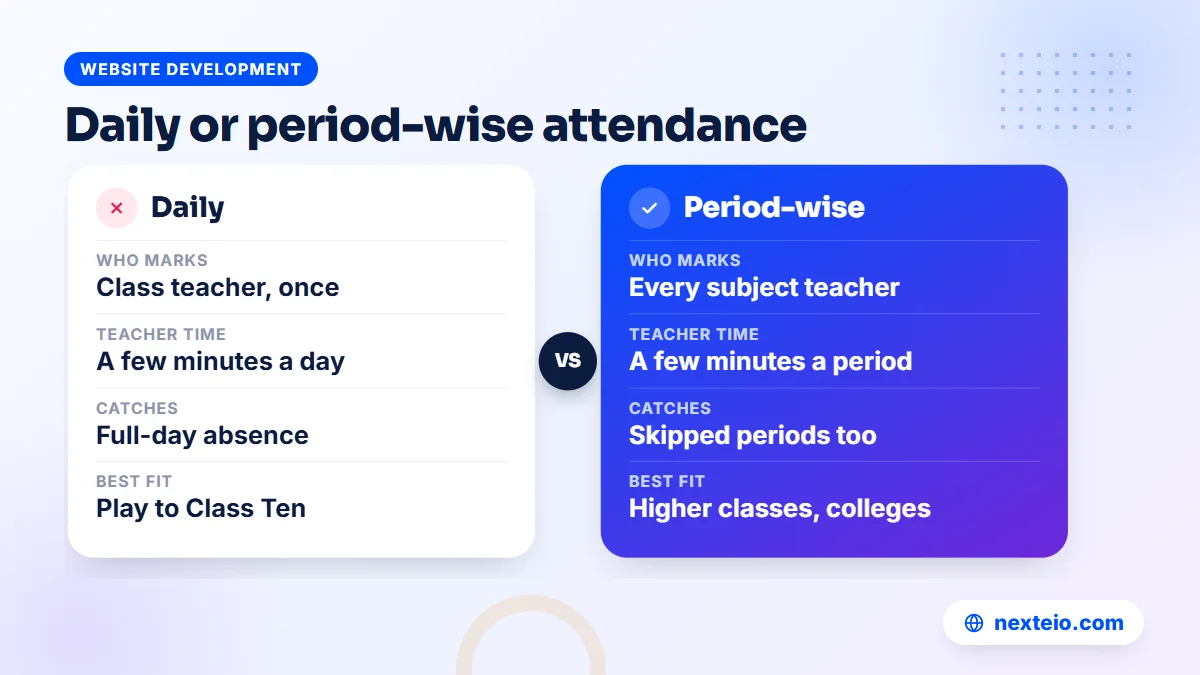
There are two common models. Daily attendance takes one roll call per class per day, usually in the morning. Period-wise attendance asks each subject teacher to mark the class at the start of every period, which catches students who arrive in the morning and slip away after tiffin.
| Point | Daily attendance | Period-wise attendance |
|---|---|---|
| Who marks | Class teacher, once a day | Every subject teacher, every period |
| Teacher time | A few minutes per class | A few minutes per period, several times a day |
| What it catches | Full-day absence | Full-day absence and skipped periods |
| Best fit | Most primary and secondary schools | Higher classes and colleges with a bunking problem |
| Resistance from staff | Low | Higher, especially in the first term |
For most schools from Play to Class Ten, school attendance software built on daily attendance is the right starting point. Younger children rarely leave halfway through the day, and guardians mainly want to know whether the child arrived. Period-wise tracking makes more sense for higher secondary classes and colleges, where students move between subjects and rooms. Our guide to campus management system software looks at those needs in more detail.
Our system uses the daily model: one attendance entry per student per day, marked by teachers. If your institution truly needs period-wise records, that is a custom requirement, and our Laravel web development team can scope it separately after a requirements review.
How Same-Day Absence SMS Works
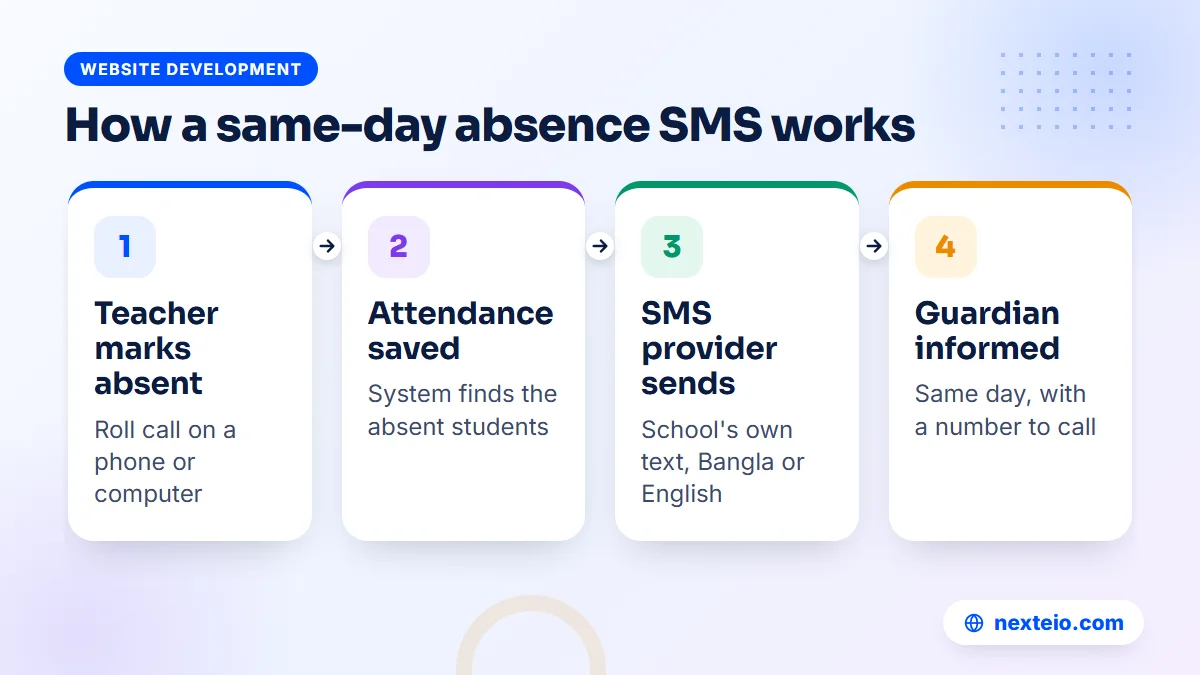
The absence SMS is the feature guardians notice most, and it is often the main reason a school buys school attendance software in the first place. Once it is set up, the flow is simple:
- The class teacher opens the attendance screen and marks the students who are absent.
- The teacher saves the attendance for that class and date.
- The system finds the absent students and looks up each guardian's mobile number.
- It sends the message through the school's SMS provider, using a text the school has written.
- The guardian receives it the same day and can call the school if something is wrong.
Step four is the part people misunderstand. The software does not send SMS by itself. It connects to an SMS company's API, and the school buys SMS credit from that company. Think of the software as the switch and the SMS provider as the phone line.
Writing an absence message guardians understand
Keep the message short, polite and specific. Guardians read it on basic phones as well as smartphones, and many prefer Bangla. A good message names the student, the class, the date and the school, and gives a number to call. A simple pattern works well: "Dear guardian, [student name], Class 6, Roll 14, was absent today. Please contact the school office if this is unexpected."
Avoid a tone of blame. A child may be absent because of fever, flooding on the road or a family emergency, and the first message should inform, not accuse. If a student is absent several days in a row, a phone call from the class teacher works better than a fourth automatic text.
SMS length, Bangla text and cost
SMS cost depends on the provider, the volume you buy and the length of each message. A standard English SMS fits about 160 characters in one part. A Bangla message uses Unicode encoding, so one part holds only about 70 characters, and a longer Bangla text is split into several parts that are each charged. A school sending 40 absence messages a day in two-part Bangla is paying for 80 messages, not 40.
Providers also offer two kinds of sender identity. A non-masking SMS arrives from an ordinary number, while a masking SMS shows a name, such as the school's short name. Masking usually costs more and needs extra paperwork with the provider. Ask your provider for current rates and rules, because both change over time.
SMS in our software
Our School Management Software comes with ready settings for BulkSMSBD, Alpha SMS (sms.net.bd), Greenweb and ElitBuzz, plus a custom option for any other company that offers an API. The absence text is editable, so the office can write it in Bangla, English or both. A test SMS button lets you check the setup before the first real message goes out, and the same setup also sends admission, payment, due, result and salary messages.
One honest limit: the current version sends these automatic messages, but it does not offer bulk or custom SMS to whole groups, and it has no screen showing your SMS balance. You check the balance in your SMS provider's own panel.
Teacher Phone, Fingerprint, Card or App: Comparing Attendance Methods
Vendors sell several ways to capture attendance. Each one changes the cost, the setup and what can go wrong on a busy morning.
| Method | How it works | Main strength | Main risk |
|---|---|---|---|
| Teacher marks on a phone or computer | Roll call, then tap the absent students | No hardware, fits the current habit | Depends on teachers marking on time |
| Fingerprint machine | Students scan a finger at the gate | Quick for large numbers, hard to fake | Machine faults, queues, failed scans, power cuts |
| RFID or QR card at the gate | Students tap or scan an ID card | Fast entry | Lost or swapped cards; it records the card, not the child |
| Separate mobile app | Guardians check attendance in an installed app | Push alerts on smartphones | Needs a smartphone, storage and regular updates |
Each method can work, but they are not equal in effort.
Hardware looks modern, but it adds a second system to maintain. A fingerprint machine needs power during load-shedding, a working connection or a sync routine, and someone to enroll every new student. When it fails on a busy morning, teachers end up taking a paper roll call anyway.
For most schools, school attendance software with teachers marking on a phone is the sensible first step. It needs no purchase beyond the software and SMS credit, and the class teacher already sees every child. Our School Management Software uses this method. The current version does not connect to fingerprint or card machines, and there is no separate mobile app. Teachers, guardians and students use the mobile-friendly dashboard in their phone browser. If you are weighing an app against a mobile website, our article on web and app development compares the two.
Reading the Numbers: Daily and Monthly Attendance Views
Collecting attendance is only half the job. The value comes when someone looks at the numbers and acts on them. A student attendance management system should give you at least two views.
The daily view answers the morning question: which classes have been marked, how many students are absent and who they are. The head teacher can check it before assembly ends. If one class is still unmarked by the second period, the office can remind the teacher.
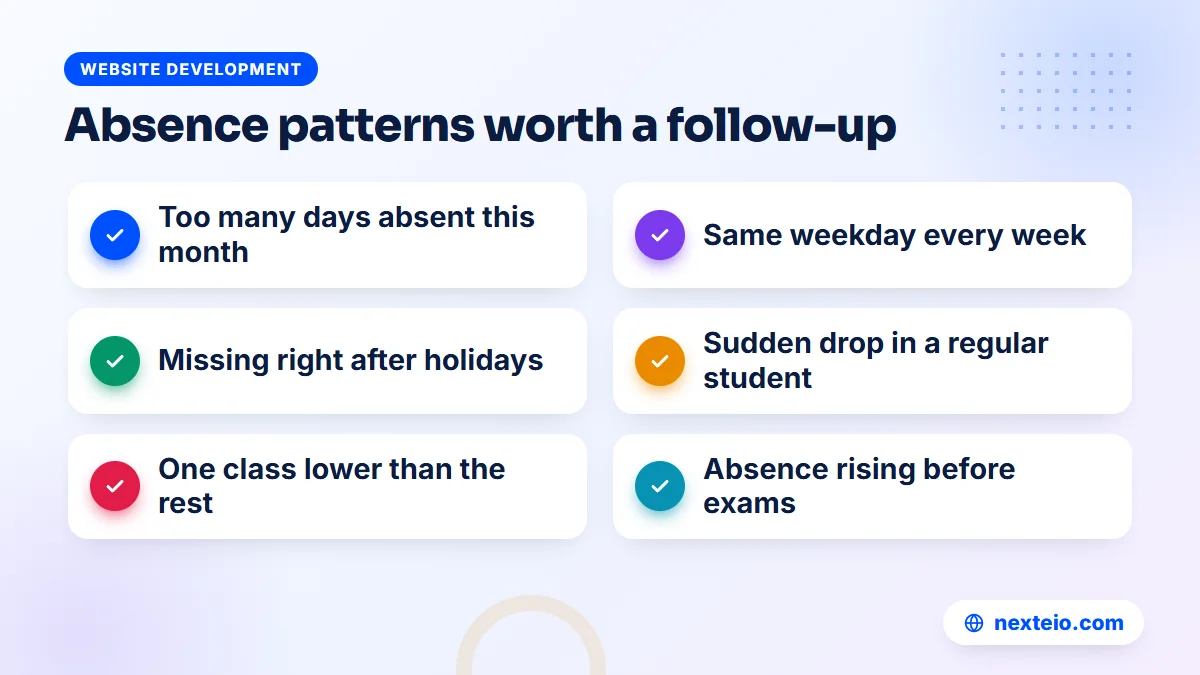
The monthly view shows each student's record across the month, and this is where patterns appear. Look for:
- Students absent more than a set number of days in the month.
- Absences that cluster on the same weekday or right after holidays.
- A sudden change in a student who used to attend regularly.
- Whole classes with lower attendance than the rest, which may point to a timetable or teacher issue.
- Absence that rises in the weeks before exams.
Set a simple follow-up rule. For example, after three unexplained absences in a month the class teacher calls the guardian, and after five the assistant head meets the family. The software shows who crosses the line, but the response is a school decision. Write it down so every teacher follows the same steps.
In our School Management Software, the head teacher and the office see daily and monthly attendance views for each class. There is no separate reports module in the current version, so if your managing committee wants custom attendance analysis or special export formats, plan that as extra work. The built-in views cover the daily follow-up most schools need.
Guardian and Student Access: The Attendance Calendar
An SMS tells a guardian about one day. A calendar shows the whole month. When a guardian can log in and see every present and absent day marked clearly, an argument about "he missed only one day" becomes a short conversation.
Guardian access works best when it is simple:
- One login that covers all of a family's children in the school.
- A clear calendar that reads well on a small phone screen.
- Bangla and English, so every guardian can follow it.
- Nothing to install, so older phones with little storage still work.
Our system has a parent panel that covers several children under one login, and an attendance calendar for parents and students. The whole system switches between Bangla and English with one click, and school content shows in Bangla when no English text has been added. Because it runs in the phone browser, guardians do not need to download anything.
Student logins are worth a thought too. Older students who can see their own record tend to take it more seriously, especially when the school expects regular attendance before exams. In our software, teacher and parent logins come with the Basic package, while student logins are part of the Standard and Premium packages.
The same system includes the public school website, where notices and result search live. Our SEO service can help that website appear when guardians search for schools near them during admission season.
Related guides for schools planning their systems:
- School management software: the features a school in Bangladesh needs
- Educational website design for schools, colleges and madrasas
- Learning management systems for schools: features, costs and setup
Accuracy, Privacy and Who Can Change a Record
The records inside school attendance software concern children, so treat them with the same care as exam marks. Three questions matter. Who can mark attendance? Who can change it afterwards? Who can see it?
A sound setup gives each role only what it needs. Class teachers mark their own classes, the office views all classes, guardians see only their own children and the head teacher sees everything. If a teacher marks a student absent by mistake and the guardian gets an SMS, there should be an agreed way to correct the record and tell the family, and a trail showing who did what.
Privacy also means knowing where the data lives. With many online services, every school's data sits on one shared platform run by the vendor. That can be acceptable, but ask what happens to your records if you stop paying or the vendor closes.
Our School Management Software takes a different approach. Each school gets its own copy on its own domain and hosting, under its own name, logo and colors, and Nexteio has no access to the school's data. Roles are built in (Super Admin, Admin, Principal, Accountant, Receptionist, Teacher, Parent and Student), permissions can be edited and new roles added. An activity log records actions, and nightly backups of the database and files go to the server and to the school's own Google Drive.
The system is a Laravel web application built on Laravel 12, with MySQL or MariaDB for the database. It needs PHP 8.2 or newer, and PHP's own supported versions page shows how long each version receives security fixes. Because the school owns the hosting, the plan matters. Normal cPanel hosting with Composer and one cron job is enough, and our guide to choosing web hosting explains what to check before you buy.
Rolling Out School Attendance Software in Four Weeks
Most failed rollouts fail for people reasons, not technical ones. Teachers feel watched, guardians receive wrong messages in the first week, and the office quietly goes back to the paper register. A slow, planned start avoids most of this.
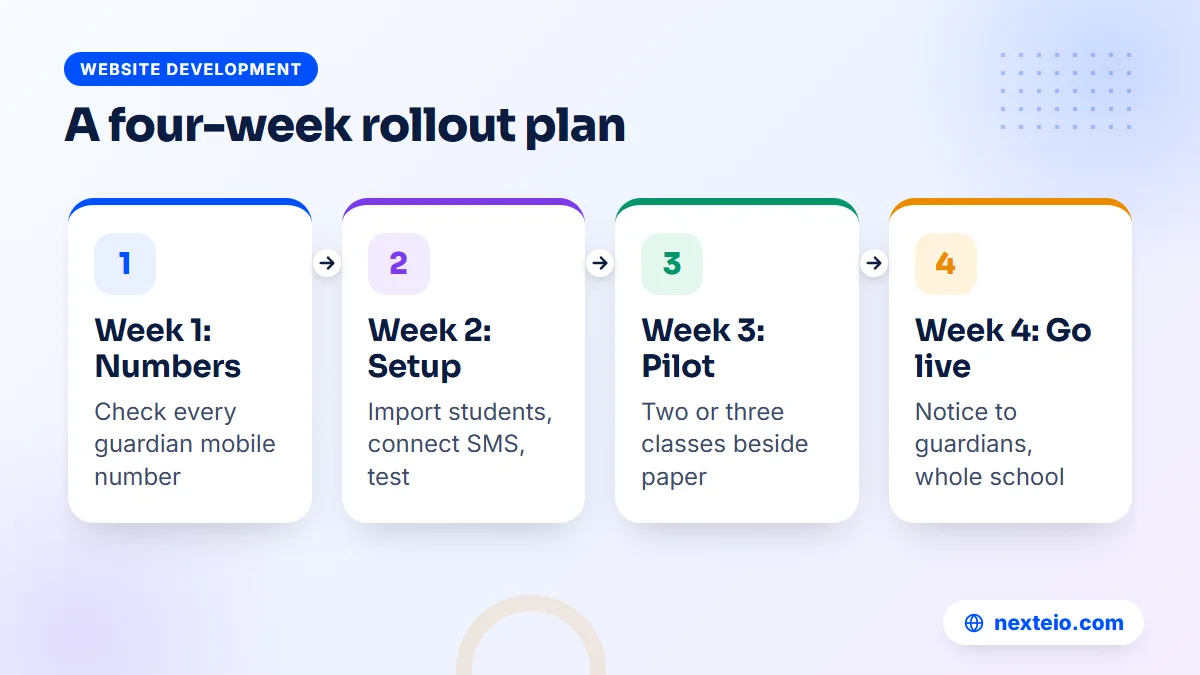
Week 1: Clean the guardian phone numbers
The absence SMS is only as good as the numbers behind it. Before anything else, check every student's guardian mobile number. Old admission forms often hold a number that changed years ago, or the father's number when the mother is the one at home during school hours. Send a short slip home or confirm numbers at a parents' meeting. Our guide to a student information system describes a simple monthly routine that keeps those contacts correct after this first cleanup.
Week 2: Set up classes, students and SMS
Enter or import classes, sections and students. Most systems, including ours, accept a CSV file, so a tidy Excel sheet saves days of typing. Then connect the SMS provider, write the absence message and send test messages to a few staff phones.
Week 3: Pilot with two or three classes
Choose classes whose teachers are comfortable with phones. Run online attendance alongside the paper register for one week and compare the two. Fix wrong numbers and confusing steps before the whole school starts.
Week 4: Go school-wide and tell guardians
Announce the change in a notice and at assembly: from a given date, guardians of absent students will receive an SMS. Tell them which number or name the message comes from and whom to call. Keep the paper register for one more month as a fallback, then retire it once the head teacher is confident.
Teacher training stays with the school in this plan. A senior teacher who learns the system first can show colleagues in a staff meeting, which usually works better than a long manual. Some schools also record a two-minute screen video for guardians, and our video editing service can turn that rough recording into a clean clip for the school's page.
Common Mistakes With an Attendance Management System
The same handful of mistakes appears again and again when schools switch to school attendance software. The first group happens during setup:
- Starting with old phone numbers. Wrong SMS in the first week damages guardian trust faster than anything else.
- Buying hardware first. A fingerprint machine without a clear follow-up process is just an expensive register.
- No deadline for marking. If attendance can be marked at any time, some classes will be marked at noon and the SMS loses its value.
The second group shows up months later, once the novelty wears off:
- Too many messages. Texting guardians for every small thing trains them to ignore the school's number.
- Nobody reads the monthly view. Data without a named person and a follow-up rule changes nothing.
- Ignoring closed days. Agree how holidays, exam breaks and sudden closures are handled so they never look like absence.
- Keeping data on one office computer. A desktop program on a single PC can be lost with one failed hard disk.
Most of these cost nothing to avoid. They need a decision from the head teacher and one person in the office who owns the process from start to finish.
What School Attendance Software Costs in Bangladesh
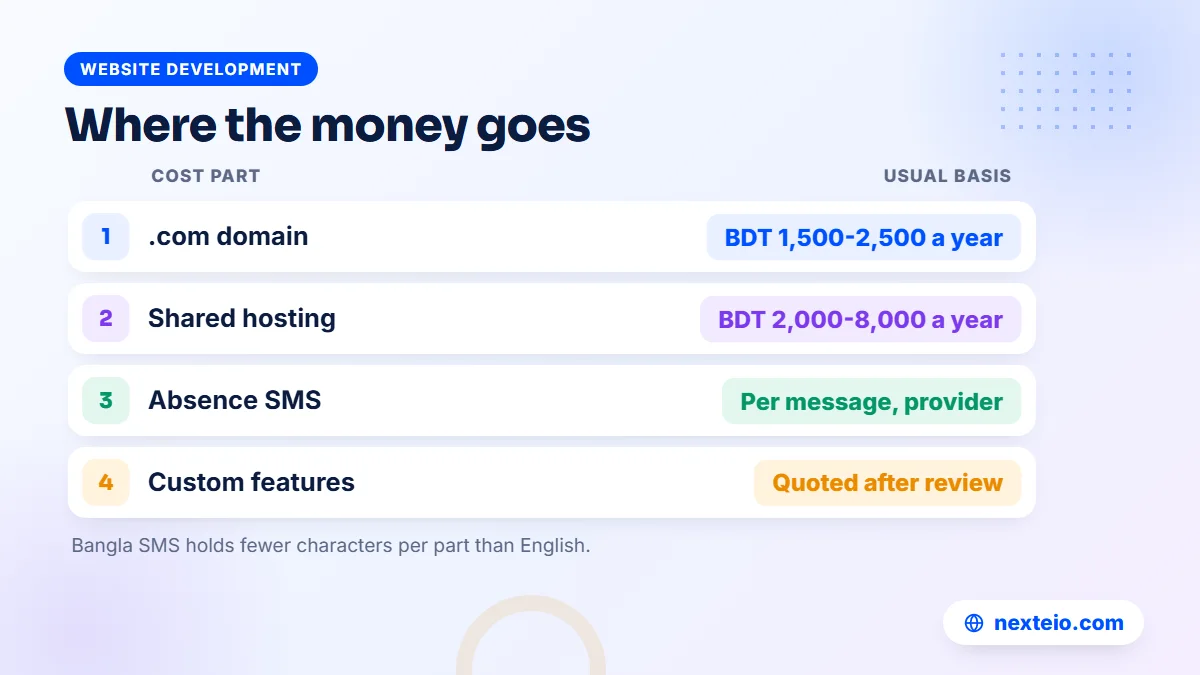
Costs come in three or four parts: the software, the hosting and domain, the SMS credit and any custom work. Each is priced differently, so ask for every part before you compare offers.
| Cost item | How it is usually charged | What to check |
|---|---|---|
| Software | One-time, yearly or per student, depending on the vendor | What happens to your data if you stop paying |
| .com domain | About BDT 1,500-2,500 a year | Registered in the school's name |
| Shared hosting | About BDT 2,000-8,000 a year | Enough resources for daily logins and backups |
| SMS credit | Per message, set by the SMS provider | Bangla messages may use more than one part |
| Custom features | Quoted after a requirements review | Period-wise attendance, devices, extra reports |
For school systems built from scratch, market prices in Bangladesh are quoted after a requirements review. Depending on modules and users, that usually lands somewhere around BDT 150,000 to 1,200,000 or more. A ready product set up for your school is a different case, because most of the building work is already done.
If you only need a public website with notices and no management system, a WordPress school website or a custom-designed site is the simpler route. When you need processes such as attendance with SMS, a web application built with Laravel is the better fit.
We do not publish a price for our School Management Software. It comes in three module packages: Basic, which already includes attendance, SMS and parent logins; Standard; and Premium. The price depends on the package and your setup, so the honest answer is a quote once we understand your school. You can ask for one through our project request form.
Questions to Ask Before You Choose Student Attendance Software
Take this list to every vendor meeting where school attendance software is on the table. Clear answers to all ten will tell you more than any brochure. Start with daily use:
- Can teachers mark a class from a phone browser in a few minutes?
- Is the absence SMS automatic, and can we edit its text in Bangla?
- Which SMS providers does it support, and can we switch later?
- Can guardians with several children see all of them under one login?
- Who can change an attendance record, and are actions logged?
Then ask about data, ownership and honesty:
- Where is our data stored, and who outside the school can reach it?
- How are backups made, and can we keep our own copy?
- What happens to the data if we stop using the service?
- Is there a live demo we can try without a sales call?
- What does the vendor say plainly is not included?
The last question is the most revealing. A vendor who tells you what the software does not do is usually more reliable about what it does. If you are also comparing a ready product with a system built only for your institution, our explainer on web application development shows how custom systems are planned and built.
Try Our School Attendance Software in the Live Demo
Reading about school attendance software is less useful than marking a class yourself. Our live demo runs the full School Management Software with sample data: about 113 students and 20 teachers. You can log in with one click as Super Admin, Head Teacher, Teacher, Accountant, Parent or Student, with the login details already filled in.
Try this short test. Log in as a teacher and take attendance for a class, marking two or three students absent. Then switch to the parent login and open the attendance calendar to see what a guardian would see. Finally, log in as the head teacher and check the daily and monthly views.
Some settings are locked in the demo, including users, the license, SMS and payment gateways, so no real SMS goes out. The data also resets every three hours, so experiment freely. Screenshots and the full module list are on our School Management Software portfolio page.
How Nexteio Can Help With School Attendance
We built our School Management Software for schools in Bangladesh, from Play to Class Ten, including EIIN and MPO schools. We set it up as your school's own system rather than an account on a shared platform. It runs on your domain and hosting, carries your school's name, logo and colors, and includes the public school website alongside attendance, admission and, depending on the package, fees, results, routines and payroll.
In practice, we install the software on your own domain, connect the SMS provider you choose and import your student list from a CSV file. Your office then adds teachers and guardian details, and teachers can start marking attendance from their phones. The license key is tied to your domain, and the "Developed & supported by Nexteio" credit can be hidden with a paid white-label option.
If you need something the current version does not include, such as period-wise attendance, our Laravel application service can quote it as separate work. Start with the demo, look at the product page in our portfolio, then send us your school's details. You can also read more about Nexteio, browse our wider portfolio or reach us through the contact page.
Keep reading: what the Laravel framework is and why it is used, why mobile-friendly design matters, or browse all our website development guides.
Frequently asked questions
Does school attendance software work if the school has weak internet?
A web-based system needs a connection at the moment attendance is saved, but the amount of data is small. A teacher's mobile data is usually enough even when the school Wi-Fi is down. If a connection fails for a short time, the teacher can note the absent students and save them once the signal returns.
How much does it cost to send absence SMS to guardians?
It depends on your SMS provider, the volume you buy and the length of the message. Bangla messages hold about 70 characters per part, so a long Bangla text may be charged as two or three messages. Ask providers for current per-message rates for both masking and non-masking SMS before you decide.
Can the same system track teacher and staff attendance?
Some systems do, but our School Management Software does not include teacher or staff attendance in its current version. It covers daily student attendance, absence SMS and the views for the office, parents and students. If staff attendance is a firm requirement, it can be discussed as custom work.
What should we do if a teacher marks a present student absent by mistake?
Correct the record the same day and let the guardian know it was an error, ideally with a short call from the class teacher. Agree in advance who is allowed to make corrections, so changes do not happen silently. When you compare vendors, ask how corrections are handled and whether actions are logged.
Do guardians need a smartphone to get absence alerts?
No. An absence alert is a normal SMS, so it reaches any mobile phone, including basic handsets. A smartphone or computer is only needed if the guardian wants to log in and see the monthly attendance calendar in a browser.
Can we import our existing student list instead of typing it?
Yes. Our School Management Software accepts student data through CSV import, and it can export CSV files too. Clean up your Excel sheet first so names, classes, rolls and guardian numbers are correct, because the SMS depends on those numbers.
Is a fingerprint attendance machine better than teacher-marked attendance?
Not automatically. A fingerprint machine is fast at a busy gate, but it needs power, upkeep and enrollment of every new student, and it fails on bad mornings. For most schools, teachers marking attendance on a phone is cheaper and easier to keep running, and the absence SMS works the same way.