Online Madrasah: Running Admission, Fees and Results on the Web
In this article 16 sections
- 1.What an Online Madrasah Means in Practice
- 2.Step 1: Decide What Goes Online First
- 3.Step 2: Get the Domain, Hosting and HTTPS Right
- 4.Step 3: Put the Information Guardians Ask About on the Website
- 5.Step 4: Take Admission Applications Online
- 6.Step 5: Collect Fees Online With bKash
- 7.Step 6: Publish Results and Verify Certificates Online
- 8.Step 7: Accept Donations on the Website
- 9.Step 8: Bring Guardians Onto the Parent App
- 10.Step 9: Give Staff the Right Access
- 11.Working With Real Conditions in Bangladesh
- 12.What It Costs to Run an Online Madrasah
- 13.An Online Madrasah Rollout Plan for the First Term
- 14.Mistakes to Avoid When Going Online
- 15.How Nexteio Can Help Your Madrasa Go Online
- 16.Frequently asked questions
An online madrasah, in the sense this guide uses, is a madrasa whose office work reaches guardians through the web: admission forms, fee payment, results, notices and donations, all available from a phone. The classes still happen in the masjid, the classroom and the Hifz halaqah. What changes is that a guardian living two districts away, or working abroad, no longer needs to travel or phone the office to know what is happening.
Many madrasas in Bangladesh want this but are unsure where to start. The muhtamim worries about cost and about staff who are not comfortable with computers. The accountant worries about mixing up money. The committee worries about data and about guardians who have never paid a bill online.
This is a step-by-step plan for turning an ordinary madrasa into an online madrasah without disrupting teaching. It covers what to put online first, the domain and hosting decisions, admission, bKash fee payment, results, donations, the guardian app and a realistic first-term timeline.
For each step, we also show how our own Madrasa Management Software handles it, so you can see a working example rather than a promise.
What an Online Madrasah Means in Practice
The phrase "online madrasah" is used in two ways. Sometimes it means a distance-learning program where students join live Quran or Arabic classes over video. More often, for an established madrasa, it means running the institution's services online while teaching stays in person. This guide is about the second meaning.
That distinction matters because the two need different tools. Live online classes need video platforms, schedules and teachers trained to teach on camera. An online madrasah in the service sense needs a website, an office system, a payment gateway and an app for guardians. Our software is built for the second job. It is a web application made with Laravel, the same framework we use in our Laravel web application service. It does not run live classes, although the website can host recorded lecture videos.
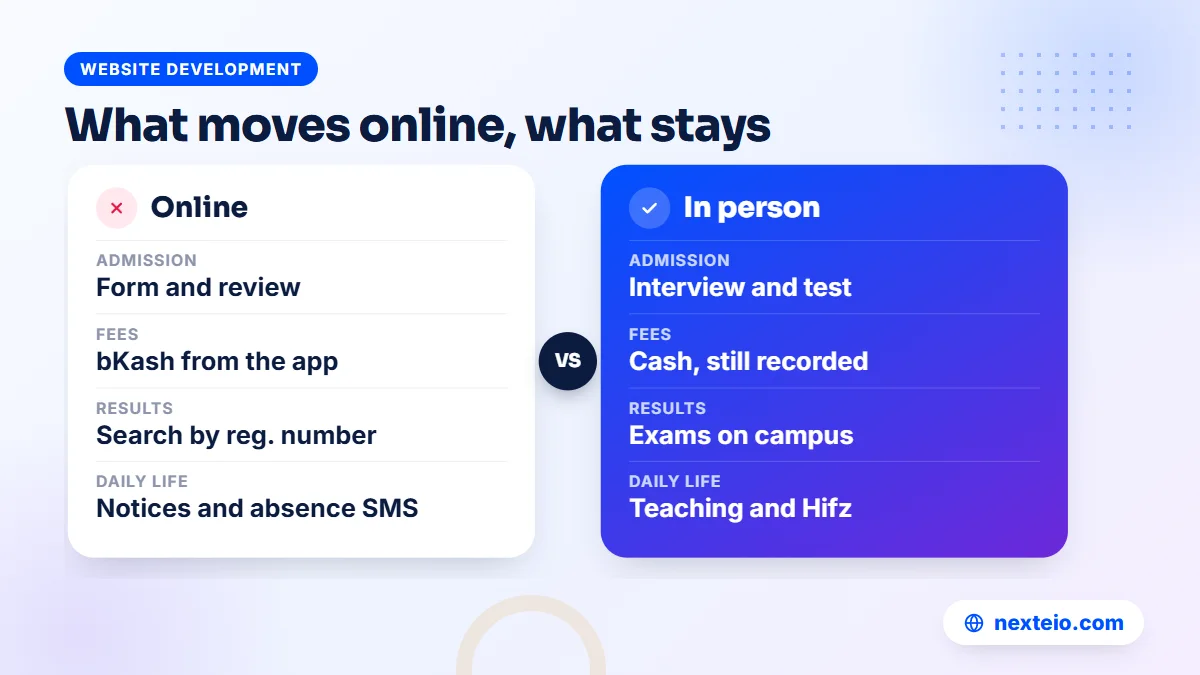
| Moves online | Stays in person |
|---|---|
| Admission form and application review | Admission interview and recitation test |
| Monthly fee payment by bKash | Cash payment at the office, still recorded |
| Result search and certificate checks | Exams themselves |
| Notices, routine and meal menu | Daily teaching and Hifz sessions |
| Absence SMS and the guardian app | Supervision on campus |
Seen this way, going online is less about technology and more about saving trips, calls and paper for families and office staff. That is also why it tends to succeed when the office leads it, not an outside vendor.
Step 1: Decide What Goes Online First
Trying to move everything at once is the fastest way to fail. Office staff are already busy, and every new process needs a few weeks before it feels normal. Pick an order, and let each stage settle before adding the next. If you have not chosen the office system yet, our guide to madrasa management software lists what it should cover, department by department.
A practical order for most madrasas looks like this:
- Public information: a website with notices, departments, fee table, routine and contact details.
- Student records: current students and guardians entered once, with correct mobile numbers.
- Attendance and absence SMS: the feature guardians notice first and value most.
- Fees: monthly bills, receipts by SMS and bKash payment.
- Results: mark entry, then result search on the website.
- Admission and donations: ready for the next admission season and fundraising appeal.
The order can change. A madrasa that is about to open admission may start there. A madrasa with a pressing construction appeal may want the donation page early. The principle stays the same: one change at a time, with a named person in the office responsible for each. Our Darul Uloom Model Madrasa project shows what the finished set of services looks like for a real institution.
Step 2: Get the Domain, Hosting and HTTPS Right
Every online madrasah needs three technical pieces: a domain name, hosting, and an HTTPS certificate. These are small costs, but getting the ownership wrong causes trouble for years.
Domain
The domain is the madrasa's web address. Register it in the madrasa's name, with an official email address the office controls, not the personal email of a teacher or a volunteer who may leave. A .com domain usually costs about BDT 1,500 to 2,500 a year. Our guide to domain and hosting basics explains how the two fit together.
Hosting
This is the server where the website and office system live. Because it sits in a data center, a power cut or internet problem at the madrasa does not take the system offline. Shared hosting usually costs about BDT 2,000 to 8,000 a year, though a large madrasa with many guardians using the app may need a stronger plan. If you will manage the server yourself, our article on the web hosting control panel shows what you can do in cPanel. A Laravel-based system like ours also needs a recent PHP version, so confirm that with the hosting company before you buy.
HTTPS
The padlock in the browser means the connection encrypts what passes between the guardian's phone and your server, which matters for logins and payments. Free certificates from Let's Encrypt are widely used and renew automatically when set up properly. For our Madrasa Management Software, HTTPS is required, together with a cron job on the server, and the phone notifications in the parent app only work over HTTPS.
Step 3: Put the Information Guardians Ask About on the Website
The office phone rings with the same questions every week. When does admission open? What are the fees for the Hifz department? Is the madrasa closed for Eid? What will my son eat this week? Every answer that sits clearly on the website is one less call.
Our software includes a public website that covers these questions:
- Notices with a scrolling ticker, and an exam schedule.
- Departments and classes, teachers, and a fee table by class.
- Daily routine, hostel facilities and the weekly meal menu.
- Prayer times with a countdown, the Hijri date, and a verse, hadith or dua of the day.
- Gallery, events, lecture videos, alumni, an FAQ and a contact page.
Keep the content current. An old notice on the homepage tells guardians nobody is looking after the site, and they go back to phoning. For a broader view of what education websites need, our guide to educational website design covers schools, colleges and madrasas, and our article on responsive website design explains why every page must read well on a small phone.
Step 4: Take Admission Applications Online
Admission season is when a madrasa receives the most enquiries and the most visitors. Paper forms are collected at the office, often by a guardian who has traveled a long way only to find a document missing. An online form lets families apply from home and lets the office see every application in one list.
A good online admission flow has four parts:
- A clear notice with the departments, seats, dates and documents needed.
- An online form asking only for what the office really needs at this stage.
- Office review of each application, with a decision recorded against it.
- An interview or recitation test on campus for shortlisted students.
Our software includes an online admission form, and the office reviews applications in the dashboard. Once a student joins, the same record becomes the student profile, linked to guardians, and later to the hostel room, ID card and fees. That means the office types the student's details once, at admission, instead of again and again in different registers.
What to ask on the form, and what to leave for later
Long forms put families off, especially on a phone. Ask for what the office needs to decide on the application, and collect the rest when the student actually joins. A sensible first form asks for:
- The student's name, date of birth and the department applied for, such as Hifz, Kitab or Nurani.
- The guardian's name, relationship and a mobile number that will be used for SMS.
- The student's previous madrasa or school and last class completed.
- For Hifz applicants, how many para the student has already memorized.
- Whether the student will live on campus.
Documents such as birth registration, photographs and previous certificates can be checked at the interview. That keeps the online step quick and saves guardians from struggling to scan papers on a phone.
Be realistic about the guardians you serve. Some will fill in the form on their own phones. Others will come to the office anyway. Keep a staff member ready to fill in the online form for them on the office computer, so every application lands in the same list.
Step 5: Collect Fees Online With bKash
For most guardians, fee payment is the moment an online madrasah becomes real. Paying from a phone, without a trip or a money order, is a clear improvement for families who live far away. For the office, it means fewer cash counts and fewer receipt books.
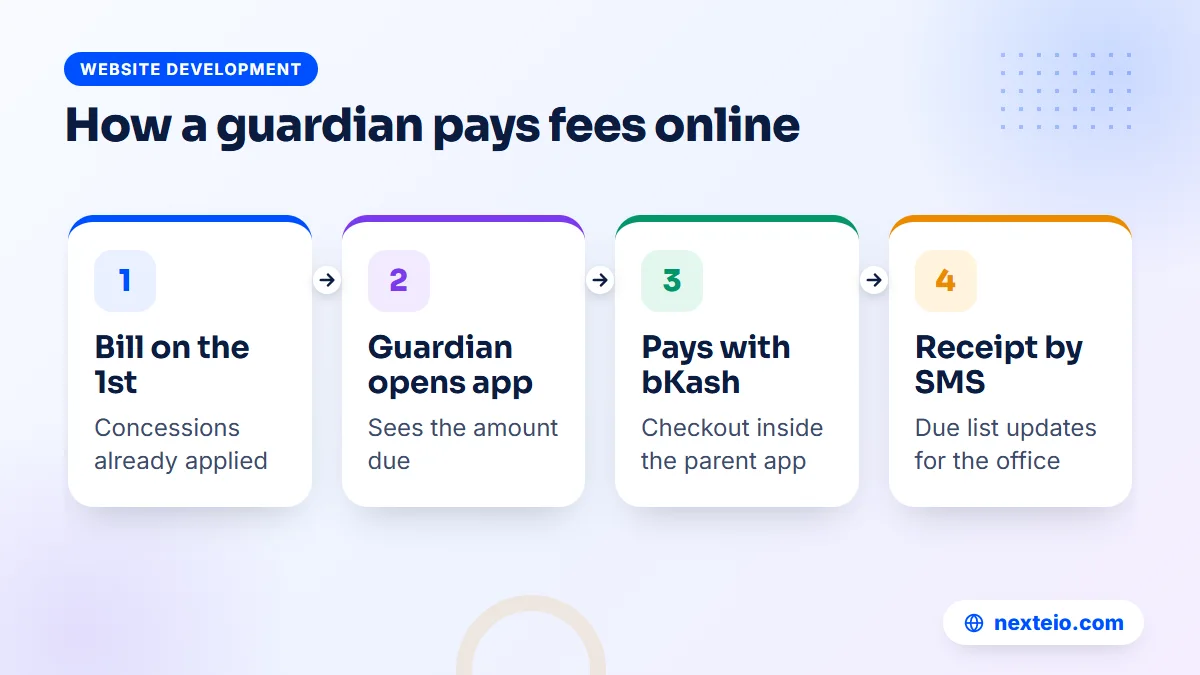
Here is how fees work in our Madrasa Management Software. Monthly bills are created on the 1st of each month, including tuition and, where relevant, residential and meal charges, exam fees and other fees. Concessions such as half, full or Lillah boarding are already applied. The guardian opens the parent app, sees the amount due and pays with bKash. The receipt is recorded and an SMS confirms it.
Not every family will pay online, and that is fine. Cash, Nagad and bank payments are recorded by hand in the same system, so the due list stays correct whichever way the money arrives. Automatic SMS and email reminders go to guardians with dues. Card payments, SSLCommerz and a Nagad gateway are not part of the current version.
| Payment method | How it is handled |
|---|---|
| bKash from the parent app | Paid online through bKash checkout and recorded automatically |
| Cash at the office | Recorded by the accountant, receipt sent by SMS |
| Nagad or bank transfer | Recorded by hand after the office confirms it |
| Card or SSLCommerz | Not available in the current version |
To accept bKash online, the madrasa needs its own bKash merchant account, which the madrasa applies for directly. Our guide on payment gateways in Bangladesh explains merchant accounts, fees and settlement if this is new for your accounts office.
Step 6: Publish Results and Verify Certificates Online
On result day, guardians want one thing: to see their child's result without waiting in a queue. Our software lets them search results on the madrasa website by registration number. The result itself comes from the marks teachers entered, with Befaq divisions for Qawmi, Hifz and Nurani classes and GPA for Alia classes.
Certificates are the other half of this step. A testimonial or transfer certificate from a madrasa is often shown to another institution, which may want to check that it is genuine. Our software issues testimonials and TCs with a serial number and a QR code, and anyone can check a certificate on the website by serial number or by scanning the QR code. That protects both the student and the madrasa's name.
Results for board exams remain with the boards. Dakhil and Alim results come from the Bangladesh Madrasah Education Board, policy for Alia madrasas comes through the Directorate of Madrasah Education, and results of Befaq exams come from Befaq. What the online madrasah adds is a clean way to publish the madrasa's own internal results, plus a Befaq results page for the institution's record.
Results also trigger the end-of-year office work. Once the final results are out, students move up a class. Our software supports bulk promotion to the next class, so the office does not have to edit hundreds of student records one by one. Report cards and the tabulation sheet come from the same marks, which means the office, the website and the guardian all see the same numbers.
Step 7: Accept Donations on the Website
Many madrasas depend on the community for construction, boarding for poor students and day-to-day costs. Donors increasingly live abroad and want to give without sending money through a relative. A donation page lets them give directly and see what their money is for.
Our software includes a donation page with separate funds and project progress bars, such as a new classroom building with a target and the amount raised so far. Online donations are paid through bKash once the madrasa's own merchant account is connected. On the public demo, the online donation button shows "coming soon" because bKash is not connected there.
Inside the office, each donation lands in the right fund. Zakat, Lillah, Sadaqah, construction and general funds are kept apart, with a donor list, vouchers and a monthly report. How each fund may be spent is for the madrasa's scholars and committee to decide; the software keeps the records clear so that decision can be shown to donors. Publish a short update when a project reaches its target, so donors see that their gifts were used as promised.
Step 8: Bring Guardians Onto the Parent App
The parent app is where an online madrasah earns its keep. It shows guardians attendance, daily lessons, results, fees, notices, the routine, messages and canteen and library records, and it lets them pay fees and switch between children. Guardians log in with their mobile number and a password or an SMS code.
There are two ways to install it. Android APK files can be downloaded and installed outside the Play Store; Android will ask the user to allow installation from an unknown source, which surprises some guardians. The other way is to open the app in Chrome and add it to the home screen. This home-screen version, a type of progressive web app, is the one that receives instant notifications and the daily 8 PM summary. Notifications do not reach the current APK.
Plan the first week carefully:
- Set up a help desk at the office on admission day and at the first fee collection after launch.
- Print a one-page guide in Bangla with screenshots of the login and home-screen steps.
- Ask class teachers to remind guardians at the next parents' meeting.
- Check every guardian's mobile number before sending login details.
Guardians who never install the app are not left out. Absence messages, receipts and due reminders still reach them by SMS, and the website still shows notices and results.
The app also changes how guardians reach the madrasa. Instead of calling the office and waiting for the right teacher, a guardian can send a request to talk, ask for a meeting or apply for leave for their child, and use the parent-teacher chat for small questions. The office sees each request in one place and can answer it in order, which is far easier to manage than a phone that rings all day.
Step 9: Give Staff the Right Access
An online madrasah opens the system to more people, so access needs more care. Each staff member should have their own login, and each login should see only what that person needs.
Our Madrasa Management Software comes with roles for Super Admin, Muhtamim or Principal, Accountant, Teacher and Guardian, and the permissions for each role are set with ticks. Teachers use the staff app for attendance, gate pass, messages and today's overview. Sections the madrasa does not use can be switched off for everyone. Two-factor login with an authenticator app, a login history and an audit log add protection for the accounts that handle money.
Agree a few office rules alongside the software. Do not share passwords between staff. Remove access the day someone leaves. Keep the Super Admin login with the muhtamim or a trusted senior person, not with a junior assistant. If your madrasa needs a role or approval step the product does not have, it can be added through custom Laravel work on the same system.
Working With Real Conditions in Bangladesh
An online madrasah has to work for guardians on modest phones, slow mobile data and irregular power. That shapes several choices.
Light pages. Our software is built mobile-first, with fast pages, because most guardians will open it on mobile data. Avoid adding heavy videos or large images to the homepage later.
Bangla first. Many guardians and some staff are more comfortable in Bangla. The system switches between Bangla and English with one click, and each user's choice is remembered.
Server, not office computer. Because the system runs on hosting, load-shedding at the madrasa does not stop guardians from paying fees or checking results. Office staff can still work from a phone on mobile data when the office internet is down.
Voice SMS for some families. Not every guardian reads text messages comfortably. The software supports voice SMS alongside text SMS, which helps important notices reach everyone.
Backups. Nightly backups with download and restore, plus an optional Google Drive copy, mean a server problem does not wipe out years of records.
What It Costs to Run an Online Madrasah
Committees rightly ask what this will cost, not just in the first year but every year after. The honest answer has two parts: the software and setup, and the running costs that continue after launch.
For the software, a system custom-built for one madrasa is quoted after a requirements review. When a range is needed, custom software of this type usually falls somewhere between BDT 150,000 and 1,200,000 or more, depending on modules and the number of users. A ready product costs less to set up because most of the work already exists. We do not publish a price for our software; ask us for a quote based on your departments and needs.
The running costs are easier to plan:
| Running cost | Typical amount | Notes |
|---|---|---|
| .com domain | About BDT 1,500 to 2,500 a year | Registered in the madrasa's name |
| Shared hosting | About BDT 2,000 to 8,000 a year | Larger madrasas may need a stronger plan |
| SMS | Paid to your SMS company | Depends on the number of guardians and messages |
| bKash payments | bKash's own charges | Check current merchant terms with bKash |
Set these against what the madrasa saves: fewer printed receipt books, fewer trips to collect fees, fewer phone calls to the office and less time spent preparing results by hand. For many madrasas, the bigger gain is trust, because guardians and donors can see what is happening without asking.
An Online Madrasah Rollout Plan for the First Term
Here is a sample timeline for a madrasa going online over one term. Adjust it to your calendar, Ramadan and exam dates. The key is to give each stage time to settle.
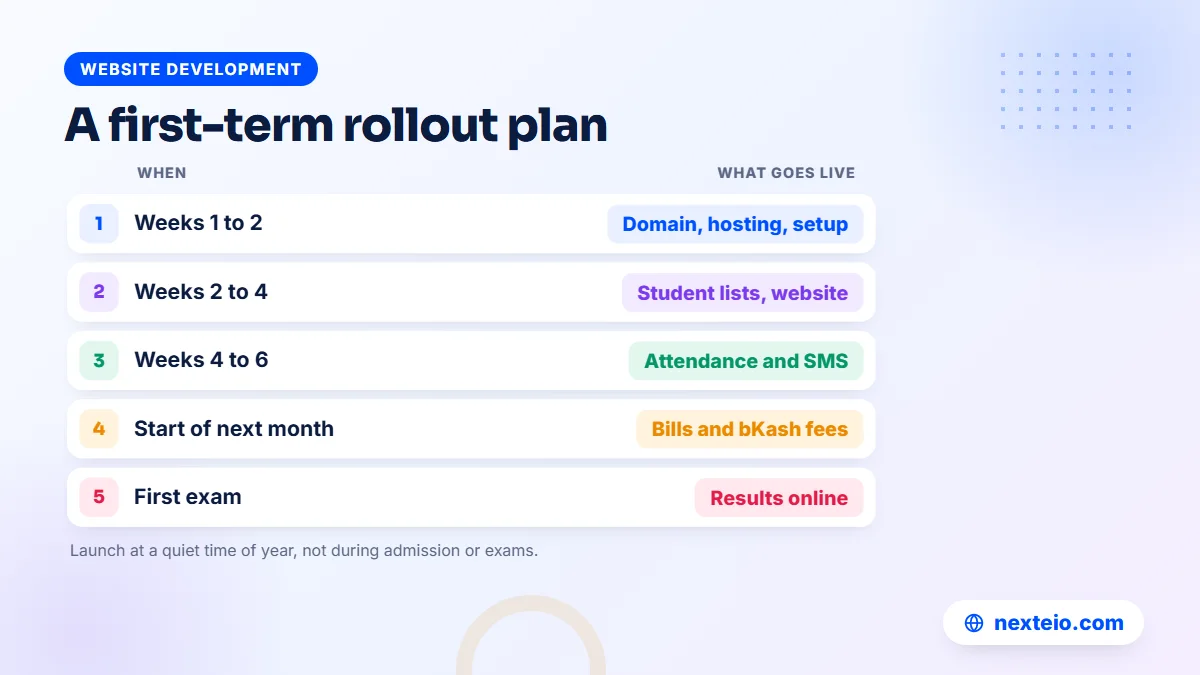
| When | What happens | Who leads |
|---|---|---|
| Weeks 1 to 2 | Domain, hosting, HTTPS, installation and basic settings | Provider and office head |
| Weeks 2 to 3 | Student and guardian lists imported and checked | Office staff |
| Week 4 | Website live with notices, fee table and routine | Office head |
| Weeks 4 to 6 | Attendance and absence SMS start | Class teachers |
| Start of next month | Monthly bills, receipts by SMS and bKash payment | Accountant |
| First exam | Marks entered and results published online | Exam committee |
By the end of the term, the online madrasah is running its daily work through the system. Admission and the donation page can then be prepared for the next season without the pressure of a launch.
Related guides for madrasa committees planning this move:
- School management software features, to compare with school systems
- Learning management systems for schools, if you later add online lessons
- How to choose a hosting plan for an institution's website
Mistakes to Avoid When Going Online
Launching during admission or exams. The office has no spare time in those weeks. Launch at a quiet point in the year, so staff can learn the system before the busy season.
Copying old mistakes. If the paper register has wrong phone numbers and misspelled names, importing it as it is brings those errors online. Clean the lists first.
Promising guardians too much. Tell guardians exactly what they can do online now, such as see attendance and pay by bKash. Do not announce features that are not set up yet.
Skipping a test payment. Before announcing online fee payment, have a staff member pay a small real fee through bKash from a guardian account. Check that the receipt SMS arrives and that the due list updates. It takes ten minutes and prevents an embarrassing first month.
No written fee rules. Concessions agreed verbally over the years rarely match what the accountant remembers. Write down each student's concession before the first online bill goes out, and have the committee approve the list. Our guide to a fee management system includes a simple discount policy table you can adapt for this. Otherwise the first bills will start arguments that have nothing to do with the software.
One person holds every password. If the only person who can log in leaves, the madrasa is locked out of its own system. Keep the main accounts with the muhtamim and a second trusted person.
Ignoring the website after launch. An online madrasah lives on fresh notices, current fees and accurate routines. Assign one person to update the website every week.
How Nexteio Can Help Your Madrasa Go Online
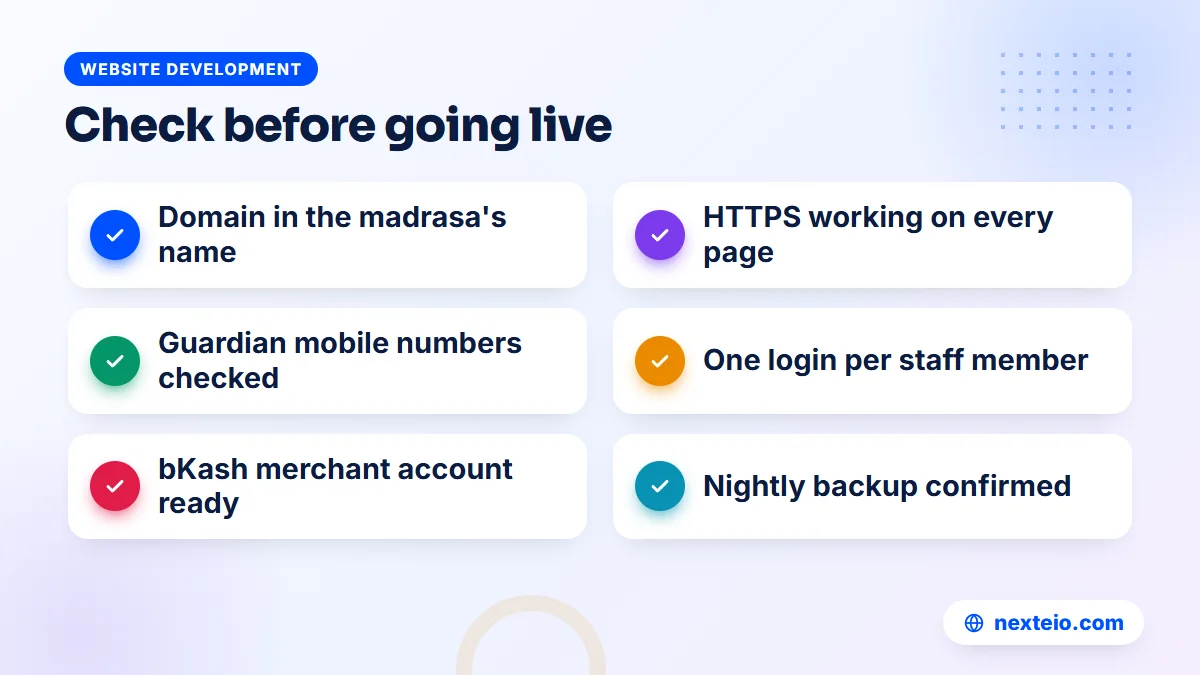
We set up our Madrasa Management Software on your madrasa's own domain and hosting, with your name and logo, HTTPS and the server cron job in place. During setup we connect your SMS company and your bKash merchant account, so receipts, absence messages and online fee payment work from the start. We can import your existing student and guardian lists, so the office begins with real records. The data stays on your server, with nightly backups.
Start by opening the live Madrasa Management Software demo. Log in as Muhtamim, Accountant, Teacher or Guardian with one click, look through the parent app, collect a fee as the accountant and search a result on the website. The demo resets every 30 minutes. You can also see the system on our Darul Uloom Model Madrasa project page.
Then send us your departments, student numbers and priorities through the project request form. If you need something the product does not include, we build it as custom Laravel development, quoted after a requirements review.
For a fully custom public site, see our custom website design service. To help families find you, our SEO service, Google Ads and Facebook ads can support admission season. You can learn more about Nexteio, browse our portfolio, share your madrasa's plan or reach us through the contact page.
Keep reading: campus management system software for colleges, or browse all our website development guides.
Frequently asked questions
What is an online madrasah?
The term covers two things. It can mean a distance-learning program with live Quran or Arabic classes over video, or a regular madrasa that runs admission, fees, results, notices and donations on the web. This guide covers the second, where teaching stays on campus and office services move online.
Can guardians pay madrasa fees online in Bangladesh?
Yes. With our Madrasa Management Software, guardians pay monthly fees through bKash from the parent app once the madrasa's bKash merchant account is connected. Cash, Nagad and bank payments can still be recorded by the office, so the due list stays correct.
Does our madrasa need its own domain and hosting?
Yes. Our software is installed on the madrasa's own domain and hosting, with HTTPS and a cron job on the server. Register the domain in the madrasa's name with an official email, so control never depends on one person.
How long does it take to take a madrasa online?
The technical setup is the quick part. Cleaning and importing student and guardian records, getting staff used to the system and bringing guardians onto the app take longer. Most madrasas do best by spreading the steps across one term.
Will guardians without smartphones be left out?
No. Absence messages, receipts and due reminders reach guardians by SMS, and voice SMS helps those who do not read text messages easily. The office can also record cash payments and fill in admission forms for families who visit in person.
Can an online madrasah also run live online classes?
Our software does not run live classes. It handles the office side: admission, fees, results, notices, donations and the guardian app. The website can host recorded lecture videos, and a madrasa that wants live classes would use a separate video platform.
Can we see a working online madrasah before deciding?
Yes. The live demo has a sample madrasa website and one-click logins for Muhtamim, Accountant, Teacher and Guardian. You can explore the parent app, collect a fee as the accountant, search a result and look at the donation page. The data resets every 30 minutes.