Google Advertising YouTube: How to Run Your First Video Ad Campaign
In this article 15 sections
- 1.How Google Advertising YouTube Campaigns Work
- 2.YouTube Video Ad Formats and When to Use Each
- 3.What to Prepare Before You Spend a Taka
- 4.Step-by-Step Google Advertising YouTube Setup
- 5.Choosing an Objective and Bid Strategy
- 6.Targeting the Right Viewers in Bangladesh
- 7.Making a YouTube Ad That People Actually Watch
- 8.Budgeting a Google Advertising YouTube Campaign in Taka
- 9.Tracking Results: Views, Clicks and Real Enquiries
- 10.YouTube Ads Compared With Facebook and TikTok Video Ads
- 11.Ad Policies and Approval on YouTube
- 12.Common Mistakes With Google Advertising YouTube Campaigns
- 13.A 30-Day Plan for Your First YouTube Campaign
- 14.How Nexteio Can Help With YouTube Advertising
- 15.Frequently asked questions
Google advertising YouTube campaigns let a business in Bangladesh put a video in front of people who are already watching, searching and comparing on YouTube. You build and pay for the ads inside Google Ads, the video itself lives on your YouTube channel, and Google decides where and when each ad appears based on your budget, targeting and goal. The setup takes an afternoon. Getting it to bring real enquiries takes more thought.
Most first-time advertisers make the same mistake. They boost a nice brand video, watch the view count climb, and then wonder why the phone did not ring. Views are cheap on YouTube. Customers are not.
Think of a coaching center running admission ads before the new session, a furniture showroom showing a new sofa range, or an online fashion store pushing an Eid collection with cash on delivery. Each of them needs a different format, a different goal and a different way to measure success.
This guide walks through the full process in the order you will actually do it: preparing the account, choosing a format, setting up the campaign step by step, targeting viewers in Bangladesh, budgeting in taka, making a video that gets watched, and reading the numbers once money starts moving.
How Google Advertising YouTube Campaigns Work
There is no separate "YouTube Ads" account. YouTube is owned by Google, so every video ad is created and billed in Google Ads, the same platform that runs search ads. Inside Google Ads you choose a campaign type that can show video, point it to a video on YouTube, and set who should see it and how much you want to spend.
The video must be uploaded to YouTube first. It can be public or unlisted, so you can run an ad without showing it on your channel's main page. Depending on the format and settings, the ad can appear before or during other videos, in the YouTube home feed, beside search results, in YouTube Shorts, and on websites and apps that belong to Google video partners.
Billing works differently from a newspaper or a billboard. You do not pay a fixed price for a slot. You set a budget and a bid strategy, and Google runs an auction each time an ad could show. Depending on the strategy, you pay per view, per thousand impressions or toward a target cost for each conversion, such as a form submission or a call.
Because the account sits inside Google Ads, the same login can also run your search campaigns. That matters later. A viewer who watches your video today might search for your brand next week, and a well-run account can follow that path. If you already advertise on search, our guide to the Google Ads service in Bangladesh explains how those campaigns are usually managed.
YouTube Video Ad Formats and When to Use Each
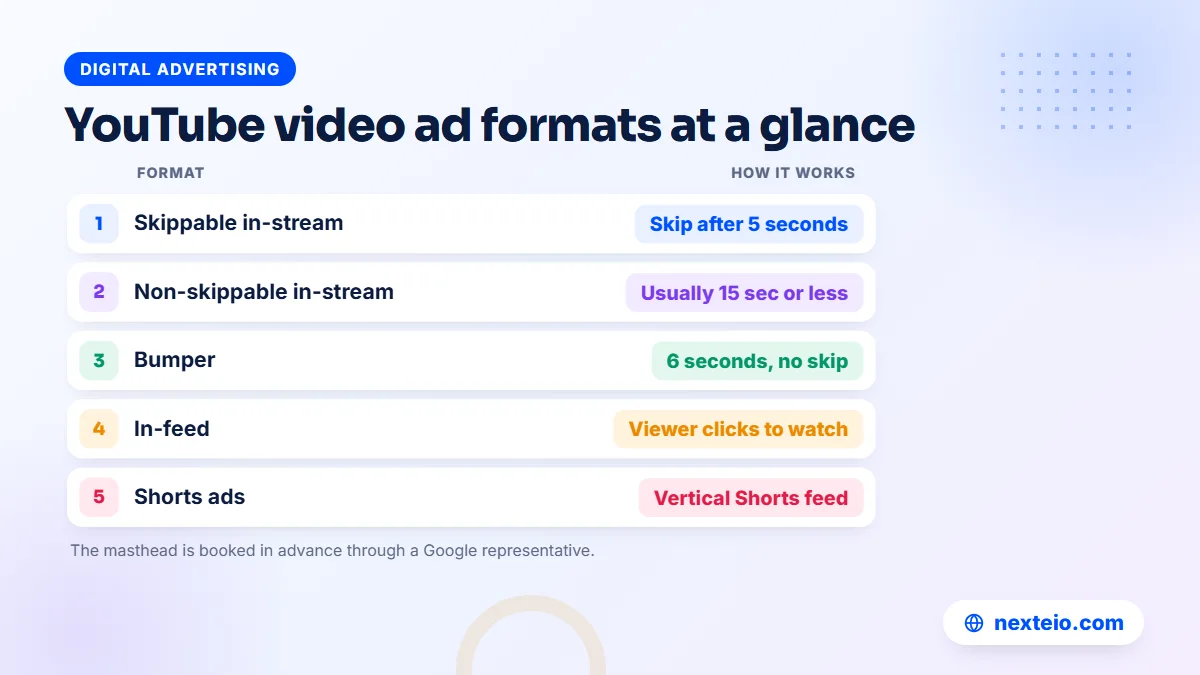
Google lists several video ad formats, and each suits a different job. Picking the wrong one is the fastest way to waste a budget, so it is worth understanding them before you open the campaign wizard.
| Format | Where it shows | Can viewers skip? | Good for |
|---|---|---|---|
| Skippable in-stream | Before, during or after other videos | After 5 seconds | Leads, sales and longer explanations |
| Non-skippable in-stream | Before or during other videos | No | A full short message, usually 15 seconds or less |
| Bumper | Before or during other videos | No, 6 seconds or less | Reminders and brand recall |
| In-feed | Search results, home feed, watch next | Viewer chooses to click | Tutorials, reviews and demos |
| Shorts ads | Between videos in the Shorts feed | Viewer swipes away | Vertical video for phone users |
A sixth format, the masthead on the YouTube home feed, is booked in advance through a Google representative and suits large brand launches.
Skippable in-stream ads
This is the workhorse format for most businesses. The viewer sees your ad before or during another video and can skip after five seconds. With view-based bidding, Google's help pages say you pay when someone watches 30 seconds (or the whole ad if it is shorter) or interacts with it, whichever comes first. If people skip in the first five seconds, you usually pay nothing for that impression.
That rule shapes how you edit the video. Your brand, the problem you solve and a reason to keep watching all need to appear before the skip button does.
In-feed video ads
In-feed ads look like a recommended video: a thumbnail, a headline and a line or two of text. They appear in YouTube search results, on the home feed and next to other videos. The viewer chooses to click, so the people who watch are usually interested. A tile maker could show an installation guide when someone searches for bathroom tile ideas, and the viewers who click are already thinking about tiles.
Bumper, non-skippable and Shorts ads
Bumper ads are six seconds or less and cannot be skipped. They work as reminders after a longer ad, not as the only message. Non-skippable ads hold the viewer for the full length, which gives you control but can annoy people if the content is weak. Shorts ads appear between vertical videos in the Shorts feed and need to be filmed or edited for a tall phone screen.
What to Prepare Before You Spend a Taka
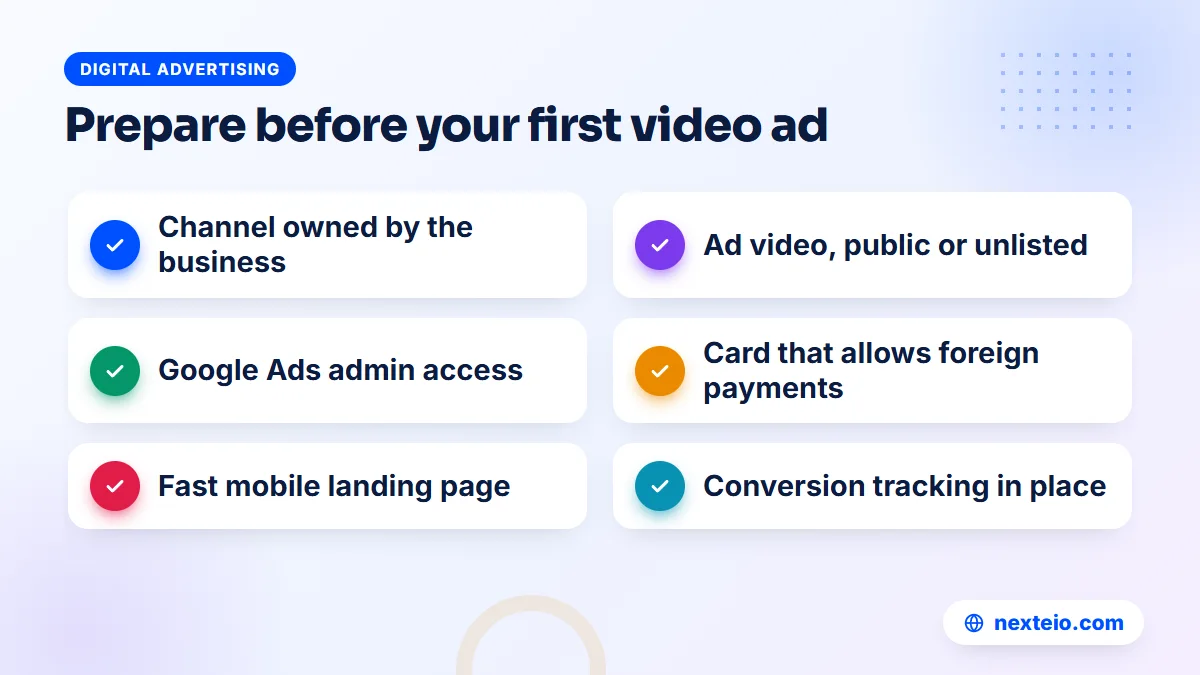
A few hours of preparation saves weeks of confused results. Before you create anything in Google Ads, gather these pieces:
- A YouTube channel in the company's name, owned by an official Google account rather than an employee's personal email.
- The ad video, uploaded as public or unlisted, with a clear title so you can find it later.
- A Google Ads account with admin access held by the business, plus billing details that work for foreign online payments.
- A landing page that matches the ad, loads quickly on mobile data and has a visible phone number or form.
- Conversion tracking for the actions you care about, such as form submissions, calls or WhatsApp clicks.
- A clear goal written in one line, for example "admission enquiries for the January batch".
Tick these off one at a time. Each missing piece shows up later as wasted spend.
Payment is the step that most often stalls advertisers in Bangladesh. Google Ads usually needs a card that allows international online transactions, such as a dual-currency card, and some banks require you to enable this first. Check the billing summary as well, since your invoices may include local VAT.
The landing page deserves extra attention. A YouTube viewer who taps "Learn more" lands on your site in the middle of a video break, often on a phone. If the page is slow or does not repeat the offer from the video, they go back to YouTube within seconds. Our guide to building a high converting landing page covers what that page needs. If your current site cannot carry a campaign, a fast custom-built website is often the better first investment.
This preparation stage is also where our YouTube advertising work with a new client usually begins, because a missing tracking tag or a borrowed channel is far easier to fix before launch than after.
Step-by-Step Google Advertising YouTube Setup
Google changes button names from time to time, but the order of the setup has stayed much the same. Google's own guide to creating a Video campaign lists the current screens. Here is the sequence we follow, with notes on the choices that matter most:
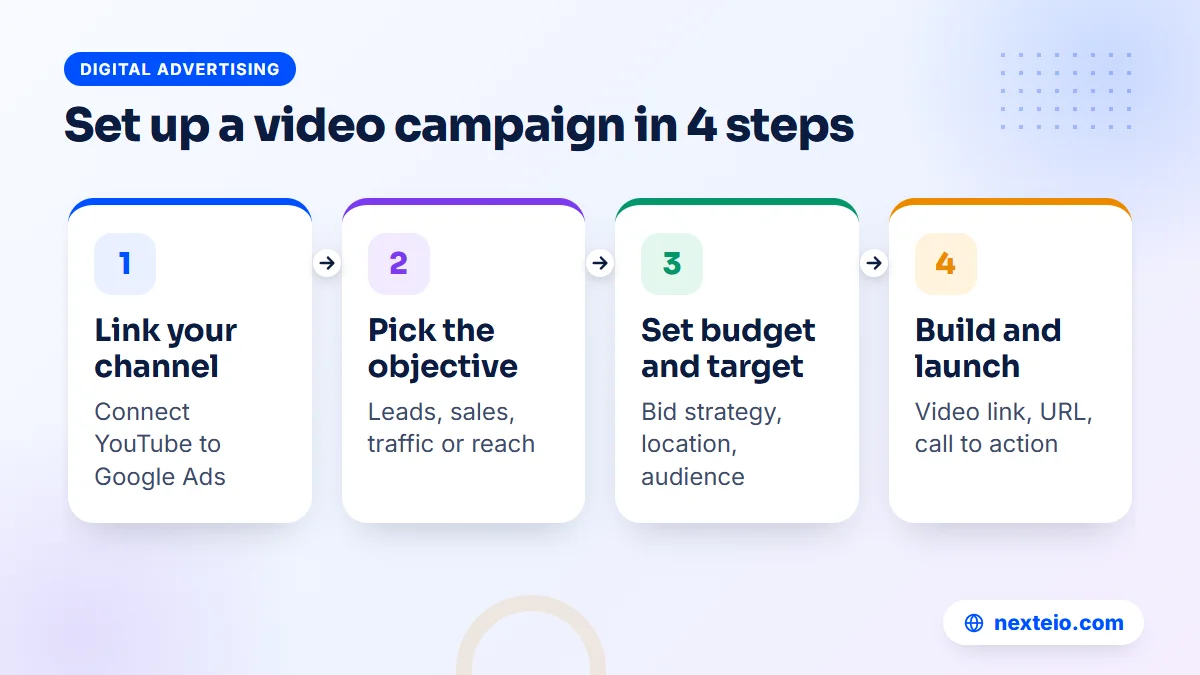
- Link your YouTube channel. In Google Ads, open the linked accounts section and add your channel, or approve the link from YouTube Studio.
- Create a new campaign. Click the plus button and choose New campaign.
- Pick an objective. Choose Sales, Leads or Website traffic if you want actions, or YouTube reach, views and engagements if you want awareness.
- Choose the campaign type and subtype. Select Video, or the campaign type Google suggests for your goal, and a subtype such as video views or reach.
- Set bidding and budget. Pick the bid strategy the subtype offers, then a daily or total budget and start and end dates.
Those five steps cover the campaign settings. The next five decide who sees the ad and what it shows:
- Choose networks. Keep YouTube on, and decide whether to include Google video partners.
- Set locations and languages. Target Bangladesh, or only the areas you serve, and pick Bengali, English or both.
- Add audiences and content. Choose who should see the ad and, if useful, which topics or channels to exclude.
- Build the ad. Paste the YouTube link, add the final URL, a call to action and a headline.
- Review and publish. Check every setting, then submit for review. Most ads are reviewed within a working day.
Once the ad is approved, it starts entering auctions straight away.
Two details catch beginners. The linking step needs admin access on both sides, so do it before you start building. And the bid strategy list changes depending on the objective you picked, so if an option you expected is missing, go back and check the objective.
Name everything clearly. "Admission Jan Leads BD" tells you far more six months later than "Campaign 3", especially when someone else in the office has to read the reports.
Choosing an Objective and Bid Strategy
Your objective tells Google what to look for, and the bid strategy tells it what you are willing to pay for. Get these two right and most of the other settings become easier.
When your goal is awareness
Choose YouTube reach, views and engagements when you want people to know your name, remember a new product or watch a longer story. A new restaurant, a real estate project or a brand launch fits here. Typical bid strategies are target cost per view for view campaigns and target cost per thousand impressions for reach campaigns. Judge these campaigns by reach, view rate and later brand searches, not by sales on the same day.
When your goal is leads or sales
Choose Sales, Leads or Website traffic when you want something to happen after the video, such as a form, a call or an order. These objectives usually need conversion tracking in place, and they use bid strategies such as maximize conversions or target cost per action. Depending on your goal, Google Ads may suggest a Demand Gen campaign here, which can also place your video on YouTube, including Shorts.
Conversion bidding learns from data. If your site records only two or three conversions a week, Google has little to learn from, and the results can swing a lot from week to week. In that case, start with a broader action you can measure, such as visits to the contact page, then tighten the goal once volume builds. Our beginner's guide to Google Ads conversion tracking explains how to set those actions up.
A simple rule: if you cannot say what a good result looks like in a number, start with views and learn. If you can, start with conversions and measure properly. Many businesses run both, with a views campaign that builds an audience and a smaller conversion campaign that targets the people who watched.
Targeting the Right Viewers in Bangladesh
Targeting decides who sees the ad. Google offers a long menu of targeting options for Video campaigns, but most businesses in Bangladesh only need a few of them.
Location and language
Start with where your customers are. A clinic or a showroom may only want viewers within reach of its branches, while an online store that ships nationwide can target the whole country. For language, Google relies on signals such as the viewer's settings, and many phones in Bangladesh are set to English even when the owner mostly watches Bangla content. Selecting both Bengali and English usually reaches more of the right people than Bengali alone.
Audience segments
Audience segments describe people rather than places. The most useful ones for local businesses are:
- Custom segments built from search terms people recently used on Google, such as "IELTS coaching" or "office furniture price".
- In-market segments for people Google sees as actively researching a product type.
- Your data, meaning people who watched your videos or visited your website.
- Customer Match, built from your own customer list where the rules allow it.
- Demographics such as age and gender, used to exclude groups who clearly cannot buy.
Start with one or two of these rather than all five, so you can tell which one brings results.
The custom segment is where a little search research pays off. The same thinking that goes into search keyword research works here: list the terms a ready buyer types, not broad topics. A garment accessories supplier wants "zipper supplier for garments", not "fashion".
Content targeting and exclusions
You can also choose where ads appear by topic, keyword or specific channels and videos, known as placements. For conversion-focused campaigns, Google now limits content targeting and leans on audience signals instead. Exclusions still matter everywhere. Exclude content that does not suit your brand, and check the placement report after the first week to remove channels and apps that send views but no interest.
Keep the first campaign broad enough to collect data. Stacking five narrow filters on a small budget often means the ad barely runs. If you are unsure which segments suit your product, our team that runs YouTube ad campaigns can suggest a starting set based on what you sell and where.
Making a YouTube Ad That People Actually Watch
Targeting gets the ad in front of the right person. The video decides whether they stay. Most viewers did not come to YouTube to see an ad, so the first five seconds work like a shop window: they either stop or they walk past.
The first five seconds
Show the product, the problem or a human face straight away. Put your brand name or logo on screen early, because many viewers will skip and you want them to remember who you are. Avoid slow logo animations and long music intros. A coaching center can open with "Admission for the January batch is open" spoken to camera, not a ten-second building shot.
Structure, length and captions
A simple structure works for most ads: hook, problem, solution, proof and a clear next step. For skippable ads, 30 to 90 seconds is usually enough, and Google's help page suggests keeping them under about three minutes. Add burned-in captions, since many people watch in public with the sound low, and show the phone number or offer on screen near the end.
Language is a real decision in Bangladesh. Bangla voice-over usually connects better with a broad local audience, while English or mixed language can suit exporters, IT services and premium products. If you are unsure, make two versions and let the results decide.
Formats and quality
Horizontal 16:9 video suits in-stream ads, while Shorts ads need vertical 9:16 footage. Square video is a reasonable middle option for feeds. Export at a good resolution and check YouTube's recommended upload settings before you upload. Phone footage is fine if it is steady, well lit and has clear sound. A shaky clip with wind noise is not.
Plan at least two or three versions of the video from the start, with different hooks or different offers. Testing versions against each other is how a campaign improves. If you have raw footage but no time to cut it, our video ads editing service turns it into short versions ready to test, and our article on what a good video ad edit includes explains the process in more detail.
Related guides for planning your first video campaign:
- Google Ads vs Meta Ads: which is more profitable for your business
- How much Google Ads costs for a small business in Bangladesh
- What TikTok advertising costs per month
Each one covers a decision that sits next to YouTube advertising, from platform choice to monthly budgets.
Budgeting a Google Advertising YouTube Campaign in Taka
There is no official minimum budget for a Google advertising YouTube campaign, and there is no fixed price per view. Costs depend on your audience, the competition for it, the quality of the video and the season. Ads aimed at a narrow, valuable audience cost more per view than ads aimed at everyone. Prices also tend to rise around Eid and other big shopping periods, when more advertisers compete for the same viewers.
What you can control is how you plan the spend. A sensible first test runs long enough to collect data and is small enough that a mistake does not hurt. The table below shows one way to think about a starting budget. These are planning examples, not prices or promised results.
| Situation | Starting approach | What to judge after 2-4 weeks |
|---|---|---|
| Local shop, clinic or showroom | One campaign, small daily budget, nearby locations only | View rate, calls and direction requests |
| Coaching center or school admission | Views campaign plus a smaller leads campaign | Cost per enquiry form or call |
| Online store with nationwide delivery | Conversion campaign with tracking on orders | Cost per order and returns |
| Brand or product launch | Reach campaign with bumper reminders | Reach, frequency and brand searches |
Whatever the size, give each test at least two weeks unless something is clearly broken.
A daily budget is easier to control while you learn. Google may spend somewhat more than the daily amount on a busy day, but it balances this over the month, so watch the monthly total rather than any single day. A total campaign budget suits short promotions with a fixed end date, such as a 15-day admission drive.
Leave room for the hidden costs too. Video production, editing, the landing page and someone's time to check results every week all belong in the real budget. A campaign with a strong budget and a weak video usually loses to a smaller budget with a better video. For a wider look at spending across Google's ad products, see our guide to Google Ads management, which covers search and video together.
Tracking Results: Views, Clicks and Real Enquiries
Google Ads reports many numbers, and it is easy to get lost in them. Group them into three levels and read them in order.
- Attention: impressions, TrueView views (the name Google now uses for paid views), view rate and how far people watch (25%, 50%, 75% and 100%).
- Interest: clicks, click-through rate, channel subscriptions and later searches for your brand.
- Action: conversions such as forms, calls, WhatsApp messages and orders, and the cost of each one.
A video with a low view rate needs a better opening. A video with good views but few clicks needs a clearer call to action or a better offer. Plenty of clicks with few conversions usually point to the landing page or the follow-up, not the ad.
Set up conversion tracking before launch. Google's guide to setting up web conversions covers forms and purchases. For businesses that close sales on the phone or in chat, record calls and WhatsApp clicks as conversions, and ask staff to note "saw it on YouTube" when a caller mentions it. That simple habit fills the gaps that tracking cannot see.
Video ads also create delayed effects. Someone may watch your ad on Tuesday, search your name on Friday and buy the following week. Look at brand search volume and direct visits during the campaign, not only the conversions credited to the video. If clicks arrive but buyers do not, the cause is usually on the site side: a slow page, a confusing form or an offer that does not match the ad.
YouTube Ads Compared With Facebook and TikTok Video Ads
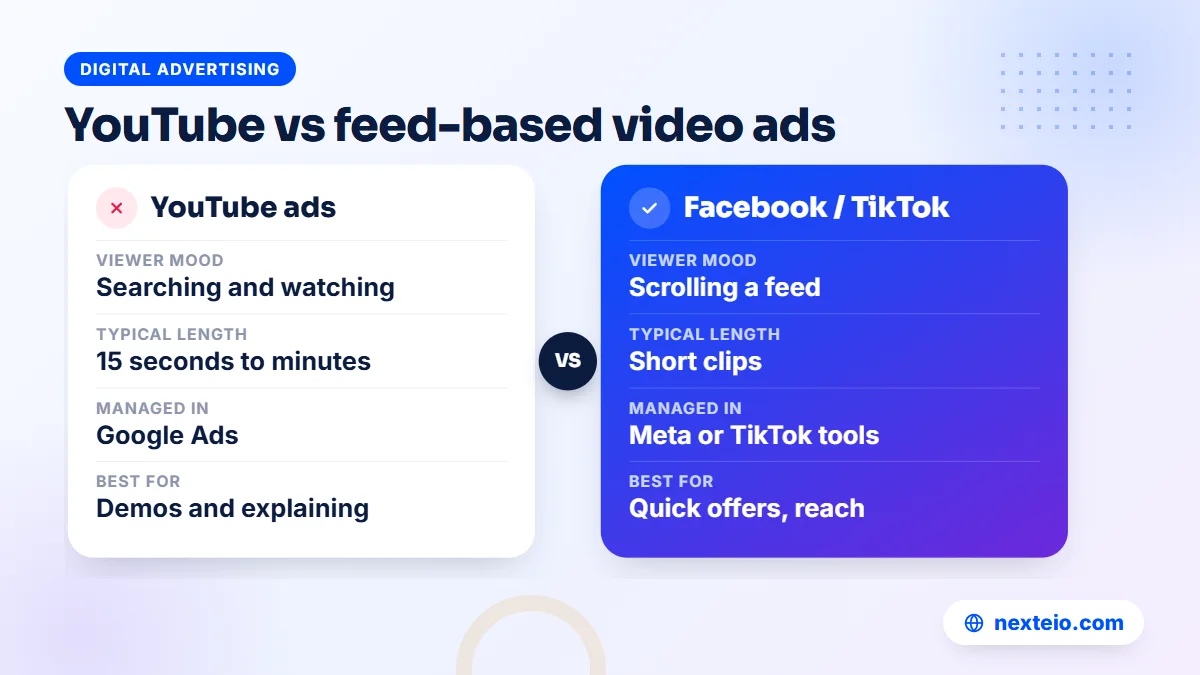
Some business owners search for "tube ads" or YouTube ads when they really want to know whether video advertising will work at all. The better question is which platform fits the job. YouTube, Facebook and TikTok all sell video ads, but people use them in very different moods.
On YouTube, many viewers are searching, learning or watching longer content. That suits explanations, demos, reviews and services where trust matters, such as education, healthcare information, home improvement and B2B products. On Facebook and Instagram, people scroll through a feed of friends and pages, so short offers and social proof tend to work well. Our Facebook ads service is often the better fit for quick product offers. TikTok's audience skews younger and rewards native, fast, creator-style clips, which our TikTok ads service is built around.
Many businesses end up using two platforms: YouTube for the longer explanation and Facebook or TikTok for short reminders and offers. If you are deciding how to split money across channels, a managed ads campaign service can plan the mix and compare results in one place.
Ad Policies and Approval on YouTube
Every ad passes a review before it runs, and the same Google Ads policies apply to video as to search. Most ads pass without trouble. The ones that get limited or rejected usually trip over a few familiar issues.
- Misleading claims: promises such as guaranteed results, miracle cures or "100% job placement" are a common reason for disapproval.
- Restricted categories: healthcare, financial services, gambling and some other areas have extra rules and sometimes need certification.
- Music and footage rights: using a popular song or someone else's clip without permission can get the video blocked or claimed.
- Landing page problems: broken pages, pages that do not match the ad, or sites with no clear business information.
- Personal data: forms that collect sensitive information without a clear privacy notice.
Read the reason in the policy column if an ad is limited, fix the problem in the video or the landing page, and request a new review.
If you think a decision is wrong, you can appeal from inside the account. For local businesses, overstated claims and copyrighted music are two of the most frequent causes, and both are easy to avoid at the editing stage. Original music, or a track you have licensed for advertising use, is the safe choice. Before launch, it helps to watch the whole ad once more with the policy list in mind, the way a Google reviewer would.
Common Mistakes With Google Advertising YouTube Campaigns
Most poor results trace back to a handful of avoidable errors. Check your first Google advertising YouTube campaign against this list before you blame the platform:
- Choosing a views objective, then judging the campaign on sales.
- Running a single video, so there is nothing to compare.
- Using a TV-style ad with a slow opening that viewers skip before the brand appears.
- Sending clicks to a homepage instead of a page that matches the ad.
- Turning on every audience at once and spreading a small budget too thin.
- Never opening the placement report, so money keeps flowing to channels with no interest in your product.
- Changing targeting and bids every day, which stops the campaign from learning.
- Leaving the account on an employee's personal email, then losing access when they leave.
Most of these take minutes to fix once you spot them.
The last point is more common than people expect. Make sure the business owns both the YouTube channel and the Google Ads account, and add agencies or staff as users rather than owners. These same checks are the first thing we look at when someone asks us to take over an existing YouTube ads account.
A 30-Day Plan for Your First YouTube Campaign
A first campaign goes best with a simple calendar. This plan suits a small business with one product or service to promote:
| Week | Main task | What you decide at the end |
|---|---|---|
| Week 1 | Launch two or three video versions with one audience | Is the ad showing, and are people watching past 5 seconds? |
| Week 2 | Exclude poor placements and pause the weakest video | Which hook keeps viewers watching longest? |
| Week 3 | Test a second audience or a new offer | Which audience brings clicks and enquiries? |
| Week 4 | Move budget to the best video and audience pair | Is the cost per enquiry acceptable for your margins? |
After the first month, the plan becomes a monthly routine.
At the end of the month, write a one-page summary: what ran, what it cost, how many enquiries came in and what you will change next. That page is what the managing director or the committee will want before approving the next month's budget, and it keeps decisions based on evidence rather than opinion.
If the numbers look promising, add a remarketing step: show a short reminder or offer to people who watched most of your first ad. This is often where a Google advertising YouTube setup starts to pay back, because you are now talking to people who already know you.
How Nexteio Can Help With YouTube Advertising
We plan and run YouTube campaigns for businesses and organizations across Bangladesh through our YouTube ads service. The work starts with your goal, not the format: admission enquiries, showroom visits, online orders or brand reach. From there we pick the format and bid strategy that fit, set up the campaign and conversion tracking, and check that your channel and ad account are owned by your business.
Because a weak video sinks even a well-built campaign, we can also cut your footage into short test versions with captions and a clear opening. During the campaign we review placements, compare versions and shift budget toward what brings enquiries, and we explain what changed in plain language.
You can see examples of our work in our portfolio, browse all our services, or read more about how we manage YouTube ad campaigns. When you are ready, tell us about your campaign goal through our project form, or reach us through the contact page. If you prefer a quick plan first, send a short brief with your product, budget range and target area.
Keep reading: how to reach the right audience with Meta ads, why a website gets traffic but no customers, or browse all our digital advertising guides.
Frequently asked questions
Do I need a YouTube channel to run Google advertising YouTube ads?
Yes. The ad video has to be hosted on YouTube, so you need a channel to upload it to. The video can be unlisted, which keeps it off your public channel page while it still runs as an ad. Make sure the channel belongs to an official business Google account.
What is the minimum budget for YouTube ads in Bangladesh?
Google does not set a fixed minimum, and the cost per view depends on your audience, competition and video quality. A small business can start with a modest daily budget and run it for at least two weeks to collect useful data. Remember to budget for the video, editing and landing page as well.
Do I pay if someone skips my YouTube ad?
With view-based bidding on skippable in-stream ads, you generally pay only when someone watches 30 seconds (or the full ad if it is shorter) or interacts with it. If a viewer skips before that, you usually do not pay for that impression. Other bid strategies, such as target CPM, charge by impressions instead.
How long should a YouTube video ad be?
Bumper ads are 6 seconds or less, and non-skippable ads are usually 15 seconds or less. For skippable ads, 30 to 90 seconds suits most products and services, and Google recommends staying under about three minutes. The opening five seconds matter more than the total length.
Can I pay for Google Ads with bKash or Nagad?
Payment options depend on what Google Ads offers for your country at the time you sign up, so check the billing section of your account for the current list. Many advertisers in Bangladesh pay with a card that allows international online payments, such as a dual-currency card. Ask your bank to enable foreign online transactions before you launch.
Should I use Bangla or English in my YouTube ad?
Bangla usually connects better with a broad local audience, while English or a mix can suit exporters, IT services and premium products. If you are not sure, make two versions of the same ad and compare view rate and enquiries after a couple of weeks. Captions help in both cases.
How long does it take to see results from a Google advertising YouTube campaign?
Views start within a day or two once the ad is approved, but useful conclusions usually take two to four weeks. Conversion-based bidding needs time and data to learn, and brand effects such as more searches for your name build over the campaign. Judge the results against the goal you set at the start.