WhatsApp Ads for Business: Click-to-WhatsApp, Status Ads and Costs
In this article 15 sections
- 1.What WhatsApp Ads Are and Where They Appear
- 2.The Three Formats in More Detail
- 3.Is WhatsApp Advertising Right for Your Business?
- 4.What You Need Before Running WhatsApp Ads
- 5.How to Set Up WhatsApp Ads in Ads Manager
- 6.Writing a WhatsApp Advertisement That Starts the Right Conversation
- 7.The Chat Is Your Landing Page
- 8.What WhatsApp Ads Cost in Bangladesh
- 9.Measuring WhatsApp Ads by Orders, Not Chats
- 10.Common Mistakes That Waste WhatsApp Ad Budget
- 11.Policies, Opt-In and Customer Data
- 12.When WhatsApp Is Not Enough: Pairing Chat With a Website
- 13.A First 30-Day Plan for WhatsApp Ads
- 14.How Nexteio Can Help With WhatsApp Ads
- 15.Frequently asked questions
WhatsApp ads are paid ads that start a conversation with your business on WhatsApp instead of sending people to a website. Most of them run on Facebook and Instagram, and a tap on the button opens a chat with your WhatsApp Business number. For a clinic that books appointments by phone, a coaching centre that answers fee questions all day, or a clothing shop that confirms orders in chat, that is often the shortest path from an ad to a sale.
In Bangladesh, people already use WhatsApp to ask prices, send photos and share locations. An ad that drops them straight into a familiar chat window removes the forms, the checkout pages and the slow mobile site.
The catch is that the ad only starts the job. If nobody replies for three hours, or the reply is a one-word price with no follow-up, you have paid for a conversation that goes nowhere.
This guide covers the formats Meta offers, what you need before launching, a step-by-step setup in Ads Manager, how to write the ad and the first message, what the money side looks like in BDT, and how to measure orders rather than chats.
What WhatsApp Ads Are and Where They Appear
The phrase "WhatsApp ads" covers a few different things, and the confusion costs people money. Until recently, WhatsApp itself showed no ads at all. What businesses called WhatsApp ads were ads placed on Facebook and Instagram whose button said "Send WhatsApp message". Meta calls these Click-to-WhatsApp ads, and they are still the main format.
In 2025, Meta announced the first ads inside the WhatsApp app itself. These appear in the Updates tab, between people's Status posts, and Meta said personal chats would stay free of ads. Alongside them came promoted channels, where a business pays to show its WhatsApp Channel in the channel directory.
So when someone asks you to "run WhatsApp ads", the first question is which of these they mean. For most businesses in Bangladesh today, the answer is Click-to-WhatsApp, because it is mature, widely available and built for getting enquiries. The table below sums up the differences.
| Format | Where people see it | What a tap does | Best used for |
|---|---|---|---|
| Click-to-WhatsApp | Facebook and Instagram feeds, Stories and Reels | Opens a chat with your business | Enquiries, bookings and orders |
| Status ads | The Updates tab inside WhatsApp | Usually opens a chat with your business | Reaching people who spend time in WhatsApp |
| Promoted channels | The channel directory in WhatsApp | Invites people to follow your channel | Building an audience for updates |
Availability of the newer formats varies by country and account, so check Ads Manager before planning around them.
The Three Formats in More Detail
Click-to-WhatsApp ads
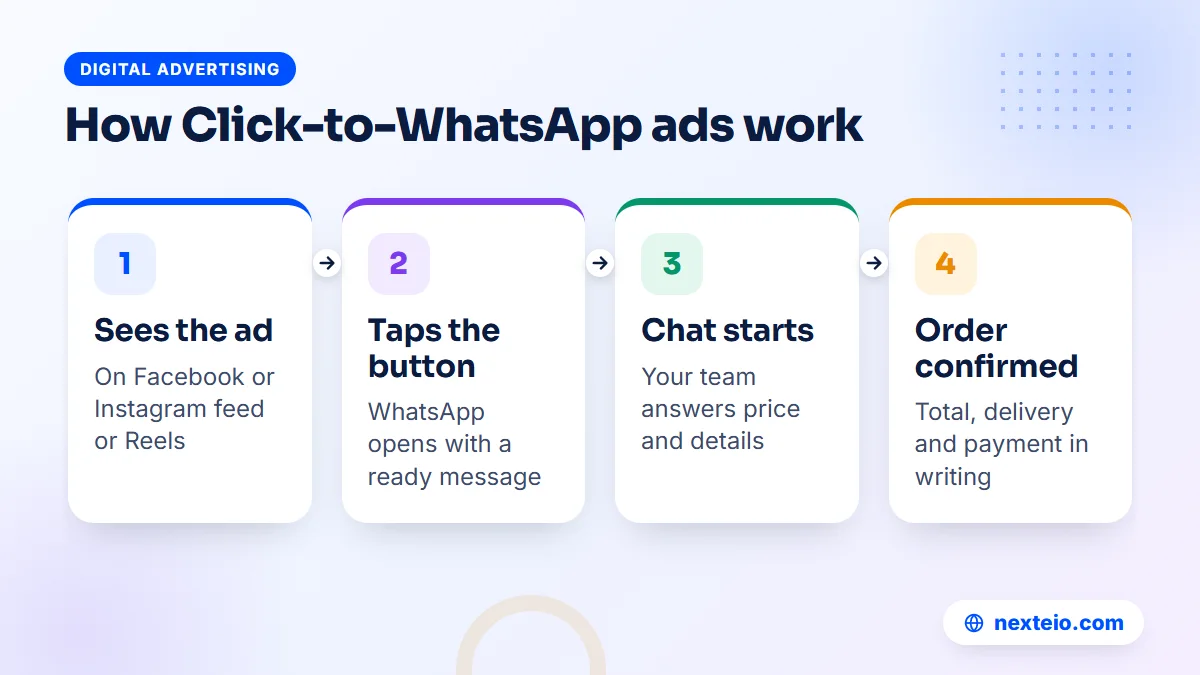
You create these in Meta Ads Manager, from your Facebook Page, or from the WhatsApp Business app. The ad looks like any other Facebook or Instagram ad: an image, a video or a carousel, some text and a button. When someone taps it, WhatsApp opens with a chat to your business and, if you set one up, a ready-typed message they can send with one tap.
The big advantage is targeting. You get the same location, age, interest and lookalike options as any other Meta campaign. Our guide to Meta ads targeting in Bangladesh explains how to choose those audiences without making them too narrow.
Ads in Status
These ads sit between the Status updates people watch from friends and businesses, a bit like Instagram Stories ads. They use vertical images or short videos, and the action is usually a chat with your business. Meta said it would roll this placement out gradually, so not every advertiser or market got it at the same time.
If the WhatsApp Status placement appears in your Ads Manager, treat it as an extra placement to test, not a separate strategy. The same creative rules apply: vertical, short, readable without sound.
Promoted channels
WhatsApp Channels are one-way broadcast feeds. A school could post notices, a news page could post headlines, a shop could post new arrivals. Promoting a channel means paying for more people to discover and follow it. This suits organizations that post often. It does little for a business that only wants enquiries this week.
Is WhatsApp Advertising Right for Your Business?
Chat-based ads work best when the customer needs to ask something before buying. If your product needs no questions, such as a low-priced item with fixed sizes, a direct link to a product page may convert better. If every sale involves a question about size, availability, delivery charge, a doctor's schedule or a course batch, a chat is a natural first step.
Here is how the fit usually looks for common types of business in Bangladesh:
- Clinics and diagnostic centres: strong fit. Patients want to ask about a doctor, a test price or a time slot before they visit.
- Coaching centres and training institutes: strong fit during admission season, when parents ask about batches, fees and timings.
- Online clothing, cosmetics and gadget shops: good fit, especially when customers send photos, ask for sizes or want to confirm cash on delivery.
- Real estate and interior firms: good fit for first contact, as long as someone follows up with a call.
- Schools and colleges: useful for admission enquiries. Formal notices still belong on the website.
- B2B suppliers and factories: weaker fit for cold audiences. Buyers usually want a website, a profile and a formal email first.
One more test: can you reply quickly during the hours your ads run? If the honest answer is no, fix that before spending anything.
What You Need Before Running WhatsApp Ads
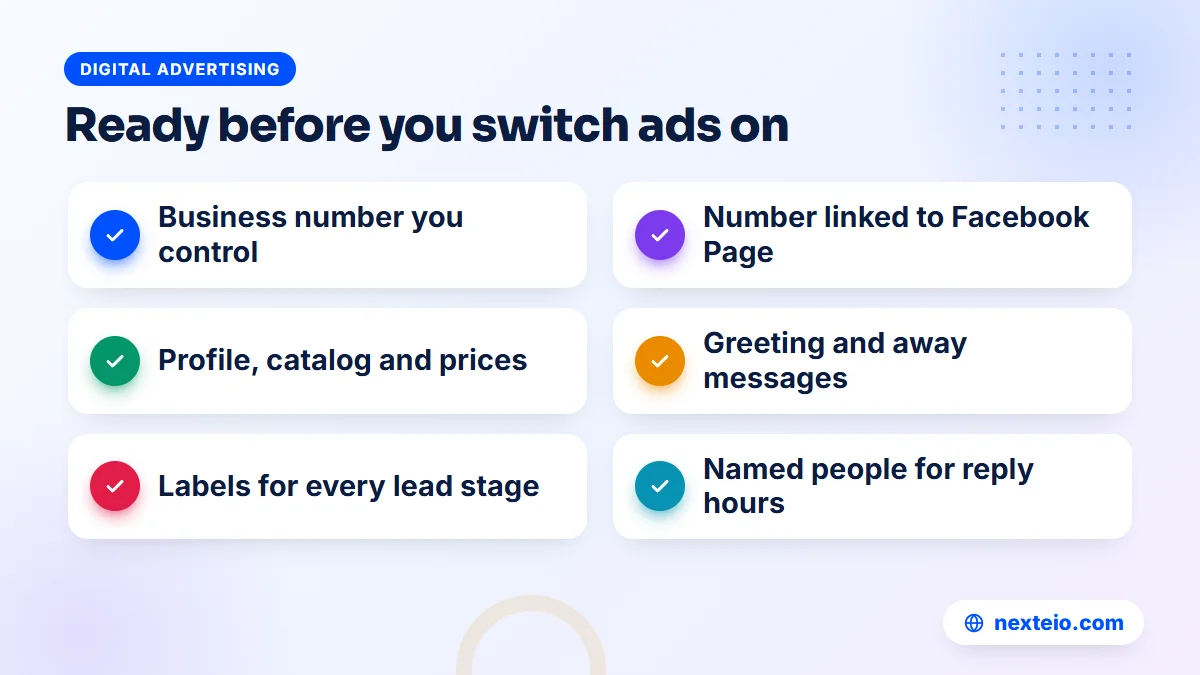
Setting up the ad takes minutes. Getting the business ready to handle the chats takes longer, and that is where most results are won or lost. Start with the accounts:
- A WhatsApp Business account on a number you control, preferably a company SIM rather than an employee's personal number.
- A Facebook Page for the business, with the WhatsApp number linked to it in the Page settings.
- A Meta ad account owned by the business in Meta Business Suite, with a working payment method.
- A complete business profile on WhatsApp: name, logo, address, hours, a short description and a website link if you have one.
Then prepare the chat tools. In the WhatsApp Business app, set a greeting message, an away message for closed hours, quick replies for common answers, and labels such as "New lead", "Price sent", "Order confirmed" and "Delivered". If you sell products, add a catalog with prices so you can send items instead of typing descriptions again and again.
WhatsApp Business app or the Business Platform
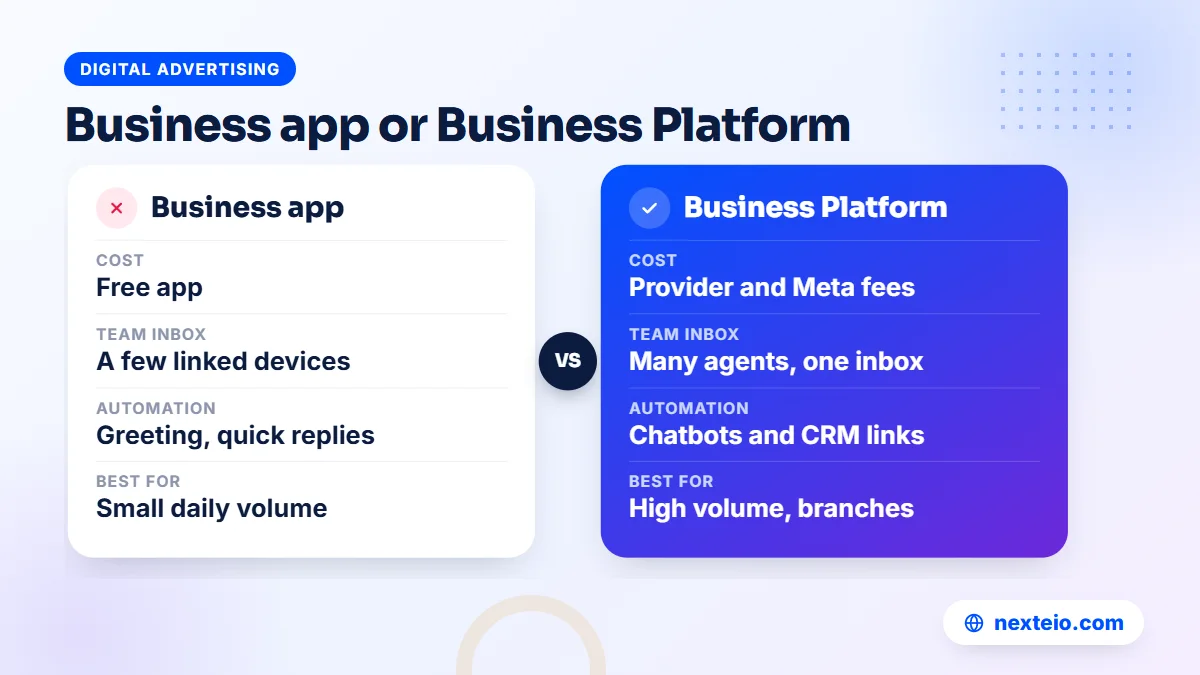
There are two ways to run WhatsApp for business, and the choice matters once ads bring volume. The free WhatsApp Business app works on a phone, with a small number of linked devices. The WhatsApp Business Platform, often called the API, connects your number to software through Meta or an approved provider, so several agents can share one inbox and you can automate parts of the conversation.
| Point | WhatsApp Business app | Business Platform (API) |
|---|---|---|
| Cost to use | Free app | Provider fees plus Meta message charges |
| Team inbox | A few linked devices | Many agents in shared software |
| Automation | Greeting, away and quick replies | Chatbots, CRM links, order updates |
| Best for | Up to a few dozen chats a day | High volume or several branches |
Most small businesses should start with the app. Move to the platform when chats are being missed, or when you need order updates sent automatically.
How to Set Up WhatsApp Ads in Ads Manager
Meta changes the Ads Manager screens from time to time, so the labels you see may differ slightly. The logic stays the same. Here is a sensible starting setup for a Click-to-WhatsApp campaign, beginning with the campaign and ad set:
- Link your WhatsApp Business number to your Facebook Page and confirm it with the code WhatsApp sends.
- In Ads Manager, create a campaign and choose an objective such as Engagement, Leads or Sales.
- At the ad set level, set the conversion location to messaging apps, select WhatsApp, then pick your Page and number.
- Choose a performance goal. "Maximize number of conversations" is the usual starting point for enquiries.
- Set a budget and schedule. If nobody can reply at night, use a lifetime budget and run ads only in working hours.
Next, decide who sees the ad and what it says:
- Define the audience: location within Bangladesh, age range and a few interests, or broad targeting if your budget allows.
- Choose placements. Automatic placements are fine to begin with; review the breakdown after a week.
- Build the ad: creative, primary text, headline and the "Send WhatsApp message" button.
- Write the message template: a greeting and either a prefilled message or a few suggested questions people can tap.
Then publish and wait for review. Most ads clear within a day.
If you only want to test, you can also boost a post from your Page or create an ad from the WhatsApp Business app. Those shortcuts give fewer controls over audience, placements and scheduling. For anything beyond a small test, Ads Manager is worth the extra effort, and it is where our Facebook ads management work starts.
Writing a WhatsApp Advertisement That Starts the Right Conversation
A good WhatsApp advertisement has one job: make the right person want to ask you something specific. The ad does not need to close the sale. It needs to start a chat that your team can close.
The creative
Show the product, the service or the result clearly in the first second. For video, use captions, because many people watch with the sound off on mobile data. A clinic might show the reception desk and the doctor's name. A shop might show the item being worn, with the price and "cash on delivery available" on screen. If you need short ad cuts from existing footage, our video ads editing service prepares versions sized for feeds, Stories and Status.
The text and the offer
Say who it is for, what they get and what to send. "Admission open for the January batch. Send us a message to get the fee chart and class schedule" works better than "Contact us for details". Mention delivery areas, payment options such as bKash or cash on delivery, and anything that removes a doubt before the chat starts.
The prefilled message
The prefilled message is the text that appears in the customer's chat box when WhatsApp opens. Make it specific to the ad, such as "I want the price of the blue panjabi, size L". Then your team knows which ad the person came from and what they want, without asking.
The same idea works outside ads. A link in the form https://wa.me/8801XXXXXXXXX?text= followed by your message opens a chat with that text ready. Use the full number with the 880 country code and no plus sign, dashes or spaces. Spaces and special characters in the message must be URL-encoded, which is what the encodeURIComponent function does if a developer builds these links on your website.
The Chat Is Your Landing Page
With website ads, the landing page does the selling. With WhatsApp ads, your team's replies do. The same rules apply: be fast, be clear, ask one question at a time and make the next step obvious.
Speed matters more than anything
Someone who taps an ad is interested right now. Ten minutes later they are scrolling something else, and an hour later they may have messaged a competitor too. Run ads only during hours when someone is watching the phone, and use the away message honestly: "We reply from 10 am to 8 pm. Leave your question and we will answer first thing."
In Bangladesh, plan for the practical problems too. A phone that loses power during load-shedding, a staff member on leave during Eid, or one person juggling the shop counter and the chat inbox will all cost you leads. Keep a charged backup device linked to the account and name a second person who covers the chats.
A simple reply script
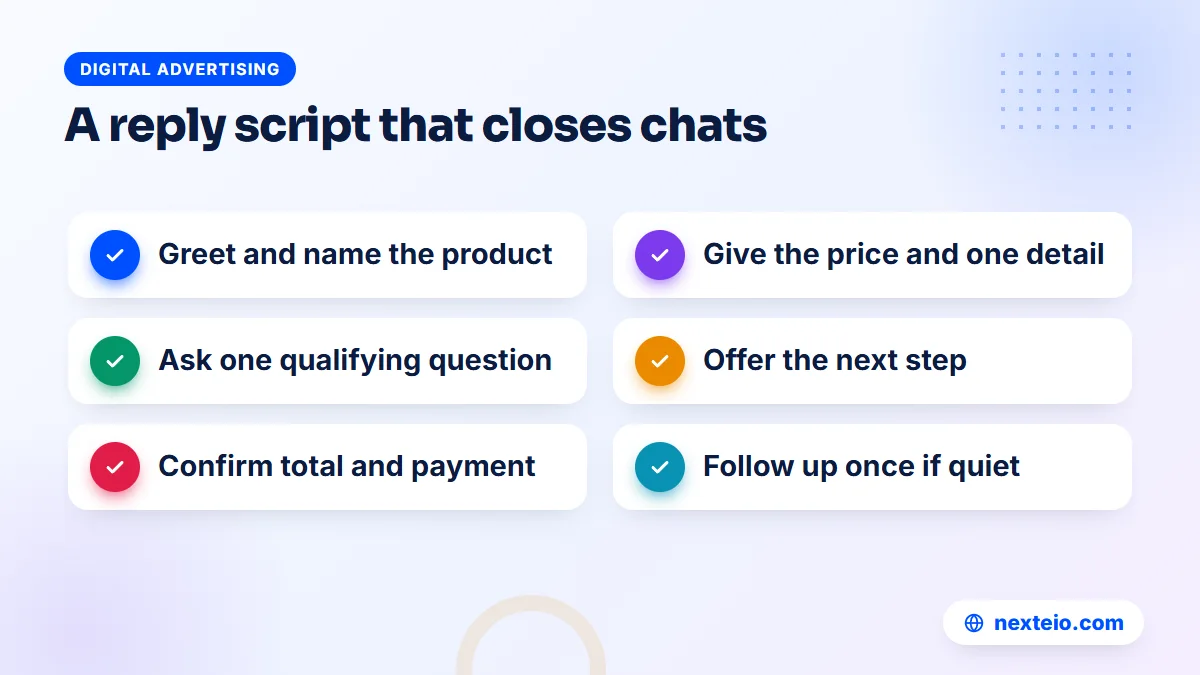
Scripts stop the "price?" and "how much?" conversations from ending in silence. A clear flow looks like this:
- Greet and confirm what they asked about, using the product or service name.
- Give the answer: the price, the slot or the fee, plus one helpful detail.
- Ask one qualifying question, such as size, area or preferred date.
- Offer the next step: confirm the order, book the slot or send the form.
- Confirm in writing with the total, the delivery charge and the payment method.
Save each step as a quick reply so anyone on the team can use it.
Follow up once, politely, if someone goes quiet after getting the price. Many orders come from that second message. Do not chase more than that, and never add people to broadcast lists unless they agreed to receive messages.
What WhatsApp Ads Cost in Bangladesh
There is no fixed price for WhatsApp ads. Meta runs an auction, so what you pay for each conversation depends on your audience, your creative, your competitors and the season. Costs rise before Eid and other big shopping periods, when more businesses compete for the same people. You control the total by setting a daily or lifetime budget in your ad account.
Because the auction changes, the useful number is not the cost per conversation on its own. It is the cost per order or booking, compared with what that order earns you. Here is a worked example with simple numbers, to show the math rather than a benchmark:
| Step | Example figure |
|---|---|
| Ad spend over 10 days | BDT 10,000 |
| Conversations started | 100 |
| Cost per conversation | BDT 100 |
| Orders confirmed in chat | 20 |
| Cost per order | BDT 500 |
| Profit per order before ads | BDT 900 |
In this example, each order still leaves BDT 400 after ad cost. If only 8 chats had turned into orders, the same campaign would lose money. That is why reply quality matters as much as targeting.
Other costs to plan for
- Message charges on the Business Platform: if you use the API, Meta charges for certain template messages, and providers add their own fees. Under Meta's rules at the time of writing, a chat that starts from a Click-to-WhatsApp ad opens a free 72-hour window when you reply within 24 hours. Check Meta's current pricing before you budget.
- Creative production: photos, short videos and design, whether in-house or outsourced.
- Staff time: someone has to answer every chat, and that hour has a cost.
- Management fees: if an agency runs the campaign.
Meta ads are usually paid by card, and many businesses use a dual-currency or international debit card. Banks set their own limits under Bangladesh Bank rules, so check yours before a campaign, not during it.
For a first test, pick a budget you can afford to spend for learning, run it for at least a week, and judge it on orders. Our breakdown of what a Facebook ads service should include also covers how agencies usually charge.
Related guides for planning Meta campaigns:
- Meta ads tips for better results in Bangladesh
- Why Meta ads stop performing and what to check
- Google Ads vs Meta Ads for profit
Measuring WhatsApp Ads by Orders, Not Chats
Ads Manager reports "messaging conversations started" and the cost of each one. That number tells you the ad works as an ad. It does not tell you whether the business made money. A campaign with cheap conversations full of "hi" messages can be worse than one with expensive conversations that turn into bookings.
A simple tracking routine
Use labels in the WhatsApp Business app to mark every chat from ads: new lead, quoted, ordered, delivered, returned. At the end of each day, someone copies the counts into a shared sheet, with the date and the ad name. After a week, you can divide spend by confirmed orders for each ad and see which one deserves more budget.
The prefilled message helps here. If each ad uses slightly different text, such as "Offer A" and "Offer B", your team can see which ad started each chat without asking the customer.
Sending results back to Meta
Larger advertisers can send purchase or lead events back to Meta, so the system learns which conversations turn into sales. This usually needs the Business Platform, a CRM or Meta's Conversions API. Our guide to Meta ads conversion tracking explains how Pixel and the Conversions API fit together.
Tracking WhatsApp clicks on your website
If your website has a WhatsApp button, count its clicks as an event in Google Analytics so you can see which pages and campaigns lead to chats. Google's help page on how events work in Analytics explains the idea. When you share website links inside chats or broadcasts, add UTM tags with Google's campaign URL builder so that traffic is not lost under "direct".
Common Mistakes That Waste WhatsApp Ad Budget
Most failed campaigns fail for ordinary reasons, not because the platform does not work. These are the patterns to avoid:
- Running ads when nobody can reply. Night-time chats answered the next afternoon rarely convert.
- Hiding the price in the ad and the chat. People who must ask twice for a price often leave.
- Using a personal number. When that employee leaves, the chat history and the customers go with them.
- One generic prefilled message for every ad. You lose the ability to compare ads.
- Judging by cost per conversation alone. Cheap chats from the wrong audience are not a win.
- Changing everything after two days. Give Meta's system a few days and enough conversations before deciding.
- Sending bulk promotional messages to people who never opted in. This gets numbers reported and restricted.
The last point deserves attention. WhatsApp's business policies expect customers to agree before you send them marketing messages. A number blocked or restricted in the middle of a campaign stops every ad pointing to it.
A related mistake is ignoring the ad itself once it runs. Creative fatigue sets in when the same audience sees the same image for weeks. Refresh images or videos when the cost per conversation climbs and the frequency in Ads Manager keeps rising.
Policies, Opt-In and Customer Data
Click-to-WhatsApp ads follow Meta's advertising standards, the same rules as any Facebook or Instagram ad. Ads for restricted categories, such as health claims, financial offers or adult products, face extra checks or are not allowed. Health businesses in particular should avoid promising cures or results in the ad text, because those claims are a common cause of rejection.
The chats themselves fall under WhatsApp's business and commerce policies. In plain terms:
- Reply to the person who contacted you; do not add them to groups without asking.
- Ask before sending offers or newsletters, and stop when someone asks you to.
- Do not sell items WhatsApp's commerce policy bans, such as weapons, drugs or certain medicines.
- Keep customer details, such as addresses and phone numbers, inside the business and away from personal phones where possible.
That last point is also good business sense. Your customer list is an asset. If it lives on a staff member's personal WhatsApp, you do not really own it.
When WhatsApp Is Not Enough: Pairing Chat With a Website
WhatsApp works well as a sales channel, but it has limits as a business grows. Every order typed by hand takes staff time. Product details are scattered across chats. Customers cannot browse your full range, compare items or see reviews in one place, and Google cannot find anything you say in a chat.
Many businesses end up with both: ads bring people into WhatsApp, and a website holds the catalog, prices, delivery terms and policies that the chat team links to. A good landing page for Meta ads also lets you test a direct "order now" path against the chat path.
If you are planning that step, typical market ranges in Bangladesh for an e-commerce store are BDT 25,000-60,000 with a ready theme, BDT 60,000-150,000 for a custom design, and BDT 150,000 and above for a custom-built store with integrations. A company or service website usually falls between BDT 25,000-60,000 for a theme-based site and BDT 60,000-150,000 for a custom design. A mobile-first online store with bKash and cash on delivery can keep the WhatsApp button for questions while taking simple orders on its own.
For service businesses such as clinics or training centres, a clear custom website with a WhatsApp button on every page does the same job: it answers the basic questions and lets chat handle the rest.
WhatsApp also works alongside other channels. Google search ads catch people already looking for your service, and a chat button on the landing page gives them a fast way to ask. If you want to plan both, see our Google Ads service or our multi-platform ads campaign service.
A First 30-Day Plan for WhatsApp Ads
A short, structured test tells you far more than months of random boosting. Here is a practical plan for a first month.
Week 1: prepare. Set up the business profile, catalog, greeting, away message, quick replies and labels. Decide who answers chats and during which hours. Prepare two or three creatives with different angles, such as price, a customer problem and a proof point like delivery photos.
Week 2: launch small. Start one campaign with two or three ads, each with its own prefilled message. Run them only during reply hours. Track every chat with labels and fill in the daily sheet.
Week 3: read the numbers. Compare cost per order, not cost per chat. Pause the weakest ad, keep the best one and add a new variation. Look at the questions people ask most and add those answers to the ad text.
Week 4: decide. If the cost per order leaves a profit, raise the budget in steps of about 20 percent every few days rather than doubling it at once. If it does not, check reply speed and the offer before blaming the audience.
Running a plan like this through our Facebook and Instagram ads service means the campaign side is handled while your team focuses on the chats. You can see examples of our work in our portfolio.
How Nexteio Can Help With WhatsApp Ads
We plan and run Click-to-WhatsApp campaigns as part of our Meta ads management. That starts with the setup this guide describes: linking your WhatsApp Business number to your Page, checking that the ad account and payment method are in your business's name, and preparing the profile, greeting, quick replies and labels so your team is ready before the first taka of budget goes out.
On the campaign side, we choose the objective and audience, write the ad text and prefilled messages for each ad, prepare or edit the creatives, and schedule ads around the hours your team can reply. We then track results by orders or bookings, using the labels and daily sheet your team fills in, and adjust budget and ads based on what turns into sales.
If your chats show that customers need a proper catalog or booking page, we can also build the website side. Tell us about your business and your current WhatsApp setup through our project brief form, read more about Nexteio, or reach us on the contact page. When you are ready to test, start a WhatsApp ads project with us or ask about our Facebook ads plans.
Keep reading: what a good video ad edit includes, how ads campaigns work for small businesses, or browse all our digital advertising guides.
Frequently asked questions
Do WhatsApp ads appear inside people's chats?
No. Click-to-WhatsApp ads run on Facebook and Instagram and only open a chat when someone taps them. The newer ads inside WhatsApp appear in the Updates tab, around Status and Channels, and Meta has said personal chats stay free of ads.
Can I run Click-to-WhatsApp ads without a Facebook Page?
For full campaigns in Ads Manager you need a Facebook Page with your WhatsApp Business number linked to it. The WhatsApp Business app also lets you create simple ads from inside the app, but you get fewer controls over audience, placements and schedule.
What is a good cost per conversation for WhatsApp ads in Bangladesh?
There is no single good number, because costs change with the audience, the season and the offer. A better test is your cost per confirmed order or booking compared with the profit each one brings. A cheap conversation that never buys is still wasted money.
Should I use my personal WhatsApp number for ads?
It is better not to. Use a WhatsApp Business account on a company-owned number, so the chat history, labels and customer list stay with the business when staff change. A business profile with hours, address and a catalog also looks more trustworthy to new customers.
Are messages free when customers contact us from an ad?
On the free WhatsApp Business app, there are no per-message charges from Meta. On the Business Platform, Meta charges for some template messages, but at the time of writing a chat started from a Click-to-WhatsApp ad opens a free 72-hour window if you reply within 24 hours. Check Meta's current pricing page before budgeting.
Can I send offers to everyone who messaged us from an ad?
Only if they agreed to receive marketing messages from you. Replying to someone who contacted you is fine, but adding people to broadcast lists without consent goes against WhatsApp's business policies and can get your number restricted. Ask clearly and make it easy to opt out.
How long should a first WhatsApp ad test run?
Plan for at least one to two weeks with a steady daily budget, so the ad system has time to find the right people and you collect enough chats to judge. Avoid changing the audience or creative every day, because each change resets what the system has learned.
Is a WhatsApp campaign better than sending people to a website?
It depends on how your customers buy. If they usually ask questions before ordering, chat often converts better. If they already know what they want, a fast product page with a simple checkout can save staff time. Many businesses run both and compare cost per order.