Google Ad Account Setup in Bangladesh: Billing, Settings and First Steps
In this article 16 sections
- 1.What to Prepare Before Your Google Ad Account Setup
- 2.Who Should Own the Ads Account
- 3.Google Ad Account Setup Step by Step
- 4.Billing Country, Currency and Time Zone: Choose Once
- 5.Payment Methods and Billing From Bangladesh
- 6.Smart Mode or Expert Mode
- 7.Advertiser Verification and Ad Policies
- 8.Account Settings to Check Before the First Campaign
- 9.Set Up Conversion Tracking Before You Spend
- 10.A Safe Structure for Your First Search Campaign
- 11.Keep the Ads Account Secure
- 12.Google Ad Account Setup for Different Organizations
- 13.What to Do in the First 30 Days After Setup
- 14.Common Google Ad Account Setup Mistakes
- 15.How Nexteio Can Help With Your Google Ads Account
- 16.Frequently asked questions
A careful Google Ad account setup saves you from problems that are hard or impossible to fix later. The account you create decides your billing currency, the time zone of every report, whose name appears on the ads, and who can get in when the person who opened it leaves. Most of these choices take a few seconds on the sign-up screen, and some of them are permanent.
In Bangladesh, the account is often opened in a hurry. A staff member uses a personal Gmail, adds a personal card, accepts every default and launches a campaign the same afternoon. Months later the company wants to hand the account to an agency, check invoices for the accounts team or recover access after that person resigns, and finds that nothing is in the organization's name.
This guide walks through the setup in the order you will meet it: what to prepare, who should own the account, each sign-up screen, billing and payment from Bangladesh, verification, the settings to check before spending, and conversion tracking.
The goal is an account that is clean, secure and ready to measure results from the first taka you spend. It applies equally to a small shop, a coaching center, a clinic, a factory or a corporate group.
What to Prepare Before Your Google Ad Account Setup
Gather these items before you open the sign-up page. Having them ready turns a confusing hour into a calm fifteen minutes.
- A Google Account on a business email. Ideally an address on your own domain, such as marketing@yourcompany.com, rather than a personal Gmail.
- Your legal business details. The registered name, address and, for organizations, trade license details exactly as they appear on official documents.
- A working website or landing page. Ads need somewhere useful to send people, and Google checks the destination.
- A payment card. One that works for online payments to foreign services, with limits your bank has confirmed.
- A list of people who need access. The owner, the person running ads, the accounts team and any agency.
Having the website ready matters more than people expect. An ad that sends visitors to a slow page or a broken form wastes the click you paid for.
If your site is not ready, fix that first. A focused custom website or landing page often does more for ad results than any setting inside Google Ads, and our guide to building a high converting landing page shows what that page needs.
Who Should Own the Ads Account
Ownership is the decision most businesses get wrong, and it is the hardest to undo. The ads account should belong to the organization, not to an employee or an agency.
In practice, that means the Google Account used to create it should be an organization address that more than one senior person can recover. The payments profile should carry the organization's legal name. Staff and agencies should then be invited with their own logins and the access level they need, so nobody shares a password.
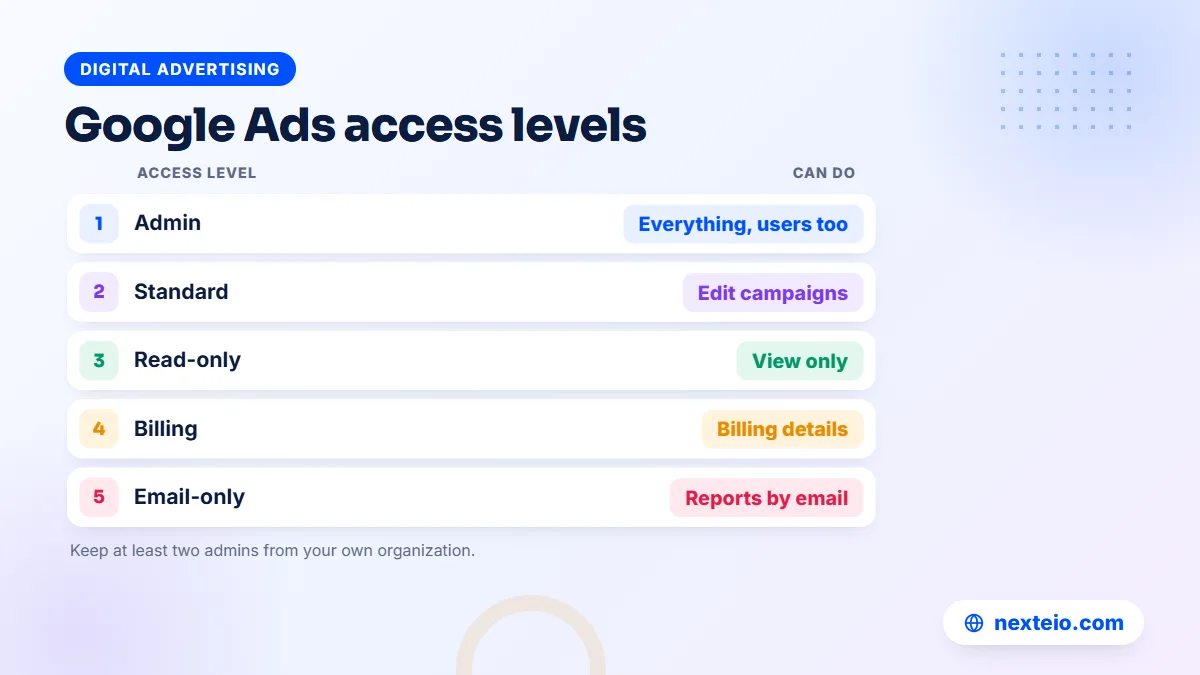
Google Ads has five access levels for users. The official page on access levels in your Google Ads account lists exactly what each one can do. In short:
| Access level | Suits | Can do |
|---|---|---|
| Admin | Owner or senior manager | Everything, including users and verification |
| Standard | The person running campaigns | Edit campaigns, but not manage users |
| Read-only | Managing director, board | View campaigns and reports |
| Billing | Accounts team | View and edit billing information |
| Email-only | Anyone needing reports | Receive notifications and reports |
Google itself suggests having more than one admin, so access is not lost when one person becomes unavailable.
Agencies usually work through a manager account, which lets them handle several client accounts from one login. Linking your account to an agency's manager account is normal. Just make sure your own organization keeps at least one admin user directly in the account, so you can remove the agency's link at any time.
Plan the exit before you need it. When an agency relationship ends, an admin on your side should remove the agency's users, unlink its manager account and check that billing still uses your own payment method. Because the account was yours from the start of the Google Ad account setup, the campaigns, history and conversion data all stay with you.
Google Ad Account Setup Step by Step
Google's own guide on how to create a Google Ads account describes the sign-up in three parts: business information, campaign goals and budget, and payment details. The screens change from time to time, but the order below matches the current flow closely.
- Go to ads.google.com and sign in with the organization's Google Account.
- Enter your business name and website. Google uses the site to suggest keywords and ad text.
- Choose whether to link a YouTube channel or Google Business Profile. Linking helps with suggestions and can be done later too.
- Decide whether to create a campaign now. You can create the account without a campaign, which Google itself recommends doing first.
The second half of the sign-up covers billing and payment:
- Select the billing country. For a Bangladeshi business, choose Bangladesh.
- Confirm the time zone. Pick Bangladesh time so reports and ad schedules match your working day.
- Choose or create a payments profile, set the account type to Organization or Individual, and enter the name and address.
- Add a payment method and accept the terms.
After this, you have a working ads account with no live spending.
Creating the account without a campaign is the safer path for most businesses. The guided flow can launch a campaign with broad automatic settings before you have checked tracking, locations or the budget. Building the first campaign later, on your own terms, avoids paying for that learning.
Billing Country, Currency and Time Zone: Choose Once
Four choices on the setup screens shape the account for its whole life. Read each one twice before you continue.
Billing country
The billing country should be where your billing address is. It decides which payment methods and currencies you can use and which Google entity bills you. A Bangladeshi company that picks another country to get a different payment option creates mismatches with its documents, which can cause problems during verification.
Currency
The currency is the one you will be billed in, and you cannot change it on an existing account. If you later need a different currency, you have to open a new account and rebuild your campaigns. Pick the currency your accounts team wants to see on invoices and that your payment method supports.
Time zone
Every report, every daily budget and every ad schedule follows the account time zone. If the account runs on another country's time, "Monday" in your reports does not match your Monday. Ads you scheduled for 9 AM to 6 PM run at the wrong hours, and daily spending resets in the middle of your working day. Google's sign-up guide warns that reports, statistics and billing all depend on this choice.
Payments profile type
The payments profile is set as Organization by default, with Individual as the other option. Organizations, schools, NGOs and companies should keep Organization and use the legal name. Changing the profile type later is slow and may require extra documents, so choose correctly at the start.
Payment Methods and Billing From Bangladesh
The billing country you choose controls which payment options appear. For most businesses in Bangladesh, the practical option is a bank card used with automatic payments. With automatic payments, Google charges your card after you reach a billing threshold or at the end of the monthly cycle, whichever comes first.
Before you add a card, ask your bank three questions:
- Is this card enabled for online payments to foreign services?
- What is the monthly limit for such payments?
- Will the bank block or flag repeated charges from Google?
Ask for these answers in writing if you can. They save time when a payment fails.
Google's help page on how to add a new payment method in Google Ads shows where to add a backup card. A backup is useful because a declined charge can pause your ads, and a campaign that stops during an admission week or an Eid sale costs more than the fee for a second card.
Keep billing tidy for your accounts team. Google Ads provides receipts and statements in the billing section. Download them each month and file them with the matching bank statements, so the finance office can reconcile spending without asking the marketing team for screenshots.
Larger advertisers sometimes ask about monthly invoicing, where Google bills on credit terms instead of charging a card. It is offered only to businesses that meet Google's requirements and apply for it, so a new account almost always starts with card payments. Revisit the question once your monthly spend is steady and large.
Budget control works at the campaign level. You set an average daily budget, and Google's page on setting an average daily budget explains that a monthly figure should be divided by 30.4. Spending can be higher on some days and lower on others, but the month is planned around that average.
Smart Mode or Expert Mode
Google Ads has a simplified interface, often called Smart mode, and the full interface, called Expert mode. Smart mode runs Smart campaigns, which ask for a few inputs and decide most things automatically. Expert mode shows every campaign type and setting.
Smart campaigns can suit a very small local business with no time to manage ads. For most companies, schools, clinics and online stores, Expert mode is the better choice, because it gives control over keywords, locations, networks, bidding and tracking. If the sign-up flow places you in Smart mode, look for the option to switch to Expert mode before you create any campaign.
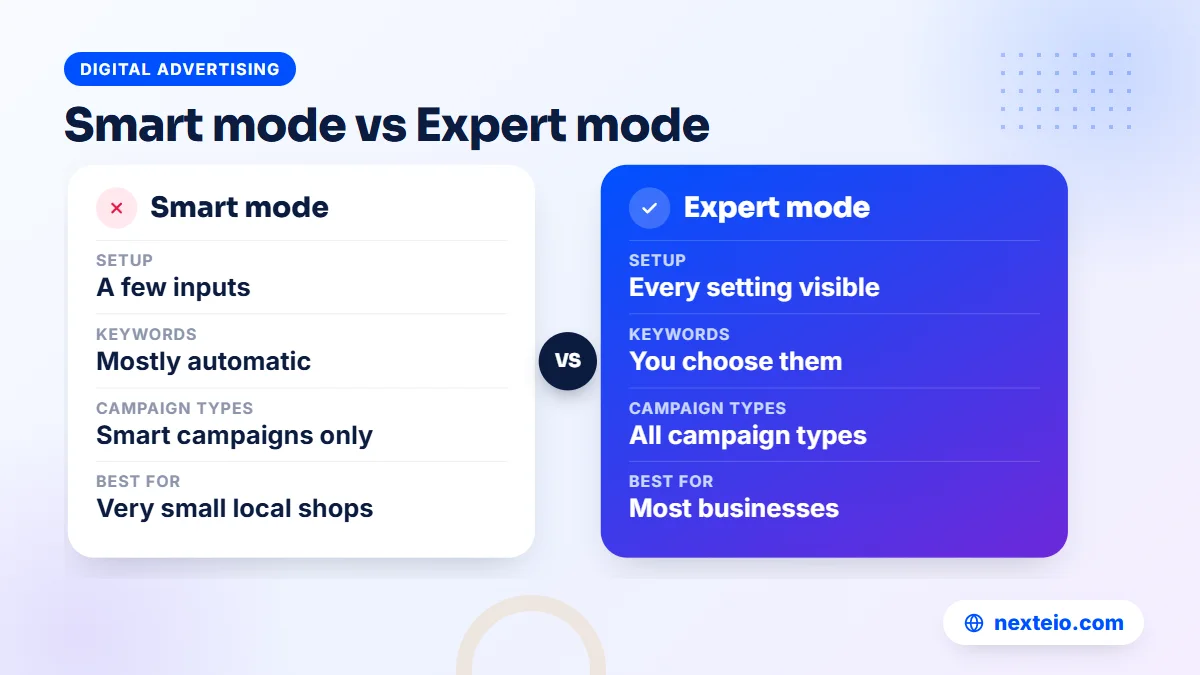
Switching early is simpler than switching later. Campaigns created in Smart mode stay Smart campaigns, so an account that begins there often needs its campaigns rebuilt once the business wants more control.
Advertiser Verification and Ad Policies
Google asks advertisers to verify who they are, and the official page on advertiser verification explains the process. When the request appears, you complete it within the time Google gives, or your ads may stop running.
Verification can include confirming your identity or your organization with documents, and answering questions about your business operations. Once verified, your ads show a disclosure with your name or your organization's name and location. Only users with Admin access can complete verification, which is another reason to have the right admin in place.
The most common verification problem is a mismatch. The name in the payments profile says one thing, the trade license says another and the website says a third. Use the same legal name everywhere from the start. If your organization uses a brand name that differs from its registered name, make sure the documents connect the two.
Ad policies apply from the first ad. Healthcare, financial services, education claims and some products have extra rules. A clinic should avoid promising cures, and a coaching center should not promise guaranteed results. Read the policy section for your industry before writing ads, because a disapproved ad loses days while you fix and resubmit it.
Account Settings to Check Before the First Campaign
With the account created and billing in place, review a few settings that affect every campaign you will run. These are easy to miss because Google fills them in for you.
Auto-apply recommendations
Google Ads can apply some of its recommendations automatically, such as adding keywords or changing bidding. Open the recommendations area and review the auto-apply settings. Many advertisers turn off the ones that add keywords or raise budgets, and review those suggestions by hand instead.
Linked accounts
Link Google Analytics, Google Search Console and, for local businesses, your Google Business Profile. An online store selling products should also link Google Merchant Center. Linking lets data flow between tools, which you will need for tracking and reporting.
Account-level exclusions
You can create shared negative keyword lists at the account level. Add words that never fit your business, such as "free", "job", "salary" or "PDF" for many service businesses. One shared list protects every campaign you create later.
Location settings in each campaign
When you build a campaign, the location options let you target people "in or regularly in" your chosen locations, or people who also show interest in them. A business that serves only Bangladesh usually wants the first option. The second can show your ads to people abroad who searched about Bangladesh, which wastes budget for most local services.
Related guides for the next stage:
- How to find high-intent keywords for Google Ads
- What Quality Score means and how to improve it
- What Google Ads costs a small business in Bangladesh
Each one picks up where the account setup ends.
Set Up Conversion Tracking Before You Spend
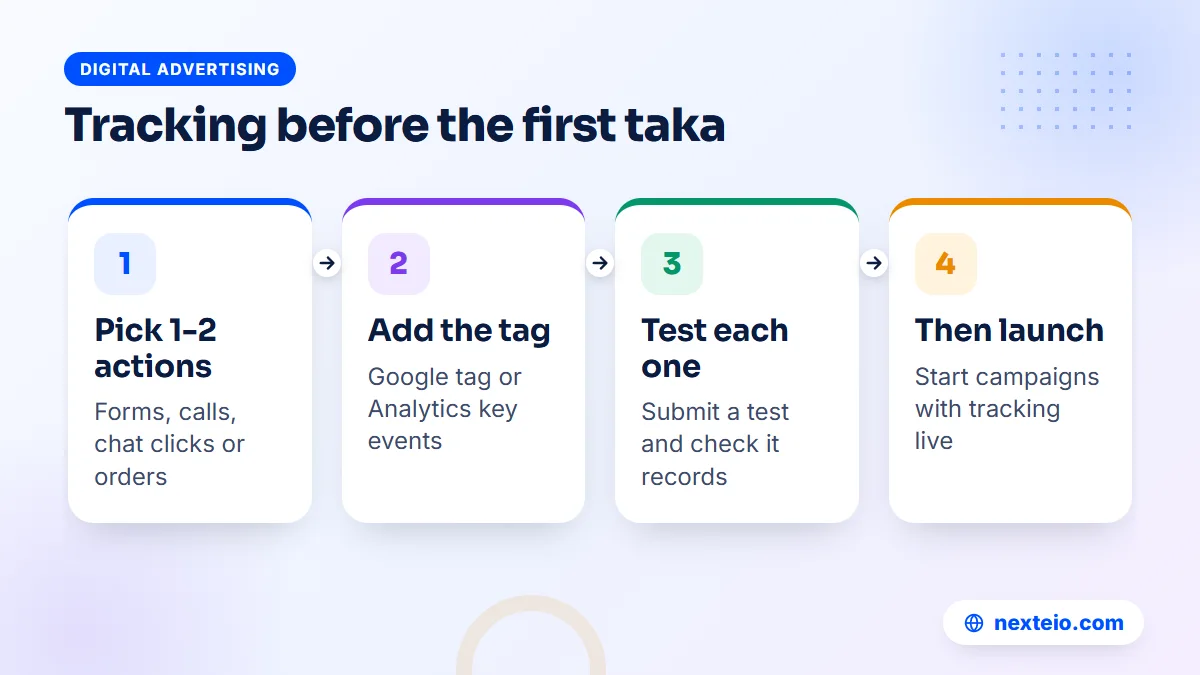
An account without conversion tracking can show clicks and costs, but not customers. Google's overview of conversion measurement explains the options. For most businesses in Bangladesh, the useful conversions are a few simple actions:
- A submitted contact, admission or quotation form.
- A phone call from the ad or from the website.
- A click on a WhatsApp or Messenger button.
- A completed order on an online store.
Pick the one or two actions that really matter and track those first.
There are two common ways to set it up. You can add the Google tag to your website and create conversion actions in Google Ads, or you can import key events from Google Analytics. Either works. The important part is that each conversion fires once, at the right moment, and is tested before campaigns start. Our beginner's guide to Google Ads conversion tracking walks through both methods.
Smart bidding strategies depend on this data. If you choose a bidding strategy such as "maximize conversions" without working tracking, Google has nothing to learn from. With tracking in place, the account can learn which searches bring customers, and your reports show cost per lead instead of only cost per click.
A Safe Structure for Your First Search Campaign
Once the account is ready, the first campaign should be small, focused and easy to read. A tidy first campaign teaches you more than a large one with everything switched on.
- One campaign per main goal. For example, one for admission enquiries and one for short courses, each with its own budget.
- Tight ad groups. Group keywords by service, so the ad text can match what people searched for.
- High-intent keywords. Phrases that show someone is ready to act, such as a service name plus "price" or "admission".
Then set up the ads and the spending:
- Clear ads. Responsive search ads accept up to 15 headlines and 4 descriptions. Write several real options, including your offer and location.
- Search network only at first. Untick the Display Network option in a new Search campaign so the budget stays on search results.
- A budget you can hold for a month. Short bursts give the system too little data to learn from.
Check the campaign daily for the first week, mainly the search terms report.
The search terms report shows what people actually typed before clicking. Add irrelevant terms as negative keywords, and add strong new terms as keywords. Our guide on getting more leads from Google Ads covers the next steps once the first campaign is running.
If you would rather have the first campaign built for you, our Google Ads management team can plan the structure, keywords and tracking around your goal. Search ads also work well beside other channels. Our ads campaign service plans how to split a budget across platforms, and Facebook ads or YouTube ads can support search where they fit the audience.
Keep the Ads Account Secure
An ads account is linked to a payment method, which makes it a target. A hijacked account can spend heavily on someone else's ads before anyone notices. A few habits keep it safe:
- Turn on 2-Step Verification for every Google Account with access.
- Give each person their own login and the lowest access level they need.
- Remove users the day they leave the organization or the agency relationship ends.
- Be careful with emails claiming to be from Google that ask you to sign in through a link.
- Record your customer ID and admin users in a safe internal document.
Review the user list every few months.
The customer ID is the ten-digit number shown near the top of the account, written in three groups. Share it with your agency or Google support when they need it, but never share your password.
If you notice ads you did not create, unknown users or a sudden jump in spending, act at once. Remove the unknown users, change the password of every Google Account with access, pause any campaign you do not recognize and contact Google Ads support through the Help Center. Tell your bank too, since the card on the account may have been charged.
Google Ad Account Setup for Different Organizations
The basic steps are the same for everyone, but the details of a Google Ad account setup change with the kind of organization. A few common cases in Bangladesh show how.
Schools, colleges and coaching centers
Admission campaigns run in short, busy seasons, so billing problems hurt most here. Add a backup card well before the season and agree the budget with the principal or the governing body in advance. Track admission form submissions and calls separately, because a parent who calls is often further along than one who fills a form.
Clinics, hospitals and diagnostic centers
Healthcare ads face stricter policies, and some services need extra certification. Set up the account in the hospital's legal name, keep the website's doctor and service pages accurate, and track appointment calls. Avoid promising results in ad text.
Factories and exporters
A garment or leather exporter usually targets buyers abroad rather than people in Bangladesh. That changes the location settings, the language of the ads and often the time of day ads should run. Keep the account time zone in Bangladesh time for your own reporting, and plan ad schedules around the buyers' working hours.
Online stores
An e-commerce business should link Google Merchant Center and set up purchase tracking, ideally with order values, before running Shopping or Performance Max campaigns. Cash on delivery orders complicate this, since some orders are never collected. Many stores track confirmed orders rather than every checkout for that reason.
Corporate groups with several brands
A group with several companies or brands often needs separate ads accounts, each with its own payments profile and invoices. A manager account ties them together, so the group's marketing team can see everything while each company's finance team sees only its own billing.
What to Do in the First 30 Days After Setup
The first month decides whether the new ads account becomes a steady source of enquiries or an expense nobody trusts. A simple routine keeps it on track:
- Week one: check the search terms report every day and add negative keywords.
- Week one: confirm that conversions are recording and match what the sales team sees.
- Week two: pause keywords that spend without results and move budget to the ones that work.
- Week three: review ad text and test a new headline or offer.
- Week four: compare cost per lead with what a customer is worth to you.
At the end of the month, decide whether to raise, hold or cut the budget.
Share a short summary with the decision makers: spend, leads, cost per lead and what changes next month. In many organizations, budget approval depends on that one page, so keep it plain and honest. Numbers that only show clicks and impressions rarely win a second month of budget.
Common Google Ad Account Setup Mistakes
These mistakes are common in accounts that were opened in a hurry. Most are easy to avoid during setup and slow to fix afterward.
- Personal Gmail as the owner. The account leaves with the employee.
- Wrong time zone. Reports and schedules never match the working day.
- Wrong currency. It cannot be changed without a new account.
- Individual profile for a company. Invoices and verification do not match the business.
- Launching the guided campaign. Broad automatic settings spend before tracking is ready.
Those are setup errors. The next ones happen in the first weeks:
- No conversion tracking. You can see clicks but not customers.
- Display Network left on. Search budget leaks to sites and apps.
- Location set to interest. Ads reach people outside your service area.
- Only one admin. Access is lost when that person is away or leaves.
If your existing account already has several of these issues, it is often worth fixing them before adding more budget. Our guide on choosing a Google Ads service in Bangladesh explains what a proper account review should cover.
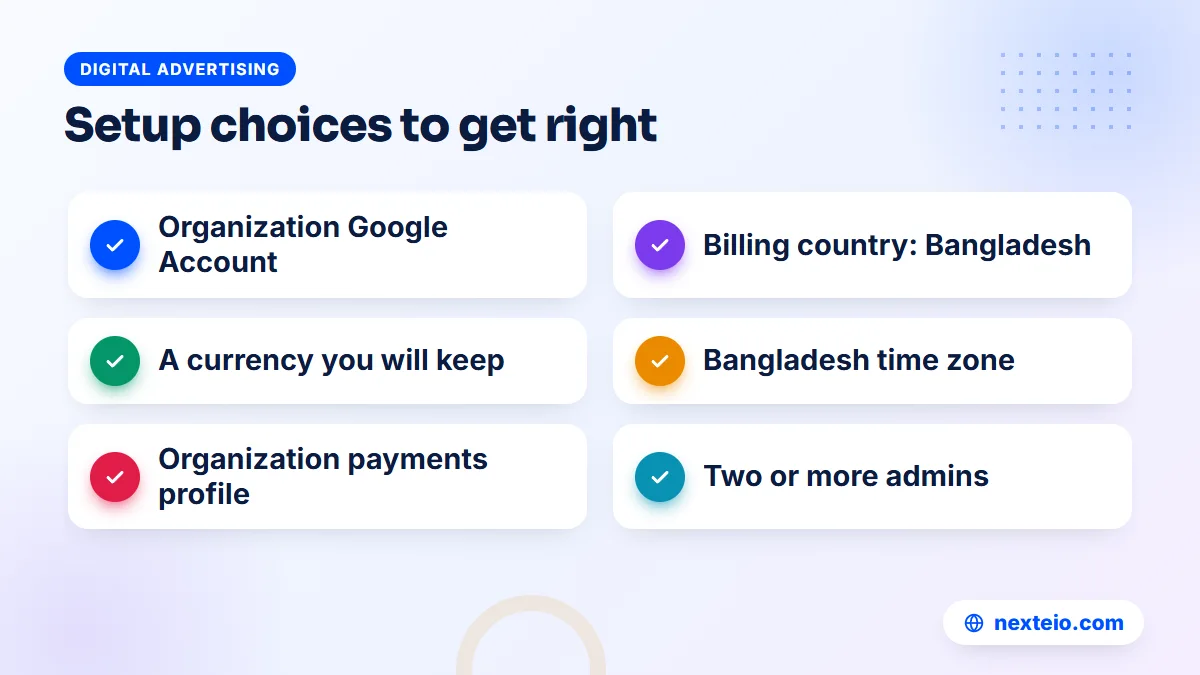
A clean Google Ad account setup is not about perfection. It is about making the few permanent choices correctly, putting ownership in the organization's hands, and measuring what matters before money goes out.
How Nexteio Can Help With Your Google Ads Account
We set up and manage Google Ads accounts for businesses and organizations across Bangladesh through our Google Ads service. For a new account, we work with you to create it under your organization's Google Account and legal name, choose the right currency and time zone, add billing, and give the right people the right access. We recommend that the account stays in your name, with our team added as users.
Before any spending starts, we set up conversion tracking for the actions that matter to you, such as form submissions, calls or orders, link Analytics and your other Google tools, and review the account settings covered in this guide. Then we build a focused first campaign with researched keywords, clear ads and a budget you have agreed to, and we explain what we did and why.
If you already have an account, we can review it and fix ownership, tracking and settings problems before you add budget. See how our search advertising management works, look at our portfolio, read more about Nexteio or reach us through the contact page. When you are ready, share your goals and budget through our project form, or start a project brief for a full Google Ads setup.
Keep reading: SEO vs Google Ads and when to use each, Google Ads vs Meta Ads for profit, or browse all our digital advertising guides.
Frequently asked questions
Is it free to open a Google Ads account?
Yes. Creating the account costs nothing, and you pay only when your ads run and people click or view them, depending on the campaign type. You do need to add a payment method during setup, but no charge is made until ads start spending.
Can I use a personal Gmail to open a business ads account?
It works technically, but it is a poor choice for a business. If that person leaves or loses access to the Gmail, the organization can lose control of the account and its history. Use an organization email that more than one senior person can recover, and add staff as separate users.
Can I change the currency or time zone after setup?
The currency cannot be changed on an existing account, so a different currency means opening a new account. The time zone affects reports, budgets and ad schedules, and Google advises choosing it carefully at sign-up. Treat both as permanent choices.
Why was my card declined when adding it to Google Ads?
In Bangladesh, the usual causes are a card not enabled for online payments to foreign services, a monthly limit that is too low, or the bank blocking the charge as unusual. Call your bank, confirm the card is enabled and ask about limits, then try again or add a different card.
Should my agency create the ads account for us?
An agency can help with setup, but the account should be created under your organization's Google Account and legal name. The agency can then link it to its manager account or work through its own user login. That way you keep ownership and the full account history if you change agencies.
How long does advertiser verification take?
It depends on how quickly you submit the information and whether your documents match your account details. Google says status updates can take up to five business days after you complete the tasks. Matching names across your payments profile, documents and website is the best way to avoid delays.
Can one business have more than one Google Ads account?
Yes, there are legitimate reasons, such as separate brands, separate billing currencies or a group with several companies. Agencies and groups usually manage several accounts through a manager account. For a single small business, one well-organized account is easier to manage and measure.