One Page Website vs Multi-Page Website: Which Fits Your Business?
In this article 16 sections
- 1.What a One Page Website Is and Is Not
- 2.Where a One Page Website Works Well
- 3.Where a Single Page Breaks Down
- 4.How Google Sees a One Page Website
- 5.One Page Website vs Multi-Page Website: Side by Side
- 6.The Sections a Good One Page Design Needs
- 7.Writing the Content for a Single Page
- 8.Speed and Mobile Use on a Long Page
- 9.Measuring Results on a Single-Page Site
- 10.The Hybrid Option: A Long Homepage With a Few Inner Pages
- 11.What a One Page Website Costs in Bangladesh
- 12.Growing From a One Page Site to a Full Website
- 13.Common Mistakes on One Page Sites
- 14.7 Questions to Decide Between a One Page Site and a Multi-Page Site
- 15.How Nexteio Can Help You Choose and Build
- 16.Frequently asked questions
A one page website puts everything a visitor needs on a single long page: what you offer, why they should trust you, how it works and how to contact you. The menu does not open new pages. It scrolls the visitor down to the right section. For the right business, that is fast to build, easy to read on a phone and simple to maintain.
For the wrong business, it becomes a problem within a year. A school that starts with one page soon needs notices, results and admission forms. A company with six services finds it cannot rank on Google for any of them. The content outgrows the page, and the owner pays twice: once for the first build and again for the rebuild.
The choice between one page and many is not about taste. It depends on what you sell, how many audiences you serve, how much content you will add and how people will find you.
This guide compares the two approaches side by side, shows where each one works, explains what Google sees on a single-page site, and ends with seven questions that settle the decision for your own business.
What a One Page Website Is and Is Not
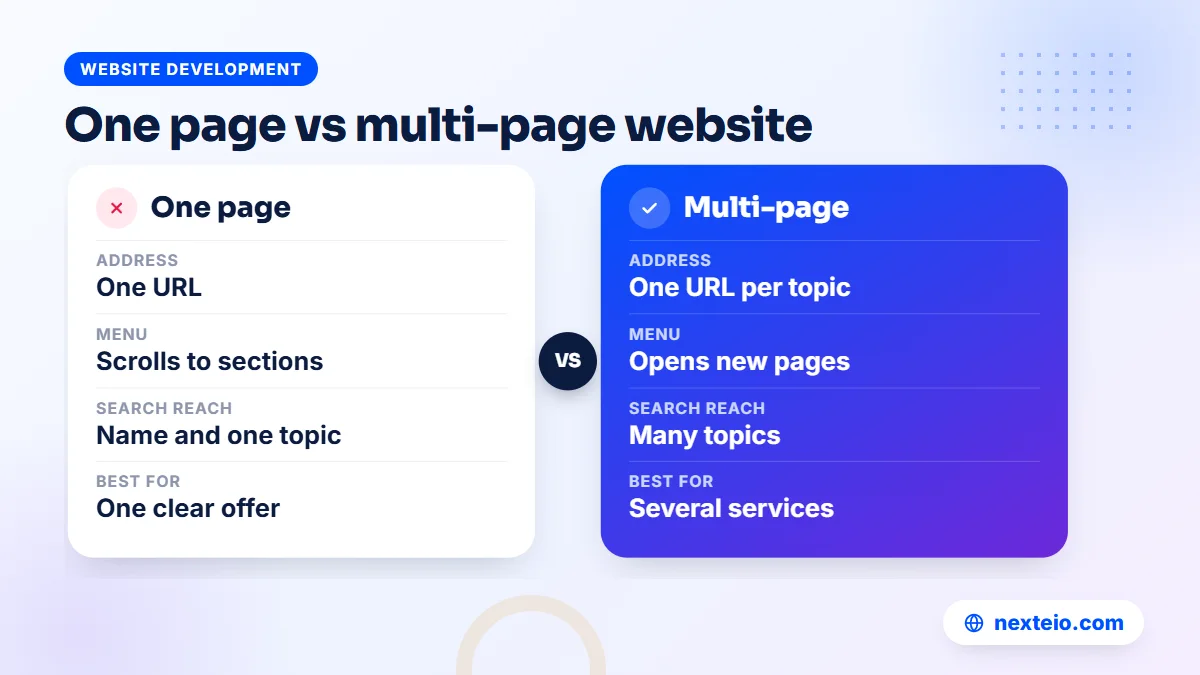
On a multi-page website, each topic has its own address. The services page lives at yourcompany.com/services, the about page at yourcompany.com/about, and so on. Each page has its own title, its own description and its own place in search results.
On a one page site, all of that content sits at one address. The menu links point to sections on the same page using fragment links, such as yourcompany.com/#services. Clicking one scrolls the page down instead of loading a new one. MDN's guide to the parts of a web address explains how the part after the # works.
A one page website is also different from a landing page, although the two look alike. A landing page usually has one job tied to one campaign, often has no menu at all and is built to turn ad clicks into enquiries. A one page site is the whole website for the business, with a menu, an about section, contact details and everything else a visitor expects. Our guide to building a high-converting landing page covers the campaign version.
Most single-page sites also keep a few small extra pages, such as a privacy policy or a thank-you page after a form. That does not change the basic idea. The visitor's journey happens on one scrolling page.
Where a One Page Website Works Well
The single-page format suits businesses with one clear offer and a short decision. The visitor arrives, understands the offer, sees enough proof and makes contact. Here are situations where it often fits:
- A single product brand that sells through Facebook and cash on delivery, and needs a clean page to show the product, price and how to order.
- A training workshop or event with one date, one venue and one registration form.
Professionals and very small service businesses fit the same pattern:
- A consultant or professional, such as a lawyer, architect or chartered accountant, who needs a credible page with services, experience and a phone number.
- A doctor's private chamber that needs timings, location, appointment numbers and a short profile.
- A startup before launch that wants to explain the idea and collect early sign-ups.
- A small service business with one main service, such as a home tutor center, a catering service or an interior designer.
In each case the content is limited, the audience is narrow and the main goal is a phone call, a message or a form. A long page that tells the whole story in order works well for that.
The format also suits businesses whose customers mostly arrive from social media, ads or word of mouth rather than Google search. If people already know your name before they visit, ranking for many search terms matters less than a clear page that helps them act.
Where a Single Page Breaks Down
The same format struggles when the business has many audiences, many offers or regular new content. These are the warning signs:
- Several distinct services. A company offering construction, interior work and property management needs a separate page for each, because each has different customers.
- Regular updates. Schools, colleges, hospitals and NGOs post notices, results, schedules and reports. A single page cannot hold years of updates.
- Product catalogs. An exporter with 40 product lines or a shop with hundreds of items needs categories and detail pages.
- Several audiences. A university speaks to students, parents, faculty, researchers and partners, each looking for different things.
- Search as a main source of customers. If you want to appear on Google for many different searches, you need many different pages.
Think of a garment factory. Buyers want product categories, compliance certificates, capacity details and contact people for each department. Squeezed into one page, that becomes a very long scroll where nobody finds what they came for.
Length itself is a signal. If your single page needs more than eight or nine sections to cover the basics, the content is asking for separate pages, and a multi-page site planned around that content will serve visitors better.
How Google Sees a One Page Website
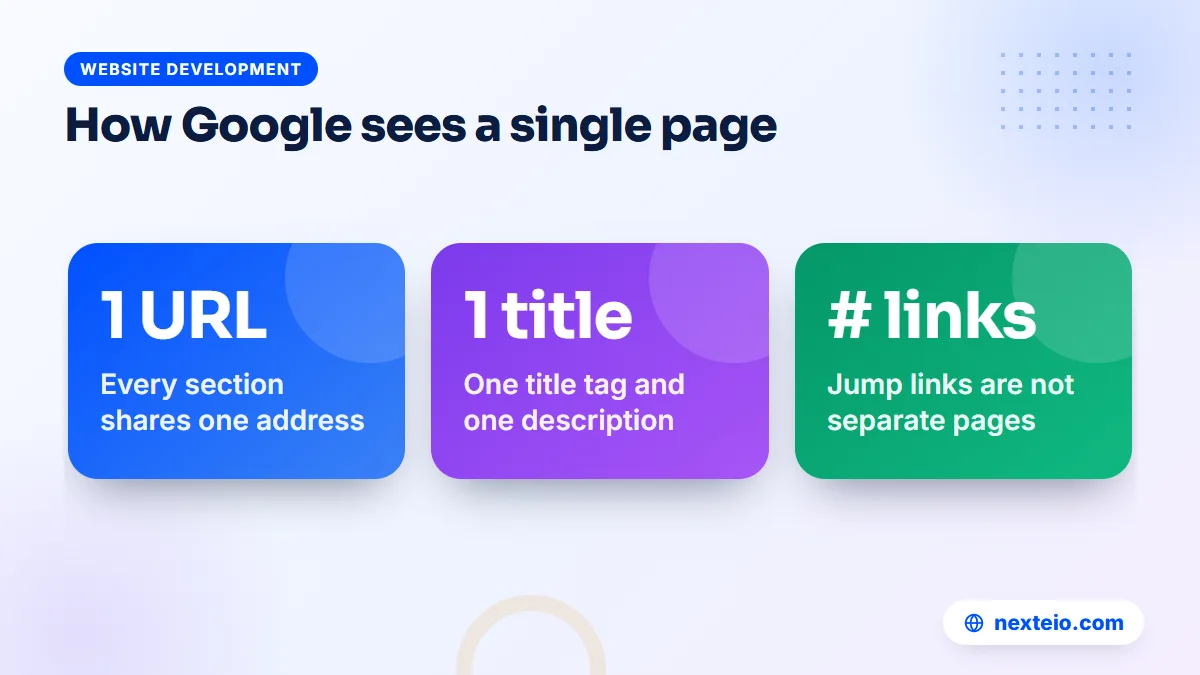
One address, one title, one description
Search engines rank pages, not websites. On a one page website, there is only one main page to rank. It gets one title tag and one meta description, which Google uses when it builds the title link and snippet in search results. Google's guide to title links explains how that title is chosen.
That single page can rank well for your business name and for one main topic, such as "interior designer in Bangladesh" or the name of your product. It struggles to rank for several different topics at once, because one title and one set of headings cannot be about everything.
Sections are not separate pages
Some owners assume the #services and #pricing sections count as separate pages. They do not. Google's guidance on URL structure says Google Search generally does not support URL fragments, and advises against using them to change the content of a page. Your sections all belong to the one URL.
This matters most for service businesses. A digital agency with one page cannot have a page that targets "SEO service" and another that targets "Facebook ads service". A multi-page site can, and each page can be written to answer that exact search.
Internal links and fresh content
Multi-page sites also benefit from internal links, where one page points to another with clear anchor text. These links help both visitors and search engines understand which page covers what. A single page has almost none.
Fresh content is the other gap. Businesses that grow through search usually publish articles, guides or news over time. On a one page site there is nowhere to put them without adding pages, which is the first step toward a multi-page site anyway.
One Page Website vs Multi-Page Website: Side by Side
The table below compares the two approaches across the points that usually decide the choice for a business or organization in Bangladesh.
| Point | One page website | Multi-page website |
|---|---|---|
| Build cost | Lower, one main layout | Higher, several layouts and templates |
| Build time | Shorter | Longer, more content and approvals |
| Search reach | Brand name and one main topic | Many topics, one per page |
| Room to grow | Limited | Easy to add pages and sections |
| Reading on a phone | Simple scroll, can get long | Short pages, needs a clear menu |
| Measuring results | Needs event tracking | Page views show interest per topic |
| Staff updates | Easy if content rarely changes | Better for notices and news |
| Best for | One offer, short decision | Several services or audiences |
Neither column wins everywhere. The right choice is the one that matches how your customers decide and how your content will grow over the next two or three years.
The Sections a Good One Page Design Needs
A single page has to do the work of a whole website, so the order of sections matters. A visitor scrolling on a phone should get the main message first and never have to hunt for the contact details. This order works for most one page design projects:
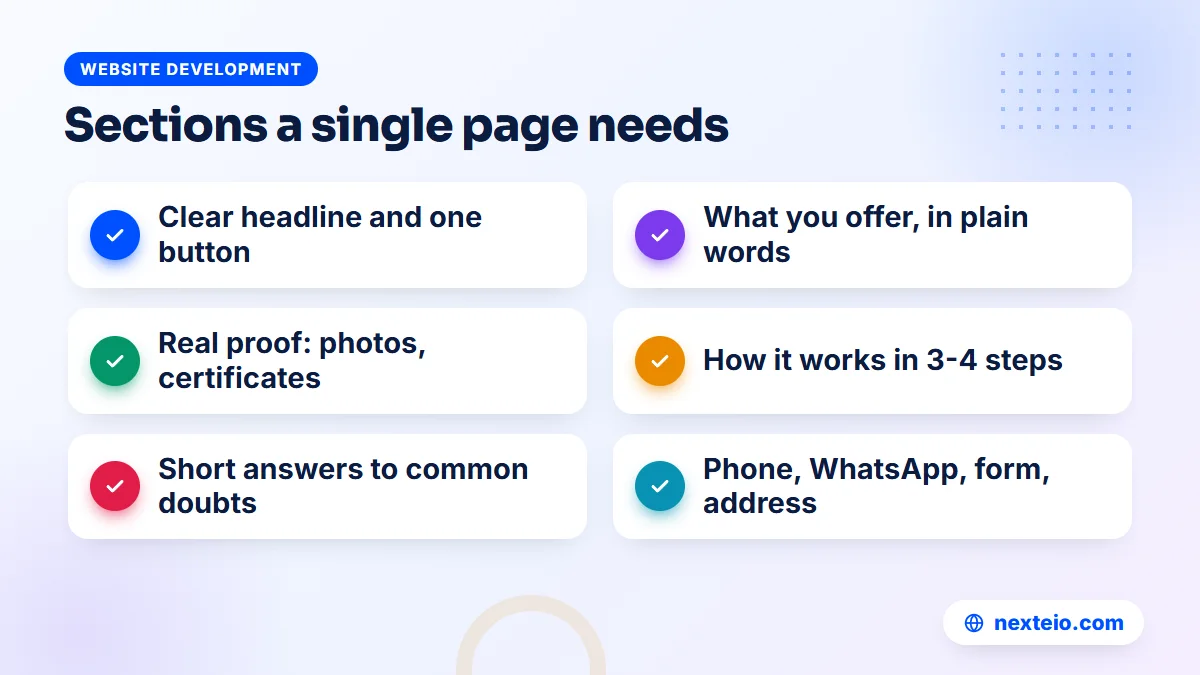
- Opening section: a clear headline that says what you do and for whom, one supporting line and one main button, such as "Call now" or "Book a visit".
- What you offer: the service or product, explained in plain words with the key details buyers ask about.
- Why choose you: real reasons such as experience, location, process or guarantees you actually offer.
- Proof: genuine photos of your work, certificates, or reviews from real customers.
- How it works: three or four steps from first contact to delivery.
The second half of the page then turns interest into action:
- Price or packages: if you can share prices, do; if not, explain what affects them.
- Common questions: short answers to the doubts that stop people from calling.
- Contact: phone, WhatsApp, a short form, address and office hours, plus a map if visitors come in person.
Repeat the main button after every few sections, so the visitor can act the moment they are convinced. Keep a fixed menu at the top with four or five links, and add a small "back to top" button for long pages.
For Bangladesh, make the phone number tappable and show it in the opening section. Many visitors prefer to call or message rather than fill in a form. If you take payment, say clearly whether you accept bKash, Nagad or cash on delivery. If your audience reads Bangla, write the page in Bangla or offer both languages, rather than relying on an automatic translation button.
Writing the Content for a Single Page
A single page forces you to choose. Every section competes for the visitor's attention, and every extra paragraph pushes the contact details further down. That is a strength if you use it well, because it makes you say only what matters.
Start by writing the one sentence that explains what you do and for whom. If you cannot write it, the page will feel unfocused however good the design is. Then list the five or six questions customers ask before they buy, and give each one a short section with a clear heading. Visitors on phones scan headings first, so each heading should make sense on its own.
Keep paragraphs short and specific. "We deliver across Bangladesh within three to five days, with cash on delivery" helps a buyer more than "fast and reliable service". Use real numbers only where they are true and you can stand behind them.
Bangla content needs its own care. Bangla text often runs longer than the English version, and Bangla web fonts add weight to the page. Choose one well-supported font, test it on older Android phones, and check that headings still fit on small screens.
Finally, write for search without stuffing. Your main topic should appear naturally in the opening headline, in a few section headings and in the page title. Our guide to writing SEO-friendly website content shows how to do that while still sounding like a person.
Speed and Mobile Use on a Long Page
A one page site loads everything on one address, so a careless build can be heavy. Ten sections with large photos, a video background and several animation libraries add up quickly. On a weak mobile data connection, the visitor sees a blank screen and leaves.
The fixes are well known. Compress images and serve them at the size they display. Let images further down the page load only when the visitor scrolls near them. Avoid video backgrounds and heavy sliders in the opening section, since that is the part that must appear first. Google's guide to optimizing Largest Contentful Paint explains how to make the main content of the page appear quickly.
Scrolling effects deserve care too. Parallax and scroll-triggered animations can look good on a fast laptop and feel slow or jumpy on a mid-range Android phone. Test the page on the kind of phone your customers use, on mobile data, before you approve it.
Navigation on a phone needs thought as well. A fixed menu should stay small, the active section should be clear, and tapping a menu link should scroll smoothly to the right section without hiding its heading under the menu bar.
Measuring Results on a Single-Page Site
On a multi-page site, page views alone tell you a lot. If the "Interior design" page gets three times the visits of the "Property management" page, you learn something about demand. On a one page site, every visitor lands on the same address, so page views only tell you how many people came.
To learn more, track actions instead of pages. Set up events for the moments that matter:
- Clicks on the phone number and the WhatsApp button.
- Form submissions, measured by a thank-you page or a confirmation event.
- Clicks on the main buttons in each section.
- How far down the page visitors scroll.
These events show which sections lead to contact and where visitors stop reading. If most people never reach your pricing section, move it up or shorten what comes before it.
Event tracking matters even more when you run ads. If you send Facebook ad traffic to a single-page site, the ad platform needs to know which visits ended in a form or a call. Our guides to Meta Ads conversion tracking and Google Ads conversion tracking explain how to set this up so you can judge each campaign on enquiries, not clicks.
The Hybrid Option: A Long Homepage With a Few Inner Pages
Many businesses do not need to choose strictly between one page and twenty. A common middle path is a long homepage that works like a one page website, plus a small number of separate pages for the topics that need their own address.
For example, a dental clinic could keep the homepage as a single scrolling story with services, the dentist's profile, photos, prices and contact. It could then add separate pages for its two most searched treatments and a short blog for patient guides. The homepage stays simple for people who already know the clinic. The inner pages give Google something specific to rank for each treatment.
This approach also makes later growth easy. When a new service becomes important, it gets its own page and a short section on the homepage that links to it. Nothing needs to be rebuilt.
If you are unsure which structure fits, planning it out before design starts costs very little. A custom website design project usually begins with exactly this kind of page plan, deciding which content lives on the homepage and which deserves its own page.
Related guides for planning your site structure:
- How to build a professional business website that gets results
- WordPress vs custom website: which is right for your business
- On-page SEO for beginners, step by step
What a One Page Website Costs in Bangladesh
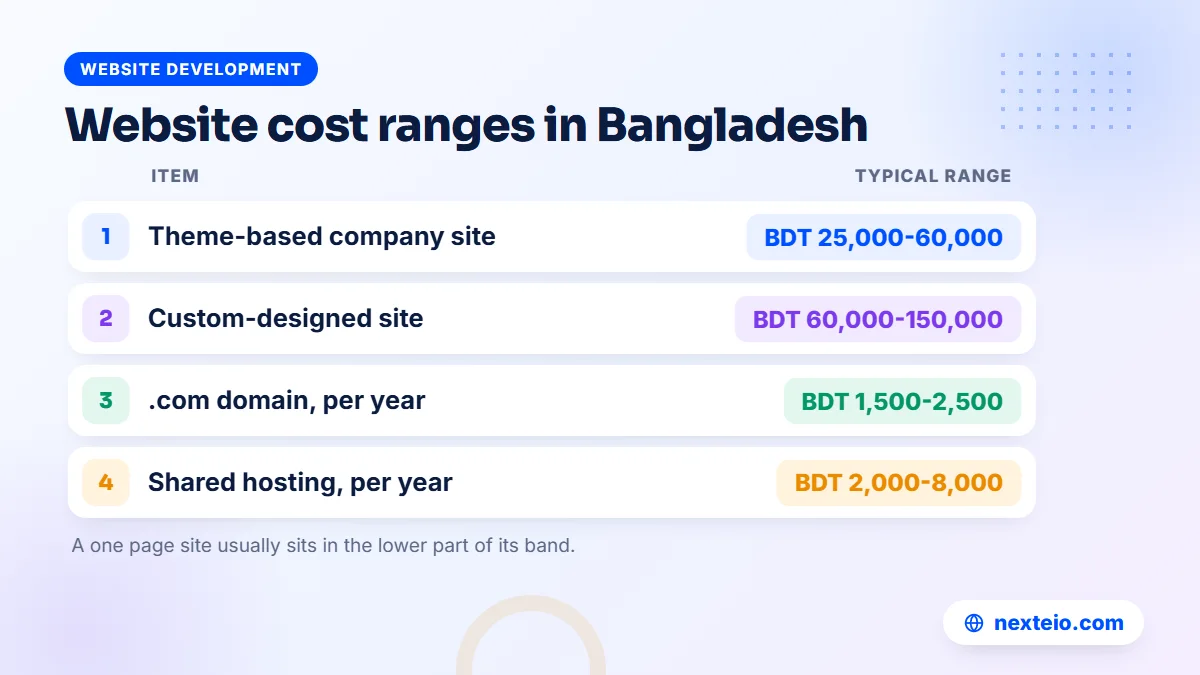
Because most of the work goes into one main layout, a one page website usually costs less than a multi-page site with the same design quality. In Bangladesh, typical market ranges for a company website are about BDT 25,000 to 60,000 for a theme-based build and BDT 60,000 to 150,000 for a custom design. A one page site usually sits in the lower part of whichever band it belongs to.
Where it lands depends on a few things:
- Whether the design starts from a ready theme or is planned from scratch.
- Who writes the text, and whether you need Bangla, English or both.
- Real photography, custom icons or illustrations.
- Forms, appointment booking, payment links or other integrations.
- How much event tracking and ad setup is included.
Domain and hosting are separate yearly costs. A .com domain usually costs about BDT 1,500 to 2,500 a year, and shared hosting about BDT 2,000 to 8,000 a year, which is plenty for a single-page site.
Keep the long view in mind. If you expect to need a multi-page site within a year, a cheap one page site that must be rebuilt can cost more in total than starting with a small multi-page structure. If the business will stay focused on one offer, the one page option is a sensible saving.
Growing From a One Page Site to a Full Website
Many businesses start with one page and outgrow it, which is fine if the first build was planned with growth in mind. A few choices at the start make the move much easier.
Choose a platform that can add pages. A one page site built on WordPress can gain new pages, a blog and new templates without starting over. Our WordPress website service builds sites like this, so your staff can edit sections and the site can grow when you need it to. A hand-coded single page may need a rebuild when the time comes.
Write each section as if it could become a page. If the services section already has a clear heading, a short explanation and its own proof, it can later expand into a full service page with little rewriting.
Keep the homepage address unchanged. When you add pages, the homepage stays at the same address, so the links and search visibility it built remain. New pages simply add more ways in.
Watch the signs. Visitors asking questions the page does not answer, a section that keeps growing, or a new service that needs its own audience all mean it is time to add pages. If you plan to sell online, our e-commerce website development work covers the move from a single product page to a full store with categories and checkout.
Common Mistakes on One Page Sites
Most single-page sites that disappoint their owners fail for a handful of avoidable reasons. Check your plan against these before you approve the design.
Contact details only at the bottom. A visitor who is ready to call after the second section should not have to scroll through eight more. Put the phone number in the opening section and in the fixed menu.
An opening slider with five messages. Rotating banners split attention and slow the first view. One clear headline with one button does more.
Trying to rank for everything. Stuffing every service and every location into one page makes it read badly and rarely helps in search. Pick one main topic for the page and plan separate pages for the rest.
Menu links that misbehave on phones. Links that jump to the wrong place, headings hidden under a fixed bar, or a menu that does not close after a tap make the page feel broken. Test every link on a real phone.
Made-up proof. Stock photos of strangers labeled as your team, or reviews nobody wrote, damage trust quickly when visitors notice. Use real photos and real feedback, even if there is less of it.
No privacy page or business details. If you collect names and phone numbers, add a short privacy page and show your address and business name clearly. Ad platforms and visitors both look for these signs of a real business.
7 Questions to Decide Between a One Page Site and a Multi-Page Site
Answer these honestly, then look at the pattern in your answers rather than any single one.
- Do you sell one main product or service, or several with different buyers?
- Will you post notices, news, results or articles regularly?
- Do you want to appear on Google for many different searches, or mainly for your name and one topic?
- Do most of your visitors already know you from social media, ads or referrals?
- Can everything a buyer needs fit into eight sections or fewer?
- Will different people in your organization manage different parts of the content?
- Do you expect to add services, products or departments within the next year?
One main offer, few updates, visitors who already know you and content that fits in a few sections all point to a single page. Several services, regular updates, search ambitions and several content managers point to a multi-page site, or at least the hybrid approach.
If search is central to your plan, look at what our SEO service covers before deciding, because the page structure you choose now shapes what you can rank for later. If you are about to run ads instead, a strong single page with a Google Ads campaign behind it can be a quick and affordable way to start.
How Nexteio Can Help You Choose and Build
We design and build both single-page and multi-page websites for businesses and organizations across Bangladesh. Before any design work, we can look at what you offer, who your visitors are and where they come from, and suggest whether a one page website, a full site or the hybrid approach fits best.
Through our custom website design service, we plan the sections or pages around your content, design for phones and mobile data first, and build on a platform that lets the site grow when your business does. Phone and WhatsApp buttons, forms and basic SEO are part of the setup, and event tracking can be added if you plan to run ads.
If you already have a single-page site that has become too long, we can help you plan how to split it into a proper multi-page structure without losing what works.
You can see examples in our portfolio, read more about Nexteio, or tell us about your business on our project form. If you would like to talk it through first, visit our contact page. When you are ready to plan your website structure, you can start a project with us.
Keep reading: how to choose a web design company in Bangladesh, how page speed affects SEO and sales, or browse more website development guides.
Frequently asked questions
Is a one page website good for SEO?
It can rank well for your business name and one main topic, because it has one strong page with all your content. It struggles to rank for several different topics, since it has only one title and one description. If search is a main source of customers, separate pages for separate services usually work better.
Can a one page site have a blog?
Yes, but the blog posts will be separate pages, so the site becomes a hybrid. That is often a good move. The homepage stays a simple scrolling story, while articles give Google more pages to show for specific questions your customers search.
How many sections should a one page design have?
Most work well with six to eight sections: an opening headline, the offer, reasons to choose you, proof, how it works, common questions and contact. If you need many more than that to cover the basics, the content probably belongs on separate pages.
Is a one page website cheaper than a multi-page site?
Usually, because most of the design and build work goes into one main layout. It still needs good writing, real photos, mobile testing and proper forms. If you expect to need a multi-page site soon, factor in the cost of rebuilding before choosing the cheaper option.
Can I turn my one page website into a multi-page site later?
Yes, especially if it was built on a platform like WordPress that can add pages and templates. Each section can grow into its own page, and the homepage keeps its address. A hand-coded single page may need more work to expand.
Is a single-page site good for Facebook ads?
It can be, as long as it loads quickly on mobile data, matches the ad's message and makes the next step obvious. Set up conversion tracking for form submissions and button clicks, so you can judge the ads on enquiries rather than clicks. For a single campaign, a dedicated landing page may work even better.
Does a one page site work for schools or hospitals?
Rarely as a long-term solution. Schools, colleges and hospitals publish notices, schedules, results and department information that keep growing. A single page can work briefly for a new institution, but most will need a multi-page site with separate sections for each audience.