Company Website Checklist: What Every Corporate Site Needs

In this article 16 sections
- 1.How to Use This Company Website Checklist
- 2.Domain, Name and First Impression
- 3.The Core Pages Every Company Website Needs
- 4.About Us and Company Profile: Proof Over Promises
- 5.Products and Services Pages That Answer Real Questions
- 6.Contact Details, Forms and Who Answers Them
- 7.Corporate Groups and Sister Concerns
- 8.Bangla, English and Writing for Two Audiences
- 9.Mobile, Speed and Accessibility Checks
- 10.Search Basics for a Business Website
- 11.Security, Privacy and Legal Pages
- 12.Careers, News, Notices and Tenders
- 13.Ownership, Access and Upkeep After Launch
- 14.What a Company Website Costs and How Long It Takes
- 15.How Nexteio Can Help With Your Company Website
- 16.Frequently asked questions
A company website is often the first thing a buyer, bank officer, job candidate or partner checks before they deal with you. They may never tell you they looked. They open the site on a phone, scan the homepage, look for a real address and a working phone number, and form an opinion in under a minute.
Most companies in Bangladesh have some kind of site by now. The problem is rarely that the site does not exist. It is that key pieces are missing: no clear list of products, an "About" page with no names, a contact form that sends mail nowhere, a domain registered to a former employee, or a careers page last updated three years ago.
This checklist is written for the person who has to own the site inside a company: an admin officer, a marketing executive, an IT officer or a director. It goes area by area, from domain and core pages to speed, search, security, ownership and budget, and explains why each item matters. Use it to review your current site, or as a brief when you plan a new one.
How to Use This Company Website Checklist
Do not try to fix everything at once. Go through each section and mark every item with one of three labels: done, needs work or missing. Then sort the "missing" and "needs work" items by how much they affect a visitor who is deciding whether to contact you.
Three kinds of items usually come first:
- Anything that stops people from reaching you: wrong numbers, broken forms, a site that fails on phones.
- Anything that damages trust: security warnings, outdated information, missing company details.
- Anything that puts the company at risk: accounts in someone else's name, no backups, unpatched software.
Design improvements, extra pages and search work come next. They matter, but they help most once the basics are reliable.
It helps to run the review with two people: someone who knows the business well and someone who does not. The outsider will notice what is confusing, while the insider will notice what is wrong. Ask both to use their own phones on mobile data, not the office Wi-Fi, because that is how most of your visitors will see the site.
Domain, Name and First Impression
The domain is the foundation of the whole site and of your official email. Check these points first:
- A clear, short domain. Ideally your company name or a close, easy-to-spell version of it.
- Registered in the company's name. With an official email address as the contact, not a personal Gmail.
- Renewal tracked. Someone in accounts or admin knows the expiry date and how to pay.
- HTTPS working. The padlock shows on every page, and the http:// address redirects to https://.
- One version of the site. With or without "www", the site should settle on one address.
For local trust, a .com.bd or .bd address can work well. For export-focused companies, a .com is usually the safer choice because buyers abroad expect it.
Next, open the homepage on a phone and ask whether a stranger could answer three questions within a few seconds: what the company does, who it serves and how to contact it. If the first screen is a large slider with a slogan like "Excellence in Every Step", the answer is probably no. Replace it with a plain sentence that names your products or services and your market, and a clear button to contact you or see your work.
The logo, colors and fonts should match your printed materials and your trade fair stand. Buyers who see one style on your catalog and another on your site start to wonder which is current. If the brand has outgrown the old layout, a website designed around your brand fixes that at the root.
The Core Pages Every Company Website Needs
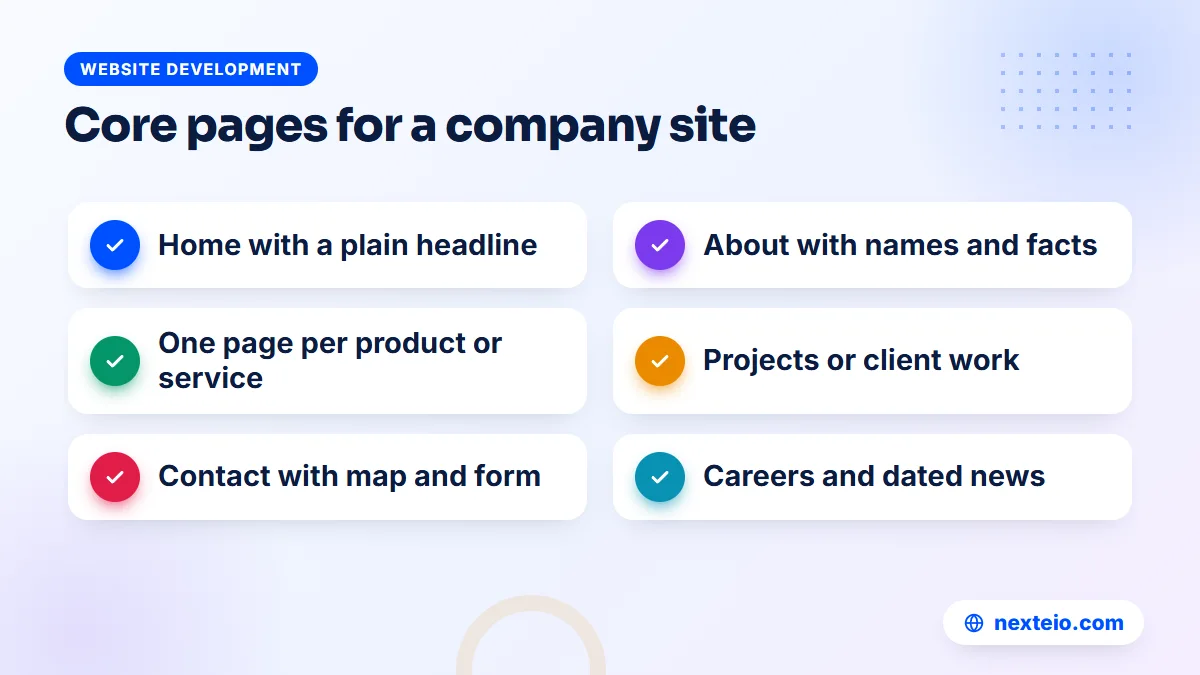
Most company sites need fewer pages than people expect, but each one has to do its job properly. Here is the core set, what each page is for and what it must contain.
| Page | What it is for | Must contain |
|---|---|---|
| Home | Show what you do and send visitors to the right page | Plain headline, main products or services, proof, contact button |
| About | Show that a real, stable company stands behind the site | Year founded, leadership names, facilities, certifications |
| Products or services | Explain what you offer in enough detail to start a conversation | One page per main offer, specifications, photos, enquiry button |
| Projects, clients or work | Show proof that you have done this before | Real examples with permission, photos, short results |
| Contact | Make it easy to reach the right person | Address, phone, email, map, form, office hours |
| Careers | Attract candidates and save HR time | Open roles, how to apply, deadline, contact |
| News or notices | Show the company is active and share updates | Dated posts, photos, press releases |
Add pages for certifications, sustainability or tenders only when your buyers or partners actually look for them.
Each page should have one clear next step at the end. On a product page, that might be "Request a quotation". On the careers page, "Apply for this role". A page that simply ends leaves the visitor to find their own way, and many will not bother.
If you are starting from a blank page rather than reviewing an old one, our guide to building a professional business website walks through planning the structure, and a custom website design lets you shape these pages around your own content instead of a theme's demo layout.
About Us and Company Profile: Proof Over Promises
The About page is where serious visitors decide whether the company is real. Buyers, lenders and partners read it closely. Yet it is often the weakest page on a company website, filled with lines like "we are committed to quality and customer satisfaction" that could belong to anyone.
Replace general claims with facts a visitor can check. A strong About page includes:
- The full legal name of the company, the year it started and its registered address.
- Names and photos of the managing director and key leaders, with one or two lines about each.
- Real photos of the office, factory, warehouse or team at work.
- Certifications and memberships, with the issuing body named and the certificate number where appropriate.
- Main markets, production capacity or service area, stated plainly.
- Sister concerns or parent group, if any, with links to their sites.
Every one of these details answers a question a cautious visitor is already asking.
Many companies also keep a downloadable company profile in PDF. That is useful for buyers who want something to forward internally, but it should not replace the web pages. A PDF does not show well on a phone, and search engines read it less well than a normal page. Put the key facts on the site and offer the PDF as an extra.
A short company video can help too, especially for factories and construction firms where the scale of the operation is hard to describe. Keep it under two minutes, add captions for people watching without sound, and host it on YouTube rather than uploading a heavy file to your own server. If you need help turning raw footage into something presentable, our video editing service handles that kind of work.
Products and Services Pages That Answer Real Questions
A single "Our Services" page with six icons and one line each is not enough for most companies. Visitors who are close to buying want detail. Give each main product line or service its own page, and write it around the questions your sales team hears every week.
For a product, that usually means specifications, materials, sizes, minimum order quantity, lead time, packaging and certifications. For a service, it means what is included, who it suits, how the work is done, typical timelines and what the client needs to provide. Price ranges help if you can share them, even as "starting from" figures.
Photos matter more than many companies think. Use real photos of your own products, projects or team, taken in good light. Compress them before upload so they load quickly on mobile data. A clean photo of an actual shipment ready for dispatch says more than a stock image of a handshake.
End each page with an enquiry option that already knows which product the visitor was reading about. A short form with the product name filled in, or a WhatsApp button with a pre-written message, removes one more step. For guidance on writing these pages so they also rank, our beginner's guide to on-page SEO explains titles, headings and descriptions step by step.
Contact Details, Forms and Who Answers Them
A company website exists, in large part, to start conversations. Yet contact details are where many sites quietly fail. Check every item below on a real phone:
- The phone number is written as text and can be tapped to call, not shown inside an image.
- A WhatsApp number, if you use it for business, opens a chat directly.
- The email address uses your domain, such as info@ or sales@, not a free mail account.
- The full address is written out, with a map that opens in Google Maps.
- Office hours and weekly holidays are stated, so people know when to expect a reply.
- The contact form has only the fields you need, usually name, phone, email and message.
The details should be the same in the header, footer, contact page and Google Business Profile.
Then test the form itself. Submit it, and confirm that the email arrives in the right inbox and not in spam. Find out who receives it and how quickly they reply. A form that sends enquiries to an address nobody reads is worse than no form, because the visitor believes they have reached you.
For larger companies, route different enquiries to different people: sales questions to the sales team, job queries to HR, supplier offers to procurement. A simple dropdown in the form can handle that. Also add a short thank-you message that tells people what happens next, for example "Our sales team replies within one working day."
Corporate Groups and Sister Concerns
Corporate groups in Bangladesh often run several companies under one name: a garment unit, a trading house, a real estate arm and a foundation, for example. Their websites tend to fall into one of two traps. Either every concern gets a single line on the group site, or each company builds its own site in a different style with no link between them.
There are three common ways to structure a group presence:
- One group site with a section for each concern. Simple to manage and good when the concerns share buyers or brand.
- A group site plus separate sites for the larger concerns. Useful when one business, such as an export unit, needs its own detailed site.
- Subdomains under the group domain. For example, a separate address for each concern, managed from one place.
Whichever you choose, keep the design consistent and link each concern back to the group.
Each concern also needs its own contact person, not just the group head office number. A buyer looking for knitwear does not want to be transferred three times. Show which concern handles what, and let each one have its own enquiry route. If the group needs shared features, such as a central careers portal or a dealer login, a Laravel web application can sit behind the public pages and serve all the concerns from one system.
Bangla, English and Writing for Two Audiences
Many companies need to speak to two audiences at once. International buyers, foreign partners and some banks read English. Local customers, job candidates, dealers and government offices often prefer Bangla. Decide early which pages need which language, because adding a second language later is harder than planning for it.
A common and sensible pattern is a full English site for buyers and partners, with Bangla versions of the pages local audiences use most: careers, notices, dealer information and contact. A language switch in the header should take visitors to the same page in the other language, not back to the homepage.
Write both versions properly. Machine-translated Bangla reads badly and can change the meaning of technical or legal text. Use a person who writes well in both languages, and check that Bangla fonts display correctly on common phones. Long Bangla headings also need room in the design, so test them before launch rather than after.
Whatever the language, keep the writing plain. Short sentences, specific facts and clear headings help everyone, including readers whose first language is neither English nor Bangla.
Mobile, Speed and Accessibility Checks
Most visitors will see your company website on a phone, often on mobile data. A site that looks fine on a large office monitor can be hard to use on a small screen in a moving car. Test these points on at least two phones:
- Text is readable without zooming, and buttons are large enough to tap.
- Menus open and close properly, and nothing spills off the side of the screen.
- Tables either fit or scroll sideways inside their own box.
- The main pages load in a few seconds on an ordinary 4G connection.
- Photos are compressed and sized for the screen, not uploaded straight from a camera.
Large sliders, autoplay videos and too many plugins are the usual causes of a slow site.
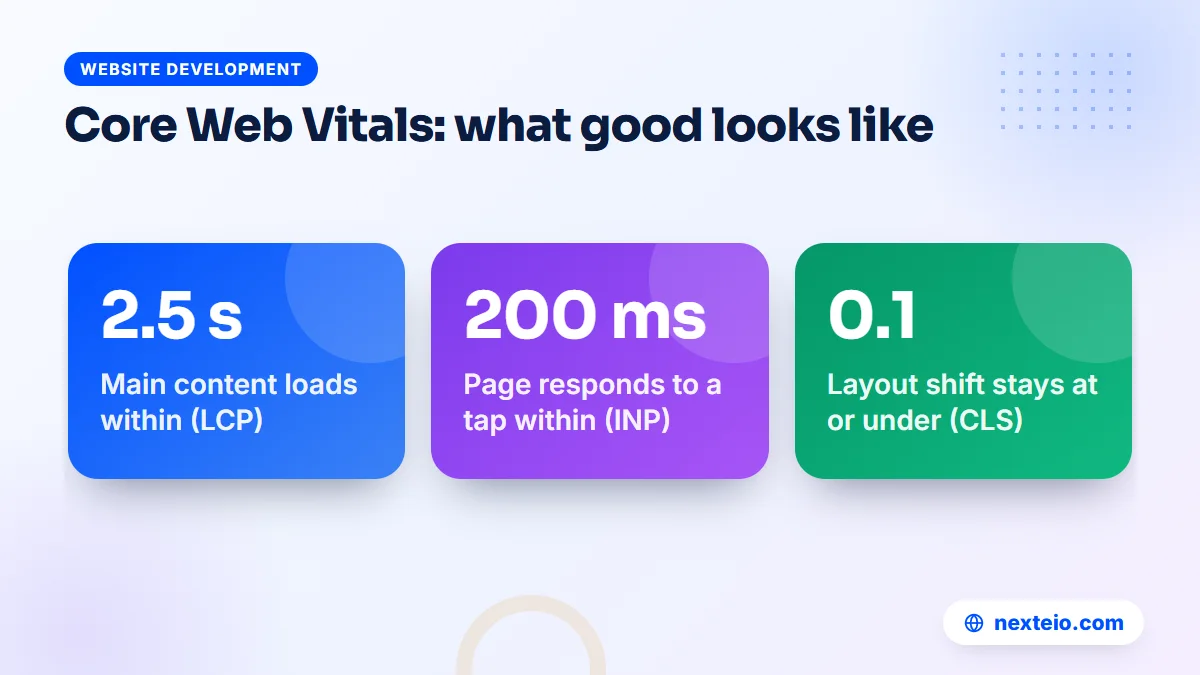
Google measures page experience with its Core Web Vitals. In simple terms, the main content should appear within about 2.5 seconds, the page should respond to a tap within about 200 milliseconds, and the layout should not jump around while it loads. You can test any page for free with PageSpeed Insights. Our guide to website speed and SEO explains what to fix first.
Accessibility overlaps with good mobile design. Strong color contrast, real text instead of text inside images, labeled form fields and alt text on photos help people with weak eyesight, older directors reading on a phone and anyone using the site in bright sunlight. They also help search engines understand your pages.
Search Basics for a Business Website
A business website does not need an expensive SEO campaign on day one, but it does need the basics in place. Without them, even people searching for your exact company name may land on a directory listing or a competitor instead.
Check these items:
- Each page has a unique title and a short description that says what the page is about.
- Each page has one main heading, and the text uses the words customers actually search for.
- The site has an XML sitemap, and it is submitted in Google Search Console.
- Images have descriptive file names and alt text.
- Important pages link to each other in the text, not only through the menu.
- No important page is blocked from search by a leftover "noindex" setting.
Google's own SEO starter guide is a clear, free reference for all of these.
Two more items matter for companies in particular. First, claim and complete your Google Business Profile, with the same name, address and phone number as the website. It is often what appears when someone searches for your company name. Second, add organization structured data, which helps Google understand your company name, logo and contact details. Google explains this in its guide to organization markup.
If you want the site to bring in new business from searches beyond your own name, that takes regular content and technical work over months. Our article on what SEO means for a business explains how that works, and our SEO service handles it for companies that want help.
Related guides for company site owners:
- Simple SEO tips for business websites in Bangladesh
- How to build a landing page that turns visitors into leads
- WordPress or a custom website: which suits your company
Security, Privacy and Legal Pages
A hacked company site does real damage. Visitors may see a browser warning, spam pages may appear under your name in Google, or your server may be used to send junk email that gets your domain blocked. Most of these attacks are automated and target known weaknesses, so the basic protections work well:
- HTTPS on every page, with the certificate set to renew automatically. Free certificates from Let's Encrypt are widely used for this.
- The platform, theme and plugins kept up to date.
- Strong, unique passwords and two-step login for every admin account.
- Only the people who need admin access have it, and former staff are removed.
- Automatic backups stored away from the hosting server, with a restore tested from time to time.
None of these is expensive, but each one needs a named person to look after it.
Legal and policy pages are the other half. Every company site that collects names, phone numbers or CVs through forms should have a privacy policy that explains what is collected, why, and who can see it. If you sell online or take bookings, add terms and conditions and a refund or cancellation policy. Keep the language plain. A short, honest policy is more useful than pages copied from a foreign template that mention laws your company has nothing to do with.
Show the company's legal name and registered address in the footer. Where relevant to your sector, licence or registration numbers also add trust.
Careers, News, Notices and Tenders
These sections show that the company is active. They are also the ones most likely to go stale, because they depend on different departments remembering to update them.
Careers. List each open role with a short description, requirements, location, deadline and how to apply. Remove roles once they close. A careers page full of expired posts suggests the company is either not hiring or not paying attention. If you receive many applications, a simple application form that stores CVs in one place saves HR from sorting a crowded inbox.
News and notices. Post real updates: a new certification, a factory expansion, a trade fair, a CSR activity. Date every post. Two or three meaningful updates a quarter are better than a burst of posts followed by a year of silence.
Tenders and procurement. Companies that buy from suppliers or bid for projects sometimes publish tender notices. Keep them in their own section with a clear deadline, documents to download and a contact person.
Give each section an owner inside the company and a simple rule, such as "HR updates careers every Thursday". A website that the right staff can update themselves, through a well-built WordPress website or a custom admin panel, stays current far more easily than one where every change needs a developer.
Ownership, Access and Upkeep After Launch
This is the part of the checklist that only matters when something goes wrong, and then it matters more than anything else. Many companies discover that the person who registered the domain or opened the hosting account has left, and nobody else can log in.
Make sure your company holds these accounts:
| Account | Who should own it | What to keep on file |
|---|---|---|
| Domain registrar | The company, with an official email | Login, renewal date, registrar name |
| Hosting | The company, with a separate login for the developer | Login, plan, renewal date, server details |
| Website admin | At least one company-owned admin account | Admin URL, user list |
| Email service | The company | Provider, admin login, list of mailboxes |
| Google Search Console and Analytics | A company Google account, with the developer added as a user | Account email, properties |
For a custom-built site, add the source code and the latest backup to this list as well.
Keep these details in one secure access sheet known to at least two senior people. When a developer or agency finishes the work, check that every account is in the company's name before the final payment.
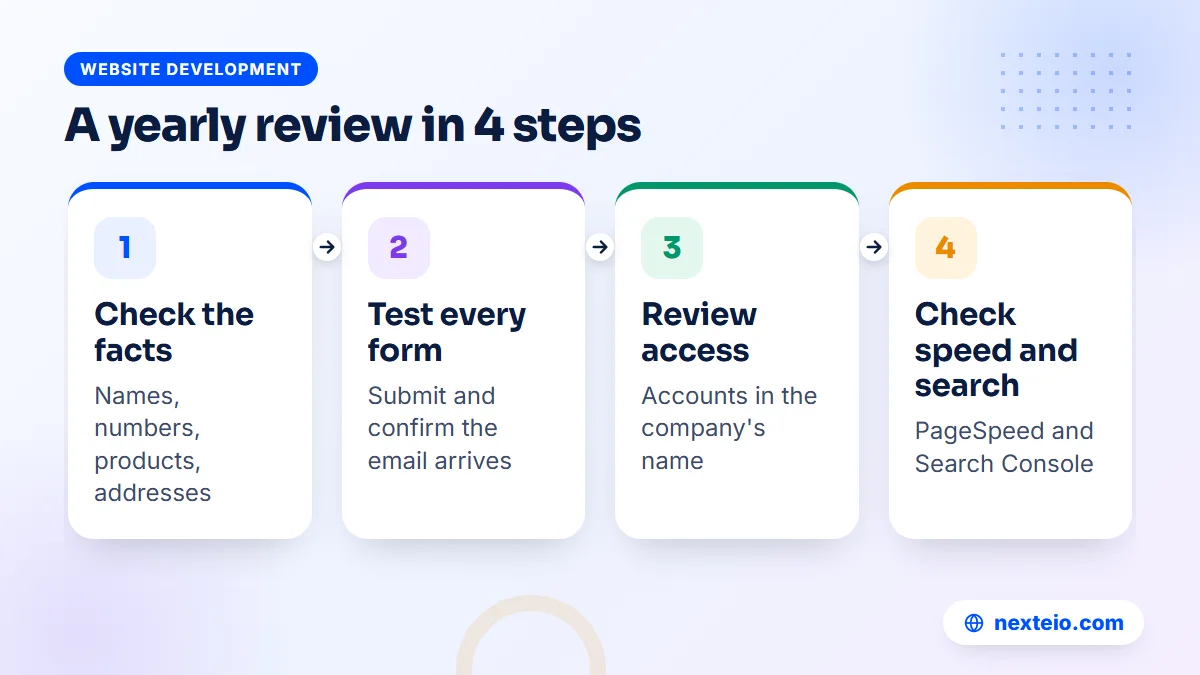
A company website also needs ongoing care: software updates, backups, security checks, form tests and content changes. Decide who does this, whether an in-house officer, an outside provider or a mix of both, and how often. Then repeat the review in this article once a year, ideally at the same time as your domain renewal, so the site never drifts too far out of date.
What a Company Website Costs and How Long It Takes
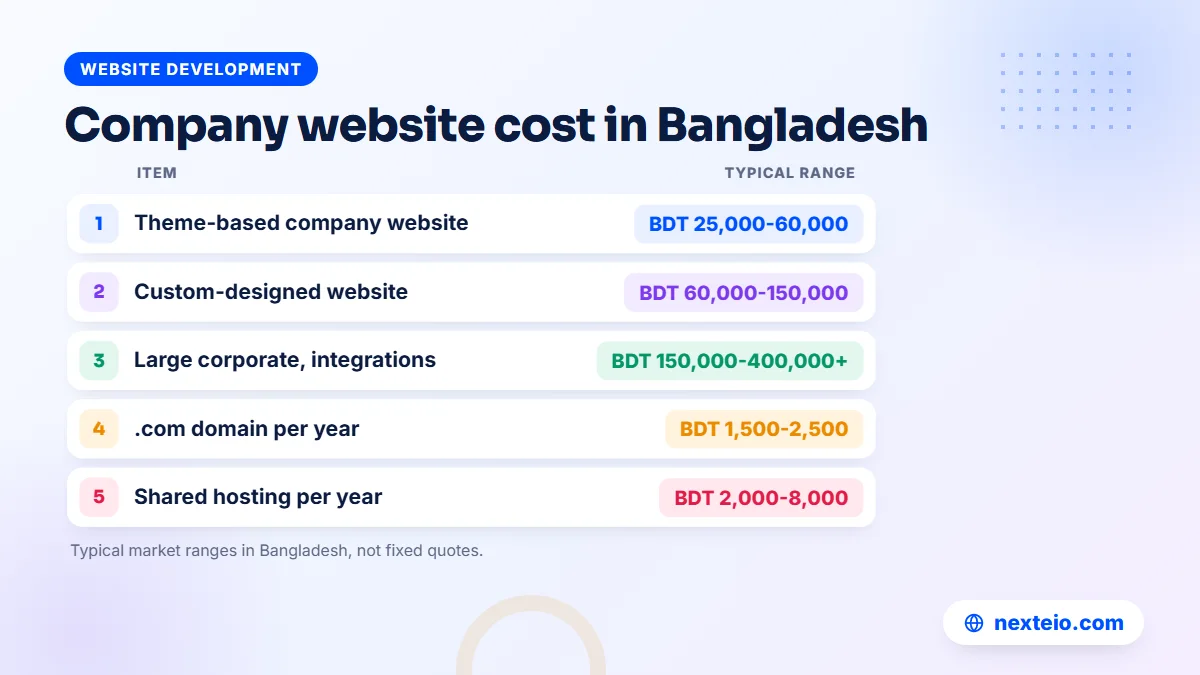
The cost of a company website depends on the number of pages, the design approach, languages, features and how much content work is involved. Typical market ranges in Bangladesh look like this. They are general ranges, not quotes.
| Type of site | Typical market range | Good fit for |
|---|---|---|
| Theme-based company website | BDT 25,000 to 60,000 | Smaller companies with a clear, simple offer and a modest number of pages |
| Custom-designed company website | BDT 60,000 to 150,000 | Established companies that need their own look and well-planned content |
| Large corporate site with integrations | BDT 150,000 to 400,000 or more | Groups with several concerns, two languages, portals or ERP and CRM links |
Running costs come on top of the build each year.
A .com domain usually costs about BDT 1,500 to 2,500 a year, and shared hosting about BDT 2,000 to 8,000 a year. Larger sites with heavy traffic or custom applications may need a VPS or cloud server. Maintenance, professional photography, video and paid plugins are usually separate items, so ask what each quote includes.
Timelines follow the same pattern. A small theme-based site can go live within a few weeks if the content is ready. A custom company site often takes two to three months, and a large group site longer. In practice, the company's own content and approvals usually decide the timeline more than the development work does. Name one person with the authority to collect feedback and approve pages, and supply text and photos early.
When comparing providers, ask each one for a written scope that lists pages, features, languages, content work, training and support after launch. Our buyer's checklist for choosing a web design company lists the questions that reveal the real differences between quotes. To get a figure for your own company, share your requirements on our project form.
Once the site is live, think about how people will find it beyond search. Many companies run small campaigns for new product lines or recruitment drives, and a well-structured site gives those ads somewhere useful to land. Our guide to Google Ads services in Bangladesh explains what that involves, and our Google Ads management covers setup and tracking.
How Nexteio Can Help With Your Company Website
We plan and build company websites for businesses and corporate groups across Bangladesh through our custom website design service. If you already have a site, we can start by reviewing it against the points in this checklist and showing you what is missing, what needs work and what can stay.
For a new or rebuilt site, we work with you on the page structure, the content each page needs and the right platform, whether that is WordPress for easy editing or Laravel when the site needs portals, dealer logins or internal workflows. We set up the forms, mobile layout, basic SEO, HTTPS and organization details, and we test everything on real phones before launch.
The domain, hosting and admin accounts stay in your company's name, and your staff learn how to post jobs, notices and news themselves. You can see examples of our work in the portfolio, browse all our services, start a project brief or reach us through the contact page. If your current site mainly needs a stronger structure and look, a custom design built around your content is usually where we begin.
Keep reading: how to hire the right Laravel developer, or browse all our website development guides.
Frequently asked questions
How many pages should a company website have?
Most small and mid-sized companies do well with 8 to 20 pages: home, about, one page per main product or service, projects, contact, careers and news. Larger groups need more because each concern needs its own section. The number matters less than whether each page answers the questions your visitors actually have.
What is the difference between a company website and a Facebook page?
A Facebook page is useful for updates and conversations, but Meta controls how it looks, who sees your posts and whether the page stays available. Your own website is under your control, shows up in Google searches for your services and gives buyers a fuller, more formal picture of the company. Most companies benefit from having both, with the website as the main reference.
Should a company website be in Bangla or English?
It depends on who reads it. Export companies and firms with foreign partners usually need full English, while companies serving local customers, dealers and job seekers benefit from Bangla on the pages those people use. Many companies run an English site with Bangla versions of careers, notices and contact pages.
Is WordPress good enough for a corporate website?
For most corporate sites, yes. A well-built WordPress site with a lean theme and few plugins handles pages, news, careers and forms well and is easy for staff to update. When the site needs portals, dealer logins or complex workflows, a custom application built on a framework such as Laravel is often a better fit.
How often should we update our company website?
Facts such as contact numbers, leadership and products should change the day they change in the business. News, jobs and notices should be updated whenever there is something real to share. Software updates and backups need a regular schedule, and the whole site deserves a full review at least once a year.
Do we need a privacy policy on our business website?
If the site collects any personal information through contact forms, job applications or bookings, a clear privacy policy is good practice and builds trust. It should explain what you collect, why, how long you keep it and who to contact about it. Write it in plain language that matches what your company actually does.
Who should own the domain and hosting for our company website?
The company should, always. Register both in the company's legal name using an official email address, and give developers or agencies their own separate access. Keep the login details in a secure place known to at least two senior people, so the company never depends on one individual.