Wireframing Website Pages: Why We Plan Before Designing
In this article 16 sections
- 1.What Wireframing Website Pages Actually Means
- 2.Wireframe, Mockup and Prototype: Three Different Jobs
- 3.Why Corporate Websites Need Wireframes More Than Small Sites
- 4.What to Decide Before the First Wireframe
- 5.The Wireframing Website Process, Step by Step
- 6.What Each Key Corporate Page Wireframe Should Show
- 7.Wireframing for Phones First
- 8.How Detailed a Wireframe Should Be
- 9.Tools for Wireframing Website Pages
- 10.How to Review and Approve Wireframes in a Large Organization
- 11.Common Wireframing Mistakes
- 12.How Wireframing Affects Cost, Timeline and SEO
- 13.A Worked Example: Wireframing a Website for a Garment Group
- 14.When You Can Keep Wireframing Light
- 15.How Nexteio Can Help With Wireframing Website Projects
- 16.Frequently asked questions
Wireframing website pages means drawing the structure of each page before anyone chooses colors, fonts or photos. A wireframe shows what goes where, in what order, and what each block is for. It looks plain on purpose, because its job is to settle decisions about content and layout while they are still cheap to change.
For a corporate website, this step does more work than people expect. A group with several sister concerns, a factory that sells to overseas buyers or a company with a long approval chain has many people who each want something on the homepage. Without a wireframe, those opinions arrive after the design is finished, and every change means redrawing polished screens.
We plan pages before designing them for one simple reason: moving a grey box takes a minute, while reworking a finished design can take a day. Multiply that by every page and every round of comments, and the difference is weeks.
This guide explains what a wireframe is and is not, how the process runs, what each key corporate page should show, how to review and approve wireframes inside a large organization, and the mistakes that make the step useless.
What Wireframing Website Pages Actually Means
A wireframe is a simple layout of a page. It uses boxes, lines and short labels to show the header, menu, headline, sections, buttons, forms and footer. It does not show the final look. Think of it as the floor plan of a building before anyone picks the paint or the furniture.
A good wireframe answers practical questions:
- What is the main thing a visitor should do on this page?
- Which information appears first, second and third?
- Where do the buttons and contact options sit?
- How does the page behave on a phone screen?
- Which pages does this page link to next?
It deliberately leaves out colors, brand fonts, final photos and animation. Those come later. If a wireframe review turns into an argument about shades of blue, the wireframe has too much detail, or the reviewers have been shown the wrong thing.
Wireframing website pages also forces the team to agree on content. A box labelled "Certifications" makes someone ask which certifications, who has the scanned copies and whether buyers really look for them. Those questions are much better answered now than during the build.
Wireframe, Mockup and Prototype: Three Different Jobs
These three words are often used as if they mean the same thing. They do not, and mixing them up leads to the wrong kind of feedback at the wrong time.
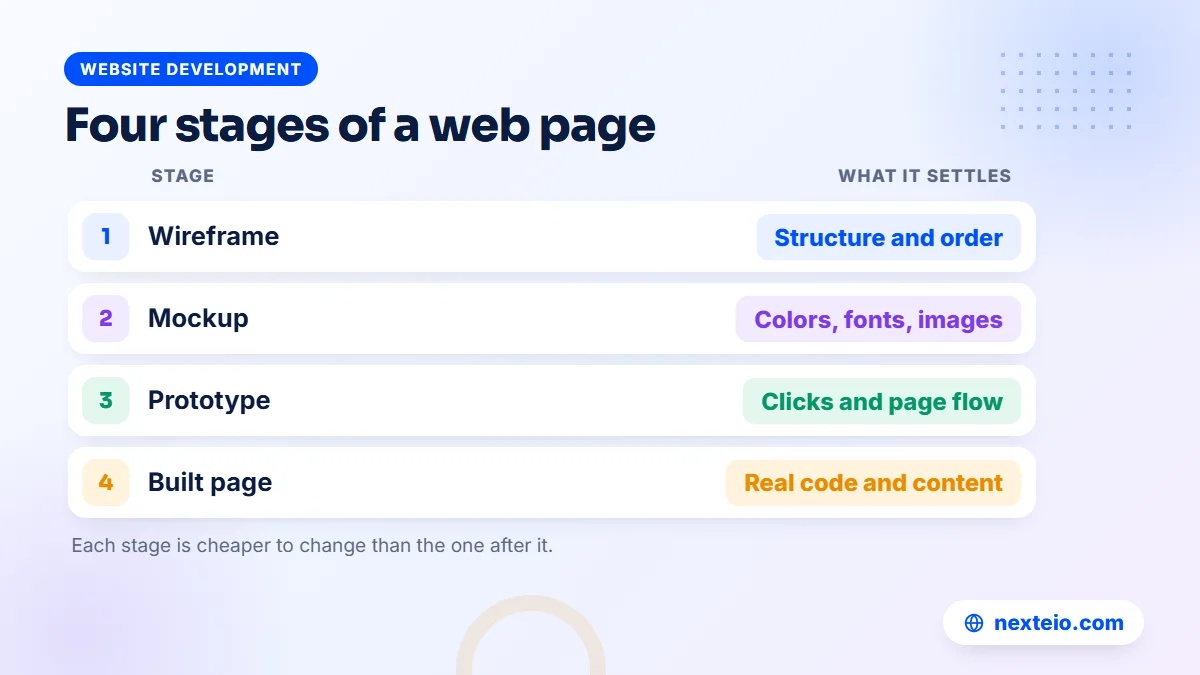
| Stage | What it shows | What you approve |
|---|---|---|
| Wireframe | Layout, content order, buttons, menus | Structure and priorities |
| Mockup | The final look: colors, fonts, images | Visual style and brand fit |
| Prototype | Clickable screens linked together | How people move through the site |
| Built page | Real code with real content | Everything, on real devices |
Each stage is cheaper to change than the one after it.
Some teams skip straight to mockups because they look impressive in a meeting. The result is that people judge the colors and miss the structure. A director approves a beautiful homepage and only notices after launch that the export certifications are three scrolls down and the careers page is missing from the menu.
Why Corporate Websites Need Wireframes More Than Small Sites
A small shop with a five-page site can sometimes go straight from a sketch on paper to design. A corporate site rarely can. The reasons are mostly about people, not technology.
Many stakeholders, one homepage
In a corporate group, the chairman, the marketing team, HR, the export team and each sister concern may all want space at the top of the homepage. A wireframe makes the trade-off visible. Everyone can see that only one message fits in the first screen on a phone, and the discussion moves from "add mine" to "what should come first".
Long approval chains
Approvals in many Bangladeshi organizations go through several levels: a coordinator, a department head, a director and sometimes the board. Each level adds time. If structure and design are approved together, a comment from the top level can send everything back to the start. Approving the wireframe first means later rounds only deal with the look.
Different visitors with different goals
A garment manufacturer's site might serve overseas buyers checking compliance, job seekers looking for vacancies, suppliers looking for a contact and local media looking for news. Each group needs a clear path. Wireframing website pages for each group's journey shows whether the site actually serves them, or only the people in the meeting room.
Content that already exists somewhere
Corporate content is often spread across brochures, annual reports, buyer presentations and old websites. A wireframe gives every piece a home, or shows that a piece does not belong. It turns a pile of documents into a plan for each page, which is the starting point for any website built from a blank page rather than a bought theme.
What to Decide Before the First Wireframe
Wireframes built on guesses are just drawings. A short planning phase makes them useful. Before anyone opens a design tool, agree on these points:
- Goals: what the site must achieve, such as buyer enquiries, job applications or trust before a meeting.
- Audiences: the three or four groups who visit, and what each one needs to find.
- Sitemap: the list of pages and how they group under the main menu.
- Content inventory: what text, photos, documents and numbers already exist, and what must be written.
- Key actions: what a visitor should do on each important page, such as call, email, download or apply.
- Constraints: languages, platform, integrations and the launch date.
This list can be one or two pages long. It becomes the brief that every wireframe is checked against. Our guide on content for every stage of the customer journey helps with the audience and goals part.
The sitemap deserves extra care on a corporate site. Decide early whether each sister concern gets its own section, its own page or its own website. That one decision changes the menu, the homepage and the whole wireframing website plan.
The Wireframing Website Process, Step by Step
The exact steps vary between teams, but a sound process for a corporate site usually follows this order:
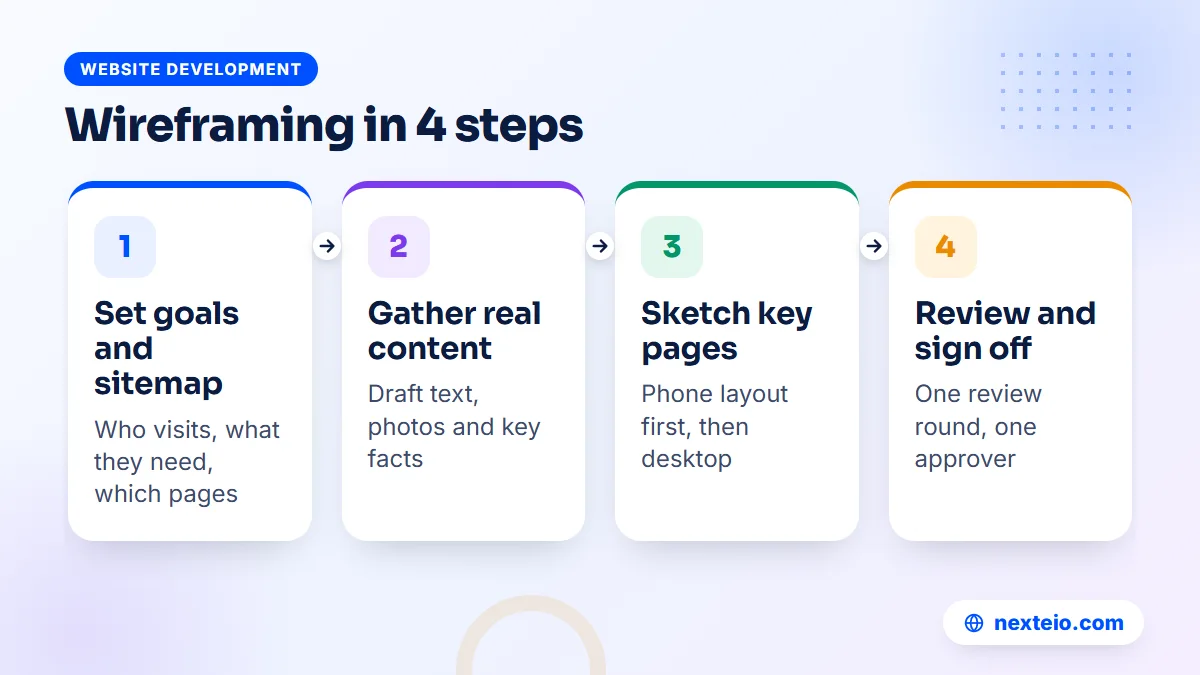
- Review the brief and sitemap so everyone works from the same page list.
- Collect real or draft content for the key pages, even if it is rough.
- Sketch the homepage on a phone screen first, deciding the order of sections.
- Sketch the desktop version and decide what moves side by side on a wider screen.
- Wireframe the page templates: about, business unit, product or capability, careers, news and contact.
- Link the wireframes so reviewers can click from one page to the next.
- Hold one review meeting with the decision makers, then collect written comments.
- Revise and sign off, with one named person approving the final version.
Most corporate sites need wireframes for the homepage and five to eight templates, not for every single page. Fifty product pages usually share one layout, so they share one wireframe.
The output is not just a set of pictures. It is a shared agreement about what the site will contain, which the designer then turns into mockups and the developer turns into pages. If you are hiring a team for this work, our custom website design service treats this planning stage as part of the project rather than an optional extra.
What Each Key Corporate Page Wireframe Should Show
Every organization is different, but the same page types appear on most corporate sites. Here is what a wireframe for each should settle.
Homepage
The homepage wireframe sets the order of the story. A typical order is a clear headline about what the group does, the main business areas, proof such as certifications or major buyers named with permission, a short company introduction, and a clear contact route. On a phone, the first screen should hold the headline and one main action, not a slider with five rotating messages.
About or group page
This page often grows into a wall of text. The wireframe should break it into parts: history, leadership, values, the group structure and facilities. A simple diagram of sister concerns is often clearer than paragraphs, so the wireframe should reserve space for it.
Business unit or service page
Each unit or service page should follow one template: what it does, who it serves, capacity or capabilities, proof, and a contact person or form. A shared template keeps the site consistent even when different departments supply the content.
Product or capability page
For manufacturers, this page carries the details buyers ask for: product categories, materials, capacity, certifications and downloadable specification sheets. The wireframe should show where downloads sit and how a buyer moves from a product to an enquiry.
Careers page
Job seekers want the current openings, how to apply and what working there is like. Decide in the wireframe whether applications go through a form, an email address or an outside job portal, because each choice changes the page.
Contact page
A corporate group may have a head office, factories and separate departments. The wireframe should decide how these are shown: one form with a department selector, separate contact blocks, or a map for each location. Phone numbers should be tappable and email addresses visible as text.
If one of these pages needs logins, records or workflows, such as a supplier portal or an online application system, it is no longer a simple page. That part may belong in a Laravel web application, and the wireframe should show where the public site ends and the application begins.
Wireframing for Phones First
Many corporate decision makers review the website on a desktop monitor in a meeting room. Many of the people who actually use it open it on a phone, often on mobile data. A wireframe that only exists in desktop width hides most of the problems those visitors will meet.
Sketching the phone layout first forces clear priorities. On a narrow screen, everything stacks in a single column, so the order of sections is the order people read them. Google also uses the mobile version of a page for indexing, as its guide to mobile-first indexing explains, so the phone layout is not a secondary version.
Points to settle in the phone wireframe:
- What appears in the first screen before any scrolling.
- How the menu opens, and how many items it holds.
- Where the call, WhatsApp or enquiry button sits, and whether it stays visible.
- How tables, such as product specifications, behave on a narrow screen.
- How long Bangla and English headings wrap at phone width.
The principles in web.dev's guide to responsive web design basics are worth sharing with anyone who reviews your wireframes. They explain why a layout should adapt to the screen rather than shrink.
How Detailed a Wireframe Should Be
A wireframe can be anything from a rough sketch to a detailed grey layout with real text. Each level has a place, and choosing the right one for each moment of a wireframing website project saves time.
| Type | What it looks like | Best used for |
|---|---|---|
| Low fidelity | Pen sketches or simple boxes with labels | Early ideas, comparing two or three layouts quickly |
| Mid fidelity | Clean grey layouts with headings and real section names | Internal review and agreeing page structure |
| High fidelity | Grey layouts with real text, sizes and spacing | Final sign-off before visual design starts |
Many corporate projects use two of these levels, one inside the team and one for senior reviewers.
A common approach is to sketch quickly at low fidelity inside the project team, then show senior reviewers a mid or high fidelity version. Senior people in an organization often find rough sketches hard to judge, and may assume the final site will look unfinished. A clean grey wireframe with a short note explaining what it is avoids that confusion.
Use real content, not placeholder text
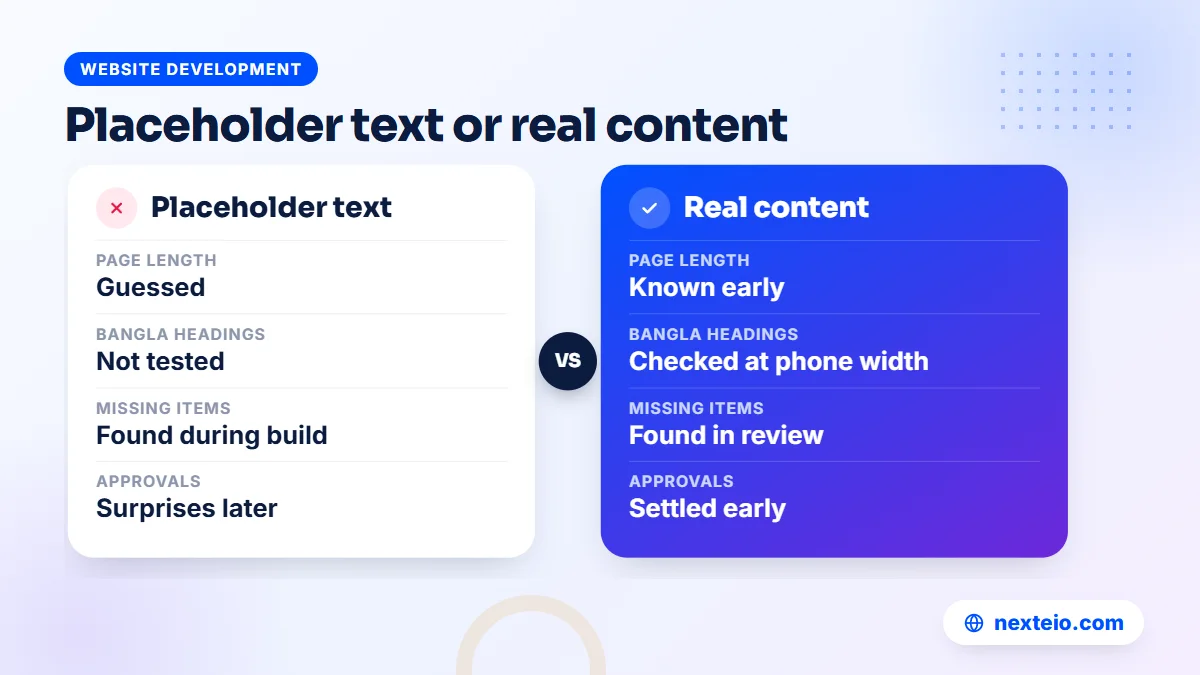
Placeholder text, the scrambled Latin often called lorem ipsum, makes every page look tidy. It also hides real problems. The actual company introduction may be four times longer than the space allowed. The Bangla version of a headline may wrap onto three lines on a phone. The "key numbers" block may have no agreed numbers at all.
Using real or draft content in wireframes brings these issues out early:
- You learn how much text each section really needs.
- Gaps become obvious, such as missing photos or unapproved figures.
- Reviewers react to what the page says, not just how it is arranged.
- Writers know exactly what to produce, and roughly how long it should be.
The content does not need to be final. Draft headings and rough paragraphs are enough. Our guide to writing SEO-friendly website content helps whoever drafts the text keep it readable and useful for search at the same time.
Related guides for planning a corporate site: how to build a professional business website, choosing between WordPress and a custom website and a buyer's checklist for web design companies.
Tools for Wireframing Website Pages
The tool matters less than the thinking behind it. Plenty of good wireframes start on paper or a whiteboard. That said, a digital wireframe is easier to share with a team spread across offices and factories.
- Paper and whiteboard: fastest for early ideas and workshops. Take clear photos and share them.
- Figma: widely used for wireframes, mockups and clickable prototypes, with comments that reviewers can add in the browser. Its official help centre covers sharing and commenting.
- Presentation software: slides with simple shapes work for small teams and are familiar to managers.
- Dedicated wireframe apps: some tools offer ready-made sketch-style elements that make wireframes quick to draw.
Whatever you use, make sure reviewers can view the wireframes without installing software, and that comments are collected in one place rather than spread across email, phone calls and messaging apps.
How to Review and Approve Wireframes in a Large Organization
The review is where wireframes either save time or waste it. A good review checks structure against the brief. A poor one turns into a debate about taste that the wireframe was never meant to settle.
Prepare reviewers before the meeting
Send a short note with the wireframes: what a wireframe is, what kind of feedback is needed now, and what will come later. A line such as "colors and photos are not shown yet; please check order, content and missing items" prevents most off-topic comments.
Use a review checklist
Ask reviewers to go through the same questions for each page:
- Is the main purpose of the page clear within the first screen?
- Is the most important information near the top?
- Is anything missing that buyers, job seekers or partners would look for?
- Is there anything that could be removed without loss?
- Does every page lead somewhere useful next?
Keep the list short so busy reviewers actually use it.
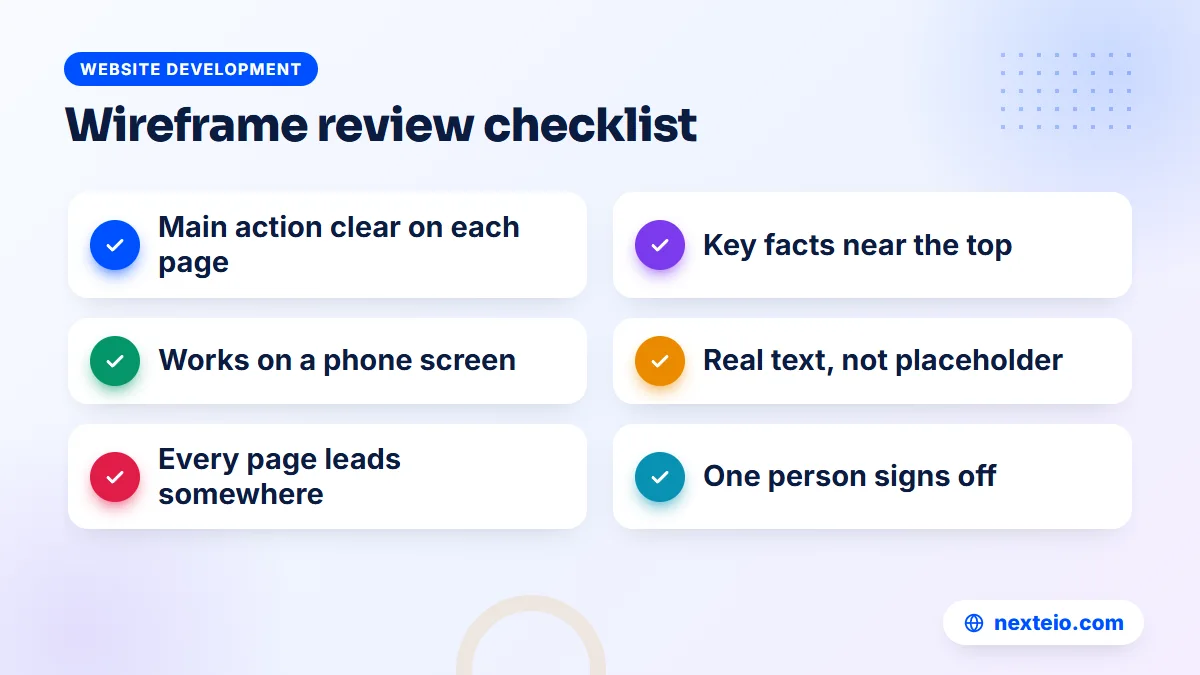
Name one approver
Collect comments from everyone, but let one person resolve conflicts and sign off. In a school that may be the principal; in a corporate group it may be the head of marketing or a director. Without one approver, the wireframing website stage can loop for weeks as different departments overrule each other.
Record the decisions
After sign-off, keep a short written list of what was agreed: the sitemap, the order of homepage sections and any content still owed by departments. This list protects both sides when someone asks later why a section is where it is.
Common Wireframing Mistakes
When wireframing website pages goes wrong, it fails for predictable reasons. Most of them come from rushing or from treating the wireframe as a formality.
- Too much visual detail. Colors and photos pull the discussion away from structure.
- Desktop only. The phone layout is left to the developer to "make responsive" later.
- Placeholder everywhere. Real content arrives later and does not fit.
- No link to goals. Pages are drawn without asking what each one must achieve.
- Wireframing every page. Time goes into fifty near-identical pages instead of a few strong templates.
- Too many approvers. Comments contradict each other and nobody decides.
- Skipping accessibility. Small tap targets, missing labels and unclear headings are baked in from the start.
The last point is easy to miss. Accessibility starts at the structure stage: a logical heading order, clear labels on buttons and forms, and enough space between links on a phone. Google's web.dev guide to accessibility is a good starting point, and MDN's accessibility guide explains the basics in practical terms.
How Wireframing Affects Cost, Timeline and SEO
Cost and timeline
Wireframing website pages adds a step at the start, so it can look like extra cost. In practice it usually moves time rather than adding it. The hours spent agreeing structure on grey boxes are hours not spent redrawing finished designs or rebuilding coded pages. For a corporate site, wireframing often takes from a few days to a couple of weeks, depending on the number of templates and how quickly approvals come back.
For budgeting, typical market ranges in Bangladesh are about BDT 60,000 to 150,000 for a custom-designed company website and BDT 150,000 to 400,000 or more for a large corporate site with integrations. Planning and wireframing are normally part of those figures rather than a separate line, but ask any provider to confirm what their quote includes. Our page on custom website design explains what a full design and build covers, and you can share your sitemap or page list for a realistic estimate.
Search visibility
Wireframes shape SEO more than most people realize. The heading structure, the amount of text on each page and the links between pages are all decided here. A homepage wireframe with only a slider and three icons leaves little for Google to understand. A service page wireframe with a clear heading, a few useful sections and links to related pages gives search engines and visitors much more to work with.
Two of our guides go deeper on this: internal linking for SEO explains how pages should connect, and on-page SEO for beginners covers headings, titles and content on each page. If you want ongoing help with rankings after launch, our SEO service picks up where the build ends.
Landing pages and online stores
The same thinking applies beyond corporate sites. A campaign page for Google Ads works better when its structure is planned around one offer and one action, as our guide to a high-converting landing page shows. Online stores need wireframes for the product page, cart and checkout above all, which is a core part of e-commerce website development.
A Worked Example: Wireframing a Website for a Garment Group
Picture a garment group with three factories, a washing plant and a buying office. It wants a new site before an overseas trade fair. The current site has around forty pages, many of them outdated, and the homepage opens with a long message from the chairman.
The planning phase names four audiences: buyers and sourcing agents, job seekers, suppliers and local partners. Buyers need product categories, capacity, compliance certificates and a named contact in merchandising. Job seekers need current openings and a clear way to apply. Suppliers need an address and the right department.
The first homepage wireframe is drawn at phone width. It opens with a headline about what the group makes, followed by product categories, certifications, a short group introduction and a contact block. The chairman's message moves to the about page, with a short link from the homepage. That decision is easy to discuss on a grey box. It is much harder once a large portrait photo sits at the top of a polished design.
The team then wireframes seven templates instead of forty pages: homepage, about, factory or unit, product category, certifications, careers and contact. Every factory page uses the same template, so the content team knows exactly what to collect from each factory: capacity, machinery, certificates, photos and a contact person. Wireframing website templates rather than individual pages keeps the project small enough to finish before the fair.
During review, the export team notices there is no place for downloadable compliance documents, and HR asks for a careers link in the footer. Both are five-minute changes at this stage. After one round of written comments and sign-off from the director in charge, the designer starts on mockups with a structure that nobody needs to reopen.
When You Can Keep Wireframing Light
Not every project needs a full set of linked wireframes. A five-page site for a small office, built on a well-chosen theme, may only need a sitemap and a sketch of the homepage. A simple WordPress website with standard pages can follow the layout of a proven theme, with the wireframe used only to agree the content order.
Keep the full wireframing website process for sites where getting the structure wrong is expensive: corporate groups, sites with several audiences, sites that feed into custom systems, and redesigns of large existing websites. A sensible provider will tell you which level your project needs instead of selling the same process to everyone.
How Nexteio Can Help With Wireframing Website Projects
We build websites for companies, corporate groups, factories, schools and other organizations across Bangladesh, and planning the pages before design is part of how a custom website project starts with us. We work from your goals, your audiences and the content you already have, then turn them into a sitemap and page layouts your team can review before any visual design begins.
For corporate clients, that means helping you decide how sister concerns, products, certifications and careers fit into one clear structure, and keeping the review simple enough for busy approvers. Once the structure is agreed, our website design team designs and builds the site from a blank page, so it fits your brand, loads quickly on mobile data and makes it easy for buyers, partners and job seekers to reach you.
You can see examples of our work in the portfolio, browse all our services, or tell us about your project through the brief form. If you would like to talk it through first, use the contact page.
Keep reading: how to hire the right Laravel developer, or see all our website development guides.
Frequently asked questions
What is the difference between a wireframe and a mockup?
A wireframe shows the structure of a page: which sections appear, in what order and where the buttons sit. A mockup shows how that page will finally look, with colors, fonts and images. Approving the wireframe first means the mockup review only has to deal with style.
How long does wireframing take for a corporate website?
For most corporate sites it takes from a few days to a couple of weeks. The main factors are the number of page templates and how quickly reviewers send comments. Approval chains inside the organization usually take longer than the drawing itself.
Does a small business website need wireframes?
A small site with five or six standard pages often needs only a sitemap and a simple sketch of the homepage. Full wireframes pay off on larger sites, sites with several audiences, redesigns of big existing websites and anything that connects to custom systems.
Can I make a wireframe myself before hiring a designer?
Yes, and it can help. A sketch on paper showing the sections you want and their order gives a designer a clear starting point. Focus on content and priorities rather than looks, and expect a professional to suggest changes based on how visitors use similar sites.
Who should approve website wireframes in an organization?
Collect comments from everyone who owns content, such as HR, marketing and the export team, but name one person to make the final decision. That might be a director, the head of marketing or a principal. One approver keeps the wireframing website stage from looping for weeks.
Which tool is best for wireframing?
There is no single best tool. Paper and whiteboards are fastest for early ideas, while Figma is widely used for shared digital wireframes with comments. Pick a tool your reviewers can open in a browser without installing anything.
Can the wireframe change after it is approved?
Small adjustments are normal once real content and design arrive. Large changes after sign-off, such as adding new sections or reordering the homepage, usually cost time and money because design and development may need to be redone. Record what was approved so everyone knows what a change means.
Do wireframes help with SEO?
Yes, indirectly. Wireframes decide the heading structure, how much useful text each page carries and how pages link to each other. Those choices shape how well search engines understand the site, so planning them early makes on-page SEO much easier.