Website in Maintenance Mode: How to Do It the Right Way
In this article 15 sections
- 1.When a Website in Maintenance Mode Makes Sense
- 2.What Search Engines Need: The 503 Status and Retry-After
- 3.Plan the Window: Timing, Notice and Approvals
- 4.What to Put on the Maintenance Page
- 5.How to Put a WordPress Website in Maintenance Mode
- 6.Maintenance Mode in Laravel Applications
- 7.Server-Level Methods for Any Website
- 8.Keep the Parts That Must Not Stop Working
- 9.A Safe Maintenance Run, Step by Step
- 10.Use a Staging Site to Keep Downtime Short
- 11.How Long Is Too Long for a Website in Maintenance
- 12.Mistakes That Hurt Visitors and Rankings
- 13.After Maintenance: Checks Before You Say You Are Back
- 14.How Nexteio Can Help With Website Maintenance Windows
- 15.Frequently asked questions
Putting a website in maintenance mode means showing visitors a short holding page while you update, repair or move the site behind it. Done properly, visitors know what is happening and when to come back, search engines understand that the break is temporary, and your team can work without customers placing orders on a half-updated site. Done badly, the same few hours can cost you enquiries, confuse Google and leave a "back soon" page online for days.
Most organizations only think about maintenance mode on the day something needs fixing. A plugin update breaks the homepage, a server move is booked for tonight, or a school needs to change its result system before publication day. That is the worst time to learn how it works.
This guide covers when putting a website in maintenance mode makes sense, the status code that protects your search rankings, what the holding page should say, and how to switch it on in WordPress, Laravel and at the server level. It also covers the parts people forget, such as payment callbacks, cached pages and running ads, and the checks to run before you announce that the site is back.
The steps apply to company websites, online shops, school and college sites, hospital portals and NGO pages alike. Where the advice differs by platform, each section says so.
When a Website in Maintenance Mode Makes Sense
Maintenance mode is a tool for short, planned work that would otherwise show visitors a broken or inconsistent site. It is not the answer to every change. Use it for jobs like these:
- Major updates: a platform upgrade, a large plugin update or a PHP version change that may break pages for a few minutes.
- Database changes: work on orders, student records or patient bookings where new entries during the change would cause errors.
- Server or hosting moves: the final switch, when data is copied and DNS changes.
- Launching a redesign: the short window when the new version replaces the old one.
- Security cleanup: removing malware from a hacked site before visitors or search engines see more damage.
In each case, the closed period should be measured in minutes or hours.
It is the wrong tool for small edits. Changing a phone number, posting a notice or adding a product does not need the whole site closed. It is also the wrong tool for long projects. If a redesign takes six weeks, keep the old site live and build the new one on a separate copy, then switch over in a short window at the end.
A useful test is to ask what a visitor would see if you skipped maintenance mode. If the answer is a broken checkout, half-loaded pages or errors, close the site briefly. If the answer is a slightly older version of one page, keep it open.
What Search Engines Need: The 503 Status and Retry-After
Every page a server sends comes with a status code that browsers and search engines read before anything else. For a website in maintenance, the correct code is 503, which means "service unavailable", and it tells crawlers the problem is temporary. Google explains how it treats each code in its guide to HTTP status codes and crawling.
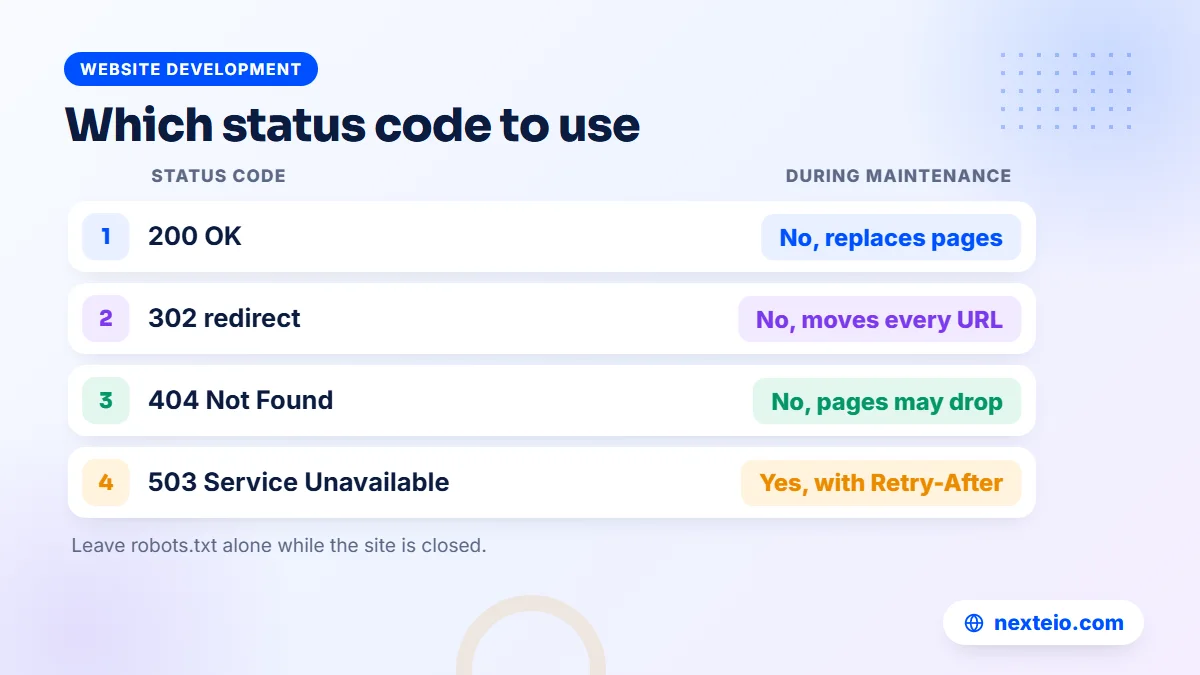
Here is how the common choices compare when a site is closed for work:
| Status code | What it tells Google | Use during maintenance? |
|---|---|---|
| 200 OK | This page is the real content | No, the holding page may replace your pages in search |
| 302 redirect | The page has moved for now | No, it sends every URL to one page |
| 404 Not Found | The page does not exist | No, pages may drop out of search |
| 503 Service Unavailable | Temporarily down, come back later | Yes, this is the right signal |
The 503 code keeps your pages safe during a short break.
A 503 can also carry a Retry-After header, which suggests when crawlers should try again. It can be a number of seconds or a date and time, as described in the MDN reference for the Retry-After header. Set it to roughly when you expect to finish, such as 3600 seconds for an hour of work.
Google's own advice on planned site downtime is to return 503 rather than a normal page during the outage. Its documentation also notes that server errors slow down crawling, and that pages kept in an error state for a long time are eventually dropped from the index. A few hours of 503 is safe. Weeks of it is not.
One more rule: do not edit robots.txt to block crawlers while you work. People sometimes do this to "hide" a website on maintenance from Google, but a blanket block can take longer to recover from than the work itself. Leave robots.txt alone and let the 503 do its job.
Plan the Window: Timing, Notice and Approvals
The best time to put a website in maintenance mode is when the fewest people will notice. Check your analytics for the quietest hours of the week, rather than guessing. For many company sites in Bangladesh, late night or early morning is quiet. Online shops are often busy late into the evening, especially around salary days and before Eid, so their quiet time may be later than you think.
Avoid dates that matter to your visitors. A school should never schedule work around admission deadlines or result publication. A hospital should avoid the hours when appointment requests peak. An exporter should check with the sales team before work during a buyer visit or a trade fair week.
Tell people in advance when the work affects them. Post a short notice on the site a day or two before, share it on your Facebook page, and tell the staff who answer phones. If customers log in to an account or portal, an email or SMS the day before saves a lot of confused calls.
Inside organizations, approvals take time. The IT officer may plan the work, but the principal, the hospital administrator or the managing director usually needs to agree to the timing. Send a one-page plan with the date, the expected duration, what visitors will see and who to call if something goes wrong. Getting that approval a week ahead is much easier than asking for it on the night.
Finally, check what else is running. If you have Google Ads or Facebook campaigns sending traffic to the site, pause them during the window or point them elsewhere. Paying for clicks that land on a holding page is pure waste, and our Google Ads tips for small budgets cover how to schedule ads around these gaps.
What to Put on the Maintenance Page
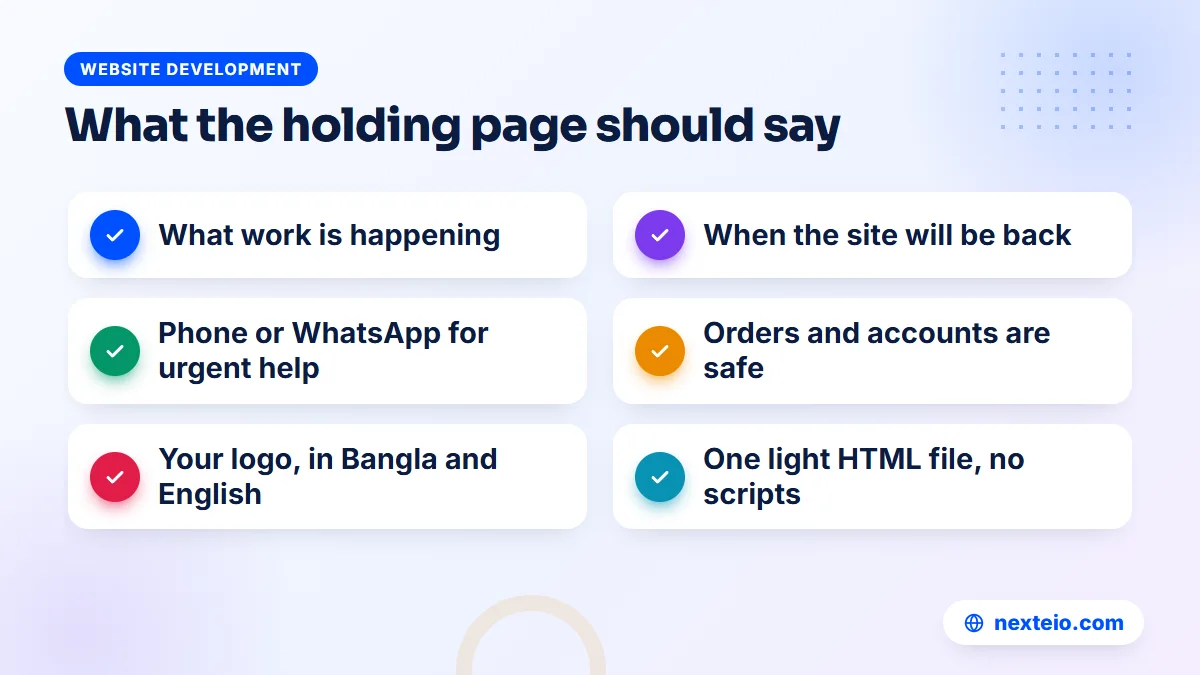
While your website in maintenance mode is closed, the holding page is often the only thing a visitor sees from you that day. Keep it short, honest and useful. A good page answers four questions:
- What is happening? "We are updating our website."
- When will it be back? A time and date, not just "soon".
- How can I reach you now? A phone number, WhatsApp number or email address.
- Is my data or order safe? For shops and portals, one line saying existing orders and accounts are not affected.
Write it in Bangla and English if your visitors use both.
Here is a sample message you can adapt: "Our website is down for scheduled maintenance from 1 am to 3 am on Friday. Your orders and accounts are safe. For urgent help, call or message us on our office number." Add your logo so visitors know they are on the right site.
Build the page so it does not depend on the system you are working on. It should be a single self-contained HTML file with the logo and a little styling built in, not a page that loads files from the main site. If the database or the theme is mid-update, a page that needs them will fail too.
Leave out countdown timers unless you are sure of the finish time. A timer that reaches zero while the site is still closed looks worse than no timer at all. Also avoid loading ads, chat widgets or tracking scripts on the holding page; it should load instantly, even on a weak mobile connection.
Some teams describe this state as having the website "under construction". That phrase suits a brand-new site that has not launched yet. For a live site that is briefly closed, "scheduled maintenance" is clearer and more reassuring.
How to Put a WordPress Website in Maintenance Mode
The built-in mode during updates
WordPress already has a simple maintenance mode. When you update the core, a plugin or a theme from the dashboard, it creates a file named .maintenance in the site's main folder and shows a short message to visitors: "Briefly unavailable for scheduled maintenance. Check back in a minute." When the update finishes, the file is deleted and the site returns. The official guide to updating WordPress describes the process.
Sometimes an update is interrupted, for example by a timeout or a closed browser tab, and that message stays on the site. The fix is to open the hosting File Manager or FTP, find the .maintenance file in the main folder and delete it. Then check whether the interrupted update needs to be run again. A developer can also place a file named maintenance.php in the wp-content folder to replace the plain default message with your own branded text.
Planned maintenance with a plugin
For longer planned work, most WordPress sites use a maintenance mode plugin. When you choose one, check these points:
- It sends a 503 status, not a normal 200 page.
- Logged-in administrators can still see and test the real site.
- You can add your logo, message and contact details without heavy page builders.
- It lets you whitelist IP addresses or specific pages if you need to.
- It has recent updates and a good support record.
Turn it on, test from a private browser window, and turn it off as soon as you finish.
Clear every cache after switching the mode on and again after switching it off. Caching plugins, the host's server cache and services like a CDN can keep serving the holding page long after the site is back, or keep serving the old site after you closed it. This is one of the most common reasons owners think maintenance mode "did not work".
If your WordPress site is complex, with WooCommerce, memberships or custom code, plan larger updates with someone who knows the setup. Our guide on choosing a WordPress developer in Bangladesh explains what to look for, and our WordPress website service covers builds and the updates that follow.
Maintenance Mode in Laravel Applications
Laravel has maintenance mode built into the framework, controlled from the command line. The Laravel configuration documentation covers it in full. The main commands are short:
- Running php artisan down puts the application in maintenance mode and returns a 503 to visitors.
- The --retry option sets the Retry-After header, for example 60 seconds.
- The --secret option creates a bypass link that lets your team use the real site during the work.
- The --render option shows a pre-built view, such as a custom 503 page, without loading the rest of the app.
- Running php artisan up brings the application back online.
Your developer will usually add these commands to the deployment steps.
The bypass link is especially useful. After the developer finishes, the team can open the real application through the secret link, test logins, forms and payments, and only then bring the site back for everyone. Visitors keep seeing the holding page until the checks pass.
Laravel also lets developers keep certain routes open during maintenance, which matters for payment callbacks and other systems that call your application in the background. On setups that run on more than one server, the maintenance state needs to be shared between servers, which Laravel supports through its configuration. If your portal or web application was built by someone else, our guide on hiring a Laravel developer in Bangladesh helps you find the right person to take it over, and our Laravel web application service handles this kind of work.
Server-Level Methods for Any Website
Some sites have no built-in maintenance mode: an old custom PHP site, a static site or a system where the application itself is broken. In those cases, the web server can put the website in maintenance mode instead.
On Apache hosting, which includes most cPanel accounts, a developer adds a few rules to the .htaccess file. The rules send a 503 status to every visitor except the developer's own IP address, show the maintenance HTML file as the error page for that status, and add a Retry-After header. The holding page itself must be excluded from the rule, or it will block itself.
On Nginx servers, the same result comes from the site's configuration file: return 503 for all requests except allowed addresses, and point the 503 error page to the holding file. Changes need a configuration test and a reload, so this method is for whoever manages the server.
Many CDN and security services in front of a website can also show a custom page or block traffic. These are useful when the server is completely unreachable, but check what status code the page sends before relying on it.
Whatever the method, keep a written note of exactly what you changed. The most common server-level mistake is forgetting to remove the rule afterwards, or removing the wrong line. A note with the original file saved alongside it turns a stressful rollback into a two-minute job.
Related guides for site owners:
- Technical SEO basics every website owner should know
- Common SEO mistakes that hurt business websites
- How faster pages help you rank and sell
Each one explains checks worth running after any downtime.
Keep the Parts That Must Not Stop Working
Putting a website in maintenance mode closes the pages, but some things connected to it should not close. Make a list before you start.
Payment callbacks. When a customer pays through bKash, Nagad or a card gateway, the gateway often sends a background message to your site to confirm the payment. If that message hits a 503, the order may stay unpaid in your system even though the customer's money has gone. Either finish pending payments before you start, or keep the callback address open during the work. Stores built through e-commerce website development nearly always have this issue, and our guide to planning an e-commerce website in Bangladesh covers payment setup in more detail.
Email. If your official email is hosted with Google Workspace, Microsoft 365 or another provider, it keeps working during maintenance. If email runs on the same server as the website, a server move can affect it, so plan that part separately.
Scheduled tasks. Many sites run background jobs: sending reminder SMS, generating reports, syncing stock. Decide whether these should pause or keep running, and check them after the site is back.
Admin and staff access. Make sure the people doing the work can still log in. Locking out your own developer with an over-strict rule is a common and embarrassing delay.
Other systems. Mobile apps, ERP links or school management software that read from the website will see the 503 too. Warn the people responsible for them.
A Safe Maintenance Run, Step by Step
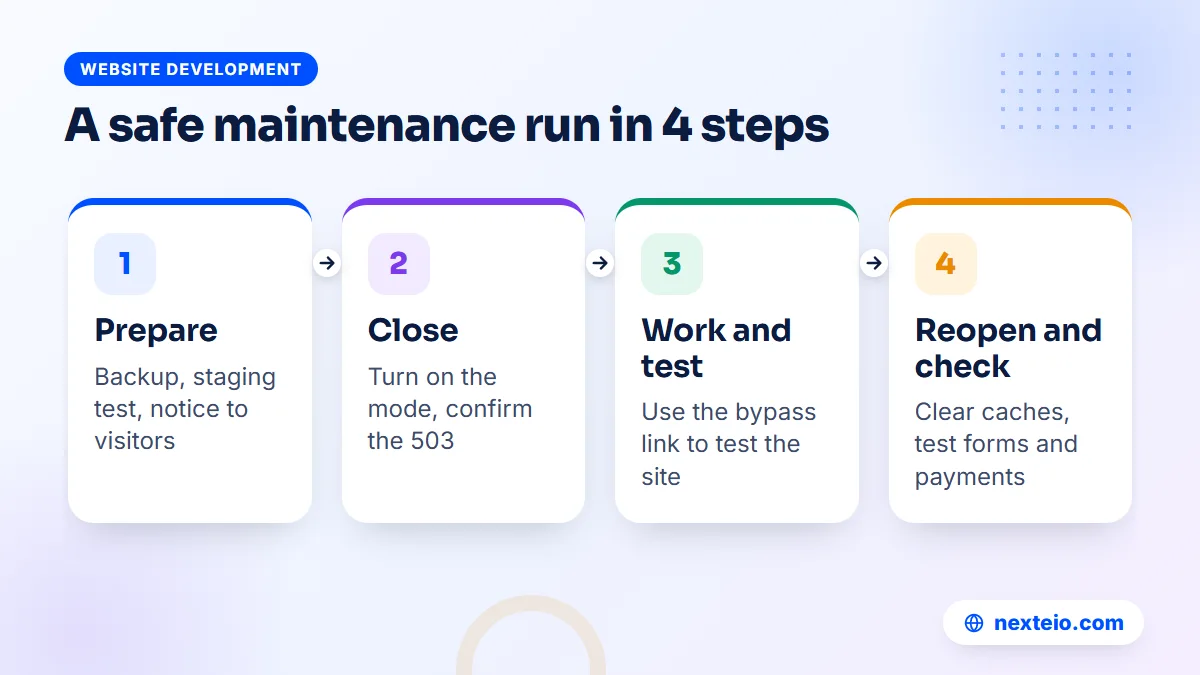
Here is the order that keeps a website in maintenance mode for the shortest possible time. Adapt it to your platform, but keep the sequence.
- Take a full backup of files and database, and store a copy off the server.
- Test the work on a staging copy first, if you have one.
- Announce the window to visitors and staff a day or two ahead.
- Pause ads, scheduled emails and other traffic sources.
- Switch on maintenance mode and confirm the 503 status with a header checker.
- Do the work, keeping a log of each change.
- Test the real site through your bypass link or an allowed IP address.
- Switch maintenance mode off and clear every cache.
Then check the live site from a phone on mobile data, not only the office connection.
Step 5 is the one people skip. A page can look like a maintenance page in the browser while sending a 200 status. Free online header checkers, or the network tab in your browser's developer tools, show the real code in seconds.
Use a Staging Site to Keep Downtime Short
A staging site is a private copy of your website where changes are tested before they reach the live site. With staging, most of the work happens while the real site stays open. Maintenance mode is only needed for the final switch, which often takes minutes rather than hours.
Many hosting companies offer one-click staging, and developers can set it up on any decent server. The copy should be password-protected and blocked from search engines, so it never competes with your real site in Google. Keep it in step with the live site before each major change, otherwise your test proves little.
For organizations that update their website often, such as universities with many departments or companies with large product catalogs, staging is not a luxury. It is what makes maintenance predictable. When we plan a custom website design project, we set up this kind of workflow so later updates do not need long closures.
How Long Is Too Long for a Website in Maintenance
For most work, aim for under two hours. Short closures are hardly noticed by search engines, and most visitors will simply come back later. A few hours during a quiet night is normal for a server move or a major upgrade.
A day or two is acceptable for something serious, such as cleaning up after a hack. Beyond that, the risks grow. Search engines keep visiting, keep getting errors and slowly lose confidence in the pages. Customers find other suppliers. A long closure also hides any problem that remains, because nobody is using the site to report it.
If work will take longer than a couple of days, change the plan rather than extending the closure:
- Keep the old site open and build the new version on staging.
- Close only the affected section, such as the shop, and leave the rest open.
- Put up a simple temporary site with key pages and contact details.
- Break the work into several short windows on different nights.
Any of these is better than a holding page that stays up for weeks.
This is also the moment to ask whether the site is worth keeping. If every update risks breaking it and each repair needs a long closure, a rebuilt website on a clean codebase may cost less over time than repeated emergency work.
Mistakes That Hurt Visitors and Rankings
These are the errors seen most often when a website in maintenance mode goes wrong:
- A holding page with a 200 status, which can replace your real pages in search results.
- Redirecting every URL to one page, which tells search engines your content moved.
- Blocking crawlers in robots.txt instead of returning a 503.
- Forgetting to switch it off, often after a late-night job when everyone goes home.
- Cached holding pages that keep showing after the site is back.
- No contact details, so urgent customers cannot reach you.
- Running ads that send paid clicks to a closed site.
Most of these take seconds to avoid with a simple checklist.
There is also a quieter mistake: no owner. When the work is shared between an in-house IT person, an outside developer and the hosting company, everyone assumes someone else will switch the site back on and check it. Name one person who is responsible from start to finish.
After Maintenance: Checks Before You Say You Are Back
Switching the mode off is not the end of the job. Before you tell staff and customers the site is back, check that it really works:
- The homepage and main pages load on a phone and a computer.
- Contact, admission, order and booking forms submit and the emails arrive.
- Logins, carts and payments work, including a small test payment.
- The status code is 200 again on normal pages.
- Caches and the CDN show the new version, not the holding page.
- Ads, scheduled emails and background jobs are running again.
Then post a short "we are back" note where you announced the work.
Over the next few days, watch Google Search Console for new server errors or crawl problems, and check your uptime monitor for repeat failures. If something breaks a day later, your backup from before the work is your safety net, so keep it for a while. A short written report of what was done, what changed and what to watch helps the next person who has to do the same job. If you want ongoing help after the work, our SEO service keeps an eye on search health.
How Nexteio Can Help With Website Maintenance Windows
We help organizations across Bangladesh plan and carry out the work that needs a short closure: major updates, server moves, redesign launches and cleanups after a hack. Many of these sites are ones we build through our custom website design service, and we also take on WordPress and Laravel sites built by others.
For each job, we agree the window with you, prepare the holding page with your logo and contact details in Bangla and English, set the correct 503 status, and take a full backup before anything changes. Where the setup allows, we test on a staging copy first so the closed period stays short. Afterwards, we check forms, payments and caches, confirm the site is back for everyone, and send you a short note of what changed.
For ongoing care, our maintenance plans start with you giving us access to the server and the website and both sides signing an agreement that sets out the work. You can read more about Nexteio, see our portfolio, ask a question through the contact page, or tell us about your website on our project form. If your site needs more than maintenance, ask about a website rebuild or start a new project brief.
Keep reading: WordPress vs a custom website, how to build a professional business website, or browse all our website development guides.
Frequently asked questions
Will putting my site in maintenance mode hurt my Google rankings?
Not if the closure is short and the holding page returns a 503 status. Google treats 503 as a temporary problem and comes back later. Rankings are at risk when the site stays closed for many days, or when the holding page sends a normal 200 status and replaces your real pages.
How do I check whether my maintenance page sends a 503 status?
Open the page, then open your browser's developer tools and look at the Network tab; the status column shows the code for the page. Free online HTTP header checkers do the same job. Test from a private window, because logged-in admins often see the real site instead of the holding page.
My WordPress site is stuck on 'Briefly unavailable for scheduled maintenance'. What should I do?
An update was interrupted and left the .maintenance file in the site's main folder. Delete that file through your hosting File Manager or FTP and the site will load again. Then check the dashboard to see whether the update needs to be run again.
Can customers still place orders during maintenance?
Not while the whole site is closed, which is usually the point, because orders placed mid-update can be lost or recorded wrongly. If closing the full store is too costly, close only the affected section, choose the quietest hours, and make sure payment callbacks for orders already in progress can still reach the site.
Is it better to show a maintenance page or just let the site go offline?
A maintenance page is much better. A site that simply fails shows visitors a browser error and gives search engines no hint that the break is planned. A proper holding page explains the situation, gives a return time and a contact number, and sends the 503 status that protects your search listings.
How often should a website need maintenance mode?
Rarely. Most routine work, such as content edits and small plugin updates, should happen while the site stays open. A few short planned windows a year for major updates or server changes is normal. If your site needs frequent long closures, the setup itself probably needs attention.
Who should switch the site back on after the work?
Name one person before the work starts, usually the developer doing the job, and agree that they also run the final checks. When responsibility is shared between an IT officer, a developer and a hosting company without a clear owner, holding pages are easily left up overnight or longer.