Website Development on WordPress: How a Company Site Is Built
In this article 15 sections
- 1.Why Companies Choose Website Development on WordPress
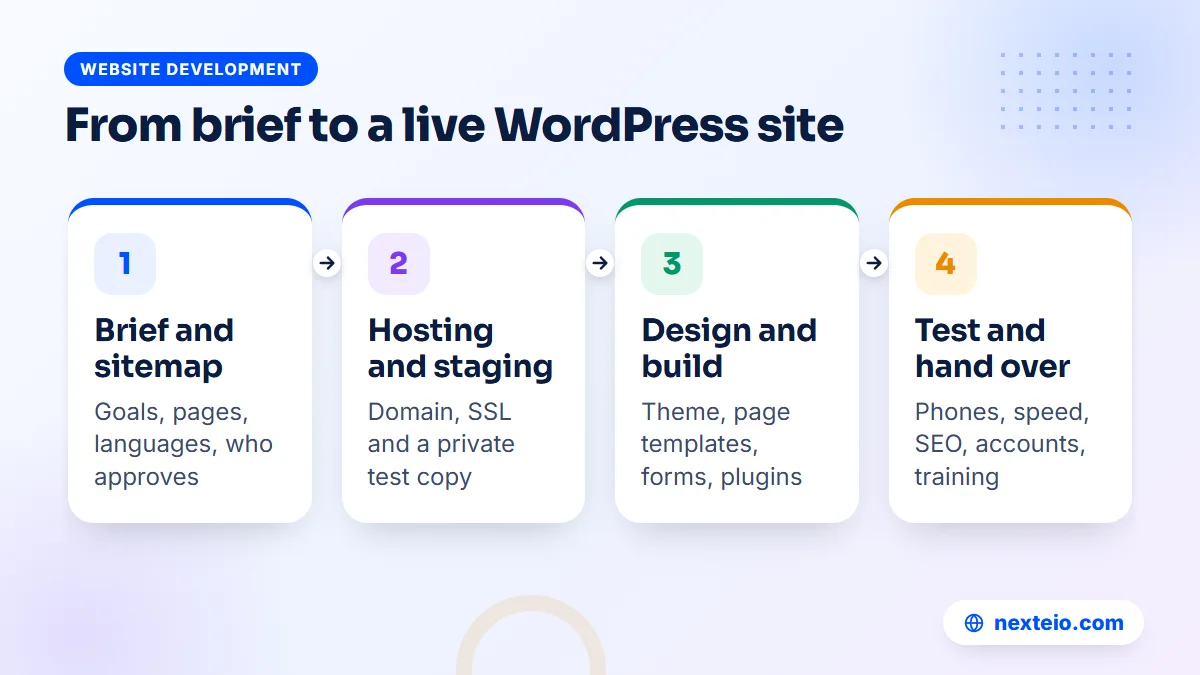
- 2.Step 1: Write a Short Brief and Agree Who Approves
- 3.Step 2: Plan the Sitemap and Content Before Any Design
- 4.Step 3: Domain, Hosting and a Proper Server Setup
- 5.Step 4: Pick the Theme Approach That Fits Your Budget
- 6.Step 5: Design and Build the Pages on a Staging Site
- 7.Step 6: Keep the Plugin List Short and Trusted
- 8.Step 7: Forms, Bangla Text and Everyday Integrations
- 9.Step 8: Build SEO and Speed In Before Launch
- 10.Step 9: Test Everything, Launch and Hand Over
- 11.Timeline and Cost of Website Development on WordPress in Bangladesh
- 12.Mistakes That Slow Down Website Development on WordPress
- 13.How to Compare WordPress Web Design Services Before You Hire
- 14.How Nexteio Can Help With Website Development on WordPress
- 15.Frequently asked questions
Website development on WordPress is how a large share of company websites in Bangladesh get built, and for good reason. The software is free, well documented and familiar to many office staff, and a skilled team can turn it into a fast, professional site in a few weeks. The trouble is that "we built it on WordPress" can describe anything from a polished corporate site to a slow theme demo with your logo pasted on top.
The difference comes from the process. A garment group that wants buyers to see its compliance certificates, a corporate office that needs separate pages for five sister concerns, and a trading company that wants enquiries from its product pages all need the same basic steps done properly. That means a clear brief, the right hosting, a sensible theme choice, a short list of plugins, real content and careful testing before anyone announces the new site.
The sections below follow those steps in the order a good team works through them. Each one explains what happens, what you need to decide or supply, and where projects usually go wrong. You will also find typical timelines, cost ranges in BDT, a pre-launch checklist and the questions to ask before you hire anyone.
If you manage the project inside your company, knowing these steps makes it much easier to judge a quotation and keep the work moving through your own approval chain.
Why Companies Choose Website Development on WordPress
Its core is open-source software that you install on your own hosting account. Nobody charges a license fee for it, you can move the site to another host whenever you like, and a very large number of developers know how to work with it. For a company, that last point matters most. If your first developer leaves, another one can pick up the site without starting again.
It also suits the way most organizations update their sites. Staff can log in, add a news item, upload a tender notice or change a phone number without touching code. The block editor makes simple layout work possible for non-technical users, and user roles let you decide who can publish and who can only draft.
WordPress fits best when your site is mainly about information and enquiries:
- Company profiles and corporate group sites with several business units.
- Manufacturers and exporters showing products, capacity and certifications.
- Service firms, consultancies and trading houses that depend on lead forms.
- Sites with a regular news, blog or notice section.
- Small and medium online shops built with WooCommerce.
It fits less well when the website is really a piece of software. A dealer portal with live stock levels, a booking system with complex rules, or a staff dashboard tied to your accounts system usually works better as a Laravel web application built around the process. Our comparison of WordPress and custom websites goes through that decision in detail.
For the typical company website, though, website development on WordPress gives the best balance of cost, control and ease of editing. You own the files, you own the database, and you are never locked into one provider's platform. If you would rather hand the whole process to one team, our WordPress website development service covers every step described below.
Step 1: Write a Short Brief and Agree Who Approves
Every smooth WordPress project starts with a brief of one or two pages. It does not need to be formal. It needs to answer a few questions clearly enough that a designer and a developer can quote and plan without guessing:
- Purpose: what should visitors do after reading the site? Call, send an enquiry, download a company profile or apply for a job?
- Audience: foreign buyers, local customers, job seekers, investors or a mix of them?
- Pages: a rough list, even if it changes later.
- Languages: English only, Bangla only, or both?
- Examples: two or three sites you like and one you dislike, with a sentence on why.
- Deadline: a trade fair, a buyer visit, a launch event or the end of the financial year.
The part companies often skip is the approval chain. In many organizations in Bangladesh, a website passes through the marketing or admin officer, then a department head, then the managing director or chairman. If the final decision maker only sees the design at the end, the project often goes back to the start.
Name one person who collects feedback from everyone and sends it as a single list. Agree in writing how many revision rounds the quotation includes, and show the senior decision maker the first design draft, not only the finished site.
Decide also who will own the accounts. The domain, hosting and main WordPress administrator login should be registered to the company with an official email address, not to a developer's personal account. Settling this in the brief avoids a painful conversation years later, when the person who set everything up has moved on.
Step 2: Plan the Sitemap and Content Before Any Design
A sitemap is the list of pages and how they connect. It decides your menu, your page templates and most of the build time, so it should be agreed before anyone opens a design tool. A typical corporate sitemap looks something like this:
| Page | What it holds | Who usually supplies it |
|---|---|---|
| Home | Introduction, main offers, proof, contact path | Marketing team |
| About | History, leadership message, key facts | Management |
| Business units | One page per sister concern | Each unit's manager |
| Products or services | Categories and detail pages with photos | Sales team |
| Certifications | Certificates, audits and policies | Compliance officer |
| News and notices | Updates, events, tender notices | Admin team |
| Careers | Open positions and how to apply | HR department |
| Contact | Addresses, phones, map, enquiry form | Admin team |
Your list may be shorter or longer, but every page on it should have a named owner.
Content is the most common reason WordPress projects run late. The design gets approved, the pages are built, and then the site sits empty for a month while departments write their sections. Start collecting text and photos in the first week. Ask each department for a short document and give them a word limit, so you do not receive ten pages for the About section.
Good photos matter more than most companies expect. Stock images of smiling people in a generic office do little for a factory or a trading house. Real photos of your premises, team, machinery and products, taken in good light, build far more trust with a buyer who has never visited. If you need help with the words themselves, our guide to writing SEO-friendly website content shows how to write pages people actually read.
Planning for Bangla and English
If the site needs both languages, decide now whether every page will exist in both or only the main ones. A bilingual site is closer to two sites than one. Every page, menu item and form message needs a translation, and every future update has to be made twice.
Multilingual plugins such as Polylang or WPML handle the structure, but someone still has to write and approve the Bangla text. Budget time and money for that from the start, and decide which department signs off each language.
Step 3: Domain, Hosting and a Proper Server Setup
Your WordPress site needs three things before it can move to a live address: a domain name, a hosting account and an SSL certificate. Many projects treat these as small details, yet they decide how fast and reliable the site will be for years.
Domain
A .com domain is registered through any accredited registrar and usually costs roughly BDT 1,500 to 2,500 a year, depending on the registrar. A .bd or .com.bd domain is handled through BTCL and needs some paperwork. Either works for search. Many companies register both, point one at the other, and choose one as the main address for the site and email.
Whatever you choose, register it in the company's name and set renewal reminders that reach more than one person. A domain that lapses because the reminder went to a former employee takes the website and every company email address down at once.
Hosting
Cheap, overcrowded shared hosting is one of the main reasons company WordPress sites feel slow. When a very large number of sites share one server, your pages wait for resources at the worst moments. For a corporate site, look for SSD or NVMe storage, a supported PHP version, enough memory for WordPress, daily backups and a server location that gives good response times for your visitors.
WordPress publishes its current server requirements, and any host you choose should meet or exceed them. Then ask the host three plain questions. Where are backups stored? How quickly do they answer support tickets? What happens if your site uses more resources than the plan allows? Their answers tell you more than the feature list.
SSL, email and the staging copy
Every site should load over HTTPS. Most hosts provide free certificates from Let's Encrypt that renew automatically. Decide also where company email will live. Running email on the same low-cost hosting as the website is common, but a dedicated email service is usually more reliable for official mail.
Finally, ask your developer to build on a staging copy. This is a private version of the site on a subdomain or a protected folder, so unfinished pages never appear in Google and your current site keeps running until launch day.
Step 4: Pick the Theme Approach That Fits Your Budget
The theme controls how a WordPress site looks and much of how it performs. Web design on WordPress usually follows one of three routes, and the choice affects cost, speed and how distinct your site looks next to competitors.
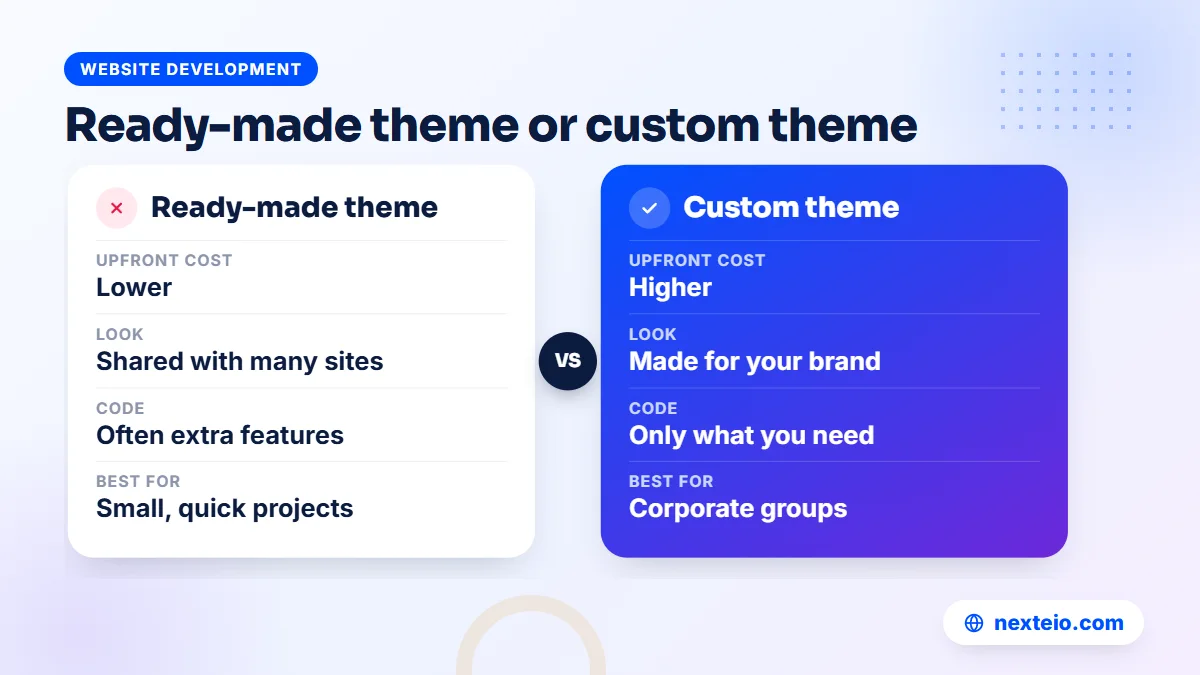
| Approach | How it works | Good for | Watch out for |
|---|---|---|---|
| Ready-made theme, customized | A free or paid theme with your colors, logo and content | Small companies on a tight budget | Demo-heavy themes full of unused features |
| Light theme plus page builder | A fast base theme, with layouts made in a builder or the block editor | Teams that want to edit layouts visually | Too many builder add-ons |
| Custom theme | Designed in a tool like Figma, then coded for your site only | Corporate groups that need their own look | Higher upfront cost |
Each route can produce a good site if it is handled with care.
Themes in the official WordPress theme directory are reviewed before they are listed, which gives some basic assurance about code quality. Premium themes sold on marketplaces vary widely. Some are well built. Others pack sliders, animations and a dozen bundled plugins into every page load. If you go this way, ask your developer to switch off and remove what you do not use.
A custom theme is the route many corporate groups end up preferring. Their site does not look like hundreds of others, and it contains only the code it needs. Modern block themes let a developer create an original design while keeping editing simple for staff, because page sections become reusable patterns the team can insert in a click. Our custom website design service uses this approach when a company needs a fully original look.
Step 5: Design and Build the Pages on a Staging Site
With the sitemap, content plan and theme route agreed, design begins. For a custom design, the designer usually produces the homepage first, then one inner template such as a product or service page. Approving these two pages settles the colors, fonts, spacing and button styles, and the rest of the site follows the same rules.
Ask to see the designs on a phone-sized screen, not only on a large monitor. Many visitors to a company website in Bangladesh arrive on a phone, often on mobile data. A layout that looks impressive on a wide office screen can turn into an endless scroll of oversized images on a phone. Good WordPress web development treats the mobile layout as the main one, not an afterthought.
Once the design is approved, the developer builds it on the staging site. This is where the real WordPress site development happens:
- Creating the page templates, header, footer and menus.
- Setting up custom post types where needed, such as products, projects, notices or job openings, so staff fill in a simple form instead of designing each page.
- Building reusable sections, such as a certificate grid or a sister concern card, that staff can place on any page.
- Entering the approved content and resizing every image for the web.
- Setting user roles so each person can do only what their job needs.
Custom post types make a big difference for companies with many similar items. A garment exporter with sixty product styles should not build sixty pages by hand. A product type with fields for photos, fabric, sizes and minimum order quantity keeps every page consistent and turns adding a new style into a five-minute job.
Use the built-in roles properly
WordPress comes with five standard roles: Administrator, Editor, Author, Contributor and Subscriber. The official guide to roles and capabilities explains what each one can do. Give most staff Editor or Author accounts, keep Administrator access to one or two trusted people, and never share a single login across the office. Shared logins make it impossible to know who changed what.
If you are still choosing who should build the site, these related guides cover the hiring side in more depth:
- What to check before hiring a WordPress developer in Bangladesh
- How to build a professional business website that gets results
- A buyer's checklist for choosing a web design company
Step 6: Keep the Plugin List Short and Trusted
Plugins add features to WordPress: forms, SEO settings, backups, security, caching and much more. They are also where many WordPress problems start. Each plugin adds code that has to load, stay updated and stay compatible with everything else. Many well-run company sites work happily with ten to fifteen carefully chosen plugins.
Most company sites need one plugin, or a host feature, from each of these groups:
| Plugin type | What it does | What to check |
|---|---|---|
| Forms | Contact, quotation and job application forms | Spam protection and reliable email delivery |
| SEO | Page titles, descriptions, sitemaps and redirects | Use one SEO plugin only, never two at once |
| Caching | Faster page loads and smaller files | Some hosts already cache at server level |
| Security | Login protection and file monitoring | Avoid overlapping security plugins |
| Backups | Scheduled copies of files and database | Copies stored away from the hosting server |
| Email delivery (SMTP) | Sends site email through a proper mail service | Stops form messages landing in spam |
Before adding any plugin, check when it was last updated, how many active installations it has and whether its support forum is full of unanswered complaints. Each listing in the WordPress plugin directory shows all of this on one page.
Avoid "nulled" or cracked premium plugins downloaded from unofficial sites. They are a common source of malware, and they never receive security updates. If a premium plugin is worth using, it is worth buying a license in the company's name, so renewals and support stay with you.
Step 7: Forms, Bangla Text and Everyday Integrations
Forms are the point where visitors turn into enquiries, so they deserve more attention than they usually get. Keep each form short. A buyer enquiry form needs a name, company, email, phone or WhatsApp number, country and a message box. A job form needs the applicant's details and a CV upload with a sensible file size limit. Every extra field reduces the number of people who finish.
Decide where each form sends its messages. Sales enquiries should reach the sales team, and job applications should reach HR. Store a copy of every submission in the WordPress dashboard too, so nothing is lost if an email fails. Set up a mail delivery (SMTP) plugin connected to your company email service, and test each form from a phone before launch.
Bangla text that displays correctly
Bangla content needs a font that supports Bengali script properly, such as Noto Sans Bengali or Hind Siliguri. Without one, conjunct letters can break apart or fall back to a plain system font that clashes with the design. Check headings, menus and buttons in Bangla on both Android and iPhone, since text rendering differs between them.
Line height needs attention as well. Bangla vowel signs sit above and below the line, so text set with English spacing can look cramped or even clipped. A good developer sets separate spacing rules for Bangla pages.
Common integrations
- WhatsApp and phone buttons: click-to-chat and click-to-call links, which matter most on phones.
- Google Maps: an embedded map for each office, showroom or factory location.
- Analytics: Google Analytics and Google Search Console, set up under a company Google account.
- Online payment: a payment gateway that accepts bKash, Nagad and cards, if you take fees or sell online.
- Online shop: WooCommerce for product sales, which our e-commerce website development team sets up with local payment and delivery in mind.
Step 8: Build SEO and Speed In Before Launch
SEO is far easier to set up during the build than to repair after launch. A good team treats the basics as a normal part of website development on WordPress, not as an optional extra:
- Set clean, readable permalinks, such as /products/denim-jackets/, instead of addresses full of dates or numbers.
- Write a unique title and meta description for every important page.
- Use one H1 per page and a logical order of H2 and H3 headings.
- Give every image a descriptive file name and alt text.
- Generate an XML sitemap and submit it in Google Search Console after launch.
- Keep your company name, address and phone number the same everywhere they appear.
- Link related pages together, so visitors and search engines can reach deeper pages.
Our step-by-step guide to on-page SEO for beginners explains each of these in more detail. If you want your new site to grow its search traffic over time, not just launch with the basics in place, our SEO service picks up where the build ends.
Speed on real connections
Speed is where many WordPress sites disappoint. The usual causes are oversized images, a heavy theme, too many plugins and overcrowded hosting. Resize and compress every image before upload, serve modern formats such as WebP, load only the scripts each page needs, and turn on caching.
Then test the main pages against Google's Core Web Vitals on a mid-range Android phone over mobile data, not just on office Wi-Fi. Faster pages keep more visitors and can help rankings too. Our article on website speed and SEO explains that link in plain terms.
Step 9: Test Everything, Launch and Hand Over
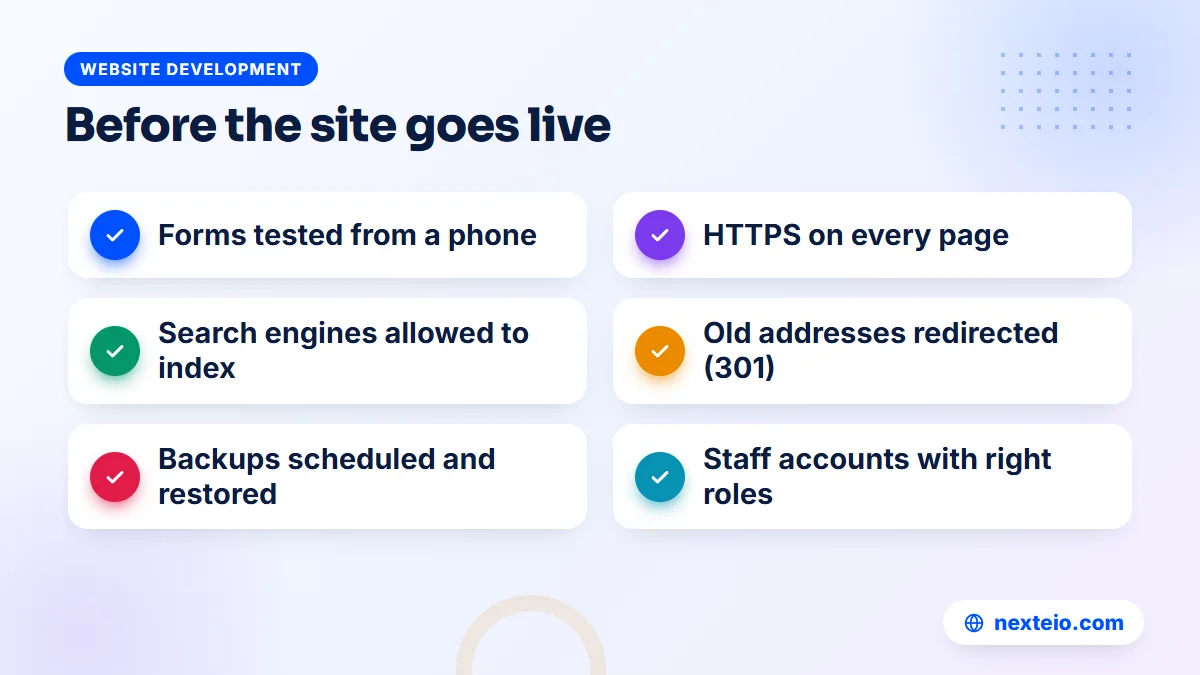
Testing is the step clients most want to rush, usually because a deadline is close. A rushed launch, though, often means a broken contact form or a site that quietly tells Google not to index it. Use a written checklist and tick each item on the staging site, then again on the live site:
- All pages viewed on an Android phone, an iPhone, a tablet and a desktop.
- Every form submitted, with the email received by the right person.
- Every link and button clicked, including the menu and footer.
- Spelling checked in both languages, along with phone numbers and addresses.
- The "Discourage search engines from indexing this site" option switched off on the live site.
- HTTPS working on every page, with the www and non-www versions leading to one address.
- Old page addresses redirected to the new ones if you are replacing an existing site.
- Backups scheduled and one test restore completed.
Announce the new site only once every item is ticked.
Redirects deserve special care if you already have a site. Old pages that have been in Google for years may still bring visitors and enquiries. Map each old address to its closest new page and set up permanent (301) redirects, so traffic and rankings move with you instead of ending on an error page.
What you should receive at handover
Launch is not the end of the project. Before you sign off and make the final payment, make sure you receive:
- Administrator access in the company's name, plus separate accounts for staff.
- Hosting, domain and email logins, recorded in one access sheet kept by two senior people.
- License keys for any premium theme or plugin, registered to the company.
- A short training session, ideally recorded, showing staff how to add news, edit pages and upload files.
- A simple written guide for the tasks staff will do most often.
Timeline and Cost of Website Development on WordPress in Bangladesh
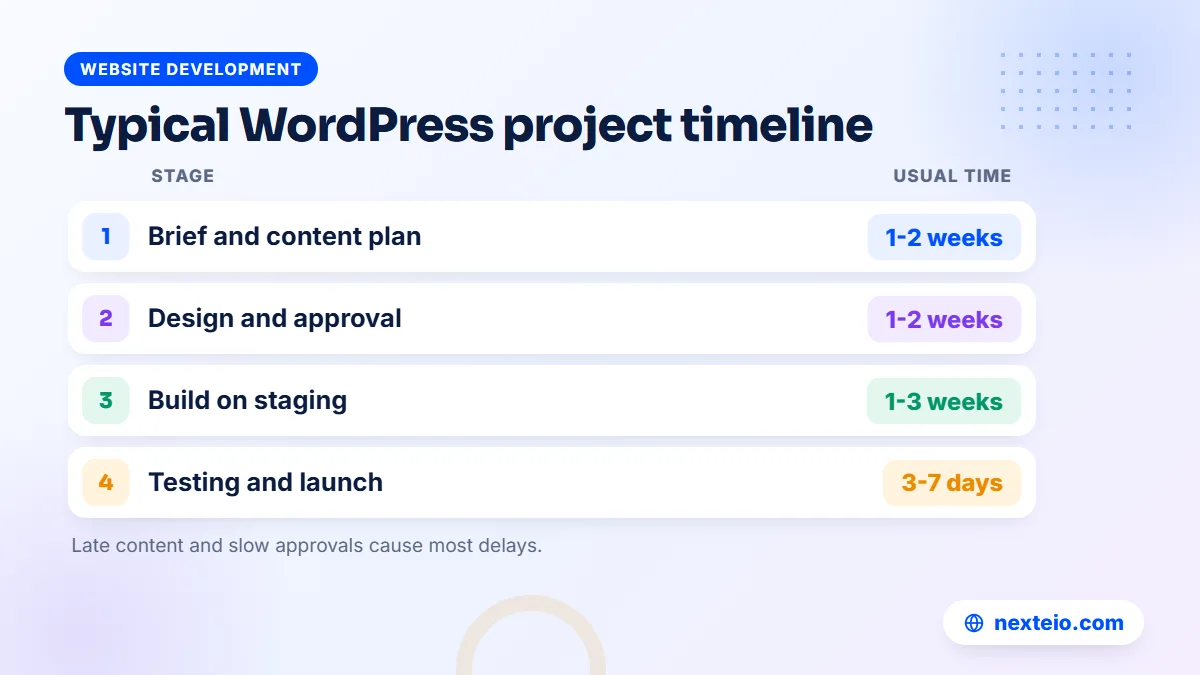
Both time and cost depend mostly on the number of page templates, the amount of custom design, the number of languages and how quickly your side supplies content and approvals. The ranges below reflect what companies in Bangladesh usually pay in the market. They are not fixed prices, and a detailed quotation should always follow a proper brief.
| Project type | Usual scope | Typical time | Typical cost range |
|---|---|---|---|
| Small company profile | 5 to 8 pages, customized ready-made theme, one language | 2 to 4 weeks | BDT 25,000 to 60,000 |
| Corporate website | 10 to 25 pages, custom design, news, careers and forms | 4 to 8 weeks | BDT 60,000 to 150,000 |
| Group or bilingual site | Several business units, Bangla and English, custom post types | 6 to 12 weeks | BDT 150,000 and above |
| WooCommerce shop | Catalog, checkout, payment and delivery setup | 4 to 10 weeks | Depends on products and integrations |
Hosting, domain, premium licenses and ongoing maintenance are usually billed separately. Reasonable business hosting for a company site often costs somewhere between BDT 5,000 and 20,000 a year, while a busy site on its own server costs more.
Where does the time go? In our experience, the build itself is rarely the slowest part. Waiting for content, photos and approvals from several departments often takes longer than design and development combined. A company that has its text and photos ready on day one can finish weeks earlier than one that starts collecting them after the design is approved.
Be careful with quotes far below these ranges. A site delivered for a few thousand taka is usually a theme demo with the text swapped, with no staging, no testing and no handover. It may look fine on launch day and cost more within a year. For a realistic figure for your own project, send us your brief through our project form.
Mistakes That Slow Down Website Development on WordPress
Most delays and disappointments come from a small set of avoidable mistakes. None of them are technical, which is good news, because your side can prevent them.
Designing before the content exists. A designer working with placeholder text cannot know that your About section has eight paragraphs or that your product names are long. The layout then breaks when real content arrives, and pages need to be redesigned.
Feedback arriving from five directions. When the marketing officer, the HR head and the managing director each send separate comments, some of them contradict each other. The developer either guesses or waits. One person collecting and settling feedback saves days on every round.
Choosing a theme from its demo. Theme demos use professional photos, short headlines and exactly the right amount of text. Your site will have different photos and different text. Judge a theme by its speed and its editing experience, not by the demo images.
Adding a plugin for every small request. A plugin for a countdown, another for a popup and another for a slider each add weight and risk. Many small features can be built with a few lines of code or the block editor itself.
Letting the developer hold the accounts. If the domain, hosting or premium licenses are in a developer's name, you depend on that person for every renewal and every change. Keep them in the company's name from the first day.
Having no plan for after launch. WordPress, its themes and its plugins release updates often, and many fix security problems. A site that launches well and then goes a year without updates or backups is an easy target. Agree before launch who will handle updates, backups and small fixes, whether that is your own IT officer or a provider that offers WordPress support after launch.
How to Compare WordPress Web Design Services Before You Hire
When you collect quotations for WordPress web design services, the totals alone will not tell you much. One quote may include custom design, content entry, training and a month of support, while another covers only theme installation. Put every quote into the same format before comparing, and ask each provider the same questions:
- Will the design be custom, or based on a ready-made theme? Which theme, if so?
- How many pages and page templates are included in the price?
- Will you enter our content, or do we enter it ourselves?
- Do you build on a staging site, and can we review it before launch?
- Which plugins do you plan to use, and are any of them paid?
- How many revision rounds are included at the design stage?
- Are basic SEO settings, speed work and redirects from our old site included?
- What training, documentation and support do we get after launch?
- Will every account and license be registered in our company's name?
Clear, specific answers are a good sign. Vague answers such as "everything is included" are a reason to ask again in writing.
Look at live sites the provider has built, not only screenshots. Open them on your own phone, check how fast they load and try their contact forms. Good WordPress website design services can show you real work, explain why they made each choice, and tell you plainly what is and is not included. You can also review the kind of sites we build in our portfolio, or see the full list of what we offer on our services page.
How Nexteio Can Help With Website Development on WordPress
Our WordPress websites for companies are planned around the steps in this guide, because skipping any of them is what produces slow, fragile sites. We work from your brief and sitemap, help you decide what content each department needs to supply, and agree the theme route that fits your budget, whether that is a well-chosen ready-made theme or a custom design.
The aim is the same on every build: a site that loads quickly on mobile data, looks right on phones and is simple for your team to update. That applies to company sites, blogs and WooCommerce shops, with Bangla and English content when you need both. We also encourage every client to keep the domain, hosting and administrator accounts in the company's name, so the site stays under your control.
If your project turns out to need more than a website, such as a portal or a booking system, we will say so and suggest a Laravel build instead. To see what a build with our WordPress development team includes, read the service page. When you are ready, share your project details with us or contact us with your questions. You can also read more about Nexteio and how we work.
Keep reading: why a website gets traffic but no customers, how to build a landing page that converts, or browse all our website development guides.
Frequently asked questions
How long does website development on WordPress take for a company?
A small company profile can go live in two to four weeks, and a larger corporate site usually takes four to eight weeks. Bilingual sites and corporate groups with several business units take longer. The biggest factor is usually how fast your team supplies content and approvals, not the build itself.
Is WordPress secure enough for a corporate website?
Yes, when it is set up and looked after properly. Most hacked WordPress sites are running outdated plugins, weak passwords or pirated themes. Keep the software updated, limit administrator accounts, use trusted plugins only and keep backups stored away from the server.
Can our staff update the site without calling a developer?
For everyday work, yes. Staff can add news, notices, job posts, photos and simple page changes through the dashboard once they have had a short training session. Design changes, new features and anything involving plugins or code are better left to a developer.
Should we use a page builder such as Elementor?
A page builder makes visual editing easy, which some teams value highly. The trade-off is extra code on every page, which can slow the site if it is not managed carefully. Many sites now use the built-in block editor with custom patterns instead, which keeps pages lighter while still being easy to edit.
Can a WordPress site have both Bangla and English versions?
Yes. Multilingual plugins such as Polylang or WPML let each page exist in both languages with a language switch in the menu. The plugin only provides the structure, so plan who will write, translate and approve the Bangla text, and choose a font that displays Bengali script correctly.
Do we have to pay for WordPress itself?
No. The WordPress software from WordPress.org is free and open source. You pay for the domain, hosting, any premium theme or plugin licenses, and the work of designing and building the site. WordPress.com is a separate hosted service with its own paid plans.
Will we lose our Google rankings if we move our old site to WordPress?
Not if the move is planned. List every old page address, redirect each one to its closest new page with a permanent redirect, keep important content, and submit the new sitemap in Google Search Console. Some movement in rankings for a few weeks is normal, but a careful migration keeps most of your search traffic.