Best Blogging Platform: Blogger, WordPress, Medium and More Compared
In this article 15 sections
- 1.How to Judge the Best Blogging Platform for Your Needs
- 2.The Main Blogging Platforms at a Glance
- 3.Blogger: Free, Simple and Built for AdSense
- 4.Self-Hosted WordPress: The Most Flexible Choice
- 5.WordPress.com: Hosted WordPress With Limits
- 6.Medium and Substack: Platforms Where You Rent the Space
- 7.Wix, Squarespace and Ghost
- 8.Which Blogging Platform Lets You Earn in Bangladesh
- 9.The Best Blogging Platform for Each Type of Blogger
- 10.SEO Differences Between Blogging Platforms
- 11.Moving Later: How Hard Is It to Switch Platforms
- 12.Mistakes People Make When Choosing a Blogging Platform
- 13.What Each Option Costs in Bangladesh
- 14.How Nexteio Can Help You Choose and Set Up a Blog
- 15.Frequently asked questions
The best blogging platform is the one that fits what you want the blog to do, what you can spend each year and who will look after it. A student writing about cricket, a school posting notices and a company publishing guides for buyers all need something different, and the platform that suits one can hold the others back for years.
Most lists of top blog sites are written for readers in the United States. They compare features you may never use and skip the questions that matter here. Can you earn from Google AdSense? Can you pay for the plan with a local card? Does the editor handle Bangla text well, and what happens if you want to move later?
This comparison covers the platforms people in Bangladesh actually choose between: Blogger, self-hosted WordPress, WordPress.com, Medium, Substack, Wix, Squarespace and Ghost. For each one you will see what it costs, what you control, how it handles money and where it falls short. At the end there is a simple way to match a platform to your goal.
How to Judge the Best Blogging Platform for Your Needs
Before comparing names, decide what "best" means for you. A platform that is perfect for a hobby writer can be a poor choice for a company that wants leads, and a platform built for businesses can be too much work for one person writing on weekends.
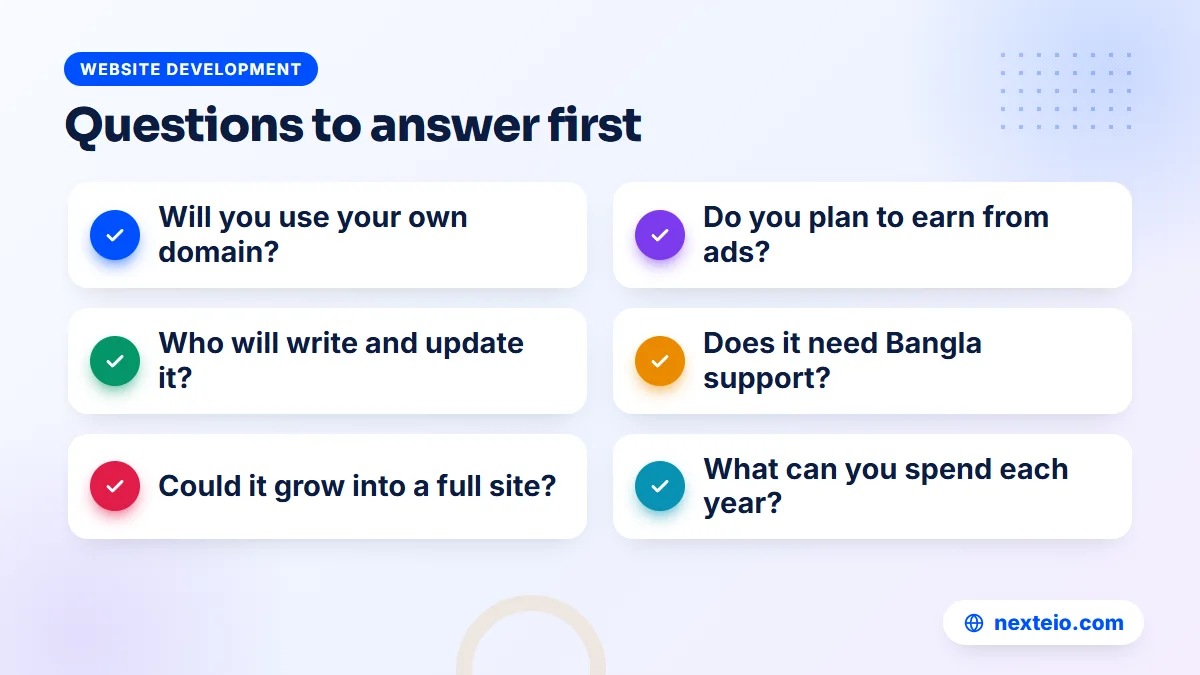
These are the questions that separate good blog sites from the wrong choice for your situation:
- Ownership: can you use your own domain, export everything and leave without losing your readers?
- Yearly cost: what you pay for the platform, the domain and any add-ons, in taka, every year.
- Earning: can you show AdSense ads, use affiliate links or sell your own services?
- Ease: can the person who will actually write the posts use the editor without help?
- Control: can you change the design, page titles, menus and site structure?
- Growth: can the blog later become a full website with service pages, forms or a shop?
- Language: does the theme display Bangla text cleanly, and can you run Bangla and English posts side by side?
Write your answers down before you look at any platform. It is much easier to reject an option when you already know you need your own domain or AdSense, than to be talked into one by a long feature list.
Run a one-week test before you commit
Reviews only tell you so much. The quickest way to find the best blogging platform for your own habits is to try your top two choices for a week. Write three real posts on each, add photos, publish them, and open them on your own phone over mobile data. Then try to export what you wrote.
You will learn more from that week than from any comparison. One editor will feel natural and the other will annoy you. One theme will look clean on a small screen and the other will need work. Choose the one you would happily use twice a week for the next two years.
Bangla blogs need Unicode text
If you write in Bangla, type in Unicode, using a keyboard such as Avro or the Bangla keyboard on your phone. Text typed in older ANSI-based layouts may look correct on your own computer but shows as broken characters for many readers, and search engines cannot read it properly. Every modern platform supports Unicode Bangla, so this is about how you type, not which platform you pick.
The Main Blogging Platforms at a Glance
The table below gives a quick summary of the main blogging platforms. The sections that follow explain each one in more detail, including the limits that rarely appear on their own sales pages. No single row makes one option the best blogging platform for everyone, so read it with your own answers from the checklist above.
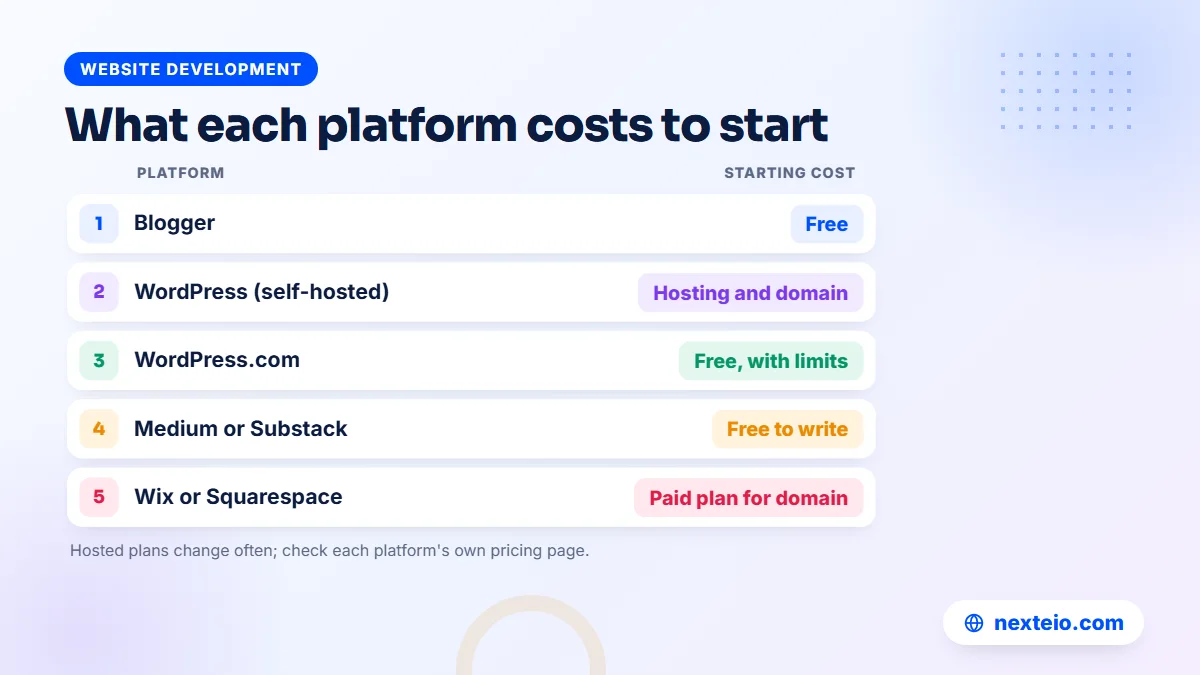
| Platform | Starting cost | Own domain | AdSense | Best suited to |
|---|---|---|---|---|
| Blogger | Free | Yes, free to connect | Yes, built in | Personal and niche blogs, small news pages |
| WordPress (self-hosted) | Hosting and domain | Always | Yes | Business blogs and blogs that will grow |
| WordPress.com | Free with limits | On paid plans | Only on certain paid plans | Writers who want WordPress without managing hosting |
| Medium | Free to write | Limited | No | Reaching readers inside Medium |
| Substack | Free to start | Yes, with a fee | No | Email newsletters |
| Wix and Squarespace | Paid plans for full use | On paid plans | Limited | Small business sites with a blog section |
| Ghost | Paid hosting or self-hosted | Yes | Possible, not the focus | Membership and newsletter publishers |
Plans and prices on hosted platforms change often, so treat the cost column as a guide and check each platform's own pricing page before you decide.
Blogger: Free, Simple and Built for AdSense
Blogger is a free blogging service owned by Google, and it has been around since 1999. You sign in with a Google account, pick a name and a theme, and you can publish within minutes. Google hosts the blog, handles the server and security, and does not charge for any of it. The official Blogger site shows how simple the setup is.
Where Blogger is strong
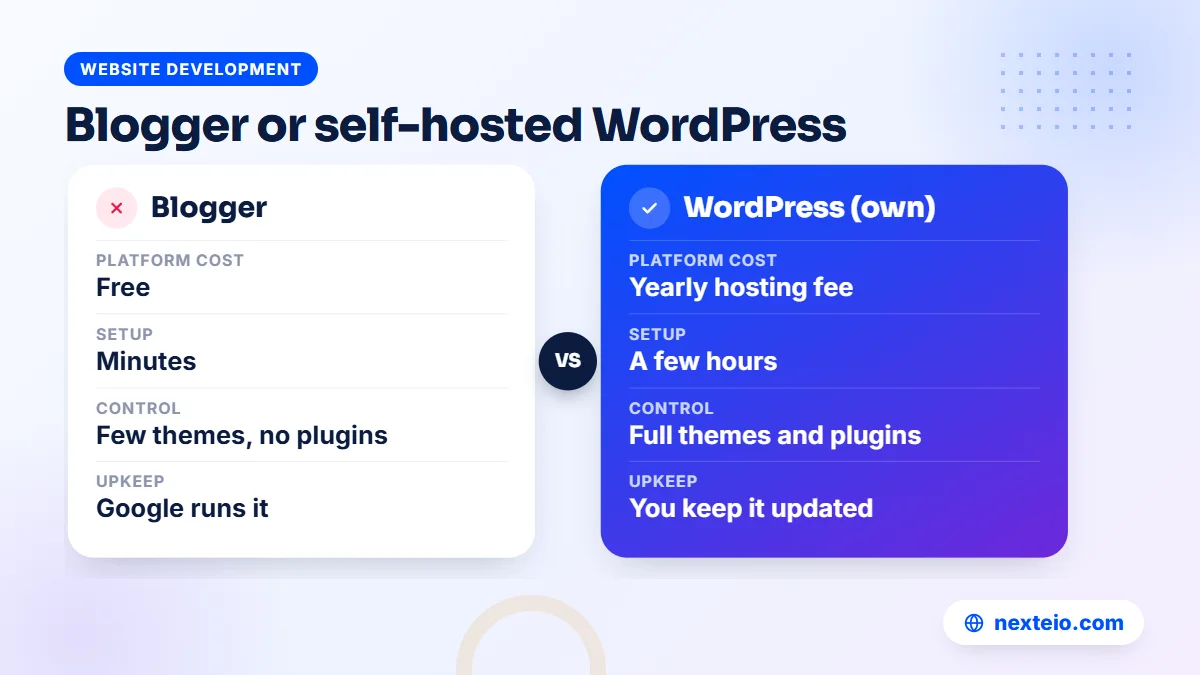
- No hosting bill. The only cost, if you want one, is your own domain.
- Your own domain is free to connect, with HTTPS provided by Google, so a blog can live at yourname.com instead of yourname.blogspot.com.
- AdSense is built in. Once a blog is approved, ads can be added from the Earnings section without plugins.
- Almost nothing to maintain. There are no plugins to update and no server to patch.
Where Blogger falls short
The trade-off is control. You cannot install plugins, the theme system is old, and anything beyond the basics needs HTML and CSS edits in the theme code. Structured data, advanced SEO settings and features such as booking forms or member areas are either limited or not available. Blogger also receives few new features, so it is not a platform that will grow with a business.
For a personal blog, a niche site aimed at AdSense income, a small news page or a school club blog, those limits often do not matter. A clean, fast theme and a custom domain cover most needs. If you want that done properly from the start, our Blogger website setup service includes a mobile-friendly theme, domain connection and basic SEO settings.
Making a Blogger blog look professional
Most Blogger blogs look amateur for the same few reasons: a cluttered default theme, a blogspot.com address and a sidebar full of widgets. Fixing them is simple. Connect your own domain, choose a light theme designed for phones, and remove gadgets that nobody uses, such as visitor counters and old archives.
Then add proper pages for About, Contact and Privacy Policy, link them from the menu and footer, and use labels as tidy categories rather than dozens of one-off tags. A Blogger blog set up this way is hard to tell apart from a paid platform, and it costs nothing beyond the domain.
Self-Hosted WordPress: The Most Flexible Choice
WordPress comes in two forms, and people mix them up constantly. Self-hosted WordPress is the free, open-source software from WordPress.org. You install it on hosting you pay for, connect your domain, and you own the whole site. This is the version most businesses mean when they say "a WordPress website".
Its strength is that a blog can grow into anything. You can start with posts, then add service pages, a contact form, a booking system or a WooCommerce shop on the same site. Thousands of themes and plugins exist, and SEO plugins give you full control over page titles, descriptions, sitemaps and structured data. Many good blog websites run on it for exactly this reason.
The cost is responsibility. Someone has to choose decent hosting, keep the core, themes and plugins updated, take backups and watch security. A self-hosted WordPress blog that nobody maintains will eventually be hacked or broken by an outdated plugin. For a company, that work is usually handed to a developer or an agency. Our guide on what to check before hiring a WordPress developer explains how to choose one.
What to look for in WordPress hosting
Cheap hosting is the most common reason a WordPress blog feels slow. When you compare hosting plans, look past the storage figure and check these points:
- A current, supported PHP version and free SSL certificates.
- Automatic backups that you can download yourself.
- Servers in a nearby region, such as Singapore, for faster loading in Bangladesh.
- Support that answers during your working hours, including on Saturdays.
- A clear renewal price, not only a low first-year offer.
For a business that wants its blog to bring in customers, self-hosted WordPress is usually the strongest option. We build these sites through our WordPress website service, with the blog set up so staff can publish without touching code.
WordPress.com: Hosted WordPress With Limits
WordPress.com is a commercial hosting service run by Automattic. It uses the same WordPress software but hosts it for you. The free plan gives you a wordpress.com address and shows WordPress.com's own branding and ads. Connecting your own domain needs a paid plan.
The main thing to understand is that lower plans do not allow you to install your own plugins or custom themes. Those features, and full control over things like ad networks, are only available on the higher plans. WordPress.com's own pricing page lists what each plan includes at any given time, and it changes often, so check it on the day you decide.
WordPress.com suits a writer who wants a polished WordPress blog without dealing with hosting, and who does not need plugins. Once you need plugins, the higher plans often cost more each year than good self-hosted WordPress hosting in Bangladesh, plus a developer's occasional help. Do the sums for your own case before deciding.
Medium and Substack: Platforms Where You Rent the Space
Medium and Substack are often listed among the best blog websites, but they work differently from a site you own. Both give you a page inside their platform. They decide the design, the rules and how readers find you, and in return they bring an audience and handle all the technical work.
Medium
This is a large reading community. Writing is free, the editor is pleasant, and a good post can be shown to readers who would never find a personal blog. You cannot run your own ads or AdSense. Medium pays some writers through its Partner Program, based on reading by paying members, but payouts go through Stripe, and Stripe's list of supported countries should be checked first, because Bangladesh has not been on it. Medium is useful as an extra channel for reaching readers, not as your main home.
Substack
This one is built around email newsletters. Each post goes to subscribers' inboxes and also appears on a simple web page. It suits writers whose readers prefer email, such as analysts, researchers and commentators. Paid subscriptions also run through Stripe, with the same country question. There is no ad income, and the design options are basic.
Both platforms carry the same risk. If the platform changes its rules, its payment terms or its reach, you have little say. Writers who use them well usually keep a blog on their own domain as well, and point readers there. For most people, either one is a useful second channel rather than the best blogging platform for a main home.
Wix, Squarespace and Ghost
These three are less common in Bangladesh, but they come up in many lists of top blog websites, so it helps to know where they fit.
Wix is a drag-and-drop website builder with a blog feature. The free plan uses a Wix address and shows Wix branding. Paid plans remove the branding and let you connect a domain. It suits a small business that wants a simple site with a blog section and is happy to work inside Wix's tools.
Squarespace is similar, with polished templates and paid plans only, after a free trial. Both Wix and Squarespace bill in foreign currency, so you need a card that works for international payments, such as a dual currency card. Moving a large blog off either platform later is harder than moving a WordPress site.
Ghost is an open-source platform built for publishers who want memberships and newsletters. You can pay for Ghost's own hosting or install it yourself on a server. It is fast and clean, but its paid membership features also rely on Stripe, and it needs more technical comfort than Blogger or WordPress. It makes sense for a small group of serious publishers, not for most first-time bloggers.
Which Blogging Platform Lets You Earn in Bangladesh
Many people in Bangladesh start a blog hoping it will earn money. That goal narrows the choice quickly, because the way money reaches you matters as much as the platform's features.
Google AdSense is the most common income source for blogs here, and it pays to Bangladeshi bank accounts. It works on Blogger and on self-hosted WordPress. It does not work on Medium or Substack, and it is limited on WordPress.com unless you are on a plan that allows it. Approval depends on the content, not the platform. Google's AdSense eligibility requirements explain the basics, and our guide to AdSense help in Bangladesh covers the common reasons for rejection.
Other income sources follow a similar pattern:
- Affiliate links: easiest on your own domain, where you control the links and disclosures.
- Sponsored posts: brands look for blogs with their own domain and steady traffic.
- Selling your own services: a consultant, tutor or agency turns readers into clients through contact forms and service pages, which works best on WordPress.
- Paid subscriptions: possible on Substack, Ghost and Medium in principle, but limited by payment processing from Bangladesh.
If AdSense is your plan, Blogger with a custom domain or self-hosted WordPress are the two sensible options. If approval is the stumbling block, our Google AdSense service finds and fixes the problems that usually cause rejection.
Related guides before you choose:
- How to write SEO-friendly website content that people read
- Simple SEO tips for small business websites in Bangladesh
- How long SEO takes to show results
The Best Blogging Platform for Each Type of Blogger
There is no single answer to which is the best blogging platform, but there is usually a clear answer for each type of person. These matches cover the situations we hear about most.
| Who you are | Usually the best fit | Why |
|---|---|---|
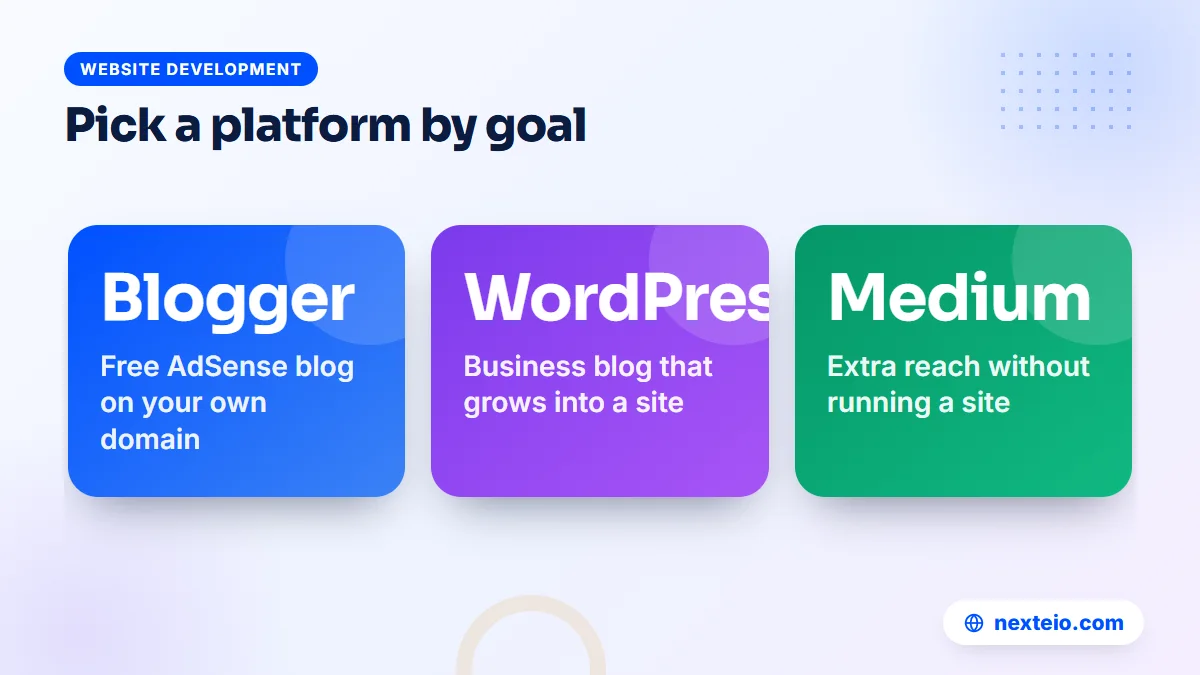
| A student or hobby writer | Blogger | Free, simple, and AdSense is possible later |
| A niche blogger aiming for AdSense | Blogger with a custom domain, or WordPress | Low cost, full ad control, your own address |
| A writer who wants readers fast | Medium, alongside your own blog | Built-in audience, but no ownership |
| A newsletter writer | Substack or Ghost | Email-first, with payment limits to check |
Organizations have different needs from individual writers, because several people post, approvals matter and the blog usually sits next to official pages:
| Organization | Usually the best fit | Why |
|---|---|---|
| A school, college or madrasa | WordPress, or Blogger for a small notice blog | Staff can post notices; WordPress can grow into a full site |
| A company, factory or agency | Self-hosted WordPress | The blog sits inside the main website and brings leads |
| A news portal | WordPress, or a custom build for large sites | Categories, many authors, heavy traffic |
For a company, the best blogging platform is almost always the one your main website already runs on. A blog on a separate free platform splits your search visibility and sends readers away from your service pages. Our guide on content for every stage of the customer journey shows how blog posts lead readers toward an inquiry.
SEO Differences Between Blogging Platforms
People often ask which is the best blogging platform for SEO. The honest answer is that Google does not rank a post higher because of the platform it was written on. It ranks helpful pages that load well and are easy to understand. The platform matters because it decides how much of that you can control.
On self-hosted WordPress, you control nearly everything: page titles, meta descriptions, URL structure, sitemaps, structured data, image compression and caching. Blogger gives you custom titles, search descriptions, custom robots settings and a sitemap, but fewer tools beyond that. Medium and Substack handle SEO for you, which also means your options are limited, and the platform's own domain gets much of the benefit.
Three things help every blog, on any platform:
- Use your own domain from day one, so the trust you build belongs to you.
- Write each post around a real question your readers ask, with clear headings and an honest answer.
- Link related posts together, so readers and search engines find your older work.
Google's own SEO starter guide covers these basics in plain language. If your blog is part of a business site and you want it to grow steadily in search, our SEO service handles the technical and content work.
Moving Later: How Hard Is It to Switch Platforms
Many bloggers start on one platform and outgrow it. How painful the move is depends on two choices you make at the start.
The first is the domain. If your blog has always lived at your own domain, you can move it to a new platform, point the domain to the new site and keep most of your readers and search rankings, as long as old URLs are redirected properly. If it lives at a blogspot.com or wordpress.com address, you can move the content, but the old address belongs to the platform, and redirects are limited.
The second is the platform's export. Blogger lets you download a backup of your posts and comments, and WordPress has an importer that reads it. WordPress can export its own content to another WordPress site. Medium and Substack let you export posts, but the formatting often needs cleaning. Moves from Wix and Squarespace usually involve the most manual work.
A common path in Bangladesh is to start on Blogger with a custom domain, build traffic, and move to WordPress once the blog needs more features. With a custom domain from the start, that move is a planned project, not a fresh start. Our comparison of WordPress and custom websites helps if you are deciding where a growing site should go next.
Mistakes People Make When Choosing a Blogging Platform
Most regrets about a blog come from a choice made in the first week. Lists of the best blog sites rarely mention these, but they come up again and again when people ask for help moving or fixing a blog:
- Starting on a free subdomain. Months of work end up tied to an address you do not own.
- Using a pirated theme or plugin. "Nulled" premium themes often carry hidden malware or spam links that can get a site penalized.
The other four mistakes are about money and long-term fit:
- Registering the domain in someone else's name. If a friend or developer holds the account, you may struggle to get it back later.
- Paying for a long plan before testing. A three-year discount is no bargain if you leave the platform in month two.
- Choosing by popularity alone. The best blogging platform for a large American publisher may be wrong for a one-person blog in Bangladesh.
- Putting a business blog on a different site. The blog then does little for your main website or your inquiries.
None of these is hard to avoid once you know about it. An hour spent on the setup decisions now saves weeks of repair work later.
What Each Option Costs in Bangladesh
The free platforms are truly free to start, but most serious blogs spend something each year. These are rough figures to help you budget, and they change with exchange rates and providers.
| Item | Rough yearly cost | Needed for |
|---|---|---|
| Blogger platform | Free | Blogger blogs |
| A .com domain | Around BDT 1,500 to 2,500 | Any blog on its own address |
| Shared hosting from a decent provider | Around BDT 2,000 to 8,000 | Self-hosted WordPress |
| Premium theme or plugins | Optional, often paid in US dollars | WordPress blogs that need extra features |
| Hosted platform plans | Varies by plan, billed in US dollars | WordPress.com, Wix, Squarespace, Ghost |
A .bd or .com.bd domain is another option for organizations that want a local address. These are registered through BTCL, and the process takes more paperwork and time than a .com.
For most individual bloggers, the cheapest sensible setup is Blogger plus a .com domain, which costs only the domain fee each year. For a business, a WordPress blog on the company website costs more, but the posts then work for the whole site. Compare the yearly total, not only the first-year offer.
The biggest cost is often not money but time. A blog needs regular posts for months before it brings steady readers. Choose a platform you can afford to keep running for at least two years, and spend the rest of your effort on writing. If you want a fixed figure for a Blogger setup with your own domain or a WordPress blog, send us a few details about your plans.
How Nexteio Can Help You Choose and Set Up a Blog
If you have decided that Blogger is the best blogging platform for your goal, we set it up properly through our Blogger website service. That means a clean mobile theme, your own domain connected with HTTPS and the right search settings. We can also add essential pages such as About, Contact and Privacy Policy, which AdSense reviewers expect to see, so the blog is ready for your first posts.
If your blog belongs to a company, school or organization and needs to grow into a full website, we build it on WordPress instead, so the blog and your service pages work together. Either way, we explain what each choice costs over time, and we recommend keeping the domain and every account in your own name.
Not sure which way to go? Read more on our Blogger setup page, see the sites we have built in our portfolio, browse all our services, or tell us about your blog on our project form and we will suggest the platform that fits. You can also reach us through the contact page.
Keep reading: technical SEO basics every website owner should know, what SEO means for a business, or browse all our website development guides.
Frequently asked questions
Is Blogger still a good choice for a new blog?
Yes, for personal blogs, niche blogs and small news pages it still works well. It is free, Google runs the hosting and security, AdSense is built in, and you can connect your own domain with HTTPS at no extra cost. Its limits are design control and features, so a business that plans to grow its site usually does better on WordPress.
Which blogging platform is best for earning money with AdSense?
Blogger with a custom domain and self-hosted WordPress are the two practical choices, because both let you place AdSense ads freely. Medium and Substack do not allow AdSense at all. Approval depends on your content and site quality, not on which of the two platforms you choose.
What is the difference between WordPress.com and WordPress.org?
WordPress.org offers the free WordPress software that you install on your own hosting, giving you full control. WordPress.com is a hosting service that runs WordPress for you, with a free plan and paid plans. On WordPress.com, installing your own plugins and themes is only possible on the higher plans.
Can I write a blog in Bangla on these platforms?
Yes. Blogger and WordPress both handle Bangla text well, as long as the theme uses a font that displays Bangla properly on phones. Test a few posts on an Android phone before you publish widely. If you write in both languages, WordPress gives you more ways to organize Bangla and English posts.
Should a company blog be on a separate free platform?
Usually not. A blog on a free platform at a different address does not strengthen your main website in search, and it sends readers away from your service pages and contact form. Putting the blog on your own website's domain keeps the benefit of every post in one place.
Can I move my blog from Blogger to WordPress later?
Yes. Blogger lets you download a backup of your posts and comments, and WordPress can import it. The move is much smoother if your blog has always used your own domain, because you can point the same address to the new site and redirect old URLs to keep your readers and rankings.
Do I need to know coding to run a blog?
No. Blogger, WordPress.com, Medium and Substack can all be used without code. Self-hosted WordPress needs some setup and regular updates, which many owners hand to a developer, but writing and publishing posts is done in a simple editor.