How to Do an SEO Audit of Your Website: A Step-by-Step Checklist
In this article 15 sections
- 1.What an SEO Audit Checks, and What It Does Not
- 2.Before You Start: Access, Tools and a Baseline
- 3.Step 1: Check Crawling and Indexing
- 4.Step 2: Crawl the Site Like a Search Engine
- 5.Step 3: Test Speed and the Mobile Experience
- 6.Step 4: Review On-Page SEO for Each Key Page
- 7.Step 5: Judge Content Quality and Search Intent
- 8.Step 6: Check Links, Local Signals and Reputation
- 9.Step 7: Look for Security Problems, Spam and Manual Actions
- 10.Turn SEO Audit Findings Into a Fix List
- 11.Free SEO Audit Tools vs a Professional Site SEO Audit
- 12.What an SEO Audit Often Finds on Business Sites in Bangladesh
- 13.Doing It Yourself or Hiring Help
- 14.How Nexteio Can Help With an SEO Audit
- 15.Frequently asked questions
An SEO audit is a structured check of everything that affects how your website appears in Google: whether pages can be found and indexed, how fast they load on a phone, how each page is written and linked, and whether anything is holding the site back. Think of it as a health check before treatment. Without one, SEO work turns into guesswork, with money spent on blog posts while the real problem sits in a setting nobody looked at.
Many business websites in Bangladesh have problems that are invisible from the homepage. A developer left a "discourage search engines" box ticked after launch. The Bangla and English versions compete with each other. Product pages load four large images on mobile data. A test copy of the site sits in Google's index next to the real one.
None of these show up until someone looks properly. This guide shows how to do that, step by step, using mostly free tools from Google.
It is written for owners, marketing officers and IT staff who want to check their own site, and for anyone deciding whether to pay for a professional audit. You will learn what to check, in what order, how to read the results and how to turn a long list of warnings into a short plan of fixes.
What an SEO Audit Checks, and What It Does Not
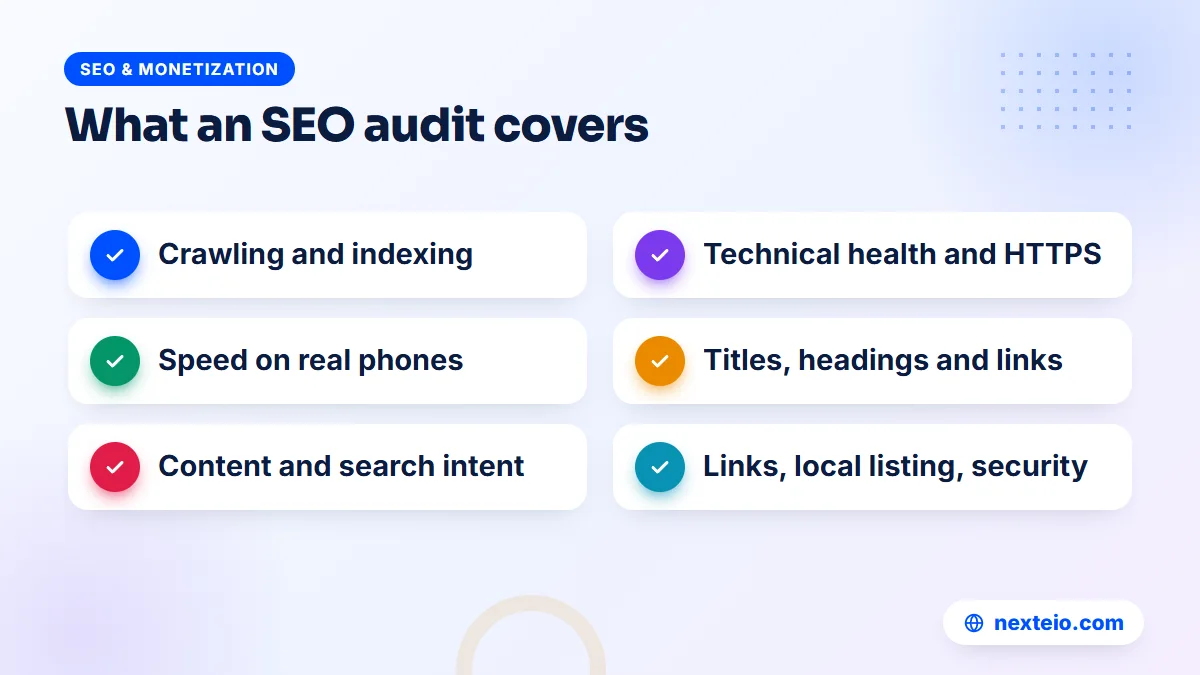
A proper SEO audit looks at the site in layers, starting with the problems that can block everything else. If Google cannot crawl or index a page, nothing written on that page matters. If pages are indexed but painfully slow, good content still loses visitors. The usual layers are:
- Crawling and indexing: can Google reach your pages, and has it chosen to index them?
- Technical health: status codes, redirects, duplicate URLs, HTTPS and sitemaps.
- Speed and mobile experience: how pages load and behave on real phones.
- On-page elements: titles, headings, descriptions, images and internal links.
- Content: whether each important page answers what searchers want.
- Links and local signals: who links to you, and how your business appears on Google Maps.
- Security and spam: hacked pages, manual actions and risky tactics.
The order matters. Fix the lower layers before polishing the upper ones.
An audit does not rank a site by itself, and it does not promise positions. It tells you what is wrong and what to fix first. A good report also says what is fine, so you do not spend money changing things that already work. Treat any audit that only lists problems, with no order and no explanation, as half finished.
Before You Start: Access, Tools and a Baseline
You can check the SEO of a website from outside with public tools, but the most useful data sits behind a login. Collect access first. You will need Google Search Console, Google Analytics if it is installed, the website admin panel and, ideally, the hosting control panel. If nobody in your office has Search Console access, adding and verifying the site is the first job, and Google explains it on the Search Console page.
Most of the audit can be done with free tools. Each one answers a different question:
| Tool | What you use it for | Cost |
|---|---|---|
| Google Search Console | Indexing, search queries, Core Web Vitals, manual actions, links | Free |
| PageSpeed Insights | Speed and Core Web Vitals for a single page | Free |
| Rich Results Test | Checking structured data such as FAQ, product or organization markup | Free |
| Google Analytics | Which pages get visits from organic search and what visitors do | Free |
| A site crawler | Listing every URL with its status, title, headings and links | Free versions with limits, paid for large sites |
Online "SEO analyzer" tools that give a score out of 100 are useful for a quick look, nothing more.
Before changing anything, write down a baseline. Note the clicks and impressions for the last three months in Search Console, the number of indexed pages, the top ten landing pages from search and the speed results of your five most important pages. Without these numbers, you cannot show later whether the fixes worked.
Step 1: Check Crawling and Indexing
Start in Search Console with the Pages report under Indexing. It shows how many URLs Google has indexed and lists the reasons others were left out, such as "Crawled - currently not indexed", "Excluded by noindex tag", "Duplicate without user-selected canonical" or "Not found (404)". Read each reason and ask a simple question: should this page be in Google or not?
Then check the basics that commonly block whole sites:
- In WordPress, open Settings, then Reading, and make sure "Discourage search engines from indexing this site" is not ticked.
- Open yourdomain.com/robots.txt and confirm it does not block important folders. Google's robots.txt introduction explains the rules.
- Make sure an XML sitemap exists, lists only pages you want indexed and is submitted in Search Console.
- Use the URL Inspection tool on your homepage and two or three key pages to see how Google sees them.
These four checks take minutes and catch the problems that hurt most.
Google's guide to sitemaps covers what a good sitemap contains. Also search Google for site:yourdomain.com. It is not an exact count, but it quickly reveals strange things: old test pages, a staging subdomain, tag archives with no content, or spam pages you did not create.
Step 2: Crawl the Site Like a Search Engine
A crawler visits your site the way Googlebot does, following links from page to page, and lists every URL it finds. This crawl is the heart of an SEO technical audit, because it shows problems page by page instead of one page at a time. Run it, export the results to a spreadsheet and look for these issues:
- Broken pages (404): internal links pointing to pages that no longer exist.
- Redirect chains: a link that redirects two or three times before reaching a page.
- Duplicate versions: the same page loading on http and https, or with and without www.
- Duplicate titles and descriptions: many pages sharing one title, common with themes.
- Missing or wrong canonical tags: pages that point Google to the wrong preferred URL.
- Orphan pages: pages that exist but have no internal links pointing to them.
- Thin URLs: tag, author, attachment or filter pages with almost no content.
Mark each issue with the number of affected URLs. Ten broken links is a small job; four hundred duplicate filter URLs is a structural one.
For WordPress sites, many of these issues come from the theme and plugins rather than from anything the owner did. Attachment pages, tag archives and duplicate category paths are typical. A careful WordPress website setup handles them at the start, and our guide to technical SEO basics explains each term in more depth.
Check one more thing during the crawl: the main navigation. If key service or product pages sit four or five clicks from the homepage, both people and Google will treat them as less important.
Step 3: Test Speed and the Mobile Experience
Most visitors in Bangladesh open business websites on a phone, often on mobile data, so test like they do. Open your homepage and two or three key pages on an ordinary phone using mobile data rather than office Wi-Fi. Note how long it takes before you can read and tap, whether text is readable without zooming, and whether buttons are easy to press.
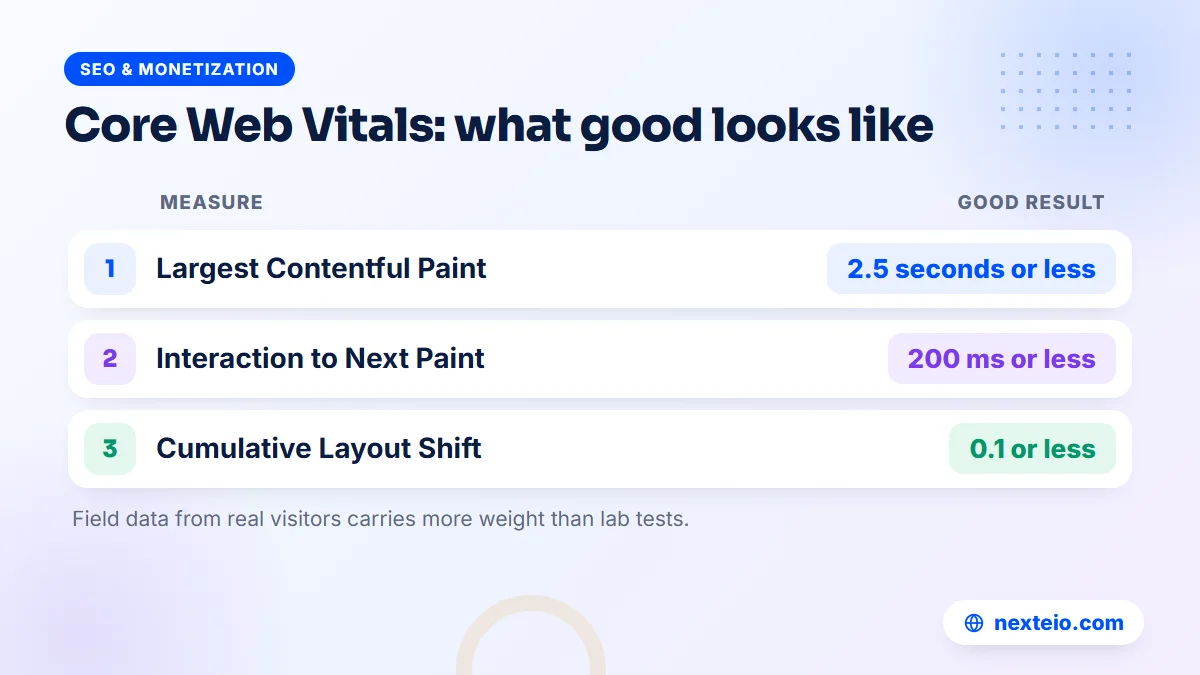
Then run the same pages through PageSpeed Insights. It shows two kinds of results. Field data comes from real Chrome users over the past 28 days, when enough visits exist. Lab data comes from a single simulated test. Field data is what Google's Core Web Vitals assessment uses, so give it more weight when it is available.
| Measure | What it shows | Good result |
|---|---|---|
| Largest Contentful Paint (LCP) | How fast the main content appears | 2.5 seconds or less |
| Interaction to Next Paint (INP) | How quickly the page responds to taps and clicks | 200 milliseconds or less |
| Cumulative Layout Shift (CLS) | How much the layout jumps while loading | 0.1 or less |
Search Console's Core Web Vitals report shows the same measures grouped across the whole site.
The common causes are familiar: oversized images, sliders with five full-width photos, too many plugins, no caching and cheap overloaded hosting. Our article on website speed and SEO covers the fixes. If the theme itself is the problem, patching may cost more than a lighter rebuild through a custom website design.
Step 4: Review On-Page SEO for Each Key Page
Now move from the whole site to individual pages. Pick the pages that matter most for business: the homepage, each service or product category, top products, the contact page and the articles that already bring search traffic. For each one, check the elements below and note what needs to change.
- Title tag: unique, describes the page, includes the main search phrase and fits within roughly 50 to 60 characters.
- Meta description: a clear one or two sentence summary that makes people want to click.
- H1 heading: one per page, matching what the page is about.
- Subheadings: logical H2 and H3 headings that follow the questions a visitor has.
- URL: short, readable and stable, with words rather than numbers and symbols.
- Images: compressed, with descriptive file names and alt text.
- Internal links: links to and from related pages using descriptive anchor text.
- Structured data: correct markup for organization, products, articles or FAQs where it fits.
Keep the notes in one row per page so the fix list writes itself later.
Test structured data with Google's Rich Results Test, which shows errors and which rich results a page qualifies for. For a detailed walk-through of each on-page element, see our guide to on-page SEO for beginners.
Bangla and English versions
Many organizations in Bangladesh publish in both languages, and the audit should check how. Each language version needs its own URL, such as /bn/ and /en/ folders, rather than a switch that changes text on the same address. Google cannot index two languages on one URL properly, so one version simply disappears from search.
Where both versions exist, each page should link to its translation, and hreflang tags should tell Google which version suits which reader. Also check that the Bangla text is real text, not an image of text, and that fonts load quickly on phones. A Bangla notice saved as a scanned image cannot be found by anyone searching for it.
Watch for keyword cannibalization too. When five pages target the same phrase, such as "web design company" or "admission", Google may switch between them and rank none of them well. Give each page one clear job and merge pages that overlap.
Step 5: Judge Content Quality and Search Intent
This is the part tools cannot do for you. Read each important page as a customer would and ask whether it answers what they searched for. Someone searching "school management software price" wants features and a price range or a way to get one, not three paragraphs about your company history.
Look for these content problems:
- Thin service pages with two short paragraphs and a contact button.
- Copied text from suppliers, manufacturers or other websites.
- Outdated information, such as old prices, last year's notices or discontinued products.
- Bangla and English pages that say different things, or a Bangla version missing entirely.
- Blog posts written for keywords with no link to the services the business sells.
- Pages with no visible author, address or way to check who runs the business.
Write a one-line verdict for each page: keep, improve, merge or remove.
Google's guidance on helpful content asks whether a page was written for people first and shows real experience. That is a useful test for every page in the audit. Rewriting a thin page usually means adding the facts a buyer needs, such as scope, process, prices or examples, rather than adding more keywords.
Step 6: Check Links, Local Signals and Reputation
Links from other websites still help Google judge how trusted a site is. Open the Links report in Search Console to see which sites link to you and which of your pages receive those links. You are looking for patterns, not a big number. Links from trade bodies, suppliers, local directories, news coverage and partner organizations are healthy. Hundreds of links from unrelated foreign sites, often bought in a cheap package years ago, are a warning sign.
For businesses that serve customers at a physical place, local signals matter as much as links. Check that your Google Business Profile exists, is verified, uses the right category and shows the same name, address and phone number as your website. Check the reviews too: are they recent, and does the business reply to them?
Finally, check that your contact details are the same everywhere: the website footer, the contact page, Facebook page, directories and the Business Profile. Mismatched phone numbers and old addresses confuse customers first and search engines second.
Step 7: Look for Security Problems, Spam and Manual Actions
Open the Security issues and Manual actions sections in Search Console. Most sites show "No issues detected", but if either one shows a problem, it goes straight to the top of your fix list. A manual action means a reviewer at Google found that the site breaks its rules, and parts or all of the site may be demoted until you fix it and request a review.
Also check for signs of a hacked site: unfamiliar pages in a site: search, Japanese or pharmacy text in search results under your name, redirects to other sites on mobile only, or new admin users you did not create. Old plugins and weak passwords are the usual entry points.
Read Google's spam policies and compare them with anything a past SEO provider did. Hidden text, doorway pages for every district, bought links and auto-generated pages can all cause trouble. If you find them, removing them is part of the fix.
Related guides for this stage of the audit:
- Common SEO mistakes that hurt business websites
- How long SEO takes to show results
- How to write SEO-friendly website content
Each one picks up where a section of this audit ends.
Turn SEO Audit Findings Into a Fix List
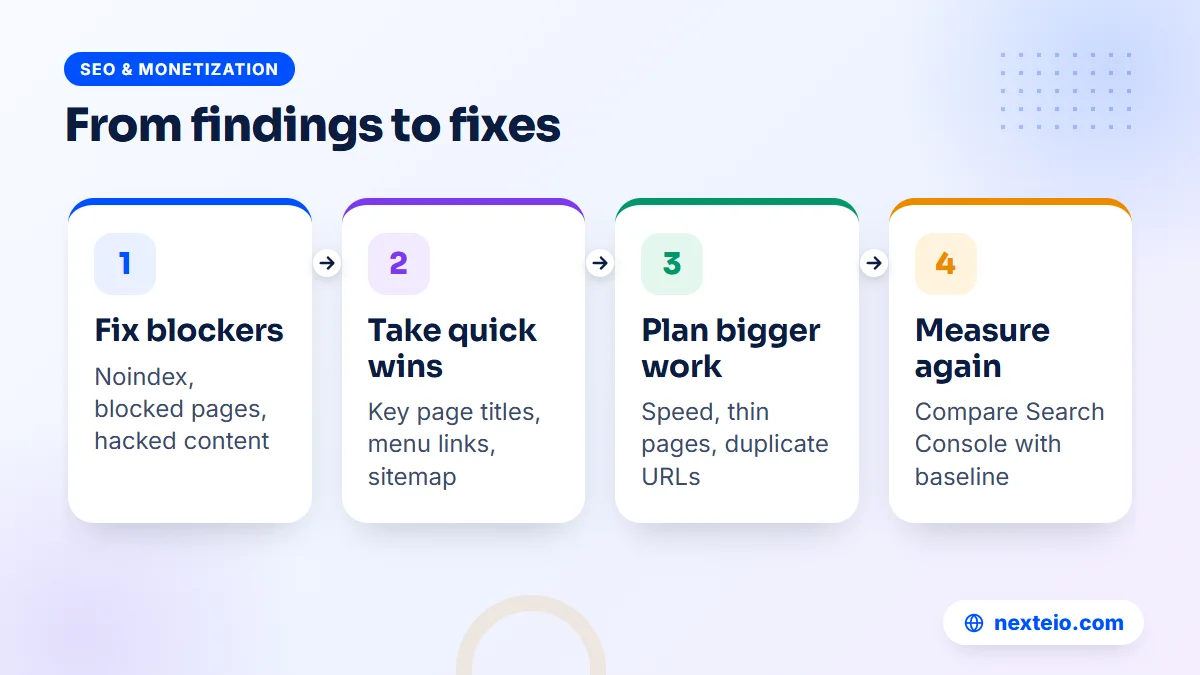
A finished SEO audit can easily produce two hundred warnings. Most are minor. The skill is in sorting them, so your developer and content writer spend their first week on the few changes that matter most. Sort every finding by two questions: how much harm is it doing, and how much effort will it take to fix?
| Priority | Typical findings | When to fix |
|---|---|---|
| Blockers | Site set to noindex, robots.txt blocking pages, hacked content, manual action | Immediately |
| High impact, low effort | Duplicate titles on key pages, broken links in the menu, missing sitemap | First two weeks |
| High impact, more effort | Slow theme, thin service pages, duplicate URL structure | Planned over one to three months |
| Low impact | Alt text on old blog images, minor warnings from analyzer tools | During routine updates |
Fixing blockers first can change results quickly, while the rest builds up over months.
Assign every fix to a named person with a date. "Improve speed" is not a task. "Compress homepage slider images and remove the unused slider plugin, by Thursday" is. After the fixes, request indexing for the changed key pages in Search Console and watch the reports over the following weeks.
What a useful audit report contains
Whether you write the report yourself or receive one from a provider, it should be readable by the person who approves the budget. A clear structure looks like this:
- A one-page summary with the five most important findings in plain words.
- The baseline numbers recorded before any changes.
- Findings grouped by layer, each with affected URLs and the reason it matters.
- The prioritized fix list with owners and target dates.
- What is already working well and should not be changed.
- How and when results will be measured again.
A report that is only an exported tool score, with no explanation, is not an audit.
Free SEO Audit Tools vs a Professional Site SEO Audit
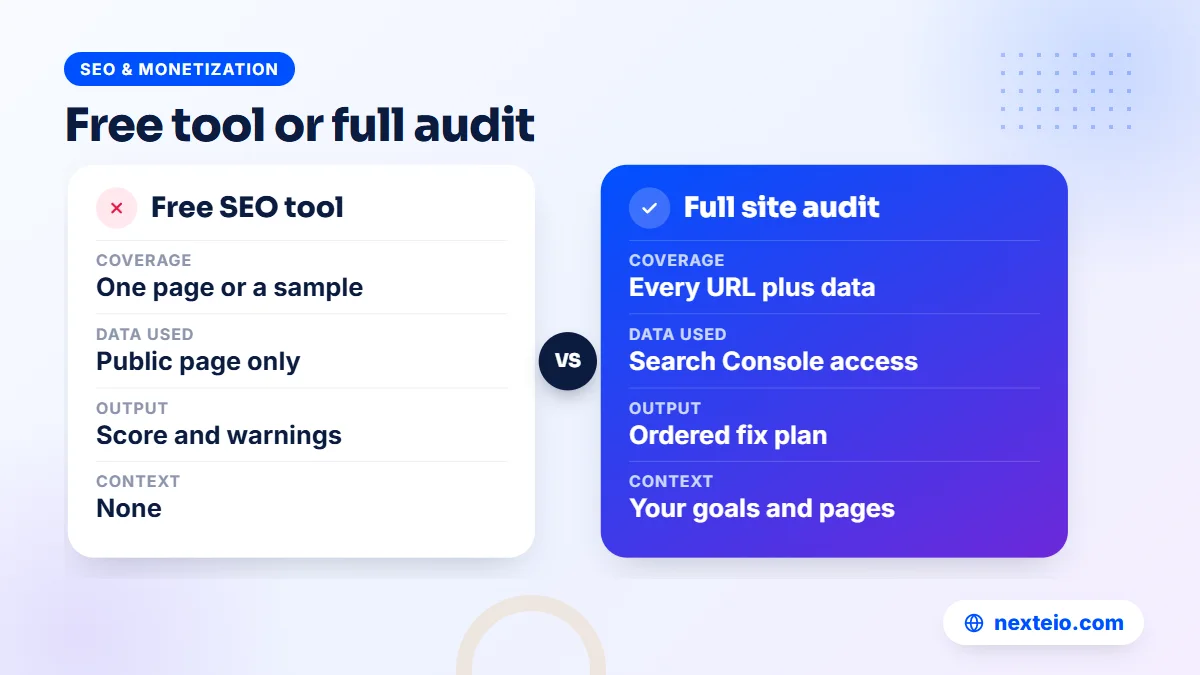
Many websites offer a free SEO audit: you enter a domain and receive a score with a list of warnings. These tools are a quick way to check website SEO at the surface. They spot missing titles, large images, missing alt text and slow pages. Use them to start a conversation, not to decide what to fix.
Their limits are real. A free SEO analyzer usually checks one page or a sample, has no access to your Search Console data, and does not know your business, your customers or which pages earn money. It may flag a "problem" that does not matter, such as a short page that is meant to be short, while missing a staging copy of the site sitting in Google's index.
A full site SEO audit combines tool data with judgement. It uses Search Console, a complete crawl and a page-by-page reading of key content, then ranks the findings by business impact. That takes time, which is why a professional audit is usually quoted after looking at the site's size and type. A five-page company profile and a store with three thousand products are very different jobs.
Be careful with a free website SEO audit offered by email. Many are sales hooks that send the same scary report to everyone. A useful offer names specific pages on your site and explains why each issue matters. If you want to compare providers, our guide to choosing the best SEO service in Bangladesh lists the questions to ask.
In practice, the best value often comes from mixing both. Run a free tool yourself to clear the obvious items, then ask a specialist to look at what tools cannot judge. Our own SEO work for clients follows the same idea: find the technical, content and structure problems first, then fix them in order of impact.
How often to repeat the audit
Run a light check every month in Search Console and a deeper website audit once or twice a year. Some events call for a full audit straight away:
- A redesign, a move to a new platform or a domain change.
- A sudden drop in search clicks that lasts more than a week or two.
- Taking over a site from another developer or agency.
- Before a major campaign that will send paid traffic to the site.
Migrations deserve special care, since changed URLs without proper redirects can lose much of a site's search traffic.
What an SEO Audit Often Finds on Business Sites in Bangladesh
Every site is different, but some patterns come up again and again on company, school and shop websites here. Knowing them helps an SEO audit website owners run themselves move faster, because you know where to look first.
The leftover setting. The site was built on a staging address, launched, and the "discourage search engines" box or a noindex tag stayed on. The site looks fine to visitors and is almost invisible in Google.
The demo content. A theme was installed with sample pages, and some still exist: "Sample Page", lorem ipsum services, or a portfolio of stock photos. Google indexes them as part of your site.
One title for every page. Every page shows the company name as its title, so Google has little to go on and rewrites titles itself.
Heavy images. Photos uploaded straight from a camera or phone, several megabytes each, on a homepage slider that mobile visitors have to wait for.
The orphaned notice board. Schools and colleges post notices as PDF files with names like "scan001.pdf", linked from nowhere except a page that was later deleted.
The mismatched address. The website, Facebook page and Google listing show three different phone numbers after a move. Customers call the wrong one, and search engines see inconsistent details.
Online shops also have their own patterns, such as filter URLs creating thousands of near-duplicate pages. Our e-commerce SEO service focuses on those store-specific issues.
Doing It Yourself or Hiring Help
A small site with ten to twenty pages can be audited by a careful owner or staff member using this guide in a day or two. The steps that need the most skill are the crawl analysis, speed fixes and judging content against search intent. If those parts feel uncertain, a mixed approach works well: do the indexing, contact details and content checks yourself, and bring in a specialist for the technical layer.
When you hire someone for an SEO audit and fixes, ask what they will check, what access they need, whether they will explain each finding and whether the fixes are included or quoted separately. Ask to see a sample report. A provider who promises "first page in 30 days" from an audit alone is promising something nobody can control.
Also think about what happens after the audit. Findings need a developer for technical fixes and a writer for content. If you have neither, choose a provider who can do both or can work with your current web team. An audit that sits in a folder unread helps nobody. If paid ads already run to the site, fixing landing page speed and content helps those campaigns too, which matters if you also use Google Ads.
How Nexteio Can Help With an SEO Audit
An audit is where our SEO service starts. We look at the technical, content and structure problems that stop Google from showing your pages, then fix them in order of impact rather than in the order a tool lists them. You get the findings in plain words, with the reason each one matters and what we suggest doing first.
Because we also build websites, the fixes do not stop at a report. Where a slow theme, a broken structure or a messy WordPress setup is the real cause, our development team can repair it, whether the site runs on WordPress or a custom build. For online stores, we look at category and product pages, filters and duplicate URLs as part of the work.
To begin, we usually ask for access to Google Search Console and the website, and a short note about your goals: more enquiries, more admissions or more orders. You can read more about Nexteio, see sites we have built in our portfolio or tell us about your website on our project form. If you prefer to talk first, use our contact page, or request an audit of your site and ask about our ongoing SEO support.
Keep reading: what SEO does for a business, how to connect your pages with internal links, or browse all our SEO and monetization guides.
Frequently asked questions
How long does an SEO audit take?
A small company or school website with a few dozen pages can be audited in one to three working days. Large online stores, news sites and portals with thousands of URLs take longer, mainly because the crawl and content review grow with the site. Fixing the findings is a separate timeline that depends on how many issues turn up.
Is a free SEO audit enough?
A free tool is enough to spot surface problems such as missing titles, heavy images or slow pages. It cannot see your Search Console data, judge whether your content answers searchers, or decide which issues hurt your business most. Use it as a first look, then do the deeper steps yourself or with a specialist.
Can I audit my website without technical knowledge?
Yes, for a large part of it. Checking indexing in Search Console, reading key pages as a customer, comparing contact details and testing speed on a phone need care rather than coding skills. The crawl analysis, redirects, canonical tags and speed fixes are where a developer or SEO specialist usually helps.
What access does someone need to audit my site?
At minimum, user access to Google Search Console, and ideally Google Analytics, the website admin panel and the hosting control panel. Add the auditor as a user with their own login instead of sharing your password, and remove their access when the work ends.
Will an SEO audit improve my rankings by itself?
No. An audit only finds and ranks the problems. Rankings can change after the fixes are made and Google has crawled the updated pages, which may take days for small fixes and months for content and authority work. Removing a blocker such as a noindex tag can show results quickly, while other gains build slowly.
What is the difference between a website audit and an SEO audit?
A website audit can cover anything about a site, including design, accessibility, security, conversion and code quality. An SEO audit focuses on what affects visibility in search: crawling, indexing, speed, on-page elements, content and links. The two overlap, and many problems such as slow pages or broken links hurt both visitors and search.
How often should a business website be audited?
A quick monthly check in Search Console and a full audit once or twice a year suit most business sites. Run a full audit straight away after a redesign, platform move or domain change, when search clicks drop sharply, or when you take over a site from another developer.