Google Display Ads: How the Display Network Works and When to Use It
In this article 15 sections
- 1.What Google Display Ads Are and Where They Appear
- 2.Google Display Ads vs Search Ads: Different Jobs
- 3.When Google Display Advertising Makes Sense
- 4.Google Display Ads Formats and Sizes
- 5.Targeting on the Google Ads Display Network
- 6.Bidding and Budgets for Google Display Ads
- 7.How to Set Up a Display Campaign Step by Step
- 8.Brand Safety and Placement Control
- 9.Design and Copy That Work in Display
- 10.Measuring Google Display Ads Properly
- 11.Display Advertising in Bangladesh: Local Points to Plan For
- 12.A Worked Example: A College Admission Campaign
- 13.Common Google Display Ads Mistakes
- 14.How Nexteio Can Help With Google Display Ads
- 15.Frequently asked questions
Google display ads are the image and text ads you see on news sites, blogs, mobile apps, YouTube and Gmail, placed there through Google Ads. Unlike search ads, they do not wait for someone to type a query. They appear while people read, watch or play, which makes them useful for getting noticed and for reminding past visitors about you, but much weaker at catching people who are ready to buy right now.
That difference is where most of the wasted money in display advertising comes from. A business owner in Bangladesh sees cheap clicks and a huge number of impressions, assumes the campaign is working, and only later notices that very few of those clicks became calls, orders or admission forms.
Display campaigns can work well. They need a clear job, careful targeting, honest measurement and regular checks on where the ads actually appeared.
This guide explains how the Google Display Network works, how it differs from search, which businesses get the most from it, the ad formats and targeting options, bidding and budgets, brand safety, design tips, measurement and a worked example you can adapt.
What Google Display Ads Are and Where They Appear
The Google Display Network is a large group of websites, apps and Google-owned properties where advertisers can show visual ads. Most of the outside sites and apps join through Google AdSense, AdMob or Ad Manager, which pay publishers to show ads on their pages. Google's own properties, such as YouTube and Gmail, are also part of the reach. Google describes the network in its official overview of display ads.
For an advertiser in Bangladesh, this means your ad could appear on a Bangla news portal, an English-language tech blog, a recipe site, a cricket score app or a YouTube page, depending on how you target the campaign. Each placement is sold through an automatic auction, much like search ads, so you never deal with the publishers directly.
Display ads come in several shapes:
- Responsive display ads: you upload images, logos, headlines and descriptions, and Google combines them to fit each ad space.
- Uploaded image ads: finished banners you design yourself in standard sizes.
- Gmail and YouTube placements: some display inventory appears inside these Google products, depending on the campaign type.
People sometimes search for "Google GDN ads" or simply "Google display" when they mean this whole system. All of these terms describe the same thing: paid visual ads placed across the Google Display Network.
Google Display Ads vs Search Ads: Different Jobs
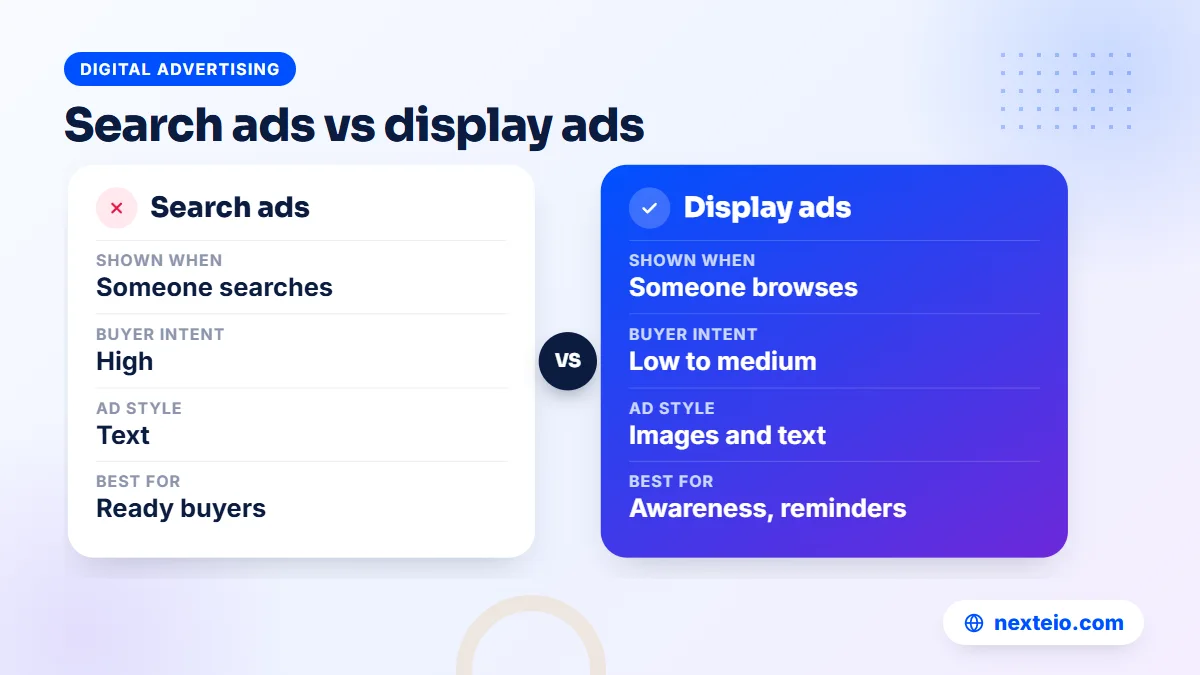
The most useful way to think about display is by intent. A search ad answers someone who is actively looking, for example a parent who types "college admission science group" into Google. A display ad interrupts someone who is doing something else, such as reading the day's news. That person may be interested, but they did not ask.
This one difference shapes everything else:
| Point | Search ads | Display ads |
|---|---|---|
| Trigger | A search query | The audience or the page content |
| Buyer intent | High, often ready to act | Low to medium, browsing |
| Ad style | Text | Images, logos and text |
| Typical cost per click | Higher | Lower |
| Typical click-through rate | Higher | Much lower |
| Best use | Capturing existing demand | Creating awareness and reminding past visitors |
Neither one is better. They do different work.
Cheaper clicks are not a bargain if those visitors rarely act. A display click often costs a fraction of a search click, but the visitor is usually earlier in their decision. Compare both by cost per lead or cost per order, never by cost per click alone. Our guide to Google Ads keyword research covers how to find the high-intent searches that display cannot catch.
When Google Display Advertising Makes Sense
Google display advertising is a good fit when you need people to know you exist before they search, or when you want to stay in front of people who already showed interest. It is a poor fit as the only campaign for a small business with a tight budget and an urgent need for sales.
Situations where display tends to earn its place:
- Remarketing: showing ads to people who visited your site but did not buy, book or inquire. This is usually the most profitable use of display for small advertisers.
- Admission and enrollment seasons: a school, college or coaching center building awareness among parents in the weeks before admissions open.
- Launches: a new product line, a new branch or a new service that people do not yet know to search for.
- Products people discover visually: furniture, fashion, home decor and food, where an image can create interest on its own.
- Supporting search: raising brand recall so that more people click your search ad when they finally do search.
Notice that none of these uses expects a stranger to buy on the first click.
Situations where display often disappoints include emergency services, where people search at the moment of need, and very small local businesses with budgets too low to reach a meaningful audience. B2B firms such as garment exporters also get limited value from broad display; they do better with search, a strong website and direct outreach, and use display mainly for remarketing to buyers who visited.
If you are not sure whether display fits your plan, our Google Ads management team can look at your goals and current results before you spend anything.
Google Display Ads Formats and Sizes
Most advertisers today use responsive display ads, because one set of assets adapts to thousands of ad spaces. Uploaded image ads still have a place when you need full control over the design, for example to match a brand campaign exactly.
Responsive display ads
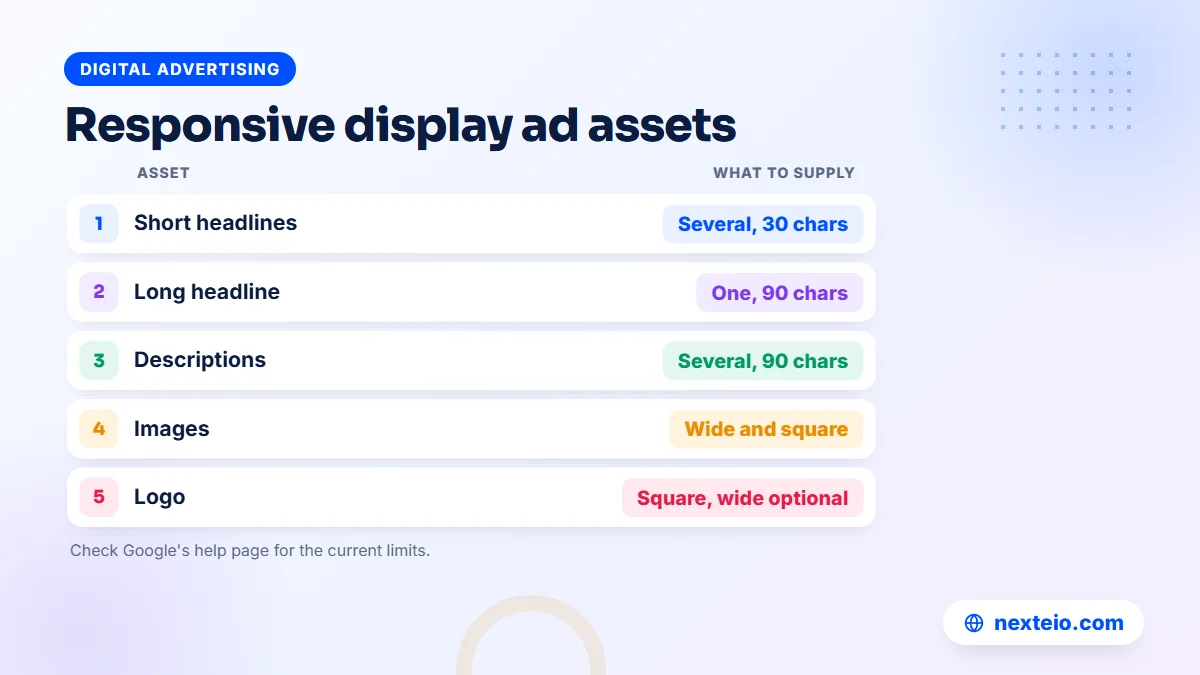
With a responsive ad, you supply the parts and Google assembles them. Google's guide to responsive display ads lists the current limits, which at the time of writing include:
- Several short headlines of up to 30 characters each.
- One long headline of up to 90 characters.
- Several descriptions of up to 90 characters each.
- Wide (1.91:1) and square (1:1) images, with portrait images optional.
- A square logo, with a wide logo optional.
- Your business name, plus optional videos.
Limits change from time to time, so check the help page before you prepare assets.
The more good assets you provide, the more combinations Google can test. Google reports each asset's performance in the asset details, so you can replace weak images and headlines over time. Supply images without text overlaid where possible, because Google may crop them to different shapes, and text in the corners gets cut.
Uploaded image ads
Uploaded banners must match standard sizes exactly. Common ones include 300 x 250 (medium rectangle), 336 x 280, 728 x 90 (leaderboard), 300 x 600 (half page), 320 x 50 and 320 x 100 (mobile banners). Each file must stay within Google's size limit, which is small, so heavy designs need compressing.
On mobile, which is where most Bangladeshi users see display ads, the 300 x 250 and the mobile banner sizes do most of the work. A design that looks good on a desktop leaderboard may be unreadable at 320 x 50, so check every size on a phone before uploading.
Targeting on the Google Ads Display Network
Targeting decides who sees your ads, and it is where display campaigns succeed or fail. The Google Ads display network offers two broad approaches: targeting people based on who they are and what they have done, and targeting pages based on what they are about. You can use one or combine both.
Audience targeting
- Your data: people who visited your website, used your app, watched your YouTube videos or appear in a customer list you uploaded.
- In-market segments: people Google believes are actively researching a category, such as education or real estate.
- Affinity segments: people with a long-term interest, such as cooking or travel.
- Custom segments: audiences you define with keywords, website addresses or apps that describe your ideal buyer.
- Demographics: age, gender, parental status and, in some countries, household income.
Custom segments are often the most useful for local businesses. A furniture shop can build one from searches like "office chair price in Bangladesh" and from the addresses of popular furniture sites, and Google finds people with similar interests across the network.
Content targeting
- Keywords: show ads on pages whose content matches your chosen words.
- Topics: show ads on pages about broad subjects, such as education or home and garden.
- Placements: choose specific websites, apps or YouTube channels where you want to appear.
Placement targeting gives the most control. A coaching center might choose a few education news sites and exam-result pages instead of the entire network.
Optimized targeting
Display campaigns usually have optimized targeting turned on by default. It lets Google show ads to people beyond your chosen segments when its system predicts they will convert. With good conversion tracking and enough data, this can find new buyers. With weak tracking, it tends to spread the budget thin. Turn it off at first if you want to learn which audiences work, then test it later.
Bidding and Budgets for Google Display Ads
Google offers several bid strategies for display, and the right one depends on what you want and how much data you have:
- Maximize clicks: gets the most clicks for the budget. Easy to start with, but it attracts low-quality clicks unless you watch placements closely.
- Viewable CPM: you pay per thousand impressions that were actually viewable. Suits awareness campaigns, such as an admission season announcement.
- Maximize conversions or target CPA: Google sets bids to get conversions at your target cost. Needs reliable conversion tracking and a steady flow of conversions to learn from.
- Target ROAS: for online stores tracking order value, bids aim for a target return on ad spend.
Start simple and move to automated conversion bidding once conversions are flowing. Without tracking, smart bidding has nothing to learn from. Our conversion tracking guide shows how to set up the events first.
Budget follows the same logic as any Google campaign: set a daily budget you can sustain for several weeks, since campaigns need time to learn. Display usually needs less money per click than search but more patience, because results come over a longer path. Our article on Google Ads costs for small businesses in Bangladesh explains daily budgets, billing and how to plan spend.
Use a frequency cap on awareness campaigns, so the same person does not see your banner dozens of times. A few views per person per week is usually enough to be noticed without becoming irritating.
How to Set Up a Display Campaign Step by Step
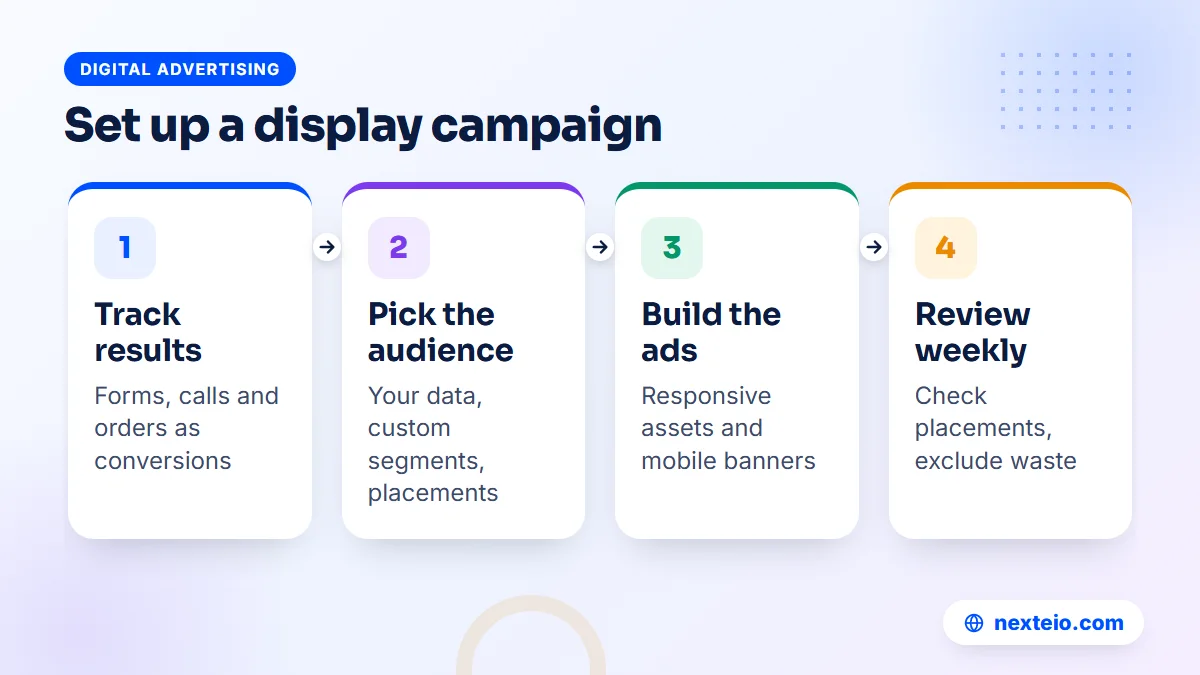
The setup screens change from time to time, but the decisions stay the same. Work through them in this order:
- Set up conversion tracking: forms, calls, orders or messages, so you can judge results by outcomes.
- Create a new campaign: choose a goal such as leads or sales, then select the Display campaign type.
- Choose locations and languages: Bangladesh, or specific districts, and English, Bengali or both, depending on your audience.
- Pick a bid strategy and budget: start with clicks or conversions, as discussed above.
- Add targeting: your data segments, custom segments, or chosen placements. Decide whether optimized targeting stays on.
- Build the ads: responsive assets and, if you have them, uploaded banners for the main sizes.
- Set exclusions: content types, sensitive topics and any placements you already know you do not want.
- Launch and review: check placements after a few days, and again weekly.
Plan the landing page as part of the setup, not as an afterthought.
Display visitors arrive colder than search visitors. They need a page that quickly explains what you offer, shows proof, and gives one clear next step. A fast, focused page helps every campaign, and our guide to building a high-converting landing page covers the layout. If your current website loads slowly on mobile data, a rebuild through our custom website design service may help more than any change in targeting.
Display inside other campaign types
Standard Display campaigns are not the only way to reach this inventory. Performance Max campaigns can show ads across Display, Search, YouTube, Gmail and other Google surfaces from one budget, and Demand Gen campaigns focus on visual placements such as YouTube and Discover. These options give Google more control over where ads appear, which can help when tracking is strong but makes placement review harder.
For a first campaign, a standard Display campaign is easier to understand and control. You can see exactly which audiences and placements you chose, which makes the lessons clearer when you later move to a more automated campaign type.
Brand Safety and Placement Control
Because display ads appear on other people's websites and apps, you need to know where your brand is showing up. Without checks, a hospital's ad can appear on a low-quality gossip site, or a large share of the budget can go to children's games where taps are accidental.
Google gives you several controls:
- Content suitability settings: choose a stricter inventory type that avoids sensitive content, such as tragedy, conflict or mature themes.
- Excluded content types: remove certain labels and page types across the account.
- Placement exclusions: block specific websites, apps and YouTube channels. Google explains how to exclude specific webpages and videos.
- Account-level exclusion lists: keep one list of blocked placements and apply it to every campaign.
The most important habit is the placement report. After the first few days, open the report that shows where your ads appeared, sort by cost, and look at the placements with many clicks but no conversions. Apps with unusually high click-through rates are often a sign of accidental taps. Exclude them and repeat the check every week. If you would rather hand this routine to someone else, our Google Ads campaign management can take it on.
For organizations with strict reputations, such as hospitals, banks, NGOs and government bodies, consider starting with placement targeting on a short list of trusted sites rather than open audience targeting. You reach fewer people, but you know where every impression appeared.
Related guides: how Google judges ad quality, Google Ads tips for small budgets and getting more leads from Google Ads.
Design and Copy That Work in Display
A display ad has about a second to be noticed and understood, often at small size on a phone. Busy designs fail. The ads that work tend to be simple, with one image, one message and one action.
Practical rules for display ad assets:
- One message per ad: "Admissions open for HSC science" beats a list of every course.
- Clear product or face: a real photo of the product, the campus or a person is easier to read than an abstract graphic.
- Readable text: few words, large type, strong contrast. Test on a phone at small size.
- Visible brand: a logo or name, so even people who do not click remember who you are.
- A specific action: "Book a visit", "See the menu" or "Apply now", matching the landing page.
- Language fit: Bangla for local mass-market audiences, English for corporate or export buyers, or a careful mix.
Google also reviews display ads against its advertising policies. Avoid misleading claims, fake buttons that look like system messages, and images that are blurry or mostly text. Rejected ads waste setup time and can delay a seasonal campaign.
Plan for creative fatigue as well. The same banner shown to the same audience for months stops being noticed, and performance slowly drops. Prepare two or three sets of images and headlines at the start, run them side by side, and replace the weakest set every few weeks. Keep a short note of what each set tested, such as a product photo against a lifestyle photo, or a price-led headline against a benefit-led one, so each round teaches you something.
Display images can come from video too. A short product video edited by our video ads editing team can provide still frames for banners, and the full video can run on YouTube through our YouTube ads service.
Measuring Google Display Ads Properly
Display metrics need different expectations from search. A low click-through rate is normal, because people were not looking for you. The question is whether the campaign moves the numbers that matter for your business.
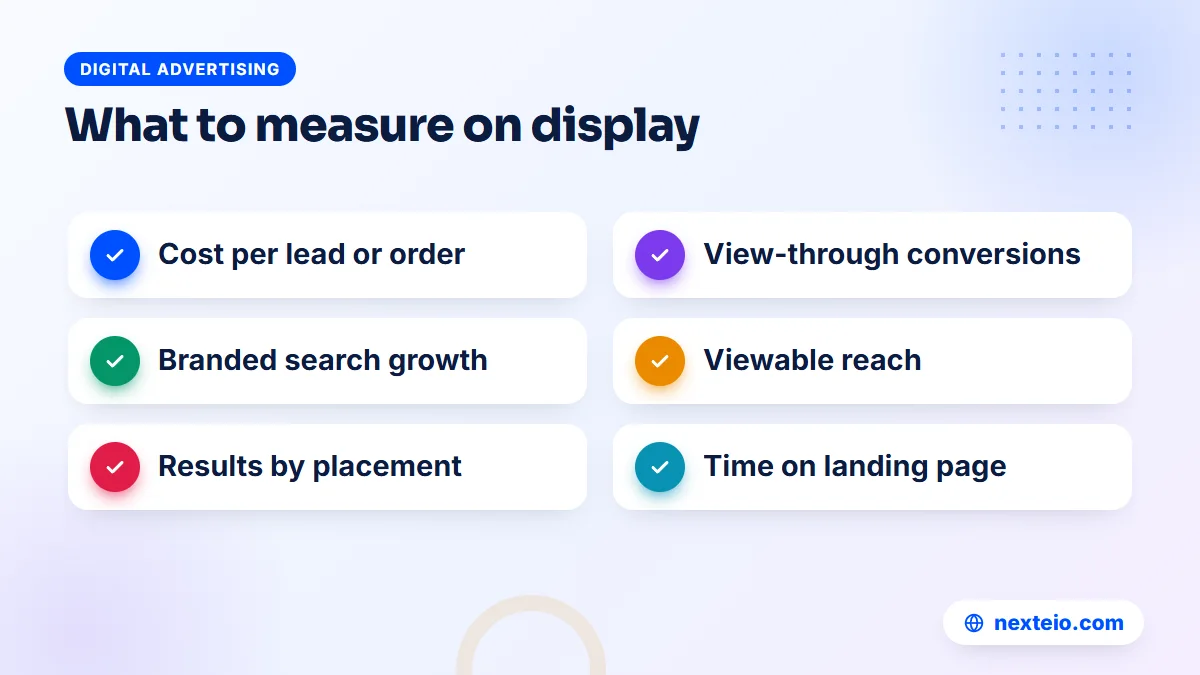
Track these, in this order of importance:
- Conversions and cost per conversion: leads, orders, calls or form submissions from display traffic.
- View-through conversions: people who saw an ad, did not click, but converted later. Treat these as a supporting signal, not proof.
- Branded search volume: whether more people search for your business name during and after the campaign.
- Viewable impressions and reach: how many people actually had a chance to see the ad.
- Placement performance: which sites and apps bring results, and which waste money.
Also look at what display visitors do on your site. If they leave within seconds, either the targeting is wrong or the page does not match the ad. Google Analytics shows engagement by campaign, which helps separate bad placements from bad landing pages.
Give a campaign at least two to four weeks before major judgments, unless placements are clearly wasting money. Display results often show up indirectly, through more branded searches and better remarketing lists, as well as through direct conversions.
When you compare periods, keep other changes in mind. A price change, a new Facebook campaign or a festival week can move results on their own. Change one major thing at a time in your Google display ads, and write down the date of each change so you can match it to the numbers later.
Display Advertising in Bangladesh: Local Points to Plan For
Most guides to display advertising are written for markets where people browse on fast connections and large screens. In Bangladesh, a few local conditions change how you should plan.
- Phones first: most impressions appear on small screens, often on budget Android phones. Design every banner for a phone first.
- Light landing pages: many visitors are on mobile data that can be slow or expensive. A heavy page with large images and sliders loses visitors before it loads.
- Language: Google Ads lets you target users by language. Many popular Bangla news and entertainment sites show Google ads, so Bangla creative often fits mass-market products better.
- Seasons: Eid, Pohela Boishakh, year-end sales and admission months change both demand and competition. Plan awareness campaigns a few weeks before the peak, not during it.
- Follow-up channel: many visitors would rather call or message than fill a form. Give a phone number or a WhatsApp button on the landing page, and track those actions as conversions.
None of these points needs extra budget. They need planning before launch.
Location targeting matters too. If you only deliver within certain districts, or most of your students come from a few areas, restrict the campaign to those locations. National reach sounds attractive, but it spends money on people you cannot serve.
A Worked Example: A College Admission Campaign
Consider a private college that wants more applications for its next intake. Parents and students research for weeks before applying, and many do not yet know the college's name. This is a reasonable case for Google display ads alongside search.
A sensible plan might look like this:
- Before the season: fix the admission page so it loads quickly on phones, lists programs, fees, deadlines and a simple inquiry form, and track form submissions as conversions.
- Awareness phase: run responsive display ads to custom segments built from education-related searches and sites, limited to the districts where most students come from, with a frequency cap.
- Remarketing phase: show different ads to people who visited the admission page but did not submit the form, with reminders of the deadline and campus visit days.
- Search support: run search ads on the college name and key program searches, since awareness from display will raise those searches.
- Weekly review: check placements, exclude poor apps, and move budget toward the segments with the lowest cost per inquiry.
Each phase has its own ads and its own audience, so results can be read separately.
After the season, the college keeps the remarketing lists for the next intake and has real data on which audiences produced applications. That data makes the next year's campaign cheaper to run. The same structure works for a coaching center, a training institute or a school.
Common Google Display Ads Mistakes
These problems show up again and again in display accounts:
- Judging by cost per click: cheap clicks from apps and accidental taps look good until you count conversions.
- Never checking placements: a large share of spend goes to sites and apps nobody chose.
- No conversion tracking: smart bidding and optimized targeting have nothing to learn from.
- One banner for everything: the same ad for cold audiences and past visitors.
- Sending traffic to the homepage: cold visitors land on a general page and leave.
- Display only, no search: awareness is created, but nobody captures the people who later search.
- Switching off too early: stopping after a few days, before the campaign has learned or the audience has seen the ad enough.
Most of these are fixed by routine: a weekly placement review, a separate ad for each audience, and a clear conversion goal.
If your display campaign has been running for a while with unclear results, it is usually faster to audit what exists than to start again. Our Google Ads specialists can review the account, placements and tracking, and our ads campaign service helps when display needs to work alongside Facebook, TikTok or YouTube campaigns.
How Nexteio Can Help With Google Display Ads
We plan display campaigns around a clear job: building awareness before a season, reaching a defined audience, or bringing back people who visited your site. We start by checking your conversion tracking and landing pages, because a display campaign without them cannot be judged fairly. Then we choose the targeting, set frequency caps and content exclusions, and prepare responsive assets and banners in the sizes that matter on phones.
Once the campaign runs, our Google Ads management includes regular placement reviews, exclusion of wasteful apps and sites, and budget moves toward the segments that bring inquiries or orders. We also make sure display works alongside your search campaigns and your organic SEO work, so the awareness it creates turns into searches you capture.
You can see our work in the portfolio, learn more about Nexteio, or share your goals and budget through the project brief form. For a quick question first, visit our contact page.
Keep reading: what to expect from a Google Ads service, how SEO and Google Ads work together and our full list of digital advertising guides. When you are ready to plan a display campaign that you can measure, start your project here.
Frequently asked questions
How much do Google display ads cost in Bangladesh?
There is no fixed price. You set a daily budget, and the cost per click or per thousand impressions comes from the auction, your targeting and the quality of your ads. Display clicks usually cost less than search clicks, but they also convert less often, so compare campaigns by cost per lead or order.
What is the difference between the Google Display Network and AdSense?
They are two sides of the same system. AdSense is the program publishers use to earn money by showing ads on their websites. The Display Network is the advertiser's view: the group of sites and apps, many of them AdSense publishers, where your display ads can appear.
Can I choose exactly which websites show my ads?
Yes. Placement targeting lets you pick specific websites, apps and YouTube channels. Your reach becomes smaller, but you know where every ad appears, which suits organizations that care strongly about brand safety. You can also block placements you do not want from any campaign.
Do display ads work on mobile phones?
Yes, and in Bangladesh most display impressions are likely to come from phones. Design for small screens first: few words, large text and a clear image. Watch app placements closely, because some mobile apps bring accidental taps that cost money without bringing customers.
Should a small business start with display or search ads?
Most small businesses should start with search, because it reaches people who are already looking for what they sell. Add display later for remarketing to website visitors, or for awareness when you have a launch or seasonal campaign and enough budget to reach a meaningful audience.
Why is the click-through rate on my display ads so low?
A low click-through rate is normal for display, because people are reading or watching something else rather than looking for you. Judge the campaign by conversions, branded searches and remarketing list growth instead. If both clicks and conversions are very low, review the targeting and the design.
What image sizes do I need for Google display ads?
For responsive display ads, prepare wide and square images plus a square logo, and Google adapts them to each space. For uploaded banners, the most used sizes include 300 x 250, 728 x 90, 300 x 600, 320 x 50 and 320 x 100. Check Google's help pages for current file size limits.