YouTube SEO for Businesses: How to Get Your Videos Found
In this article 16 sections
- 1.What YouTube SEO Means for a Business Channel
- 2.How YouTube Decides Which Videos to Show
- 3.Find the Searches Your Buyers Actually Make
- 4.Plan Videos Around Search Intent
- 5.YouTube SEO Titles That Match the Search
- 6.Descriptions, Chapters, Tags and Hashtags
- 7.Thumbnails That Earn the Click
- 8.Captions, Language and Bangla Content
- 9.Watch Time and Retention: The Part SEO Cannot Fake
- 10.Channel Setup, Playlists and Structure
- 11.Getting Your Videos Into Google Search Too
- 12.Measuring YouTube SEO in YouTube Analytics
- 13.Using YouTube Ads to Speed Up a New Channel
- 14.YouTube SEO Mistakes Businesses Make
- 15.How Nexteio Can Help With YouTube SEO and Video Growth
- 16.Frequently asked questions
YouTube SEO is the work of making your videos easy for YouTube and Google to understand, so they appear when people search for what you offer. For a business, that might be a parent searching how admission works at a school, a buyer comparing two water purifiers, or a small shop owner looking for how to set up a POS system. If your video answers that search well, it can keep bringing viewers for years without paying for every view.
Most business channels in Bangladesh do not get this benefit. They upload event videos, TV commercials and Facebook clips with titles like "Our Annual Program 2026" or "Product Video Final", and then wonder why nobody watches. The videos are not bad. They are simply invisible to search, because nobody did the YouTube SEO work after filming.
The good news is that the basics of YouTube SEO are not technical. They come down to choosing topics people actually search for, describing each video clearly, keeping viewers watching and organizing your channel so one video leads to the next.
This guide covers how YouTube decides what to show, how to find the right search terms, how to write titles, descriptions and chapters, what thumbnails and captions do, how to get videos into Google results, and how to measure progress.
What YouTube SEO Means for a Business Channel
YouTube search engine optimization is different from website SEO in one important way: YouTube cares heavily about what viewers do after they click. A web page can rank with good content and good links. A video needs good metadata to be found, and then it needs to hold attention to keep being shown.
The relationship between SEO and YouTube also runs in both directions. Google often shows videos in its own search results, especially for how-to and product questions. A well-optimized YouTube video can therefore appear in two places: YouTube search and Google search. If your website embeds that video on a relevant page, the page and the video can support each other.
For a business channel, YouTube SEO usually serves one of three goals:
- Be found by buyers: product demos, comparisons and reviews that appear when people research before buying.
- Reduce support work: how-to and setup videos that answer the same questions your staff answer on the phone every day.
- Build trust: explainers from your doctors, teachers, engineers or founders that show real knowledge.
Pick the goal first, because it decides which videos are worth making.
Entertainment channels chase views. Business channels should chase the right viewers. Five hundred views from people looking for a solar installer are worth more to a solar company than fifty thousand views on a funny office video.
How YouTube Decides Which Videos to Show
YouTube explains its search system on its official page about how YouTube search works. In short, it looks at three broad things: relevance, engagement and quality. It also personalizes results based on each viewer's watch and search history, which is why two people can see different results for the same search.
Relevance is how well your title, description and video content match the search. If someone types "how to clean AC filter at home" and your title says exactly that, you have a strong relevance signal. If your title says "Summer Care Tips Episode 4", YouTube has to guess.
Engagement includes signals such as how long people watch a video after finding it through a search. A video that people leave after ten seconds tells YouTube it did not satisfy that search, even if the title matched perfectly.
Quality is about whether the channel shows expertise and trustworthiness on the topic, which matters more for health, news and money topics. A clinic channel where qualified doctors explain conditions carefully is in a stronger position than an anonymous channel copying text from elsewhere.
You cannot control personalization, but you can control the other three, and that is where YouTube SEO happens. Every section below supports at least one of them.
Find the Searches Your Buyers Actually Make
Good YouTube search optimization starts before you film. The aim is to find questions your customers type, then make videos that answer them better than anything already there.
Free ways to find video topics
- YouTube autocomplete: start typing a topic in the YouTube search bar and note the suggestions. Use a private browser window so your own history does not shape them.
- Google search: search the same topic on Google and see whether video results appear. If they do, Google thinks people want video for it.
- Your own inbox: the questions customers ask on the phone, in messages and at the counter are ready-made video titles.
- Competitor channels: sort their videos by popular and see which topics attract viewers, then make a clearer, more current version.
- Comments: questions under popular videos in your niche show what the existing videos failed to explain.
Write every idea down with the exact words people used.
Bangla, English and mixed searches
People in Bangladesh search in Bangla, in English, and in Bangla written with English letters. A single topic can have all three forms. Check each one in the search bar. Sometimes the English search is crowded with foreign channels while the Bangla version has few good answers, which is an opening for a local business.
Here are examples of searchable topics for different organizations:
| Organization | Example video topic |
|---|---|
| Electronics shop | Inverter AC vs non-inverter AC: which costs less to run |
| Coaching centre | How to prepare for the admission test in 3 months |
| Diagnostic centre | What happens during an MRI scan |
| Software company | How to set up a POS system for a small shop |
| University | Campus tour and how to apply for undergraduate admission |
Each of these answers a real question, and each one naturally introduces the business behind it.
The research methods overlap with paid search. Our guide to finding high-intent keywords explains how to separate searches from people ready to buy from searches made out of curiosity.
Plan Videos Around Search Intent
Search intent is the reason behind a search, and matching it is half of YouTube SEO. Someone typing "best water purifier for home" wants a comparison. Someone typing "water purifier filter change" already owns one and needs help. The same business can serve both, but with different videos.
Most useful business videos fall into five types:
- How-to: step-by-step help with a task, such as setting up a product or filling in a form.
- Comparison: two or three options side by side, with honest pros and cons.
- Explainer: what something is and how it works, such as a medical test or a software feature.
- Review or demo: one product shown in detail, including what it does not do well.
- Behind the process: how something is made, checked or delivered, which builds trust with buyers.
Match the format to what already ranks for the search.
If the top results for a search are all ten-minute tutorials, a thirty-second promo will not compete. If the top results are short and direct, a long video with a slow introduction will lose. Look at the first page of results before you plan the length and structure of your own video, then aim to be clearer, more current or more specific to Bangladesh than what is there.
Avoid making a video that only talks about your company. "About our company" videos have a place on your website and channel homepage, but almost nobody searches for them. Put your company inside a video that answers a question, and viewers will come to you through the answer.
YouTube SEO Titles That Match the Search
The title is the strongest relevance signal you control and the main reason people click. YouTube allows up to 100 characters, but the visible part on phones is shorter, so the important words must come first. A good title uses the words people search, makes a clear promise and stays honest about what the video contains.
Compare these weak and strong versions:
| Weak title | Stronger title |
|---|---|
| Product Video Final | How to Install a Wall-Mounted Water Purifier at Home |
| Our Annual Science Fair 2026 | Class 9 Science Fair Projects: 6 Ideas From Our Students |
| Dr. Rahman Talk Part 2 | Thyroid Test Results Explained by a Doctor |
| New Collection Launch | Summer Cotton Panjabi: 5 Styles and How They Fit |
Each stronger title states the topic in searchable words and tells viewers what they get.
Avoid clickbait. A title that promises something the video does not deliver gets clicks and then fast exits, which hurts the video. Avoid stuffing the same phrase several times, and avoid writing titles in full capital letters. If you serve a Bangla audience, a Bangla title or a Bangla and English title is often the better choice, and YouTube lets you add translated titles and descriptions for other languages.
Descriptions, Chapters, Tags and Hashtags
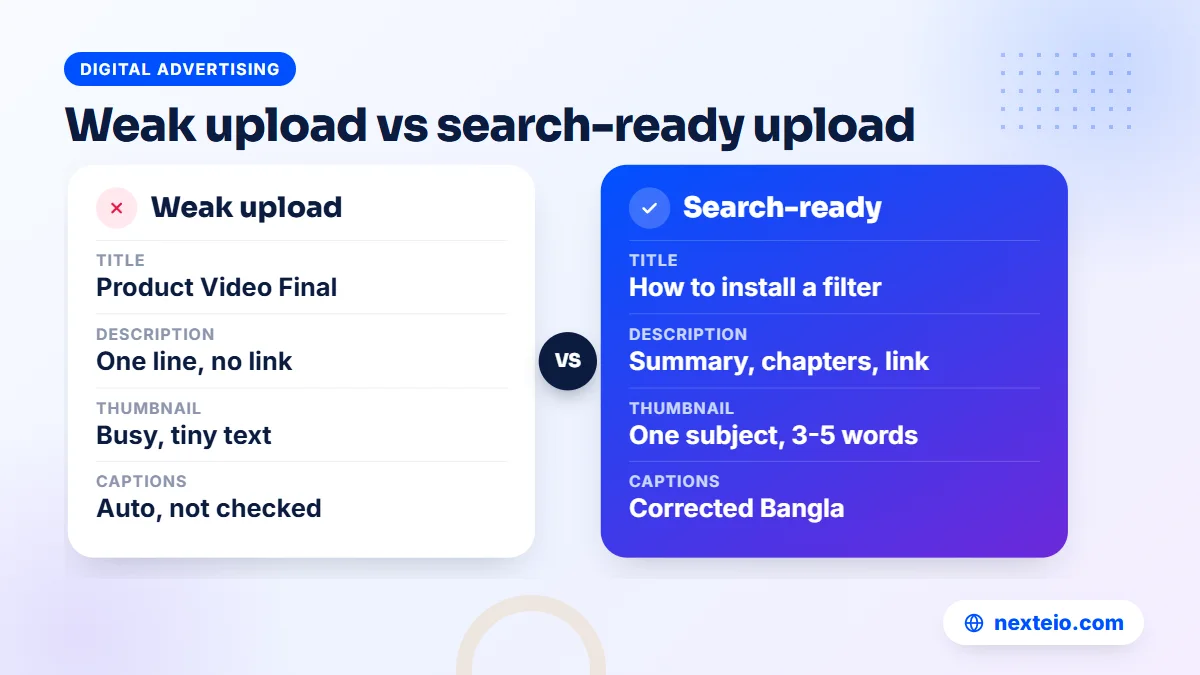
The description is where you give YouTube more context and give viewers a reason to act. The first two lines show in search results and above the "more" link, so open with a plain summary of what the video covers, using the main search phrase naturally. Then add detail: what is covered, who it is for, and links to the relevant page on your website.
A useful business description often follows this order:
- Two sentences that say what the video answers.
- A short list of what is covered, often as chapters.
- A link to the matching product, service or admission page, not just the homepage.
- Contact details: phone, website and business hours.
- Two or three relevant hashtags at the end.
Keep it written for people, not stuffed with keywords.
Adding chapters
Timestamps split a longer video into labeled sections that viewers can jump to, and those sections can appear in Google results as key moments. You add them by listing timestamps in the description, starting with 00:00. YouTube's help page on video chapters lists the rules, including a minimum number of timestamps and a minimum chapter length. Write chapter names as short, searchable phrases, such as "How to change the filter".
Tags and hashtags
Tags matter much less than many people think. YouTube says tags play a minimal role in discovery and are mostly useful for common misspellings of your topic or brand. Add a few and move on. Hashtags in the description can help viewers find related videos on a topic, but use only a few relevant ones. Large blocks of hashtags look like spam and can work against you.
All of this YouTube SEO optimization takes a few minutes per video, but it should be done every time. Build a simple description template for your channel so staff fill in the same fields for each upload.
Thumbnails That Earn the Click
Thumbnails are not a ranking field, but they affect YouTube SEO through clicks. Together with the title, they decide whether someone who sees your video in search actually clicks. A video that appears in results but rarely gets clicked will slowly be shown less.
Custom thumbnails are available once your account is verified. YouTube's guide to adding custom thumbnails explains the requirements and recommended size. A few practical rules work well on phone screens:
- Show one clear subject: a face, a product or a result, not a crowded scene.
- Use three to five words of large text at most, and do not repeat the title word for word.
- Use strong contrast so the image reads at a small size.
- Keep a consistent style, colors and logo position across the channel.
- Never show something that is not in the video.
Check every thumbnail at phone size before you upload it.
For a business, faces of real staff often work better than stock images. A doctor pointing at a model, a technician holding the part being discussed, or a teacher next to a whiteboard all signal that a real person with real knowledge is about to explain something. If you produce many videos, a designer can make a thumbnail template your team reuses. Our video editing service can prepare thumbnails along with the edited videos.
Captions, Language and Bangla Content
Captions support YouTube SEO and your viewers in three ways. They make the video usable with the sound off, they make it accessible to people with hearing difficulties, and they give search systems a clean text version of what you say. YouTube's guide to adding subtitles and captions shows how to upload a caption file, type captions directly or edit automatic ones.
Do not trust automatic captions blindly. They often make mistakes with Bangla, with mixed Bangla and English speech, with brand names and with technical terms. A wrong medicine name or product model in the captions can confuse viewers. Review and correct them, or upload your own file.
Set the video language correctly in the upload settings. If your video is in Bangla, say so, and write at least part of the title and description in Bangla. If you want to reach English searchers as well, add English subtitles and a translated title and description. That way one video can serve both groups without making two separate uploads.
Spoken words matter too. Say the main topic clearly near the start of the video, in the same words people search. It helps viewers confirm they are in the right place, and it gives automatic captions an accurate phrase to pick up.
Related guides that support your video and search work:
- A practical guide to video editing services in Bangladesh
- What SEO means for a business and how it brings customers
- How long SEO takes to show results
Watch Time and Retention: The Part SEO Cannot Fake
Metadata gets your video considered. Viewer behavior decides whether it keeps being shown. If people who arrive from search keep watching, YouTube has evidence the video satisfies that search. If they leave quickly, no title or tag will save it.
YouTube Studio shows an audience retention graph for each video. Its help page on key moments for audience retention explains how to read the intro, the dips and the spikes. Look for the point where many viewers leave, then watch that part yourself. It is usually a slow introduction, a long logo animation, an off-topic story or a stretch with poor audio.
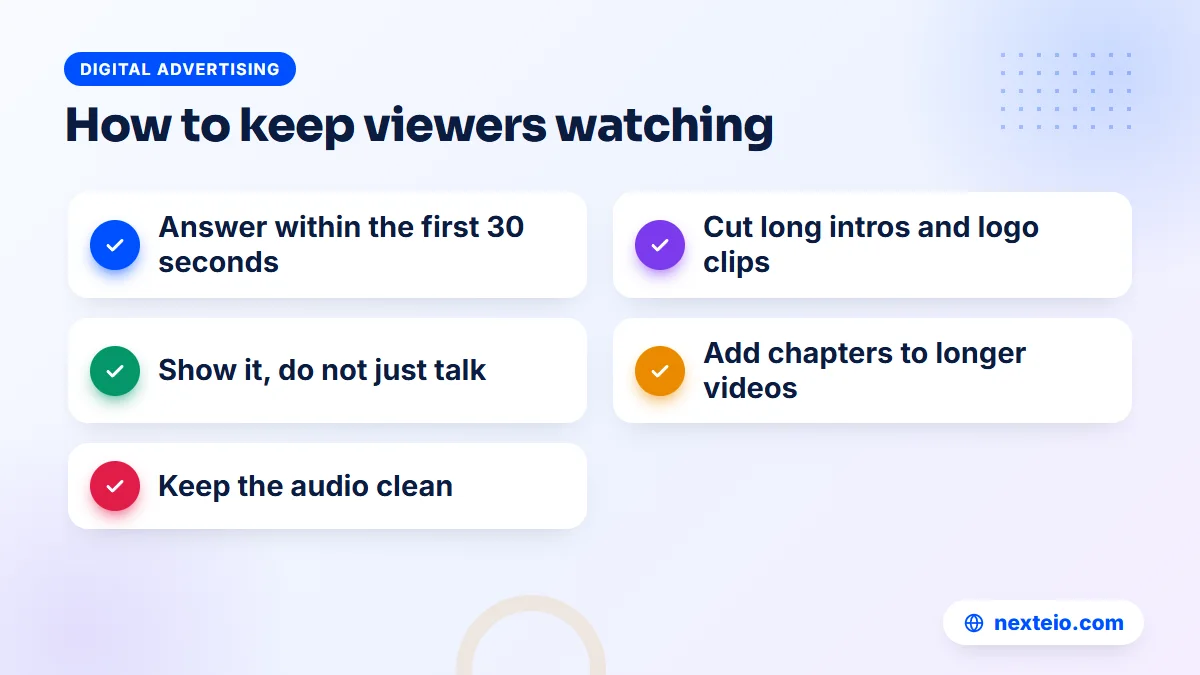
Practical ways to keep viewers watching:
- Answer the question in the first 15 to 30 seconds, then go into detail.
- Cut long greetings, intros and "before we start" sections.
- Show, do not just talk: close-ups, screen recordings and on-screen text.
- Use chapters so viewers can jump to their part instead of leaving.
- Keep audio clean, since bad sound drives people away faster than average video.
Then compare retention across videos to see which style works for your audience. A short paid test through our YouTube ads management can also show which openings hold attention before you film a full series.
Good editing does much of this work. Tight cuts, clear on-screen text and steady pacing turn the same raw footage into a video people finish. Our article on what a good video edit includes covers what to ask an editor for, even for non-ad content.
Channel Setup, Playlists and Structure
Channel structure is the quiet side of YouTube SEO. Individual videos rank, but the channel around them affects how much each viewer watches. A clear, organized channel turns one search visit into several views and, over time, subscribers who see your new uploads.
Set up the basics properly: a clear channel name that matches your brand, a banner with your website and contact details, a short "about" description that says what the channel covers, and links to your website. Keep the channel under a Brand Account owned by the organization, with at least two managers. Many organizations have lost channels created by a staff member who later left.
Playlists are the most underused tool on business channels. Group videos by topic, such as "Product setup guides", "Admission information" or "Health explainers", and give each playlist a searchable title and a short description. Viewers who finish one video in a playlist are offered the next one automatically.
Use end screens and cards to point viewers to the next relevant video, and pin a comment with the main link. The channel homepage should feature your most useful video first, not the newest event recording. Think of the channel as a small library, arranged so a visitor can find the shelf they need.
Getting Your Videos Into Google Search Too
The connection between SEO and YouTube is strongest here. Google shows video results for many searches, and YouTube videos appear often. The same practices help in both places: clear titles, accurate descriptions, chapters and good captions.
Embed your videos on relevant pages of your own website. A product page with its setup video, a service page with an explainer from your specialist, or an admission page with a campus tour gives visitors more reasons to stay and gives search engines a clear connection between the video and the topic. Google's guide to video SEO best practices explains how Google finds and understands videos on web pages.
A few points matter when you embed:
- Put the video on a page about the same topic, near the top of the content.
- Write useful text around it, since a page with only a video gives Google little to work with.
- Do not lazy-load the player in a way that hides it from search engines.
- Keep the page fast on mobile, since heavy players can slow it down.
A developer can handle the player settings and page speed for you.
Your website and your channel should work as one system. If your website needs better structure, our SEO service handles the technical and content side, and our guide to on-page SEO for beginners explains how to optimize a page step by step. A site built through WordPress website development makes embedding and updating videos simple for your own staff.
Measuring YouTube SEO in YouTube Analytics
You do not need paid tools to measure YouTube SEO progress. YouTube Analytics, inside YouTube Studio, shows where views come from and what viewers do. The most useful report for search is the traffic source breakdown, especially "YouTube search", which also lists the exact search terms that brought viewers to each video.
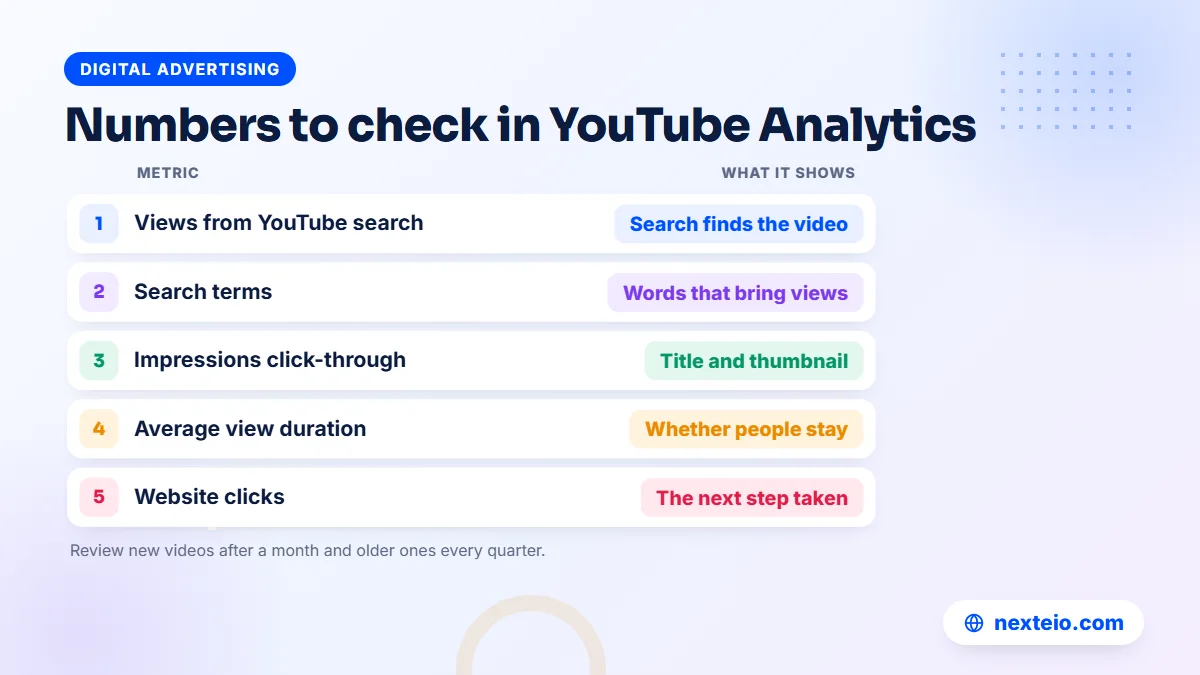
Watch these numbers for each video:
| Metric | What it shows |
|---|---|
| Views from YouTube search | Whether search finds the video |
| Search terms | Which words actually bring viewers |
| Impressions click-through rate | Whether title and thumbnail earn clicks |
| Average view duration | Whether the video holds attention |
| Clicks to your website | Whether viewers take the next step |
Use UTM tags on website links in descriptions so your website analytics show which videos send visitors.
Give each video time. Search traffic often builds slowly over weeks and months, unlike the quick spike from sharing a video on social media. Review new videos after about a month, and older videos every quarter. If a video gets impressions but few clicks, test a new thumbnail or title. If it gets clicks but short viewing time, the opening needs work. If search terms show viewers want something different, update the description and chapters, or plan a follow-up video.
Using YouTube Ads to Speed Up a New Channel
YouTube SEO takes time, and a brand new channel with no history starts slowly. Paid video ads can bring the first viewers to your best videos while search visibility builds. They also show you quickly which topics and openings hold attention, which helps you plan the next organic videos.
Ads are not a ranking trick, so do not expect paid views alone to lift a video in search results. What they do is put your video in front of a chosen audience, such as people interested in home appliances, parents of students or small business owners, at the moment you need reach. For a product launch or an admission season, that timing matters more than slow organic growth.
Run ads through Google Ads, which manages YouTube campaigns. Use in-feed video ads to promote useful how-to content, and skippable in-stream ads for short offers with a clear call to action. If you want specialists to plan targeting and budgets, our YouTube advertising service sets up campaigns, tracking and reporting. For search ads alongside video, our Google Ads management covers the search side. Our comparison of SEO and Google Ads explains how to split budget between organic and paid work.
A sensible approach for most businesses is to optimize every video for search, then put a small budget behind the two or three videos that matter most for sales. Review results every month and move the money to whatever brings real enquiries.
YouTube SEO Mistakes Businesses Make
These mistakes appear again and again on business channels:
- Titles that describe an internal event instead of a viewer's question.
- Empty or one-line descriptions with no website link.
- Long logo intros and greetings before the useful part starts.
- Uploading horizontal TV ads that nobody searches for.
- Uncorrected automatic captions full of wrong Bangla words.
- No playlists, so viewers leave after one video.
- Channel owned by a former staff member's personal account.
- Giving up after a few uploads because views are low in the first month.
Most of these can be fixed on existing videos without filming anything new.
Start with an audit of your ten most important videos. Rewrite titles and descriptions, add chapters, correct captions, sort videos into playlists and update thumbnails where clicks are low. Updating old videos is the fastest YouTube SEO win for most business channels, because the content already exists. For people who search for "YouTube SEO optimisation" in British spelling, the advice is the same: fix the basics on the videos you already have first.
How Nexteio Can Help With YouTube SEO and Video Growth
We help businesses and organizations in Bangladesh turn their videos into a steady source of viewers and enquiries. Our YouTube ads service chooses the right ad format, audience and budget for your videos, then tracks what viewers do next, so you can see whether a campaign is paying off. Alongside the ads, we review your titles, descriptions, chapters and thumbnails so the same videos also have a better chance in search.
If your raw footage needs work first, our video ads editing and general editing teams cut it into clear videos with captions, clean sound and a strong opening. If your website should host and support those videos, we build fast pages that embed them properly.
We usually start by looking at your channel, your website and the questions your customers ask most. From there, we suggest a short list of videos to fix or make, and decide together where paid YouTube campaigns make sense. You can see our wider range of services, look at our portfolio, share your project details or reach us on the contact page.
When you are ready to plan your next campaign, send us a short brief and we will suggest a starting point.
Keep reading: how to write SEO-friendly website content, technical SEO basics every website owner should know, or browse all our digital advertising guides.
Frequently asked questions
How long does YouTube SEO take to work?
A new video can pick up some search views within days, but steady search traffic usually builds over weeks and months. New channels with little history tend to grow more slowly at first. Updating titles, descriptions and chapters on existing videos can show changes faster, because those videos already have some viewing history.
Do tags still matter for YouTube search?
Very little. YouTube says tags play a minimal role in discovery and are mainly useful when people often misspell your topic or brand name. Your title, description, spoken words, captions and how long viewers watch matter far more, so spend your time there.
Should business videos be long or short?
Match the length to the question. A how-to or explainer can run several minutes if every part is useful, while a simple product demo may need less than a minute. Look at what ranks for your search, then make a clearer version without slow introductions or filler.
Can a Bangla video rank well on YouTube?
Yes. Many searches in Bangladesh happen in Bangla, and some have few good answers, which gives local businesses a real opening. Set the video language correctly, write the title and description in Bangla or in both languages, and correct the automatic captions so they match what you actually say.
Do YouTube Shorts help with search?
Shorts can appear in YouTube search and can bring new viewers to a channel. For business topics that need explanation, such as product setup or a medical test, longer videos usually answer the question better. Many channels use Shorts to tease a topic and link viewers to the full video.
Will buying views or subscribers help rankings?
No. Fake views and subscribers break YouTube's rules, can lead to removed videos or a terminated channel, and add no real viewers who might buy from you. Paid advertising through Google Ads is the legitimate way to buy reach, since it shows your video to real people you choose.
Should we put our videos on our website as well?
Yes, on pages about the same topic. A setup video on a product page or a campus tour on an admission page helps visitors and gives search engines a clear link between the page and the video. Add useful text around the video and keep the page fast on mobile.