Creating an Online Store in Bangladesh: A Step-by-Step Guide
In this article 15 sections
- 1.Before Creating an Online Store: Check Your Numbers
- 2.Step 1: Get Your Business Paperwork Ready
- 3.Step 2: Choose a Name and Register Your Domain
- 4.Step 3: Decide How to Build Your Online Store Website
- 5.Step 4: Prepare Your Product Catalog and Photos
- 6.Step 5: Set Up Payments With Cash on Delivery, bKash, Nagad and Cards
- 7.Step 6: Arrange Delivery, Packaging and Returns
- 8.Step 7: Write the Pages Every Online Store Website Needs
- 9.Step 8: Set Up Tracking and Test Every Order Path
- 10.Step 9: Launch and Win Your First Orders
- 11.Step 10: Run the Store Day to Day
- 12.What Creating an Online Store Costs in Bangladesh
- 13.Common Mistakes When Creating an Online Store
- 14.How Nexteio Can Help You Launch Your Store
- 15.Frequently asked questions
Creating an online store in Bangladesh takes more than picking a website theme and uploading a few product photos. You also need a business that makes money after delivery charges and returns, a way to take payment that local buyers trust, a courier that collects cash reliably, and a routine for confirming orders before parcels leave your hands.
Most people who start this journey already sell something. Maybe you run a Facebook page for handmade jewelry, a small clothing brand, an organic food business or a gadget shop. Orders arrive in Messenger, you copy addresses by hand, and every busy day ends with a pile of screenshots. A proper store website fixes that, but only if the pieces around it are ready too.
This guide walks through the whole path in the order it should happen, from checking your numbers to handling your first hundred orders. Each step says what to do, what it usually costs, and where people in Bangladesh most often go wrong.
Before Creating an Online Store: Check Your Numbers
The most common reason small online shops close is not a bad website. It is a product that earns too little once every cost is counted. Before you spend on design, work out what one delivered order really leaves in your pocket.
Here is a simple example for a shirt that sells for BDT 1,200. The figures are illustrative, so replace them with your own.
| Item | Amount (BDT) | Note |
|---|---|---|
| Selling price | 1,200 | What the customer pays |
| Product cost | -550 | Buying or making the shirt |
| Packaging | -30 | Poly bag, label, thank-you card |
| Delivery and COD charge | -40 | Part of the courier fee you absorb |
| Ad cost per order | -200 | Facebook or Google spend divided by orders |
| Returns allowance | -80 | Cost of parcels refused at the door |
| Left per order | 300 | Before rent, salaries and website costs |
That BDT 300 has to cover your time, staff, rent, the website and any slow months. If the result is close to zero, fix the pricing, the product mix or the ad spend first. A better website will not rescue a product that loses money on every parcel.
Also check how many orders you can actually pack and dispatch in a day. Store websites can bring a sudden jump in orders during Eid or a sale, and late deliveries hurt your reviews more than a missed sale would.
Step 1: Get Your Business Paperwork Ready
Paperwork is the dull part of creating an online store, and the part people most often leave too late. You can start selling on social media with almost no documents, but a proper store needs more. Payment gateways, banks and some couriers will ask for proof of your business before they open an account for you. Start this step early, because it often takes longer than building the site.
- Trade license from your local authority, in the business name you will use on the store.
- Bank account in the business name, where gateway and courier payouts will arrive.
- National ID of the owner or partners, which every provider will ask for.
- TIN, and a VAT registration (BIN) if your turnover or business type requires it. Your accountant can confirm this.
- Merchant accounts for bKash or Nagad, which have their own application process.
The Ministry of Commerce has also issued guidelines for digital commerce in Bangladesh that cover product information, delivery and refunds. Read the current version before launch, and make sure your policies and delivery promises follow it. Clear rules protect you as much as your customers.
Step 2: Choose a Name and Register Your Domain
Your domain is your store's address, so choose it with care. Keep it short, easy to spell after hearing it once, and close to your brand name. Avoid hyphens and numbers that people will forget when they type it on a phone.
You have two main choices. A .com domain is cheap, quick to register through any international registrar and familiar to everyone. A .com.bd or .bd domain signals a Bangladeshi business and is handled by BTCL, the state telecom company, through its own process. Many stores register both and point one at the other.
Whatever you choose, register it in your own name or your business name, with an email address you control. Never let a developer or friend hold it in their account. If you fall out with them later, getting your domain back can take months.
Use the domain for email too
Once the domain is yours, set up a business email such as orders@yourshop.com. It looks far more trustworthy on invoices and gateway applications than a free email address, and it keeps order notifications separate from your personal inbox. Most hosting plans include a few email accounts, or you can use a paid workspace service if you need better reliability.
Set the email authentication records your provider gives you, usually called SPF, DKIM and DMARC. Without them, order confirmation emails from your store are more likely to land in spam, and customers will message you asking whether their order went through.
Step 3: Decide How to Build Your Online Store Website
Type "build online store" into Google and you will see dozens of builders promising a shop in an hour. Some are good, but the right choice for a Bangladeshi seller depends on payments, delivery and how much control you want. There are three realistic routes.
| Route | Good for | Watch out for |
|---|---|---|
| Hosted store builder | Testing an idea quickly with a small catalog | Monthly fees in dollars, limited local payment and courier options |
| WooCommerce on WordPress | Most small and medium shops in Bangladesh | Needs good hosting, updates and a careful developer |
| Custom-built store | Large catalogs, unusual workflows, high order volumes | Higher cost and a longer build |
For most first stores, WooCommerce is the practical middle ground. Local payment gateways and many couriers offer plugins for it, you own the site completely, and plenty of developers in Bangladesh know it well. A WordPress and WooCommerce build also lets your team add products and edit pages without calling a developer.
If you are not sure, think about where you want to be in two years. A store that expects thousands of orders a month, wholesale accounts or its own delivery app may be better off with a custom website design from the start. Our guide on planning and budgeting ecommerce website development goes into those trade-offs in more depth.
Whichever route you choose, ask for three things in writing: who owns the site and its accounts, what happens if you change developers, and how backups work. A proper e-commerce website development partner will answer all three without hesitation.
Step 4: Prepare Your Product Catalog and Photos
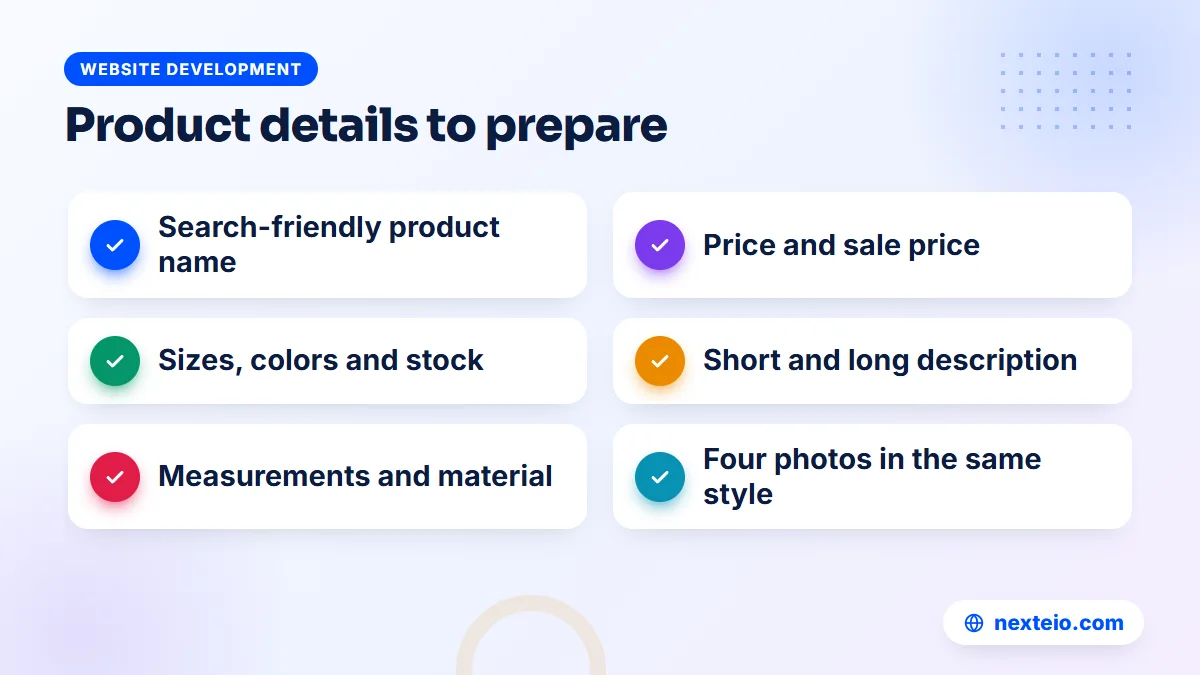
The product catalog is the part of creating an online store that takes the longest, and it is where most launches slip. Start a spreadsheet now, long before the website is ready. Every product needs the same set of details, filled in the same way.
- Product name that a customer would search for, not an internal code.
- Price, and sale price if any.
- Variants such as size and color, with stock for each one.
- A short description of two or three lines and a longer one with details.
- Material, measurements, weight and care instructions.
- Category and any tags, such as "new arrival" or "gift".
Write descriptions in your own words. Copying text from a supplier or another shop makes your pages look the same as theirs to Google, and to customers who compare. Bangla, English or both can work; choose based on how your buyers search and message you.
Photos that sell on a small screen
You do not need a studio. A recent phone, daylight from a window and a plain background are enough for most products. Shoot every item the same way so the catalog looks consistent: front, back, a close-up of the material or detail, and one photo showing scale, such as the bag on a shoulder.
Resize photos before upload. A 5 MB phone photo will make your product page crawl on mobile data. Around 1,200 to 1,600 pixels on the longest side, saved in WebP or a well-compressed JPEG, is usually plenty. After launch, test a few product pages in PageSpeed Insights to spot heavy images.
Size charts and honest details
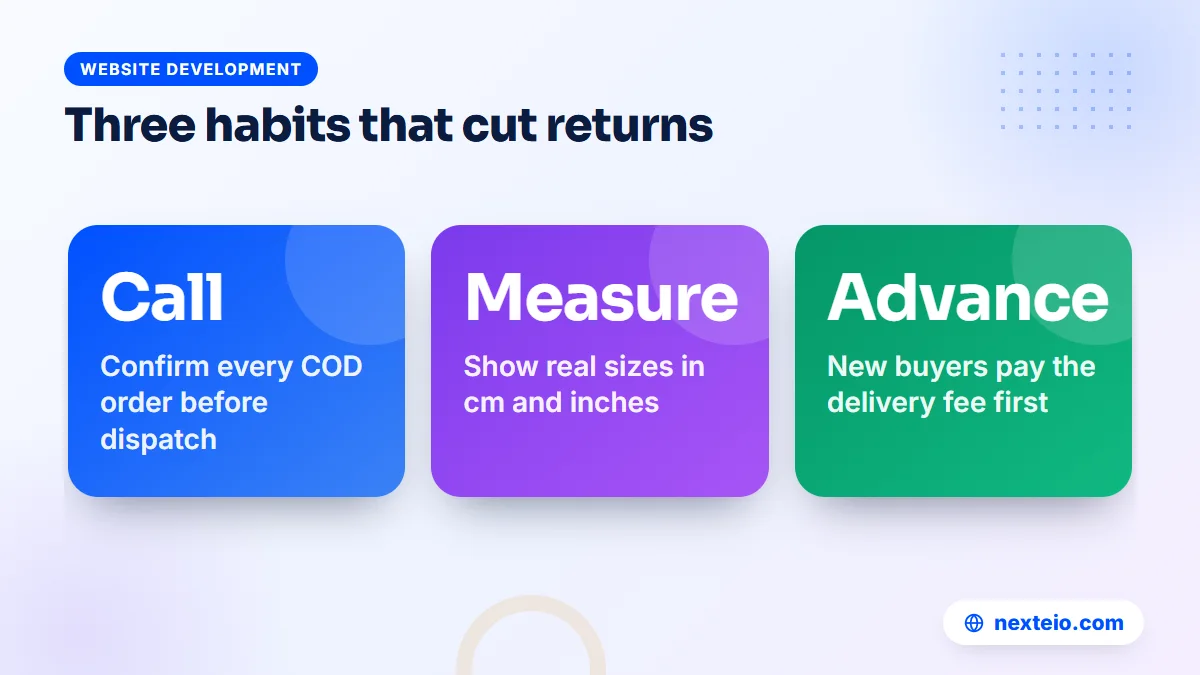
For clothing and shoes, a size chart in centimeters and inches cuts returns more than any other single fix. Show real measurements of the actual garment, not a generic chart. If a color looks different in daylight, say so. Every surprise at the door is a parcel that may come back.
Step 5: Set Up Payments With Cash on Delivery, bKash, Nagad and Cards
Bangladeshi buyers still use cash on delivery for a large share of online orders, especially from shops they do not know yet. Your store should offer it from day one. Digital payments matter too, because they reduce refused parcels and speed up your cash flow.
The usual setup
- Cash on delivery: the courier collects payment and sends it to you, minus their charges, on an agreed schedule.
- Advance delivery charge: many shops ask new customers to pay the delivery fee by bKash or Nagad before dispatch, which filters out fake orders.
- Mobile wallets: bKash and Nagad checkout through their merchant or gateway services.
- Cards and internet banking: through a local payment gateway that bundles cards, wallets and bank options in one checkout.
Payment gateways usually check your website before approving you. They often want to see your business details, a contact address, product prices, and published pages for privacy, terms, refunds and delivery. Fees are a percentage of each transaction and vary by provider and payment method, so ask for the current rate card and settlement time in writing.
A note on international options: well-known global gateways mostly do not onboard merchants based in Bangladesh. For local sales, a local gateway is the right tool. If you plan to sell abroad, discuss it separately with your bank and developer.
Step 6: Arrange Delivery, Packaging and Returns
Your courier is part of your customer experience whether you like it or not. A late or rude delivery reflects on your shop, not on the courier. Open merchant accounts with one or two established couriers and compare them on a few points.
- Coverage across Bangladesh, including the districts most of your orders come from.
- Delivery charges for same-city and nationwide delivery, and the COD charge.
- How often they pay out collected cash, and by which method.
- Pickup from your location and the daily cut-off time.
- A merchant panel or plugin that sends tracking details automatically.
- How returns are handled and what a returned parcel costs you.
Packaging and returns
Pack for rough roads and rainy seasons. A plastic courier bag for clothing, bubble wrap and a carton for anything fragile, and a printed label with the order number. Put a small card inside with your page name and a contact number, since a buyer who knows how to reach you is more likely to reorder.
Write a short return policy in plain language. Say which items can be returned, within how many days, in what condition, and who pays delivery for a return. Then apply it consistently. Customers in Bangladesh compare notes in comment threads, and a fair policy builds more trust than a generous one you cannot afford.
Related guides for this stage:
- How to create a landing page that turns ad clicks into orders
- Simple SEO tips for small business websites
- What to check before hiring a WordPress developer
Step 7: Write the Pages Every Online Store Website Needs
Product pages sell, but a handful of plain information pages make strangers comfortable enough to order. They also matter for payment gateway approval and for Google. Every online store website should have these pages, linked from the footer:
- About us: who runs the shop, where you are based in Bangladesh, and how long you have been selling.
- Contact: phone, WhatsApp, email and a business address.
- Delivery information: areas covered, charges and typical delivery times.
- Return and refund policy: the rules from the previous step.
- Privacy policy: what customer data you collect and how you use it.
- Terms and conditions: the basic rules of buying from you.
Write these yourself or have them checked by someone who knows your business. A copied policy that mentions another company's name or a country you do not ship to is worse than none.
Also plan a clear homepage. Show your best categories, current offers, how to order and how to pay. Many first-time visitors arrive from a Facebook ad and want to know in five seconds that you are real, that cash on delivery is available and how long delivery takes.
Step 8: Set Up Tracking and Test Every Order Path
Before the first customer arrives, connect the tools that tell you what is happening. Without them, you will not know which ads bring orders or why visitors leave at checkout.
- Google Search Console, to see how your store appears in Google search and fix indexing problems.
- Google Analytics, to see where visitors come from and what they do.
- The Meta Pixel, plus purchase tracking, if you will run Facebook or Instagram ads.
Purchase tracking matters most. If your ads cannot see which visitors bought, the ad system cannot learn who to show your ads to. Our beginner's guide to Meta Pixel and conversion tracking explains how this works.
The test-order checklist
Place real test orders on a phone, not just on your office computer. Test every path a customer can take:
- Order one item with cash on delivery and check the confirmation message and email.
- Order several items with different variants and a coupon code.
- Pay by bKash or Nagad, then cancel a payment halfway and see what happens.
- Pay by card through the gateway with a small real amount, then refund it.
- Check that each order reaches your admin panel with the correct address and phone number.
- Send one parcel through the courier to a friend and time the whole process.
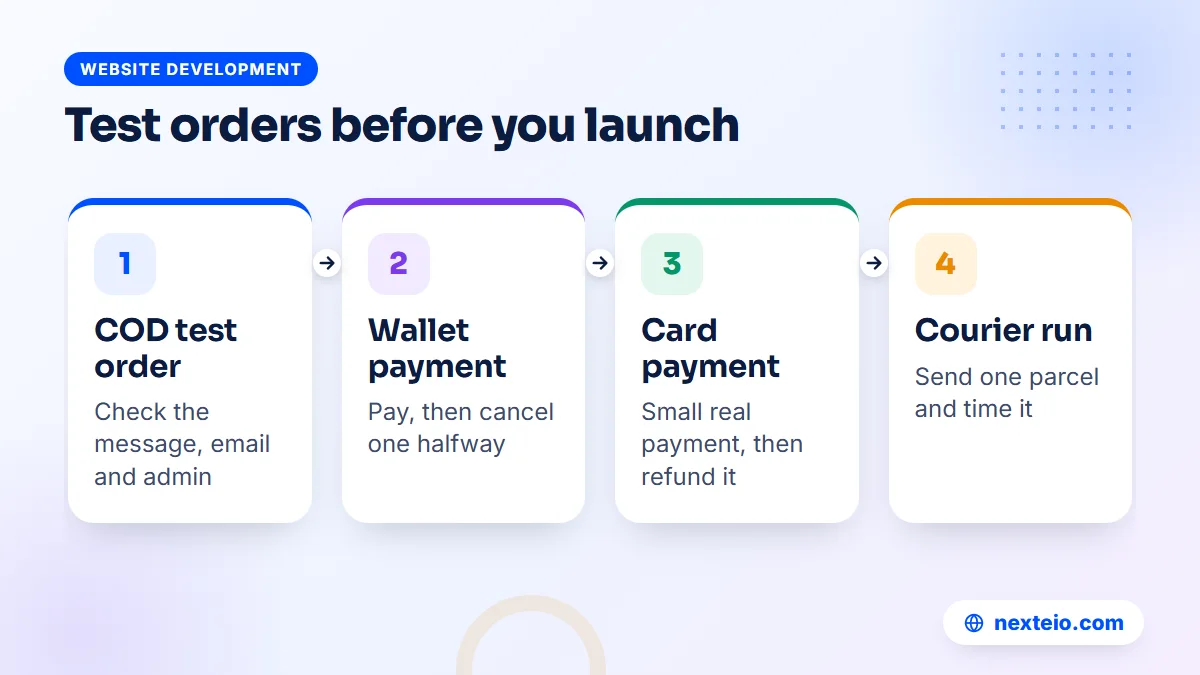
This testing round is the last technical task in creating an online store, and it is the one most often rushed. Fix anything that confuses you, because it will confuse customers more. Pay special attention to the phone number field and the address format, which cause most failed deliveries.
Step 9: Launch and Win Your First Orders
A new store has no search traffic and no reputation, so your first orders will come from people who already know you. Tell your Facebook followers, WhatsApp contacts and past customers that the website is live, and give them a reason to try it, such as free delivery on their first order.
Then add paid traffic carefully. Facebook and Instagram ads are the usual first channel for product shops in Bangladesh because they can show the product to people who have never heard of you. Start with a small daily budget and two or three ad versions, and judge them on orders, not likes. Our Facebook ads service handles this setup for stores that want help, and our guide to what you should get from a Facebook ads service lists the basics to check.
Short videos often outperform photos for products that move, fold, shine or need a demonstration. A simple phone video of someone unboxing the product or wearing it can be cut into several short ads. Our video ads editing service turns raw footage into ready-to-test versions with captions for silent viewing.
Search traffic takes longer
Google traffic builds over months, not days. Start early with good category names, unique product descriptions and clean page titles. Google's documentation on product structured data explains how price and availability can appear in results. When you are ready to grow organic sales, our e-commerce SEO service focuses on the category and product pages that matter most, and our article on what ecommerce SEO includes shows the work involved.
Step 10: Run the Store Day to Day
Launch is the start of the work, not the end. A store that ships fast and answers quickly earns repeat buyers. A store that goes quiet for two days loses them. Build a simple daily routine and stick to it.
- Each morning, review new orders and call or message to confirm cash on delivery orders.
- Mark confirmed orders, print labels and hand parcels to the courier before the cut-off.
- Update stock for anything that sold out or arrived.
- Answer messages, comments and reviews within a few hours.
- Check the courier panel for returned or delayed parcels and follow up.
The confirmation call deserves special attention. A quick call or message before dispatch catches wrong addresses, fake orders and buyers who changed their mind. It costs a few minutes per order and can save a large share of return charges.
Once a week, look at the bigger picture: which products sold, which ads brought orders, what the return rate was and how many customers ordered again. Those four numbers tell you more than any long report. If one product keeps getting returned, find out why before you spend more promoting it.
Collect reviews from the start
Reviews matter more for a new shop than for an established one, because strangers have nothing else to judge you by. A few days after delivery, send a short message asking how the product was and whether the buyer would share a photo or a review. Most will not reply, but the ones who do give you real proof to show on product pages and in ads.
Never write fake reviews or pay for them. Customers notice, and platforms such as Google and Meta have rules against misleading reviews. Ten honest reviews with real photos do more for you than a hundred five-star lines that all sound the same.
The website itself also needs care. Plugins, themes and WordPress need updates, backups must run, and the SSL certificate has to stay valid. A store that breaks on a Friday evening during a sale costs real money, so decide early who is responsible for this work, whether that is your own staff or the team behind your store website build.
What Creating an Online Store Costs in Bangladesh
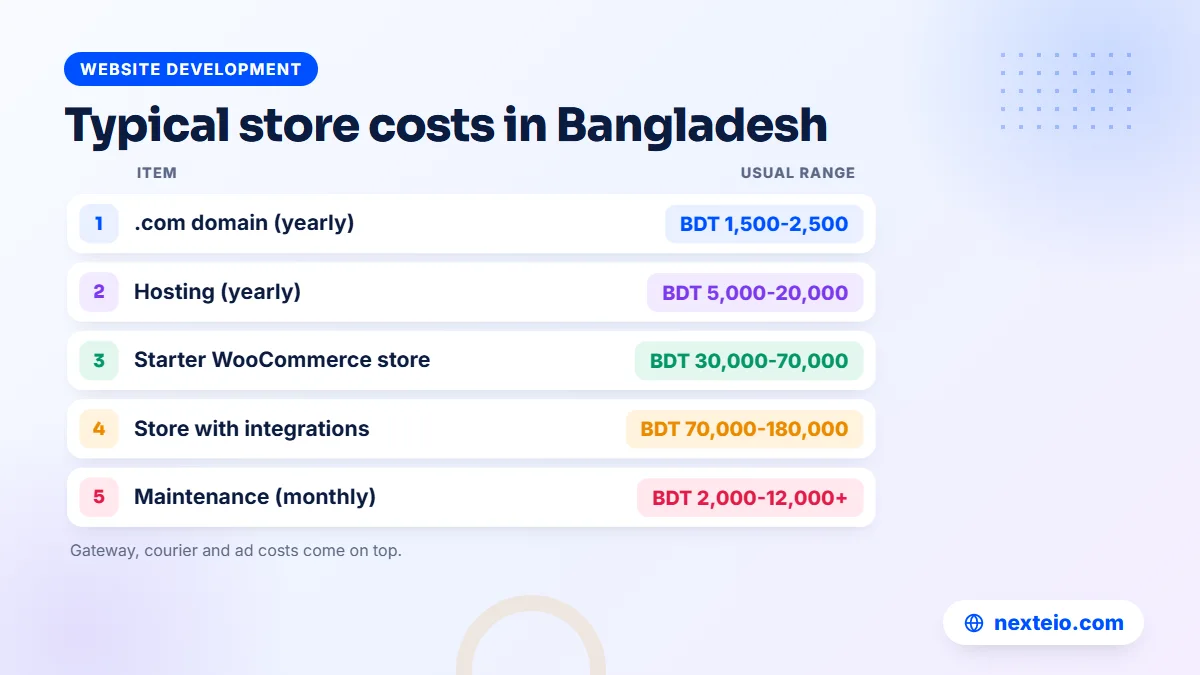
Costs depend on the route you choose, the number of products, and how much is connected, such as gateways and courier plugins. The table below shows rough market ranges in our experience. They are not fixed prices, and every project is quoted on its own scope.
| Item | Usual range | How often |
|---|---|---|
| Domain (.com) | Around BDT 1,500 to 2,500 | Yearly |
| Hosting suitable for a small store | BDT 5,000 to 20,000 | Yearly |
| Starter WooCommerce store | BDT 30,000 to 70,000 | One time |
| Store with gateway and courier integration, custom design | BDT 70,000 to 180,000 | One time |
| Custom-built store with extra workflows | BDT 200,000 or more | One time |
| Maintenance and updates | From about BDT 2,000 to 12,000+ | Monthly |
Payment gateway and courier charges come per order, and ad spend depends entirely on your goals. Many new shops spend more on ads in the first three months than on the website itself, so plan for both.
On timing, a starter store with fifty products, cash on delivery and one wallet can usually be ready in three to five weeks once your photos and product details are in hand. A larger store with several integrations takes six to ten weeks. In our experience, the slowest part is almost always the product data and the gateway approval, not the design.
A realistic six-week plan
Here is how creating an online store often fits into six weeks when the owner and the developer work in parallel. Your own timeline may be shorter or longer, mostly depending on how quickly product details and documents are ready.
| Week | Your side | Developer side |
|---|---|---|
| 1 | Check margins, apply for trade license and merchant wallets | Agree scope, register domain and hosting in your name |
| 2 | Start the product spreadsheet and photo shoot | Set up the store, theme and categories |
| 3 | Finish photos, write policies and the about page | Build the homepage, product templates and checkout |
| 4 | Open courier merchant accounts | Connect payments, courier and email notifications |
| 5 | Review every page on your phone | Upload products, set up tracking, fix feedback |
| 6 | Place test orders and train staff | Final checks, launch and backup routine |
Ask any developer you speak to for a written scope that lists pages, features, integrations, the number of products they will upload, and how many revision rounds are included. If you want a quote based on your own catalog, send us the details through our project form.
Common Mistakes When Creating an Online Store
Most of the problems we see when a new store struggles come from a short list of avoidable decisions. Check yours against it before you launch.
- Launching with ten products and empty categories that make the shop look abandoned.
- Using supplier photos that appear on twenty other shops.
- Hiding the delivery charge until the final step of checkout.
- Skipping the confirmation call to save time, then paying for a pile of returns.
- Choosing the cheapest hosting, so the store slows down on the first busy day.
- Letting a developer keep the domain, hosting or admin account in their own name.
- Running ads before tracking works, so you cannot tell which ones bring orders.
None of these needs a large budget to fix. They need attention before launch rather than after.
How Nexteio Can Help You Launch Your Store
We build online stores for businesses across Bangladesh through our e-commerce website development service, set up for the way people here buy: on a phone, often with cash on delivery or bKash, and with a quick confirmation before dispatch. For most shops we suggest WooCommerce, and a custom build when the workflow truly needs one.
In practice, we help with the parts of this guide that are hardest to do alone: planning the categories and product fields, setting up cash on delivery and wallet or gateway payments, connecting your courier where an integration exists, writing the delivery and return pages with you, and setting up Search Console, Analytics and the Meta Pixel before launch. The domain, hosting and admin accounts stay in your name.
When the store is live, we can also run your Facebook and Instagram ads or improve product pages for Google. See all of our services, look at past work in our portfolio, or read more about how we build an online shop for Bangladeshi buyers. To get started, tell us about your products on the project form, or reach us through the contact page.
Keep reading: Google Ads vs Meta Ads for a new business, what a good video ad edit includes, or browse more website development guides.
Frequently asked questions
Can I start an online store without a trade license?
You can sell through a social media page without one, but most payment gateways, banks and some couriers ask for a trade license before they open a business account. Getting one early also makes it easier to open a business bank account and apply for merchant wallets. Check the current requirements with your local authority.
How much money do I need to start an online store in Bangladesh?
A small starter store usually needs a domain, a year of hosting and a one-time build, which together often fall in the range of BDT 40,000 to 90,000. Add stock, packaging and an ad budget for the first few months. Many new shops find that marketing costs more than the website in the first year.
Is cash on delivery still necessary if I accept bKash and Nagad?
For most stores, yes. Many buyers will not pay in advance to a shop they have never ordered from. Offering cash on delivery alongside wallets lets first-time buyers order with confidence, and asking for an advance delivery fee from new customers helps filter out fake orders.
Should I keep selling on Facebook after my website is live?
Yes. Your Facebook page and your website do different jobs. The page builds an audience and answers questions, while the website gives you a proper catalog, checkout, order records and tracking for ads. Link them together and send people from posts and ads to specific product pages.
How many products should I have before launching?
There is no fixed number, but every category on the site should look stocked. Twenty to fifty well-photographed products with complete details usually make a better impression than two hundred thin listings. You can add more each week after launch.
Can I manage the store myself after it is built?
On WooCommerce and most builders, yes. You can add products, change prices, manage orders and edit pages from the admin panel after a short training session. Technical work such as updates, backups, security and fixing plugin conflicts is better handled by someone with experience.
How long does creating an online store take?
A starter store with a few dozen products, cash on delivery and one wallet payment usually takes three to six weeks, provided your photos, product details and documents are ready. Stores with many integrations or custom features take longer. Payment gateway approval can add a few weeks, so apply early.
What is the biggest cause of losses for new online shops in Bangladesh?
Returned parcels are one of the biggest. When a buyer refuses a cash on delivery parcel, you usually pay delivery both ways and lose the time spent packing. Confirmation calls, clear size charts, honest photos and an advance delivery fee for new buyers all reduce this problem.