What Is a Sub Domain? When Universities and Companies Should Use One
In this article 14 sections
- 1.What a Sub Domain Is, in Plain Words
- 2.Sub Domain, Subfolder or New Domain: The Real Differences
- 3.How Search Engines Treat a Sub Domain
- 4.When a University or College Should Use a Sub Domain
- 5.When a Company or Corporate Group Should Use One
- 6.When Not to Use a Sub Domain
- 7.How to Create a Sub Domain Step by Step
- 8.SSL Certificates for Every Sub Domain
- 9.Security Risks: Takeovers, Cookies and Forgotten Test Sites
- 10.Naming and Managing Sub Domains in an Organization
- 11.What Sub Domains Cost and Who Should Set Them Up
- 12.A Quick Sub Domain Decision Checklist
- 13.How Nexteio Can Help
- 14.Frequently asked questions
A sub domain is an extra address that sits in front of your main domain name, such as admission.yourcollege.edu.bd or shop.yourcompany.com. It is also written as one word, subdomain, and both spellings mean the same thing. It lets one organization run several separate websites or systems under a single name that people already know and trust.
Universities and companies in Bangladesh use them all the time, often without a clear plan. A university adds an admission portal, then a results page, then a learning platform, each set up by a different vendor in a different year. A corporate group adds a careers site, a shop and a test copy of the website. A few years later, nobody is sure how many of these addresses exist, who looks after them or which ones still work.
Used well, this tool keeps large websites organized, protects the main site during heavy traffic and lets different teams work independently. Used badly, it splits your search visibility, confuses visitors and leaves forgotten systems open to attack.
This guide explains how the address structure works, how it differs from a subfolder or a separate domain, when a university or company should use one and when it should not. It also covers the setup steps, SSL certificates, security risks, naming rules and how to keep track of everything once it is live.
What a Sub Domain Is, in Plain Words
Every website address is read from right to left. The last part is the top-level domain, such as .com or .bd. Before it comes the name you registered. Anything added to the left of that registered name is a sub domain, and you can create as many as you need without buying anything new.
Take the address admission.example.ac.bd as an example:
| Part | In the example | What it means |
|---|---|---|
| Top-level domain | .bd | The country code for Bangladesh |
| Second level | .ac.bd | The zone for academic institutions such as universities |
| Registered name | example.ac.bd | The domain the university owns and renews |
| Added label | admission. | A separate address the university created itself |
The same idea works for any domain. Schools and colleges in Bangladesh usually use .edu.bd, while businesses often use .com or .com.bd. The familiar "www" at the start of many addresses is itself a sub domain, which is why www.example.com and example.com can technically point to different places.
The key point is that each address can point somewhere completely different. The main website might sit on one hosting account, the admission portal on a separate server and the learning platform on a cloud service. Visitors see one family of addresses. Behind the scenes, each one can be a separate system with its own software, team and security.
All of this is controlled through DNS, the internet's address book. When you add a record for a new name, you are simply telling the internet where that address should lead. ICANN, the body that coordinates the domain name system, publishes a set of beginner's guides if you want the background in more depth.
Sub Domain, Subfolder or New Domain: The Real Differences
When an organization needs a new section, it usually has three choices. Using a university admission system as the example, the options look like this:
- A sub domain: admission.example.ac.bd
- A subfolder: example.ac.bd/admission
- A separate domain: exampleadmission.com
Each choice changes how the section is hosted, how search engines see it and how much it costs to run. The table below compares them on the points that matter most in practice.
| Point | Sub domain | Subfolder | Separate domain |
|---|---|---|---|
| Extra cost for the name | None | No cost | Yearly registration |
| Can run on a different server | Yes, easily | Possible, but harder | Yes |
| Can use different software | Yes | Usually the same system | Yes |
| Shares the main site's search history | Partly | Yes | No |
| Brand connection | Clear | Clearest | Weak unless promoted |
| Best for | Separate systems and portals | Content such as blogs and news | Separate brands or businesses |
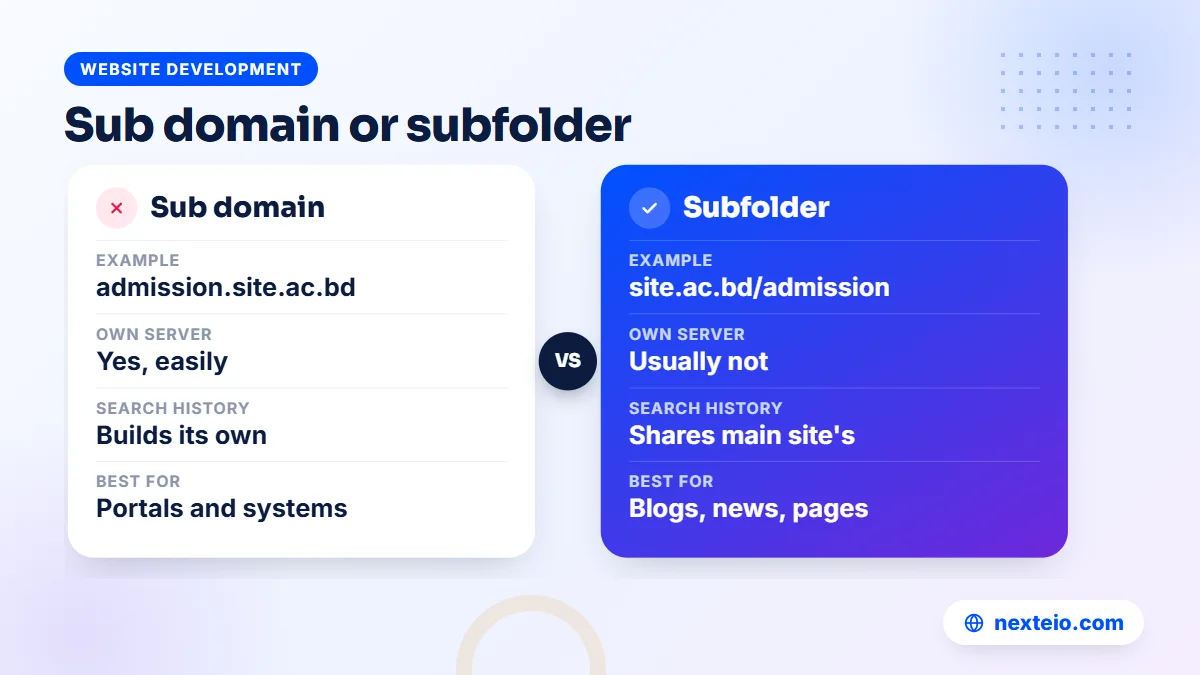
A simple rule covers most cases. If the new section is a different system, such as a portal, a shop on another platform or a learning platform, use a sub domain. If it is more content on the same topic, such as articles, notices or department pages, use a subfolder. If it is a different brand that should stand on its own, give it its own domain.
How Search Engines Treat a Sub Domain
This is the question that causes the most debate. Google does not publish a rule saying a sub domain is always better or worse than a subfolder. In practice, each address is crawled as its own host, and it builds its reputation partly on its own content and links. A subfolder sits inside the main site's structure and benefits more directly from the main site's internal links and history.
That has practical consequences. A company blog placed on blog.example.com may take longer to gain search visibility than the same blog at example.com/blog, especially if the main site already ranks well. For content you want people to find through search, a subfolder is usually the safer choice. Our guide to technical SEO basics explains how site structure affects crawling and indexing.
For systems that are not meant to rank, the question hardly matters. Nobody needs an exam results portal, a staff email login or a learning platform to appear in search results for competitive keywords. These are destinations people reach from your main website, from an SMS or from a notice board. Separating them protects the main site and costs you nothing in search.
Search Console and analytics
Google Search Console lets you add a Domain property, which covers every address under your domain in one place, along with both http and https versions. URL-prefix properties only cover the exact address you enter. Google's help page on adding a property to Search Console explains both types. For an organization with several sections, the Domain property gives one complete view, while separate URL-prefix properties let each team watch its own part.
For visitor tracking, Google Analytics can measure several of these addresses in one property. If visitors move between them and you see your own site listed as a referral source, Google's guide to cross-domain measurement explains the settings that fix it.
When a University or College Should Use a Sub Domain
Universities, colleges and large schools are the clearest case for this structure. They run many systems for different audiences, and several of them face sudden heavy traffic on a few days each year.
Admission and results portals
An admission portal is the classic example. On the day applications open or results come out, thousands of students and guardians may visit within a few hours, often on mobile data. If the portal runs on the same server as the main website, the whole site can slow down or stop responding. Placing the portal on its own sub domain, ideally on its own server, keeps the main site working for everyone else while the portal takes the load.
It also lets a specialist team or vendor run the portal without access to the main website. That is safer, and it makes responsibility clear when something goes wrong.
Learning, library and academic systems
Most universities run separate systems that cannot sensibly live inside the main website:
- A learning management system, such as Moodle, at lms.example.ac.bd.
- A library catalogue at library.example.ac.bd.
- An online journal at journal.example.ac.bd.
- A student and staff portal for registration, fees and attendance at portal.example.ac.bd.
- Webmail or a login page for official email at mail.example.ac.bd.
Each of these is a separate piece of software with its own updates, users and security needs. Giving each its own address keeps them independent, so an update to the library system cannot break the admission portal.
Departments, faculties and events
Departments often ask for their own websites, such as cse.example.ac.bd. This works when a department runs real systems of its own, such as a research lab portal. For ordinary department pages with faculty lists, notices and course outlines, a subfolder on the main site is usually better. It keeps the design consistent, gathers search visibility in one place and stops a department site from going stale when the teacher who built it moves on.
Short-lived events, such as a convocation registration or an international conference, sit in between. A separate address is reasonable if a vendor runs the registration system, but plan from the start what happens to it after the event. Our Laravel web application service builds portals of this kind when a ready-made system does not fit the institution's process.
When a Company or Corporate Group Should Use One
Businesses use this structure for similar reasons: a separate system, a separate team or a separate platform. A few common cases stand out.
- An online shop on another platform: if the main site is a company profile and the store runs on a different system, shop.example.com keeps them apart. If you are planning a new store from scratch, our e-commerce website development page explains how we usually approach it.
- A careers portal: large employers, such as garment groups that hire continuously, often use a recruitment system at careers.example.com.
- A support or help centre: a ticket system or knowledge base at support.example.com.
- A client or dealer portal: distributors, dealers or corporate clients log in to check orders, invoices or stock at portal.example.com.
- A staging copy: a protected test version at staging.example.com where changes are checked before they go live.
Hosted services make this easy to set up.
Many website tools, help desks and blog platforms let you connect your own sub domain by adding a single DNS record. Blogger, for example, lets you use an address such as blog.example.com instead of a blogspot address, which our Blogger website service handles as part of the setup.
Corporate groups with several companies
Groups with sister concerns face a choice. Each company can get its own domain, a sub domain under the group's domain, or a page in a subfolder. The answer depends on how independent each business is. A textile mill that sells to international buyers under its own name usually deserves its own domain. A small support unit that only exists to serve the group's other companies can sit comfortably as a page or section on the group site.
Whatever you choose, link the group site and each company site to each other clearly, so buyers can confirm the companies are connected.
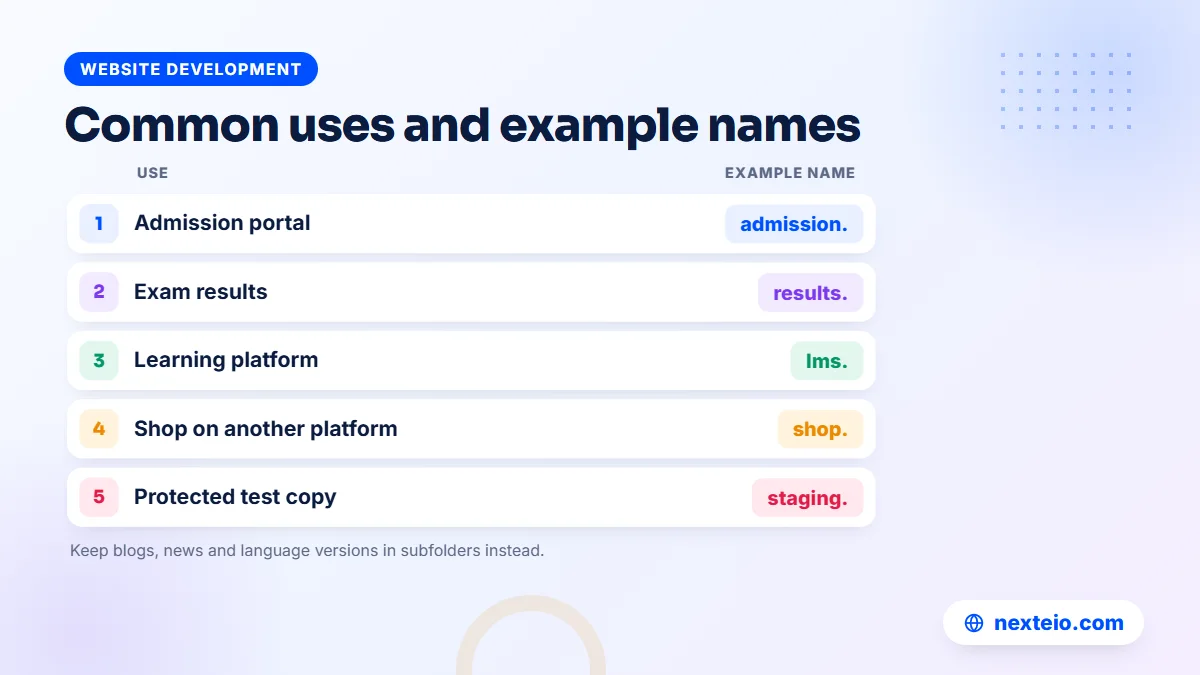
Nine common uses at a glance
| Example address | Use | Why keep it separate |
|---|---|---|
| admission.example.ac.bd | Admission portal | Heavy traffic on a few days |
| results.example.edu.bd | Results | Spikes on result day |
| lms.example.ac.bd | Learning platform | Separate software and users |
| library.example.ac.bd | Library catalogue | Specialist system |
| portal.example.ac.bd | Staff or student portal | Logins and private data |
| shop.example.com | Online shop | Different platform |
| careers.example.com | Careers | Recruitment software |
| support.example.com | Help centre | Ticket system |
| staging.example.com | Staging copy | Testing before changes go live |
Treat this as a menu, not a checklist.
Most organizations need only two or three of these. A small private school might only need a results page, while a large university could reasonably use all nine.
When Not to Use a Sub Domain
The structure is easy to create, which is exactly why it gets overused. Every new address is one more thing to secure, renew a certificate for and keep up to date. Before adding one, check that it does not fall into one of these cases.
- Blogs and articles meant to rank: content that should bring visitors from Google is usually better in a subfolder, where it supports the main site.
- Language versions: a Bangla version of the site is usually simpler to manage as example.com/bn than as a separate address, especially on WordPress, where multilingual plugins handle it.
- Small sections: a few pages about one product line or one department do not need their own system.
- Marketing campaigns: a landing page for an admission campaign or a product offer usually works best as a page on the main site.
- Vanity addresses: creating an address only because it looks modern adds work without adding value.
The common mistake behind all of these is splitting one website into several pieces that each look half-finished.
A visitor who lands on a thin department site with three pages and outdated notices judges the whole university by it. One well-planned main website with clear sections usually serves visitors and search engines better.
Related guides on site structure and search:
- Internal linking for SEO: how to connect your website pages
- How long SEO takes to show results
- How to build a professional business website that gets results
How to Create a Sub Domain Step by Step
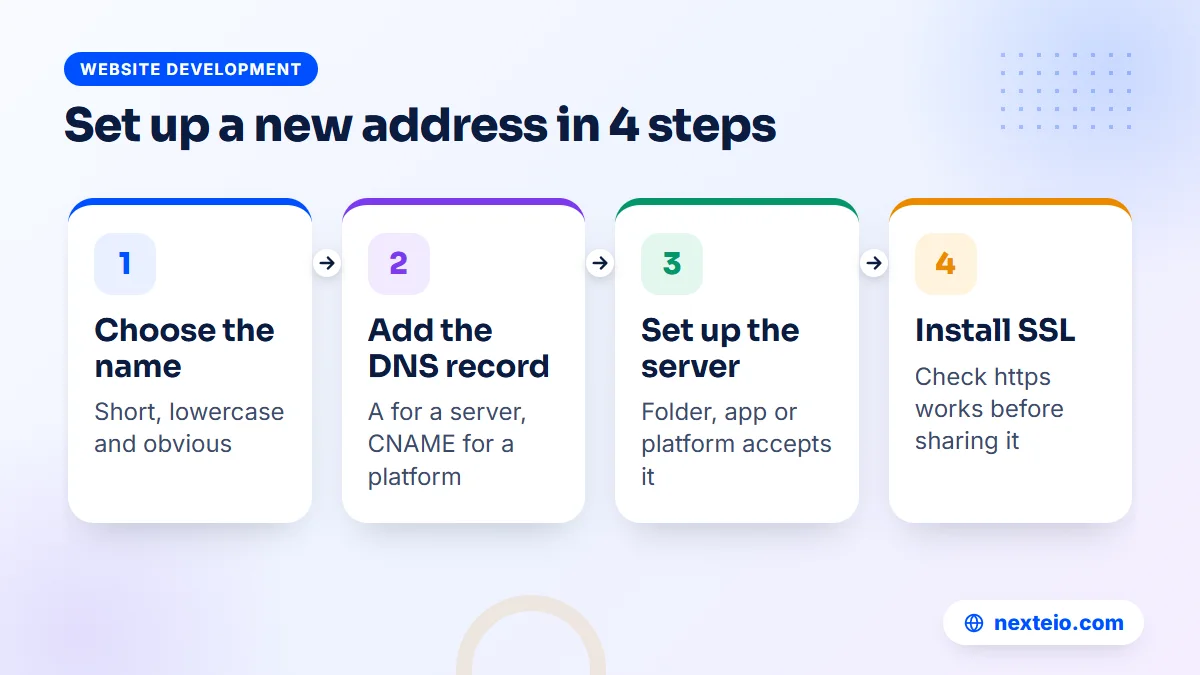
The technical setup has two halves: telling DNS where the new address should lead, and telling the server at that location to answer for it. On most shared hosting in Bangladesh, the control panel handles both halves together. On a separate server or a hosted service, you usually set them up one at a time.
On shared hosting with cPanel
- Log in to cPanel and open the Domains section (older versions call it Subdomains).
- Enter the new name, for example "results", and choose the main domain it belongs to.
- Set the folder where its files will live, usually created automatically.
- Save, then upload or install the website or application in that folder.
- Run AutoSSL or your host's certificate tool so the address works over https.
This only works if your domain's DNS is managed by the same hosting company. If DNS is managed elsewhere, such as at your registrar or on a service like Cloudflare, you also need to add a record there.
Pointing it to another server or service
When the new section lives on a different server or a hosted platform, you add one DNS record at whoever manages your DNS. The record types you will meet most often are these:
| Record | What it does | Typical use |
|---|---|---|
| A | Points a name to an IPv4 address | Your own server or VPS |
| AAAA | Points a name to an IPv6 address | Servers with IPv6 |
| CNAME | Points a name to another name | Hosted platforms such as Blogger or help desks |
| MX | Says which server receives email | Mail for a separate address |
| TXT | Holds text such as verification codes | Proving ownership to Google or a platform |
For most setups, the A record or the CNAME record is the one that matters.
After saving, the change usually spreads within minutes to a few hours, depending on the record's time-to-live setting. Then the receiving server or platform must be set up to accept the new name, and a certificate must be issued for it. Skipping that last step is why many new addresses show a security warning on their first day.
Ask your developer to write down every record they add, with the date and the reason. That short note saves hours of guesswork when the next vendor takes over.
SSL Certificates for Every Sub Domain
Every address that visitors use must load over https, with a valid certificate. A certificate for example.com does not automatically cover results.example.com. If an address has no valid certificate, browsers show a full-page warning, and students or customers assume the site is unsafe or hacked.
There are three common ways to cover them:
- One certificate per address: simple, and what most hosting control panels do automatically.
- One certificate listing several names: useful when a few addresses run on the same server.
- A wildcard certificate: written as *.example.com, it covers any single-level name such as shop.example.com, but not a deeper one such as test.shop.example.com.
Free certificates from Let's Encrypt work for all three. Wildcard certificates from Let's Encrypt require proving control through a DNS record rather than through a file on the website, as explained in its documentation on challenge types. That means your developer needs a way to update DNS automatically, or the wildcard will not renew on time.
Whatever method you use, keep a list of every address and its certificate expiry date. Automatic renewal is reliable when it works, but it fails silently when a server moves or a DNS setting changes, and you only find out when visitors start seeing warnings.
Security Risks: Takeovers, Cookies and Forgotten Test Sites
Every extra address is another door into your organization. Most security problems involving them come from neglect rather than clever attacks, which is good news, because neglect is fixable.
Takeovers of forgotten addresses
A takeover happens when a DNS record still points to an outside service that you no longer use. Say a college used a hosted event platform for a conference at conference.example.edu.bd, then cancelled the account but left the DNS record in place. Someone else can sometimes sign up for that same service, claim the address and publish whatever they like under your name. MDN's page on subdomain takeovers explains how this works and how to prevent it. The fix is simple: whenever you stop using a service, delete its DNS record on the same day.
Cookies shared across addresses
Cookies can be set so they are shared with every address under a domain. That is convenient for single sign-on, but risky if one weak system, such as an old test site, can read or set cookies that the main portal trusts. MDN's guide to HTTP cookies explains how the Domain attribute controls this. Ask your developers to share cookies only where they truly need to.
Old and test systems
The most common problem is simpler still. A staging copy, an old version of the site or a demo installation keeps running for years without updates. It may contain real data copied from the live system, an outdated plugin and an admin password nobody remembers. Attackers search for exactly these. Protect staging sites with a password, keep them out of search results and delete them when they are no longer needed. Our article on common SEO mistakes covers the search side of this problem, since indexed test sites can also compete with your real pages.
Naming and Managing Sub Domains in an Organization
Large organizations need a few simple rules, or the address list grows in every direction. Good names are short, lowercase and obvious: results, admission, library, careers. Use hyphens if needed, never underscores, and avoid abbreviations only one team understands. Each label can be up to 63 characters, but anything over about 15 is hard to type on a phone.
Beyond naming, decide who is allowed to create new addresses. In a university, that is usually the IT cell, with a request approved by someone senior. In a company, it may be the IT head or the person who manages the domain account. The point is that one team keeps the full list, and nobody adds records quietly.
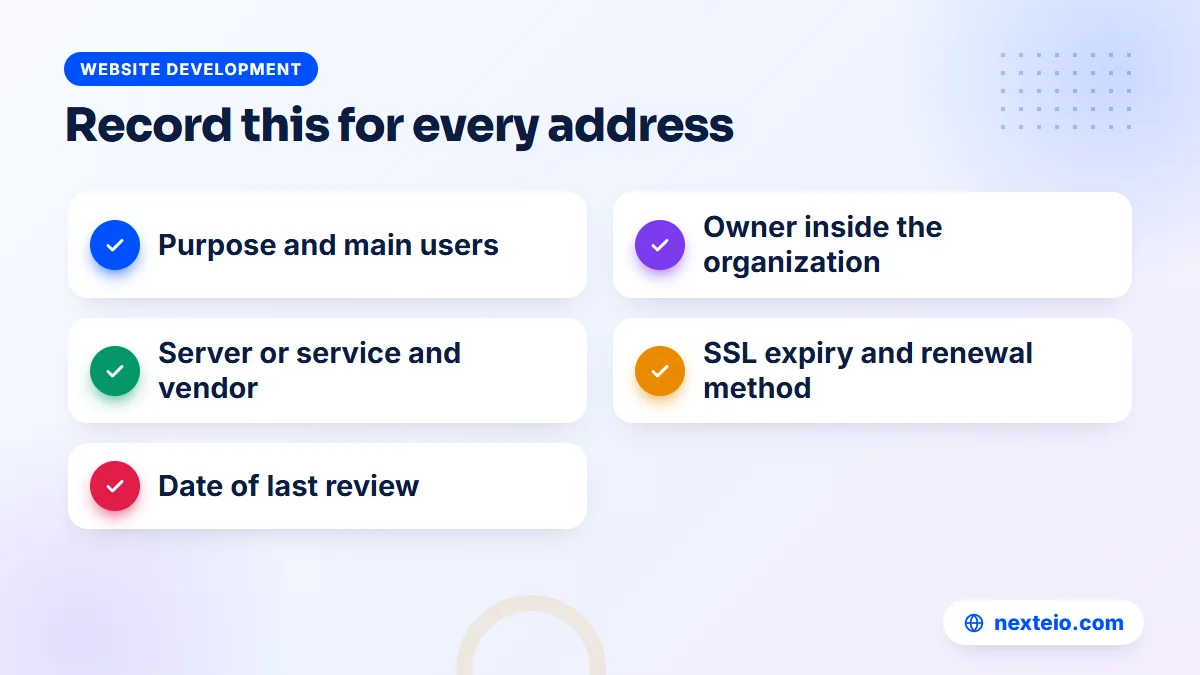
That list should record, for every address:
- What it is for and who uses it.
- Who owns it inside the organization.
- Which server or service it points to, and who the vendor is.
- When its certificate expires and how it renews.
- When it was last reviewed, and whether it is still needed.
Review the list at least once a year. Retire anything unused by redirecting it to a useful page and then deleting the DNS record. When a vendor contract ends, add a handover step that covers their addresses, so nothing is left pointing to a service you no longer control.
What Sub Domains Cost and Who Should Set Them Up
Creating the address itself costs nothing. It comes free with any domain you already own, and most hosting plans allow many of them. The costs come from what you put behind each one.
- Hosting: a small section can share your main hosting plan. A busy admission or results portal usually needs its own server or a larger plan to handle peak days.
- Software: some systems are free and open source, such as Moodle for learning, while others are paid subscriptions billed monthly or yearly.
- Development: a custom portal is a software project and is quoted on its own scope.
- Upkeep: every live system needs updates, backups and monitoring, which adds to your maintenance work.
Certificates are usually free through Let's Encrypt or included with hosting. The main hidden cost is time: someone has to manage the DNS, keep the list and check that everything still works.
A simple address that points to a hosted platform is something a capable IT officer can set up in an afternoon. A portal that will carry admission traffic, store student data or take payments needs a developer who plans the server, security and backups properly. If you are weighing options for a new portal, our guide on hiring the right Laravel developer covers what to ask.
It also helps to plan the address structure when you plan a new website, not afterwards. When we build a site through our custom website design service, we map out which sections belong inside the main site and which should run separately, so the organization does not end up with a tangle of addresses later. For a WordPress site, our WordPress website service follows the same approach, keeping content in one place and moving only true systems out.
Speed is part of this decision too. A heavy portal running on the same server can slow the main site for everyone, as our guide on website speed and SEO explains. Separating the load is often the cheapest speed fix a large institution can make.
A Quick Sub Domain Decision Checklist
Before anyone in your organization creates a new address, run through these questions. If most answers point the same way, the decision is usually clear.
- Is this a separate system with its own software, users or login? If yes, a sub domain makes sense.
- Will it face heavy traffic on certain days that could slow the main site? If yes, separate it.
- Is it run by a different vendor or team who should not have access to the main website? If yes, separate it.
- Is it mainly content that you want people to find on Google? If yes, use a subfolder instead.
- Is it a separate brand or business that should stand on its own? If yes, consider a new domain.
- Who will own it, update it and pay for it in two years' time? If nobody, do not create it.
The last question matters most.
The worst outcome is not choosing a subfolder over a separate address. It is creating something nobody looks after, which slowly turns into an outdated page, a security hole or both. A clear owner and a written record prevent most of the problems described in this guide.
If you would like a second opinion on your current setup, send us your domain and a short note about what you run. We can review the structure as part of a website project or a website rebuild, and suggest what to keep, merge or retire.
How Nexteio Can Help
We plan and build websites and portals for universities, colleges, schools and companies across Bangladesh. When a project involves more than one system, we start by mapping your address structure: which parts belong inside the main site, which should run as a separate sub domain and which might need their own domain. That plan is part of every custom website design project we take on.
On the technical side, we set up the DNS records, point each address to the right server or platform, install and check the SSL certificates and make sure the main site is not slowed by a busy portal. For admission systems, student portals and client areas that need custom logic, we build them as Laravel applications. Where search matters, our SEO service checks that the structure supports your visibility rather than splitting it.
You can see examples of our work in our portfolio or read more about Nexteio. To discuss your own setup, share your project details or reach us through the contact page.
Keep reading: a buyer's checklist for choosing a web design company, WordPress or a custom website for your organization, or browse our website development guides.
Frequently asked questions
Do I need to buy a sub domain separately?
No. Once you own a domain, you can create as many addresses under it as you need at no extra cost. You only pay for what runs behind them, such as hosting, software or development work.
Is a sub domain bad for SEO?
Not by itself. It simply builds its own search presence separately from the main site. That is fine for portals and systems that do not need to rank, but for blogs and articles you want people to find on Google, a subfolder on the main site is usually the better choice.
Can a sub domain have its own website and design?
Yes. Each address can point to a different server and run completely different software with its own design. For visitors, though, it helps to keep the logo, colors and a link back to the main site, so they know they are still dealing with the same organization.
Can we use email addresses on a sub domain?
Yes. With the right MX and verification records, an address such as students.example.ac.bd can receive its own email, which some universities use to separate student and staff mail. It adds setup and management work, so most organizations keep official email on the main domain unless there is a clear reason to split it.
How long does a new sub domain take to start working?
The DNS record usually starts working within minutes to a few hours, depending on its time-to-live setting and how your provider updates records. The server or platform behind it and the SSL certificate also need to be ready, so plan for the whole setup to take a day if several people are involved.
Does a wildcard SSL certificate cover every address?
A wildcard certificate for *.example.com covers names one level deep, such as shop.example.com or results.example.com. It does not cover deeper names such as test.shop.example.com, and depending on how it was issued, it may not cover example.com itself, so check the names listed on the certificate.
What should we do with a sub domain we no longer use?
Redirect it to a useful page on the main site for a while if people still visit it, then delete its DNS record. Also cancel or clean up the hosting or service behind it. Never leave a record pointing to an outside service you have stopped paying for, because someone else may be able to claim it.