Website Management Services: Should Your Organization Outsource It?
In this article 14 sections
- 1.Website Management vs Website Maintenance
- 2.What Website Management Services Usually Cover
- 3.8 Signs Your Organization Needs Outside Help
- 4.Who Does What: Mapping Website Roles Inside Your Organization
- 5.Three Ways to Run Your Website
- 6.The Real Cost of Running a Website In-House
- 7.What to Keep In-House Even When You Outsource
- 8.Building a Content Workflow That Fits Your Approval Chain
- 9.Measuring Whether Website Management Is Working
- 10.How to Write a Brief or Tender for Website Management Services
- 11.Questions to Ask a Website Management Provider
- 12.Moving to a Managed Service Without Disruption
- 13.How Nexteio Can Help With Website Management Services
- 14.Frequently asked questions
Website management services take the day-to-day running of a website off your staff's desks and put it in the hands of a team that does this work every day. That covers more than fixing things when they break. It includes publishing notices on time, keeping the software and accounts in order, watching how the site performs, and making sure someone is answerable when a guardian, buyer or patient finds wrong information.
For many organizations in Bangladesh, the website has no clear owner. The IT officer thinks it belongs to the admin office. The admin office thinks the developer who built it is still looking after it. The developer finished the contract two years ago. Meanwhile the principal, the managing director or the country director assumes everything is fine, because nobody has told them otherwise.
This guide is for the person who has to fix that: an office manager, an administrator, a head of communications or a business owner. It explains what website management really includes and how to tell whether your organization needs outside help. It then compares the three ways to run a site, what each costs, and how to set up a request and approval workflow that fits the way your office already works.
Website Management vs Website Maintenance
The two terms are often used as if they mean the same thing. They overlap, but the difference matters when you compare offers. Maintenance is the technical upkeep: updates, backups, security and fixes. Website management is the wider job of running the website as a working part of the organization, and maintenance is one piece of it.
Think of a school building. Maintenance is the electrician, the plumber and the painter. Management is the office that decides which notices go on the board, makes sure the gate opens on time, keeps the keys, and answers to the principal when something goes wrong. A website needs both, and most problems happen when only the first is arranged.
| Question | Maintenance answers it | Management answers it |
|---|---|---|
| Is the software up to date? | Yes | Makes sure it is scheduled |
| Is this week's admission notice live? | No | Yes |
| Who approves a new page? | No | Yes |
| Who holds the domain and hosting logins? | Sometimes | Yes, and records it |
| Are enquiries from the site growing or falling? | No | Yes |
When you ask providers for quotes, check which of these they mean.
A maintenance-only plan can be a good fit for a small site that rarely changes. An organization that publishes often, runs admissions or campaigns, or answers to a board usually needs the management layer as well.
What Website Management Services Usually Cover
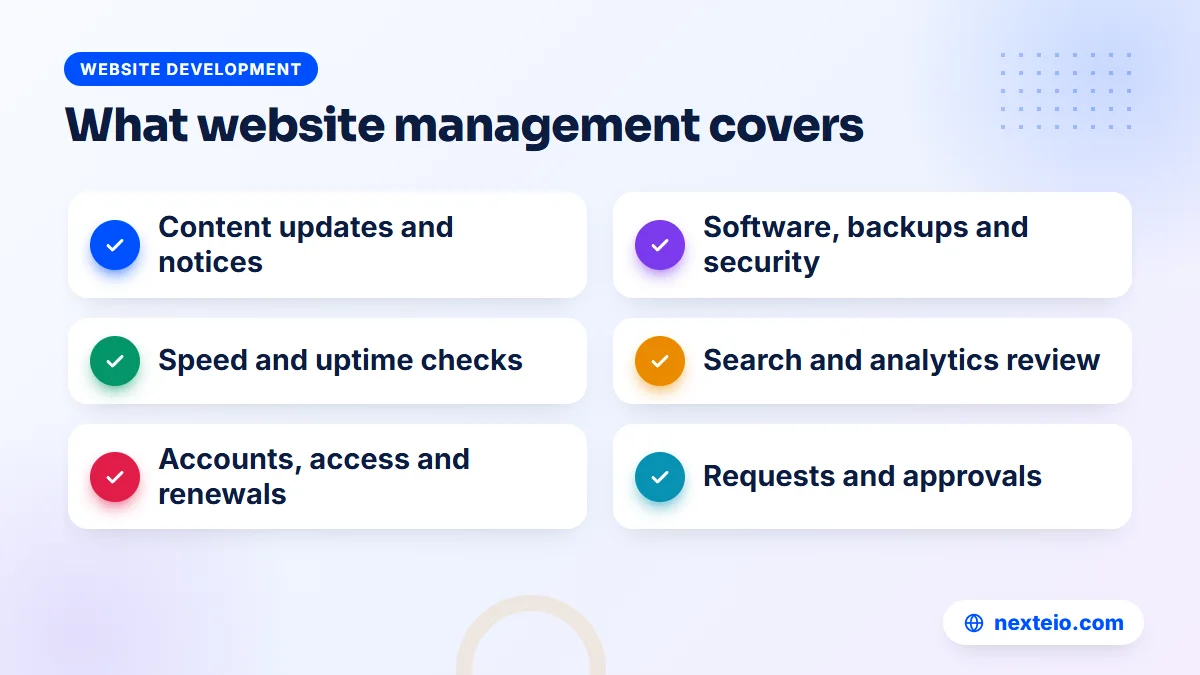
Offers for website management services differ, but a complete service touches six areas. You do not have to buy all six from one company, but each one needs an owner, whether that is your staff, a provider or both.
1. Content operations
This is the work people see: posting notices, news, results, job openings, tender notices, product updates, photo galleries and event pages. It also includes removing old content on time, fixing typing mistakes, and keeping Bangla and English versions in step. For a college or a hospital, content operations is often most of the workload.
2. Technical care
Software updates, backups stored away from the server, security checks, uptime monitoring and fixing errors. This is the maintenance layer, and a management service either does it directly or makes sure a technical partner does it on schedule.
3. Performance and analytics
Someone should look at how the site is used: which pages people visit, where they come from, which forms they submit and where they give up. Free tools such as Google Analytics show this, but only if they are set up properly and somebody reads the numbers.
4. Search visibility
Basic search health belongs in management too: page titles, descriptions, broken links and pages that drop out of Google. Google Search Console reports most of these problems for free. Growing search traffic on purpose is a separate job, which our SEO service covers.
5. Accounts, access and renewals
Domain, hosting, email, SSL, Google accounts, social media links and paid plugin licences all have logins and expiry dates. Website management keeps a record of who holds each one and makes sure renewals are paid before anything lapses.
6. Requests, approvals and reporting
The least visible part is often the most useful. A managed service gives your staff one clear way to ask for changes, tracks each request until it is done, and tells the responsible person what happened. Without this, requests get lost in phone calls, chat groups and forwarded emails.
8 Signs Your Organization Needs Outside Help
Not every organization needs to outsource. If your site is small, rarely changes and someone on staff handles it well, you may only need technical cover. The signs below suggest the current arrangement is not working:
- Notices go up late. Admission dates, holiday notices or tender deadlines appear on the site after people have already asked about them by phone.
- Nobody is sure of the logins. When something breaks, the first hour is spent looking for the hosting password.
- Old content stays live. Last year's fee list, an expired offer or a former director's message is still on the site.
- Every change waits for one person. When that staff member is on leave, the website stops.
The next four signs are about results and ownership:
- Forms go quiet. Enquiries used to arrive through the site and now they do not, and nobody has checked why.
- Several vendors, no owner. One company built the site, another hosts it and a freelancer edits it, and each blames the others.
- Leadership hears about problems from outsiders. A buyer, a guardian or a donor mentions that the site is down or wrong.
- The site has not changed in a year. The organization has grown, but the website still describes it as it was.
Two or three of these signs are common and fixable.
Five or more usually mean the website has no real owner, and that is the gap website management services are meant to fill. If sign eight is the main problem, a refreshed website design may need to come before any management plan.
Who Does What: Mapping Website Roles Inside Your Organization
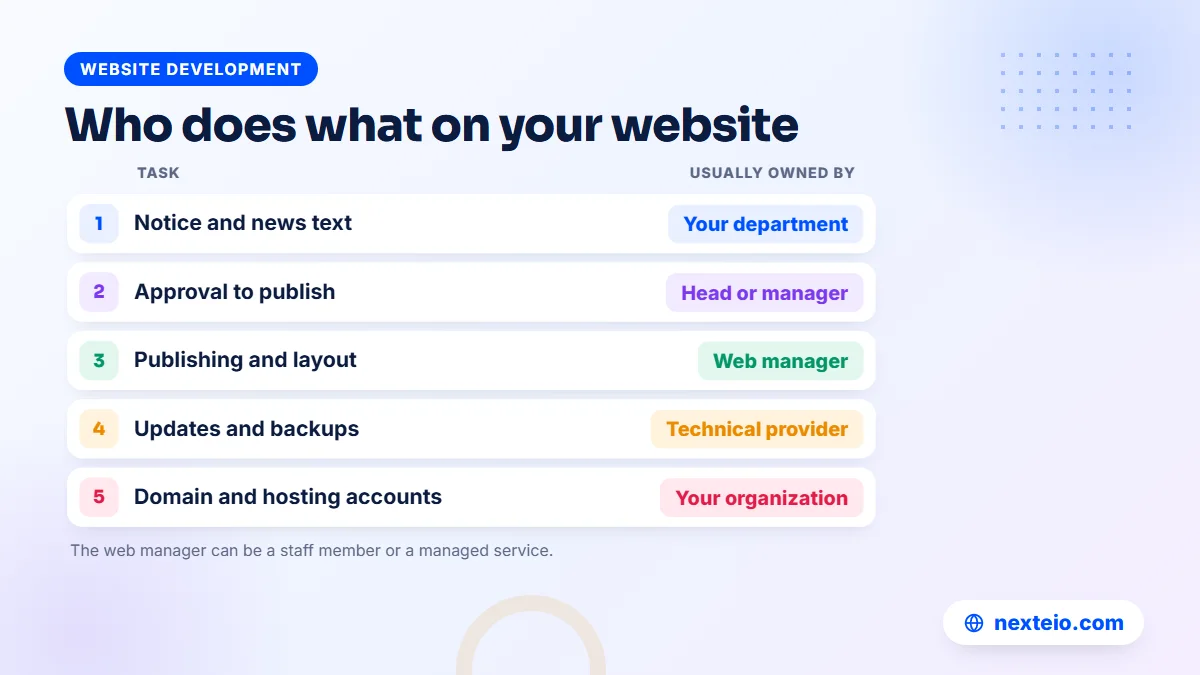
Before you decide who should run the site, write down who runs it now. In most organizations the work is spread across people who do not see each other's part. A simple role map makes the gaps visible and becomes the basis for any agreement with a provider.
Use four roles for each task: who requests it, who approves it, who does it and who checks it. Here is an example for a college:
| Task | Requests | Approves | Does | Checks |
|---|---|---|---|---|
| Exam routine or result notice | Exam committee | Principal | Web manager | Exam committee |
| Admission page update | Admission office | Principal | Web manager | Admission office |
| New teacher profile | Department head | Vice principal | Web manager | Department head |
| Software updates and backups | Schedule | Not needed | Technical provider | Web manager |
| Domain and hosting renewal | Web manager | Accounts office | Accounts office | Web manager |
The same map works for a factory or a hospital.
In a garment company, the merchandising team might request product updates and the compliance team might request new certificate uploads, both approved by a director. In a hospital, the front desk requests doctor schedule changes and the medical director approves them. The "web manager" can be a staff member or a managed service, but it must be one named person or team, not "whoever is free".
Three Ways to Run Your Website
Once the roles are clear, the question becomes who fills the "does" column. There are three practical models, and the right one depends on how much your site changes, how many departments feed it, and how much technical risk it carries.
Model 1: Fully in-house
A staff member or small team handles content, and often some technical work too. This suits large organizations whose website is a daily working tool, such as a university portal with student logins or a corporate group with several business units publishing every week. It needs real web skills on staff, documented processes and cover for leave.
Model 2: Fully managed by a provider
An outside team handles content requests, technical care, monitoring and reporting, while your organization approves content and owns the accounts. This suits organizations that publish regularly but cannot justify a web specialist on payroll: a small NGO, a mid-sized company, an export business whose site mainly supports sales meetings, or a government office with a small IT cell. It is the main package most website management services are built around.
Model 3: Shared
Your staff post simple updates such as notices and news through the admin panel, and the provider handles everything technical plus larger changes. This is the most common model for schools, colleges, clinics and hospitals, where small updates are frequent and need to go live within the hour, but a full-time developer would be idle most of the week.
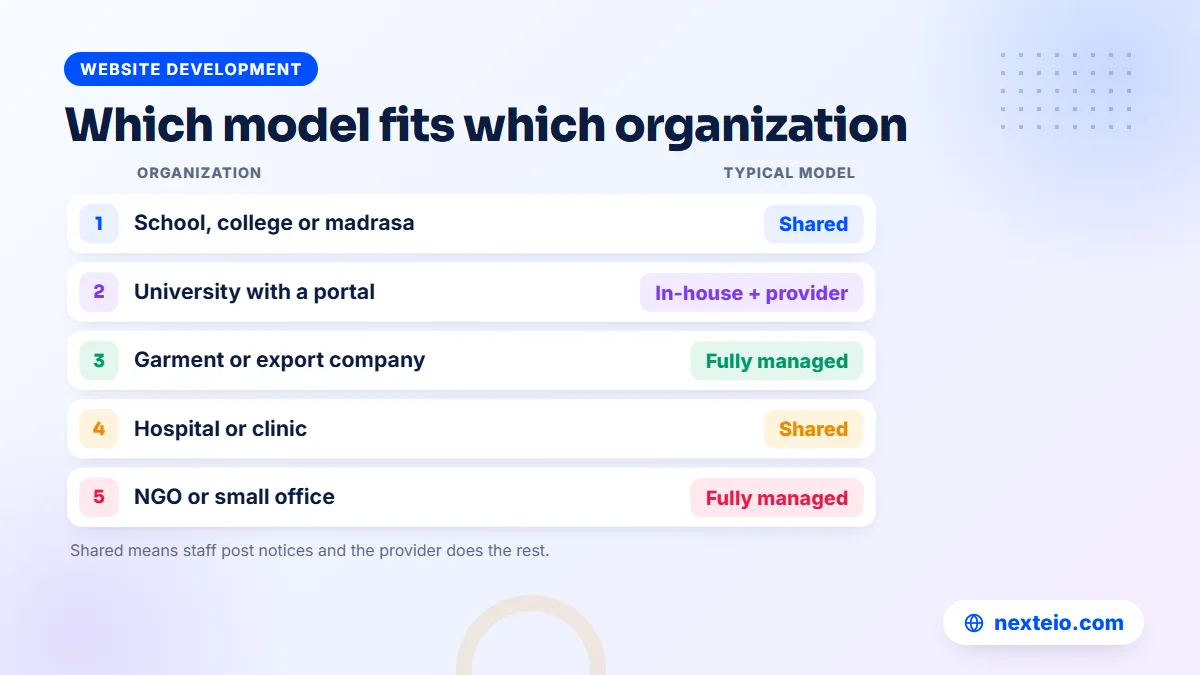
Here is how these models usually match common organization types:
| Organization | Typical model | Why |
|---|---|---|
| School, college or madrasa | Shared | Frequent notices from the office, occasional technical work |
| University with a portal | In-house plus a provider | Daily use by students and staff, specialist security needs |
| Garment or export company | Fully managed | Few content changes, but the site must look sharp for buyers |
| Hospital or clinic | Shared | Doctor schedules change often; booking forms must always work |
| NGO or development project | Fully managed | Reports and stories to publish, but no web staff |
| Government office | Shared or fully managed | Formal approval chain, small IT team, public notices |
These are starting points, not rules.
A coaching centre that runs heavy admission campaigns may need a fully managed model during admission season and a lighter shared model the rest of the year. Good providers can adjust the plan as your calendar changes.
The Real Cost of Running a Website In-House
The obvious cost of in-house website management is a salary. The less obvious costs often decide the matter, and they are easy to miss when a budget is drawn up.
- Range of skills: one person rarely covers content writing, design, WordPress or Laravel development, server security and analytics. Gaps get filled by freelancers, which adds cost and confusion.
- Leave and turnover: when the web officer takes leave, falls ill or resigns, the website pauses. A new hire then spends weeks learning a site nobody documented.
- Tools and licences: backup services, security tools, premium plugins and design software add up, and an individual may not know which ones the site needs.
- Training: web platforms change constantly, and an in-house person needs time to keep up.
- Risk: if the only person who knows the server leaves on bad terms, the organization can lose access to its own website.
Compare that with paying for website management services.
Website maintenance and management plans in Bangladesh usually fall into broad monthly bands. In our experience, a basic plan for a small company or office site sits around BDT 2,000 to 5,000 a month. A standard plan for a school, clinic or busier company site sits around BDT 5,000 to 12,000, and an advanced plan for an online store, portal or custom application around BDT 12,000 to 30,000 or more. The level depends on the site, the volume of content work and how quickly problems must be handled.
For most mid-sized organizations, even the top of that range costs less than a full-time salary with benefits, and it brings several skills instead of one. The balance shifts only when the site needs daily specialist work, as large portals do. Even then, many organizations keep an outside team for security and for cover.
A worked example
Picture a college that publishes around thirty notices a month, updates results twice a year, runs an online admission form for six weeks and has a small photo gallery. Under a shared model, the office assistant posts routine notices through the admin panel after a short training session. The provider handles updates, backups, security, the admission form, result uploads and any design changes.
The college pays a standard-level plan, keeps its domain and hosting in its own name, and spends no salary on a web specialist. The principal gets one named contact for the website instead of three part-time helpers who each know a piece of it.
Related guides on getting more from your website:
- How to build a professional business website that gets results
- Why a website gets traffic but no customers
- Content strategy for every stage of the customer journey
What to Keep In-House Even When You Outsource
Outsourcing the work does not mean outsourcing the ownership. Some things must stay with your organization, whatever model you choose:
- Account ownership: the domain, hosting, Google accounts and website admin should be registered to the organization, with the provider given its own separate access.
- Content approval: only your people know whether a notice, a price or a medical claim is correct. The provider publishes; you approve.
- Subject knowledge: a provider can write clearly, but the facts about your courses, products or services come from your staff.
- A named contact: one person on your side who receives updates, approves requests and can make decisions quickly.
- The budget decision: renewals and paid tools should be approved and paid by your accounts office, not quietly by the provider.
Keep these and outsourcing stays safe.
Lose them, and the provider effectively owns your website, which becomes a serious problem the day you want to change providers. If you are still at the planning stage, any custom website project should be set up this way from the first day.
Building a Content Workflow That Fits Your Approval Chain
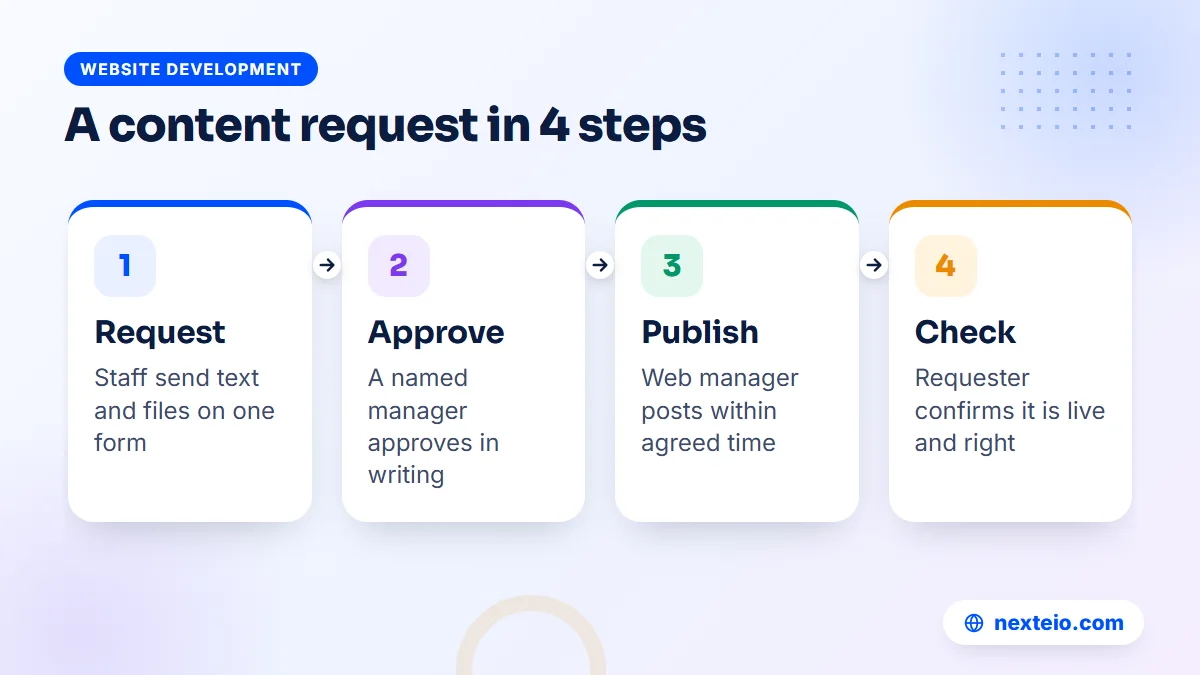
Most organizations in Bangladesh have an approval chain, and the website has to respect it. A tender notice cannot go live because a clerk sent it on a messaging app. At the same time, a holiday announcement cannot wait three days for a signature. A good workflow handles both.
- One request channel. Use a shared email address, a simple form or a ticket system. Avoid personal chat messages for anything that must be traceable.
- A standard request template. Page or section, exact text in Bangla and English, attachments, date to publish, date to remove, and the name of the approver.
- Written approval. The approver replies "approved" by email or in the ticket. That single line protects everyone if a notice is later questioned.
- Agreed turnaround. Routine items within one or two working days, urgent notices within hours, and a phone number for true emergencies.
- Confirmation. The requester gets the live link and checks it. Mistakes are cheaper to fix in the first hour than after a thousand people have seen them.
- Expiry. Every time-limited item has a removal date, so old notices do not pile up.
Write the workflow on one page.
Share that page with every department that sends content. When a new head of department joins, the page tells them how to get something on the website without asking around.
For writing guidance that keeps notices and pages clear, our article on writing website content people actually read is a useful companion. Google's own advice on helpful, people-first content also applies to notices and pages as much as to articles.
Bangla, English and accessibility
Many organizations publish in both languages. Decide early whether every page needs both versions or only key pages, because translation doubles the content work and should be planned and priced that way. Use real text rather than scanned images for notices wherever possible. Text can be searched, read on small screens and read aloud by screen readers, while a photographed notice can do none of these.
The W3C accessibility guidelines set out how to make web content usable for people with disabilities. You do not need to read them in full, but your website manager should know them and apply the basics, such as alt text for images, clear headings and readable color contrast.
Measuring Whether Website Management Is Working
A management arrangement should be judged on results you can check, not on how busy the provider seems. Agree a few measures at the start and review them every quarter with your provider.
| Measure | What it tells you | Where to find it |
|---|---|---|
| Time from approval to live | Whether requests are handled promptly | The request log or ticket system |
| Expired content still live | Whether the site is kept current | A quick monthly page review |
| Downtime | Whether the site is reliable | Uptime monitoring alerts |
| Mobile page speed | Whether pages load well on phones | PageSpeed Insights |
| Form submissions and calls | Whether the site brings enquiries | Analytics and your own records |
| Search clicks and errors | Whether Google shows and understands the site | Search Console |
None of these needs a paid tool.
PageSpeed Insights tests any page for free, and our guide to website speed and SEO explains what the scores mean in practice. If the numbers stay flat or get worse for two quarters, raise it with the provider and ask for a specific plan, not general reassurance.
The question leadership cares about most is simpler: is the website actually helping the organization? For a company, that means enquiries and sales. For a school, fewer phone calls asking for information already on the site. For an NGO, donors and partners who can find reports and results without emailing staff.
How to Write a Brief or Tender for Website Management Services
Many institutions, NGOs and government bodies have to request quotes formally. A clear brief gets you comparable offers and saves weeks of back and forth. Even a private company benefits from writing one, because it forces the internal decisions that providers otherwise have to guess.
A good brief for website management services includes:
- The site today: platform (WordPress, Laravel or other), number of pages, languages, and any portals, forms or payment features.
- Expected content volume: roughly how many updates a month, and busy periods such as admissions, results or year-end reports.
- Scope: which of the six areas above you want covered, and which stay with your staff.
- Response expectations: how fast routine and urgent requests should be handled, including weekends and holidays.
- Access and ownership terms: confirmation that accounts stay in the organization's name.
- Reporting: what you want to receive and how often.
- Exit terms: how files, access and documentation are returned if the contract ends.
When comparing offers, score them on more than price.
Weigh relevant experience with similar organizations, the clarity of the proposed process, the named team and the exit terms. The cheapest offer that cannot explain how it will handle your admission week is not cheap. Our buyer's checklist for web design companies lists further checks on a provider's track record.
Questions to Ask a Website Management Provider
Beyond the brief, a short conversation reveals a lot. Ask any company offering website management services these questions, and notice whether the answers are specific:
- Who will be our day-to-day contact, and who covers when they are away?
- How do we send requests, and how do we see their status?
- Can our staff keep posting simple updates themselves, and will you train them?
- How do you handle Bangla content, and who checks the language?
- Which tasks run on a schedule, and which only happen when we ask?
- What will you need from us to start, and what will we sign?
- How do you hand everything back if we part ways?
Listen for a process, not promises.
A provider that says "just send it on chat and we will do it" may be friendly, but it will not scale when five departments start sending requests. You can also ask to see sites the provider runs today, which tells you more than any sales document. If the platform itself is part of the problem, our comparison of WordPress and custom websites can help you decide whether management alone is enough or a rebuild should come first.
Moving to a Managed Service Without Disruption
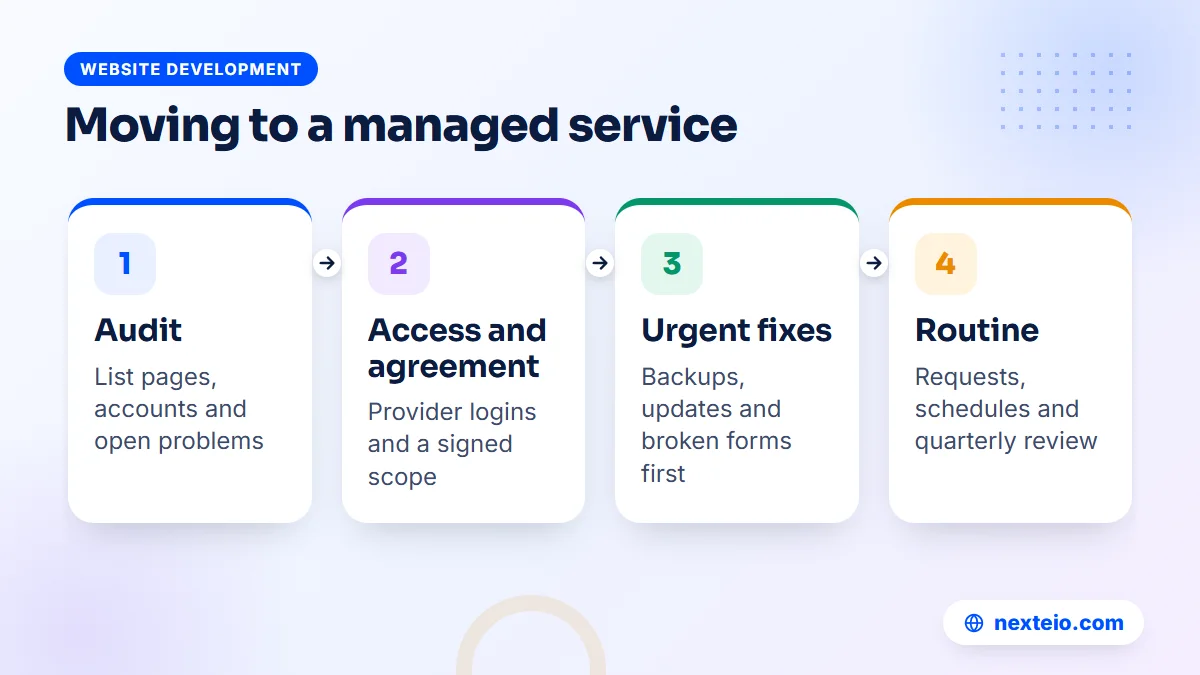
Switching from an informal arrangement to proper website management rarely needs downtime. It does need a careful first month, so nothing is lost in the change.
Week one: audit. The provider lists every page, plugin, form, account and integration, and notes what is broken, outdated or undocumented. You learn exactly what you have, often for the first time.
Week one or two: access and agreement. You give the provider access to the hosting server and the website admin, and both sides sign an agreement that sets out the work. Access should be the provider's own logins, never shared copies of your main password.
Weeks two to four: urgent fixes. Missing backups, outdated software, broken forms and expired content are cleared first, in order of risk. Larger improvements wait until the basics are stable.
From month two: routine. The request workflow starts, scheduled tasks run, and you review the first round of measures together. This is also the time to train staff who will keep posting simple updates under a shared model.
If the old site turns out to be too fragile to manage sensibly, a rebuild may cost less over two or three years than patching it. Our custom website design team can scope that, and a WordPress website is often the simplest base for a shared model where staff post their own updates.
How Nexteio Can Help With Website Management Services
We offer website management for companies, schools, clinics, NGOs and offices across Bangladesh, including the sites we build through our custom website design service. Our website management services start the same way every time: you give us access to your hosting server and your website, and we sign an agreement that sets out exactly what we handle and what stays with your team.
Within that agreement we can take on the technical side, such as updates, backups, security checks and fixes, and the content side, such as publishing notices, updating pages and keeping both language versions in step. Under a shared model, we can set up staff accounts with the right permissions, so your team keeps posting routine updates themselves. We work on WordPress sites and on Laravel web applications, so portals and custom systems are covered as well as standard sites.
Plans are priced by the level of work, broadly from basic through standard to advanced, as outlined above. To get a clear quote, share your website and what you need through our project form, or use the contact page for a quick question. You can also see the kind of sites we build in our portfolio and the full list of what we do on our services page.
Keep reading: technical SEO basics every website owner should know, how internal linking connects your pages, or browse all our website development guides. When you are ready, start a project brief and we will reply with next steps.
Frequently asked questions
What is included in website management services?
A complete service usually covers content updates, technical care such as updates and backups, uptime and speed checks, basic search health, account and renewal tracking, and a clear way to request and approve changes. Many providers sell parts of this separately, so ask for the scope in writing before you compare prices.
Is website management the same as hosting?
No. Hosting is the server space where the site lives, and the hosting company keeps that server running. Website management is the work done on and around the site itself: content, software, access, monitoring and decisions. Most hosting plans include none of the content or approval work.
Can our staff still edit the website if we outsource?
Yes. In a shared model your staff keep posting notices, news and simple edits through the admin panel, and the provider handles technical work and larger changes. Give staff editor accounts rather than full administrator rights, which keeps the site safer.
How much do website management services cost in Bangladesh?
Monthly plans usually range from around BDT 2,000 for a small, quiet site to BDT 30,000 or more for an online store, portal or custom application. The price depends on how much content work you need, the platform and how fast problems must be handled. Hosting and domain fees are normally separate.
Should a government office or NGO outsource website management?
Many do, especially when the IT team is small and the website mainly publishes notices, reports and contact information. The organization should keep ownership of the domain, hosting and accounts, keep approval with its own officers, and follow its procurement rules when choosing a provider.
What should the agreement with a provider include?
It should list the tasks covered, how requests are sent and how fast they are handled, what access the provider receives, and who owns the accounts. It should also explain how files, logins and documentation are handed back if the contract ends.
How do we judge whether the provider is doing a good job?
Agree a few measures at the start, such as time from approval to publishing, downtime, mobile page speed, form enquiries and search errors. Review them every quarter. Steady or improving numbers and a clear request log are better signs than a long list of activities.