Web Design for Construction Company Websites in Bangladesh
In this article 15 sections
- 1.Who Visits a Construction Website and What They Check
- 2.Web Design for Construction Company Sites Starts With the Right Pages
- 3.Project Pages: Your Strongest Sales Material
- 4.Licences, Certificates and Safety Records
- 5.Design Choices That Suit Construction and Engineering Brands
- 6.Real Estate Developers and Contractors Need Different Websites
- 7.Speed on Mobile Data: Handling Heavy Photo Galleries
- 8.Turning Visitors Into Enquiries and Tender Invitations
- 9.SEO for Construction Websites in Bangladesh
- 10.How to Plan the Website Project Step by Step
- 11.What Web Design for Construction Company Websites Costs in Bangladesh
- 12.Common Mistakes on Construction Company Websites
- 13.Keeping Projects and News Current After Launch
- 14.How Nexteio Can Help With Web Design for Construction Company Websites
- 15.Frequently asked questions
Web design for construction company websites has a different job from most business sites. A contractor, developer or engineering firm is not selling something a visitor adds to a cart. It is asking a client to trust it with land, money and months or years of work. Before that client picks up the phone, they usually open the website to check whether the company is real, what it has built and whether it can handle a job of their size.
In Bangladesh, the people doing that check are a mixed group. A factory owner wants to see warehouse and shed projects before inviting a quotation. A procurement officer wants to confirm experience and licences. A family living abroad is comparing apartment projects before sending a booking payment home. A young civil engineer wants to know whether the company is a good place to build a career.
Most construction websites let these visitors down in the same ways. The project gallery holds forty unlabeled photos. The about page talks about quality and commitment but gives no dates, names or figures. The enquiry form sends email to an inbox nobody reads. The whole site loads so slowly on mobile data that the visitor gives up before seeing any of it.
This guide covers the pages a construction or engineering company website needs, how to present projects and credentials, how developers and contractors differ, what the work usually costs in Bangladesh and the mistakes worth avoiding. It is written for owners and directors, and for the managers who usually end up running the website project.
Who Visits a Construction Website and What They Check
A good website starts with a clear picture of who will read it. Construction firms rarely have one type of customer, and each visitor arrives with a different question. If you design for all of them at once without a plan, the homepage turns into a crowded notice board. The first three groups usually buy construction services directly:
- Private clients: factory owners, school trustees, hospital boards and business owners who need a building, an extension or a fit-out. They want to see similar projects, the size of jobs you handle and how to request a quotation.
- Procurement and tender teams: people in government offices, NGOs and large companies who shortlist contractors. They look for registration, enlistment, experience in years and value, and key staff.
- Consultants and architects: they recommend contractors to their clients and want proof of technical ability, equipment and site management.
The other groups matter more for some firms than for others:
- Apartment and plot buyers: for real estate developers, this is the biggest group. Many are non-resident Bangladeshis checking projects from abroad before a family member visits the site.
- Landowners: people looking for a developer to build on their land in a joint venture. They want to see your track record of handovers.
- Job seekers and suppliers: engineers, site supervisors and material suppliers who want to know if the company is stable and growing.
Rank these groups by how much business they bring you, then build the homepage around the top two. A road and bridge contractor will put enlistment and completed public works first. A developer will put ongoing apartment projects first. A steel structure fabricator will lead with factory buildings and its own workshop capacity.
Write down the three questions each top group asks before contacting a firm. Those questions become the headings, buttons and page order on your site. This one exercise solves most of the layout arguments that otherwise drag on for weeks between directors.
Web Design for Construction Company Sites Starts With the Right Pages
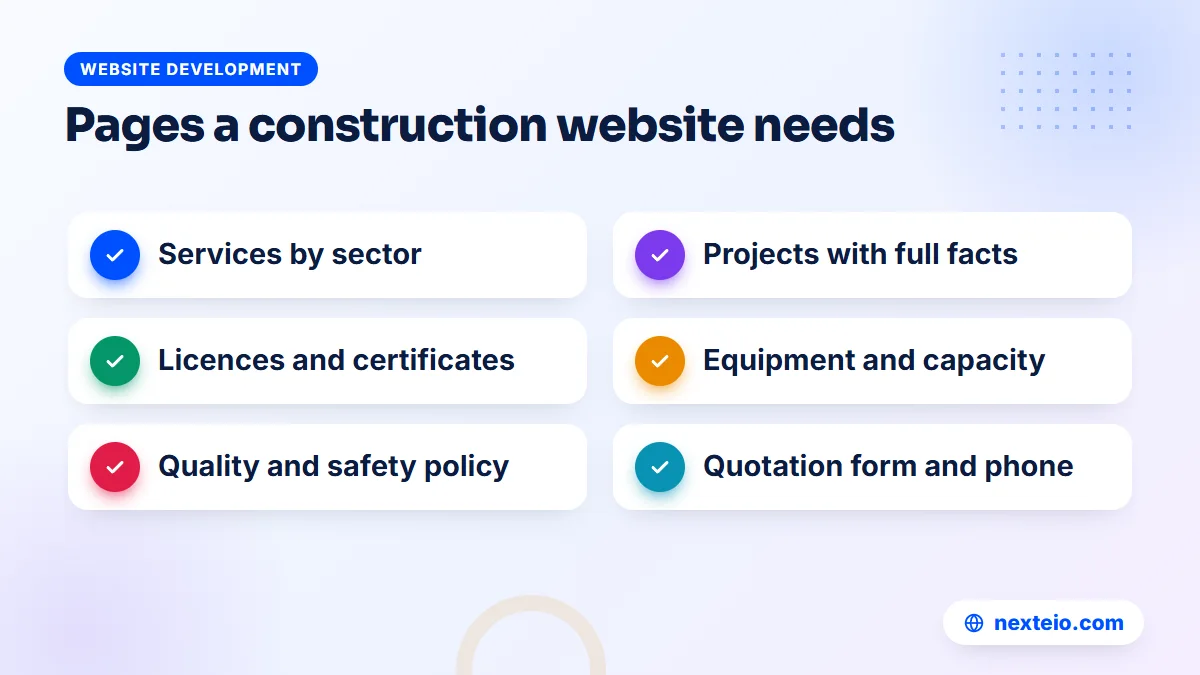
Before anyone talks about colors or fonts, agree on the list of pages. Good web design for construction company websites is mostly about structure: putting the right proof where each visitor expects to find it. The table below shows the pages most construction and engineering firms need, what each page is for and what it should hold.
| Page | Main job | What to include |
|---|---|---|
| Home | Show who you are fast | What you build, where you work, two flagship projects, a call button |
| About | Build trust | Year founded, directors, key engineers, licences, profile PDF |
| Services | Match the visitor's need | One page each: civil works, steel structure, fit-out, road works |
| Projects | Prove the work | A list filtered by sector and status, linking to full project pages |
| Capacity | Show you can deliver | Machinery owned, workshop size, sites run at once |
| Quality and safety | Reduce the buyer's risk | Safety policy and current certifications |
| Careers | Hire better people | Open roles and how to apply |
| Contact | Turn interest into a call | Phone, quotation form, map, office hours |
A client list with logos can sit on the home or about page, as long as each client agreed to be listed.
Not every firm needs every page on day one. A small contractor with eight completed jobs can launch with home, about, services, projects and contact, then add the rest as material builds up. What matters is that the structure leaves room to grow, so adding a careers page next year does not mean redesigning the menu.
This is where a template bought online often falls short. Most construction themes are designed for American or European builders, with sections for things like roofing estimates and home remodeling. A custom-designed company website starts from your real page list instead, so you are not forcing your work into someone else's layout.
Project Pages: Your Strongest Sales Material
For a construction firm, finished projects do the selling. A client choosing between three contractors will trust the one that clearly shows similar work, done properly, for clients like them. Yet on most sites, projects appear as a single gallery of photos with no explanation.
What each project page should include
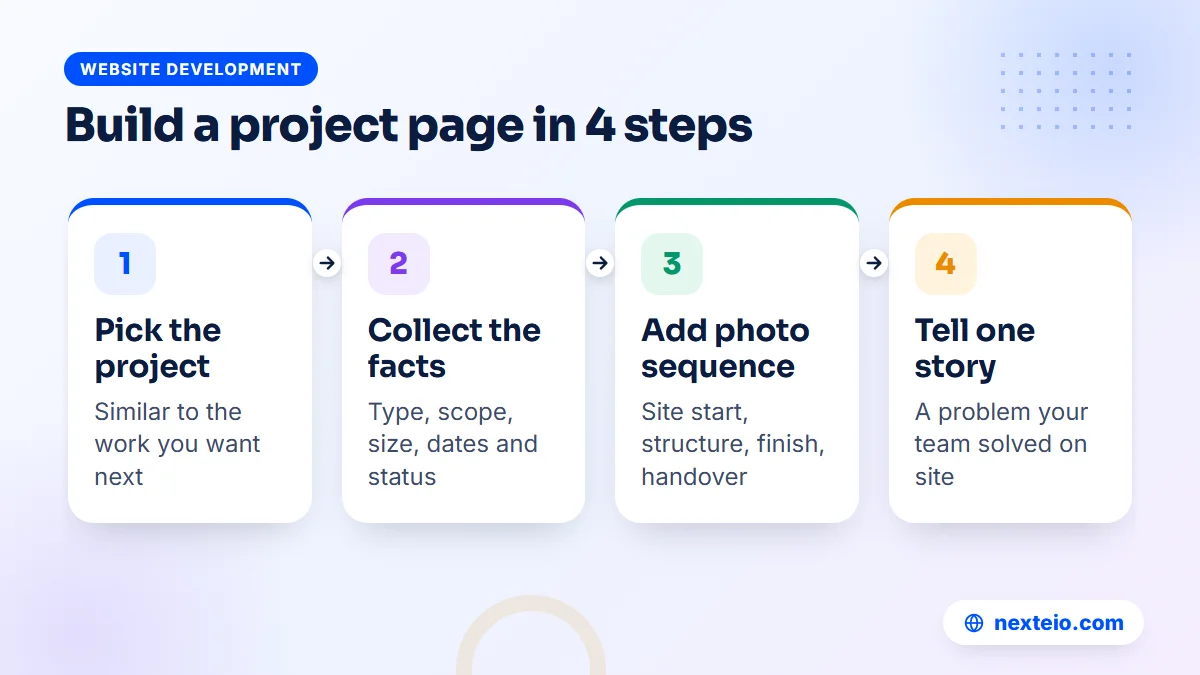
Give every significant project its own page with a short, consistent set of facts. A procurement officer should be able to scan ten project pages in five minutes and compare them.
- Project name and type, such as "Six-storey factory building" or "Two-lane rural road with culverts".
- Client type, and the client's name only if they have agreed to it.
- District or general area, without exposing private addresses.
- Scope of your work: design and build, civil works only, or structure plus finishing.
- Size in square feet, storeys, kilometres or tonnes of steel, whichever fits.
- Start and completion dates, and the status if it is still running.
- Three to eight photos in order: site start, structure, finishing and handover.
- One short paragraph on a problem your team solved, such as a tight site, soft soil or a deadline before the monsoon.
That last point matters more than it looks.
Any firm can show a finished building. Fewer can explain how they kept a site working through heavy rain or delivered a factory floor before a buyer audit. Those short stories show judgment, and judgment is what clients are really buying.
Photos that prove the work
Use your own photos. Stock images of foreign skyscrapers and smiling models in clean hard hats damage trust, because Bangladeshi clients recognize them at once. Real site photos from a phone are better than any stock image, as long as they are sharp, level and taken in daylight.
Ask site engineers to take progress photos from the same spots every few weeks. A sequence from bare land to finished structure is more convincing than any single image. Drone footage helps for large sites, but check the current permission rules for flying drones before anyone takes one up. Google's guidance on image best practices also explains how descriptive file names and alt text help project photos appear in image search.
When clients do not want to be named
Some clients, especially factories and private owners, prefer not to appear online. Respect that, and still use the project. Describe it as "a knitting factory extension for an export manufacturer" and show photos that do not reveal signs or logos. The story still proves your ability without breaking anyone's trust.
Licences, Certificates and Safety Records
Construction is a high-risk purchase, and credentials reduce that risk. A tender committee or a corporate client often has a checklist of documents to verify. If your website already shows them clearly, you save everyone time and look more organized than competitors who send scanned papers by email.
Show the credentials you actually hold, with dates where they matter:
- Trade licence and company registration details.
- Contractor enlistment with government engineering departments, with the category or class.
- Membership of relevant trade bodies, such as the national association of real estate developers for housing companies.
- Quality or safety management certifications, with the certifying body named and the validity date shown.
- Professional registrations of your key engineers.
- A short safety policy and how it works on site: induction, protective equipment, scaffolding checks and first aid.
Never display a certificate that has expired, and never place a certification logo on the site unless the certificate is current. Clients and consultants do check. One false claim found during due diligence can end a relationship that took years to build.
A downloadable company profile PDF is still expected in this industry. Keep it on the about page, keep the file size small enough to open on mobile data, and update it at least once a year. Many firms also add a simple capability statement: the largest contract value handled, the number of sites run at once and the main machinery owned. Use honest figures, because a buyer may ask for proof of every one of them.
Design Choices That Suit Construction and Engineering Brands
Construction company website design should feel solid and practical, not flashy. Your visitors are judging competence. A clean layout, real photos and clear facts do more than animated sliders and background videos.
A few design choices work well for this industry:
- Color: one strong brand color with plenty of white or light grey space. Safety yellow, deep blue, dark green and charcoal all suit the industry, but use them for buttons and headings, not as full-page backgrounds.
- Typography: a plain, sturdy sans-serif font, large enough to read on a phone. Avoid thin or decorative fonts that blur on cheap screens.
Layout and language need the same care:
- Layout: large project photos with short captions, and facts presented in small blocks or tables so they can be scanned.
- Language: English for corporate and tender audiences, with Bangla for apartment buyers, job seekers and local clients. Plan both languages from the start so the layout handles the longer Bangla text.
- Contrast: dark text on light backgrounds. Light grey text over photos is hard to read in sunlight, which is where many site managers read your page.
Your logo, site signboards, vehicle branding and printed profile should match the website. When a client sees the same name, color and style on a site hoarding and then online, the company feels established. A mismatch makes it look like the website was an afterthought, even if the engineering is excellent.
Construction website design also means planning for growth in content. Ten projects today may be eighty in five years. The design should keep the projects page easy to use at both sizes, with filters by sector, status and year rather than one endless scroll. This kind of structure is part of what we plan in our website design service, because it is far easier to build in early than to add later.
Real Estate Developers and Contractors Need Different Websites
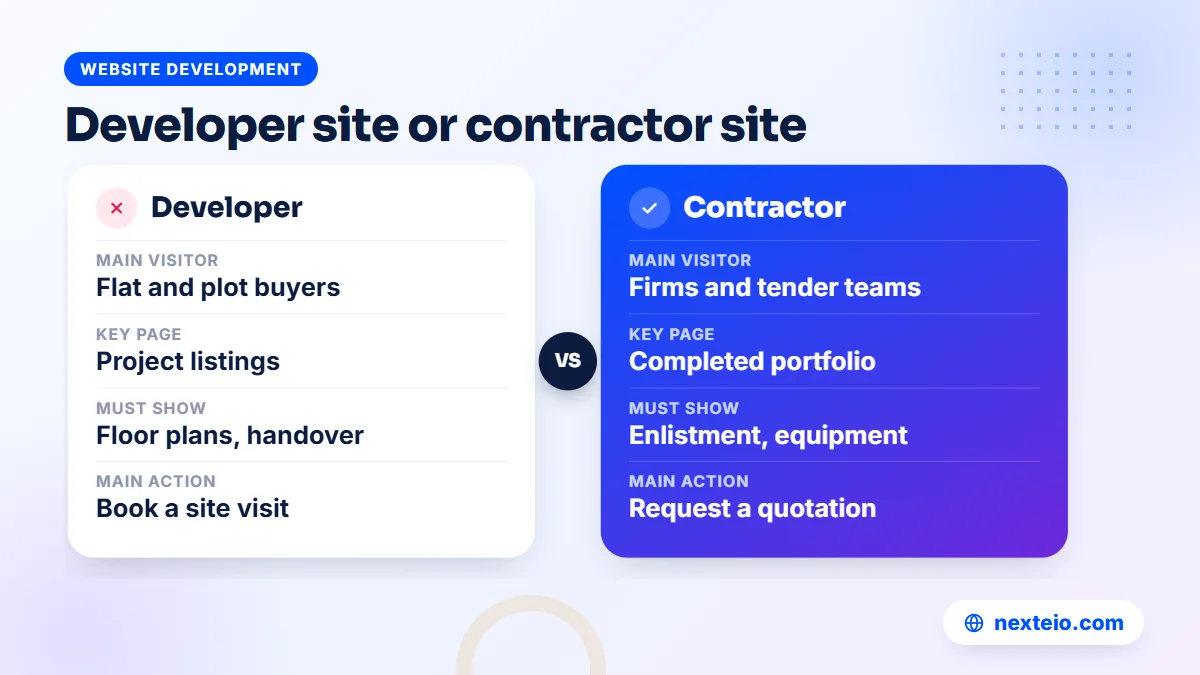
The word "construction" covers businesses with very different customers. A real estate developer sells finished homes to families. A general contractor sells building services to organizations. An engineering consultancy sells design and supervision. Each needs a different site, even though they all work with concrete and steel.
| Feature | Real estate developer | Contractor | Engineering consultancy |
|---|---|---|---|
| Main visitor | Families and investors buying flats or plots | Organizations commissioning buildings | Owners, developers and public agencies |
| Key page | Project listings by status | Completed project portfolio | Services and team profiles |
| Must show | Floor plans, flat sizes, facilities, location map, handover date | Capacity, enlistment, equipment, safety record | Engineers' qualifications, design standards followed, software used |
| Main action | Book a site visit or request price details | Request a quotation or send tender documents | Request a proposal or a meeting |
| Extra features | Landowner joint venture page, overseas buyer section | Downloadable profile, client list | Publications, case notes |
Developers usually need the most features.
Each project page has floor plans, a list of facilities, a location map, construction progress photos and an enquiry form tied to that project, so the sales team knows which building the caller saw. Some developers later add a customer area where buyers check instalment schedules and progress updates. That moves beyond a normal website into a Laravel web application built around the sales and accounts process.
Contractors usually need fewer features but stronger proof. Their buyers compare documents and track records, so a clear project portfolio, an equipment list and a tidy profile download count for more than design effects.
Speed on Mobile Data: Handling Heavy Photo Galleries
Construction sites are photo-heavy by nature, and that creates the most common technical problem in this industry: pages that take far too long to load. A project page with twenty full-size camera photos can easily weigh more than 50 MB. On a weak mobile signal, the visitor sees a blank screen and leaves.
The fixes are simple once someone owns them. Start with the images themselves:
- Resize photos before upload. Around 1,600 pixels wide is enough for a full-width image on most screens, and thumbnails need far less.
- Convert images to WebP, which is usually noticeably smaller than JPEG at similar quality.
- Load images lazily, so photos further down the page only load when the visitor scrolls to them.
Then deal with video and hosting:
- Host walkthrough and drone videos on YouTube and embed them, instead of uploading large video files to your own server.
- Avoid autoplaying background videos on the homepage. They look good on office Wi-Fi and terrible on a phone.
- Choose hosting in a proper data centre with a reliable uptime record, not a server sitting in your office where load-shedding can take it down.
Google measures real-world loading and responsiveness through its Core Web Vitals, and slow pages lose both visitors and search visibility. Our guide on how website speed affects SEO explains how faster pages help with rankings and enquiries. For a construction firm, the practical test is simple: open your own projects page on a phone using mobile data, away from the office, and time it.
A good editing process prevents the problem from coming back. If staff upload photos themselves, the website should resize and compress them automatically, so a site engineer's 12 MB phone photo never reaches visitors at full size.
Related guides for planning a construction website:
- How to build a professional business website that gets results
- Why a website gets traffic but no customers
- Common SEO mistakes that hurt business websites
Turning Visitors Into Enquiries and Tender Invitations
A construction website exists to start conversations: a quotation request, a site visit booking, an invitation to bid or a landowner meeting. Every page should make the next step obvious, without pushing visitors who are still reading.
Calls, WhatsApp and forms
Many Bangladeshi clients prefer to call. Put a tap-to-call phone number in the header on mobile, with the office hours next to it. A WhatsApp button works well for apartment buyers and smaller clients, especially overseas buyers who are hours ahead or behind. Corporate and tender contacts still prefer email and forms, so offer all three.
A quotation form for a contractor should ask only what your estimating team needs to call back with something useful:
- Name, organization and phone number.
- Type of project: new building, extension, fit-out, road, steel structure or other.
- District or area of the site.
- Approximate size or budget range, as an optional field.
- Expected start time.
- A field to upload drawings or a tender document, if they have one.
Every extra field loses a few people, so leave out anything you can ask on the phone. Send each enquiry to at least two people, and decide in advance who calls back and how fast. A form that sends email into a forgotten inbox is worse than no form, because the client thinks they were ignored.
Campaign landing pages
Developers launching a new project often run ads. In that case, send ad traffic to a dedicated project page with the floor plans, price request form and site visit booking, not to the homepage. Our guide to building a high-converting landing page covers the structure. Developers often find Facebook and Instagram ads work for apartment launches aimed at families, while Google search ads suit contractors, because those clients actively search for services such as factory building construction.
Video also earns its place here. A two-minute walkthrough of a finished flat, or a time-lapse of a structure going up, shows more than a page of text. If your team has raw site footage, our video editing service can turn it into short project films for the website and social media.
SEO for Construction Websites in Bangladesh
Many construction clients start on Google, searching for things like "steel structure company in Bangladesh", "factory building contractor" or "ready flat" plus an area name. A well-built site gives you a fair chance of appearing for those searches without paying for every click.
The basics for a construction firm are practical:
- One page per service: a dedicated page for each main service, written in plain words, so Google can match each search to the right page.
- Project pages as content: each project page with real text is another page Google can show, and it usually matches the specific searches clients make.
- Area mentions: name the districts and regions you work in, naturally, on service and project pages.
Then help search engines read your business details correctly:
- Image alt text: describe what each photo shows, such as "steel frame of a two-storey warehouse during erection".
- Structured data: mark up your business details using a type such as GeneralContractor from schema.org, so search engines read your name, address and phone correctly.
- Business Profile: set up your Google Business Profile for the office, following Google's guidelines for representing your business, and keep the name, address and phone exactly the same as on the website.
SEO for construction is a long game. A new site needs months before searches bring a steady flow of enquiries, and competitive phrases take longer. If you want someone to manage that work, our SEO service covers the technical fixes, page structure and content. The most valuable thing you can do yourself is keep adding real project pages, because no competitor can copy your completed work.
How to Plan the Website Project Step by Step
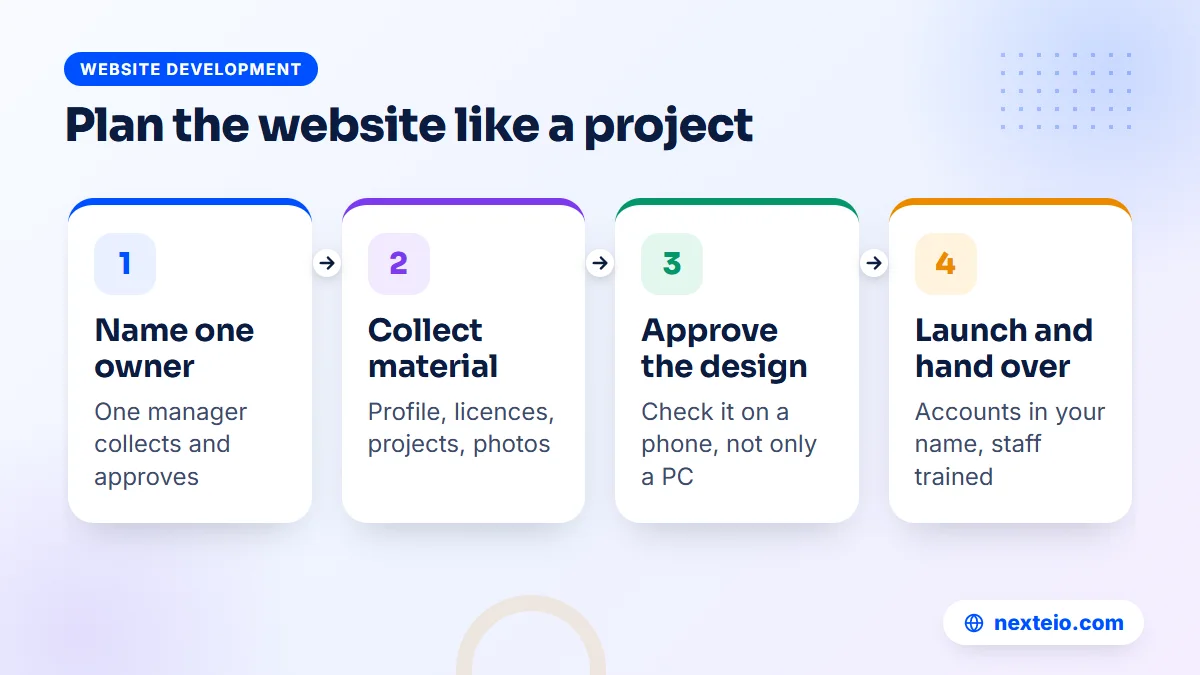
Construction companies know how to run projects, and a website is easier to manage when it is treated the same way: clear scope, named owner, approved drawings before work starts. Here is a practical sequence.
- Name one owner. Pick a manager who collects material, answers the web team's questions and gets approvals. Without one person in charge, the project stalls in email threads between directors.
- Agree the goals. Decide what the site must achieve: more quotation requests, stronger tender documents, apartment bookings or better hiring.
- Collect the material. Gather the logo, company profile, licences, a project list with facts, photos and key staff details. This step usually takes the longest, so start it first.
- Approve the sitemap. Confirm the page list and menu before any design begins.
Once the material and page list are ready, the build itself moves quickly:
- Approve the design. Review the homepage and one project page design on a phone as well as a computer.
- Write and translate content. Draft English and Bangla text, check every figure and get sign-off from the people named.
- Build and test. Check every form, phone link and download, and test speed on mobile data.
- Launch and hand over. Make sure the domain, hosting and admin accounts are in the company's name, and train the staff who will add projects.
Office approval chains in construction firms can be long, with a managing director, a chairman and sometimes a board. Build approval points into the plan so the web team is not waiting for weeks at each step. If you are still choosing who to work with, our checklist for choosing a web design company lists the questions worth asking before you sign.
What Web Design for Construction Company Websites Costs in Bangladesh
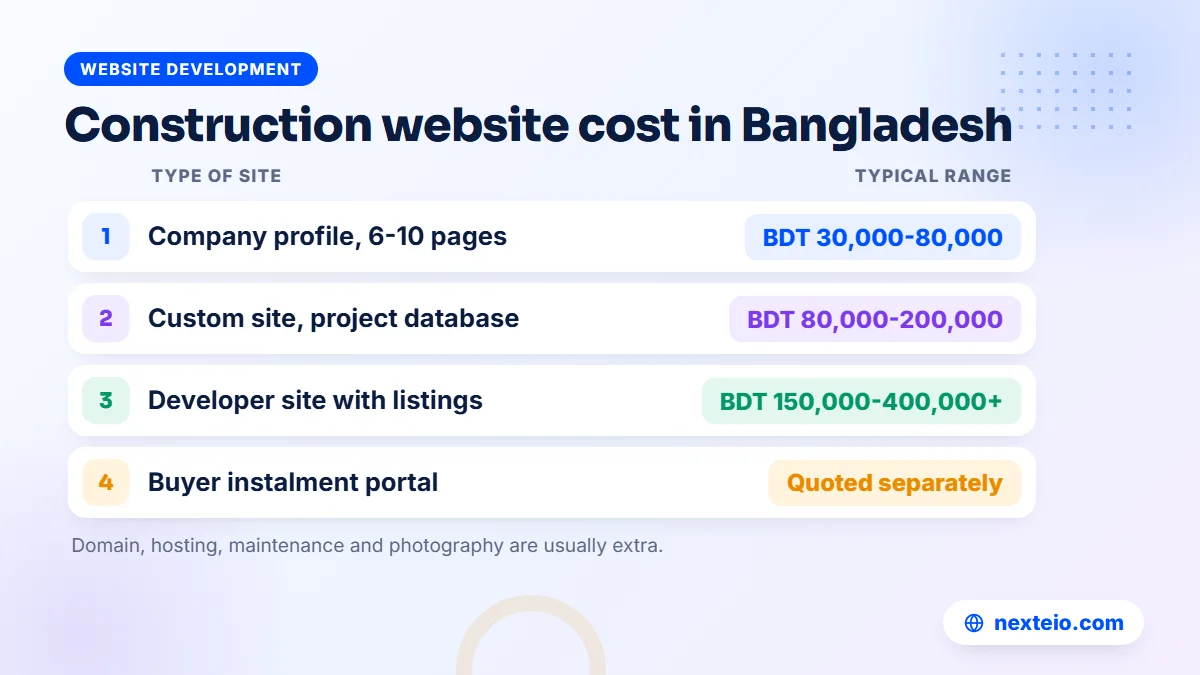
Prices vary widely, and two quotes for "a construction website" can describe very different jobs. The figures below are rough market ranges in Bangladesh, not fixed prices. The real cost depends on the number of pages, the number of projects to add, the features needed and whether content is ready.
| Type of site | Typical range | Usual timeline | Suits |
|---|---|---|---|
| Company profile site, 6 to 10 pages | BDT 30,000 to 80,000 | 3 to 6 weeks | Small contractors, consultancies, fit-out firms |
| Custom-designed site with a project database | BDT 80,000 to 200,000 | 6 to 10 weeks | Established contractors and engineering groups |
| Developer site with project listings and enquiry tracking | BDT 150,000 to 400,000 or more | 8 to 16 weeks | Real estate developers with several projects |
| Customer portal for buyers' instalments and updates | Quoted separately | Depends on scope | Developers with many active buyers |
Running costs come on top: domain renewal, hosting, an SSL certificate if not included, and maintenance. A photo-heavy site needs hosting with enough storage and bandwidth, which usually costs more than the cheapest shared plan. Budget for a person's time too, because someone has to keep adding projects.
The platform affects both price and flexibility. A WordPress site is often the practical choice for a company profile with a project gallery, and our WordPress website service builds sites your staff can update easily. Larger developers with listings, filters and buyer areas often need more custom work. Our comparison of WordPress and custom websites explains the trade-offs.
Ask every provider to quote against the same page list and feature list, and to say clearly what is excluded, such as content writing, photography, translation or hosting. Good web design for construction company websites is an investment that should keep working for years, so judge quotes on what you will get, not only the bottom line. If you want a realistic estimate for your own firm, tell us about your company and projects and we will reply with a scoped quote.
Common Mistakes on Construction Company Websites
The same problems appear again and again when construction firms review their own sites. Most are cheap to fix once someone notices them.
- A gallery instead of projects. Dozens of photos with no names, dates or scope tell a buyer nothing useful.
- Old "ongoing" projects. A project marked ongoing that was handed over three years ago makes the whole site look abandoned.
- Vague claims. "Quality construction since many years" convinces nobody. A founding year, project count and named sectors do.
- Stock photos. Foreign buildings and models make visitors doubt everything else on the page.
The rest are about trust and upkeep:
- Expired certificates. Logos of certifications that have lapsed are a serious risk in due diligence.
- Personal email addresses. A free webmail address on the contact page looks temporary next to a competitor's company email.
- Huge PDF downloads. A 40 MB company profile will not open on a phone in the field.
- No owner after launch. Nobody is responsible for updates, so the site freezes on the day it went live.
A useful habit is a yearly review by someone outside the marketing team, such as a project manager. Ask them to find three specific facts a client would want, using only a phone. Whatever takes them too long is what to fix first.
Keeping Projects and News Current After Launch
A construction website goes stale faster than most because the business itself keeps changing. New projects start, others finish, staff join and leave, and certifications renew. A site that showed the company well at launch can look two years out of date surprisingly quickly.
Build a simple routine so updates happen without a meeting each time:
- Site engineers send progress photos of each active project once a month to one person.
- That person updates the project status and adds two or three new photos.
- When a project is handed over, it gets a full project page within a few weeks, while the team still remembers the details.
- Every quarter, someone checks certifications, staff listings and the careers page.
- Every year, the company profile PDF and the client list are refreshed.
The technical side needs care too: software updates, backups, security checks and renewals of the domain and SSL. A photo-heavy site with an enquiry form is a common target for spam and attacks if it is left alone. Put maintenance on the calendar from the day the site launches, and decide whether your own staff or an outside team will handle it.
Fresh content also helps search. Each new project page with real text and photos gives Google something new to show, and it gives returning clients a reason to look again before their next job.
How Nexteio Can Help With Web Design for Construction Company Websites
We plan and build websites for construction firms, real estate developers and engineering companies across Bangladesh through our custom website design service. The work starts with your buyers: who checks your site before a contract, what they need to see and what you want them to do next. From there we agree the page list, the project page format and the enquiry flow before any design work begins.
For contractors, that usually means a clear services section, a project portfolio with consistent facts and filters, a credentials page and a quotation form that reaches the right people. For developers, it means project listings with floor plans, progress updates and enquiry forms tied to each building, in English and Bangla where needed. We set up image handling so heavy site photos stay fast on mobile data, and we hand over the domain, hosting and admin accounts in your company's name.
You can see the kind of sites we build in our portfolio and read more about Nexteio. When you are ready, send us a short project brief or reach us through the contact page, and we will suggest a scope and price for a construction website built around your projects.
Keep reading: planning content for every stage of the customer journey, what to check before hiring a WordPress developer, or browse all our website development guides.
Frequently asked questions
How many projects should a construction company show on its website?
Quality matters more than quantity. Six to ten well-documented projects with facts, dates and photo sequences convince buyers more than fifty unlabeled photos. Start with the projects closest to the work you want next, then add new ones as they are handed over.
Should a construction company website be in Bangla or English?
Most firms need both. English suits corporate clients, consultants, tender teams and foreign partners, while Bangla helps apartment buyers, local clients and job seekers. If budget is tight, launch in English with Bangla on the key pages, and plan the layout so a full Bangla version can be added later.
Can we show government or private projects without the client's permission?
It is safer to ask first, especially for private clients and factories, who may not want their buildings or names online. You can still show the project without naming the client by describing it in general terms and using photos that do not reveal signs or logos. Public works are often already public, but check your contract for any confidentiality clause.
How long does web design for construction company websites usually take?
A simple company profile site usually takes three to six weeks, while a custom site with a project database or apartment listings can take two to four months. The biggest delay is rarely the design or coding. It is collecting project facts, photos and approvals from inside the company.
Is WordPress good enough for a construction company website?
For most contractors and consultancies, yes. WordPress handles service pages, project galleries and enquiry forms well, and staff can add projects without a developer. Developers with many projects, detailed filters or a buyer portal may need custom development, so decide based on the features you need over the next few years.
Do we need professional photography for our projects?
Not always. Sharp, level daylight photos taken on a modern phone are fine for most project pages, especially progress shots. Professional photos are worth paying for on flagship projects, the homepage and the company profile, where first impressions matter most.
What should a construction company do with its old website?
Before replacing it, list the pages that bring visitors from Google and keep their content or redirect their addresses to the matching new pages. Save the project photos and facts worth reusing. Then check who controls the domain and hosting, because these accounts are often still held by a former staff member or an old web vendor.