Shopify Web Design: Choosing a Theme and Making It Your Own
In this article 15 sections
- 1.What Shopify Web Design Covers, and What Shopify Controls
- 2.Plan the Store Before You Look at a Single Theme
- 3.How to Choose Among Shopify Store Themes
- 4.Test a Theme Properly Before You Commit
- 5.Set Up Your Brand: Colors, Fonts, Logo and Bangla Text
- 6.Homepage Sections That Work on a Phone
- 7.Collection and Product Pages: Where the Order Is Won
- 8.Cart, Checkout and Payments for Buyers in Bangladesh
- 9.Apps, Custom Code and When a Theme Is Not Enough
- 10.Speed, Accessibility and SEO in Shopify Web Design
- 11.Shopify Web Design Costs and Timelines in Bangladesh
- 12.Common Shopify Design Mistakes and How to Avoid Them
- 13.A Pre-Launch Checklist for Your Shopify Store
- 14.How Nexteio Can Help With Shopify Web Design
- 15.Frequently asked questions
Shopify web design is the work of turning a ready-made Shopify theme into a store that looks like your brand, explains your products clearly and makes ordering easy on a phone. You rarely start from a blank page on Shopify. You pick a theme, adjust its settings and sections, add your own photos and words, and only write custom code where the theme cannot do what you need.
That sounds simple, and for the first draft of most Shopify web design projects, it is. Most store owners can make a Shopify theme look decent in an afternoon. The hard part is the gap between decent and a store people trust enough to order from, especially in Bangladesh, where many buyers have never heard of your brand and will pay only when the parcel arrives.
This guide follows the order in which good Shopify stores get designed: planning, choosing a theme, testing it, setting up your brand, and then working through the homepage, product pages, cart and checkout. It also covers apps and custom code, speed, costs in BDT, common mistakes and a checklist for launch day.
If you have not yet decided whether Shopify is the right platform at all, read our notes on planning and budgeting an e-commerce website in Bangladesh first, then come back to the design stage.
What Shopify Web Design Covers, and What Shopify Controls
On Shopify, the platform runs the hosting, security, checkout and payment processing. Your theme controls how the storefront looks: the header, menus, homepage, collection pages, product pages, cart page, blog and the policy pages. Knowing where that line sits saves a lot of wasted effort, because some things you might want to redesign are simply not yours to change.
Here is how the work usually divides:
- Theme settings: colors, fonts, logo, button style, spacing and social links, all set through the theme editor without code.
- Sections and blocks: the building pieces of each page, such as an image banner, a featured collection, a text column or a review strip, which you add, remove and reorder.
The more technical layers sit underneath:
- Templates: layouts for each page type, so you can give one product, say a gift box, a different page layout from the rest.
- Content: product photos, descriptions, size charts, delivery notes, the About page and the policies.
- Custom code: edits to the theme files, written in Shopify's template language, Liquid, plus HTML, CSS and JavaScript.
- Checkout: mostly controlled by Shopify. On standard plans you can change branding such as the logo, colors and fonts, but not the structure of the checkout itself.
Modern Shopify themes follow what Shopify calls Online Store 2.0, which lets you add sections to almost every page, not just the homepage. If a theme you are looking at does not support that, treat it as old and move on.
The practical lesson is this: most of the value in Shopify web design comes from good theme choice, clear content and sensible section order. Code is the last tool, not the first.
Plan the Store Before You Look at a Single Theme
Browsing themes is fun, which is why people start there. It is also the fastest way to fall for a beautiful demo that does not suit your products. In Shopify web design, a one-hour planning session first will narrow hundreds of options down to a handful.
Write short answers to these questions before you open the theme store:
- How many products will you list at launch, and how many in a year? Ten products and a thousand need very different menus and filters.
- Do your products have variants such as size, color, weight or material? How many per product?
- Do buyers need to see detail up close, like fabric texture, or mainly read specifications, like a power bank's capacity?
- Who is the buyer? A young customer coming from a TikTok video behaves differently from a corporate buyer ordering gift hampers.
Then think about how you will sell and deliver:
- How will people pay? Cash on delivery, mobile wallets, cards, or a mix?
- Do you need Bangla, English or both on the storefront?
- Will you sell to buyers abroad, or only inside Bangladesh?
Your answers turn into a short list of must-have features. A clothing brand needs color swatches, a size chart and a quick view of variants. A gadget shop needs a clean specifications table and good filters. A home bakery needs delivery date notes and perhaps a simple pre-order message.
Also collect your raw material before design starts: logo files, brand colors, at least ten product photos you are proud of, and the exact wording of your delivery and return policy. A designer can work around missing items, but the store will look like a demo until real content arrives.
How to Choose Among Shopify Store Themes
The official Shopify Theme Store is the safest place to find a theme. Themes listed there go through Shopify's review, receive updates, and come with support from the theme developer. Themes sold on outside marketplaces can be fine, but they vary much more in quality and in how long they keep getting updated.
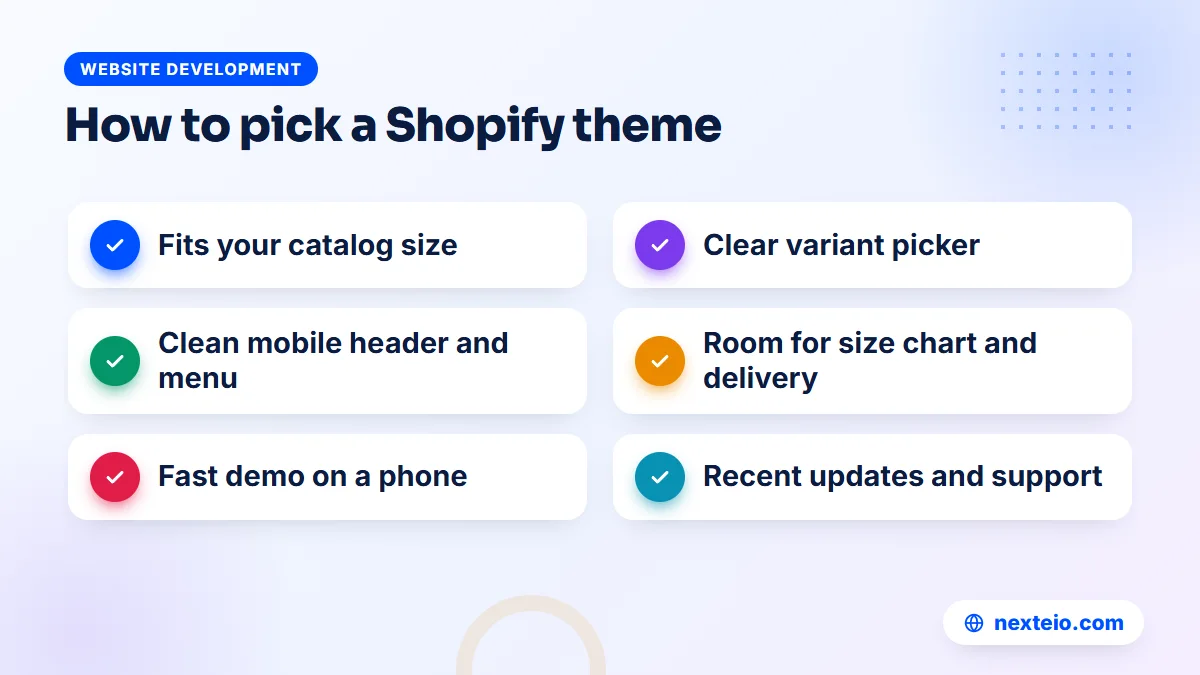
When you compare Shopify store themes, judge them against your plan, not against the demo photos. Professional demo images can make any layout look premium. Your own photos, taken on a phone in a small studio, will not look the same, so focus on structure and features.
| What to check | Why it matters |
|---|---|
| Catalog size it was built for | Some themes suit a few hero products, others suit large catalogs with filters and mega menus |
| Variant display | Swatches, buttons or dropdowns change how easily buyers pick size and color |
| Mobile header and menu | Most of your visitors will see the store on a phone screen first |
| Product page sections | Look for tabs or collapsible rows for size charts, delivery and returns |
| Speed on the demo store | A heavy demo usually becomes heavier once you add apps |
| Update history and support | An actively updated theme stays compatible with new Shopify features |
Treat the table as a filter. A theme that fails two of these checks is rarely worth its looks.
Free or paid Shopify website themes
Shopify offers a set of free themes, including Dawn, which many developers treat as a reference for how a clean, fast theme should be built. Free themes are a good choice for a first store, a small catalog or a tight budget. They are lighter, simpler and well maintained.
Paid Shopify website themes are a one-time purchase, usually a few hundred US dollars, licensed for one store. You pay for extra features such as advanced filters, mega menus, lookbooks, size chart blocks and more layout options. Buy one only when it gives you a feature you listed in your plan. Paying for twenty features you will never switch on just adds weight to every page.
Remember the payment method too. Theme purchases, the Shopify plan and most apps are billed in US dollars, so you will need a card that works for international payments. Many business owners in Bangladesh use a dual-currency card with a dollar limit for this.
Test a Theme Properly Before You Commit
Shopify lets you preview themes in your own store, including paid ones, before you buy. Use that. A theme can look perfect on a desktop demo and fall apart on a budget Android phone with your real product photos.
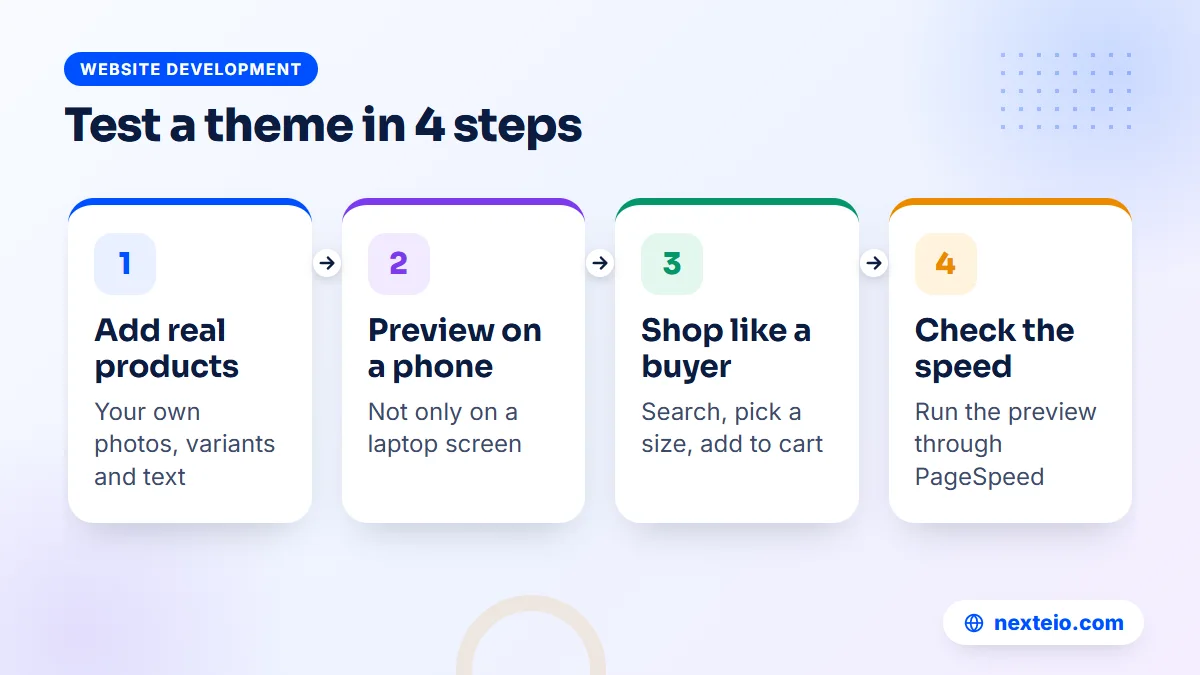
A simple test takes about an hour:
- Add five real products with your actual photos, variants and descriptions to your store.
- Add the theme to your theme library and open the preview on your own phone, not only on a laptop.
- Browse like a buyer: open the menu, search for a product, change a size, add to cart and go to checkout.
- Check how the theme handles a long product title, a product with ten colors and a product with only one photo.
- Run the preview through PageSpeed Insights and note the mobile result.
- Repeat with your second choice and compare side by side.
Your theme library can hold up to 20 themes, and only one is published at a time. That makes it easy to test options without touching the live store. Before you edit any theme, duplicate it, so you always have a clean copy to return to.
Pay attention to small irritations during the test. If the add-to-cart button disappears below the fold on a phone, or the size selector needs two taps to open, buyers will feel that friction on every visit.
Set Up Your Brand: Colors, Fonts, Logo and Bangla Text
Once you have picked a theme, start with global settings before touching individual pages. This is the stage of Shopify web design where your store stops looking like a template. Changing the brand settings first means every page updates together and you do not fix the same thing ten times.
Colors
Most current themes use color schemes: a set of background, text and button colors that you apply to each section. Create three or four schemes at most, for example a light main scheme, a soft tinted scheme for highlight sections and a dark scheme for the footer. Keep the main button color the same everywhere, so buyers learn what "buy" looks like on your store.
Check contrast as you go. Light gray text on white might look elegant on a designer's monitor, but it becomes hard to read on a phone in bright daylight. Price and button text should always be easy to read at arm's length.
Fonts and Bangla text
Shopify themes come with a font library, and most of those fonts only include Latin letters. If you write product names or banners in Bangla, the phone will fall back to a system Bangla font, which can look mismatched next to your chosen English font. Test a Bangla heading and a Bangla paragraph early, on Android and iPhone, before you approve the design.
If you want a second language on the storefront, Shopify's Translate and Adapt app lets you add and manage translations. Decide early whether the store is English with Bangla notes, or a full two-language store, because a full translation doubles the content work for every product.
Logo and favicon
Upload a logo file with a transparent background and set its width separately for desktop and mobile if the theme allows it. A wide logo that looks fine on a laptop can push the cart icon off a small screen. Add a favicon too, so the store looks finished in browser tabs and bookmarks.
Homepage Sections That Work on a Phone
On a phone, the homepage is a long vertical strip. Each section either moves the buyer toward a product or slows them down. A good order for most small and mid-sized stores looks like this:
- Announcement bar: one short line, such as delivery charges or a current offer.
- Header: logo, search, cart and a short menu of main categories.
- Main banner: one strong image with one clear message and one button, not a slider of five.
- Featured collections: the three to six categories most people buy from.
- Best sellers: a product grid of items that already sell, with prices visible.
- Trust strip: delivery time, payment options, return policy and a phone or WhatsApp number.
- Story or reviews: a short brand story or real customer reviews.
- Footer: policies, contact details and business address.
Notice what is missing: autoplay sliders, three different banners saying the same thing and long paragraphs of brand history. Each of those adds weight and pushes products further down the page. A strong Shopify web design keeps the first screen simple and lets the products do the work.
The announcement bar deserves special care in Bangladesh. Buyers often decide in the first few seconds whether the store feels local and safe. A line such as "Cash on delivery across Bangladesh, delivery charge shown at checkout" answers the two biggest questions before anyone asks them.
If you plan to run ads, remember that many visitors will never see your homepage. They land straight on a product or collection page from Facebook or Google. Our guide to building a high-converting landing page explains how to design those entry pages so ad clicks turn into orders.
Collection and Product Pages: Where the Order Is Won
Collection pages
Collection pages are the shelves of your shop. Keep product cards consistent: the same image ratio, a clear price, and a sale badge only when there is a real discount. Turn on filters for the attributes buyers actually use, such as size, color, price and availability. For a small catalog, filters can confuse more than they help, so a clean grid is enough.
Write a two-line introduction at the top of each collection. It helps buyers confirm they are in the right place, and it gives Google some text to understand the page. Keep it useful and specific, such as the fabric, the occasion or the age group, rather than a list of keywords.
Product pages
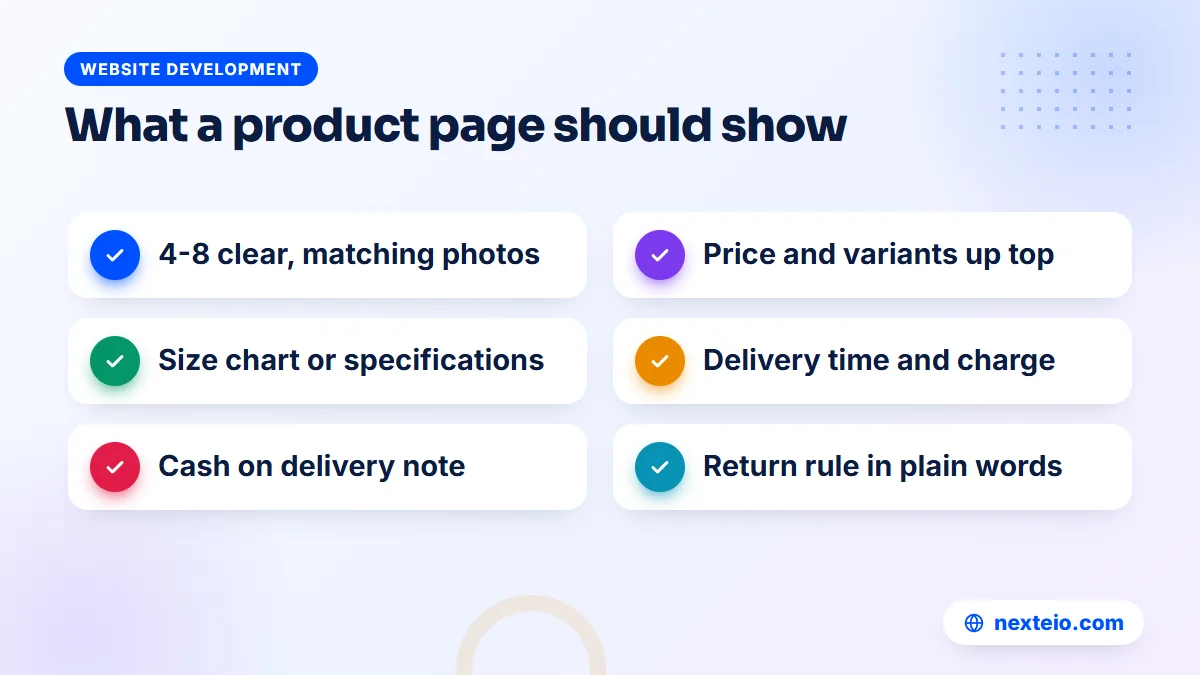
The product page carries most of the selling. On a phone, the buyer should see the main photo, product name, price, variant picker and add-to-cart button without much scrolling. Below that, give them what a shop assistant would say in person:
- Four to eight photos, including close-ups, the product in use and a size reference.
- A short description first, then details in collapsible rows: material, care, specifications.
- A size chart in centimeters and inches for clothing and shoes.
- Delivery time inside and outside the main cities, and the delivery charge.
- Payment options, including cash on delivery if you offer it.
- The return or exchange rule in one or two plain sentences.
Use photos of the same size and shape across the store. Shopify's guidance suggests square product images of around 2048 by 2048 pixels for good zoom quality. Compress them before upload and write a short, honest alt text for each one, describing what the photo shows.
Short product videos also help, especially for clothing, bags and gadgets. A ten-second clip of a kurti moving, or a phone stand holding a phone, answers questions a photo cannot. If you need clips cut for both the store and your ads, our video ads editing service can prepare versions for each.
Cart, Checkout and Payments for Buyers in Bangladesh
Checkout is the part of Shopify web design where you have the least control, and that is mostly a good thing. The checkout is tested at a huge scale and is generally fast and secure. Your job is to brand it properly and to set up the options your buyers expect.
Start with the cart. Most themes offer a cart page or a slide-out cart drawer. A drawer keeps buyers shopping, while a full cart page suits stores where people often buy several items. Either way, show the subtotal clearly, note that delivery is calculated at checkout, and do not hide the checkout button behind upsell blocks.
Then look at payments. Shopify Payments, Shopify's own card processing, is not available to stores based in Bangladesh, so local stores rely on other options:
- Cash on delivery: set up as a manual payment method in Shopify, and still the most common choice for local buyers.
- Local gateways: some Bangladeshi payment gateways offer Shopify integrations for cards and mobile wallets. Check with the gateway directly, because the available options change.
- Manual bKash or Nagad: some stores show payment instructions and confirm the transaction by hand. It works at low volume but adds staff time.
On some plans, Shopify charges an extra transaction fee when you use a third-party gateway instead of Shopify Payments. Check the current terms on the Shopify pricing page before you set prices, because that fee comes out of every order.
Finally, make the phone number a required field at checkout. In Bangladesh, couriers need it, and most stores confirm cash-on-delivery orders with a quick call before shipping. Set up shipping rates for inside and outside your main delivery area, and write those charges on the product page, so the checkout total does not surprise anyone.
Apps, Custom Code and When a Theme Is Not Enough
Shopify's app store has an app for almost every idea: reviews, upsells, wishlists, size charts, popups, countdown timers and more. Each app is easy to install. Together, they are the most common reason Shopify stores become slow and messy.
Before you install an app, ask three questions. Does the theme already do this? Will buyers notice it in a good way? Can a small piece of theme code do the same job without a monthly fee? Many stores pay for apps that duplicate a theme feature they never switched on.
When custom code makes sense
Custom code is worth it when you need something the theme cannot do and an app would be too heavy or too costly. Common examples include a custom section for a gift-box builder, a special layout for corporate bulk orders, a delivery-date note that changes by product type, or a cleaner product card design.
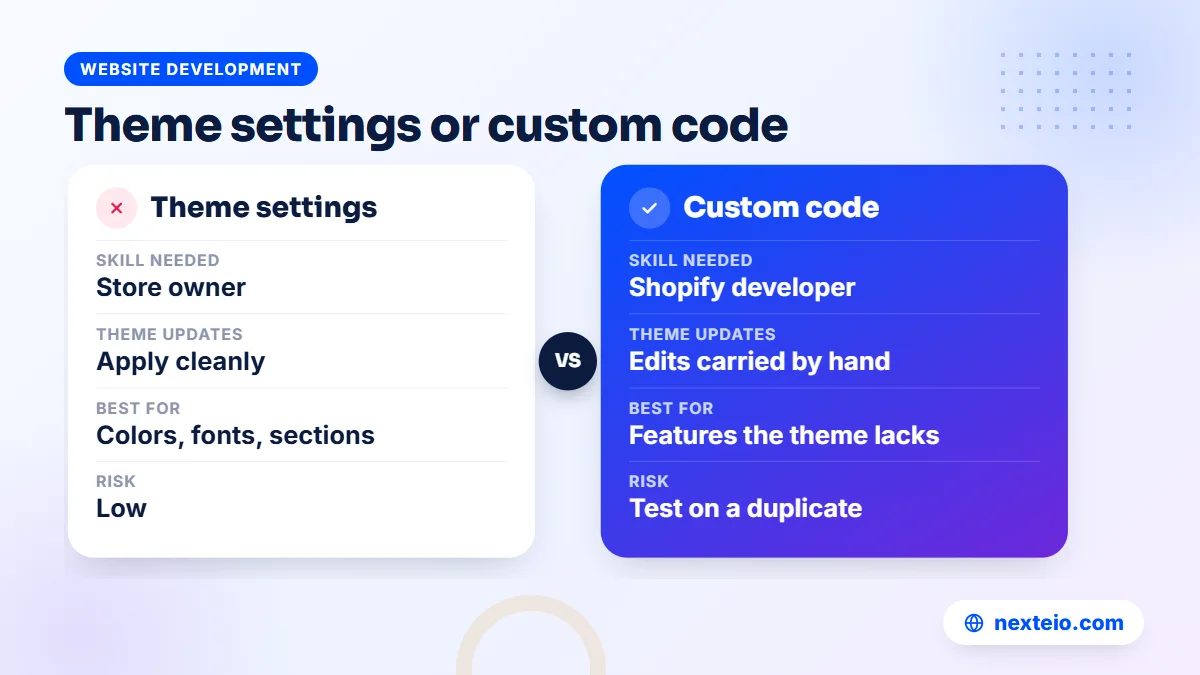
There is a trade-off. When a developer edits a theme's code, future theme updates no longer apply cleanly, and those edits must be carried over by hand. The safest approach is to keep edits inside new custom sections or snippets wherever possible, document every change, and work on a duplicate theme before publishing.
If your store needs complex rules, such as dealer pricing, shared stock with a warehouse system or integration with an ERP, compare the cost of Shopify apps and custom work with a store built in a Laravel web application or on WordPress with WooCommerce. Our comparison of WordPress and custom websites walks through how each option ages over a few years.
Speed, Accessibility and SEO in Shopify Web Design
Good Shopify web design is not only about looks. A store that loads slowly on mobile data, or that Google cannot understand, loses buyers before the design even has a chance to work.
Speed
Shopify's hosting is fast, so most speed problems come from the store itself. The usual causes are oversized images, too many apps, autoplay videos at the top of the homepage and heavy custom fonts. Keep the main banner image compressed, limit the homepage to the sections that earn their place and remove apps you no longer use, along with any code they left behind.
Google's Core Web Vitals describe the three speed and stability measures that matter most to visitors: how fast the main content loads, how quickly the page responds to a tap and how much the layout jumps around. Check them on your product and collection pages, not only on the homepage. Our guide on website speed and SEO explains why these numbers affect both rankings and sales.
Accessibility
Accessible design helps everyone, including older buyers and people using small, cheap phones. Use readable font sizes, strong contrast, buttons large enough to tap, clear labels on forms and alt text on images. Avoid putting important text inside images, because screen readers and search engines cannot read it reliably.
SEO basics in the design stage
Several SEO decisions are really design decisions. Each page needs one clear main heading. Collection and product pages need real descriptive text. Menus should link to your main categories in plain words. Good Shopify themes already output product structured data, which helps Google show price and availability, and Google's product structured data guide explains what that markup does.
If you want your category and product pages to win more traffic from Google over time, that is ongoing work beyond design. Our e-commerce SEO service handles it after launch.
Related guides that pair well with this stage:
- What e-commerce SEO includes and what it costs
- Setting up Meta Pixel and conversion tracking
- Why a website gets traffic but no customers
Set up tracking before launch, not after the first ad campaign. Without it, you cannot tell which design changes help.
Shopify Web Design Costs and Timelines in Bangladesh
Costs depend on how much of the store is set up from a theme and how much is designed and built from scratch. The ranges below are typical market ranges in Bangladesh for e-commerce stores in general, not quotes, and the right figure for your store depends on its size and the features it needs.
| Type of store project | Typical market range | What it usually means on Shopify |
|---|---|---|
| Ready theme | BDT 25,000 to 60,000 | A free or paid theme set up with your brand, pages, products, payments and delivery settings |
| Custom design | BDT 60,000 to 150,000 | A theme heavily adjusted with custom sections, a designed homepage and product templates |
| Custom-built with integrations | BDT 150,000 or more | Custom theme work plus links to courier, stock, ERP or other business systems |
These ranges cover the build only. Running costs are separate.
On Shopify, the running costs add up differently from a self-hosted store. You pay a monthly Shopify plan in US dollars, any paid apps you keep, transaction fees where they apply and your domain renewal. A .com domain usually costs about BDT 1,500 to 2,500 a year if you buy it from a registrar yourself. Add these together before you compare Shopify with WooCommerce, where you pay for hosting but usually not a monthly platform fee. If you want help comparing both on real numbers for your catalog, our e-commerce website team can lay out the first-year and three-year costs side by side.
How long it takes
A Shopify web design project for a small store on a free theme, with products and photos ready, can be designed and launched in about two to three weeks. A larger store with custom sections, a few hundred products and payment and courier integrations often takes six to ten weeks. The biggest cause of delay is almost never the design. It is waiting for product photos, prices, descriptions and policy text.
Inside companies and corporate groups, also allow time for approvals. If the marketing head, the owner and the accounts team all need to sign off, plan a fixed review day each week rather than ad-hoc feedback by phone.
Common Shopify Design Mistakes and How to Avoid Them
Weak Shopify web design rarely comes down to a bad theme. It usually grows from small decisions that pile up, and the same ones appear again and again.
Copying the demo exactly. The demo was built for someone else's products and photos. If your store still has the demo's section order and placeholder text, buyers will notice the template.
Choosing by desktop only. Owners often approve the design on a laptop. Then most buyers arrive on a phone and meet a cramped header and tiny buttons. Review every page on a phone first.
The homepage slider. The design Shopify site owners most often regret is a slider with five rotating banners. Most visitors see only the first slide, and the rest slows the page.
Hiding the delivery and payment details. If buyers cannot find the delivery charge or confirm cash on delivery, they message you on Facebook instead, or leave.
Too many apps. Each popup, timer and badge seems small. Ten of them make the store feel noisy and slow.
Mixed photo styles. Some products on white backgrounds, some on a bedsheet, some screenshots from a supplier. Inconsistent photos make a store look less trustworthy than any font choice can fix.
Editing the live theme. A change made directly to the published theme can break the store during a sale. Always work on a duplicate and publish when it is ready.
If you are hiring help to avoid these mistakes, our buyer's checklist for choosing a web design company lists the questions that show whether a team really understands online stores.
A Pre-Launch Checklist for Your Shopify Store
Before you publish the theme and announce the store, go through this list on a phone and then on a desktop. Ask a friend who has never seen the store to place a test order too. Fresh eyes find problems you no longer notice.
- Every menu link opens the right page, and there are no empty collections.
- Product photos, prices, variants and stock levels are correct.
- The size chart, delivery note and return rule appear on every relevant product.
Then test the order flow and the technical setup:
- Cash on delivery and any online payment option work in a real test order.
- The phone number field is required, and order notification emails reach your team.
- Shipping rates are correct for inside and outside your main delivery area.
- Policy pages are written for your business, not left as generic templates.
- The contact page shows a real phone number, email and business address.
- Your domain is connected and the store loads over HTTPS.
- Analytics, Meta Pixel or other tracking is installed and recording test visits.
- The store password page is turned off once you are ready to accept orders.
After launch, watch the first week of orders closely. Look at where buyers abandon their carts, which products get the most views and which questions customers ask by phone or message. Each repeated question is a design fix waiting to happen.
If you plan to bring traffic through ads straight away, our Facebook ads service can set up campaigns once the store and tracking are ready. Ads work far better when they send people to pages that already answer their questions.
How Nexteio Can Help With Shopify Web Design
We build online stores for businesses across Bangladesh through our e-commerce website development service. For a Shopify store, that means helping you choose a theme that fits your catalog, setting up the brand and page structure, designing the homepage, collection and product templates, and preparing payments, delivery charges and order notifications around how your buyers actually pay.
We start with a short planning session about your products, buyers and budget, then show the design on a duplicate theme so you can review it on your own phone before anything goes live. Where the theme falls short, we add small custom sections rather than piling on apps, and we write down every change so the store stays easy to maintain.
We will also tell you plainly if Shopify is not the best fit. Some stores in Bangladesh are better served by WooCommerce or a custom build, and our online store development work covers those too, along with custom website design for brand-led projects. You can see our work in the portfolio, browse all our services, send us a short brief about your store or reach us through the contact page. When you are ready, start your project here and we will reply with a clear plan for your Shopify or e-commerce store.
Keep reading: how to build a professional business website that gets results, how to write SEO-friendly website content, or browse all our website development guides.
Frequently asked questions
Can I design a Shopify store myself without a developer?
Yes, for a small store you can get far with a good theme and the theme editor, which lets you change colors, fonts, sections and page layouts without code. The parts people usually need help with are product photography, writing clear product pages, payment and delivery setup, and any feature the theme does not include. Many owners start on their own and bring in help later for a redesign or custom sections.
Is a free Shopify theme good enough for a serious business?
Often it is. Shopify's free themes are well built, light and regularly updated, and many successful stores run on them. A paid theme makes sense when it offers a feature you clearly need, such as advanced filters or a mega menu for a large catalog. Good photos and clear product information matter more than whether the theme was free.
Can I take cash on delivery on a Shopify store in Bangladesh?
Yes. Cash on delivery can be added as a manual payment method in your Shopify payment settings. Most stores then confirm each order by phone before handing it to the courier. Online payments through cards or mobile wallets depend on which local gateways currently offer a Shopify integration, so check with the gateway before you plan around it.
Will changing my Shopify theme delete my products?
No. Products, collections, customers and orders are stored in your Shopify admin, not in the theme. Switching themes changes how the storefront looks, but you will need to set up the new theme's sections, menus and settings again. Custom code added to the old theme does not move across automatically.
How long does it take to redesign an existing Shopify store?
A focused redesign on the same theme, such as a new homepage and better product pages, can take one to three weeks. Moving to a new theme with custom sections usually takes longer, often four to eight weeks, because every page type needs to be rebuilt and tested. Work on a duplicate theme so the live store keeps selling during the redesign.
Can a Shopify store show content in Bangla?
Yes. You can write Bangla text directly in products and pages, or add Bangla as a second storefront language and manage translations with Shopify's Translate and Adapt app. Check how Bangla text looks with your theme's fonts on both Android phones and iPhones, since many theme fonts only cover English letters.
Do I need to pay in dollars for Shopify?
Yes. The Shopify plan, paid themes and most apps are billed in US dollars, so you need a card that can make international payments. Plan for these costs every month and keep an eye on app subscriptions, because small fees from several apps add up over a year.