Shopify Experts: How to Hire the Right Developer or Agency
In this article 15 sections
- 1.What Shopify Experts Actually Do
- 2.First, Check That Shopify Suits Your Store
- 3.Freelancer, Shopify Agency or Shopify Development Company
- 4.Where to Find Shopify Experts
- 5.Write a Clear Brief Before You Contact Anyone
- 6.How to Check Shopify Experts' Past Work
- 7.Twelve Questions to Ask Shopify Experts Before You Hire
- 8.What Shopify Development Services Usually Include
- 9.Costs, Pricing Models and the Running Costs People Forget
- 10.Access, Ownership and Contracts
- 11.Working Well With Shopify Experts During the Project
- 12.Red Flags When Hiring a Shopify Developer
- 13.Launch Checklist and the First 90 Days
- 14.How Nexteio Can Help
- 15.Frequently asked questions
Shopify experts are the developers, designers and agencies who set up, customize and fix online stores built on Shopify. Hiring the right one can give you a fast, reliable store in a few weeks. Hiring the wrong one can leave you with a slow theme full of patched code, a pile of monthly app bills and a store you cannot change without calling the same person again.
The hard part is that almost anyone can call themselves a Shopify expert. A freelancer who has installed two themes and an agency that has built dozens of complex stores may use the same words in their profile. From the outside, both portfolios look polished, and both quotes sound reasonable.
For businesses in Bangladesh, there is an extra question to answer before hiring anyone: is Shopify the right platform at all? It suits some stores very well, especially those selling abroad, and fits others poorly, especially stores that depend on cash on delivery and local couriers.
This guide explains what Shopify experts actually do, how to decide whether Shopify suits your business, how freelancers and agencies differ, what to put in your brief, how to check past work, which questions to ask, what the work usually costs and how to keep control of your store. It is written for founders, brand owners and the managers who end up running the project.
What Shopify Experts Actually Do
"Shopify expert" is a broad label. The people behind it have different skills, and most good providers are strong in two or three areas rather than all of them. Knowing the roles helps you hire for the work you really need.
- Store setup specialists configure a new store: theme installation, products, collections, payments, shipping, taxes, email notifications and the domain.
- Theme designers plan the look and layout of the store, usually starting from an existing theme and adjusting it to your brand.
- Theme developers write and edit code in Liquid, Shopify's template language, plus HTML, CSS and JavaScript, to build features a theme does not offer.
- App developers build private or public apps that connect Shopify to other systems, such as an accounting tool, a warehouse system or a local courier.
Some providers go further, into moving stores and growing them:
- Migration specialists move products, customers and orders from another platform, such as WooCommerce, without losing search rankings.
- Growth and marketing specialists handle SEO, ads, email campaigns and conversion improvements once the store is live.
A Shopify developer is usually the person who touches the code. A Shopify agency combines several of these roles in one team, often with a project manager. For a simple store with a ready-made theme, a setup specialist may be all you need. For a store that must talk to your ERP or a courier's system, you need a real developer.
First, Check That Shopify Suits Your Store
Before you spend time comparing Shopify experts, make sure Shopify is the right home for your business. It is a strong platform, but it was built mainly for markets with card payments and international couriers. Several practical points matter for a business in Bangladesh.
- Plan fees in US dollars: Shopify bills its subscription in dollars, so you need a card that can make international payments, and someone in accounts who can keep the receipts in order.
- Payments: Shopify's own payment service is offered only in certain countries, and Bangladesh has not been one of them. Stores here rely on third-party payment gateways or manual methods such as cash on delivery. Check the current list before you plan around it.
Fees and local services need checking too:
- Extra transaction fees: when a store uses a third-party gateway instead of Shopify's own payment service, Shopify adds a transaction fee on top of the gateway's fee. The rate depends on your plan, as shown on the Shopify pricing page.
- Local wallets and couriers: check whether your preferred mobile wallet, payment gateway and courier offer a working Shopify app or integration before you commit. Ask for a live store that uses it.
None of these rules Shopify out. They simply shape where it fits best.
Shopify works very well for brands that sell mostly abroad, such as handicrafts, fashion or specialty foods aimed at buyers overseas, where card payments are normal and international shipping is part of the plan. It also suits owners who want a hosted store with no server to manage. It fits less comfortably for a store that sells mostly inside Bangladesh, takes most orders by cash on delivery and books parcels with local couriers, because those flows usually need more workarounds.
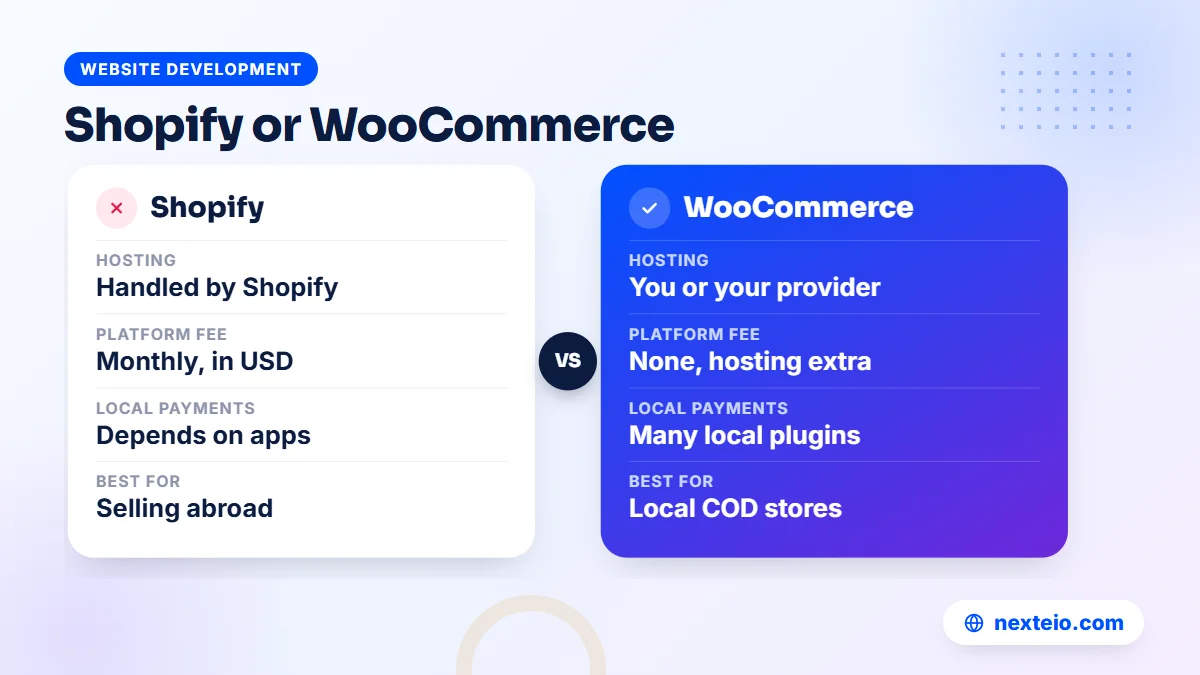
| Point | Shopify | WooCommerce | Custom store |
|---|---|---|---|
| Hosting and security | Handled by Shopify | You or your provider | You or your provider |
| Monthly platform fee | Yes, in US dollars | No, but hosting and plugins cost | No, but hosting and upkeep cost |
| Local payments and couriers | Depends on available apps | Many local plugins exist | Built to your exact flow |
| Best for | Brands selling abroad, small teams | Local stores wanting control | Large catalogues or unusual processes |
For stores selling mainly at home, an e-commerce website built for local buyers is often the better starting point. Many local businesses end up on WooCommerce through a WordPress website, or on a custom store built as a Laravel web application. Our comparison of WordPress and custom websites explains those trade-offs in more depth.
Freelancer, Shopify Agency or Shopify Development Company
Once you know Shopify fits, decide what kind of provider suits the size of the job. There are three broad options, and each has a sensible place.
A freelance Shopify developer works alone or with one or two helpers. Freelancers are often the most affordable choice and can be excellent for setups, theme changes and small features. The risks are capacity and continuity: if they are busy, ill or move on, your store waits.
A Shopify agency brings design, development and often marketing under one roof. You usually get a project manager, a written process and someone to cover when a team member is away. Agencies cost more, and on small jobs you may pay for process you do not need.
A Shopify development company is usually more technical than a design-led agency. These firms build custom apps, integrations and complex stores, and they suit businesses with large catalogues, wholesale and retail pricing, or connections to inventory and accounting systems.
| Factor | Freelancer | Agency | Development company |
|---|---|---|---|
| Typical work | Setup, theme edits, fixes | New stores, redesigns, marketing | Custom apps, integrations, migrations |
| Cost level | Lowest | Medium to high | Medium to high |
| Cover when someone is away | Limited | Usually yes | Usually yes |
| Best for | Small, clear jobs | Brand-led stores | Technical, connected stores |
The labels blur in practice.
Plenty of small agencies are really two strong freelancers working together, and some freelancers are more skilled than whole agencies. Judge each provider on the work they show and the answers they give, not on what they call themselves.
Where to Find Shopify Experts
The most official starting point is Shopify's own Partner Directory, where you can browse Shopify experts by service, budget, location and language, and read client reviews. Listings there are not a guarantee of quality, but they give you a reviewed starting list and a record of past client feedback.
Other good sources include:
- Recommendations from store owners you know, especially those selling similar products.
- The footer or credits of Shopify stores you admire, which sometimes name the builder.
- Local web agencies that already build e-commerce sites and can show live Shopify work.
- Freelance marketplaces, where reviews help, but where you should check the live stores yourself.
Shortlist three to five providers. Fewer gives you too little to compare. More turns hiring into a second job and makes it hard to give each proposal proper attention.
Local or overseas is a real choice too. An overseas agency may have deep Shopify experience but little knowledge of how people in Bangladesh pay and receive parcels. A local team understands those habits and works in your time zone and language, but you should still confirm they have real Shopify projects, not only WordPress ones.
Write a Clear Brief Before You Contact Anyone
The quality of the quotes you receive depends on the quality of your brief. A vague message such as "I need a Shopify store, how much?" gets vague answers and prices that cannot be compared. A one or two page brief makes every proposal sharper.
A useful brief covers:
- What you sell, roughly how many products and variants, and who buys them.
- Where your customers are: inside Bangladesh, abroad or both.
- How customers will pay and how orders will be delivered.
- Pages and features you need, such as size guides, wholesale pricing or product bundles.
- Any systems the store must connect to, such as accounting, inventory or a courier.
Finish with the practical details:
- Three stores you like and what you like about each one.
- Who will add products and run the store after launch.
- Your budget range and the date you need to go live.
Here is a short example.
A clothing brand wants to sell to Bangladeshi families in the Middle East and Europe. It has 120 products in three sizes, wants to accept international card payments, plans to ship by an international courier and needs a size guide and a gift message option. Its staff will add new products every month. That brief tells a developer almost everything they need to quote accurately.
Be honest about the budget. Providers can suggest sensible trade-offs when they know the limit, while a hidden budget usually leads to a proposal that is either too thin or too expensive.
How to Check Shopify Experts' Past Work
Portfolios are easy to dress up, so test the work rather than the presentation. Ask for links to at least three live stores, then spend real time on each one.
- Confirm it is Shopify. In the browser, view the page source and look for references to cdn.shopify.com.
- Use it on a phone. Browse, search, filter and add a product to the cart on a mid-range Android phone using mobile data, not office Wi-Fi.
- Check the speed. Run the store through Google's PageSpeed Insights and look at the mobile result. Heavy apps and oversized images show up quickly.
- Look for custom work. Ask which parts they built themselves and which came with the theme or an app.
Then speak to people:
- Ask for a reference. One short call with a past client tells you more than any case study.
- Ask about problems. Good providers can describe a project that went wrong and what they changed afterwards.
Pay attention to whether the live stores are still well maintained. A beautiful store that has broken images or outdated offers today may tell you the provider builds well but does not support clients after launch.
Related guides for planning an online store:
- What an e-commerce SEO service includes and costs
- What you should get from a Facebook ads service
- How to create a high-converting landing page
Twelve Questions to Ask Shopify Experts Before You Hire
Interviews reveal more than portfolios. These questions are designed to separate experienced Shopify experts from people who are learning on your project. Listen for specific answers with examples. Start with experience and approach:
- How many Shopify stores have you built or worked on in the last year, and can I see three of them?
- Which theme would you start from for my store, and why that one?
- Which features will need custom code, and which can be handled by apps?
- How will you handle payments and delivery for my customers' locations?
- How do you keep the store fast on mobile as apps are added?
- Have you migrated a store from another platform, and how did you protect its search rankings?
Then move to process, ownership and support:
- Will you work through a collaborator account on a store I own?
- Do you edit a copy of the theme and keep version history before changes go live?
- Which apps do you expect me to pay for each month, and roughly how much?
- What is included in the price, and what counts as extra work?
- How will you train my team to add products and manage orders?
- What support do you offer after launch, and what does it cost?
Write down each provider's answers in the same format, so you can compare them side by side later. If someone avoids a question or answers with general promises, treat that as an answer too.
What Shopify Development Services Usually Include
Proposals differ in what they include, which is why two quotes for "a Shopify store" can be far apart. A complete set of Shopify development services for a new store usually covers the stages below. Use the table to check what each proposal includes and what it leaves out.
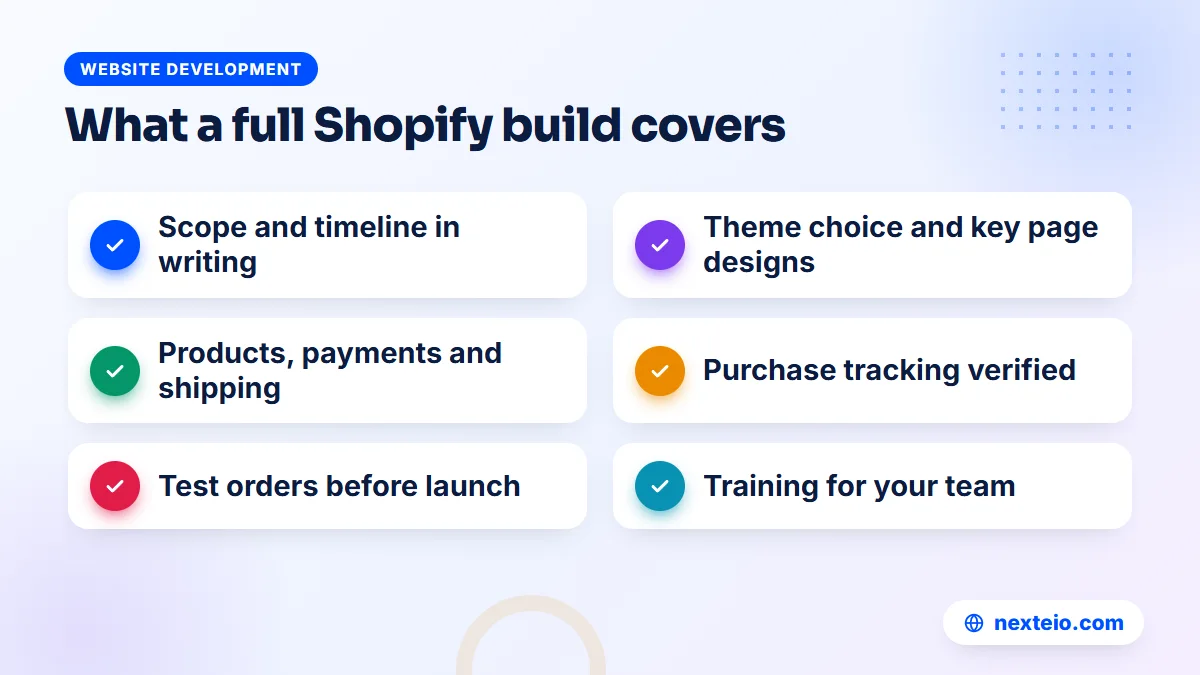
| Stage | What happens | What you should receive |
|---|---|---|
| Discovery | Review of products, customers, payments and delivery | A written scope and timeline |
| Theme and design | Theme choice, layout plan, brand colors and fonts | Approved designs for key pages |
| Store setup | Products, collections, payments, shipping, taxes, notifications | A working store on a test password |
| Custom work | Liquid edits, apps, integrations | Documented changes in a theme copy |
| Tracking | Analytics, ad pixels and conversion events | Verified purchase tracking |
| Testing and launch | Test orders, phone checks, domain connection | A live store and a launch checklist |
| Training | How to add products and handle orders | A short guide or recorded session |
Themes and apps deserve a closer look.
The official Shopify Theme Store offers free themes and paid themes bought once. A good provider will usually start from a well-supported theme there rather than building one from scratch, which keeps costs down and makes future updates easier. Apps from the Shopify App Store add features quickly, but each one can add a monthly fee and extra code that slows the store. Ask your provider to justify every app they plan to install.
Tracking is often skipped, yet it decides whether your ad spend can be measured. If you plan to run ads, make sure purchases are tracked correctly from day one. Our guide to Meta ads conversion tracking explains how pixel and server-side events work together.
Costs, Pricing Models and the Running Costs People Forget
Shopify experts usually charge in one of three ways. A fixed price works for clear projects such as a new store with a defined page and feature list. Hourly rates suit open-ended work such as fixes and small changes. A monthly retainer suits stores that need regular improvements, campaign pages and support.
Prices vary a lot by provider, location and scope. As a rough guide for work done by providers in Bangladesh, the market usually looks like this:
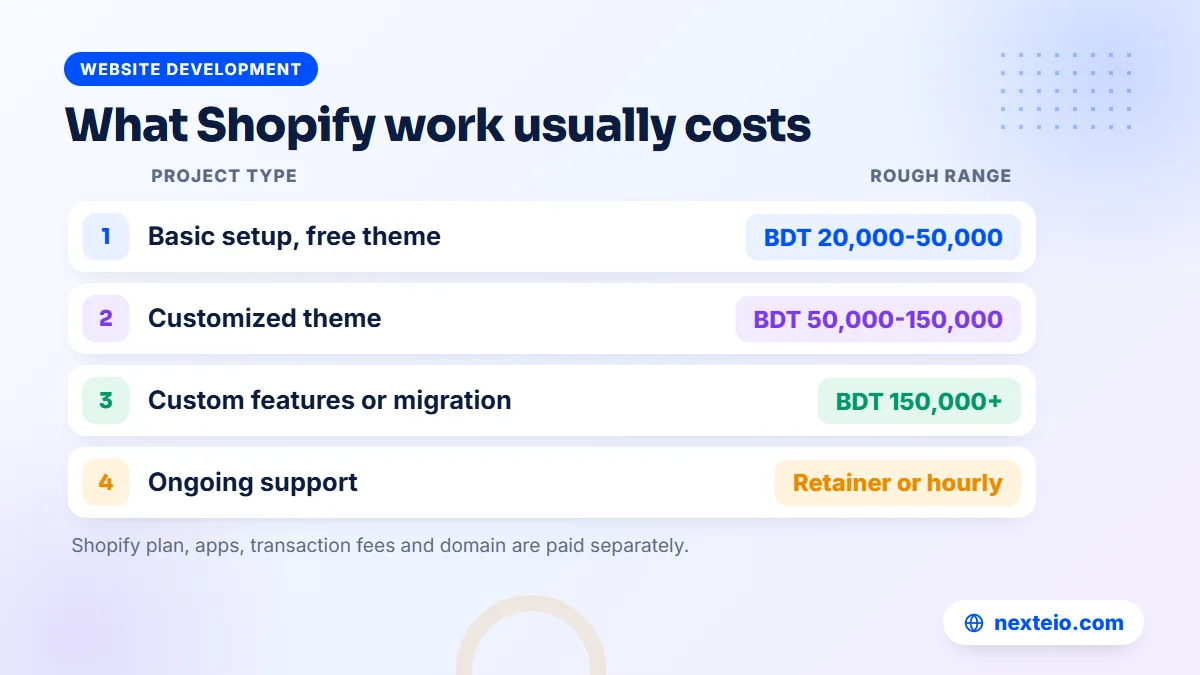
| Project type | Rough range | Usual timeline |
|---|---|---|
| Basic setup with a free theme and a small catalogue | BDT 20,000 to 50,000 | 1 to 3 weeks |
| Customized theme with design changes | BDT 50,000 to 150,000 | 3 to 6 weeks |
| Custom features, integrations or a migration | BDT 150,000 and up | 6 weeks or more |
| Ongoing support and improvements | Monthly retainer or hourly | Ongoing |
Overseas agencies usually charge in US dollars and often at several times these levels. Treat all of these figures as ranges, not quotes.
The build fee is only part of the bill. Running costs continue every month, and owners often underestimate them:
- Shopify plan: a monthly or yearly subscription in US dollars.
- Apps: many charge monthly, and five or six small apps add up quickly.
- Transaction fees: gateway fees, plus Shopify's extra fee if you use a third-party gateway.
- Theme: a paid theme is a one-time purchase, with updates included for that theme.
- Domain: a yearly renewal, whether bought through Shopify or elsewhere.
Ask every provider for a written estimate of your monthly running costs, not only the build price. A cheap build that relies on eight paid apps can cost more within a year than a slightly more expensive build with custom code.
Access, Ownership and Contracts
This is where many store owners lose control without noticing. The rule is simple: the store must belong to you, from the first day, and every provider works on it with their own access.
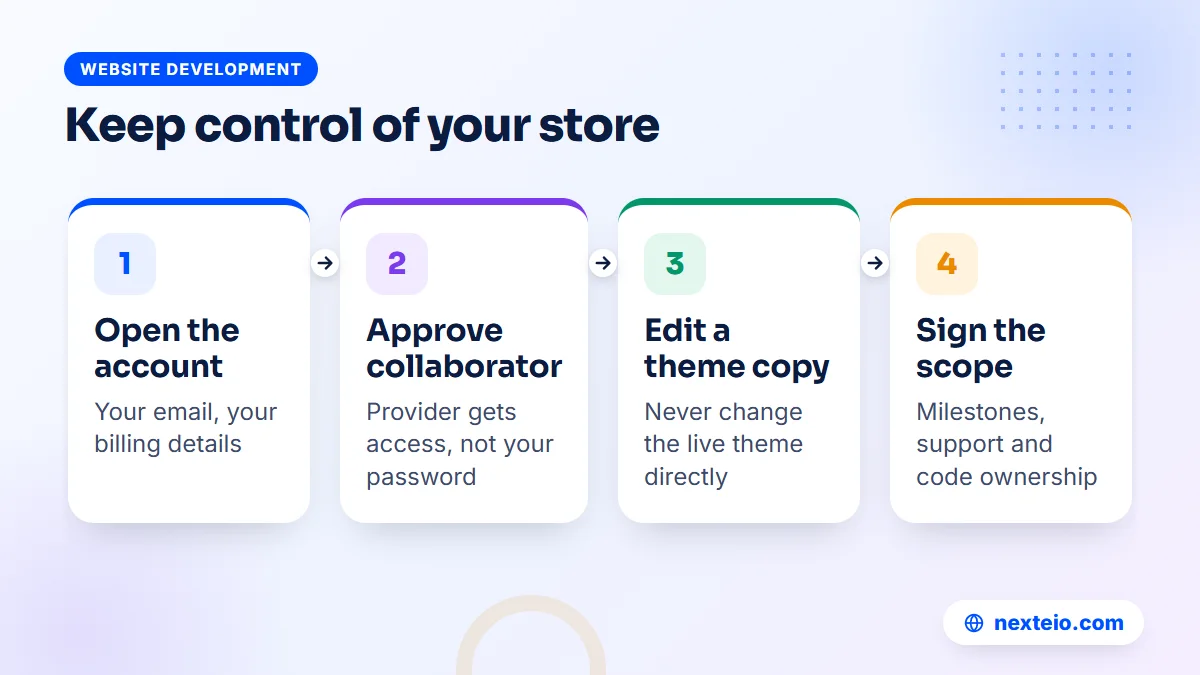
Open the Shopify account yourself, with your business email and your own billing details. Shopify lets partners request collaborator access to a store, which gives them the permissions they need without your owner login. You approve the request and can remove it at any time. If a provider builds the store on their own development account instead, make sure the contract says when and how ownership will be transferred to you.
Protect the theme as well:
- Ask the developer to work on a duplicate of the live theme, never directly on it.
- Keep older theme copies for a while, so you can roll back if a change breaks something.
- For larger projects, ask for theme code to be kept in version control, such as a Git repository you own.
The contract or agreement should list the scope, the deliverables, the payment milestones, the timeline, what counts as extra work, the support period after launch and who owns the custom code. Milestones tied to visible progress, such as approved designs, a working test store and a live launch, protect both sides better than one large payment up front.
If you are hiring for a broader website build at the same time, our buyer's checklist for choosing a web design company covers more of the contract questions worth asking.
Working Well With Shopify Experts During the Project
Even the best Shopify experts cannot finish a store on time if the owner's side is not ready. Most delays in store projects come from the client: product photos that arrive late, descriptions still being written, or three managers giving different feedback on the same design. A little preparation keeps the project moving.
Name one person on your side who collects feedback and makes decisions. In family businesses and corporate groups, it is common for the owner, a director and a marketing manager to review the same page and disagree. Let them discuss it internally, then send one combined set of comments. Providers work faster and make fewer mistakes when they hear one clear voice.
Prepare your content early:
- Product photos on a clean background, in the same size and angle for each collection.
- Product names, prices, sizes, colors and weights in one spreadsheet, ready for import.
- Descriptions in English, and in Bangla too if you sell to local customers.
- Policies for delivery, returns, refunds and privacy, written in plain words.
Agree on a weekly update, even a short message, with what was finished, what is next and what the provider needs from you. Review work on a phone first, since most of your customers will shop that way. When you request a change, describe the problem rather than the solution, such as "customers cannot find the size guide", so the developer can suggest the best fix.
Finally, keep a simple record of everything decided: chosen apps, payment methods, shipping rates and design approvals. It prevents arguments later about what was agreed, and it gives any future Shopify developer a clear picture of how the store was set up.
Red Flags When Hiring a Shopify Developer
Most hiring problems are visible early if you know where to look. Be careful when a Shopify developer or agency:
- Asks for your owner password instead of sending a collaborator request.
- Wants to open the store in their own name with no written transfer plan.
- Cannot show live stores, only screenshots or design mockups.
- Promises sales figures or search rankings within a fixed time.
Watch the proposal and the working style too:
- Plans to install many paid apps without explaining what each one does.
- Edits the live theme directly, with no copy and no testing.
- Gives a price without asking about your products, payments or delivery.
- Has no plan for support after launch, or charges unclear rates for it.
One red flag is a reason to ask more questions. Several together are a reason to keep looking, however attractive the price.
Launch Checklist and the First 90 Days
A careful launch avoids the embarrassing first week where orders fail or emails never arrive. Before you remove the store password, check these items with your provider:
- Place real test orders with every payment method, including cash on delivery if offered.
- Check shipping rates for each delivery zone and product weight.
- Read every customer email: order confirmation, shipping update and cancellation.
- Connect the domain and confirm the secure padlock shows on every page.
- Confirm analytics and ad pixels record a purchase correctly.
- Test the full journey on a phone using mobile data.
After launch, the first 90 days are about watching and adjusting. Look at where visitors drop off, which products get views but no sales and which pages load slowly. Remove apps you are not using. Add product descriptions and collection text that help search engines understand your store, which is where an e-commerce SEO service can help once the basics are in place.
Traffic rarely arrives on its own in the first months. Most new stores need paid campaigns to get started, and Facebook and Instagram ads are often the first channel for fashion and lifestyle brands. Short product videos usually perform better than still images in those ads, and our video ads editing service can turn simple product footage into ready-to-test ads.
How Nexteio Can Help
We build e-commerce websites for businesses across Bangladesh through our e-commerce website development service, and the platform question is where we usually start. Before you hire Shopify experts, we can look at your products, customers, payment methods and delivery needs and tell you plainly whether Shopify, WooCommerce or a custom store fits your business best.
If your customers are mostly in Bangladesh and pay by cash on delivery or mobile wallet, we often recommend a store built around those habits, with quick order confirmation and courier booking in mind. Our online store building service covers that work from planning to launch, with the store, domain and hosting in your name. Once the store is live, we can support it with SEO, ads and product videos.
You can see our work in our portfolio or browse all our services. To talk through your store plans, send us a short project brief or reach us through the contact page, and we will reply with a clear recommendation and a scoped quote for your e-commerce website.
Keep reading: what to plan and budget for an e-commerce website in Bangladesh, what to check before hiring a WordPress developer, or browse our website development guides.
Frequently asked questions
How much do Shopify experts charge in Bangladesh?
Local providers usually charge somewhere around BDT 20,000 to 50,000 for a basic setup with a free theme, more for a customized theme, and BDT 150,000 or more for custom features or a migration. Overseas agencies often charge several times as much in US dollars. Always add the monthly Shopify plan, app fees and transaction fees to the build price.
Can a store in Bangladesh use Shopify?
Yes, businesses in Bangladesh can open and run a Shopify store, and the plan fee is paid in US dollars by card. The main limits are payments and delivery, because Shopify's own payment service is not offered here, so stores rely on third-party gateways or manual methods such as cash on delivery. Check that your gateway and courier work with Shopify before you commit.
Should I hire a Shopify developer or a Shopify agency?
For a clear, small job such as a store setup or theme changes, a skilled freelance developer is often enough. For a new brand store that needs design, development and marketing, or for a business that cannot afford delays when one person is away, an agency is usually safer. Judge both on live work and references rather than labels.
Do I need to give a Shopify expert my login password?
No. A proper Shopify partner sends a collaborator request, which you approve from your store admin. It gives them the access they need without your owner login, and you can remove it whenever the work ends. Be cautious with anyone who insists on your password.
How long does it take to build a Shopify store?
A basic store with a ready-made theme and a small catalogue can be live in one to three weeks. A customized design usually takes three to six weeks, and custom features or a migration from another platform can take longer. The biggest delays usually come from product photos, descriptions and decisions on the store owner's side.
Is WooCommerce cheaper than Shopify?
WooCommerce has no monthly platform fee, but you pay for hosting, some plugins and maintenance. Shopify charges a monthly plan plus app fees, but handles hosting and security for you. Over a few years the totals can be similar, so the better question is which platform fits your payments, delivery and team.
Can I move my Shopify store to another developer later?
Yes, as long as you own the store account. You remove the old provider's collaborator access and approve the new one. Ask for documentation of any custom code and app settings at the end of each project, so the next developer can pick up the work quickly.