Shopify Alternatives for Online Stores in Bangladesh: A Fair Comparison
In this article 16 sections
- 1.Why Stores in Bangladesh Look for Shopify Alternatives
- 2.What to Compare Before You Choose a Platform
- 3.WooCommerce: The Most Common Choice for Local Stores
- 4.A Custom-Built Store on Laravel
- 5.Hosted Builders: Wix, Squarespace and Similar Platforms
- 6.Open-Source Carts: Magento Open Source, PrestaShop and OpenCart
- 7.Selling Through a Facebook Page First
- 8.Shopify Alternatives Compared Side by Side
- 9.The Real Cost Over Three Years
- 10.Payments, Cash on Delivery and Couriers
- 11.SEO and Speed: How the Platform Affects Getting Found
- 12.Moving From Shopify to Another Platform
- 13.Mistakes to Avoid When Switching Platforms
- 14.Which of the Shopify Alternatives Fits Your Store
- 15.How Nexteio Can Help With Your Online Store
- 16.Frequently asked questions
Shopify alternatives are worth a serious look if you sell mostly inside Bangladesh. Shopify is a well-made platform, but it was built around card payments, its subscription is billed in US dollars, and its own payment service does not cover Bangladesh. Many local stores take most orders by cash on delivery, bKash or Nagad, and book parcels with local couriers. That is a different way of selling, and other platforms often fit it better.
The right choice depends on what you sell, how many products you carry, who will run the store day to day and how much control you want over payments, design and data. A boutique taking twenty orders a week has different needs from a wholesaler with tiered prices or an exporter selling handicrafts to buyers abroad.
This guide compares the main options open to a store owner in Bangladesh: WooCommerce, a custom-built store, hosted builders such as Wix and Squarespace, open-source carts, and selling through a Facebook page. For each one, it covers payments, costs, control, SEO and who it suits, plus how to move an existing Shopify store without losing orders or rankings.
Why Stores in Bangladesh Look for Shopify Alternatives
Owners rarely leave Shopify because it is a bad product. They leave because some parts of it fit a different market. The common reasons are practical ones:
- Dollar billing: the monthly plan and most apps are charged in US dollars to an international card, and the cost moves with the exchange rate.
- Payments: Shopify's own payment service is not offered to businesses in Bangladesh, so stores rely on third-party gateways or manual methods.
- Extra transaction fees: when a store uses a third-party gateway, Shopify adds its own fee on top of the gateway's, at a rate set by your plan on the Shopify pricing page.
- App costs: features such as advanced filters, reviews or bulk editing often come from paid apps, and the total grows with the store.
- Local workflows: phone confirmation before shipping, courier booking and partial advance payments for cash-on-delivery orders often need workarounds.
Each of these can be managed, but together they add cost and effort every month.
To be fair, Shopify does support cash on delivery as a manual payment method, and it handles hosting, security and updates for you. For a brand selling mainly to overseas customers with cards, it can still be the best fit. The point of looking at Shopify alternatives is not to replace a good platform for its own sake, but to find the one that matches how your customers actually pay and how your team actually works.
What to Compare Before You Choose a Platform
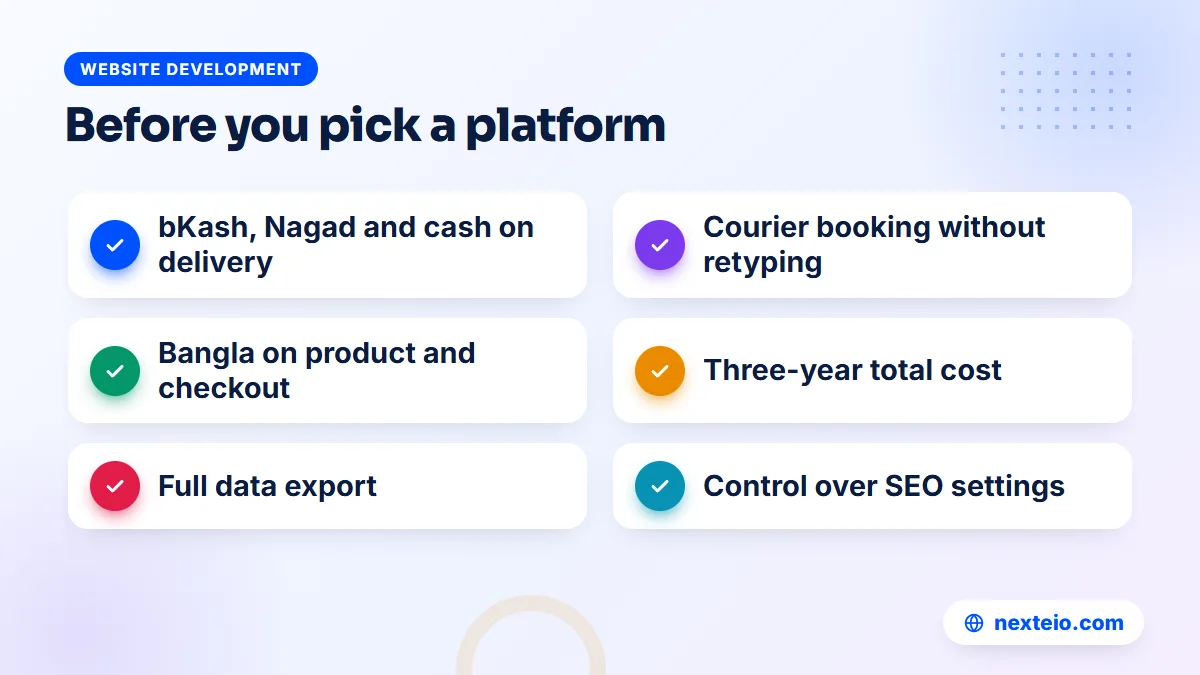
Before comparing Shopify alternatives by brand name, decide what the store must do. A short list of requirements makes every option easier to judge. Start with how money and parcels move:
- Payments: Can customers pay by bKash, Nagad, local cards and cash on delivery, and can you take a delivery charge in advance?
- Delivery: Can the store calculate delivery charges by area and send orders to your courier without retyping them?
- Order handling: Can staff mark orders as confirmed by phone, cancelled or returned, and see the history?
Then look at language, cost, ownership and who will run it:
- Language: Can product pages, checkout and SMS or email messages work in Bangla where needed?
- Total cost: What do the build, platform, apps or plugins, hosting and payment fees add up to over three years?
- Ownership: Can you export products, customers and orders at any time, and who owns the design and code?
- SEO control: Can you set page titles, clean URLs, redirects and structured data yourself?
- Skills: Who on your team, or which partner, will look after the store after launch?
Write your answers down before you talk to any developer. A clear list stops you from choosing a platform because a sales page looked good, and it gives every provider the same brief to quote against. It is also the starting point for any serious e-commerce website development project.
WooCommerce: The Most Common Choice for Local Stores
WooCommerce is a free, open-source e-commerce plugin for WordPress. You install it on your own hosting, add a theme and the extensions you need, and run the whole store from the WordPress dashboard. The official WooCommerce plugin page shows how widely it is used and how often it is updated.
Among Shopify alternatives, its biggest strength for stores in Bangladesh is flexibility. Local payment gateways commonly offer WooCommerce plugins, cash on delivery is built in, and delivery charges can be set by zone. Courier booking, order confirmation steps and Bangla text can all be added through plugins or light custom code. Because the software is free, there is no monthly platform fee, and hosting can usually be paid in BDT.
Where WooCommerce needs care
Free software is not the same as a free store. You pay for hosting, a good theme, some premium extensions and regular maintenance. Plugins need updating, and a store with forty plugins from different authors can become slow or break after an update. Security is your responsibility, which means backups, updates and login protection must be handled by someone.
Hosting deserves real attention for a WooCommerce store. Cheap shared hosting that is fine for a company profile can struggle with a store, because carts, checkout and product search run database queries that cannot be cached like a normal page. A store with steady daily orders usually belongs on quality hosting with enough memory, or a managed VPS, sized for campaign days rather than quiet ones.
WooCommerce suits small and mid-sized stores that want control without the cost of a fully custom build. A clean, well-planned WordPress and WooCommerce setup with a light theme and only the plugins you really need will outperform a cheap install stuffed with features. Our guide to choosing a WordPress developer explains what to check before handing anyone your store.
A Custom-Built Store on Laravel
A custom store is built from the ground up around your business. Instead of adapting a platform to your process, the developer builds the process into the software. Laravel, a popular PHP framework with clear official documentation, is a common base for this kind of build in Bangladesh.
Custom makes sense when the store has rules a standard cart cannot handle well. Typical examples include:
- Wholesale and retail prices on the same site, with different prices by customer type.
- Stock shared between several warehouses, shops or a factory outlet.
- A direct link to an ERP, accounting or point-of-sale system.
- Product builders, such as made-to-order furniture or printed items with many options.
- A marketplace with several sellers, each with their own dashboard.
The trade-off is cost and dependency. A custom build costs more upfront and takes longer, and every new feature needs a developer. You also need the source code, documentation and server access in your own hands, so you are not tied to one person. A Laravel web application pays off when the store's process is your competitive advantage; for a standard shop, it is usually more than you need. Our guide on hiring the right Laravel developer covers how to judge the people who would build it.
Hosted Builders: Wix, Squarespace and Similar Platforms
Hosted website builders such as Wix and Squarespace include online store features. Like Shopify, they handle hosting, security and updates, and you design the store with drag-and-drop tools. For a small catalog, they can get a store online quickly with very little technical work.
As Shopify alternatives, these builders share most of Shopify's limits in Bangladesh, and sometimes add stricter ones. Plans are usually billed in US dollars, and built-in payments often depend on international processors. Stripe, for example, lists the countries where businesses can sign up on its global availability page, and Bangladesh is not currently on it. Before choosing any hosted builder, confirm exactly which payment providers you can use as a business registered in Bangladesh.
These builders can work for a creator or small brand selling mostly to customers abroad, or for a business that only needs a catalog and takes orders by phone or message. For a store that depends on local wallets and courier workflows, they tend to be less flexible than WooCommerce, with fewer local integrations and less control over checkout.
Open-Source Carts: Magento Open Source, PrestaShop and OpenCart
Several other open-source carts can be installed on your own server. Magento Open Source, the free edition behind Adobe Commerce, is powerful and handles very large catalogs, but it needs strong hosting and experienced developers. PrestaShop and OpenCart are lighter PHP carts with their own module marketplaces.
All three give you full ownership, like WooCommerce. The practical question in Bangladesh is support. Fewer local developers work with these platforms every day, and fewer local gateways and couriers publish ready-made modules for them. That does not rule them out, but it means you should confirm who will maintain the store, and how local payments will be connected, before you commit.
For most local stores, these carts offer no clear advantage over other Shopify alternatives such as WooCommerce or a custom build. They make the most sense when you already have a team or partner with deep experience on one of them.
Selling Through a Facebook Page First
Selling through a Facebook page is not one of the Shopify alternatives in the strict sense, but it is where many stores in Bangladesh begin: a page with product photos, orders taken through Messenger, payment by bKash or cash on delivery, and parcels booked by hand. It costs almost nothing to start, and it is a reasonable way to test whether people want your products.
The limits appear as orders grow. Product details are scattered across posts, customers ask the same questions again and again, prices and stock are hard to keep current, and every order is typed by hand. You also build your business on a platform you do not control, where reach and rules can change without notice.
A store website does not replace your Facebook page. It gives your ads and posts a place to send people where they can see every product, check the price and order without waiting for a reply. If you already run campaigns, a store also makes tracking much clearer, as our guide on Meta ads conversion tracking explains. Many brands keep both: Facebook for reach and conversation, the website for orders, with Facebook ads sending traffic to product pages.
Shopify Alternatives Compared Side by Side
The table below compares Shopify and the main Shopify alternatives on the points that matter most for a store selling in Bangladesh. Treat it as a starting point; plans, apps and integrations change often, so confirm details before you decide.
| Point | Shopify | WooCommerce | Custom Laravel store | Wix or Squarespace |
|---|---|---|---|---|
| Platform fee | Monthly, in US dollars | None; pay for hosting | None; pay for hosting | Monthly, usually in US dollars |
| Local wallets and gateways | Depends on available apps | Plugins widely available | Built to your needs | Limited; check before choosing |
| Cash on delivery | Yes, as a manual method | Built in | Built into your flow | Varies by platform |
| Design control | Themes plus code edits | Full, through themes and code | Complete | Within the builder's limits |
| Hosting and security | Handled for you | Your team or provider | Your team or provider | Handled for you |
| Data ownership | Export available | Full, on your server | Full, on your server | Export varies |
| Best for | Brands selling abroad | Most local stores | Complex rules, large scale | Small catalogs, simple needs |
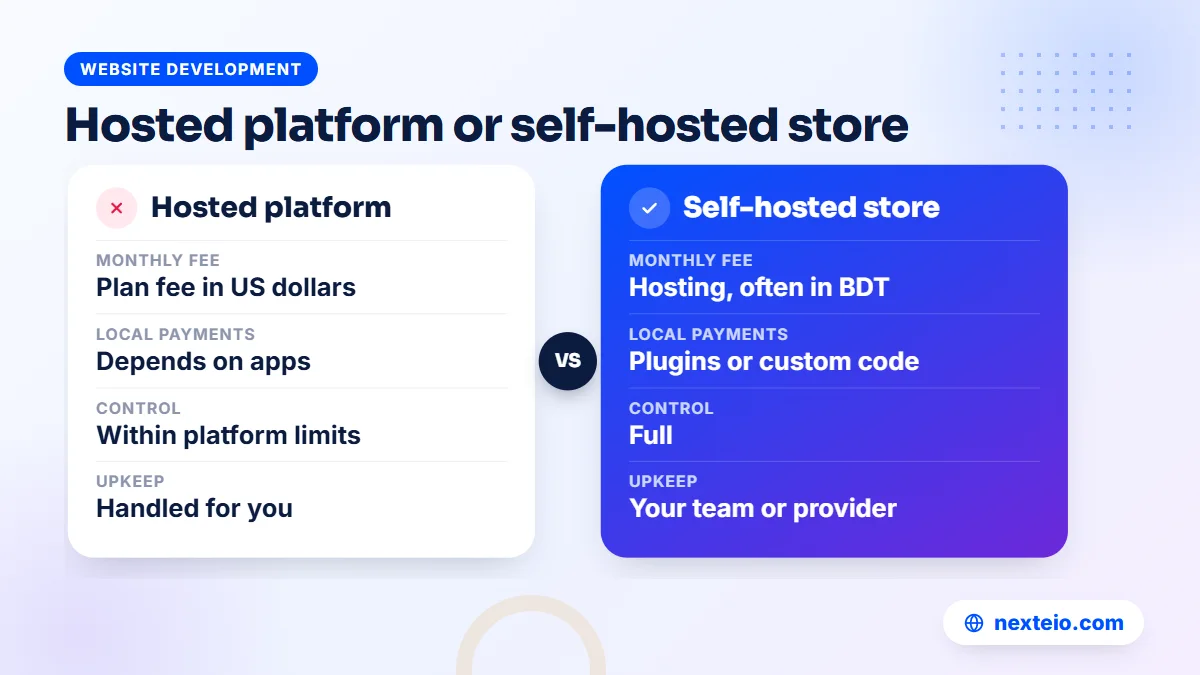
Two patterns stand out. Hosted platforms trade control for convenience, and they suit businesses whose payments already work with international processors. Self-hosted options trade convenience for control, and they suit businesses whose customers pay the way most people in Bangladesh pay.
Related guides that help with planning a store:
- What to plan and budget for e-commerce website development in Bangladesh
- WordPress vs a custom website: which is right for your business
- How to create a high-converting landing page for ads
The Real Cost Over Three Years
When owners compare Shopify alternatives, they often compare first-month prices, and that is misleading. A fair comparison looks at three years, because platform fees, app subscriptions, hosting, maintenance and payment fees all repeat. Picture a clothing brand with about 300 products and steady daily orders, and look at where its money goes on each path.
| Cost item | Shopify | WooCommerce | Custom store |
|---|---|---|---|
| Setup and design | Theme and setup work | Theme or custom design, plus setup | Highest; full build |
| Monthly platform | Plan fee in US dollars | No platform fee | None; you own the code |
| Add-ons | Monthly app fees | Some yearly plugin licenses | Built as needed |
| Hosting | Included | Paid separately, often in BDT | Paid separately, often in BDT |
| Payment fees | Gateway fee plus Shopify's extra fee | Gateway fee only | Gateway fee only |
| Maintenance | Light | Regular updates and backups | Developer support for changes |
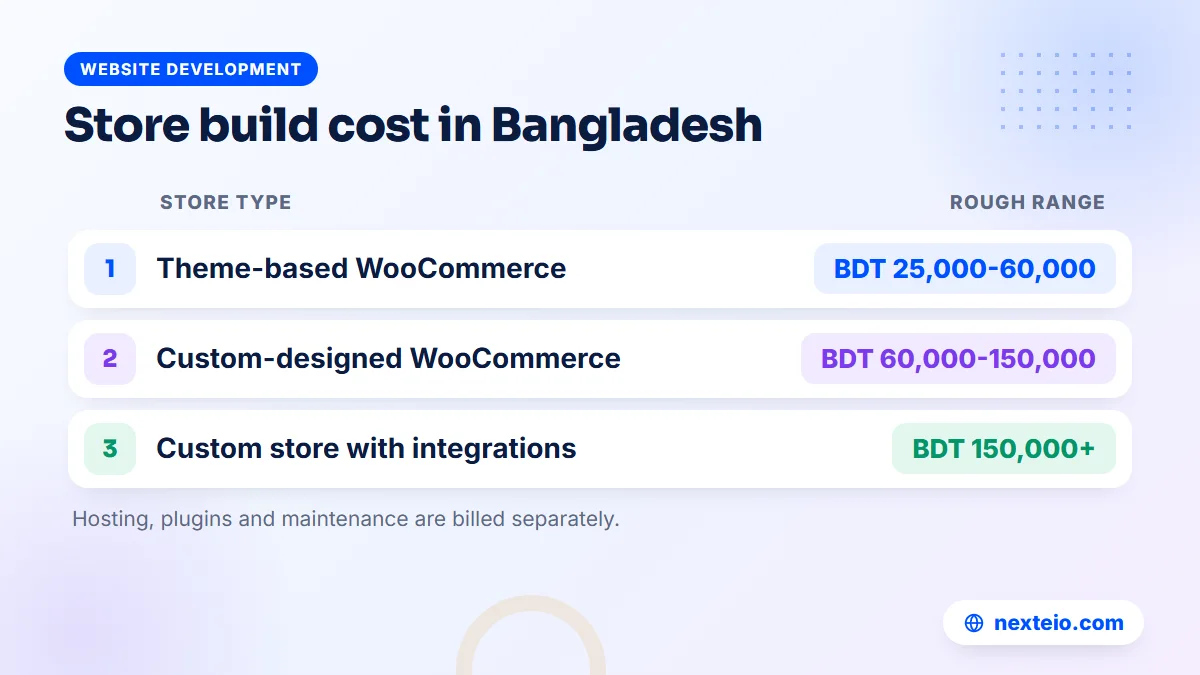
For a rough sense of build costs, a theme-based WooCommerce store in Bangladesh often falls around BDT 25,000 to 60,000, a custom-designed WooCommerce store around BDT 60,000 to 150,000, and a custom store with integrations from about BDT 150,000 upwards. These are market ranges, not quotes, and they depend heavily on catalog size and features.
The cheapest option in month one is often not the cheapest in year three. A Shopify store with several paid apps can cost more each month than hosting and maintaining a WooCommerce store, while a WooCommerce store with no maintenance can cost far more in a single bad week. If you want a realistic three-year estimate for your own catalog, share your store details with us and we will set out the options.
Payments, Cash on Delivery and Couriers
Payments are where Shopify alternatives differ most in Bangladesh. Most local stores need four things at checkout: cash on delivery, mobile wallets such as bKash and Nagad, local and international cards through a local gateway, and the option to collect a delivery charge in advance for cash-on-delivery orders to reduce fake orders.
Local payment gateways aggregate several of these methods. SSLCommerz, for example, publishes developer documentation for connecting its checkout to a website, and ready-made plugins exist for common platforms. On WooCommerce and custom stores, these integrations are routine work. On hosted platforms, they depend on whether a maintained app or integration exists for your exact setup.
Courier and order flow
Delivery is the other half of the problem. A busy store should not retype every address into a courier portal. Several local courier services offer APIs, and WooCommerce plugins exist for some of them, while a custom store can connect directly. Check that any plugin you rely on is actively maintained and that your courier supports it.
A typical order flow for a local store looks like this:
- The customer places an order and chooses cash on delivery or online payment.
- Staff call or message to confirm the order, especially for cash on delivery.
- The confirmed order is sent to the courier, and the tracking number is saved.
- The customer receives an SMS or email with the tracking details.
- Delivered, returned and cancelled orders are marked so stock and reports stay accurate.
Getting this flow right matters more than the platform logo. It is the core of any online store built for Bangladesh, and it should be tested with real orders before launch.
Whichever platform you choose, run the full flow end to end. A store that looks perfect but loses track of returned parcels will cost more than any platform fee.
SEO and Speed: How the Platform Affects Getting Found
Most online stores in Bangladesh pay for every visitor through ads. Search can bring a share of buyers without a cost per click, but only if the platform lets you control the basics: page titles, descriptions, clean URLs, category pages with real text, redirects and product structured data.
Google's guidance on e-commerce sites in Search explains what helps product and category pages appear. WooCommerce and custom stores give full control over all of it. Shopify gives good control in most areas but has fixed URL patterns, such as /products/ and /collections/. Hosted builders vary.
Speed matters just as much, because most of your shoppers browse on phones over mobile data. A heavy theme with sliders, pop-ups and many scripts will lose buyers on any platform. Our guide on website speed and SEO explains how faster pages help both rankings and sales. Once the store is live, an e-commerce SEO service can work on category and product pages so that search becomes a steady source of orders.
Moving From Shopify to Another Platform
If you already sell on Shopify and want to move, plan the migration carefully. The goal is to keep your products, customers, order history and search rankings, and to avoid a gap in sales.
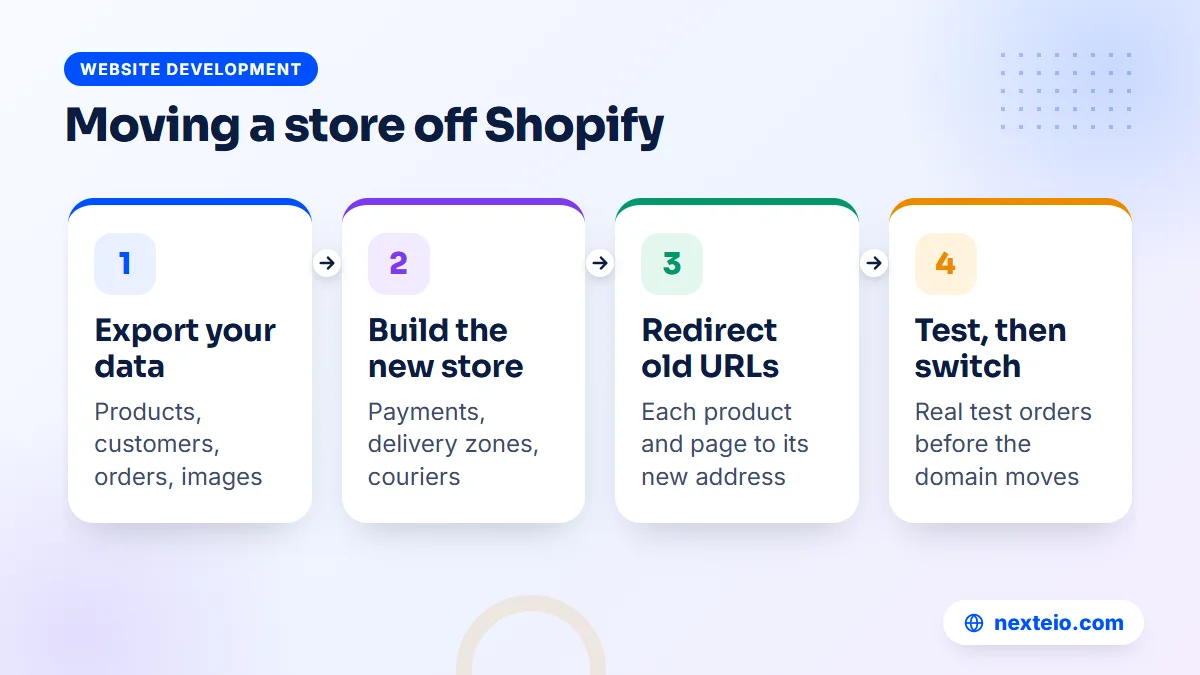
- Export your data. Shopify lets you export products, customers and orders as CSV files. Download them, plus all product images.
- Build and fill the new store. Set up the design, payments, delivery zones and courier links, then import products and check variants, prices and stock.
- Map every URL. List each old product, collection and page address, and set up a permanent redirect to its new address so links and rankings carry over.
- Test real orders. Run test orders with each payment method and the courier flow before you switch.
- Switch the domain. Point the domain to the new store at a quiet time, then check Search Console for errors over the next few weeks.
Keep the Shopify store available, but closed to new orders, until the new one has run smoothly for a while.
Tell regular customers about the change, especially if they will need to create a new account or reset a password.
Mistakes to Avoid When Switching Platforms
Most failed platform moves go wrong for the same few reasons. None of them is about which platform is better; they are about planning. Watch for these while you weigh Shopify alternatives:
- Choosing on monthly fee alone. A free platform with no maintenance budget becomes expensive the first time a plugin update breaks checkout.
- Copying every feature from the old store. A move is a good moment to drop apps and plugins nobody uses, which makes the new store faster.
- Forgetting redirects. Without them, every product link shared on Facebook, in old ads or in Google results leads to an error page.
Three more problems tend to show up after launch rather than before it:
- Launching during a sale. Switch platforms in a quiet month, never in the weeks before Eid or a major campaign.
- Leaving ad tracking behind. The Meta Pixel, Google tags and conversion events must be installed and tested on the new store, or your ad results will look broken.
- Putting accounts in someone else's name. Hosting, domain and gateway accounts registered to a freelancer can hold the whole store hostage later.
The tracking point catches many stores out. If most sales come from paid campaigns, plan the tracking setup as part of the build, not as an afterthought, so you can compare results before and after the move.
A short review before the switch, with your developer, your ads manager and whoever handles orders, will catch most of these problems. Each of them sees a different part of the store, and each will notice something the others miss.
Which of the Shopify Alternatives Fits Your Store
There is no single winner among Shopify alternatives. The right one depends on your situation. These common cases show how the decision usually goes.
A new shop testing products. Start with a Facebook page and a simple WooCommerce store with a small catalog, cash on delivery and one gateway. Keep the setup light, and add features only when orders justify them.
A growing local brand with hundreds of products. WooCommerce on good hosting, with a custom-designed theme, a local gateway, courier integration and a maintenance plan, covers most needs at a sensible cost.
A wholesaler, distributor or factory outlet. Tiered prices, minimum order quantities and stock links to other systems often point to a custom Laravel store, or WooCommerce with substantial custom work.
An exporter or brand selling mainly abroad. If customers pay by international card and you can use a supported payment provider, Shopify may remain the right choice. Compare it honestly against WooCommerce before switching.
A business that only needs a catalog. If orders always happen by phone or message, a well-built catalog site with clear prices and an order inquiry button may be enough, without a full checkout.
Whichever path you choose, put the domain, hosting, payment gateway and admin accounts in your business's name. Platforms can change, but ownership of your store and its data should never be in doubt.
How Nexteio Can Help With Your Online Store
Nexteio builds online stores for businesses across Bangladesh, planned around the way people here actually buy: on a phone, often with cash on delivery or bKash, and with a quick confirmation before the parcel ships. Through our e-commerce website development service, we help you choose between WooCommerce and a custom build based on your catalog, order flow and budget, rather than pushing one platform for everyone.
For most stores, that means a fast WooCommerce store built for local buyers, with payment gateway, delivery charges and order handling set up to match your process. For wholesale rules, shared stock or system links, we build custom stores in Laravel. If you need a brand-led design first, our custom website design work covers that too. If you are moving from Shopify, we can plan the migration, including products, customers and URL redirects.
If you are deciding between Shopify alternatives, send us your store details and we will recommend a setup that fits. You can see examples in our portfolio, read more about Nexteio or reach us through the contact page.
Keep reading: what e-commerce SEO includes and costs, what a Facebook ads service should deliver, or browse more website development guides.
Frequently asked questions
What is the best Shopify alternative for a store in Bangladesh?
For most local stores, WooCommerce is the most practical choice because it supports cash on delivery, works with local payment gateways and has no monthly platform fee. Stores with wholesale pricing, shared stock or system links often do better with a custom build. Brands selling mainly abroad by card may still be best served by Shopify.
Is WooCommerce really free?
The plugin itself is free and open source. You still pay for hosting, a domain, a good theme, any premium extensions and ongoing maintenance such as updates and backups. Over a few years, these costs are often lower than a hosted plan with several paid apps, but they are not zero.
Can a Shopify store accept bKash and Nagad?
It depends on whether a working integration exists for your store. Some local gateways offer Shopify connections, while others focus on WooCommerce and custom websites. Ask your chosen gateway for a live Shopify store that uses its integration, and remember that Shopify adds its own fee when a third-party gateway is used.
Can I move from Shopify to WooCommerce without losing my Google rankings?
Yes, if the move is planned. Export your products, customers and orders, rebuild the store, and set up a permanent redirect from every old Shopify URL to its new address. Keep titles and product descriptions close to the originals at first, then watch Search Console for errors in the weeks after the switch.
Is a custom-built store better than WooCommerce?
Not automatically. A custom store is better when your process is unusual, such as wholesale price tiers, multi-warehouse stock or a link to an ERP. For a standard retail shop, WooCommerce usually delivers the same result faster and at a lower cost, with more ready-made features.
Do I need a store website if I already sell on Facebook?
Not on day one, but it helps as orders grow. A website shows every product with price and stock, takes orders without waiting for a reply, and gives your ads a clear place to send people. Most growing brands keep their Facebook page for reach and use the website for orders.
How much does it cost to build a WooCommerce store in Bangladesh?
As a rough market guide, a theme-based store often costs around BDT 25,000 to 60,000, and a custom-designed store around BDT 60,000 to 150,000. Large catalogs, courier and ERP integrations or wholesale features push the cost higher. Hosting, premium plugins and maintenance are usually billed separately.