Dedicated Web Hosting, VPS, Cloud or Shared: Which Fits Your Company?
In this article 15 sections
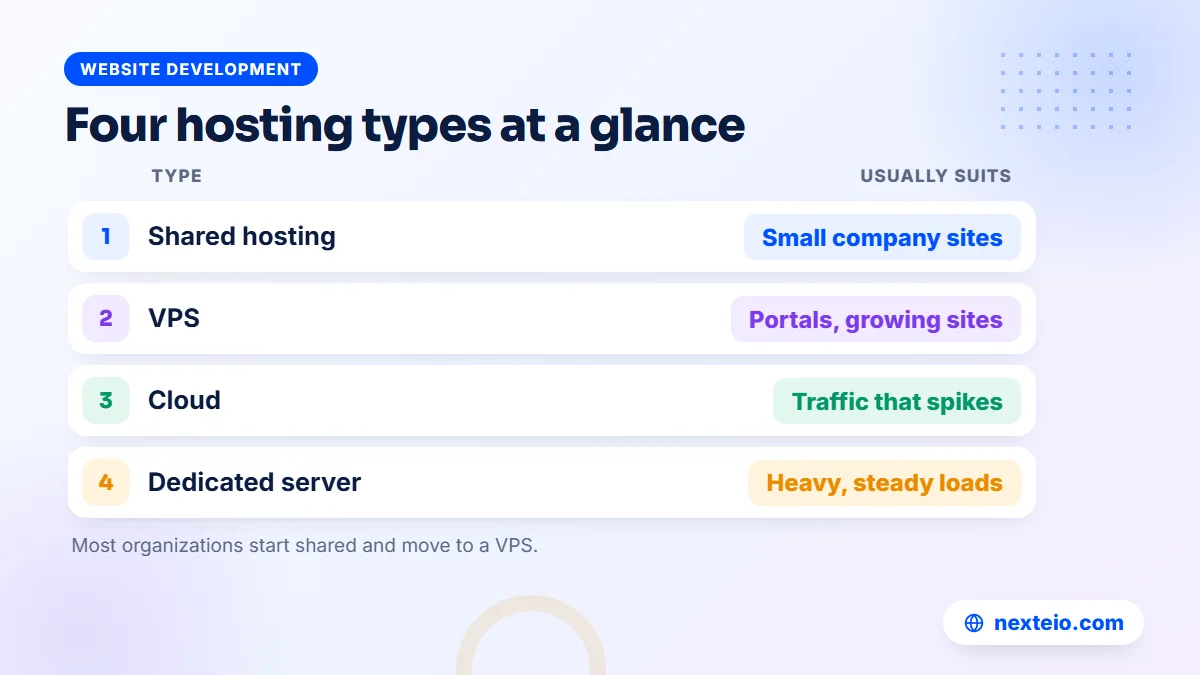
- 1.The Four Hosting Types in Plain Words
- 2.Shared Web Hosting Plans: Where Most Company Sites Start
- 3.VPS Hosting: A Private Slice With Room to Grow
- 4.Cloud Hosting: Capacity That Grows and Shrinks
- 5.When Dedicated Web Hosting Is Worth the Money
- 6.Shared, VPS, Cloud and Dedicated Hosting Compared
- 7.Managed or Unmanaged: Who Looks After the Server
- 8.Matching Hosting to Your Organization
- 9.Server Location and Speed for Visitors in Bangladesh
- 10.Dedicated Web Hosting and Other Plans: What They Cost in Bangladesh
- 11.Security, Backups and Uptime on Each Hosting Type
- 12.Questions to Ask Before You Pay for Hosting
- 13.Signs It Is Time to Move Up, and How to Move Safely
- 14.How Nexteio Can Help With Hosting and Your Website
- 15.Frequently asked questions
Dedicated web hosting means your organization rents a whole physical server that no other customer shares. It sits at the top of the hosting ladder, above shared, VPS and cloud plans, and it is often the first thing a managing director or IT head asks for when the website feels slow. Sometimes that instinct is right. Often a cheaper plan, set up properly, would do the same job for a fraction of the cost.
Hosting decisions in many companies get made in a hurry. The developer suggests a plan, accounts pays the invoice, and nobody looks at it again until the site goes down during admission week or on the morning a buyer from abroad opens the company profile. By then, moving is stressful and expensive.
The choice is not really about which type is best. It is about which type fits your site's traffic, the software it runs, the skills your team has and the budget your office can approve.
This guide compares the four main hosting types in plain words: what each one is, what it usually costs in Bangladesh, who has to run it and which kind of organization it suits. It also covers server location, security, questions to ask before you pay, and the signs that tell you it is time to move up.
The Four Hosting Types in Plain Words
Every website lives on a server, a computer in a data center that stays on all the time and answers visitors' requests. The hosting type decides how much of that computer is yours, how much you can change, and who is responsible when something breaks. An office building makes a useful comparison.
- Shared hosting is a desk on a busy co-working floor. Hundreds of websites use the same server, memory and processor. It is cheap and the landlord handles the building, but a noisy neighbor can slow you down.
- VPS hosting (virtual private server) is a locked private office on that floor. The physical machine is still shared, but your slice of memory and processing power is reserved for you, and you can arrange it your way.
The other two types move away from the single shared machine:
- Cloud hosting is space across a network of buildings. Your site runs on resources pooled from many machines, so you can add capacity quickly and pay for what you use.
- Dedicated hosting is renting the whole building. One physical server, all of its power and full control, along with full responsibility for what happens inside.
The US National Institute of Standards and Technology published a short definition of cloud computing that most providers still work from. Its main ideas, self-service on demand and resources that grow or shrink as needed, are what separate a real cloud plan from an ordinary server with "cloud" printed in the product name.
None of these types wins in every case. A five-page company profile on a dedicated server is wasted money, while a hospital appointment system on a crowded shared plan is a risk. If you are still planning the site itself, settle what it needs to do first; a custom website design plan should make the hosting requirements clear before anyone buys a server.
Shared Web Hosting Plans: Where Most Company Sites Start
Shared web hosting plans are the entry point for most organizations in Bangladesh, and for good reason. A typical plan comes with a control panel such as cPanel, email accounts, a one-click WordPress installer and a free SSL certificate. The provider looks after the server, the operating system and the security patches, so you only look after your website.
For a corporate profile site, an NGO's project pages or a small school's notice board, that is often enough. These sites get modest traffic, change a few times a month and do not run heavy database work. A well-built WordPress site with caching and compressed images can run comfortably on a good shared plan for years.
Where shared hosting runs out
The limits show up in specific ways. Shared plans limit the processor time, memory and number of simultaneous processes each account may use. When your site hits those caps, pages slow down or show errors, even if the plan advertises "unlimited" bandwidth. Unlimited usually means the data transfer is not metered. It never means unlimited computing power.
Watch for these signs:
- The site slows down sharply whenever results, notices or offers go live.
- The hosting panel shows warnings about resource limits or entry processes.
- Email from your domain lands in spam because another account on the same server sent junk.
- The provider asks you to remove a plugin or cut down database queries.
- You need a PHP extension, a background job or other software that the plan does not allow.
One or two of these can often be fixed with better caching or a lighter theme. A steady pattern of them means the site has outgrown the plan. Our guide to website speed and SEO explains why slow pages cost you both visitors and rankings, which is usually the first real price of staying on shared hosting too long.
VPS Hosting: A Private Slice With Room to Grow
A virtual private server gives you a fixed amount of memory, processor cores and storage that no other customer can take away. You also get root access, which means you can install the software you need, choose the PHP version, run scheduled jobs and configure the web server the way your application expects.
This is the usual next step for a growing organization. A college with an online admission form, a group of companies running several brand sites, or a factory with a buyer portal built in Laravel will usually feel more at home on a VPS than on shared hosting. The monthly cost goes up, but so does predictability, because your site no longer competes with hundreds of others for the same resources.
What the best VPS web hosting looks like for a company
People search for the best VPS web hosting as if one brand wins for everyone. In practice, the right VPS is the one that fits your workload and your team's skills. Judge offers on these points rather than on the headline price:
- Guaranteed resources: reserved memory and virtual CPUs, not "burstable" capacity that shrinks when the host machine is busy.
- Storage type: SSD or NVMe drives, which make database-heavy sites far quicker than older spinning disks.
- Data center location: close to most of your visitors, which for a Bangladesh audience usually means a local or nearby Asian data center.
- Snapshots: the ability to save a full copy of the server before risky changes and roll back if they go wrong.
- Management: whether the provider patches the operating system or leaves that job to you.
- Billing: in BDT through a local bank or mobile wallet, or in US dollars by international card.
The last two points catch many organizations out.
An unmanaged VPS is cheap because you become the system administrator. If nobody on your side knows how to update Linux, set firewall rules and read a server log, a cheap VPS can end up less secure than a decent shared plan.
Cloud Hosting: Capacity That Grows and Shrinks
Cloud hosting runs your site on resources drawn from a large pool of servers. Instead of renting a fixed box, you choose an instance size and can resize it, add more instances or attach extra storage within minutes. You usually pay by the hour or by the month for what you actually use.
The large cloud web hosting providers, such as Amazon Web Services, Google Cloud and Microsoft Azure, run data center regions in Asia, including Singapore and India, which sit reasonably close to Bangladesh in network terms. Many smaller hosting companies also sell "cloud" plans built on top of these platforms or on their own server clusters, often with a simpler control panel and a fixed monthly price.
When a web hosting cloud setup makes sense
A web hosting cloud setup earns its cost when traffic is uneven. A university that sees a flood of visitors on result day and quiet weeks otherwise, an online store running an Eid campaign, or a news-style page that sometimes goes viral can all scale up for the busy days and back down afterwards. A fixed server would have to be sized for the peak and sit mostly idle for the rest of the year.
Cloud also helps with resilience. A well-planned cloud setup can keep database copies in a separate zone, run a second copy of the application, and replace a failed instance automatically. The words "well-planned" carry the weight here. Those features exist, but someone has to configure them, and a single cloud instance with no backups is no safer than a single VPS.
The trade-offs
Cloud billing is harder to predict. Data transfer, storage, snapshots and extra services each carry a separate charge, and one wrong setting can produce a surprise bill at the end of the month. Most large cloud accounts are billed in US dollars to an international card, which means approval from accounts and sometimes from the bank. For a small organization without someone who understands the billing console, a fixed-price VPS is often the calmer choice.
When Dedicated Web Hosting Is Worth the Money
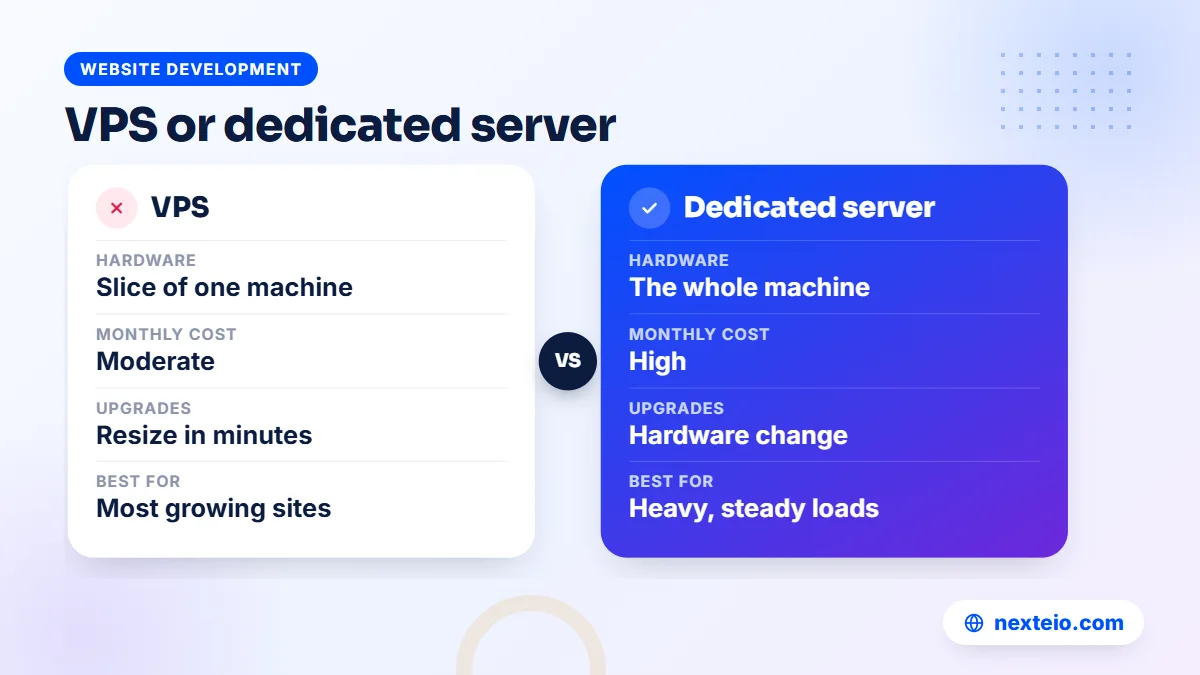
With dedicated web hosting, the entire server belongs to you: every processor core, all the memory and all the disks. No virtualization layer divides it up, and no other customer's traffic touches it. That brings steady performance, full control over hardware and software, and a clear boundary for security and compliance.
Those benefits matter for a fairly small set of workloads:
- A large e-commerce catalog with heavy search, filters and stock updates running all day.
- An ERP, HR or production-tracking system used by hundreds of staff across several factories.
- A hospital or diagnostic center system that stores patient records and reports and needs predictable speed.
- A university portal that handles admissions, results, payments and a learning platform on one backend.
- Any organization whose policies or client contracts require data to sit on hardware not shared with other customers.
For most corporate websites, dedicated web hosting is far more than they need. A company profile, a product catalog or a careers page does not use a fraction of a modern server's power. Paying for one is like hiring a bus to carry two passengers. It works, but the money would do more elsewhere, for example on better content, speed work or search engine optimization that brings in inquiries.
The hidden cost: someone has to run it
A dedicated server is only as good as the person who looks after it. Operating system updates, firewall rules, disk health checks, backups, monitoring and the occasional hardware replacement all need an owner. Some providers include this as a managed service, and many do not.
Before you sign up for dedicated web hosting, name the person or team who will respond at two in the morning when a disk fails, and put their time in the budget. If you cannot name anyone, choose a managed plan or a smaller hosting type.
Shared, VPS, Cloud and Dedicated Hosting Compared
The table below puts the four types side by side on the points organizations usually care about. Treat it as a general guide, because individual plans vary a lot within each type.
| Point | Shared | VPS | Cloud | Dedicated |
|---|---|---|---|---|
| Resources | Shared with many sites | Reserved slice of one machine | Pooled and resizable | One whole physical server |
| Performance | Varies with neighbors | Steady within its limits | Steady, can scale up | Steady and high |
| Control | Hosting panel only | Full root access | Full access plus extra services | Full access to hardware and software |
| Skills needed | Low | Medium to high | Medium to high | Advanced, unless fully managed |
| Cost pattern | Low, paid yearly | Moderate, fixed monthly | Variable, based on usage | High, fixed monthly |
| Typical fit | Company profile, NGO, small school | Growing sites, portals, mid-size stores | Uneven traffic, several linked services | Heavy applications, ERP, large stores |
Dedicated web hosting sits at the far end of this table for a reason: it gives the most power and control, and asks the most of whoever runs it.
The step from shared to VPS is the biggest change in day-to-day responsibility. The step from VPS to cloud or dedicated is mostly about scale, budget and how the workload behaves over time. That is why many organizations move from shared hosting to a managed VPS and then stay there for years.
Related guides that help with the decisions around hosting:
- WordPress or a custom website, and how each behaves over time
- Technical SEO basics every website owner should know
- How to hire the right Laravel developer in Bangladesh
Managed or Unmanaged: Who Looks After the Server
Every hosting type except basic shared hosting comes in two forms. With managed web hosting, the provider handles server work such as operating system updates, security patches, monitoring, server backups and often help with performance. With unmanaged hosting, you get a running server and a login, and everything after that is your job.
The price gap can be large, and it is tempting to save the difference. The real question is who on your team will do the work. This table shows the usual split:
| Task | Managed hosting | Unmanaged hosting |
|---|---|---|
| Operating system and security updates | Provider | Your team |
| Firewall and intrusion protection | Provider, with your input | Your team |
| Server monitoring and alerts | Provider | Your team sets it up |
| Server-level backups | Usually the provider | Your team |
| Website code, plugins and content | You or your web team | You or your web team |
| Performance tuning | Shared work | Your team |
Look closely at the last two rows. Even managed web hosting does not maintain the website itself. Plugin updates, theme changes, broken forms and content stay with you or your web team. Many organizations assume the hosting company takes care of everything and only learn otherwise after a hack, so make sure someone is clearly responsible for the site as well as the server.
If your team includes an experienced Linux administrator, unmanaged hosting can save money and give more control. If your IT officer also runs the office network, the printers and the accounting software, choose managed hosting and let them focus on the work they already carry.
Matching Hosting to Your Organization
The same hosting plan can be perfect for one organization and wrong for another. These common situations show how the choice usually plays out.
Corporate groups and company profile sites
A group of companies with a main site and three or four sister-concern sites can usually run them all on a good shared or reseller plan. If the sites are busy, or built on different platforms, one managed VPS keeps them together under one roof. What matters more than raw power is that the domain and hosting accounts sit in the group's name, and that someone at head office knows where everything lives. A clean corporate website build keeps each site light enough that the hosting bill stays modest.
Schools, colleges and universities
Educational institutions have a distinctive traffic pattern: quiet for most of the year, then a flood on admission, result and form fill-up days. A small school posting notices does well on shared hosting. A college with online admission and result publishing needs at least a VPS, with caching set up before result day rather than during it.
A university portal with student logins and payment links is a candidate for cloud hosting that can scale for peak days. If usage is high all year, dedicated web hosting with a proper administrator may cost less over time than a large cloud bill.
Hospitals, clinics and diagnostic centers
A clinic website that lists doctors and phone numbers is light. An appointment system or a report-download portal holding patient data is not. Patient information calls for strict access control, encrypted connections, careful backups and a provider that can say exactly where the data is stored. A managed VPS or dedicated web hosting, with access limited to a small named team, is a sensible baseline.
Factories and garment exporters
A factory's public website is mostly a showcase for buyers abroad, so speed from Europe or North America matters as much as speed at home. A content delivery network in front of the site often helps more than a bigger server. Internal systems, such as production tracking or compliance records, are a different matter and may justify a VPS or even dedicated web hosting of their own, kept separate from the public site.
Online stores
E-commerce sites mix steady traffic with sharp campaign spikes, and every minute of downtime during a sale means lost orders. A small store can start on quality shared hosting, but most growing stores in Bangladesh move to a VPS or cloud setup once daily orders and product counts rise. Our guide to e-commerce website development in Bangladesh covers the planning and budget side of a store build in more detail.
Server Location and Speed for Visitors in Bangladesh
Distance still matters on the internet. Every request from a visitor's phone travels to the server and back, and the further away the server is, the longer each round trip takes. For a site whose visitors are mostly in Bangladesh, a server in a local data center or a nearby region such as Singapore usually responds faster than one in the United States or Europe.
Google's guidance on Time to First Byte explains how server response time feeds into the whole loading experience. A slow first byte delays everything that follows, including the text and images your visitors came for. It is one of the few speed problems that better hosting fixes directly.
Local and international hosting each have trade-offs:
- Local hosting is close to local visitors and can usually be paid in BDT by bank transfer, bKash or Nagad, which makes office approval easier. Quality varies widely, so ask about the data center, its power backup and its upstream connections.
- Regional hosting abroad, for example in Singapore, often has strong infrastructure and is still fairly close. Payment is usually in US dollars by international card.
- Hosting in Europe or North America suits sites whose main audience is overseas, such as an exporter's buyer-facing site, but it adds delay for visitors at home.
A content delivery network softens the distance problem. It keeps copies of images, scripts and sometimes whole pages on servers around the world.
Each visitor then gets those files from a nearby location. The MDN glossary entry on content delivery networks explains the idea in a few lines. A CDN does not replace good hosting, but it often makes a moderate plan feel much quicker.
One more local point: load-shedding at your office has no effect on a site hosted in a proper data center. It does affect any system that runs on a server inside your own building. Some institutions still host internal portals on an office computer, and if that portal matters, it belongs in a data center with backup power and more than one network connection.
Dedicated Web Hosting and Other Plans: What They Cost in Bangladesh
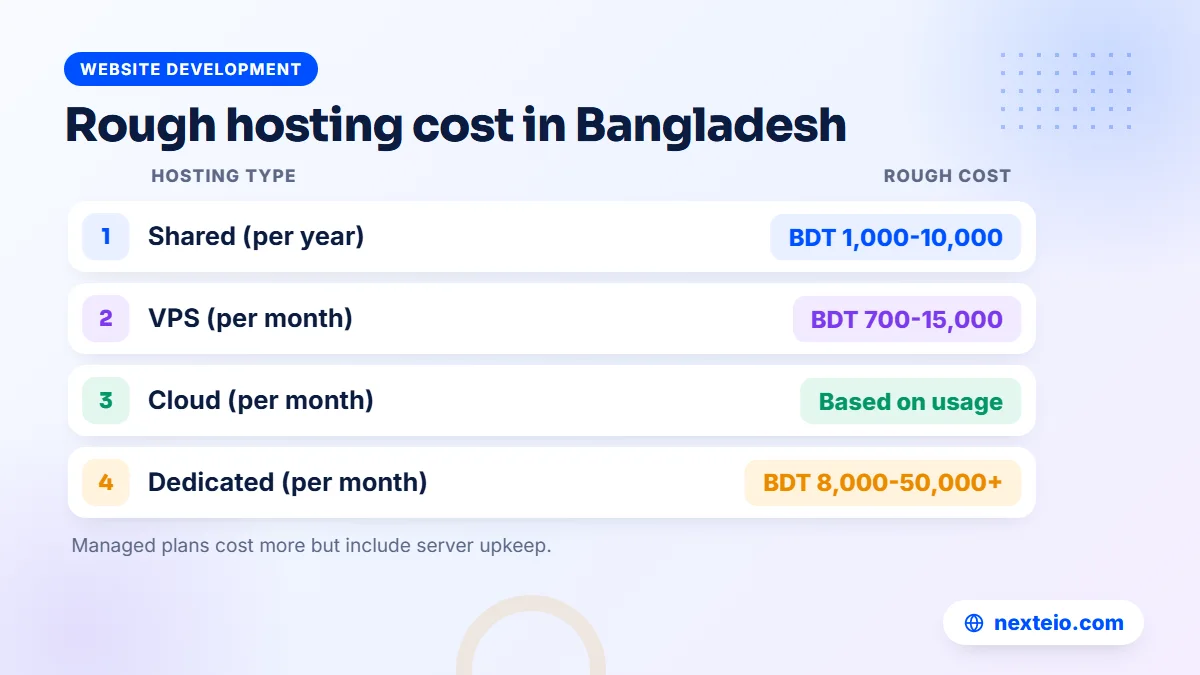
Hosting prices change often and depend on the provider, the currency and the exact resources. The figures below are rough market ranges from what organizations in Bangladesh commonly pay, not quotes. Use them to judge whether an offer is in a sensible area, then compare specific plans line by line.
| Hosting type | Rough cost | What moves the price |
|---|---|---|
| Shared hosting | About BDT 1,000 to 10,000 a year | Storage, number of sites, email accounts, renewal rate |
| Unmanaged VPS | About BDT 700 to 6,000 a month | Memory, CPU cores, storage, location |
| Managed VPS | About BDT 4,000 to 15,000 a month | Level of management, backups, support hours |
| Cloud hosting | Billed by usage; small setups start low | Usage, data transfer, extra services |
| Dedicated server | About BDT 8,000 to 50,000 or more a month | Hardware, management, bandwidth, location |
Three cost traps deserve attention. First, renewal prices: many shared plans are cheap in the first year and renew at a much higher rate. Second, currency: plans billed in US dollars move with the exchange rate, and some banks limit international card spending. Third, the labor cost of unmanaged servers, which never appears on the hosting invoice but shows up later as staff time or emergency fees.
When you compare dedicated web hosting offers, check whether the price includes management, a hardware replacement promise and remote backups, because a bare server price hides those costs. For budget planning, add hosting to the full cost of running the site, alongside the domain, backups and ongoing maintenance. A good web team will raise hosting during planning, because the code and the server need to suit each other. If you want a realistic hosting estimate for a site you are about to build, send us the project details and we can include it in the discussion.
Security, Backups and Uptime on Each Hosting Type
The hosting type changes who is responsible for security, not whether security is needed. On shared hosting, the provider secures the server, but a weak password or an outdated plugin on your own site can still let attackers in. On a VPS, cloud instance or dedicated server, you or your managed provider must also secure the operating system and every service running on it.
Whatever you choose, check these basics:
- HTTPS on every page, with a certificate that renews automatically.
- A supported PHP version. The PHP project lists which versions still receive security fixes, and anything older is an open door.
- Backups stored away from the server, kept for at least 30 days and tested by actually restoring one.
- Separate logins for each person, with two-step verification on hosting and admin accounts.
- A firewall that opens only the ports the site really uses.
- Uptime monitoring from outside the server, so you hear about outages before your customers do.
Uptime promises deserve a careful read. A provider advertising 99.9% uptime is allowing itself roughly 43 minutes of downtime in a 30-day month. The compensation for missing that target is usually a small service credit, not payment for lost business. Ask how outages are measured, how you will be told about one, and what happened during the provider's last major incident.
Software requirements matter too. WordPress publishes its recommended server requirements, including PHP and database versions and HTTPS support. A plan that cannot meet them will cause trouble sooner or later, no matter how cheap it looks.
Questions to Ask Before You Pay for Hosting
Before you choose any plan, from a basic shared account to dedicated web hosting, put these questions to the provider in writing and keep the answers:
- How much memory, processor power and storage are guaranteed, and what happens when we go over?
- Where is the data center, and what power backup and network links does it have?
- Is the plan managed? If so, which tasks are included and which cost extra?
- How are backups made, where are they kept, for how long, and how do we restore one?
- What is the renewal price, and in which currency is it billed?
- How do we reach support, during which hours, and how fast do they respond when the site is down?
- Can we upgrade to a larger plan without moving the site, and can we leave easily if we need to?
- Will the account be registered in our organization's name with our official email?
The last question matters more than it looks.
In many organizations, the hosting account was opened by a former developer or employee under a personal email address. When that person leaves, nobody can renew the plan or log in to the control panel. Keep the account in the organization's name, and give your web team their own separate access.
Also compare the answers against your approval chain. If every hosting payment needs a signature from the director and a bank payment from accounts, a provider that only accepts international cards will cause friction each year. Choose a payment route your office can actually follow, so renewals never slip.
Signs It Is Time to Move Up, and How to Move Safely
Hosting upgrades work best when they are planned, not forced by an outage. These signs suggest the current plan is too small for the job:
- Server response times have crept up even though the site itself has not changed much.
- The site slows or fails at predictable busy moments, such as notices, campaigns or month-end reporting.
- You are adding features, such as user logins, online payments or an API for a mobile app, that need more control.
- An audit, a buyer or a client contract now asks for isolation the current plan cannot give.
If two or more of these sound familiar, start planning the move now, while there is still time to test properly.
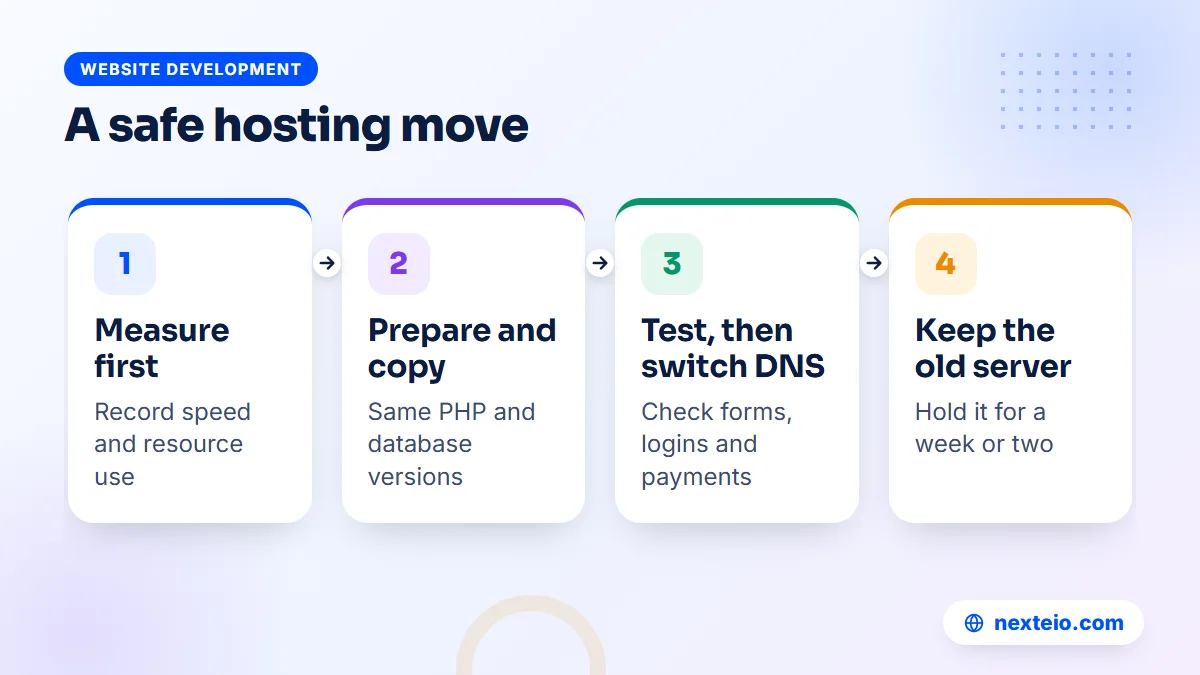
A safe migration in five steps
- Measure first. Record current load times, traffic and resource use, so you can confirm the move actually helped.
- Prepare the new server. Match the PHP and database versions, then copy the files and the database across.
- Test on a temporary address. Check every page, form, login and payment flow before anything is switched.
- Switch DNS at a quiet time. Lower the DNS TTL a day ahead, then point the domain at the new server outside busy hours.
- Keep the old server briefly. Hold it for a week or two in case something was missed, then cancel it.
Email needs special care during a move. If your official email runs on the same hosting account, decide where it will live afterwards, because careless DNS changes can quietly break mail delivery while the website looks perfectly fine.
Sometimes the honest answer is that hosting is not the real problem. A heavy theme, too many plugins, uncompressed images or slow database queries can make any server feel weak. A clean WordPress website with proper caching often runs faster on a modest plan than a bloated one on an expensive server. If the site is several years old, a lighter rebuilt website may give you more speed than a bigger hosting bill.
How Nexteio Can Help With Hosting and Your Website
Nexteio builds websites and web applications for organizations across Bangladesh, and choosing the right home for a site is part of doing that work properly. Through our custom website design service, we plan the site and its hosting needs together, so a company profile does not end up on an oversized server and a busy portal does not end up squeezed onto a cheap shared plan.
For larger systems, such as admission portals, booking tools or stock and order records, we build on Laravel and help you decide whether a VPS, cloud or dedicated setup suits the workload. Online stores get the same attention through our e-commerce website development work, where uptime during campaigns matters most. For content sites, we keep WordPress builds light enough to run well on modest hosting.
We also recommend that domain and hosting accounts stay in your organization's name, with access for us only where the work needs it. If you would like an opinion on your current setup or a plan for a new site, share your requirements on our project form, look through our portfolio, read more about Nexteio or reach us through the contact page.
Keep reading: what to check before hiring a WordPress developer, how to build a professional business website, or browse more website development guides.
Frequently asked questions
Is dedicated web hosting always faster than a VPS?
Not always. A dedicated server has more raw power, but a well-configured VPS with enough memory often loads a normal business site just as quickly. Speed also depends on the site's code, caching, image sizes and how far the server is from your visitors. Fix those first before paying for bigger hardware.
How much traffic can a shared hosting plan handle?
There is no single number, because it depends on how heavy each page is and how the site is built. A light, cached WordPress site can serve a steady flow of visitors on a good shared plan, while a slow site with many plugins may struggle with far fewer. Resource-limit warnings in your control panel are a better guide than visitor counts.
Does managed web hosting include website maintenance?
Usually not. Managed hosting covers the server: operating system updates, security patches, monitoring and server backups. Your website's plugins, themes, forms and content still need someone to look after them, either your own staff or a web team under a separate maintenance agreement.
Should a company in Bangladesh host its website locally or abroad?
If most visitors are in Bangladesh, a reliable local data center or a nearby region such as Singapore usually gives the quickest response. If most visitors are buyers overseas, hosting closer to them or adding a CDN makes more sense. Also consider billing, since local providers often accept BDT while international ones usually need a dollar card.
Is cloud hosting cheaper than dedicated web hosting?
For uneven traffic it often is, because you pay for extra capacity only on busy days. For a heavy workload that runs at a high level all year, a dedicated server can work out cheaper and easier to budget. Compare a full year of expected cloud usage, including data transfer, against the fixed monthly server price.
Can we move from shared hosting to a VPS without downtime?
In most cases, yes, or with only a few minutes of disruption. The site is copied to the new server and tested on a temporary address, then DNS is switched at a quiet time after lowering its TTL. Email settings need checking during the move, and keeping the old plan for a week or two gives you a safety net.
Who should own the hosting account, us or our developer?
Your organization should. Register the account with an official email address and company details, keep the main login on your side, and give your developer or web team their own access. This avoids the common problem of a lapsed plan that nobody can renew after a staff member or freelancer leaves.