How to Boost a Post on Facebook: A Step-by-Step Guide for Businesses
In this article 16 sections
- 1.Before You Start: What You Need in Place
- 2.Pick the Right Post to Boost
- 3.Prepare the Post Before You Spend
- 4.How to Boost a Post on Facebook: 9 Steps
- 5.Choosing the Goal and Button That Match Your Sales Process
- 6.Building the Audience Without Wasting Money
- 7.Setting the Budget and Duration: A Worked Plan
- 8.Paying for Boosts From Bangladesh
- 9.What Happens After You Press Boost
- 10.Reading Results in the First Week
- 11.When the Boost Button Is Missing, Grayed Out or Rejected
- 12.Mistakes That Make a Facebook Boost Post Fail
- 13.When to Stop Boosting and Move to Ads Manager
- 14.How to Boost a Post on Facebook for Different Organizations
- 15.How Nexteio Can Help With Boosting and Facebook Ads
- 16.Frequently asked questions
The steps for how to boost a post on Facebook take about five minutes to learn. Knowing which post to boost, who should see it and how much to spend takes longer, and that is where most of the money goes missing. The button itself is easy. The decisions behind it are what separate a boost that brings messages and orders from one that only brings likes.
Picture a furniture shop with an Eid offer, a coaching center opening admission for a new batch, or a diagnostic center announcing a health check package. Each of them has a good post on their Page. Each of them presses Boost, picks a few settings in a hurry and spends a few thousand taka. A week later, one of them has new customers and the other two have a reach number and no idea what happened.
This guide is the practical version. It covers what to set up before you spend anything, how to choose and prepare the post, the exact steps on a phone and a computer, and how to pick the goal, audience, budget and duration. It also explains how to pay from Bangladesh, what to do when the button is missing or the boost is rejected, and how to tell whether the money came back.
Facebook changes the names of buttons and menus from time to time. The steps below describe how the boost flow works at the time of writing. If a label on your screen looks slightly different, the logic stays the same.
Before You Start: What You Need in Place
Many first boosts fail before they begin, because something basic is missing. Spend ten minutes checking these points first. It saves a lot of confusion later, especially in an office where the person running the Page is not the person holding the company card.
- A business Page. Boosts run from a Page, or from a profile in professional mode, not from a normal personal profile.
- Ads access to the Page. If someone else created the Page, ask them to give you full control or ads access.
- An ad account. Choose its currency and time zone carefully, because the currency usually cannot be changed later.
- A card that works abroad. Facebook bills from outside Bangladesh, so international online payments must be on.
- A place for the customer to go. A person on Messenger or WhatsApp, a phone that gets answered, or a page that loads on mobile data.
The last point matters more than any setting inside the boost screen.
Learning how to boost a post on Facebook is of little use if nobody is ready when people respond.
If you boost a post with a "Send message" button and nobody replies for six hours, you are paying for conversations that go cold. Decide who answers, during which hours, and what they say about price and delivery before the boost goes live.
Pick the Right Post to Boost
The best post to boost is usually one that already did well without money. If a post got more comments, shares or saves than your normal posts, people found it interesting. Paying to show it to more of the right people is a safer bet than paying to push a post that nobody touched.
Open your Page insights or the professional dashboard and look at the last 30 days. Sort the posts by reach or engagement and note the top three. Then ask a simple question about each one: if a stranger saw this post, would they know what you sell, what it costs or how to get it?
Posts that usually work well with a boost
- A clear offer with a price, a deadline and one simple next step.
- A short video showing the product in use or the service being done.
- A photo set of new stock with sizes, colors and prices in the caption.
- An admission, enrollment or booking notice with dates and a phone number.
- A real customer photo or review that the customer agreed to share.
Each of these gives a stranger a reason to act now.
Posts that usually waste a boost
- Greetings for a holiday with no offer and no link to what you sell.
- A blurry photo with a long block of text written on the image.
- A post that asks people to "inbox for price" with no hint of the range.
- Old posts with expired offers, wrong prices or a discontinued product.
Greeting posts are fine for your existing followers. They rarely make a stranger buy anything, so they are a poor use of paid reach.
Prepare the Post Before You Spend
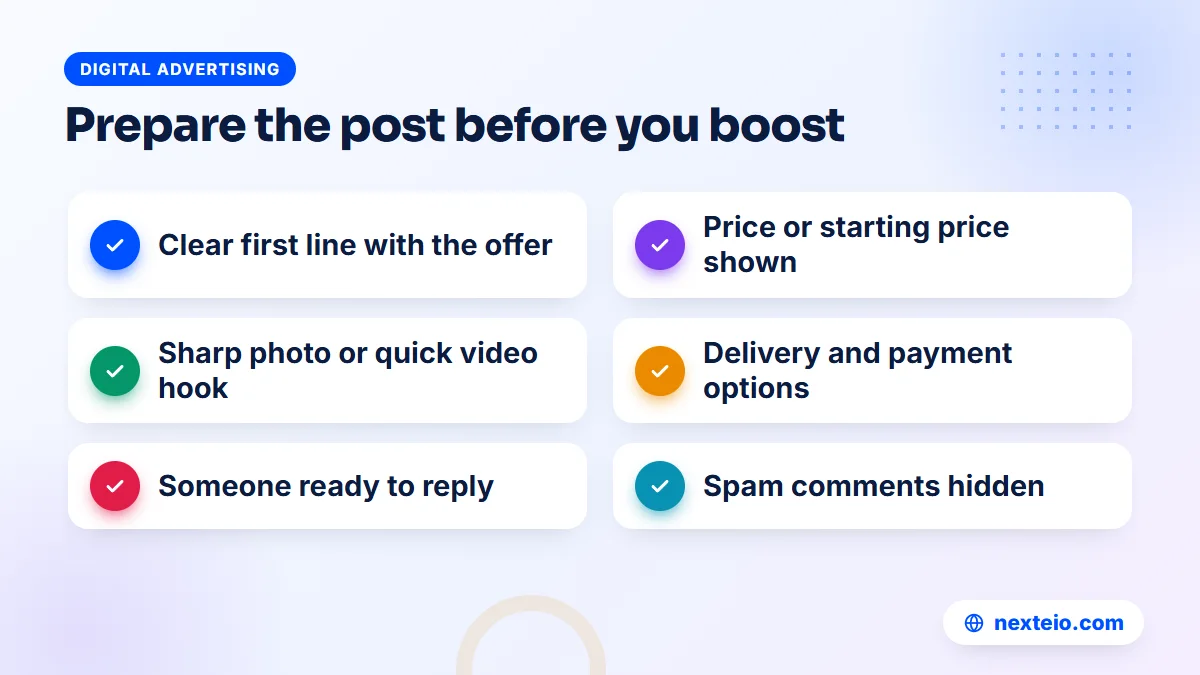
When you boost a post, the same post appears in the feeds of people who have never heard of you. They give it a second or two. That means the top of the post has to do the work: the first line of the caption, the first frame of the video, or the main photo.
Read your caption as a stranger would. The first line should say what it is and why it matters, for example "Solid wood study tables, delivery across Bangladesh, from BDT 8,500". The price, the delivery area and the payment options (cash on delivery, bKash or Nagad) remove the three questions people ask most in the inbox. If you cannot publish a price, give a starting price or a range.
Check the visual next. A photo should be bright and sharp on a small phone screen. Text on the image should be short enough to read without zooming. A video should show the product or the result in the first two or three seconds, and it should make sense with the sound off, since many people scroll in public places. If your raw footage is long or unclear, a short professional cut through our video ad editing service often helps more than a larger budget.
Finally, clean up the comment section. Boosted posts attract comments from new people, including questions, complaints and sometimes spam. Hide spam, answer real questions in the comments or invite them to message you, and make sure someone checks the post at least twice a day while it runs.
How to Boost a Post on Facebook: 9 Steps
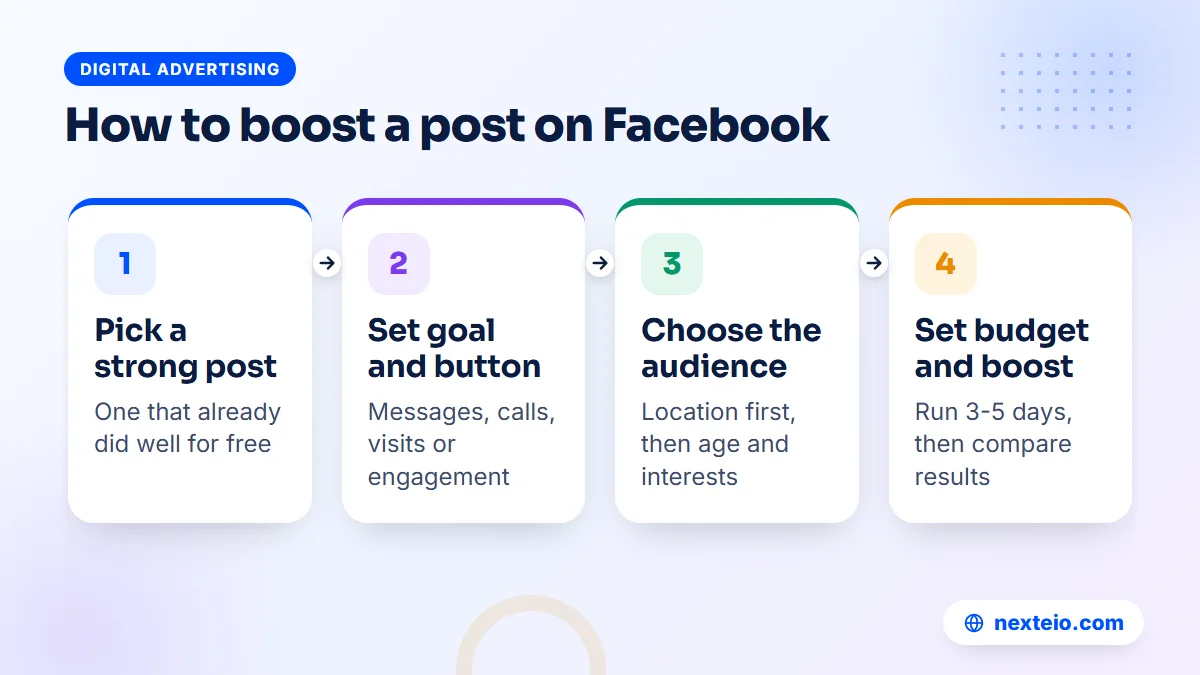
Here is the full process from start to finish. It works the same way on the Facebook app and on a computer, with small differences in where the buttons sit, which are covered after the list.
- Open your Page and act as the business, not as yourself.
- Find the post and tap the Boost button under it.
- Choose the goal: messages, website visits, calls or engagement.
- Choose the button that matches it, such as Send message, WhatsApp or Shop now.
- Declare a special category if the post is about jobs, housing, credit, social issues or politics.
- Set the audience with location, age and interests, or use the suggested one.
- Set the duration and budget as a total or daily amount.
- Check placements and payment, including Instagram and Messenger.
- Review the preview, then press the final Boost button.
The boost then goes into review and starts once approved.
On a phone
In the Facebook app, switch to your Page profile first. Open the post, then tap Boost post under it. The boost screen opens as one long page: goal, button, audience, duration, budget, placements and payment, with the final button at the bottom. Scroll slowly and open each section rather than accepting the defaults.
If you use the Meta Business Suite app, open Content or Posts, find the post and tap Boost. The settings are the same. Business Suite is often easier for teams because several people can work on the same Page without sharing one personal login.
On a computer
On a computer, go to your Page, find the post and click Boost post. In Meta Business Suite on the web, open Content, hover over the post and choose Boost. A computer gives you a larger preview, which makes it easier to check how the caption is cut off on mobile and whether the image text is readable.
From Instagram
If your Instagram account is a professional account and is connected to the Page, you can also boost an Instagram post or reel from the Instagram app. The steps are similar: open the post, tap Boost, choose a goal, audience, budget and duration. Some reels that use licensed music from the app's library cannot be boosted, so check that before you plan around a specific reel.
Choosing the Goal and Button That Match Your Sales Process
The goal tells Facebook what kind of person to look for. If you choose engagement, it finds people who like and comment. If you choose messages, it looks for people who tend to start conversations with businesses. The system will try to deliver exactly what you ask for, so ask for the action that actually leads to a sale.
Think about how a customer buys from you today, then match the goal to that path. Here is a quick reference for common situations in Bangladesh:
| How customers usually buy | Goal to choose | Button | What to count afterwards |
|---|---|---|---|
| They ask the price in the inbox, then order with cash on delivery | More messages | Send message or WhatsApp | Orders confirmed from those chats |
| They order on your website and pay with bKash, Nagad or card | More website visitors | Shop now | Orders on the website from the boost link |
| They call to book an appointment or ask for a quotation | More calls | Call now | Calls that turned into bookings |
| They fill an admission or inquiry form | More website visitors or leads, where offered | Learn more or Sign up | Completed forms and admitted students |
| You have a new Page and need first followers and proof | More engagement | No button, or Like Page | New followers who later message you |
Pick the row closest to how you sell today.
Some versions of the boost screen offer an automatic goal. It can work for a Page with plenty of history. For a new Page or a specific offer, choosing the goal yourself gives you more control.
The button should match the goal. A "Send message" boost with a "Learn more" button that opens a website confuses people. If you use WhatsApp for orders, connect your WhatsApp Business number to the Page first, so the WhatsApp button appears as an option. If you are unsure which goal fits a product with a long buying decision, such as furniture or a course, a short review with a Facebook ads specialist before you spend is usually cheaper than learning by trial.
Building the Audience Without Wasting Money
Audience settings decide who sees your post. Get this wrong and even a great post goes to people who cannot buy. Start with the hard limits of your business, then add interests only if they truly narrow the group.
Start with where your customers are
Location is the most important setting for most local businesses. A clinic or a coaching center usually serves people within a certain distance, so target a radius around the address or the specific districts you serve. An online shop that ships across Bangladesh can target the whole country, but if your courier charges a lot more outside certain areas, or cash on delivery is not available everywhere, limit the boost to where you can deliver profitably.
Then age and gender, only when they are real limits
Set age and gender only when they are true limits of your product. A girls' school admission notice targets parents, not teenage girls, so the age range should match parents. A men's clothing brand may still sell many items to women buying gifts. Narrowing too much makes each person you reach more expensive.
Interests and suggested audiences
Detailed interests can help a new Page get started, for example people interested in home decor for a furniture shop. Facebook may also offer an Advantage+ or suggested audience that expands beyond your chosen interests when it finds likely responders. For a business with a clear location and a clear offer, a broad audience with the right location often works as well as a narrow interest list.
People who already know you
Choosing people who like your Page, or people who engaged with your Page recently, shows the boost to a warmer group. It is useful for a repeat offer, a restock or a reminder before an admission deadline. It is not useful for finding new customers, so keep a separate boost for that job. Our guide to Meta ads targeting in Bangladesh goes deeper into audiences, including how to use lists of past customers through Ads Manager.
Related guides that help before your next boost:
- Ten Meta ads tips for better results in Bangladesh
- What a Facebook ads service should give you for your money
- Google Ads vs Meta Ads, and which is more profitable
Setting the Budget and Duration: A Worked Plan
When people learn how to boost a post on Facebook, the budget is the setting they guess at most. Facebook lets you start with a small amount, and that is the right way to begin. The goal of a first boost is not to make a profit on day one. It is to learn what a message, a call or a website visit costs you, and how many of those turn into paying customers.
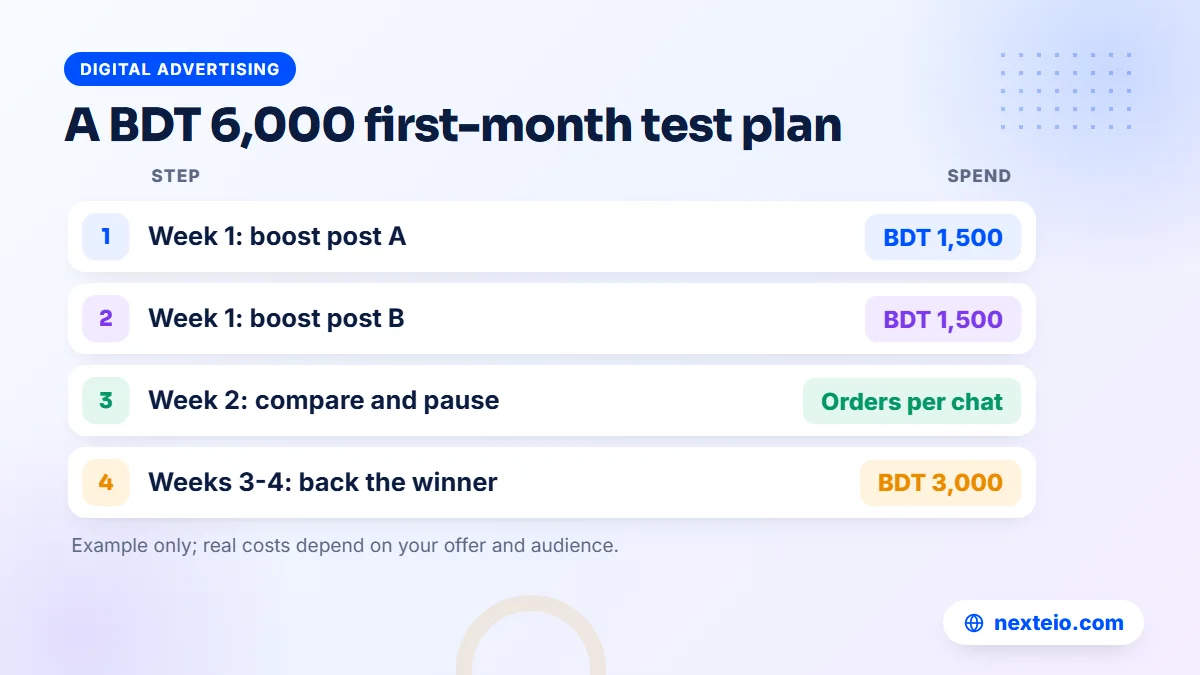
Here is how a small online shop might plan its first month of boosting with a test budget of BDT 6,000. The numbers are an example for planning, not a promise of results.
- Week one: boost two different posts for the same product, about BDT 1,500 each, both with the messages goal and the same audience. Run each for four or five days without editing.
- Week two: compare the cost per message and, more importantly, how many chats turned into confirmed orders. Pause the weaker post.
- Weeks three and four: put the remaining BDT 3,000 behind the stronger post, or a new post built on the same idea, and test one change, such as a wider location.
By the end of the month, the shop knows roughly what one order costs in ad spend. That number decides whether boosting is worth scaling up.
A few rules make the numbers more reliable. Run each boost for at least three or four days, because the first day is often unstable. Avoid changing the audience or budget every few hours, since each change can reset the delivery. Keep a short note of what each boost was, what it cost and what came back. A simple spreadsheet is enough.
Timing matters too. Before Eid, admission season or a big sale day, many businesses boost at once and reach can cost more. Start a little earlier, so your post has already been seen by the time competition peaks.
Paying for Boosts From Bangladesh
Payment is where many Bangladeshi Pages get stuck. Facebook charges in the currency of your ad account, and the charge comes from outside the country, so your bank treats it as an international online transaction.
Many advertisers here use a credit card or a dual-currency or international debit card. Before you start, call your bank or check its app to confirm three things: that international online payments are switched on, what the limit is, and whether a foreign transaction fee applies. A card that works for local shopping can still be blocked for foreign payments by default.
Keep these practical points in mind:
- Facebook may charge you when your spending reaches a billing threshold, or on a monthly date, whichever comes first.
- If a payment fails, delivery stops until you fix the payment method and settle the balance.
- Download the receipts from the billing section of your ad account and keep them for your accounts team.
- Do not use a staff member's personal card. If that person leaves, the ad account and the billing history go with them.
Small habits here prevent a boost from stopping halfway.
For companies, schools and NGOs, settle the approval chain early. If every boost needs a signature from the accounts head or the principal, agree on a monthly ad budget once, rather than asking for approval each time. Some organizations work through a managed Facebook ads service that runs the campaigns and bills them locally, which can make the paperwork simpler. Even then, the Page and ad account should stay in the organization's name.
What Happens After You Press Boost
The boost first goes through ad review. Facebook checks the text, image, video, link and targeting against its advertising standards. Meta says most ads are reviewed within 24 hours, although some take longer. The status in your ads list shows "In review", then "Active" once it starts, or "Rejected" if it fails.
Once active, the boost goes through a short learning stage while delivery settles. Results in the first few hours often look uneven. Resist the urge to change things straight away. Check after a full day, then again after three days.
You can pause, change the budget, extend the end date or stop a boost from the Page's Ad Center or Meta Business Suite. Changing the post itself, its audience or its goal can send it back for review, and big changes restart the learning. If you need a very different version, it is usually cleaner to stop the boost and create a new one.
Watch the comments and the inbox closely on the first day. If ten people ask the same question about size, delivery charge or batch timing, put the answer in the caption of your next post.
Reading Results in the First Week
Facebook shows many numbers for every boost. Only a few of them tell you whether the money worked, and they depend on the goal you chose. Reach and impressions tell you how many people saw the post. They do not tell you whether anyone bought.
- Messages goal: look at messaging conversations started and the cost per conversation, then count how many of those chats became orders.
- Website visitors goal: look at link clicks and landing page views, then check orders or form submissions on your website.
- Calls goal: count calls received during the boost and how many became bookings.
- Engagement goal: look at comments, shares and new followers, not only reactions.
The last step in each line is the one that matters, and it happens outside Facebook.
A simple habit solves most of this: ask every new customer where they found you, and mark the answer in your order sheet. For a messages boost, label the chats that came from the boost, which Business Suite makes fairly easy. For website traffic, add campaign tags to the end of the link you put in the post.
The tags are simply extra parts of the address, which MDN's short explainer on how a web address is built makes easy to follow. Google's campaign URL builder guide shows how to build these tagged links, and our guide to Meta ads conversion tracking explains how the Pixel and the Conversions API report website orders back to Facebook.
If many people click but few buy, the problem is often the page they land on. A slow product page on mobile data loses visitors before it even appears. Google's guide to Core Web Vitals explains how page speed and stability are measured, and our article on building a high-converting landing page covers what to put on the page itself.
When the Boost Button Is Missing, Grayed Out or Rejected
Sometimes you follow every step and the button is not there, or the boost fails. These are the most common causes, with the usual fix for each.
| What you see | Likely cause | What to do |
|---|---|---|
| No Boost button | Acting as yourself, or no ads access | Switch into the Page or ask an admin |
| Button grayed out | Post type cannot be boosted, such as some shared posts | Boost a fresh post with your own media |
| Payment declined | Foreign payments off or limit too low | Ask the bank to enable them, then retry |
| Ad rejected | Text, image or link breaks an ad rule | Fix the cause, or request another review |
| Account restricted | Hacked login or repeated policy problems | Secure logins, then check Account Quality |
Most of these take minutes to fix once you know the cause.
Rejections usually come down to a few patterns. Before/after health or beauty claims, promises of guaranteed income, unclear prices for regulated products and pages that do not match the post are common triggers. Political or social issue posts need extra authorization in many countries, including a disclaimer about who paid for the ad.
Account security deserves a special note. A hacked personal profile that holds Page access can lose the whole Page and its ad account. Turn on two-factor authentication for everyone with Page access, remove people who no longer need it, and keep at least two trusted admins. If ads keep running but nothing seems to work, our checklist on why Meta ads are not performing walks through the other common causes.
Mistakes That Make a Facebook Boost Post Fail
Most failed boosts fail for ordinary reasons, not because Facebook is unfair. These are the habits worth breaking first:
- Boosting everything. Ten small boosts on ten random posts teach you nothing. Two or three planned boosts teach you a lot.
- Choosing engagement when you want sales. You get likes from people who like posts, not from buyers.
- Hiding the price. "Inbox for price" brings many chats that end the moment the price is shared.
- Slow replies. A message answered the next morning often belongs to a competitor by then.
- Targeting the whole country for a local service. A clinic gains little from people three districts away.
- Changing settings every few hours. Each edit can restart the delivery and blur your results.
- Judging by reach alone. A big reach number can hide a boost that brought zero customers.
Fixing just the first three usually improves results more than doubling the budget.
One more mistake is easy to miss: sending boosted visitors to a website that does not work well on a phone. If your site is slow, hard to order from or missing clear contact details, the boost spends money to show people that problem. A properly built store through our e-commerce website development service, or a simple fast site from our WordPress website service, gives every boost a better place to land.
When to Stop Boosting and Move to Ads Manager
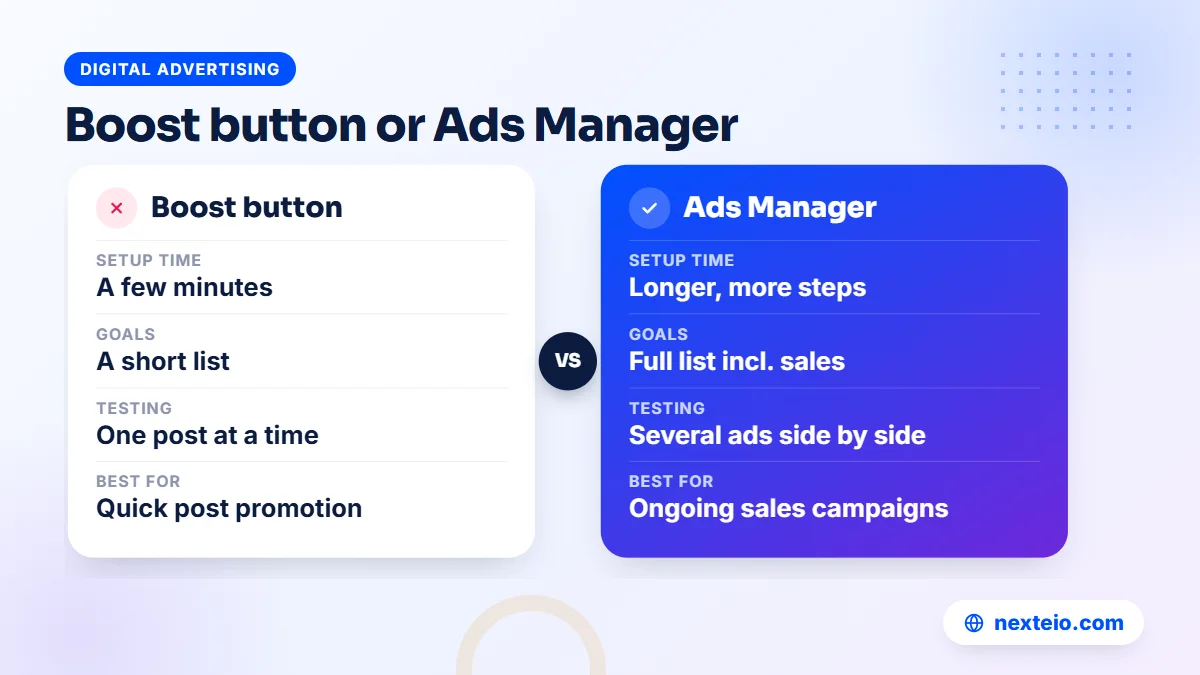
Boosting is a shortcut into the same advertising system that Ads Manager uses. It is perfect for quick, simple promotion of a post. As your spending grows, the limits start to show: fewer goal options, less control over placements, harder testing of several images side by side, and no proper campaign structure.
Signs that you have outgrown the boost button:
- You spend on ads every week, not just now and then.
- You want to test several images, videos or captions against each other.
- You sell on a website and want to optimize for purchases, not clicks.
- You want to show ads again to people who visited your site or added to cart.
- Several people in your team need to see clear reports on the same campaigns.
If two or more of these apply, it is time to learn Ads Manager or ask us to plan a proper campaign.
Ads Manager is not harder in principle, but it has more settings to get wrong. Many businesses keep both: Ads Manager for the main sales campaigns, and the boost button for quick posts such as a new arrival or a notice. If you are also weighing other channels, an ads campaign service can plan the budget across Facebook, Google and TikTok, and our guide on the ads campaign service in Bangladesh explains how that split usually works. Search-led businesses should also look at Google Ads management, since people searching for a product already have intent.
How to Boost a Post on Facebook for Different Organizations
The steps stay the same, but the choices change with the type of organization. A few quick patterns help you decide faster.
Coaching centers, schools and colleges. Boost admission notices two to three weeks before the deadline, target parents by location and age, and use the messages or calls goal. Run a short reminder boost to people who engaged with the first post a few days before the deadline.
Clinics and diagnostic centers. Boost specific packages or a new specialist's schedule, not general health advice. Keep claims factual, show the price and the address, and use the calls or messages goal. Health-related ads face stricter rules, so avoid promises about cures or results.
Online shops. Boost your best product posts with a clear price, delivery charge and payment options. Use the messages goal if orders happen in the inbox, or the website goal if your store takes orders directly.
Factories, exporters and service companies. Boosting rarely brings large buyers directly, but it can support a trade show visit, a new certification or a recruitment drive. For buyer inquiries, a strong website and search ads usually matter more than boosts.
How Nexteio Can Help With Boosting and Facebook Ads
Once you know how to boost a post on Facebook, many businesses can run simple boosts well themselves. Where we help is in the parts that take time and experience. Through our Facebook ads service, we look at your Page and recent posts, pick what is worth promoting and set up the ad account, payment, Pixel and WhatsApp connection correctly from the start.
For businesses ready to move beyond the boost button, we plan campaigns in Ads Manager with clear goals, audiences and test budgets, and we write and design the creatives or cut your footage into short video ads. We also check the page people land on, because that is often where boosted traffic is lost. You keep ownership of your Page, ad account and payment method throughout.
If you want a second opinion on your next boost or a full campaign plan, see the kind of work we do in our portfolio, read more about Nexteio, or send us a short brief about your business and budget. You can also contact us directly with questions about managed Facebook and Instagram ads.
Keep reading: what to expect from a TikTok ads service, what a good video ad edit includes, or browse all our digital advertising guides.
Frequently asked questions
How do I boost a post on Facebook from my phone?
Open the Facebook app, switch to your Page, find the post and tap Boost post under it. Choose the goal, button, audience, duration and budget, check the payment method and tap the final Boost button. The Meta Business Suite app works the same way and is handy when several people manage the Page.
How much should I spend the first time I boost a post?
Start small enough that a poor result does not hurt, but large enough to run for at least three or four days. Many small businesses begin with a few thousand taka spread over one or two posts. Treat the first boost as a test that tells you what a message or an order costs, then decide whether to spend more.
Why can't I boost a post on Facebook?
The most common reasons are acting as yourself instead of the Page, missing ads access, a post type that cannot be boosted, or a payment or ad account problem. Switch into the Page, check your access, and try boosting a fresh post with your own photo or video. If the ad account is restricted, check Account Quality for the steps to fix it.
How can I boost a post on Facebook without a credit card?
Many advertisers in Bangladesh use a dual-currency or international debit card instead of a credit card. Ask your bank to switch on international online payments and confirm the limit. Some businesses work through an agency that runs ads for them and bills locally, but avoid unknown sellers offering ready-made ad accounts, since those accounts can be shut down.
How do you boost Facebook posts to people in one district only?
In the audience section, create a new audience and set the location to that district, or drop a pin on your address and set a radius. Remove the country-wide location that may be selected by default. Check the location list once more before you boost, because a leftover broad location is a common mistake.
Can I edit a post after it has been boosted?
You can usually pause the boost, change the budget or extend the end date without much trouble. Editing the post content, audience or goal can send the boost back for review and restart delivery. For a large change, stop the old boost and create a new one, which keeps your results clearer.
How long does it take for a boosted post to start running?
The boost first goes through ad review, which Meta says usually finishes within 24 hours, although some cases take longer. Once approved, the status changes to active and the post starts reaching people. Plan time-sensitive boosts, such as an admission deadline or a sale day, a day or two ahead.
Is boosting a post enough, or do I need Ads Manager?
Boosting is enough for simple, occasional promotion of a good post. If you advertise every week, sell on a website, want to test several ads against each other or show ads again to past visitors, Ads Manager gives you the control you need. Many businesses use both.