Website Design and Development: A Step-by-Step Process for Companies
In this article 16 sections
- 1.What Website Design and Development Really Involves
- 2.Before Kickoff: Set Up Your Internal Project Team
- 3.Step 1: Discovery and a Written Requirements Brief
- 4.Step 2: Site Structure for a Company or Corporate Group
- 5.Step 3: Wireframes for the Key Page Templates
- 6.Step 4: Visual Design and a Reusable Component Set
- 7.Step 5: Choosing the Build Approach and Setting Up Staging
- 8.Step 6: Development, Integrations and the CMS
- 9.Step 7: Content Production and Moving From the Old Site
- 10.Step 8: Testing and User Acceptance
- 11.Step 9: Launch Day Checklist
- 12.Step 10: The First 90 Days After Launch
- 13.A Realistic Website Design and Development Timeline
- 14.Where Corporate Website Projects Usually Stall
- 15.How Nexteio Can Help
- 16.Frequently asked questions
Website design and development is the work of turning a company's goals into pages people can use: deciding what the site must do, shaping how it looks, building it so it runs well, and putting it live with the right content. For a company or corporate group in Bangladesh, the hard part is rarely the code. It is getting the right decisions made, by the right people, in the right order.
Most projects that go badly do not fail on launch day. They fail quietly in week three, when the managing director sees the homepage design for the first time and asks for a different direction. Or in week eight, when nobody has written the text for the sister concern pages and the developer is waiting with an empty template.
This guide walks through the process one step at a time, from the internal preparation before kickoff to the first three months after launch. Each step lists what happens, what you decide, what you should receive and where projects usually get stuck.
It is written for the person who has been asked to "handle the website": an admin manager, a marketing executive, an IT officer or a director's assistant. You do not need to be technical to run this well. You need to know what each step is for.
What Website Design and Development Really Involves
People often use "design" and "development" as if they mean the same job. They are two different kinds of work, done by different skills, and a good project needs both to talk to each other from the start.
Design answers the questions a visitor feels: what do I see first, where do I tap, can I read this on my phone, does this company look serious? It covers structure, page layouts, typography, color, images and the small details of buttons and forms.
Development answers the questions a visitor never sees: does the page load quickly on mobile data, does the enquiry form reach the right inbox, can the HR team post a job without calling anyone, is the site safe from automated attacks? It covers the code, the content management system (CMS), hosting setup, integrations and testing.
Web design and development go wrong when they are run as two separate projects. A designer who never asks how the CMS works may draw a layout that is painful to update. A developer who never sees the brand thinking may build something that works but looks generic. In a well-run project, the designer and developer review each other's work at every step, and you see both sides before you approve anything.
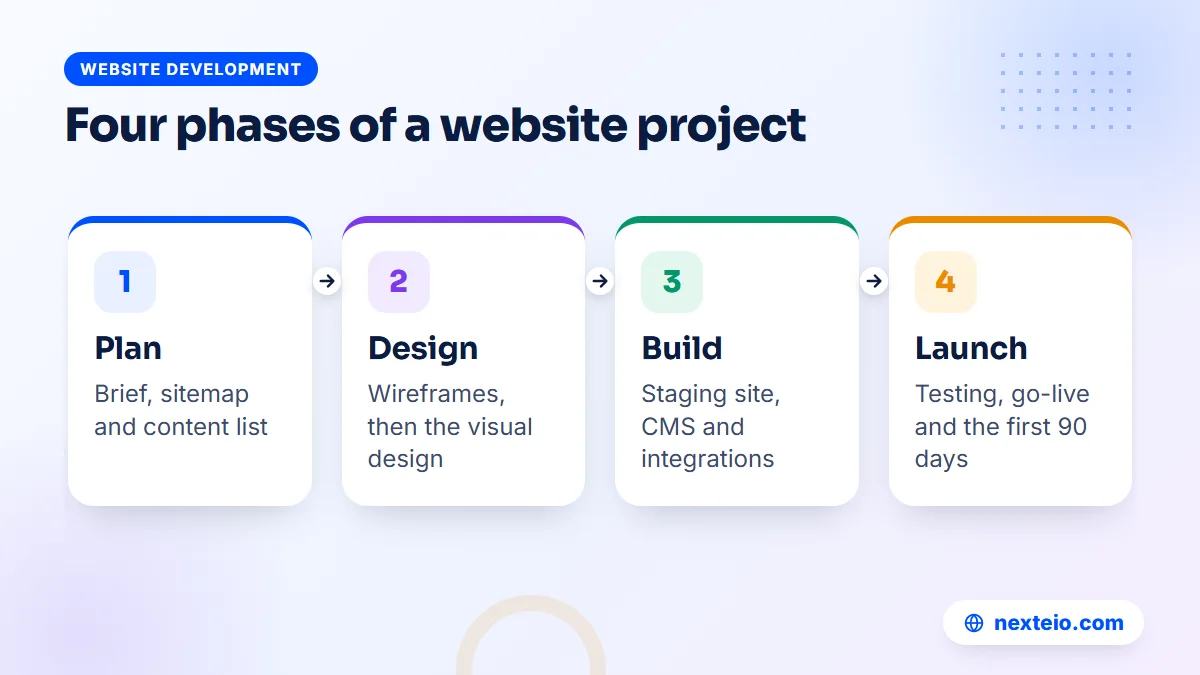
Providers describe this work under many labels, such as "web design & development services" or "website design & development services". The label matters less than what the proposal lists. Whatever it is called, a complete website design and development project covers the ten steps below.
Before Kickoff: Set Up Your Internal Project Team
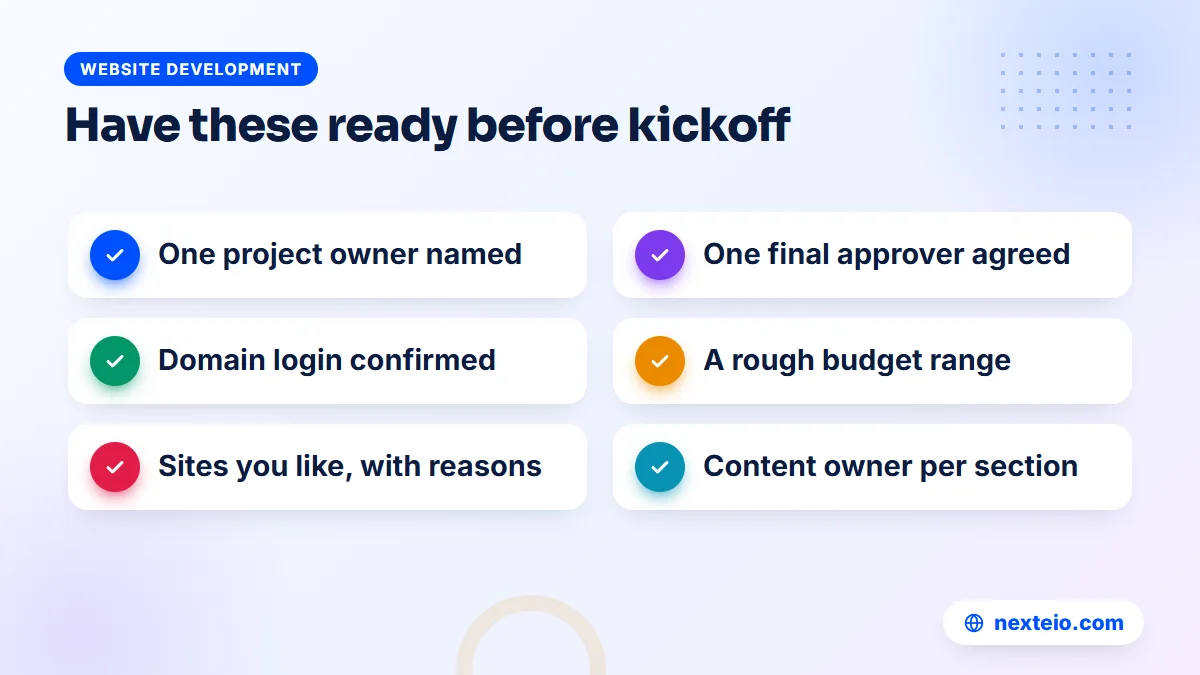
The most useful thing you can do happens before you speak to any agency. Decide who on your side owns the project and who has the final word. In many companies these are two different people, and that is fine, as long as everyone knows it.
A small internal team usually looks like this:
- Project owner: the day-to-day contact who collects feedback, chases content and attends review calls.
- Final approver: the director, chairman or head of marketing who signs off designs and the launch.
- Content contributors: people from HR, sales, compliance or each sister concern who supply text and photos.
- Technical contact: whoever controls the domain, email and any existing hosting account.
Write these names down and share them with your provider on day one.
Then agree on how feedback will be given. One combined list of comments from your side, sent by the project owner, is far easier to act on than five people sending separate messages on WhatsApp. When two directors disagree about a design, that disagreement should be settled inside your company before it reaches the designer.
Finally, check that you can actually log in to your domain account. In many organizations, the domain was registered years ago by someone who has since left. Recovering access can take weeks, and you will need it at launch.
Step 1: Discovery and a Written Requirements Brief
Discovery is the first working step of website design and development. It is a structured conversation, usually one or two meetings, where the provider learns what your company does, who visits the site and what you want those visitors to do. The output should be a written brief that both sides agree on. Without it, every later disagreement becomes a matter of memory.
A good brief answers questions like these:
- Who are the main visitors: foreign buyers, local customers, job seekers, investors, tender committees?
- What is the one action you most want them to take: call, send an enquiry, download a profile, apply for a job?
- Which pages and features are required at launch, and which can wait for a second phase?
- Will the site be in English, Bangla or both, and who will write each version?
- Who needs to update the site after launch, and how often?
- Which websites do you like or dislike, and why exactly?
The brief should also record anything outside the normal scope: a product catalog with filters, a dealer locator, a careers portal, or a link to an internal system.
Be honest about budget at this stage. A provider can only recommend the right approach if they know the range you are working with. Typical market ranges for a company website in Bangladesh are about BDT 25,000 to 60,000 for a theme-based site, 60,000 to 150,000 for a custom design, and 150,000 to 400,000 or more for a large corporate site with integrations. Where your project sits depends on page count, features and how much content work is involved.
If you are still deciding between platforms, read our comparison of WordPress and custom-built websites before discovery. It will make the conversation shorter and more useful.
Step 2: Site Structure for a Company or Corporate Group
The sitemap is a simple tree of every page and how they connect. It looks like a minor document, but it decides the menu, the number of templates to design and much of the cost. Changing it after design has started is expensive, so this is the step to argue about.
A single company usually needs a familiar set of pages: Home, About, Products or Services, individual product or service pages, Clients or Projects, Careers, News, and Contact. A corporate group has an extra question: how to present the sister concerns. There are three common patterns.
- One site, one section per concern. Each concern gets a page or a small group of pages under the group website. This is the simplest to manage and works well when the concerns share a brand.
- A group hub with separate sites. The group site gives the overview, and each concern has its own website or subdomain. This suits concerns with different customers, such as an export garment unit and a local food brand.
- A mix of both. Small concerns live as sections, while one or two large ones get their own sites.
Choose based on who visits and who will maintain each part.
Alongside the sitemap, ask for a content inventory: a spreadsheet listing every page, who writes it, what images it needs and its status. This one sheet does more to keep a project on time than any project management tool. Our guide to planning content for each stage of the customer journey can help you decide what each page should say.
Step 3: Wireframes for the Key Page Templates
A wireframe is a plain grey sketch of a page layout, without colors or final images. It shows where things go and in what order: the headline, the main call to action, the product list, the trust signals, the footer. Wireframes are cheap to change, which is exactly why this step exists.
You do not need a wireframe for every page. A typical company website reuses a handful of templates: the homepage, a standard inner page, a product or service detail page, a listing page for news or projects, and a contact page. Get these right and most of the site follows.
When you review wireframes, ignore how they look and ask practical questions. Can a visitor find the phone number within a few seconds? Is the main enquiry button visible on a phone without scrolling? Does the product page answer what a buyer asks before they email you? Is there a clear path from every page to the contact form?
Review wireframes on a phone, not only on a large office monitor. Most of your visitors, including many senior buyers checking you between meetings, will see the site on a small screen first. A layout that only works on desktop is a layout that does not work.
This is also the point where your custom website design team should flag anything that will be hard to build or slow to load, before anyone falls in love with it.
Step 4: Visual Design and a Reusable Component Set
Once the wireframes are approved, the designer adds the visual layer: your logo and brand colors, fonts that read well in both English and Bangla, photography style, icons and spacing. Usually the homepage is designed first, then one or two inner pages, and only after approval does the rest follow.
Ask for designs at both desktop and mobile width. Ask, too, for a short component sheet: buttons, form fields, headings, cards, tables and alerts, each shown once with its rules. This sheet is what keeps the site consistent when your team adds pages a year later, and it makes development faster because each piece is built once and reused.
Three things deserve attention at this stage:
- Real content, not placeholder text. A design that looks good with two lines of dummy text may break when your actual product descriptions arrive.
- Readable contrast. Light grey text on white looks elegant in a presentation and is hard to read in sunlight on a phone.
- Honest photography. Real photos of your factory, office or team build more trust than stock images of people in suits.
Limit design rounds in the contract, typically two or three per template. Unlimited revisions sound generous, but they usually mean nobody is forced to make a decision. A clear approval, signed by the final approver, closes this step.
Step 5: Choosing the Build Approach and Setting Up Staging
With designs approved, the developer chooses how to build. For most company websites, the realistic options are a well-built WordPress website with a custom theme, or a custom application built on a framework such as Laravel when the site needs logins, dashboards or business workflows. The choice depends on what your team must manage after launch, not on what is fashionable.
A simple way to think about it:
| Your situation | Usual approach |
|---|---|
| Company profile, products, news and careers | WordPress with a custom-designed theme |
| Dealer or member login, quotations, approvals | Laravel web application |
| Product sales with online payment | Dedicated e-commerce build |
| Group hub plus several sister concern sites | WordPress multisite or separate installs |
These are starting points, not fixed rules.
Whatever the platform, insist on a staging site: a private copy of the website where all building and testing happens before anything goes live. Your team reviews progress on staging, and the live site is only touched on launch day. Ask, too, whether the code is kept under version control, which lets a developer see every change and roll back a mistake.
If your project needs custom workflows, our Laravel web application service covers that side, and our guide on hiring a Laravel developer explains what to check.
Step 6: Development, Integrations and the CMS
Development is the longest step and the one you see least. The developer turns the approved designs into working templates, connects them to the CMS so your team can edit content, and builds the features listed in the brief. On a typical company site, that means enquiry forms, a careers section, a news area, a product catalog and perhaps a downloads area for profiles and certificates.
Integrations need special care because they depend on other systems. Common ones for companies in Bangladesh include SMS gateways for form alerts, Google Maps for office and factory locations, a WhatsApp chat button, analytics, and occasionally a link to an ERP or HR system. Each one should be listed in the brief with who provides the access or API details.
Ask for a short demo at the halfway point. Seeing real pages on staging, even unfinished, catches misunderstandings while they are still cheap to fix.
Speed should be built in here, not added later. That means compressed images, clean code, sensible caching and avoiding heavy sliders and unnecessary plugins. Google's guide to Core Web Vitals sets out the measures that matter, and our article on website speed and SEO explains why they affect enquiries as well as rankings.
Accessibility belongs here too. Proper heading order, alt text on images, labels on form fields and enough color contrast help visitors with poor eyesight and help search engines understand the page. The international standard here is WCAG, published by W3C, and the accessibility guide on MDN Web Docs explains it in practical terms.
Related guides for this stage of a project:
- How to build a professional business website that gets results
- How to write SEO-friendly website content people actually read
- A buyer's checklist for choosing a web design company
Step 7: Content Production and Moving From the Old Site
Content is where most corporate projects lose time. The design is approved, the templates are built, and the site sits empty because the text for twelve product pages and four sister concerns has not arrived. Start writing in Step 2, not Step 7.
Good website content is specific. Instead of "we are a leading manufacturer committed to quality", say what you make, for whom, at what capacity, with which certifications, and how a buyer can start an order. Each page should answer the questions a real visitor brings to it. If you need help writing it, budget for a copywriter early; it is rarely included by default.
If you already have a website, plan the move carefully. Old pages may have links from other sites and positions in Google that took years to build. Before launch, list every important old URL and decide where it should point on the new site. These permanent redirects (301s) tell browsers and search engines where a page has moved. Google's documentation on site moves with URL changes is worth sharing with your developer.
Bangla content needs its own check. Make sure the chosen fonts display Bangla correctly, that line spacing suits Bangla script, and that someone fluent reviews every page. Machine-translated Bangla on a corporate website is noticed quickly and does more harm than an English-only page.

Step 8: Testing and User Acceptance
Testing is the step of website design and development that budget quotes most often squeeze. It happens in two layers. First, the provider runs their own checks. Then your team runs user acceptance testing (UAT), which simply means real people from your company use the staging site and confirm it does what the brief asked for.
Provider testing should cover at least:
- Every page on recent versions of Chrome, Safari and Firefox, on Android and iPhone.
- Every form submitted, with the email confirmed in the right inbox.
- Page speed on a mobile connection, not only office Wi-Fi.
- Broken links, missing images and spelling.
- Page titles, meta descriptions and headings on every page.
That list protects the basics.
For UAT, give each person on your side a short list of tasks to complete, such as "find the export enquiry form and send a test", "post a job vacancy from the admin panel" or "find the certification page for the knitting unit". Collect the results in one shared sheet with a column for priority. Fix everything marked as blocking before launch, and schedule the rest.
Do not skip the admin side. The people who will update the website should try it during UAT, while the developer is still on hand to adjust anything awkward.
Step 9: Launch Day Checklist
Launch should be quiet and planned. Pick a working day early in the week, not a Thursday evening before the weekend, and never during a major holiday or a trade fair your buyers attend. Make sure the developer and your technical contact are both available for the whole day.
On launch day, the usual sequence is:
- Take a full backup of the old site, if there is one.
- Move the approved staging site to the live server.
- Point the domain to the new server and confirm the SSL certificate works.
- Turn on the redirect map from old URLs to new ones.
- Check that search engines are allowed to index the site.
- Submit the sitemap in Google Search Console.
- Test every form again on the live domain.
Then tell your team the site is live.
The fifth item catches more launches than people expect. Staging sites are usually blocked from search engines on purpose, and that setting is sometimes copied to the live site by mistake. A site that stays hidden from Google for a month after launch is an easy problem to prevent and a frustrating one to discover late.
Also confirm that your company email still works after the domain change. Website and email often share the same domain settings, and a careless change can stop email for a day.

Step 10: The First 90 Days After Launch
Website design and development does not stop on launch day. The first three months show you what visitors actually do, which pages they ignore, and where the site needs adjusting.
In the first two weeks, fix anything that broke: a form that stopped sending, a page that looks wrong on a particular phone, a redirect that was missed. Watch Google Search Console for crawl errors and pages that are not indexed. Train the people who will update the site, and give them a one-page guide they can keep.
In the first month, look at basic analytics. Which pages get visits? Where do people leave? Are enquiries arriving, and from which pages? If the site gets traffic but few enquiries, our guide on why a website gets traffic but no customers lists the usual causes.
By the third month, decide on the next phase. That might be search visibility through an SEO service, adding the features you postponed in Step 1, or simply a maintenance plan that keeps software, backups and security in order. The technical side of search is covered in our guide to technical SEO basics.
Make sure handover is complete before the project closes. You should hold the domain, hosting and main admin login in your company's name, plus a copy of the site files and any custom code.
A Realistic Website Design and Development Timeline
Timelines depend on size, features and, above all, how fast your side gives feedback and content. The table below shows typical durations for a custom company website of around 15 to 30 pages. Treat it as a planning guide, not a promise.
| Step | Typical duration | Main thing that delays it |
|---|---|---|
| Discovery and brief | 1 week | Getting the right people in one meeting |
| Sitemap and wireframes | 1 to 2 weeks | Late changes to the page list |
| Visual design | 2 to 3 weeks | Approval waiting on a director |
| Development and integrations | 3 to 5 weeks | Missing API or access details |
| Content, testing and launch | 2 to 3 weeks | Text and photos not ready |
In total, that is roughly 9 to 14 weeks.
Some steps overlap. Content writing should run alongside design and development, not after them. A theme-based site with little custom work can be ready in a few weeks, while a corporate group site with several concerns, two languages and integrations can take three months or more.
The single biggest factor is feedback speed. A project where your side replies within two working days moves very differently from one where each approval waits a week for a board meeting. If your approval chain is long, tell the provider at the start so the schedule reflects it honestly.
When you compare offers for web design and development services, look at the schedule as closely as the price. A proposal that promises a full custom-designed company site in two weeks has usually left out discovery, testing or content work, and you will pay for those gaps later in time.
Where Corporate Website Projects Usually Stall
Most delays in website design and development projects come from a few predictable places. Knowing them in advance is half the fix.
A late new decision-maker. The design is approved by the marketing head, then the chairman sees it at launch and asks for changes. Show key designs to the final approver at Step 4, even if they only spend ten minutes on them.
Content that nobody owns. Each sister concern assumes someone else is writing its page. Name one person per section in the content inventory, with a date.
Scope that grows by message. "Can we also add a dealer login?" sent casually in week six is a new feature, not a small tweak. A good provider will log it as a change request with its own cost and time, and you should expect that.
Missing access. Nobody can find the domain login, or the old hosting company is slow to respond. Sort this out before kickoff.
Choosing on price alone. The cheapest quote often leaves out content entry, testing, redirects or training, and those gaps show up later as delays. Sensible links between related pages are a typical casualty, and our guide to internal linking for SEO explains why they matter.
How Nexteio Can Help
Our website design and development services serve companies, corporate groups and organizations across Bangladesh. Through our custom website design service, we plan, design and build your site from a blank page rather than a bought theme, so it fits your brand, loads quickly on mobile data and makes it easy for buyers and customers to reach you. The steps in this guide, from the brief and sitemap to testing and launch, are the same questions we work through with you.
Depending on what the site must do, we build on WordPress for content-led company sites your team can update easily, on Laravel when you need portals, dashboards or workflows, or as an e-commerce store built around how people in Bangladesh buy. After launch, we also offer maintenance plans that cover updates, backups and security.
You can see examples of our work in our portfolio or read more about Nexteio. When you are ready, send us a short project brief describing the company website you have in mind, the pages you need and any deadline you are working towards. For anything else, our contact page lists every way to reach us.
Keep reading: how to create a landing page that converts, or browse all our website development guides. If you already have a brief, you can start your project here.
Frequently asked questions
How long does website design and development take for a company?
A custom company website of 15 to 30 pages usually takes around 9 to 14 weeks from the first meeting to launch. A simple theme-based site can be ready in a few weeks, while a corporate group site with several sister concerns and two languages can take three months or more. Slow feedback and late content cause most delays.
What is the difference between web design and web development?
Design decides how the site looks and how visitors move through it: layouts, colors, fonts, images and buttons. Development builds it so it actually works: the code, the content management system, forms, speed, security and hosting setup. Both should be planned together, because a design that ignores how the site is built often becomes slow or hard to update.
What should we prepare before contacting a web design company?
Name one person to run the project and one person who gives final approval. Confirm you can log in to your domain account, list the pages and features you need at launch, and note a few websites you like with the reasons why. A rough budget range also helps the provider suggest the right approach.
How many design revisions should a website project include?
Two or three rounds per main template is common and usually enough when feedback is combined into one list. Unlimited revisions sound generous but often slow the project, because no decision is ever final. Agree the number in writing and make sure the final approver sees the designs before the last round.
Can we update the website ourselves after launch?
Yes, if the site is built on a content management system and your staff are trained to use it. Ask for editor accounts for the people who post news, jobs or notices, and keep full administrator access for one or two trusted people. A short written guide from the developer helps new staff later.
Will we lose our Google rankings when we replace the old website?
You can keep most of them if the move is planned. List the important pages on the old site, set permanent redirects to their new addresses, keep useful content rather than deleting it, and submit the new sitemap in Search Console. Rankings may move a little for a few weeks while Google processes the changes.
Who should own the domain and hosting for our company website?
Your company should. Register the domain and hosting account in the company's name with an official email address, and give your developer a separate login. At the end of the project you should also receive the site files, any custom code and the main admin access.