AdSense Account: How to Create One and Get It Approved in Bangladesh
In this article 15 sections
- 1.What an AdSense Account Is and Who Can Open One
- 2.Prepare Your Site Before You Apply
- 3.How to Create an AdSense Account Step by Step
- 4.Connecting Your Site: Code Snippet, ads.txt or Meta Tag
- 5.The Review: What Google Checks and How Long It Takes
- 6.Why AdSense Account Applications Get Rejected
- 7.Identity Verification, the Address PIN and Tax Info
- 8.How AdSense Payments Reach a Bank in Bangladesh
- 9.Using Your AdSense Account Safely After Approval
- 10.Your First Month After Approval
- 11.AdSense for Organizations, Agencies and Multiple Sites
- 12.Common AdSense Account Mistakes to Avoid
- 13.What an AdSense Account Can Realistically Earn
- 14.How Nexteio Can Help With Your AdSense Account
- 15.Frequently asked questions
An AdSense account is what lets a website owner show Google ads and get paid for them. Opening one takes about fifteen minutes. Getting it approved, verified and paid is the part that takes patience, and it is where most people in Bangladesh get stuck: a "low value content" rejection, a PIN letter that never arrives, or a payment held because the bank name does not match.
Think of a news portal or a Bangla blog with steady readers, a recipe, education or tech site that wants its traffic to pay for hosting, or an exam-prep site that gets thousands of visitors around results season. Each one can earn from AdSense, but only if the site and the account are set up properly from the start.
This guide follows the real order of events. It covers who is eligible, how to prepare the site, the sign-up steps, connecting the code, what Google checks during review, why applications get rejected, identity and address verification, tax details, and how payments reach a bank account in Bangladesh.
Google decides every approval, and nobody outside Google can promise one. What you can control is how ready your site and your details are when you apply.
What an AdSense Account Is and Who Can Open One
Google AdSense is Google's program for website publishers. Advertisers pay Google to show ads, and AdSense places those ads on approved sites and shares the revenue with the site owner. Your AdSense account is where you connect your site, choose ad settings, see earnings and manage payments.
Google's own eligibility requirements come down to three points:
- Age: you must be at least 18. A younger site owner can have a parent or guardian apply with their own Google account, and payments then go to that adult.
- Your own site: you must own the site and be able to edit its HTML, because you will paste a code into it.
- Policy-compliant content: the content must be original, useful and within the AdSense Program policies.
Those three points sound simple, but the third one is where most applications are decided.
There is also a firm rule on numbers: one AdSense account per publisher. If you already have an account, even an old one you forgot about, opening another will be refused as a duplicate. Add new sites to your existing account instead.
Blogger and YouTube follow a different route. If your blog runs on Blogger, you apply from the Earnings section inside Blogger. If you are a YouTube creator, the AdSense for YouTube account is set up through YouTube Studio when your channel joins the YouTube Partner Program. Bangla is on Google's list of supported site languages, so a site written mainly in Bangla can apply.
Prepare Your Site Before You Apply
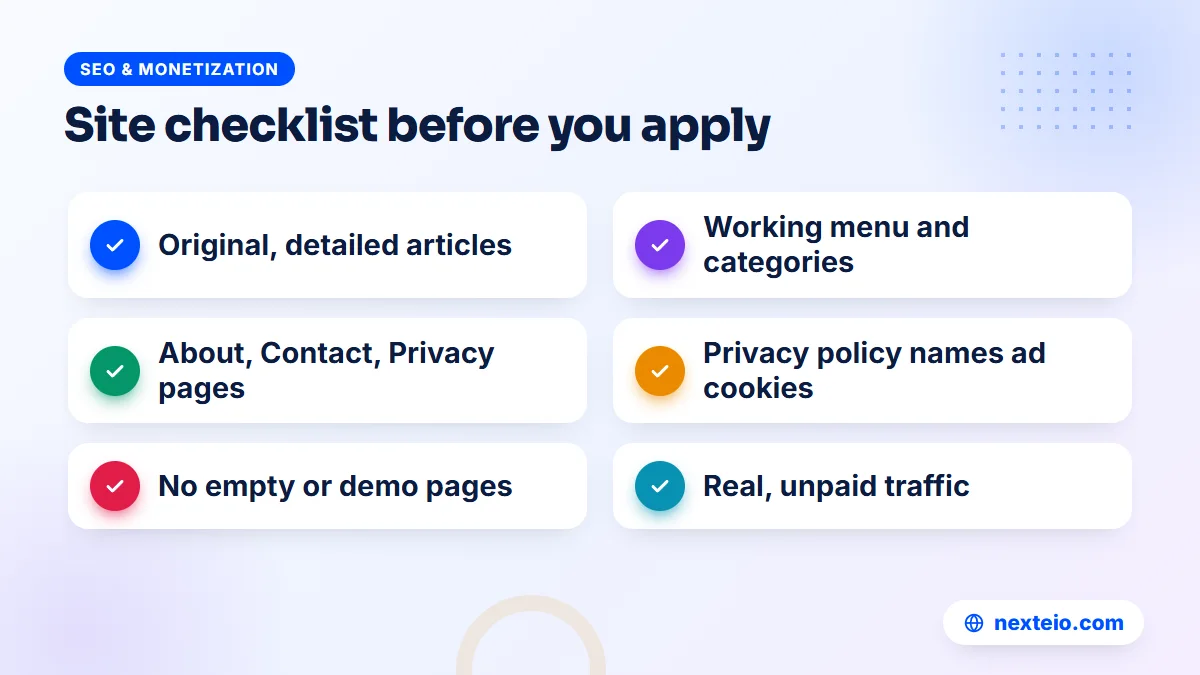
The most common mistake is applying too early. Google reviews your whole site, not just the homepage, and a site with a handful of thin posts gives the reviewer nothing to approve. Before you apply, make sure the site meets these basics:
- Enough original content: a solid set of full articles or pages written for readers, not copied, spun or auto-generated.
- Clear navigation: a working menu, categories and links, so a visitor can move around easily.
- Trust pages: About, Contact and a Privacy Policy that explains Google's use of advertising cookies.
- A finished site: no "coming soon" pages, empty categories, broken links or demo content from the theme.
- Mobile speed: pages that load properly on a phone over mobile data.
- Clean traffic: visitors who come from search, social or direct visits, never bought clicks or traffic exchanges.
A site that passes this list is also a better site for readers, which is the point.
Google does not publish a fixed number of posts or a minimum site age for Bangladesh. What matters is whether the site gives visitors something worth reading. A news portal with fifty short rewritten items may be rejected, while a site with twenty detailed, original guides can pass. Our guide to writing SEO-friendly website content explains how to write pages that serve both readers and search engines.
The privacy policy is a specific requirement. Google's required content guidance says it must tell visitors that third-party vendors, including Google, use cookies to serve ads, and how they can opt out of personalized advertising. A generic policy copied from another site often misses this.
The technical side counts too. Broken pages, slow loading and duplicate URLs make a site look unfinished to a reviewer. A quick pass through technical SEO basics catches most of these problems, and our article on website speed and SEO covers the loading side.
How to Create an AdSense Account Step by Step
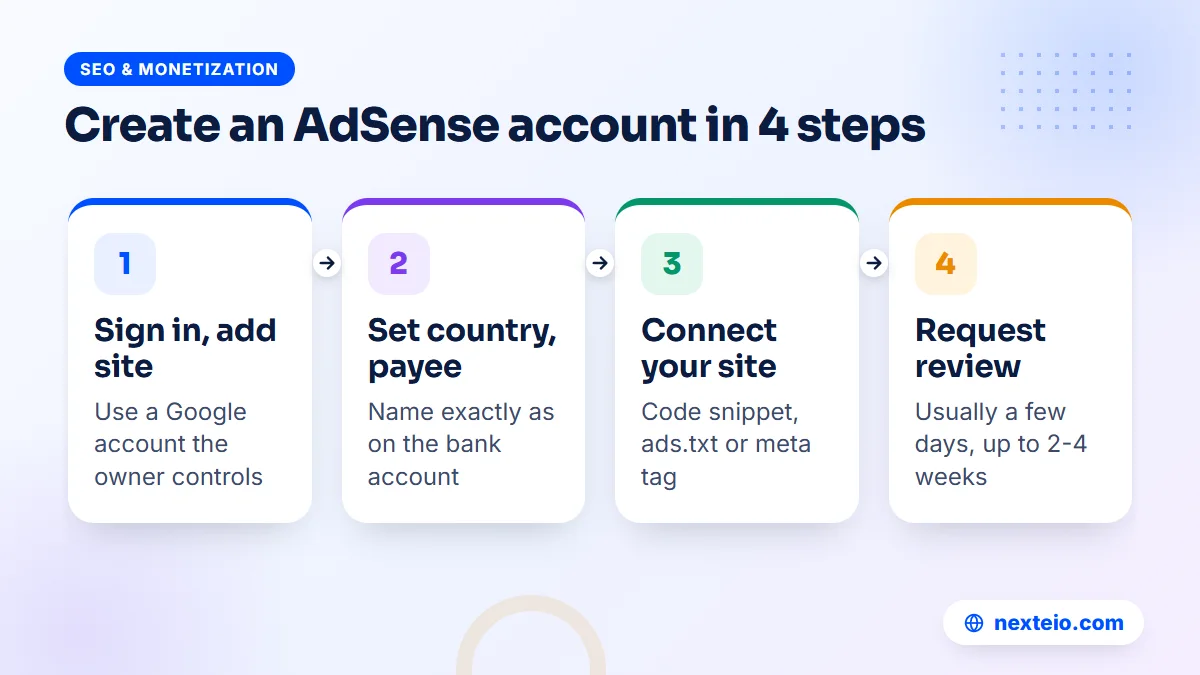
Once the site is ready, the sign-up itself is short. Use a Google account the business or site owner controls long term, because the Google account AdSense is attached to becomes the key to your earnings. Avoid an employee's personal Gmail.
- Open the AdSense sign-up page and sign in with the Google account you chose.
- Enter your site's address, using the main domain rather than a single page.
- Choose your country or territory. Pick Bangladesh if you live and bank here, since this setting cannot be changed later.
- Accept the AdSense Terms and Conditions after reading them.
- Enter your payments information: account type (individual or business), payee name, full postal address and phone number.
- Connect your site by adding the AdSense code, an ads.txt line or a meta tag.
- Request a review and choose a consent management option if Google asks for one.
After that, you wait for Google's email. Do not change themes or delete large sections of the site during the review.
The payee name needs special care. Enter it exactly as it appears on the bank account that will receive the money. If the site belongs to a company or an institution, choose the business account type and use the organization's legal name with an account in that name. A mismatch here causes payment holds months later, when it is much harder to fix.
Write the postal address in full, with house or holding number, road, area, post office, upazila or thana, district and postcode. Google will later mail a PIN to this address by international standard post, so a vague address can cost you months.
Connecting Your Site: Code Snippet, ads.txt or Meta Tag
Google needs proof that you control the site. Its guide to connecting your site to AdSense offers three methods, and you only need one of them.
| Method | Where it goes | Best for |
|---|---|---|
| AdSense code snippet | Between the head tags of your pages | Most sites, since you need it later to show ads anyway |
| Ads.txt snippet | An ads.txt file in the root folder of the domain | Sites that already manage an ads.txt file |
| Meta tag | Between the head tags of a page | Owners who do not want ad code on the homepage yet |
Whichever method you choose, place it on a live page that real visitors open.
On WordPress, you can add the code through your theme's header settings, a header-code plugin, or Google's Site Kit plugin. Avoid pasting it straight into theme files, because a theme update can wipe it out. On a custom or Laravel site, the developer adds it once to the main layout template so it appears on every page.
Add an ads.txt file even if you verify with the code snippet. It is a public list of who is allowed to sell ads on your site, and AdSense shows an "earnings at risk" warning when it is missing. The file sits at yourdomain.com/ads.txt and contains one line with your publisher ID. If your site was built by an agency, ask them to add it; on a well-built WordPress website it takes a few minutes.
The Review: What Google Checks and How Long It Takes
Once you request a review, Google checks two things: your payments information and your whole site against the AdSense Program policies. Google's help pages say this usually takes a few days, but in some cases it can take two to four weeks.
During this period the Sites page shows a status such as "Getting ready". The most common reason for a long wait, according to Google, is code placed on a page that does not get regular views. Keep the code on your homepage or on pages people actually visit.
Use the waiting time well. Keep publishing good content on a normal schedule, fix any broken links, and avoid big changes to the design or URL structure. Do not buy traffic to "help" the review, since paid or bot traffic is one of the things reviewers look for.
Hosting matters during the review too. If your site goes offline while a reviewer visits, the result can be a "site down or unavailable" rejection that has nothing to do with your content. Cheap shared hosting with frequent outages, an expired SSL certificate or a security plugin that blocks unfamiliar visitors can all cause this. Check that the site loads from a different network and a phone before you request the review.
You have six months from sign-up to finish the setup steps. If the account is not set up by then, Google deactivates it, and you will need to start the process again.
Why AdSense Account Applications Get Rejected
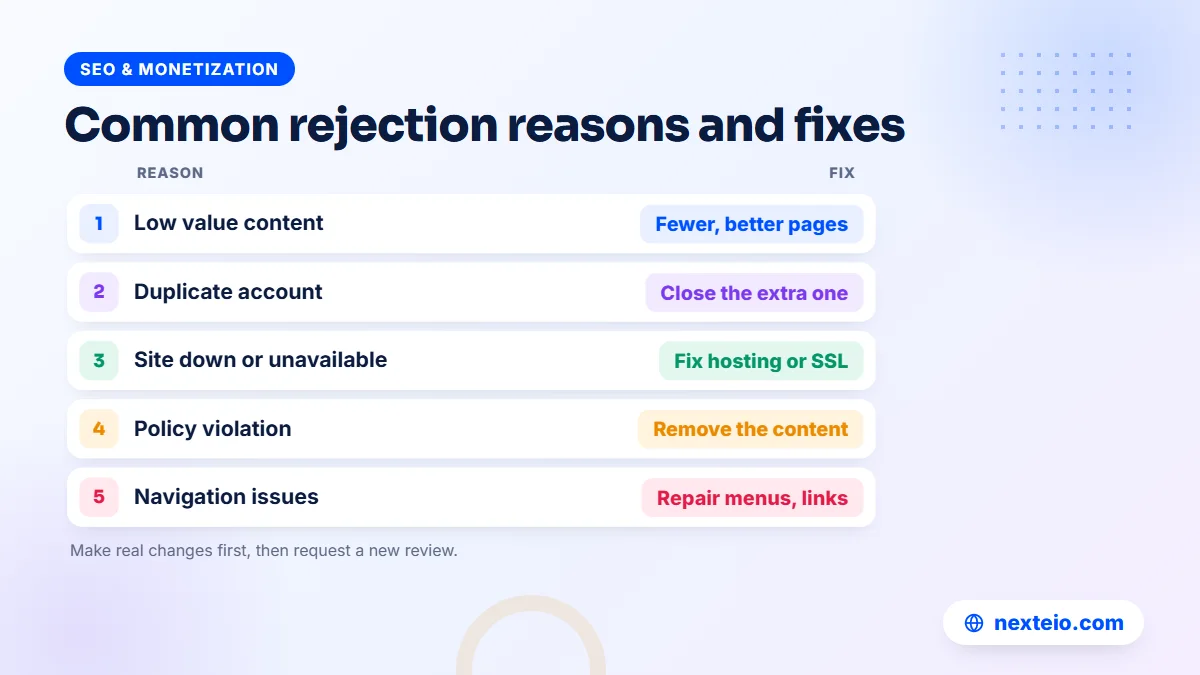
If the review fails, Google emails the reason and shows it in your account. Its page on why an AdSense account was not approved lists the main causes. Here is what each one usually means in practice for sites in Bangladesh:
| Reason shown | What it usually means | How to fix it |
|---|---|---|
| Duplicate account | Another AdSense account exists with the same name, address or phone | Find and close the duplicate, then reapply |
| Low value content | Thin, copied or rewritten posts | Add original, detailed articles and remove weak pages |
| Policy violations | Content AdSense does not allow, such as pirated files or adult material | Remove it fully, including old posts |
| Site down or unavailable | The reviewer could not load the site | Fix hosting, SSL or a blocking firewall |
| Navigation issues | Broken menus or pages a visitor cannot reach | Repair the menu and link key pages |
Fix the problem first, then request a review again.
"Low value content" is one of the most common reasons publishers in Bangladesh report. It rarely means one bad article. It usually means the site as a whole looks like it exists only to show ads: short news rewrites, copied lyrics or recipes, auto-translated posts, or dozens of pages that say the same thing. The fix is slow but simple. Write fewer, better pages, merge or delete thin ones, and give each page a clear purpose.
Watch the traffic source as well. Sites that get most visits from Facebook groups or link-sharing tricks can look suspicious, while steady search traffic is a good sign. Building that kind of traffic is SEO work, and our SEO service focuses on exactly that.
Avoid reapplying the same day. Make real changes, give Google time to recrawl the site, then submit again. Repeated requests without changes rarely end differently. If you have been rejected more than once and cannot see why, an outside review through our Google AdSense service can point to the specific problems.
Identity Verification, the Address PIN and Tax Info
Approval is not the last step. Before Google sends money, it verifies who you are and where you live. These checks confuse many new publishers, so it helps to know the order.
Identity verification
Starting in June 2026, Google may ask you to verify your identity before your account can start showing ads and receiving payments. You upload a government-issued photo ID, such as a national ID card or passport, and in some regions you may also be asked for a short video selfie. You have 45 days from the first request to complete it, after which Google pauses the account's activation.
Address verification with a PIN
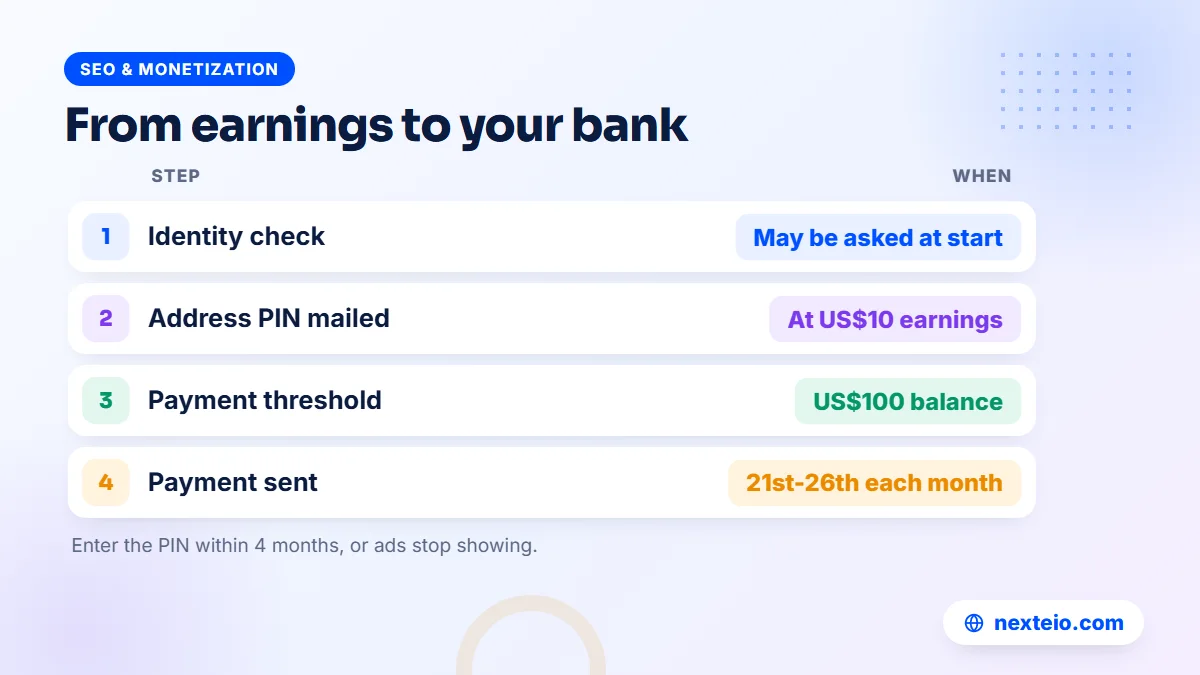
When your earnings reach the verification threshold, which is US$10 or the local equivalent, Google mails a six-digit PIN to your payments address. Its address verification overview explains the process. Key points:
- The letter goes by international standard mail with no tracking number, and it usually takes about three weeks.
- If it does not arrive in three weeks, you can request a replacement from the Payments section.
- You have four months from the date the PIN was generated to enter it, or ads stop showing.
- Entering a wrong PIN three times also stops ads, so type it carefully.
Depending on your location, Google may skip the PIN if you have already passed identity verification online.
Postal delivery is the weak link. Use an address where someone reliable collects mail, tell them to watch for a plain Google envelope, and check that your postcode is correct. If several PINs fail to arrive, Google's troubleshooter offers further options.
Tax information
Depending on your location, Google may ask for tax information in the Payments section. Publishers outside the United States are usually asked to complete a US tax form describing their status. Fill it in with the same name used for payments, and keep a copy for your own records and your accountant.
How AdSense Payments Reach a Bank in Bangladesh
AdSense pays monthly. Your estimated earnings build up during the month, are finalized in the first days of the next month, and are paid if your balance has reached the payment threshold. Google's payment timelines page gives the exact schedule.
| Stage | Amount or date (USD accounts) | What happens |
|---|---|---|
| Address verification threshold | US$10 | Google mails your PIN |
| Payment method threshold | US$10 | You can add your bank details |
| Payment threshold | US$100 | Your balance becomes payable |
| Earnings finalized | Around the 3rd of the month | Last month's total is posted |
| Payment issued | Between the 21st and 26th | Money is sent to your bank |
If your balance is below the threshold, it rolls over to the next month.
For publishers in Bangladesh, payment usually arrives as an international bank transfer. Check which payment methods AdSense offers for your country when you add your details. Enter the bank account holder name exactly as the bank has it, along with the account number and the bank's SWIFT code. Many banks will give you the SWIFT code and correct branch details if you ask at the branch or check their website.
When the first payment arrives, your bank may ask what the foreign remittance is for. Keep a printout of the AdSense payment page ready, and tell the bank it is income from online advertising on your website. Changes to payment details must be made by the 20th of the month to apply to that month's payment.
Using Your AdSense Account Safely After Approval
An approved account can still be limited or closed if it breaks the rules later. The AdSense Program policies apply every day, not only during review. These habits keep an account healthy:
- Never click your own ads, and never ask friends, staff or readers to click them.
- Do not buy cheap traffic or join click-exchange groups, which bring invalid activity.
- Place ads sensibly, so they never look like download buttons or menu links.
- Watch the Policy Center in your account for page-level warnings and fix them quickly.
- Keep content clean, including comments, which you need to moderate.
Invalid traffic is one of the most frequent reasons established accounts get into trouble.
Auto ads are the easiest way to start. Google decides where ads appear and how many, and you can limit ad load and exclude certain areas. Some publishers later add manual ad units in fixed spots, such as below the first paragraph of an article, for more control. Either way, check the site on a phone after changes. Too many ads slow the page, annoy readers and can hurt search rankings, which ends up cutting earnings too.
If your site gets visitors from Europe or the UK, Google requires a certified consent message for those visitors. AdSense has its own Privacy and messaging tools to create one, and they are worth setting up even if most of your traffic is local.
Related guides for publishers getting ready for AdSense:
- Google AdSense service in Bangladesh: what it covers and how to choose
- Common SEO mistakes that hurt business websites
- Internal linking for SEO: how to connect your pages
Each of these helps the site itself, which is what AdSense reviews first.
Your First Month After Approval
The approval email is exciting, but the first few weeks set the pattern for the account. A calm, planned start avoids the most common early problems.
- Week 1: turn on Auto ads with a moderate ad load, then check the main pages on a phone and a computer.
- Week 2: confirm ads.txt shows as authorized and the privacy policy and consent message are in place.
- Week 3: open the Policy Center and the reports, and note which pages earn and which do not.
- Week 4: adjust the ad load, or exclude areas where ads get in the way of reading.
Resist the urge to check earnings every hour.
Early earnings swing a lot from day to day, and small numbers mean little. Watch two things instead: whether readers still stay on your pages as long as before, and whether any policy warnings appear. If people leave faster after ads appear, reduce the ad load. A slightly lower income from a site readers enjoy grows better over a year than a higher income from a site they avoid.
This is also the time to note your dates. Write down when your earnings are likely to reach the address verification threshold, so you know when to expect the PIN letter, and tell whoever collects your mail to look out for it.
AdSense for Organizations, Agencies and Multiple Sites
Organizations need a little more planning than individual bloggers. A news company, a coaching chain or an education portal earns real money from ads, so the account must belong to the organization, not to the person who happened to set it up.
Choose the business account type, use the organization's legal name and bank account, and sign up with an official Google account controlled by management. Then add staff or an agency as users with the access they need. Google's help center explains how to add users with different permission levels, so nobody has to share the owner's password.
If you run several sites, add them all to the same AdSense account under Sites. Each one is reviewed separately, so one site can be approved while another still needs work. Never let an agency open an AdSense account in its own name for your site. If you part ways, the earnings history and the account go with them.
This matters for websites built by outside developers too. When we build a custom website or a Laravel web application for a publisher, the ad code goes into the site, but the AdSense account should stay in the owner's name. Blogger users are in a similar position: a properly set-up Blogger website on your own domain can connect to AdSense from its Earnings tab while you keep full ownership.
Common AdSense Account Mistakes to Avoid
Most problems with an AdSense account come from a short list of avoidable errors. Check yours against it:
- Applying with a site that is only weeks old and has a few short posts.
- Opening a second account after a rejection instead of fixing the first.
- Using a payee name that does not match the bank account.
- Giving an incomplete postal address, so the PIN never arrives.
- Copying a privacy policy that does not mention advertising cookies.
- Filling the site with copied or auto-translated articles.
- Clicking your own ads to "test" them.
- Letting a freelancer hold the account login for a business site.
Every item on this list has cost publishers months of waiting or a closed account. Each one is easy to avoid if you know about it in advance.
What an AdSense Account Can Realistically Earn
AdSense earnings depend on how many people visit, which pages they read, which countries they come from and how much advertisers pay to reach them. Google's help center lists these factors, but it gives no fixed rate per visitor, and anyone who quotes you one is guessing. Traffic is the main lever you control, and it grows slowly.
Topics matter a great deal. Pages about finance, education, technology and business products usually attract more valuable ads than entertainment or general news. Visitors from countries where advertisers spend more also tend to earn more per visit than local traffic, so a site with a mix of Bangla and English content can see very different results from page to page.
Treat AdSense as a way to earn from traffic you already have, not as the reason to build a site. A site written for real readers grows traffic through search, and AdSense earnings follow. A site built only for ads usually fails the review, or earns little if it passes. If your traffic is still small, put your effort into on-page SEO and better content first.
How Nexteio Can Help With Your AdSense Account
Nobody can promise AdSense approval, because Google makes the decision. What our Google AdSense service does is find and fix the problems that usually lead to rejection, before you apply or after a refusal. We review your content, structure, required pages, speed and traffic sources, and give you a clear list of what needs to change.
We can then help with the practical side: adding the code and ads.txt correctly, setting up the privacy policy and consent message, and planning sensible ad placements after approval. If you get stuck on identity verification, the PIN or payment details, we explain each step so your account stays in your name and under your control.
Read more about who we are, see the sites we have built in our portfolio, or learn how our AdSense help works. When you are ready, share your site details through our project form, or reach us through the contact page. If you were already rejected, send us the rejection reason and your site address for a review of what to fix before reapplying.
Keep reading: simple SEO tips for small business websites, how long SEO takes to show results, or browse all our SEO and monetization guides.
Frequently asked questions
How long does AdSense account approval take?
Google says the review usually takes a few days, but in some cases it can take two to four weeks. Waits are often longer when the code sits on a page with few visitors. Keep publishing normally and avoid big site changes while you wait.
Can I open a second AdSense account if the first one was rejected?
No. AdSense allows one account per publisher, and a second account with the same name, address or phone number will be refused as a duplicate. Fix the problems on your site and request a new review from the original account instead.
Can a website written in Bangla get AdSense approval?
Yes. Bengali (Bangla) is on Google's list of supported languages for publisher sites, so a site written mainly in Bangla can apply. The same quality rules apply as for any other language: original, useful content, clear navigation and the required pages.
Do I need my own domain for an AdSense account?
You need a site you own and can edit. Blogger blogs on blogspot addresses apply through Blogger's own Earnings tab, but most other free subdomains cannot be added. A .com domain usually costs around BDT 1,500 to 2,500 a year, which makes it the safer choice for a serious site.
What should I do if my AdSense PIN does not arrive?
Wait about three weeks, since the letter travels by standard international mail without tracking. Then check that your address and postcode are complete and request a replacement PIN from the Payments section. If several replacements fail, Google's PIN troubleshooter offers other options.
How do I receive AdSense money in Bangladesh?
Once your balance reaches the payment threshold, Google sends the money between the 21st and 26th of the month, usually by international bank transfer. Add the account holder name, account number and SWIFT code exactly as your bank has them. Your bank may ask about the source of the remittance, so keep the AdSense payment page ready.
Can I use the same AdSense account for several websites?
Yes, and you should. Add each site under Sites in your existing account, and each one is reviewed on its own. One site can be approved and showing ads while another is still being prepared.