
AdSense YouTube Setup: How to Link Your Channel and Get Paid
In this article 15 sections
- 1.What AdSense YouTube Actually Means
- 2.Who Can Earn: YouTube Partner Program Requirements
- 3.Before You Apply: Get Your Accounts Ready
- 4.How to Set Up Your AdSense YouTube Link Step by Step
- 5.What Happens During the Channel Review
- 6.Turning On Ads and Understanding Your Share
- 7.PIN, Identity and Tax Information
- 8.Getting AdSense YouTube Payments in Bangladesh
- 9.How Long the Whole AdSense YouTube Process Takes
- 10.Running Website AdSense and YouTube Together
- 11.Mistakes That Cause Holds, Rejections and Demonetization
- 12.A Monthly Routine for a Monetized Channel
- 13.For Organizations: Schools, Companies and Media Pages
- 14.How Nexteio Can Help With AdSense and YouTube
- 15.Frequently asked questions
AdSense YouTube setup is the step that turns a growing channel into one that can actually be paid. YouTube shows the ads and counts the earnings, but the money reaches you through a Google AdSense account built for creators, called AdSense for YouTube. Until that account is linked, verified and given a payment method, your channel cannot receive ad revenue, however many views it gets.
Many creators in Bangladesh hit the subscriber and watch-hour targets, then lose weeks on the part that comes after. The PIN letter is slow to arrive. The name on the account does not match the bank account. A relative's old AdSense account gets linked by mistake. The tax form is left half done, and the first payment sits on hold.
The same problems affect organizations. A coaching center posts lessons on YouTube, a school uploads its events, a company runs a product channel, or a news page publishes daily videos. Each of them needs to decide whose name the account is in and who controls it before the money starts.
This guide walks through the whole process in order: eligibility, account preparation, linking, review, revenue share, PIN, tax information, getting paid by wire transfer in Bangladesh, and the mistakes that cause holds or demonetization.
What AdSense YouTube Actually Means
Google AdSense is Google's program for paying publishers who show Google ads. On a website, you place ad code on your pages and Google pays you for the ads shown there. On YouTube, you never place any code. YouTube decides where ads run on your videos, and you receive your share through AdSense for YouTube.
People describe this in different ways. Some say "Google AdSense YouTube", some type "YouTube Ad Sense" as two words, and others simply say "monetization". They all point to the same arrangement: your channel joins the YouTube Partner Program (YPP), and an AdSense for YouTube account is connected so that Google knows who to pay and where.
It helps to separate the two roles clearly:
- YouTube decides whether your channel can monetize, places the ads, and shows estimated revenue in YouTube Studio.
- AdSense for YouTube holds your payee details, finalized earnings, tax information, payment method and verification status.
So when someone says their AdSense YouTube link is "done", the real question is which part is done. Accepting the YPP terms, linking the account, verifying the address, submitting tax information and adding a bank account are five separate steps, and payment needs all of them.
Who Can Earn: YouTube Partner Program Requirements
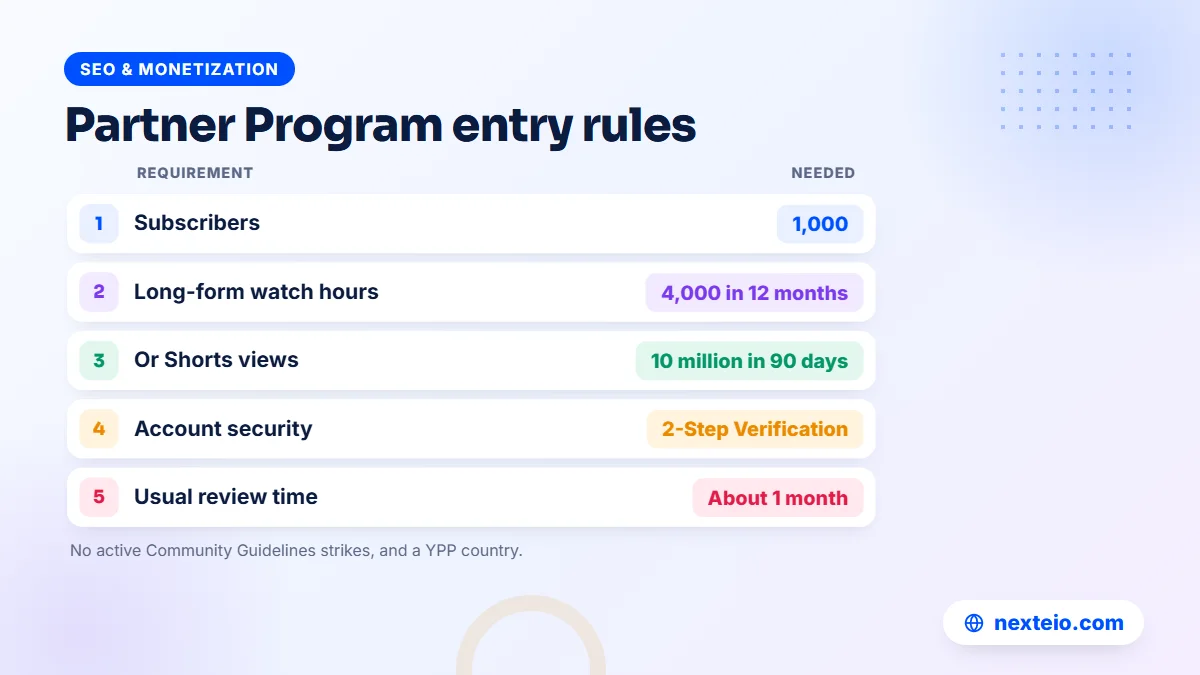
Before any AdSense YouTube link matters, the channel must qualify for the YouTube Partner Program. YouTube's official YPP overview and eligibility page sets out the current rules. At the time of writing, a channel can reach the ad revenue level in one of two ways:
| Path | Subscribers | Activity needed |
|---|---|---|
| Long-form videos | 1,000 | 4,000 qualified public watch hours in the last 12 months |
| Shorts | 1,000 | 10 million qualified public Shorts views in the last 90 days |
Watch hours from Shorts in the Shorts Feed do not count toward the 4,000 hours, and views from private, unlisted or deleted videos or from ad campaigns do not count either.
Meeting the numbers is only part of it. YouTube also expects you to live in a country or region where YPP is available, have no active Community Guidelines strikes, turn on 2-Step Verification for your Google Account, have advanced features access on YouTube, and follow the channel monetization policies.
Reaching the threshold does not mean automatic approval either. Every channel goes through a review, which the next sections cover. If you want YouTube to tell you when you qualify, the Earn section of YouTube Studio has a "Get notified" option.
Before You Apply: Get Your Accounts Ready
Most delays happen because something basic was not prepared. Spend an hour on these points before you click Apply.
Secure the Google Account
Turn on 2-Step Verification for the Google Account that owns the channel. You will find it under Security in your Google Account settings. Use a phone number you will keep for years, and store backup codes somewhere safe. A channel that earns money is a target for account theft, and a stolen channel is far harder to recover than to protect.
Decide whose name the payments go to
AdSense pays the payee named in the account, and the bank account must match that name. For an individual creator, that means your name exactly as it appears on your bank account and national ID. For a company, school or organization, it should be the legal name of the organization, with a bank account in the same name. Changing the payee later is slow and sometimes not possible without starting again.
Prepare your address and documents
Write your address in English in a form that a postal worker can deliver, with the postal code. Google may ask for identity verification with a government-issued ID, so keep your NID or passport ready. Check that the spelling of your name is the same in all three places: the ID, the bank account and the AdSense account.
Check for an existing AdSense account
Google expects one payee to use one account. If you, or someone in your organization, already has an AdSense account, find out before you create anything new. Duplicate accounts in the same name often cause confusion and can be closed.
How to Set Up Your AdSense YouTube Link Step by Step
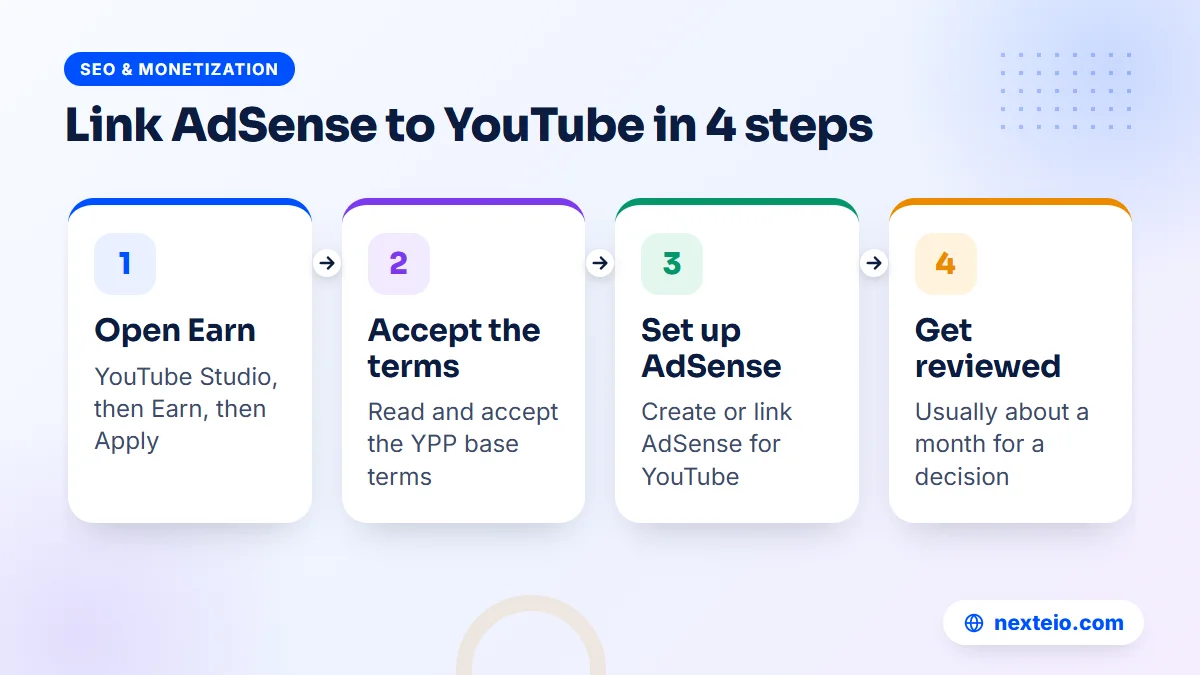
The application and the AdSense YouTube connection both happen inside YouTube Studio. You can do this on a computer or a phone, though a computer is easier for the forms.
- Sign in to YouTube with the Google Account that owns the channel.
- Click your profile picture, then open YouTube Studio.
- In the left menu, click Earn.
- Select Apply Now, then click Start to read and accept the base terms of the Partner Program.
- Click Start on the AdSense step. You can set up a new AdSense for YouTube account here, or link an existing active one.
- Follow the AdSense screens to confirm your account type, payee name and address.
- Return to YouTube Studio. The "Get reviewed" step should show In Progress.
YouTube's help page says to create a new AdSense for YouTube account only from inside YouTube Studio. Do not sign up separately on the AdSense website and try to connect it afterward.
On the AdSense screens, pay attention to the account type. "Individual" is for a person. "Business" is for a registered company or organization, and the payee name must be the organization's legal name. Pick carefully, because this choice shapes your tax form and your bank details later.
If you already earn from a website with AdSense, YouTube Studio may offer that account for linking. Read the screen before you accept, and note that YouTube and website earnings can be held in separate payment balances, each with its own payment threshold.
What Happens During the Channel Review
Once the terms are accepted and the AdSense YouTube account is linked, the channel enters a review queue. YouTube says its automated systems and human reviewers look at the channel as a whole, and a decision typically arrives in about a month, sometimes longer when many channels apply at once.
Reviewers usually look at your main theme, your most viewed videos, your newest uploads, and your titles, thumbnails and descriptions. They are checking whether the channel follows the YouTube channel monetization policies, not only the Community Guidelines.
The most common reason for rejection is content that is not original enough or adds too little. That covers a few familiar patterns:
- Compilations of other people's clips with little or no commentary.
- Slideshows of images with background music and no real narration.
- Videos read by a computer voice from copied text.
- Many near-identical videos uploaded in bulk.
- News or film clips reuploaded from TV channels.
If the application is rejected, YouTube tells you the main reason and when you can apply again. Use that time to remove or fix the weakest videos and to publish clearly original work. Simply waiting and reapplying with the same content rarely changes the result.
A practical recovery plan after a rejection looks like this:
- Read the rejection reason and the policy it names.
- List your twenty most viewed and twenty newest videos, since reviewers often start there.
- Delete, make private or rework videos that match the reason given.
- Publish new videos that show your own voice, face, teaching or footage.
- Reapply when YouTube allows it, with a clearer channel description and focus.
Keep a note of every change you make. If you are rejected again, that record shows what has already been tried.
Turning On Ads and Understanding Your Share
After approval, YouTube asks you to review and accept optional modules. The Watch Page Monetization Module turns on ads for long-form videos, and the Shorts Monetization Module turns on ads in the Shorts Feed. Without accepting at least one of them, you are a partner but no ad money comes in.
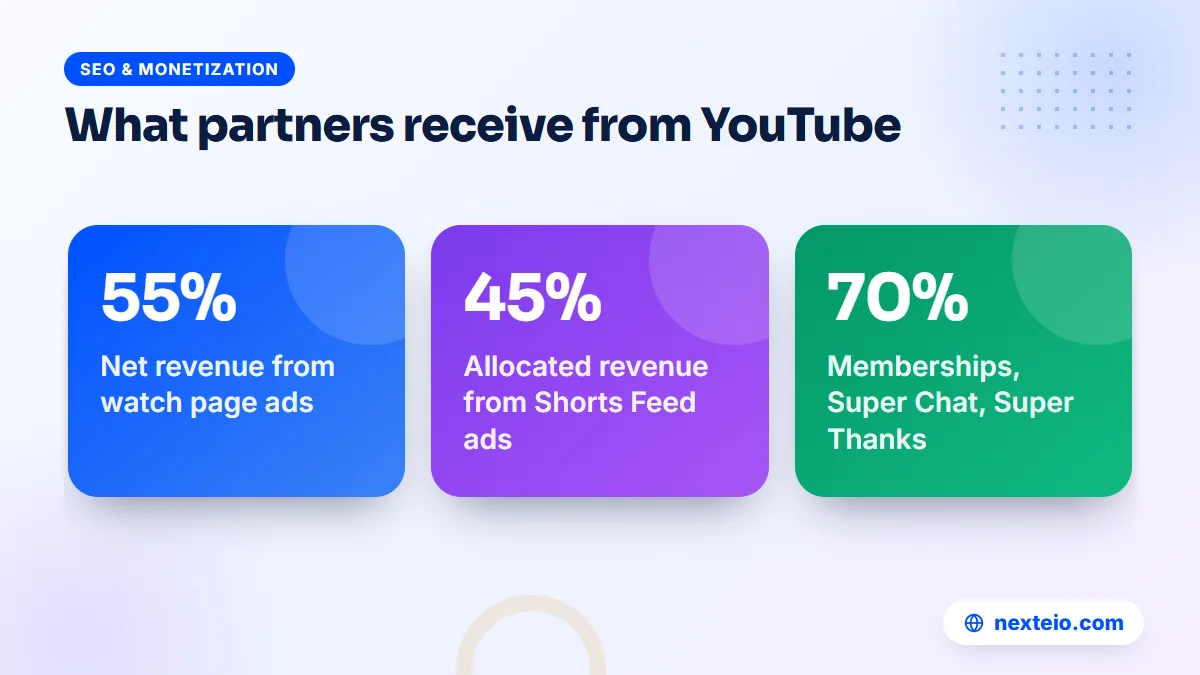
YouTube's partner earnings overview lists the official revenue shares. For ads on the watch page of your public videos, YouTube pays partners 55 percent of net revenue. For Shorts, partners receive 45 percent of the revenue allocated to them from the Creator Pool, based on their share of views. Channel memberships, Super Chat, Super Stickers and Super Thanks pay 70 percent of net revenue.
Inside each video's monetization settings you can also choose ad formats and placements. Videos that are eight minutes or longer can carry mid-roll ads, which run partway through the video. They can raise earnings on long lessons, talks and reviews, but badly placed breaks annoy viewers. Place them at natural pauses, such as the end of a topic, instead of in the middle of a sentence.
Two numbers in YouTube Analytics confuse many new partners. CPM is what advertisers pay per thousand ad impressions, before YouTube's share. RPM is what you actually earn per thousand views, after the share and across all views, including those with no ads. RPM is the number that matters for your planning.
Earnings per view vary a lot. They depend on where viewers live, what the video is about, the time of year and how long people watch. A Bangla cooking channel and an English software tutorial channel can have very different RPMs with the same view count, so compare your own months rather than other people's screenshots.
PIN, Identity and Tax Information
Address verification with a PIN
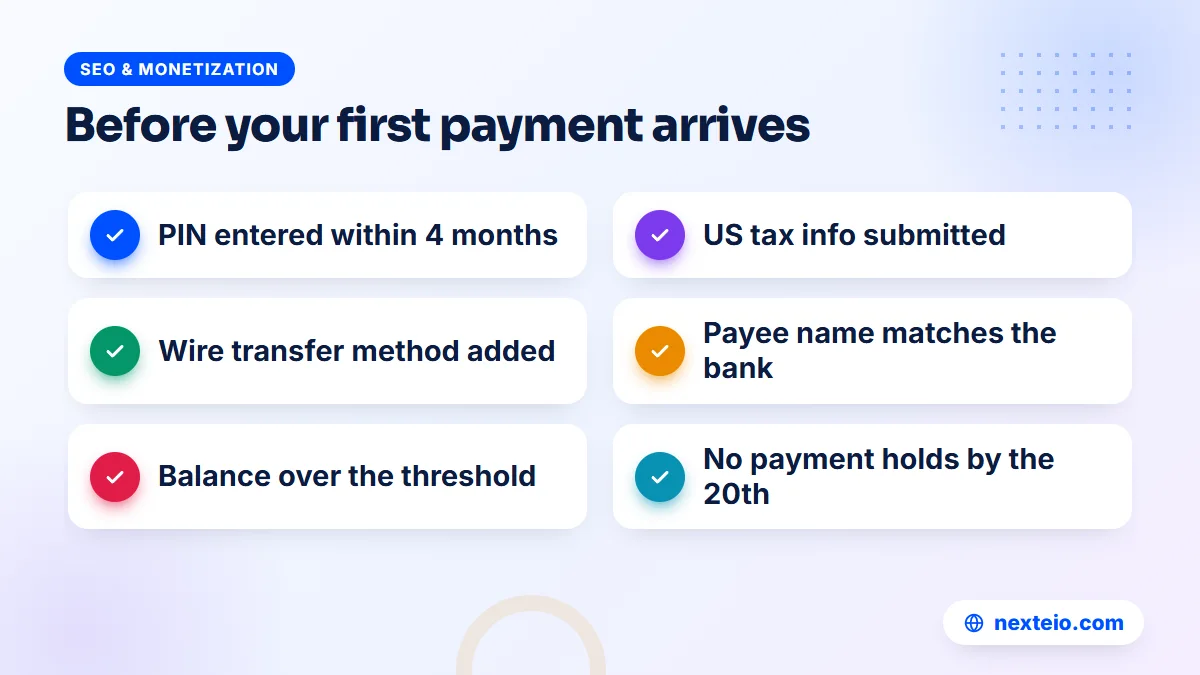
When your earnings reach the verification threshold, Google posts a six-digit PIN to your payment address by ordinary international mail, without a tracking number. Google's address verification (PIN) overview says the letter usually takes about three weeks, and you have four months from when the PIN is generated to enter it.
If the PIN does not arrive in three weeks, request a replacement from the AdSense payments section. Check that the address is complete and that a guard, neighbor or office reception will accept and keep the envelope. Enter the PIN carefully, because three wrong attempts can stop ads from showing.
Identity verification
Google may ask you to verify your identity by uploading a government ID. If it asks, the PIN is sent only after the identity check passes. Make sure the photo is clear and the name matches the payee name exactly.
US tax information
YouTube requires every monetizing creator, wherever they live, to submit US tax information in their AdSense for YouTube account. Google withholds US tax only on earnings from viewers in the United States, but if the form is missing it may withhold at the maximum rate. New partners also cannot receive their first payment until the form is done.
Individuals outside the US usually complete a form for non-US persons inside AdSense. Bangladesh has an income tax treaty with the United States, and the form lets you claim treaty benefits where they apply. Read each question slowly, and ask a tax professional if your situation is unusual. You may also owe tax in Bangladesh on your YouTube income, so keep records of every payment.
Getting AdSense YouTube Payments in Bangladesh
Google lists which payment methods each country can use. For Bangladesh, the AdSense help page on how to add a payment method for AdSense or AdSense for YouTube shows wire transfer and check as the available options for YouTube payments. Most creators choose wire transfer to a bank account.
To set it up, sign in to AdSense for YouTube, open Payments, then Payments info, and add a payment method. You will need these details:
- The account holder name, exactly as the bank records it.
- The bank name and the branch.
- The account number.
- The bank's SWIFT code, which your branch can confirm.
Ask your branch how they handle foreign remittance into your account type and whether they need any documents.
The payment calendar follows a fixed pattern. Finalized YouTube earnings for the previous month are added to your AdSense for YouTube balance between the 7th and 12th of the month. If the balance has reached the payment threshold, there are no holds and your tax information is in place, the payment is issued between the 21st and the 26th. Google's page on payment timelines for AdSense explains each date.
A wire transfer can take several working days to reach the account after it is issued, and banks may deduct their own fees. If your balance is below the threshold, it simply rolls over to the next month. Nothing is lost.
Keep your bank statements and the AdSense payment receipts together. They make it easier to answer questions from your bank, prepare your tax return and settle any disagreement about amounts later.
How Long the Whole AdSense YouTube Process Takes
Creators often expect money within days of reaching 1,000 subscribers. In practice, the AdSense YouTube process runs over several months, and knowing the rough timeline helps you plan instead of worrying. The stages below are approximate and depend on your channel and your earnings.
| Stage | Typical time |
|---|---|
| Application and AdSense link | One sitting in YouTube Studio |
| Channel review | About a month, sometimes longer |
| Earnings reach the verification threshold | Depends on your views |
| PIN letter arrives | Usually about three weeks |
| Balance reaches the payment threshold | Depends on your earnings |
| Payment reaches your bank | Issued 21st to 26th, then a few working days |
The two stages you cannot speed up are the review and the post.
The stages you can control are the paperwork ones. Submit the tax form as soon as the account is approved, add the bank details when AdSense asks, and enter the PIN the day it arrives. A creator who handles each of these promptly is often paid a month or two earlier than one who waits until the balance is large.
For a small channel, the payment threshold is the real wait. If your monthly earnings are low, it may take several months to reach it. That is normal, and the balance carries forward from month to month. Use the time to improve the videos that bring the most watch time, since those are the ones that move earnings.
Running Website AdSense and YouTube Together
Many publishers in Bangladesh run both: a YouTube channel and a website or blog. A recipe channel may also have a recipe site. A tech reviewer may publish written reviews. A news page may run a portal alongside its video channel. Both can earn through Google, but they are approved in different ways.
| Point | AdSense on a website | AdSense for YouTube |
|---|---|---|
| Who approves | AdSense reviews your site | YouTube reviews your channel |
| Ad placement | You add the ad code | YouTube places the ads |
| Main policy | AdSense Program policies | Channel monetization policies |
| Payments | AdSense balance | May be a separate YouTube balance |
A monetized channel does not give a website automatic approval, and the reverse is also true.
For the website side, approval usually depends on original, useful content, clear navigation, policy pages and a site that works well on phones. We cover those points in our guide to the Google AdSense service in Bangladesh, and our article on writing SEO-friendly website content explains how to write pages that serve both readers and search. A well-built WordPress website or a simple Blogger site can both carry AdSense once the content is ready.
A website also brings traffic that YouTube cannot. Written pages can rank on Google for searches where people prefer reading, and they can send viewers to your videos. Our introduction to SEO for business shows how that search traffic builds over time.
Related guides for creators and publishers:
- A practical guide to video editing services
- How long SEO takes to show results
- Common SEO mistakes that hurt websites
Each one helps with the traffic and content side that ad income depends on.
Mistakes That Cause Holds, Rejections and Demonetization
Most AdSense YouTube problems come from a short list of avoidable mistakes. Some delay a payment by a month. Others can end monetization for good.
- Linking someone else's AdSense account. A friend's or relative's account means the money goes to their name, and fixing it later is hard.
- Opening a second account. One payee should have one account. Duplicates cause confusion and may be closed.
- A name that does not match the bank. The wire transfer can bounce or be held.
- Ignoring the PIN letter. After four months without verification, ads can stop.
- Skipping the tax form. New partners cannot receive the first payment without it.
Those five are account mistakes. The next group is about content and traffic:
- Asking people to click ads. Requests in videos, groups or messages to "watch the ads" count as invalid traffic.
- Buying views or subscribers. Fake engagement can lead to removal from YPP.
- Using music or clips you do not own. Copyright claims can send revenue to the rights holder or block a video.
- Going quiet for six months. YouTube may turn off monetization on channels that have not uploaded or posted in that time.
Copyright deserves special care for channels that use songs, film scenes or match highlights. Use YouTube's Audio Library or music you have a license for, and keep proof of permission. If a hold or policy notice has already stopped your payments, our AdSense troubleshooting help can find the cause and the fix.
A Monthly Routine for a Monetized Channel
Once the AdSense YouTube setup is complete, a short monthly routine keeps payments flowing and problems small. It takes less than an hour for most channels.
- Between the 7th and 12th, check that last month's finalized earnings appear in AdSense for YouTube.
- Look for any payment holds or notices on the AdSense home page and fix them before the 20th.
- After the 21st, watch for the "payment pending" line and then the deposit in your bank account.
- In YouTube Studio, check for copyright claims, limited ads icons and policy warnings.
- Compare RPM and watch time with last month, and note which videos drove earnings.
- Confirm that 2-Step Verification is still on and that only the right people have channel access.
Changes to payment information take effect for a month's payment only if completed on or before the 20th. Plan bank changes around that date.
A yellow dollar icon on a video means it has limited ads. Often the cause is the title, thumbnail or a section of the video that is not suitable for most advertisers. You can edit and request a human review. Steady channels treat this as part of their routine, not as an emergency.
For Organizations: Schools, Companies and Media Pages
When an organization runs the channel, the AdSense YouTube decisions involve more people. A school's principal, a company's finance team and a media owner each have a stake, so settle the following points in writing before money starts to arrive.
- Channel ownership: use a Brand Account owned by an official organization Google Account, not a staff member's personal account.
- Channel access: give staff and agencies roles through YouTube Studio permissions instead of sharing a password.
- Payee: the organization's legal name, with a bank account in the same name.
- Approval chain: name who signs off on tax forms, bank details and policy appeals.
Write these decisions down and keep them with your other official records.
Educational channels often do well when the content is original: recorded classes, exam tips and explanations by real teachers. A coaching center that films its own lessons has a strong base for monetization. One that reposts other teachers' videos does not.
Company channels usually earn more from customers than from ads. A garment factory showing its production lines to buyers, or a hospital explaining services, gains more from trust and enquiries than from RPM. Ad revenue is a bonus there. In those cases, promoting the channel with YouTube ads may bring more value than waiting for organic growth.
Video quality matters for every type of channel. Clean sound, steady framing, clear captions and a strong opening keep viewers watching, which supports both watch hours and earnings. Our video editing service turns raw phone or camera footage into finished videos, and our guide to what a good video ad edit includes is useful if you also promote the channel with ads.
How Nexteio Can Help With AdSense and YouTube
Nobody can promise YouTube or AdSense approval, because Google makes that decision. What our Google AdSense service does is find and fix the problems that usually cause delays, rejections and payment holds, and then help you through the account steps that follow.
For YouTube channels, we check your setup before you apply: Google Account security, the payee name and address, whether an old AdSense account already exists, and whether the account type fits a person or an organization. We review the channel's videos against the monetization policies and point out content that is likely to cause a rejection. After approval, we help with the PIN, identity and tax steps, adding a wire transfer method for a Bangladeshi bank, and payment holds.
If your channel needs better videos to qualify, our editing team can help. If you also run a website, our AdSense support for websites covers site approval, ad placement and payments as well. Browse all our services, see examples in our portfolio, or send us your channel details through the project form. You can also ask a quick question through our contact page. When you are ready, start a project brief and tell us where your AdSense YouTube setup is stuck.
Keep reading: simple SEO tips for small business websites, or browse all our SEO and monetization guides.
Frequently asked questions
Can I use my website AdSense account for YouTube?
YouTube Studio lets you link an existing active AdSense for YouTube account or set up a new one during the application. If you already earn from a website, check what Studio offers you before creating anything new, because one person should not hold several accounts. Website and YouTube earnings can sit in separate payment balances.
How long does it take to get the first YouTube payment?
After approval, earnings for a month are finalized early the next month and paid between the 21st and 26th, but only once your balance passes the payment threshold and the PIN, tax form and payment method are complete. For a new channel with modest earnings, the first payment can take several months to arrive.
What can I do if my AdSense PIN letter never arrives?
Wait about three weeks, then request a replacement PIN from the payments section of AdSense. Check the address for missing details such as the house number, road and postal code. Google allows several replacements, and if those fail too, its PIN troubleshooter explains the next steps.
Can someone under 18 earn from YouTube in Bangladesh?
A creator under 18 can be in the Partner Program, but the AdSense for YouTube account must belong to a parent or legal guardian who is 18 or older. The payments then go to the guardian's name and bank account, so families should agree on how the money is handled.
Why does my channel have views but earn very little?
Not every view shows an ad, and ad prices depend on the viewer's country, the topic and the season. Shorts are paid from a shared pool, so earnings per view are usually lower than for long-form videos. Look at RPM in YouTube Analytics and compare it month to month rather than with other channels.
Can I change the bank account after payments have started?
Yes. Add the new bank account as a payment method in AdSense for YouTube and make it the primary one. Finish the change on or before the 20th of the month if you want it to apply to that month's payment, and keep the old account open until the new one has received a payment.
Does YouTube income count as taxable income in Bangladesh?
Income from YouTube may be taxable where you live, and Google's own help pages tell creators to check with their local tax authorities. Keep your AdSense payment receipts and bank statements, and ask a tax professional in Bangladesh how to report the income on your return.