
Apps Like CapCut: 12 Video Editors Worth Trying for Business Videos
In this article 15 sections
- 1.Why People Look for Apps Like CapCut
- 2.What to Check Before Choosing an Editor
- 3.Best Free Apps Like CapCut for Android and iPhone
- 4.Desktop and Browser Editors That Replace CapCut
- 5.Apps Like CapCut Compared Side by Side
- 6.Which Editor Fits Which Business Job
- 7.Bangla Text, Captions and Fonts
- 8.Music, Templates and Copyright
- 9.Export Settings for Facebook, YouTube and TikTok
- 10.Phone Performance, Storage and Power in Bangladesh
- 11.When an App Is Not Enough
- 12.A Simple In-House Editing Routine for Small Teams
- 13.How to Move Your Workflow Away From CapCut
- 14.How Nexteio Can Help With Video Editing
- 15.Frequently asked questions
Apps like CapCut are worth knowing about if you make videos for a business, a school page or a growing channel and want more control, fewer limits or simply a backup plan. CapCut became popular because it is quick, free to start and full of templates. But it is not the only good editor, and for some jobs it is not the best one.
Many small businesses in Bangladesh now make most of their marketing videos on a phone. A boutique films a new kurti collection for Facebook. A coaching center cuts a teacher's tips into Reels. A furniture maker records a workshop tour for YouTube. When the editing app suddenly locks a feature behind a subscription, adds a watermark or struggles with Bangla text, the whole content plan slows down.
This guide compares the editors we think are worth trying in place of CapCut, on phones, computers and in the browser. It covers what each one does well, where it falls short, how to handle Bangla captions and music rights, and which export settings to use for Facebook, YouTube and TikTok.
It also explains the point where an app stops being enough and a professional video edit starts to make sense.
Why People Look for Apps Like CapCut
Made by ByteDance, the company behind TikTok, CapCut set the standard for easy phone editing: auto captions, trending templates, effects and direct sharing to social apps. People still look for alternatives, usually for one of a few practical reasons.
- Paywalls: features that used to be free, such as certain effects, templates or export options, now sit behind CapCut Pro.
- Watermarks and end cards: some templates and exports carry branding you have to remove.
- Terms and privacy: some creators raised concerns in 2025 about how CapCut's updated terms describe the use of uploaded content, and businesses with client footage want to read those terms carefully.
- Bigger projects: long YouTube videos, multi-camera interviews and color work are easier on a computer editor.
- Team work: an office that shares footage between several people needs project files that someone else can open.
None of these mean CapCut is a bad app. They mean the right tool depends on the job, the device and how much control you need.
It also helps to have a second editor ready. If an app changes its pricing or becomes unavailable in a region, as has happened with short-video apps in some countries, you do not want your whole marketing calendar tied to it.
What to Check Before Choosing an Editor
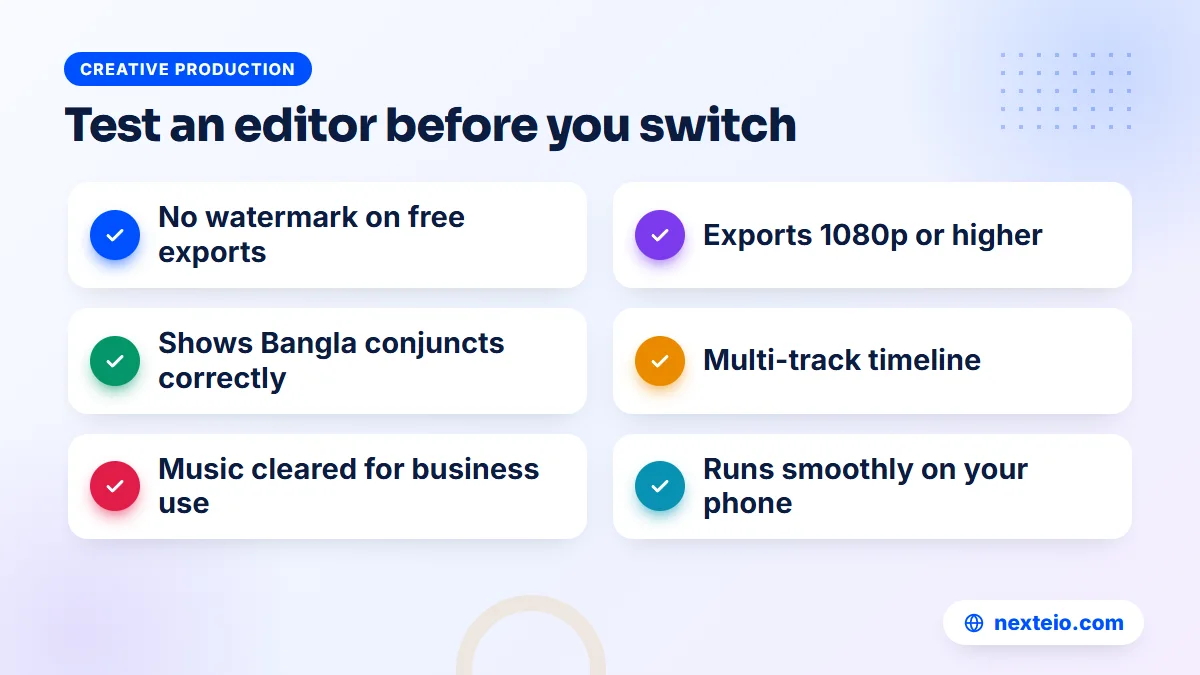
App store ratings tell you little about whether an editor suits your work. Test any of the apps like CapCut in this guide against these points, using a real clip from your business, before you commit:
- Watermark on free exports. Does the free version stamp its logo on your video, and what does it cost to remove it?
- Export quality. Can it export 1080p at 30 fps at minimum, and 4K if your phone records it?
- Captions and Bangla text. Does it render Bangla conjunct letters correctly, and can it generate or import captions?
- Timeline control. Are there multiple video and audio tracks, keyframes and precise trimming?
- Music and templates. Is the built-in music cleared for business use, and do templates add branding?
- Device demands. Does it run smoothly on the phones or computers your team actually uses?
- Price and payment. Can you pay for the subscription with the cards or payment methods you have?
Seven checks sound like a lot, but one test edit answers most of them in under an hour.
The Bangla test deserves special mention. Some editors handle English text well but break Bangla conjuncts or show boxes instead of letters. Type a line such as a product name with a "juktakkhor" in it, preview it, then export and check it on another phone. It takes two minutes and saves a reshoot.
Best Free Apps Like CapCut for Android and iPhone
These phone editors cover most of what CapCut does, each with a different strength. All of them have free versions, and most offer a paid tier for extra features. Prices and limits change often, so check the app store page before you subscribe.
VN Video Editor
VN is the closest match to CapCut's timeline. It has multiple tracks, keyframes, speed curves, text and music layers, and it works in vertical and horizontal formats. Its free version has long been known for exporting without a watermark, which is why many small creators moved to it. VN is also available on computers, so a project started on a phone can be finished on a bigger screen.
It suits shop owners and social media managers who want proper editing control without paying for a subscription. The learning curve is slightly steeper than CapCut, and it has fewer trending templates.
Edits by Instagram
Meta released Edits in 2025 as a free editor for short vertical video, built for Reels. It records and edits in one app, includes captions, effects and green screen tools, and exports without a watermark. You sign in with an Instagram account, so it fits naturally into a business that posts mainly on Instagram and Facebook.
It is a good CapCut replacement for short social clips. It is less suited to long horizontal videos for YouTube.
InShot
This one is simple and fast. Trim, add text, music and stickers, then export in the right shape for each platform. The free version adds a watermark and shows ads, and the Pro version removes both. It is a good choice for staff who are new to editing and just need clean clips posted on time.
KineMaster
One of the older mobile editors, KineMaster offers layers, chroma key (green screen), blending modes and an asset store. The free version adds a watermark, and a subscription removes it. It suits people who want more layer-based effects than CapCut offers, such as a product floating over a background or picture-in-picture explainers.
PowerDirector
CyberLink's PowerDirector is available on Android, iPhone and Windows. It has stabilization, a decent set of titles and transitions, and tools for removing backgrounds. The free version watermarks exports. It works well for people who want the same brand of editor on phone and computer.
Edits and VN tend to be the first free picks, while InShot and KineMaster suit people who are willing to pay a small subscription for convenience.
Desktop and Browser Editors That Replace CapCut
There is a desktop version of CapCut too, but if you are moving to a computer anyway, several other editors are worth a look, and some of the strongest apps like CapCut on a computer cost nothing. A computer makes sense for longer videos, interviews, training content and anything that needs careful color or sound work.
DaVinci Resolve
DaVinci Resolve from Blackmagic Design is a professional editor with a free version that is unusually complete. It covers editing, color correction, audio and effects in one program, and it runs on Windows, Mac and Linux, with an iPad version too. A paid Studio version adds more advanced features for a one-time price, listed at US$295 on Blackmagic's site at the time of writing.
The catch is hardware and learning time. Resolve needs a reasonably strong computer with a good graphics card, and beginners need a few weeks to feel comfortable. For a corporate video, a factory profile or a YouTube channel that publishes long videos, it is often the best free option available.
Clipchamp
Microsoft's browser-based editor, Clipchamp, comes built into recent versions of Windows. It has templates, auto captions, text-to-speech, stock media and a simple timeline. The free plan has allowed HD exports without a watermark, while some stock media and brand features need a paid plan. It suits office staff who already work in Windows and need simple training or announcement videos.
iMovie
Apple's own iMovie is free on iPhone, iPad and Mac. It is simpler than CapCut and has fewer effects, but it is stable, clean and has no watermark. For a school or NGO with a Mac and an iPhone, it is a sensible first editor for event videos and short reports.
Shotcut and Filmora
Shotcut is a free, open-source editor for Windows, Mac and Linux. It looks plain but handles most formats and has no watermark, which makes it useful on older office computers. Filmora by Wondershare is easier to learn and has plenty of effects and templates, but its free version watermarks exports, so most business users end up paying.
Canva and Adobe Express
Canva and Adobe Express both run in the browser and on phones, with large template libraries for social videos, stories and simple ads. They are not full video editors, but they are very good at branded, template-driven clips: a sale announcement, a new arrival post or a quick event highlight. If your team already designs posts in one of them, adding video there keeps the brand consistent.
Apps Like CapCut Compared Side by Side
The tables below summarize the main differences between these apps like CapCut. They reflect how each app works at the time of writing. Free plans change, so check the current limits before you rely on one. Start with the phone editors:
| App | Devices | Free version | Best at |
|---|---|---|---|
| VN Video Editor | Android, iPhone, computer | No watermark | Multi-track editing |
| Edits (Instagram) | Android, iPhone | No watermark | Reels and short clips |
| InShot | Android, iPhone | Watermark and ads | Quick, simple edits |
| KineMaster | Android, iPhone | Watermark | Layers and green screen |
| PowerDirector | Android, iPhone, Windows | Watermark | Stabilizing shaky clips |
Each phone app covers short social video well. Now compare the desktop and browser options:
| App | Devices | Free version | Best at |
|---|---|---|---|
| DaVinci Resolve | Windows, Mac, Linux, iPad | Full editor, no watermark | Color, sound, long videos |
| Clipchamp | Browser, Windows | HD exports | Office and training videos |
| iMovie | iPhone, iPad, Mac | Free, no watermark | Simple, stable edits |
| Shotcut | Windows, Mac, Linux | Free, open source | Older computers |
| Canva / Adobe Express | Browser, phone | Limited templates | Branded template clips |
For most small businesses, one phone app plus one computer editor covers every need.
For comparison, CapCut itself runs on phones, computers and in the browser, with a free plan and a Pro subscription. If its free features still cover your work, there is no urgent reason to switch. Many teams keep CapCut for quick templates and use another editor for anything that matters more.
Which Editor Fits Which Business Job
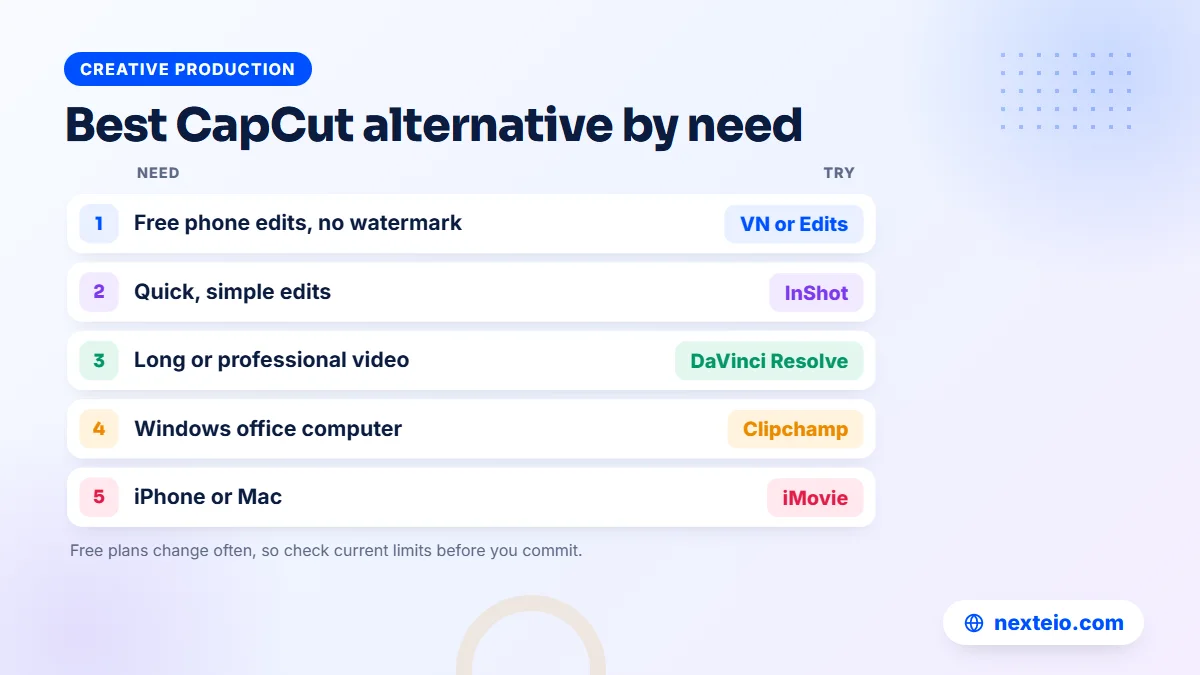
Apps are easier to choose when you start from the job instead of the feature list. Here are common situations for businesses in Bangladesh and the editor type that usually fits each one.
A clothing or cosmetics page posting daily Reels. Speed matters more than polish. Edits or VN on a phone, with a saved text style and a standard intro, lets one person film and post in under an hour. Short, consistent clips often do better than one fancy video a month.
A school or madrasa covering an annual event. The footage is long, comes from several phones and needs a calm, clear edit. On a computer, iMovie, Clipchamp or Shotcut works well. Collect the clips on a shared drive first, so nobody has to send dozens of videos over chat.
A garment factory making a buyer-facing profile. Buyers judge quality from the video itself: steady shots, accurate colors and clean sound. This is DaVinci Resolve territory, or a job for a professional video editor. A shaky phone edit can undo the impression made by a clean factory floor.
A clinic or diagnostic center explaining a service. Clarity and trust come first. A simple talking-head video with captions, made in VN or Clipchamp, is usually enough. Avoid flashy effects that make medical information look like an ad.
An online store running paid ads. Ads need several versions to test, with the offer in the first seconds and captions for muted viewing. A phone app can make the versions, but the planning matters more than the tool. Our article on what a good video ad edit includes covers that planning in detail.
Bangla Text, Captions and Fonts
Captions are not optional for business video. Many people watch on mute in offices, on buses and late at night. In Bangladesh, captions also help when the voice-over is in Bangla but part of the audience reads English better, or the other way round.
Getting Bangla to display correctly
Bangla is a complex script. Letters join and change shape in conjuncts, and vowel signs sit before, after, above or below the consonant. Editors that do not handle this properly show broken words. Before you choose an app, test a few lines with conjuncts and vowel signs, and check them in the exported file, not only in the preview.
If the built-in fonts fail, see whether the app lets you import your own font file. A clean, readable Bangla font with good conjunct support is worth installing once and reusing in every video. Keep the brand's font names in a shared note so every editor on the team uses the same ones.
Auto captions and caption files
Auto captions save time, but their accuracy in Bangla varies a lot between apps, and mixed Bangla-English speech is harder still. Always read every line before export. A wrong word in a price or a phone number is worse than no caption at all.
For YouTube, you can also upload the video without burned-in text and use YouTube's own captions. Its automatic captioning supports a set of languages, and you can edit the result or upload a caption file. For Facebook and TikTok, burned-in captions are usually safer, since many viewers scroll with sound off and you control exactly how the text looks.
Related guides from our blog that pair well with this one:
- Video editing service in Bangladesh: a practical guide for businesses
- TikTok business account vs personal account
- Top Meta ads tips for better results in Bangladesh
Each one picks up where editing ends: publishing, accounts and paid promotion.
Music, Templates and Copyright
Music causes more problems for business videos than any other part of the edit. A trending song can make a Reel feel current, but using it in a commercial video is a different matter from using it in a personal post.
Most editors include a music library, but the license terms differ. Some tracks are cleared only for personal use, some for social media posts, and some for commercial use including ads. CapCut, for example, labels some of its assets for commercial use, while others carry restrictions. When you switch apps, do not assume the rules stay the same.
On YouTube, copyrighted music can lead to a Content ID claim, which may block the video in some countries or send the ad revenue to the rights holder. YouTube explains the process in its copyright overview. On Facebook and Instagram, videos with unlicensed music can be muted or removed, and boosted posts can be rejected.
Follow a few simple rules to stay safe:
- Use music you have licensed for commercial use, or original music made for you.
- Keep a note of where each track came from and its license terms.
- Avoid templates whose music or effects are marked for personal use only.
- Use your own photos, footage and logo rather than images found online.
- Get written permission before using footage of customers, patients or students.
Templates are the other trap. Popular templates are used by thousands of accounts, so a business video built on one can look identical to a competitor's. Use templates for structure and timing, then replace the fonts, colors and music with your own brand style.
Export Settings for Facebook, YouTube and TikTok
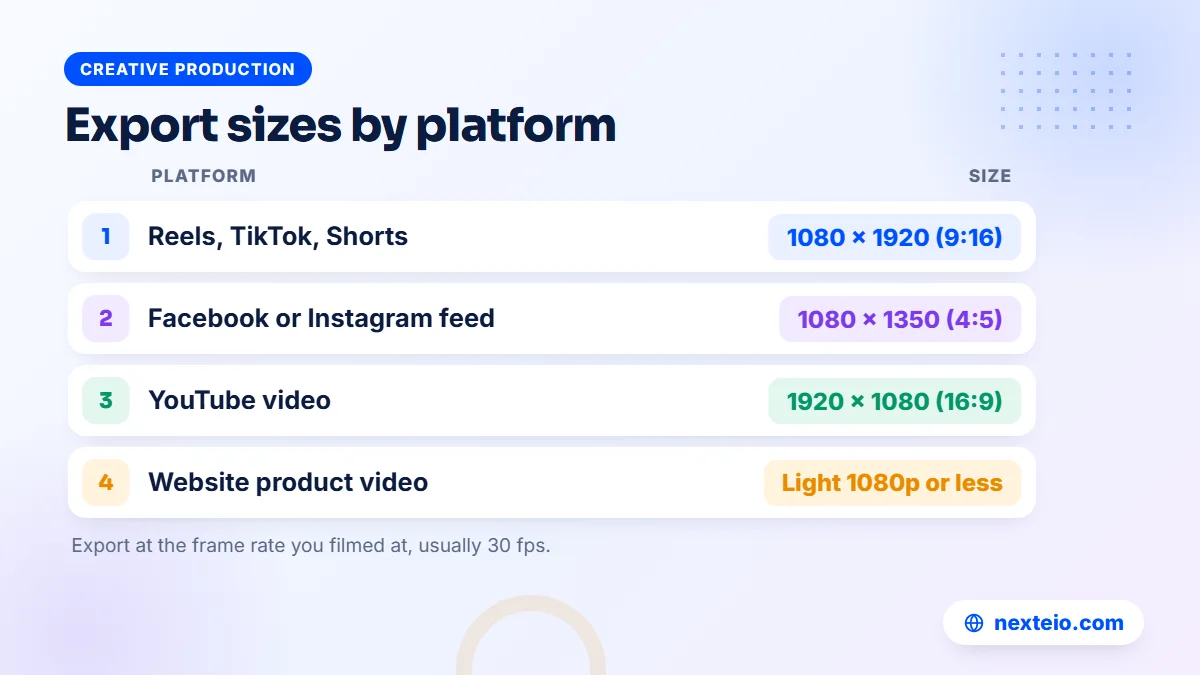
A good edit can look poor after a bad export. Most problems come from the wrong shape, a low resolution or heavy compression on a slow upload. These settings work for most business videos:
| Where it is posted | Shape | Resolution | Notes |
|---|---|---|---|
| Reels, TikTok, Shorts | Vertical 9:16 | 1080 x 1920 | Keep text away from the bottom and right edges |
| Facebook or Instagram feed | Portrait 4:5 or square 1:1 | 1080 x 1350 or 1080 x 1080 | Takes more screen space than a wide video |
| YouTube main video | Horizontal 16:9 | 1920 x 1080 or 4K | Upload the highest quality you have |
| Website or online store | 16:9 or 1:1 | 1920 x 1080 or smaller | Compress so pages stay fast on mobile data |
Use 30 frames per second unless you filmed at a different rate.
YouTube publishes its recommended upload encoding settings, which are a good reference for any platform. In general, export with the same frame rate you filmed at, use H.264 in an MP4 file, and avoid exporting a 720p video if the footage was shot in 1080p or higher.
On mobile data, a large export can take a long time to upload or may fail halfway. If your connection is slow, upload over Wi-Fi or let the upload run while the phone is charging. For product videos on your own site, keep files light, or host them on YouTube and embed them, so the page still loads quickly for shoppers. Our team builds e-commerce websites with this kind of video use in mind.
Phone Performance, Storage and Power in Bangladesh
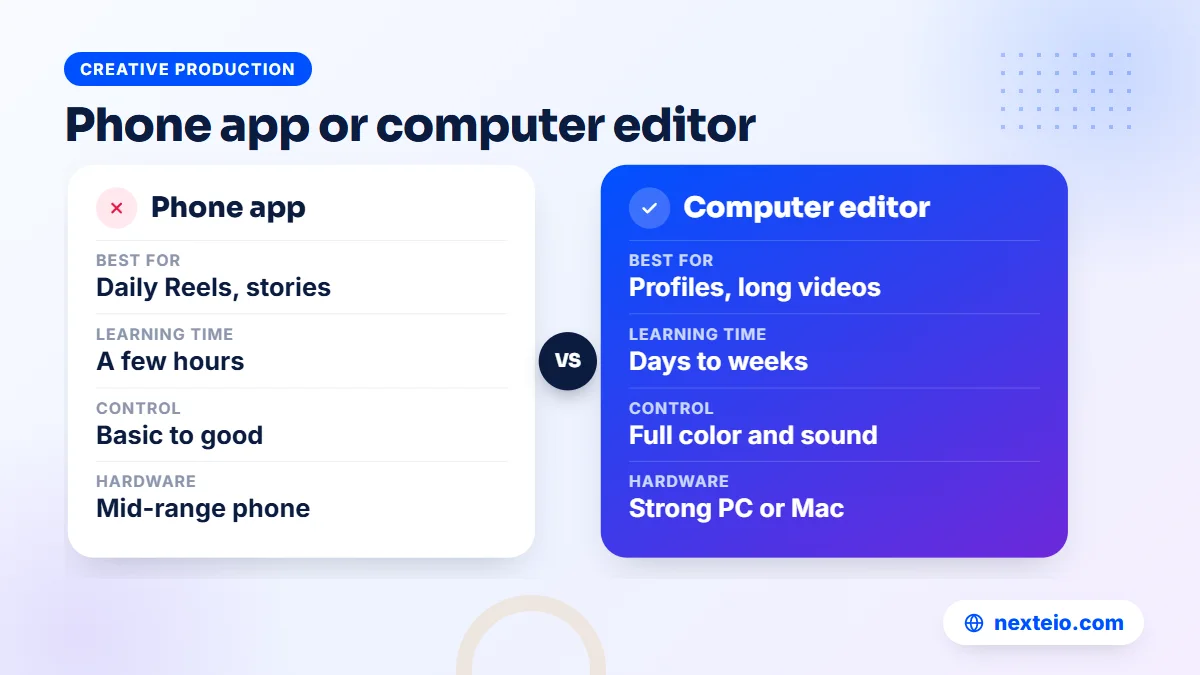
The best app on paper is useless if it freezes on your phone. Many small businesses edit on mid-range Android phones that also handle calls, orders and customer chats all day.
Editing apps need free storage, often several gigabytes for a project with 4K clips, plus room for the export. Before a big edit, clear old exports and cached files, and move finished projects to a computer or cloud drive. Many apps like CapCut offer proxy or preview quality settings, so use them if yours does: you edit a lighter copy, and the final export still uses the original footage.
Battery and power deserve a thought too. A long 4K export can drain a phone quickly, and a sudden shutdown during export can corrupt the file. Keep the phone plugged in, and if load-shedding is likely, start the export only when the battery is well charged. On a computer, save the project often and keep autosave turned on.
Finally, back up your raw footage. Phones get lost, damaged or reset. A shared drive with folders by date and project means a lost phone costs you the phone, not three months of content.
When an App Is Not Enough
Editing apps are excellent for daily social content. They are less suited to videos where the quality directly affects money or reputation. These are signs it is time for a professional editor:
- The video will be shown to foreign buyers, investors or a board.
- You are spending real money promoting it as an ad.
- The footage comes from several cameras or has serious sound problems.
- You need consistent brand style across a series of videos.
- Your staff spend hours editing instead of doing their main work.
If two or more of these apply, the cost of a professional edit is usually smaller than the cost of a weak video.
Paid ads deserve special care. An ad that loses viewers in the first two seconds wastes the budget behind it, however well the campaign is set up. If you plan to promote videos through Facebook ads, TikTok ads or YouTube ads, a sharper edit often improves results more than a bigger budget. For ad-specific cuts, our video ads editing service prepares short versions with captions and the offer up front.
A practical middle path works well for many teams. Staff use CapCut, VN or Edits for daily posts, while important videos such as the company profile, an admission campaign or a product launch go to a professional video editing service. You can see how we approach that work on our about page.
A Simple In-House Editing Routine for Small Teams
The app matters less than the routine around it. Offices that post regularly usually have one person who films, one who edits and one who approves, even if that is the same person wearing three hats. A light routine keeps quality steady whichever editor you use.
- Plan on Sunday: list the week's videos, the platform for each and the one message each must carry.
- Film in batches: shoot several clips in one session with good light, a clean background and a cheap clip-on microphone.
- Edit from a saved style: reuse the same fonts, caption style, intro and logo position every time.
- Check before posting: read every caption, check prices and phone numbers, and watch the export once with sound off.
- Review monthly: look at which videos people watched longest and make more of those.
In organizations with an approval chain, such as a school principal or a managing director signing off, send a low-resolution preview for approval instead of the full file. It saves data and time, and the final export only happens once.
When something is approved, file the final version in a shared folder named by date and topic. Six months later, when someone needs last year's admission video or a product clip for the website, it takes a minute to find instead of an afternoon of scrolling through chats.
How to Move Your Workflow Away From CapCut
If you decide to switch, do it gradually so your posting schedule does not suffer. Most editors cannot open CapCut project files, so plan around finished exports and raw footage.
- Export every CapCut project you still need as a high-quality video file, and keep the raw clips.
- Note your brand settings: fonts, colors, text sizes, intro and outro timing.
- Rebuild those settings once in the new app as saved styles or templates.
- Edit your next three or four videos in both apps, and compare time and results.
- Move fully once the new app feels quick, and keep CapCut installed as a backup.
The switch usually takes a week or two of normal posting, not a full stop.
Testing a new editor alongside the old one also shows you whether the change was worth it. If the new app is slower and the videos look the same, the switch was not needed. If you are also unsure what type of content to make next, our guide to planning content for each stage of the customer journey helps you decide what each video is for before you edit it.
How Nexteio Can Help With Video Editing
Through our video editing service, we turn phone and camera footage into finished videos for businesses and organizations across Bangladesh: Reels, YouTube videos, product promos, event highlights and company profiles. You send the raw clips, tell us where the video will be posted and who should watch it, and we handle the cut, captions in Bangla or English, sound, color and the right export for each platform.
Many businesses prefer to keep posting daily content themselves with a phone app and send us only the videos that need more care. That split works well. We can share the fonts, colors, intro and caption style used in your edited videos, so your team can reuse them in their own editor and everyday posts look like they belong to the same brand.
See examples in our portfolio, or learn more about our editing work for businesses. When you are ready, send us your footage details through our project form, or reach us through the contact page. If you are planning a series of videos, share your content plan and we will suggest how to split the work between your team and ours.
Keep reading: what advertisers need to know about TikTok's ad policies, how to build a landing page for your video ads, or browse all our creative production guides.
Frequently asked questions
Is there a free app like CapCut without a watermark?
Yes. VN Video Editor and Edits by Instagram are free phone editors that export without a watermark at the time of writing, and iMovie is free on Apple devices. On computers, DaVinci Resolve and Shotcut are free and do not add a watermark. Free plans change, so check before you rely on one.
What is the best CapCut alternative for a Windows PC?
For simple office and training videos, Clipchamp is easy and comes with recent versions of Windows. For longer or more polished videos, DaVinci Resolve is the strongest free option, though it needs a capable computer and some learning time. Shotcut is a good free choice for older machines.
Can other apps like CapCut open my CapCut projects?
Generally no. Each editor saves projects in its own format, so you cannot open a CapCut project file in VN or DaVinci Resolve. Export finished videos at high quality and keep your raw clips, then rebuild your brand styles once in the new app.
Which video editor handles Bangla text best?
Support for Bangla conjuncts varies between apps and even between versions of the same app. Type a few lines with conjuncts and vowel signs, export a short test and check it on another phone. If the built-in fonts fail, choose an editor that lets you import a good Bangla font.
Can I use trending songs in business videos?
Usually not without a license. Music that is fine in a personal post may not be cleared for commercial use, and it can get a business video muted, blocked or rejected as an ad. Use music licensed for commercial use, or tracks the app clearly marks as cleared for business.
Is CapCut still fine for business use?
Many businesses still use it for quick social clips. Read the current terms of service and the license notes on templates and music, especially if you edit client or customer footage. Keeping a second editor ready also protects your posting schedule if pricing or availability changes.
When should a business hire a video editor instead of using an app?
Hire help when the video goes to buyers, investors or a board, when you are spending money to promote it as an ad, or when the footage has sound or camera problems. Daily social posts can stay in-house with apps like CapCut or VN, while important videos benefit from a professional edit.